
บุ๊กมาร์ก
| ผู้พัฒนา: | gaterook (1) | ||
| ราคา: | ฟรี ใหม่ | ||
| คะแนน: | 880 เงิน | ||
| การจัดอันดับ: | 0 | ||
| ความคิดเห็น: | 0 โพสต์ความคิดเห็น | ||
| รายการ: | 0 0 | ||
| แต้ม: | 0 | ||
| +1 แต้ม | |||
สรุป
GateRook เป็นแอปในหมวด “เครื่องมือสำหรับนักพัฒนา” จาก gaterook
มาใหม่ ออกเมื่อ คุณได้เป็นหนึ่งในคนกลุ่มแรก
ฟรี ไม่มีโฆษณา ไม่มีการซื้อภายในแอป มีแค่คุณกับแอป
Microsoft Store มีมาในตัว Windows อยู่แล้ว ติดตั้งได้ในไม่กี่คลิก
คะแนน AppAgg คือ 880 ระดับ “เงิน” ถือว่าไม่เลวเลย
จัดเรต “EVERYONE” เหมาะกับเด็ก ๆ ด้วย
รองรับแค่ภาษาเดียว และไม่ใช่ภาษาไทย
ยังไม่มีใครบน AppAgg ให้คะแนนเลย โอกาสเป็นคนแรกอยู่ตรงนี้แล้ว
เป็นแอปเดียวของผู้พัฒนารายนี้บน AppAgg อย่างน้อยก็ตอนนี้
อยากรู้เรื่องอัปเดตและแอปใหม่ก่อนใครไหม? ติดตาม ผู้พัฒนา หรือกดติดตาม ฟีด RSS ได้เลย การแจ้งเตือนแบบพุชส่งผ่านแอป AppAgg Alerts สำหรับ Android และ iOS
แพลตฟอร์มอื่น 0
ประวัติราคา 0
- ราคาปัจจุบัน: ฟรี
- ต่ำสุด: ฟรี
- สูงสุด: ฟรี
ฟีดของคุณเองบนหน้าแรก
ภาพหน้าจอ 5
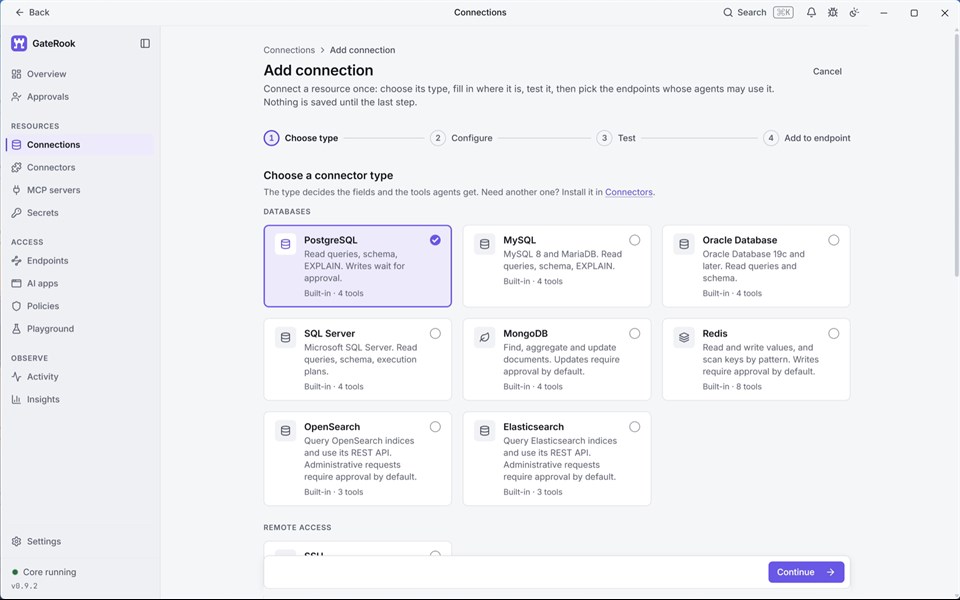
คำอธิบาย

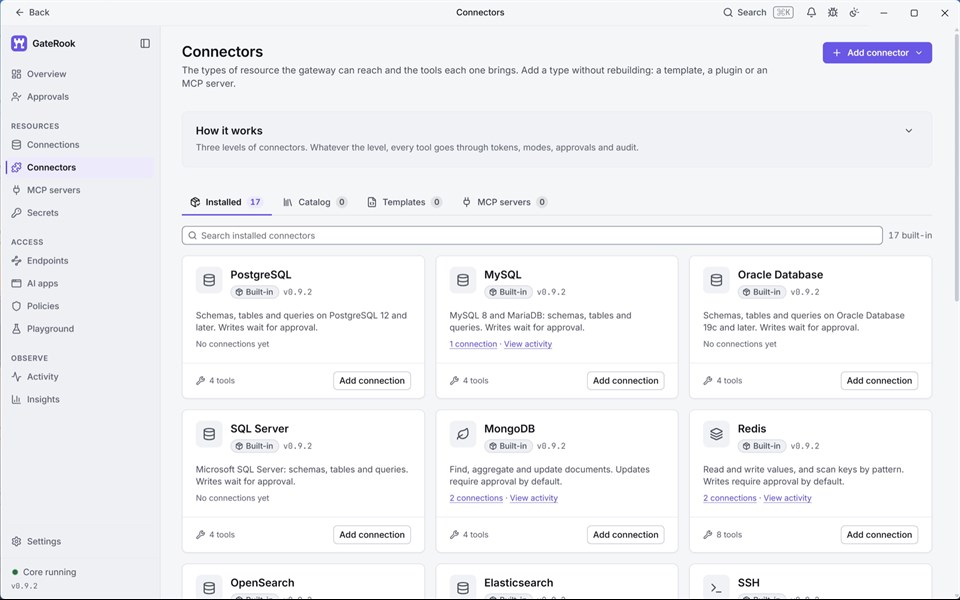
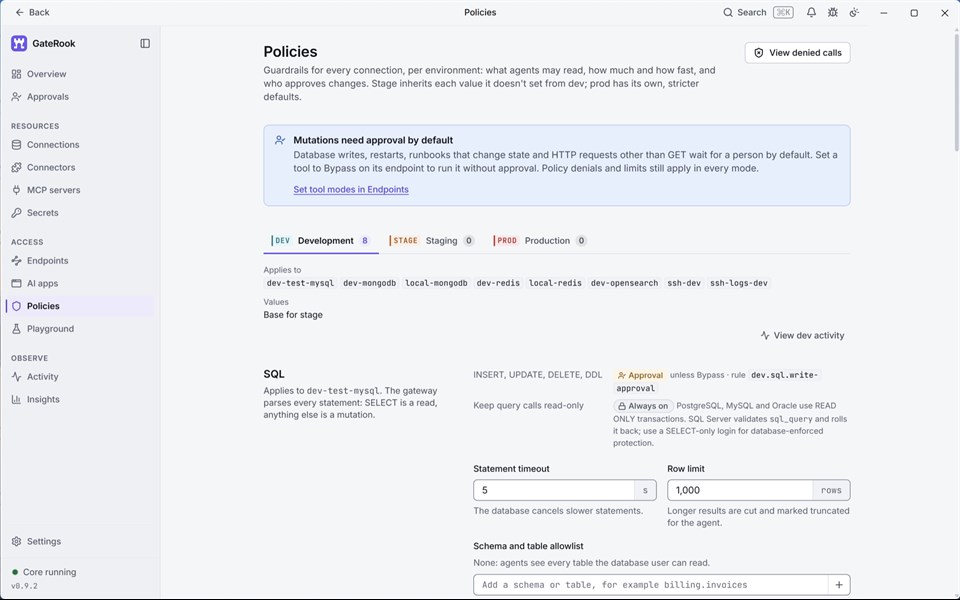
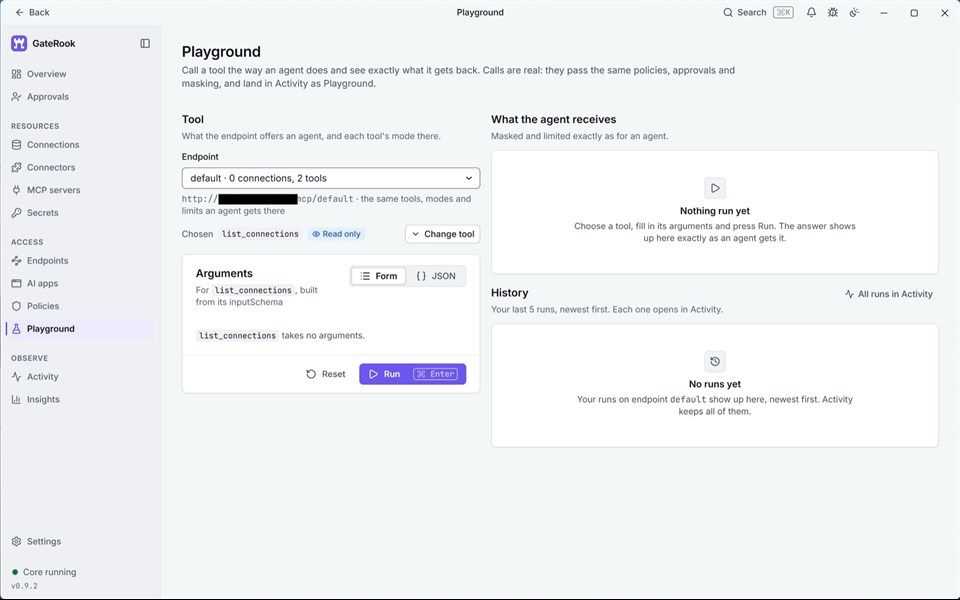
GateRook is an open-source MCP Firewall that gives your AI useful context for development and debugging while keeping tool execution under your control. Connect databases, logs, APIs and cloud services through a local application with encrypted credentials, scoped permissions, approvals and a verifiable activity trail.
Bring real context into your workflow
Investigate incidents, understand application data and debug service behavior with your preferred compatible MCP client. Use built-in infrastructure connectors alongside selected tools from external MCP servers. Keep development and production access separate, and choose which resources and tools each endpoint exposes.
Encrypt your credentials
Stored passwords, API credentials and OAuth tokens use AES-256-GCM envelope encryption. With OS protection enabled, Windows DPAPI protects the key used to secure the master keyset. GateRook supplies credentials to connectors so your AI can use scoped tools without receiving connection passwords.
Control actions before they run
Choose Off, Read only, Approval or an explicit Bypass for each tool. Apply endpoint policies and connector limits to constrain access. Changes require approval by default; keep Approval mode where you want to review the requested action before execution. The connected service's own permissions still apply.
Keep a verifiable audit trail
Follow requests, policy decisions, approvals and outcomes in Activity. Append-only records and cryptographic integrity checks make the retained history tamper-evident. GateRook exposes no AI tool to edit or delete audit records, and you control how long they are kept.
Connect your existing tools
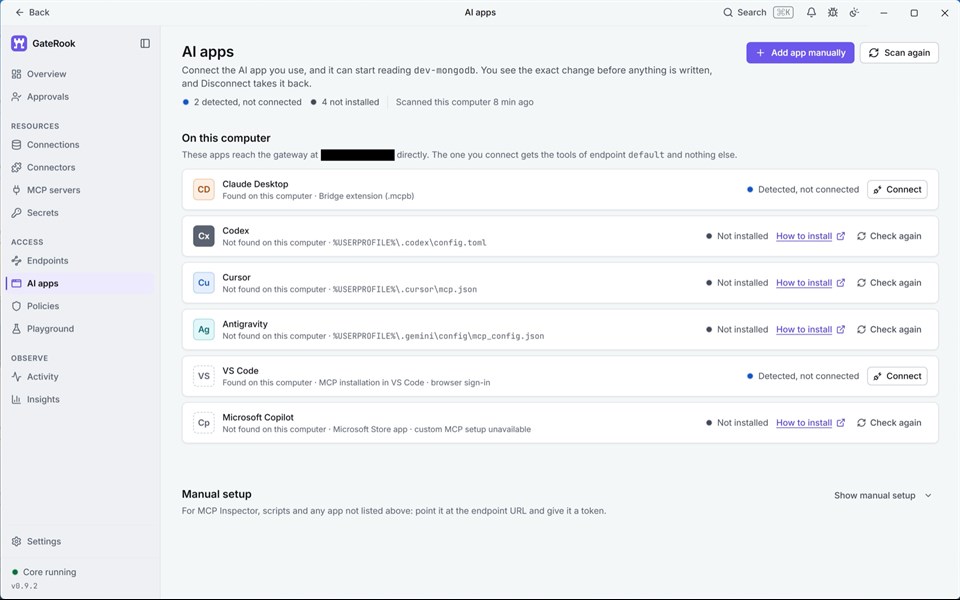
Use built-in connectors for databases, logs, HTTP APIs, cloud services, Kubernetes and SSH. Add external MCP servers over stdio or Streamable HTTP, review their tools, and choose which ones become available through your endpoints.
Keep control on your computer
Your connections, stored secrets, policies and activity history are managed locally. Create and restore encrypted backups of your configuration. Allowed results go to the AI client you choose and may reach its model provider. GateRook controls calls routed through its endpoints; external MCP server processes retain their own operating-system permissions.
Local setup and the Microsoft Store edition
No GateRook account or paid AI subscription is required for local setup and connection management. Your chosen AI clients and external services may require their own accounts or subscriptions. This Store edition receives updates through Microsoft Store. Manage startup in Windows Settings > Apps > Startup.
Start with one connection, choose its permissions, and give AI the context it needs to help you build.
จากนักพัฒนา
รายการ 0
-
 GateRook
แต้ม 0
-

- +1 แต้ม

การจัดอันดับ 0
-
- คะแนนของคุณ
ผู้พัฒนา 1
- gaterook
- ผู้ติดตาม: 0
- แพลตฟอร์ม: Windows แอป (1)
- ลดราคา: 0
- รายการ: 0 0
- แต้ม: 0
- การจัดอันดับ: 0
- ความคิดเห็น: 0
- วิดีโอ: 0
- RSS: ติดตาม
มีอะไรใหม่
- เวอร์ชัน: PC
- อัปเดตล่าสุด:
- GateRook 2.0.0 is our largest update so far.
- New connectors: Snowflake, BigQuery, Redshift, Databricks SQL, Trino and Presto, Athena, DynamoDB, Cosmos DB, Cloud Spanner, Firestore and Firebase Realtime Database, InfluxDB, Prometheus, S3-compatible storage, Azure and Cloudflare.
- Vector databases and search engines: Pinecone, Qdrant, Milvus, Weaviate, Chroma, Algolia, Meilisearch, Typesense and Azure AI Search.
- Connector modules on demand: Apache Cassandra, Neo4j, ClickHouse, DuckDB, H2 and Microsoft Access download when a connection needs them and stay up to date.
- Add MCP servers from Add connection, with Microsoft Entra ID and GitHub sign-in.
- Overview shows per-call traffic and the last 30 days; rename connections and see their tool counts.
- Safe default tool access for every connector: reads run, changes wait for your approval.
- Fixes from a full security audit of the application.
Release notes: https://gaterook.com/release-notes/gaterook-2-0-0/
- GateRook 0.9.2 updates our public addresses and brings a smaller desktop download.
- Visit our new website: https://gaterook.com.
- Contact support at support@gaterook.com.
- Find the source code and releases at https://github.com/gaterook/gaterook.
- Download optional components when needed. Java support for plugins and Cloudflare Tunnel download on first use, with integrity checks and local caching. Built-in connectors do not require these downloads. First use needs internet access; cached components remain available offline.
- Discover MCP servers in the app. Browse featured servers and search the Official MCP Registry, then review the suggested configuration before connecting.
- Connect VS Code through browser sign-in. Windows also detects the Microsoft Copilot app and explains its setup limitations.
- Navigate a clearer Overview with updated connection cards, responsive layouts, detected-app filtering, and easier endpoint creation.
- Automatic database backups now default to a weekly interval.
- Improve Windows client setup: Claude Desktop extension files open through Claude, and Disconnect controls stay on one line.
Microsoft Store continues to install and update the Windows edition. - GateRook 0.7.0
- Find MCP servers in the official registry, or add them by URL or pasted configuration.
- Sign in to remote MCP servers with OAuth in your browser. GateRook securely stores and refreshes credentials without sharing them with AI apps.
- Connect Google Cloud and AWS MCP servers using cloud credentials.
- Pause access to connections and endpoints without removing their configuration.
- Change per-endpoint tool modes from connection settings, with clearer read-only confirmation and temporary bypass expiry messages.
- Fix sandboxed MCP servers checking the folders above their working folder. - GateRook 0.6.0
- Import HTTP APIs from OpenAPI files, URLs, or pasted YAML/JSON, with guided AI prompts to help prepare a specification.
- Review authentication and selected tools before saving an API connection.
- Keep newly added connections accessible to AI clients that cache tool lists.
- Preserve approval cards for clients sharing a bridge grant, including Claude Desktop chat and Code sessions.
- Detect outdated Claude Desktop extensions and offer to reinstall them while keeping existing access.
- Show environment badges on endpoint templates.
- Improve Windows credential refresh, process cleanup, and sensitive-data masking performance.
ข้อมูลเพิ่มเติม
- วันที่วางจำหน่าย:
- หมวดหมู่:
แอปสำหรับ Windows›เครื่องมือสำหรับนักพัฒนา - ระบบปฏิบัติการ:
PC - ขนาด:
294 Mb - ภาษาที่รองรับ:
อังกฤษ - การจัดประเภทเนื้อหา:
EVERYONE - Windows Store คะแนน: ¡
0 - เว็บไซต์:
 https://gaterook.com
คะแนน AppAgg
คะแนน AppAgg โดยประมาณของ
GateRook
ผู้พัฒนา: gaterook
คะแนนที่สูงขึ้นมักสะท้อนตัวชี้วัดที่ดีกว่าบน AppAgg
อิงจาก: ความนิยม · คะแนนจากผู้ใช้ · ความสดใหม่ · ดีล · ข้อมูลร้านค้า · กิจกรรมชุมชน
คำนวณใหม่ทุกวันจากข้อมูล AppAgg ล่าสุด
ความคิดเห็น 0 ¡
แชร์
GateRook URL แบบสั้น: คัดลอกแล้ว!- Windows Store

