
북마크
이 북마크의 제목을 입력하세요.
북마크가 저장되었습니다
| 개발자: | KimchiCoder (1) | ||
| 가격: | 무료 신규 | ||
| 종합 점수: | 720 실버 | ||
| 순위: | 0 | ||
| 댓글: | 0 댓글 게시 | ||
| 목록: | 0 0 | ||
| 포인트: | 0 | ||
| +1 포인트 | |||
요약
소개합니다. KimchiCoder에서 만든 ‘개발자 도구’ 카테고리 앱, H.WorkBox.
에 나왔으니, 냉장고 속 우유보다 어려요.
무료. 광고도 인앱 구매도 없어요. 앱에만 집중하면 돼요.
Microsoft Store는 Windows에 기본으로 들어 있어서 클릭 몇 번이면 설치돼요.
AppAgg 점수는 720. 실버 등급, 이 정도면 꽤 괜찮아요.
연령 등급은 ‘EVERYONE’, 아이들에게도 괜찮아요.
4개 언어를 지원하고, 한국어도 있어요.
아직 여기는 조용해요. 평점도, 댓글도 없어요. 침묵을 깨 주세요.
AppAgg에 있는 이 개발자의 유일한 앱이에요. 아직까지는요.
업데이트와 새 앱 소식을 가장 먼저 받고 싶나요? 개발자를 팔로우하거나 RSS 피드를 구독하세요. 푸시 알림은 Android와 iOS용 AppAgg Alerts 앱으로 받을 수 있어요.
광고
스크린샷 4
다른 플랫폼 0
가격 기록 0
- 현재 가격: 무료
- 최소: 무료
- 최대: 무료
홈 화면의 나만의 피드
“신규 및 업데이트” 피드의 플랫폼을 선택하면 홈 화면에 필요한 앱과 게임만 표시됩니다.
설명

EVERYDAY TOOLS
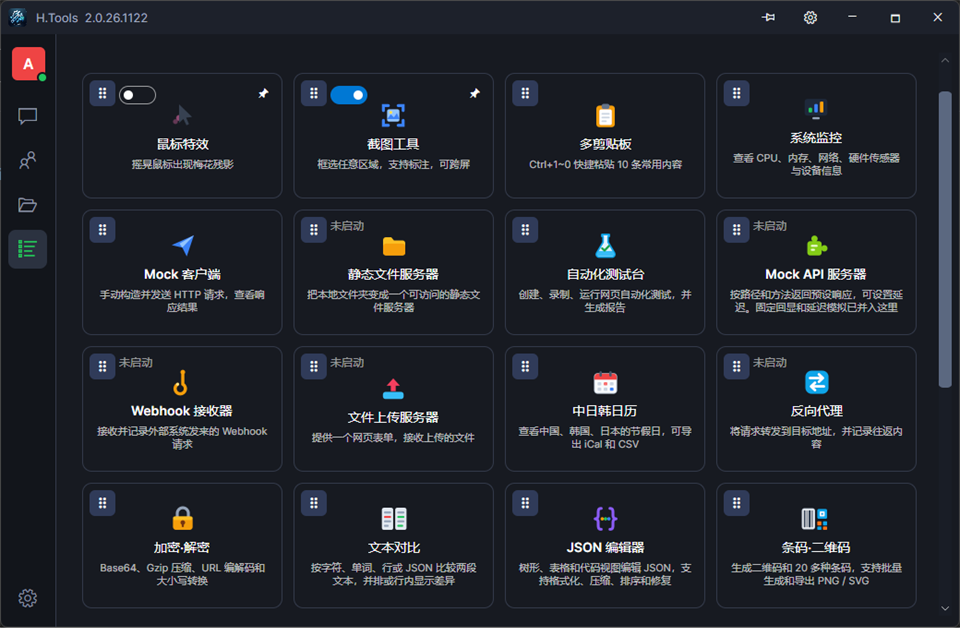
• Screenshots: drag to select any region or hover over a window and click it; works across multiple monitors and DPI scales. Annotate with rectangles, ellipses (outlined or filled), lines, arrows, a pen, text and mosaic; copy to the clipboard, save as PNG, or pin to the screen.
• Multi-clipboard: keep 10 text or image snippets and paste them with Ctrl+1 to Ctrl+0.
• Mouse effect: shake the mouse quickly to leave a plum-blossom trail; shape, color, size and duration are adjustable.
• System monitor: live CPU, memory and network charts, CPU/GPU temperatures, and details about the processor, motherboard, graphics card, memory, disks and network adapters.
• Port viewer: see which program is using a local port, search, and end the process.
DEVELOPER TOOLS
• Mock client: build and send HTTP requests by hand and inspect the responses, with recent request history.
• Mock server / Mock API server: return preset status codes, headers and bodies by method and path, optionally with delay, and log every request received.
• Static file server, upload server, webhook receiver, reverse proxy and latency simulator (for testing slow networks).
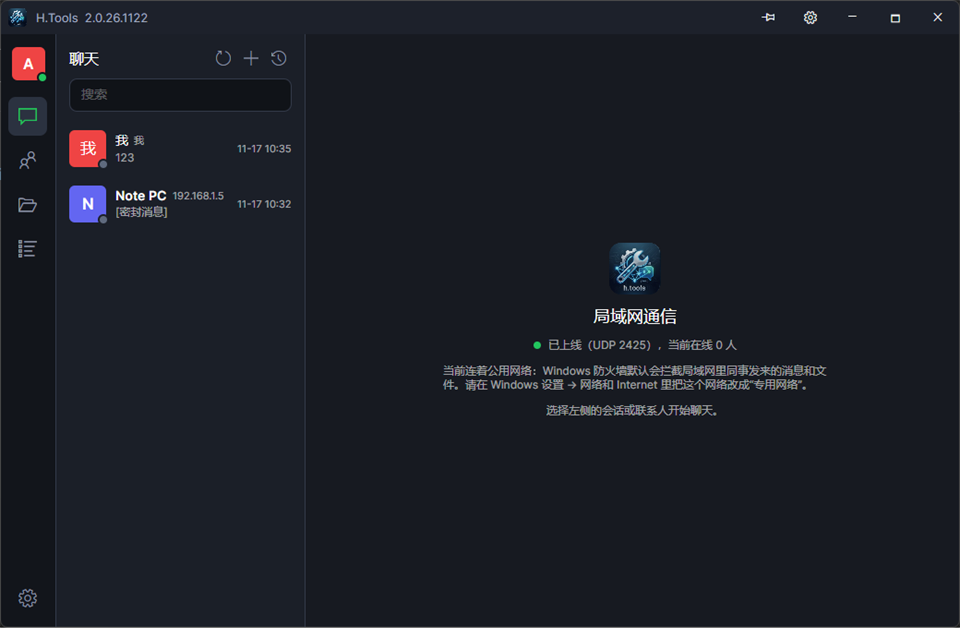
LAN CHAT (IM MODE)
• Speaks the original IP Messenger protocol, so colleagues on the same network appear in your contacts automatically. No account, no cloud server; chat history stays on your PC.
• One-to-one chat, group send, file and folder transfer, sending screenshots directly, auto-reply when away; encryption and signing; reply right from the system notification.
• Tested against IP Messenger 5.9.1 and iptux 0.8.3. Choose "Private networks" in the Windows Firewall prompt the first time you go online.
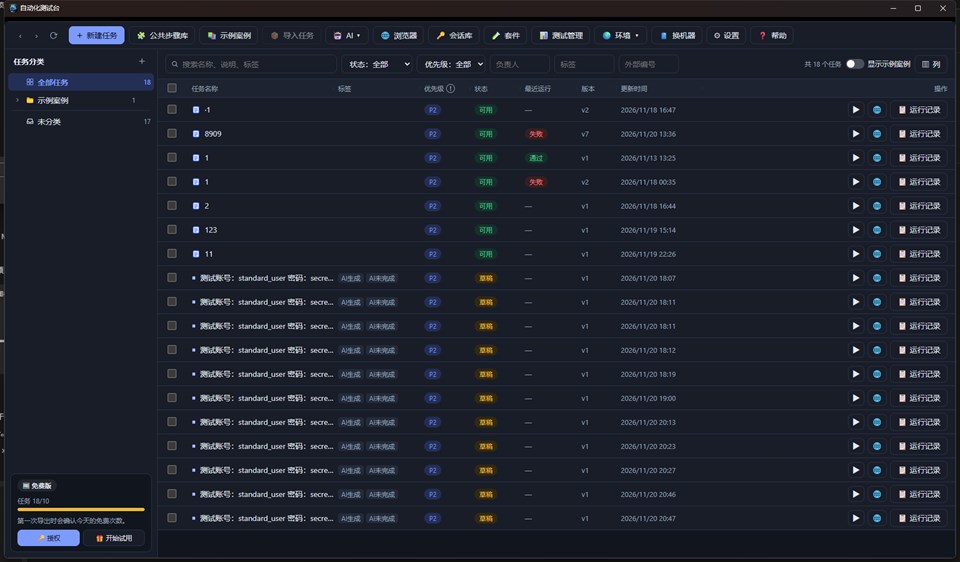
TEST DESK
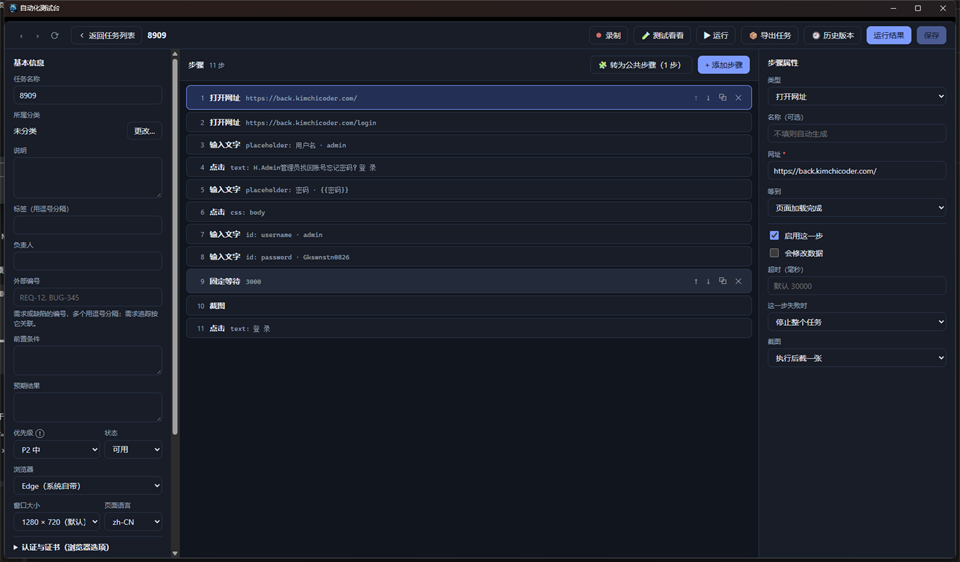
• Web test automation: record your actions or edit steps by hand; every step is captured as a screenshot, and failures save a full-page image.
• Each recorded element keeps several locators, so tasks survive small page changes; trial runs, debugging and post-run replay; network control and visual comparison.
• HTML and Excel reports; command-line runs and continuous-integration support.
• Free and licensed editions: in the free edition, recording, editing, running and replay are unlimited and need no internet — the limits are on scale, such as the number of tasks. The licensed edition (trial / monthly / yearly / lifetime) removes the limits and adds parallel runs, schedules, data-driven tests and AI-assisted task creation. AI is off by default and experimental.
MORE ONLINE TOOLS
Built-in KimchiCoder online tools (internet required): JSON editor, text diff, regular expressions, JWT decoder, barcodes and QR codes, Mermaid diagrams, ERD editor, code formatter, CJK holiday calendar and more.
APP FEATURES
• App center: all tools as cards with search, pinning and drag-to-reorder; add your own local programs or web addresses.
• Interface in 简体中文, English, 日本語 and 한국어, with dark and light themes.
• Always-on-top window, start with Windows, minimize to the tray.
• One-click "new machine" transfer: export all settings to a file and import them on another PC; secrets are left out unless you set a password; a backup is made before importing and a failure rolls everything back.
PRIVACY
No account, no cloud server, no analytics. Settings, chat history, clipboard content and screenshots stay on your PC. The app goes online only for features you use (online tools, addresses you enter, license activation) and sends your data to neither the author nor any third party otherwise.
SYSTEM REQUIREMENTS
Windows 10 (1809 or later) or Windows 11, 64-bit. The .NET runtime is included. Some hardware temperature sensors need administrator rights or motherboard/graphics drivers to be readable. Web content uses the Microsoft Edge WebView2 runtime that ships with Windows.
개발자 소식
개발자이신가요?
페이지 맨 위에 소식을 올리면 팔로워에게 이메일로 전달됩니다. YouTube 동영상을 추가하면 “동영상” 블록 맨 앞에 표시됩니다.
개발자
- KimchiCoder
- 팔로워: 0
- 플랫폼: Windows 앱 (1)
- 할인: 0
- 목록: 0 0
- 포인트: 0
- 순위: 0
- 댓글: 0
- 동영상: 0
- RSS: 구독
목록 0
-
 H.WorkBox
포인트 0
-

- +1 포인트

순위 0
-
- 내 평점
새로운 기능
- 버전: PC
- 마지막 업데이트:
- • The app is now called H.WorkBox (formerly H.Tools).
• New Test Desk: record or hand-edit web automation tests, screenshot every step, generate HTML / Excel reports, run from the command line and in CI; free and licensed editions.
• New LAN chat (IM mode): IP Messenger compatible; one-to-one chat, group send, file and folder transfer, direct screenshots, encryption and signing, no account or server needed.
• New "new machine" transfer: export all settings to a file and import them on another PC, with preview, automatic backup and one-click undo.
• New port viewer and more online tools (JSON, regex, JWT, Mermaid, ERD and more).
• Screenshots: after selecting, drag the box to move it and double-click inside it to copy and finish; the Screenshot settings page gains a how-to-use guide.
• The Mouse Effect and Screenshot settings pages have a new layout and now fill the whole window.
• You can now install and update through the Microsoft Store.
추가 정보
 https://www.kimchicoder.com/
댓글 0 ¡
가장 먼저 댓글을 남겨주세요
AppAgg 점수
720
AppAgg 예상 점수:
H.WorkBox
개발자: KimchiCoder
720 실버
점수가 높을수록 대체로 AppAgg의 여러 지표에서 좋은 결과를 보인다는 뜻입니다.
기준: 인기 · 사용자 평점 · 최신성 · 할인 · 스토어 데이터 · 커뮤니티 활동
최신 AppAgg 데이터를 바탕으로 매일 다시 계산됩니다.
웹사이트용 배지:  복사됨!
H.WorkBox 단축 URL: 복사됨!- Windows Store


