
Tersimpan
Pilih nama yang akan ditampilkan di menu Tersimpan Anda.
Selesai!
| Pengembang: | Jack One (2) | ||
| Harga: | Gratis | ||
| Penilaian: | 590 Perunggu | ||
| Peringkat: | 0 | ||
| Komentar: | 0 Kirimkan komentar | ||
| Daftar: | 0 + 0 | ||
| Poin: | 0 + 0 ¡ | ||
| +1 Poin | |||
Deskripsi

FAQ
Q: Do I need to purchase a separate USB hardware key to use this app?
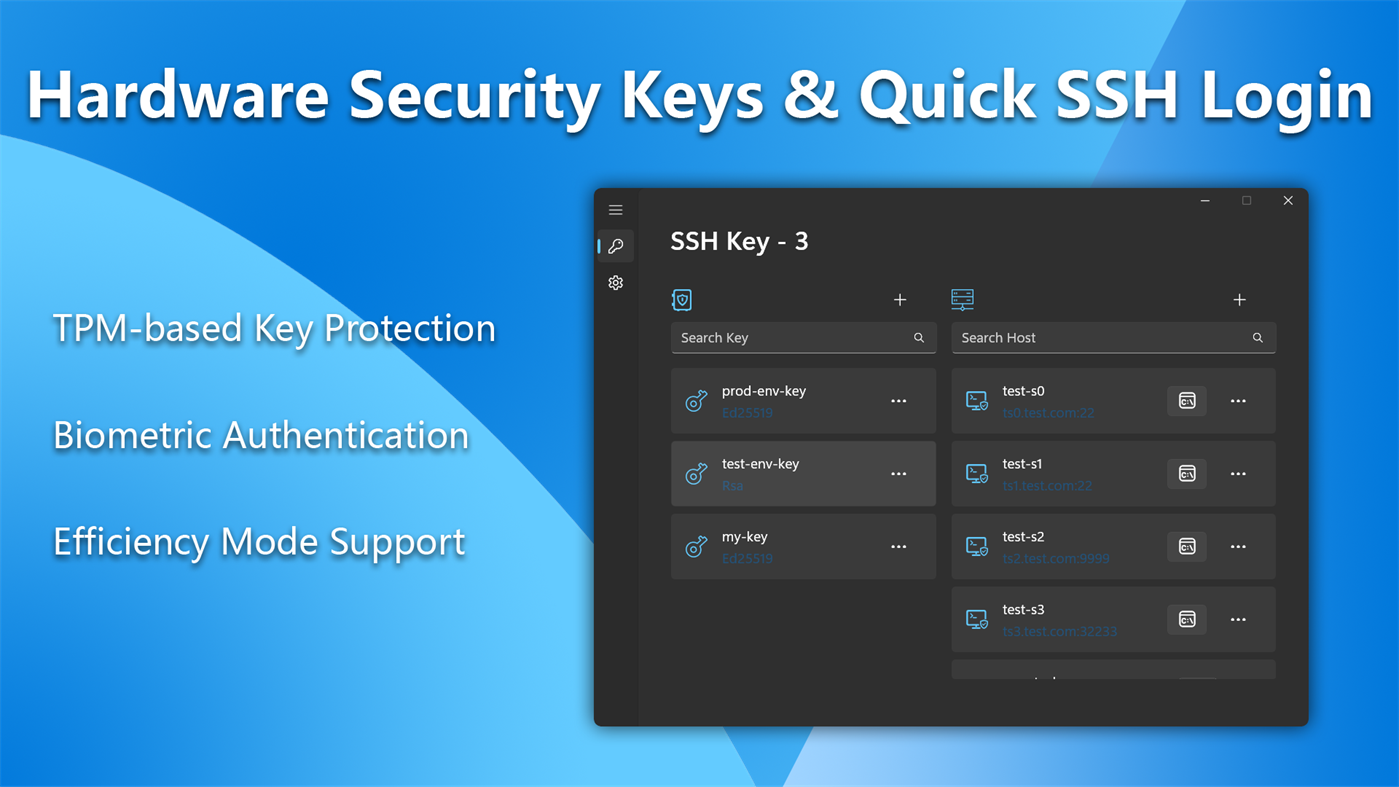
A: No, HelloUKey generates and manages keys using the computer’s built-in TPM hardware; it functions as an authenticator that acts as an SSH agent.
Q: When using PuTTY or WinSCP on Windows, can I use HelloUKey instead of Pageant to achieve password-less login?
A: Yes, it functions as both an OpenSSH agent and a Pageant agent, so it supports clients like WinSCP that use Pageant as their agent.
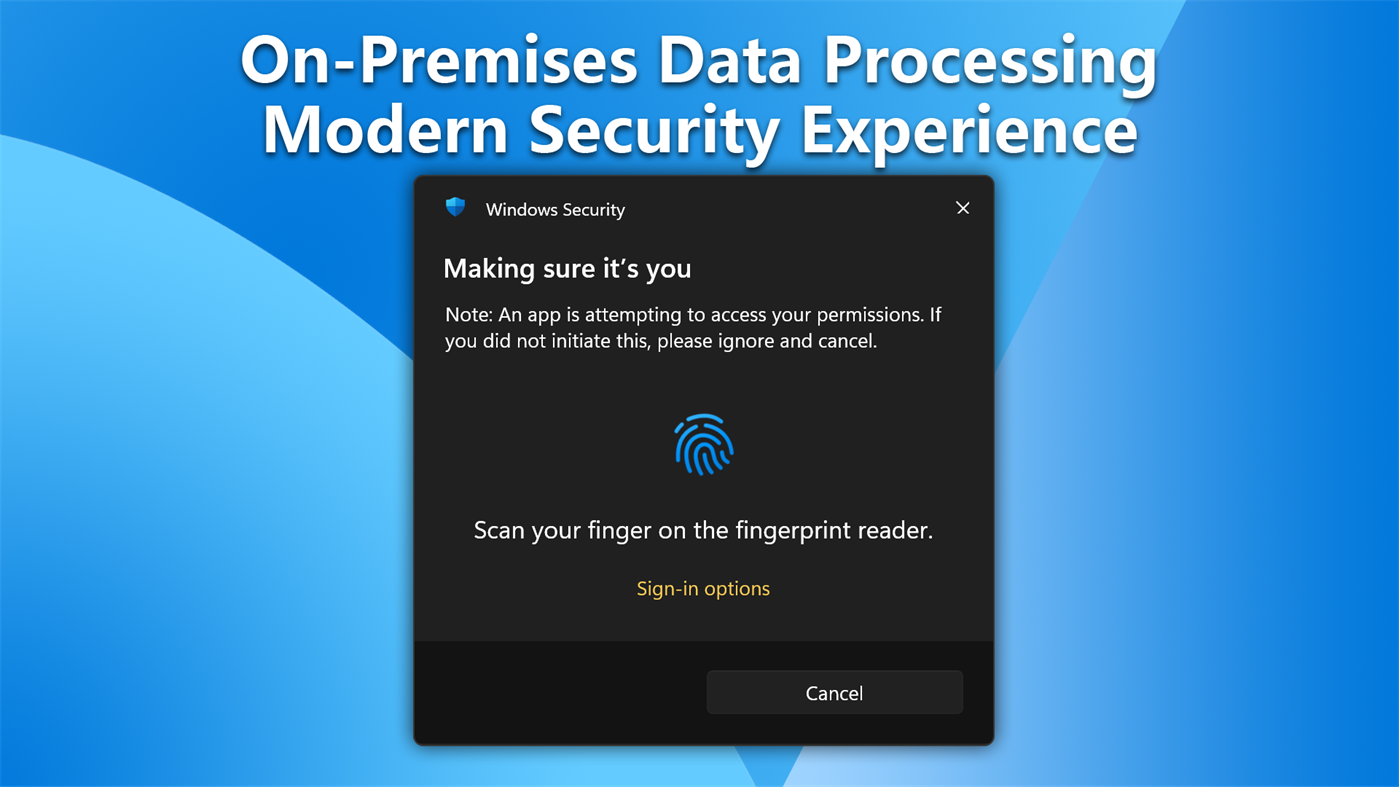
Q: Why does a PIN entry window pop up when I log in to SSH, while others see fingerprint and facial recognition prompts on their computers?
A: This is because fingerprint recognition requires a fingerprint reader and Windows Hello configuration. In addition to the computer’s built-in fingerprint reader, you can also connect an external fingerprint reader that supports Windows Hello.
Q: Does the app support use on Windows tablets like the Surface?
A: It is ideal for use on such devices. It supports the three native processor architectures: x64, x86, and Arm64. As long as the operating system version is Windows 10 1903 (18362) or later, you can install and use it.
Q: Is the app suitable for SSH authentication with Git code repositories?
A: Absolutely. Git uses the OpenSSH ssh tool in Windows, which supports direct interaction with proxies to complete authentication.
Q: Which SSH server authentication methods does the app support?
A: Theoretically, it supports all servers, network devices, terminals, and other systems that support SSH servers; you only need to configure the public key on the server.
Iklan
Jepretan layar
Sejarah Harga
- Harga saat ini: Gratis
- Minimal: Gratis
- Maksimum: Gratis
Pantau harga Tambahkan ke daftar untuk menerima pemberitahuan diskon melalui email atau push
Penilaian AppAgg
590
Penilaian AppAgg estimasi untuk
HelloUKey - SSH Agent & Key Vault
Pengembang: Jack One
590 Perunggu
Penilaian yang lebih tinggi biasanya berarti sinyal yang lebih kuat di AppAgg.
Berdasarkan: popularitas · rating pengguna · kebaruan · promo · data toko · aktivitas komunitas
Dihitung ulang setiap hari dari data AppAgg terbaru.
URL singkat: Disalin!
Yang Baru
- Versi: PC
- Terakhir diperbarui:
Info tambahan
- Tanggal rilis:
- Kategori:
Windows Aplikasi›Alat pengembang - OS:
PC - Ukuran:
15 Mb - Bahasa yang didukung:
Chinese,English,German,Japanese - Rating Konten:
EVERYONE - Windows Store Peringkat:
0
Pengembang
- Jack One
- Pengikut: 0
- Platform: Windows Aplikasi (2)
- Diskon: 0
- Daftar: 0 + 0
- Poin: 0 + 0 ¡
- Peringkat: 0
- Komentar: 0
- Video: 0
- RSS: Berlangganan
Daftar (0)
0
- HelloUKey - SSH Agent & Key Vault
Poin (0)
0
Peringkat (0)
0
Komentar (0)
Jadilah yang pertama berkomentar
Ringkasan
HelloUKey - SSH Agent & Key Vault URL singkat: Disalin!- Bagikan
- Windows Store
«HelloUKey - SSH Agent & Key Vault». Platform: Windows. Kategori: Alat pengembang. Pengembang: «Jack One». Rilis pertama: . Pembaruan terakhir: . Harga saat ini: gratis. Judul ini belum mendapat rating atau ulasan di AppAgg. Bahasa yang tersedia: Chinese, English, German, Japanese. AppAgg melacak riwayat harga, peringkat, dan umpan balik pengguna «HelloUKey - SSH Agent & Key Vault». AppAgg tidak menghosting aplikasi atau mendistribusikan perangkat lunak. Semua merek dagang, logo, dan tangkapan layar adalah milik pemiliknya masing-masing. Ikuti diskon dan pembaruan di masa mendatang melalui RSS
Serupa
-
- SSH Folders
- Windows Aplikasi: Alat pengembang Oleh: Birdie
- Gratis
- Daftar: 0 0 0
- Poin: 0 + 0 980 · Perak Versi: PC SSH Folders turns any SFTP server into an on-demand folder inside Windows File Explorer. Your remote files appear as online-only placeholders that use no disk space. The moment you ...
-
- SSH Proxy
- Windows Aplikasi: Alat pengembang Oleh: XSoft Studio
- $1.19
- Daftar: 0 0 0
- Poin: 0 + 0 610 · Perak Versi: PC SSH Proxy is applications help to create proxy or local port forwarding to access blocked websites and servers over an encrypted SSH connection easily. It is able to create socks5 ...
-
- SSH Tunnel
- Windows Aplikasi: Alat pengembang Oleh: Kostadin Gospodinov
- Gratis
- Daftar: 0 0 0
- Poin: 0 + 7 750 · Perak Versi: PC SSH Tunnel allows a network user to access or provide a network service that the underlying network does not support or provide directly. SSH Tunnel Provides a Secure Internet ...
-
- Agent Browser Gateway
- Windows Aplikasi: Alat pengembang Oleh: ArcManagement, Inc.
- Gratis
- Daftar: 0 0 0
- Poin: 0 + 0 580 · Perunggu Versi: PC Agent Browser Gateway is a local Windows desktop app and browser companion for developers who use AI coding agents. It lets the user explicitly share selected browser tabs with local ...
-
- SSH Client - SFTP Terminal and Telnet
- Windows Aplikasi: Alat pengembang Oleh: Moon Technolabs Pvt. Ltd.
- * Gratis
- Daftar: 0 0 0
- Poin: 0 + 5 7K · Emas Versi: PC Experience seamless remote access with SSH Client Terminal & Telnet! This terminus & SFTP app offers secure & easy-to-use terminal emulation for your device. Here is one of the most ...
- Baru
- QA Vault
- Windows Aplikasi: Alat pengembang Oleh: QA Vault
- Gratis
- Daftar: 0 0 0
- Poin: 0 + 0 560 · Perunggu Versi: PC O QA Vault é uma ferramenta para profissionais de qualidade de software organizarem evidências de testes de maneira simples e centralizada. Capture imagens da tela, grave vídeos, envie
-
- Termius - Modern SSH Client
- Windows Aplikasi: Alat pengembang Oleh: Termius Corporation
- * Gratis
- Daftar: 0 + 4 0 0
- Poin: 8 + 552 39K · Legenda Versi: PC Termius is a modern SSH client designed for productivity and collaboration. Connect with one click from desktop and mobile no re-entering IP addresses, ports, and passwords. With a ...
-
- WSL SSH Launcher
- Windows Aplikasi: Alat pengembang Oleh: V2BV
- $0.99
- Daftar: 0 0 0
- Poin: 0 + 0 550 · Perunggu Versi: PC This is a simple yet naive program that can launch SSH daemon (or if you prefer, service) inside WSL systems. It may be useful when the distribution's RC system is not compatible with ...
-
- Tempest 3 - SSH, RDP & FTP
- Windows Aplikasi: Alat pengembang Oleh: Altas Express LLC
- * Gratis
- Daftar: 0 0 0
- Poin: 0 + 0 850 · Perak Versi: PC Tempest is the SSH client built for people who actually manage servers. Connect via SSH, SFTP, or Mosh. Forward ports. Transfer files. Manage Kubernetes clusters. Collaborate in ...
-
- SQLSSH: Database Client/SSH/S3
- Windows Aplikasi: Alat pengembang Oleh: Trendcas
- Gratis
- Daftar: 0 0 0
- Poin: 0 + 0 910 · Perak Versi: PC SQLSSH Developer Tools, One Beautiful App. In Your Pocket, On Your Desk. Stop switching between a database IDE, a terminal, and an SFTP/S3 app. SQLSSH unifies PostgreSQL, MySQL, MSSQL,
- Baru
- Filemade - Dual-Pane SFTP & SSH Client
- Windows Aplikasi: Alat pengembang Oleh: Hades Corporation
- Gratis
- Daftar: 0 0 0
- Poin: 0 + 0 1K · Perak Versi: PC Filemade is a modern, lightweight, and blazing-fast dual-pane SFTP & SSH client designed specifically for developers, system administrators, and DevOps engineers. Powered by a ...
- -33%
- AI SSH
- Windows Aplikasi: Alat pengembang Oleh: parmata
- ▼ $3.34
$4.99-33% - Daftar: 0 0 0
- Poin: 0 + 0 580 · Perunggu Versi: PC Stop memorizing complex shell commands. AI SSH transforms how you manage remote servers by letting you describe what you want in plain English, then instantly generates the exact ...
- Baru
- ShellDiver: SSH Client
- Windows Aplikasi: Alat pengembang Oleh: Ostrong Studios
- Gratis
- Daftar: 0 0 0
- Poin: 0 + 0 960 · Perak Versi: PC ShellDiver is an SSH client for people who work on servers every day. THE TERMINAL A real terminal, not a text box with a border. 256 colours and true colour, scrollback, reflow at any
-
- Atelier Agent
- Windows Aplikasi: Alat pengembang Oleh: kansic
- Gratis
- Daftar: 0 0 0
- Poin: 0 + 0 500 · Perunggu Versi: PC Atelier Agent is a desktop workspace for local AI coding agents and terminal-backed development sessions. It helps developers organize coding tasks, run CLI agents, paste screenshots ...

