
북마크
이 북마크의 제목을 입력하세요.
북마크가 저장되었습니다
| 개발자: | Late Apex Software (1) | ||
| 가격: | 무료 신규 | ||
| 종합 점수: | 900 실버 | ||
| 순위: | 0 | ||
| 댓글: | 0 댓글 게시 | ||
| 목록: | 0 0 | ||
| 포인트: | 0 | ||
| +1 포인트 | |||
요약
소개합니다. Late Apex Software에서 만든 ‘개발자 도구’ 카테고리 앱, hexpit.
에 나왔으니, 냉장고 속 우유보다 어려요.
무료. 광고도 인앱 구매도 없어요. 앱에만 집중하면 돼요.
Microsoft Store는 Windows에 기본으로 들어 있어서 클릭 몇 번이면 설치돼요.
AppAgg 점수는 900. 실버 등급, 이 정도면 꽤 괜찮아요.
연령 등급은 ‘EVERYONE’, 아이들에게도 괜찮아요.
지원 언어는 딱 하나, 그런데 한국어는 아니에요.
AppAgg에서는 아직 아무도 평가하지 않았어요. 첫 번째가 될 기회는 바로 지금이에요.
AppAgg에 있는 이 개발자의 유일한 앱이에요. 아직까지는요.
업데이트와 새 앱 소식을 가장 먼저 받고 싶나요? 개발자를 팔로우하거나 RSS 피드를 구독하세요. 푸시 알림은 Android와 iOS용 AppAgg Alerts 앱으로 받을 수 있어요.
광고
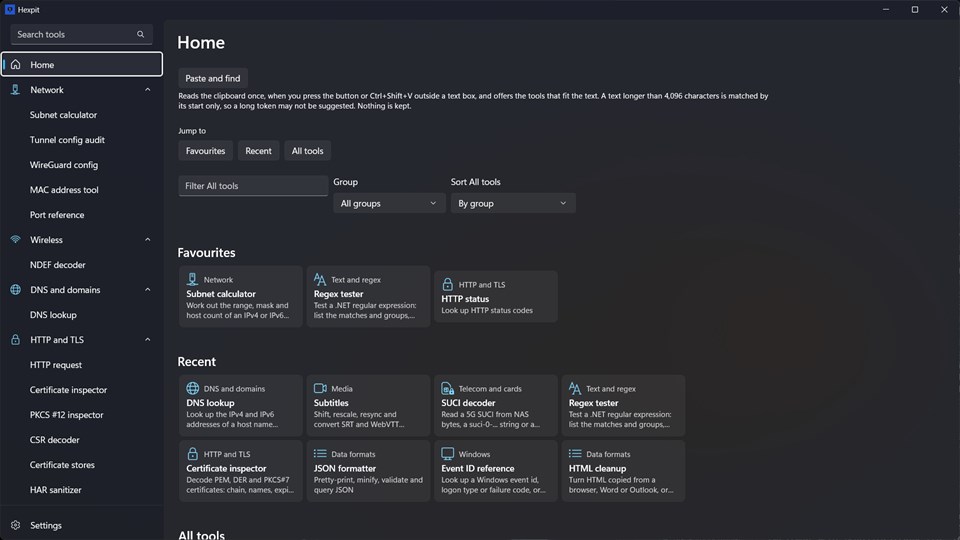
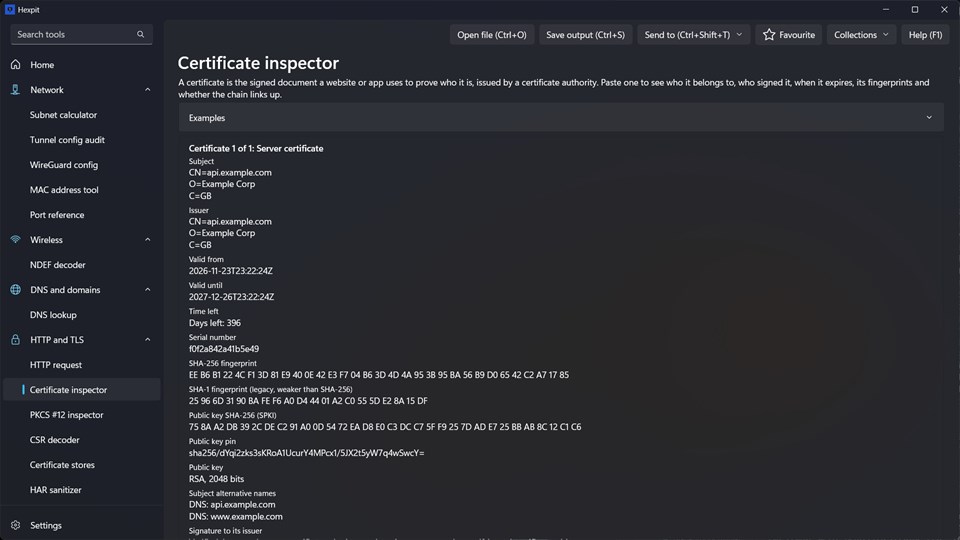
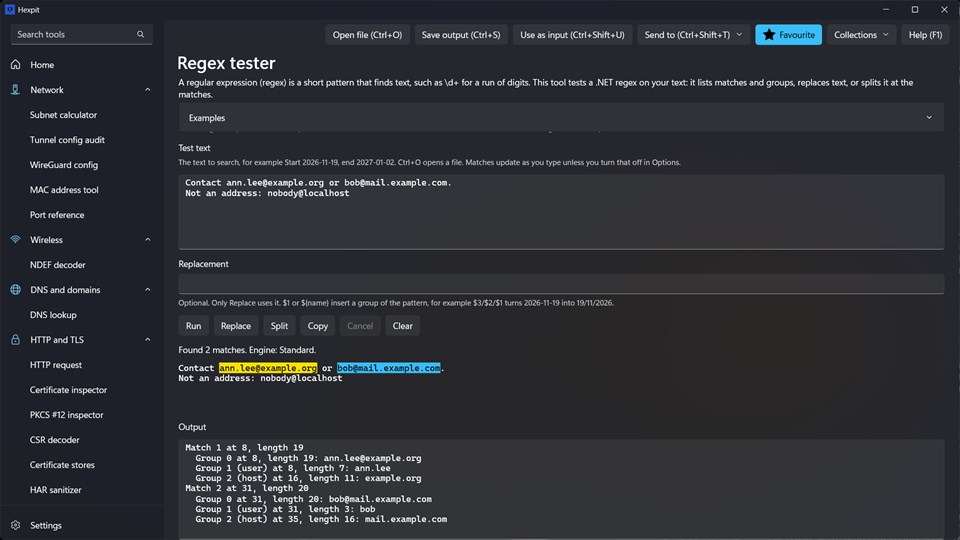
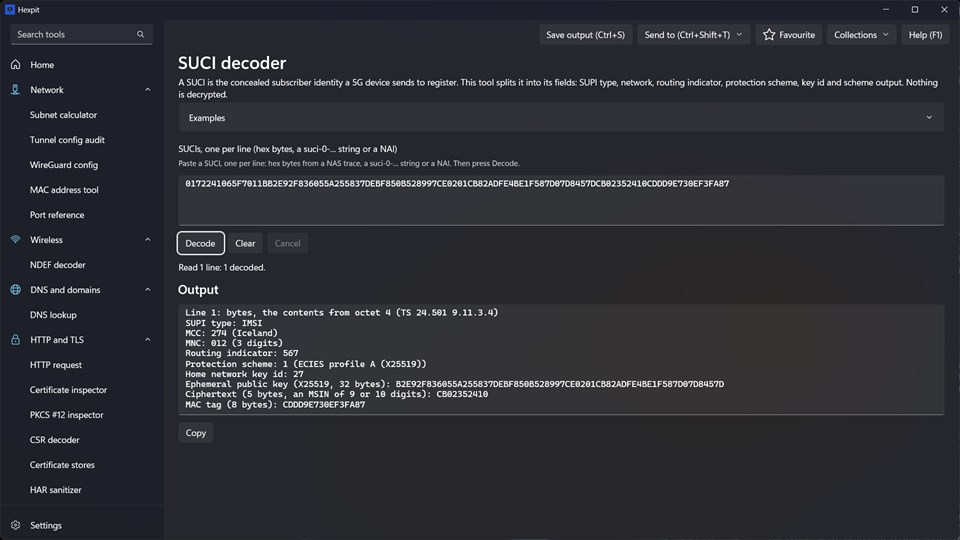
스크린샷 6
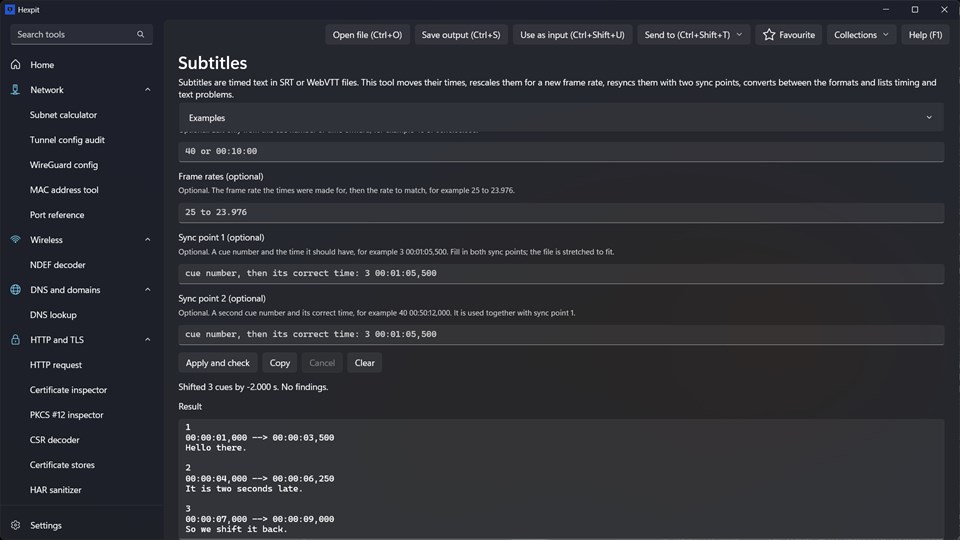
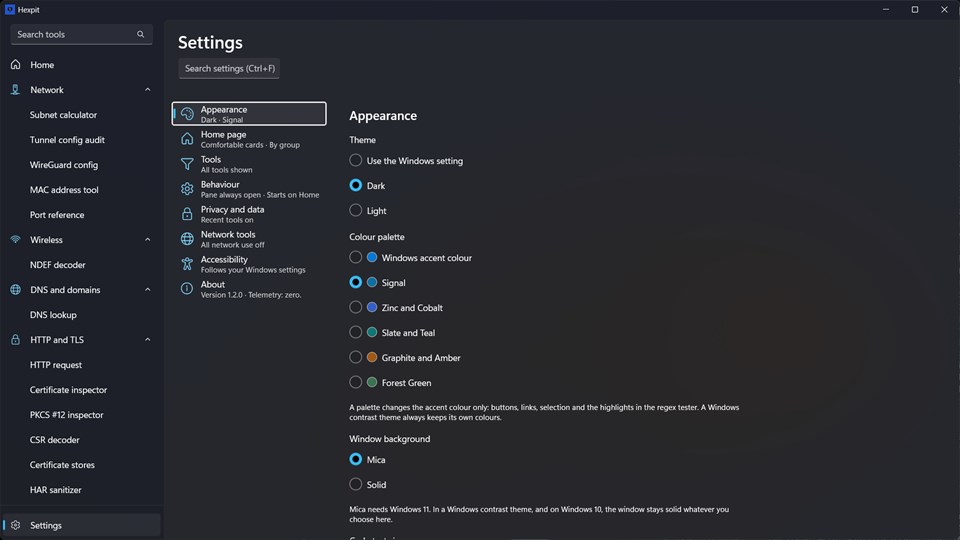
다른 플랫폼 0
가격 기록 0
- 현재 가격: 무료
- 최소: 무료
- 최대: 무료
홈 화면의 나만의 피드
“신규 및 업데이트” 피드의 플랫폼을 선택하면 홈 화면에 필요한 앱과 게임만 표시됩니다.
설명

What is in the box:
Data formats: format and validate JSON, XML, YAML and SQL, preview Markdown, convert between formats, decode ASN.1, look up OIDs, read connection strings and identifiers.
Encoders: Base64, hex, URL encoding, checksums, QR codes.
Crypto and secrets: hashes, hash identification, UUIDs, password and key generation, JWT decoding, CVSS scores.
Converters and time: timestamps, number bases, chmod, colours, cron expressions, units.
HTTP and TLS: inspect X.509 certificates, CSRs and PKCS#12 files, build curl commands, look up HTTP status codes and headers, HTTP request (off until you turn it on).
Network: subnet calculator, port reference, MAC address tool.
DNS and domains: DNS lookup (off until you turn it on).
Text and regex: regex tester, text diff, case conversion, string escaping, Unicode inspector, secret redactor.
Windows decoders: HRESULT and error codes, path translator and inspector, hosts file linter, .reg file preview, text encoding detective, SDDL decoder.
Telecom cards: APDU, ATR, TLV and SIM file decoders, SIM identifier checks.
Hexpit's own code collects nothing. It has no account, no sign-in and no updater of its own: updates come through the Microsoft Store.
The Windows App SDK that Hexpit is built on may send Microsoft usage data under your Windows diagnostic settings. The privacy policy at https://hexpit.app/privacy/ says what Hexpit keeps on your PC and what Windows, and the Store do outside Hexpit.
개발자 소식
개발자이신가요?
페이지 맨 위에 소식을 올리면 팔로워에게 이메일로 전달됩니다. YouTube 동영상을 추가하면 “동영상” 블록 맨 앞에 표시됩니다.
개발자
- Late Apex Software
- 팔로워: 0
- 플랫폼: Windows 앱 (1)
- 할인: 0
- 목록: 0 0
- 포인트: 0
- 순위: 0
- 댓글: 0
- 동영상: 0
- RSS: 구독
목록 0
-
 hexpit
포인트 0
-

- +1 포인트

순위 0
-
- 내 평점
새로운 기능
- 버전: PC
- 마지막 업데이트:
- Hexpit now has 98 tools (71 before). New ones cover telecom cards (SUCI decoder, AKA Milenage, more APDU and TLV reading), media and documents (PDF tools, HTML cleanup), and data (JSON to types, SemVer, byte diff, palette contrast check, placeholder data, event ID reference, TOML in the format converter).
New look: color palettes and a choice of window backdrop. Settings is sorted into categories, each with a short summary.
Tools come with examples you can try in one step, each with a short note on what it shows.
Open file and Save output in the tool frame, and Use as input to carry a result into another tool. Paste and find (Ctrl+Shift+V) picks a tool for the text you paste.
DNS lookup and HTTP request send requests only when you turn them on in the tool. Settings > Network tools has a switch for each and Turn all off.
Run as you type for the timestamp, number base, JSON, JWT, Base64, URL encode, string escape and text case tools.
Send to (Ctrl+Shift+T) moves a result into another tool.
추가 정보
 https://hexpit.app/support/
댓글 0 ¡
가장 먼저 댓글을 남겨주세요
AppAgg 점수
900
AppAgg 예상 점수:
hexpit
개발자: Late Apex Software
900 실버
점수가 높을수록 대체로 AppAgg의 여러 지표에서 좋은 결과를 보인다는 뜻입니다.
기준: 인기 · 사용자 평점 · 최신성 · 할인 · 스토어 데이터 · 커뮤니티 활동
최신 AppAgg 데이터를 바탕으로 매일 다시 계산됩니다.
웹사이트용 배지:  복사됨!
hexpit 단축 URL: 복사됨!- Windows Store


