
บุ๊กมาร์ก
| ผู้พัฒนา: | Late Apex Software (1) | ||
| ราคา: | ฟรี ใหม่ | ||
| คะแนน: | 900 เงิน | ||
| การจัดอันดับ: | 0 | ||
| ความคิดเห็น: | 0 โพสต์ความคิดเห็น | ||
| รายการ: | 0 0 | ||
| แต้ม: | 0 | ||
| +1 แต้ม | |||
สรุป
มาทำความรู้จัก hexpit แอปในหมวด “เครื่องมือสำหรับนักพัฒนา” จาก Late Apex Software
ออกเมื่อ อายุน้อยกว่านมในตู้เย็นของคุณอีก
ฟรี ไม่มีโฆษณา ไม่มีการซื้อภายในแอป มีแค่คุณกับแอป
Microsoft Store มีมาในตัว Windows อยู่แล้ว ติดตั้งได้ในไม่กี่คลิก
คะแนน AppAgg คือ 900 ระดับ “เงิน” ถือว่าไม่เลวเลย
จัดเรต “EVERYONE” เหมาะกับเด็ก ๆ ด้วย
รองรับแค่ภาษาเดียว และไม่ใช่ภาษาไทย
ยังไม่มีใครบน AppAgg ให้คะแนนเลย โอกาสเป็นคนแรกอยู่ตรงนี้แล้ว
เป็นแอปเดียวของผู้พัฒนารายนี้บน AppAgg อย่างน้อยก็ตอนนี้
อยากรู้เรื่องอัปเดตและแอปใหม่ก่อนใครไหม? ติดตาม ผู้พัฒนา หรือกดติดตาม ฟีด RSS ได้เลย การแจ้งเตือนแบบพุชส่งผ่านแอป AppAgg Alerts สำหรับ Android และ iOS
ภาพหน้าจอ 6
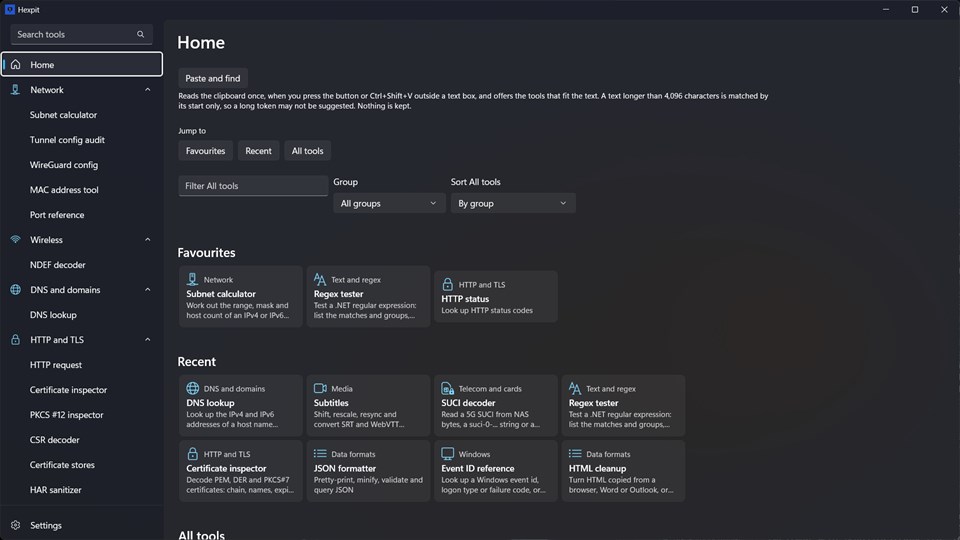
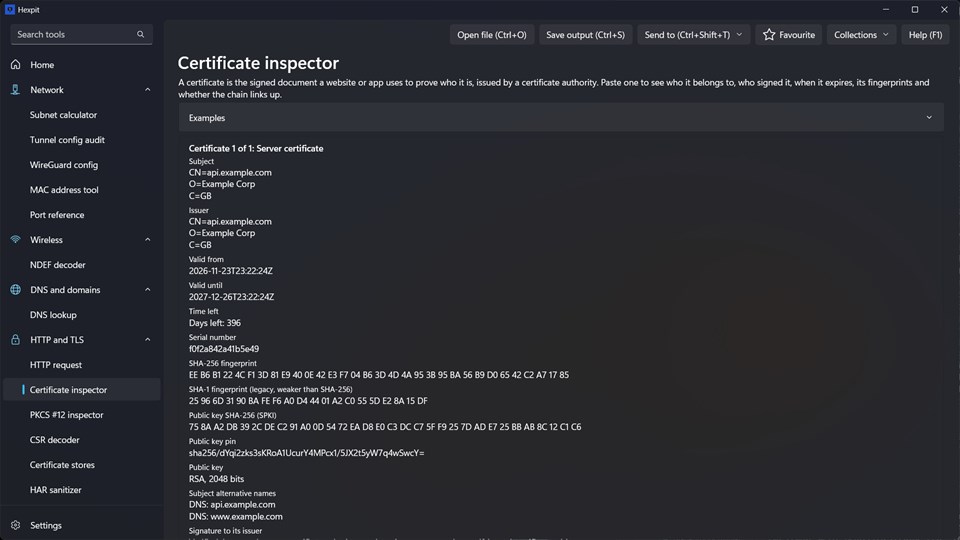
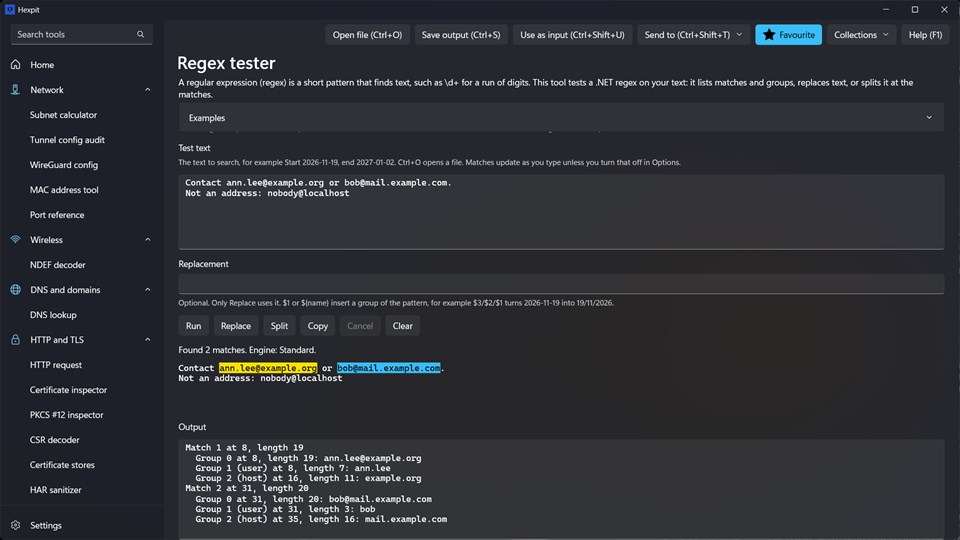
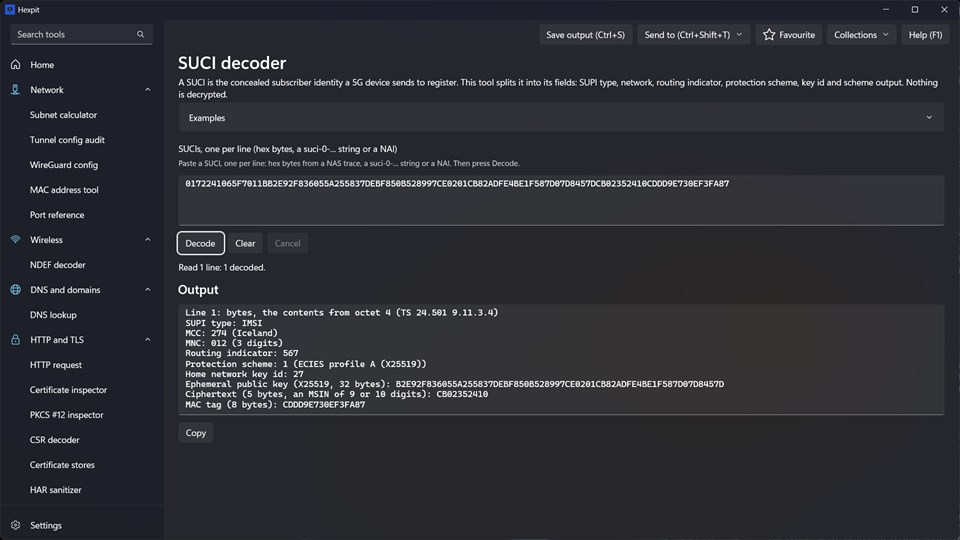
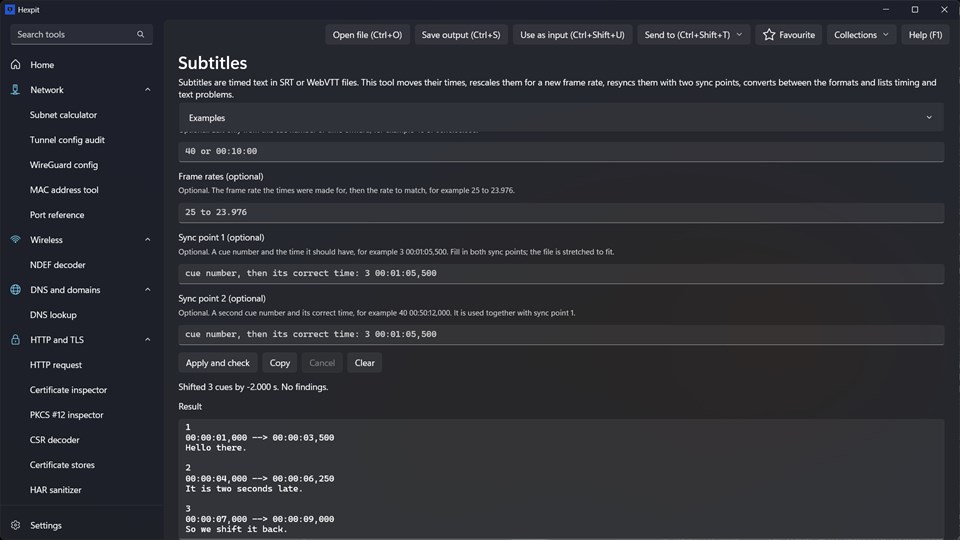
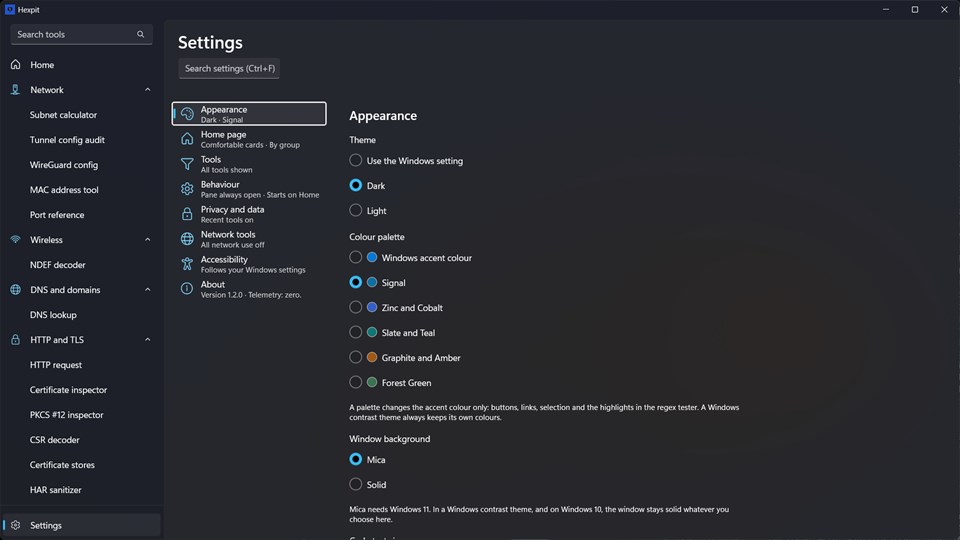
แพลตฟอร์มอื่น 0
ประวัติราคา 0
- ราคาปัจจุบัน: ฟรี
- ต่ำสุด: ฟรี
- สูงสุด: ฟรี
ฟีดของคุณเองบนหน้าแรก
คำอธิบาย

What is in the box:
Data formats: format and validate JSON, XML, YAML and SQL, preview Markdown, convert between formats, decode ASN.1, look up OIDs, read connection strings and identifiers.
Encoders: Base64, hex, URL encoding, checksums, QR codes.
Crypto and secrets: hashes, hash identification, UUIDs, password and key generation, JWT decoding, CVSS scores.
Converters and time: timestamps, number bases, chmod, colours, cron expressions, units.
HTTP and TLS: inspect X.509 certificates, CSRs and PKCS#12 files, build curl commands, look up HTTP status codes and headers, HTTP request (off until you turn it on).
Network: subnet calculator, port reference, MAC address tool.
DNS and domains: DNS lookup (off until you turn it on).
Text and regex: regex tester, text diff, case conversion, string escaping, Unicode inspector, secret redactor.
Windows decoders: HRESULT and error codes, path translator and inspector, hosts file linter, .reg file preview, text encoding detective, SDDL decoder.
Telecom cards: APDU, ATR, TLV and SIM file decoders, SIM identifier checks.
Hexpit's own code collects nothing. It has no account, no sign-in and no updater of its own: updates come through the Microsoft Store.
The Windows App SDK that Hexpit is built on may send Microsoft usage data under your Windows diagnostic settings. The privacy policy at https://hexpit.app/privacy/ says what Hexpit keeps on your PC and what Windows, and the Store do outside Hexpit.
จากนักพัฒนา
ผู้พัฒนา
- Late Apex Software
- ผู้ติดตาม: 0
- แพลตฟอร์ม: Windows แอป (1)
- ลดราคา: 0
- รายการ: 0 0
- แต้ม: 0
- การจัดอันดับ: 0
- ความคิดเห็น: 0
- วิดีโอ: 0
- RSS: ติดตาม
รายการ 0
-
 hexpit
แต้ม 0
-

- +1 แต้ม

การจัดอันดับ 0
-
- คะแนนของคุณ
มีอะไรใหม่
- เวอร์ชัน: PC
- อัปเดตล่าสุด:
- Hexpit now has 98 tools (71 before). New ones cover telecom cards (SUCI decoder, AKA Milenage, more APDU and TLV reading), media and documents (PDF tools, HTML cleanup), and data (JSON to types, SemVer, byte diff, palette contrast check, placeholder data, event ID reference, TOML in the format converter).
New look: color palettes and a choice of window backdrop. Settings is sorted into categories, each with a short summary.
Tools come with examples you can try in one step, each with a short note on what it shows.
Open file and Save output in the tool frame, and Use as input to carry a result into another tool. Paste and find (Ctrl+Shift+V) picks a tool for the text you paste.
DNS lookup and HTTP request send requests only when you turn them on in the tool. Settings > Network tools has a switch for each and Turn all off.
Run as you type for the timestamp, number base, JSON, JWT, Base64, URL encode, string escape and text case tools.
Send to (Ctrl+Shift+T) moves a result into another tool.
ข้อมูลเพิ่มเติม
- วันที่วางจำหน่าย:
- หมวดหมู่:
แอปสำหรับ Windows›เครื่องมือสำหรับนักพัฒนา - ระบบปฏิบัติการ:
PC - ขนาด:
70 Mb - ภาษาที่รองรับ:
อังกฤษ - การจัดประเภทเนื้อหา:
EVERYONE - Windows Store คะแนน: ¡
0 - เว็บไซต์:
 https://hexpit.app/support/
ความคิดเห็น 0 ¡
คะแนน AppAgg
คะแนน AppAgg โดยประมาณของ
hexpit
ผู้พัฒนา: Late Apex Software
คะแนนที่สูงขึ้นมักสะท้อนตัวชี้วัดที่ดีกว่าบน AppAgg
อิงจาก: ความนิยม · คะแนนจากผู้ใช้ · ความสดใหม่ · ดีล · ข้อมูลร้านค้า · กิจกรรมชุมชน
คำนวณใหม่ทุกวันจากข้อมูล AppAgg ล่าสุด
hexpit URL แบบสั้น: คัดลอกแล้ว!- Windows Store

