
Bladwijzers
| Ontwikkelaar: | netDesk.IT - Massimo Pagano (4) | ||
| Prijs: | $3.69 Nieuw | ||
| Score: | 600 Zilver | ||
| Ranglijsten: | 0 | ||
| Reacties: | 0 Plaats reactie | ||
| Lijsten: | 0 0 | ||
| Punten: | 0 | ||
| +1 Punt | |||
Samenvatting
Hide Users is een app van netDesk.IT - Massimo Pagano in de categorie “Ontwikkelhulpprogramma's”.
Nieuwe release: pas uitgekomen, dus je bent er vroeg bij.
$3.69. Nog nooit in de aanbieding op AppAgg, geen enkele keer. Stel een prijsalarm in. Wij vergeten het niet, ook als jij het wel vergeet.
De Microsoft Store zit ingebouwd in Windows, dus installeren doe je in een paar klikken.
De AppAgg-score is 600. Zilver, en dat is helemaal niet slecht.
Leeftijdsclassificatie “EVERYONE”, dus ook prima voor kinderen.
Kent 5 talen, maar Nederlands zit er nog niet bij.
Op AppAgg heeft nog niemand de app beoordeeld. Dit is je kans om de eerste te zijn.
De ontwikkelaar heeft nog 3 andere apps op AppAgg. Neem gerust een kijkje.
Wil je als eerste horen over aanbiedingen, updates en nieuwe apps? Stel een prijsalarm in, volg de ontwikkelaar of abonneer je op de RSS-feed. Pushmeldingen komen binnen via de app AppAgg Alerts voor Android en iOS.
Screenshots 5
Andere platforms 0
Prijsgeschiedenis 0
- Huidige prijs: $3.69
- Minimum: $3.69
- Maximum: $3.69
Je eigen feed op de startpagina
Beschrijving

What it does
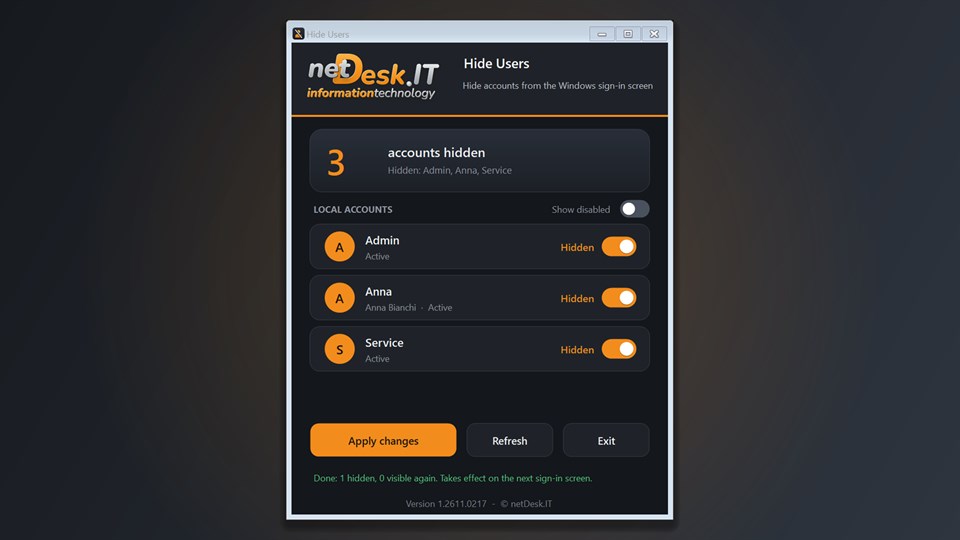
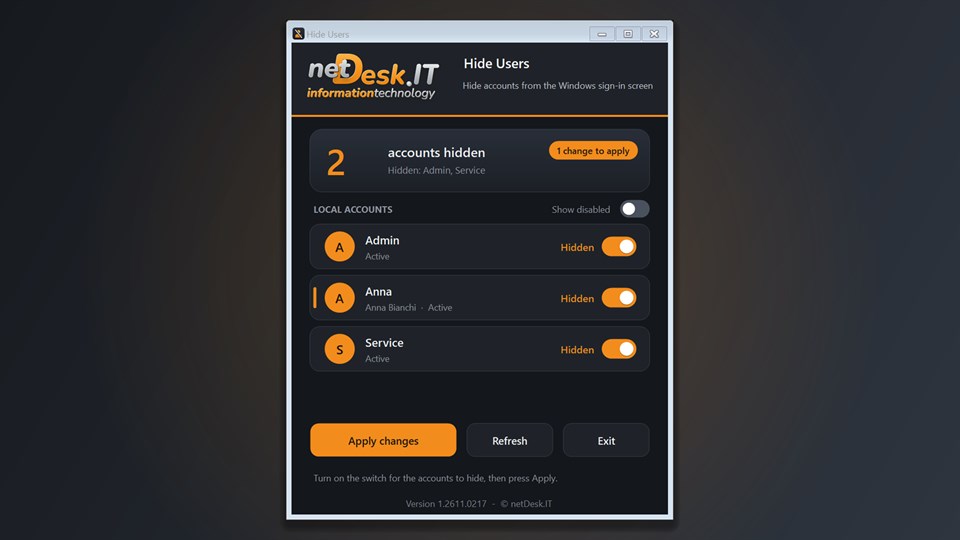
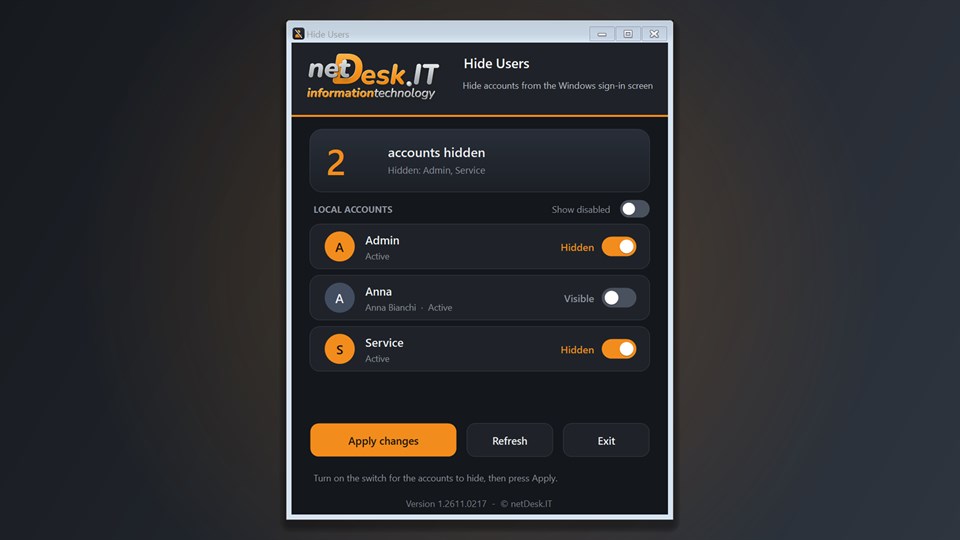
• List of local accounts: for each one you see the name, the full name and the status (active, disabled or no longer present).
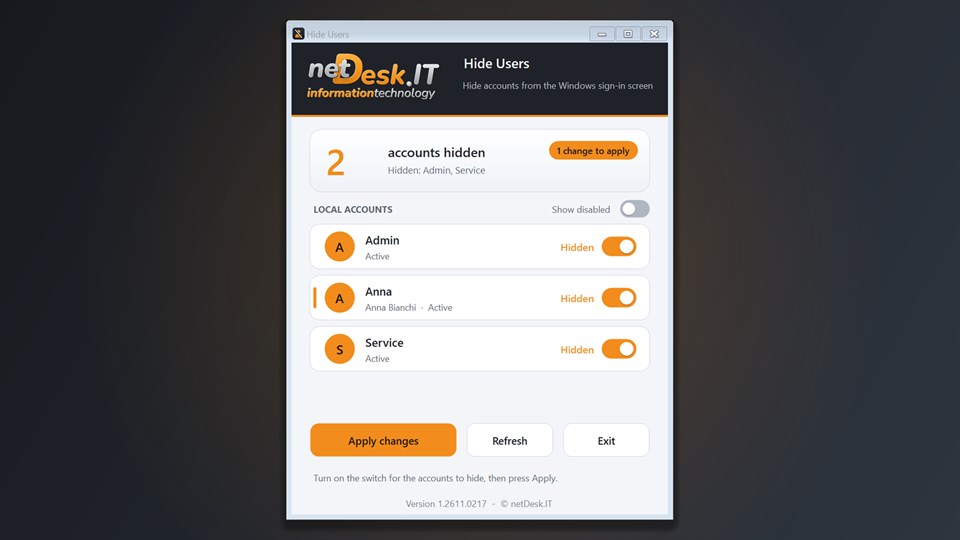
• One switch per account: turn it on to hide the account, turn it off to show it again.
• Several changes at once: choose as many accounts as you like, a summary shows the changes still to apply, and one button confirms them.
• A safeguard: at least one enabled administrator account always stays visible. If a change would hide them all, Hide Users does not apply it and explains why; it also warns you if no enabled account would appear on the sign-in screen.
• Adaptive window: it grows to show all the accounts without a scroll bar, within the limits of the screen, and it can be resized.
• Easy to undo: to make an account visible again, just turn its switch off.
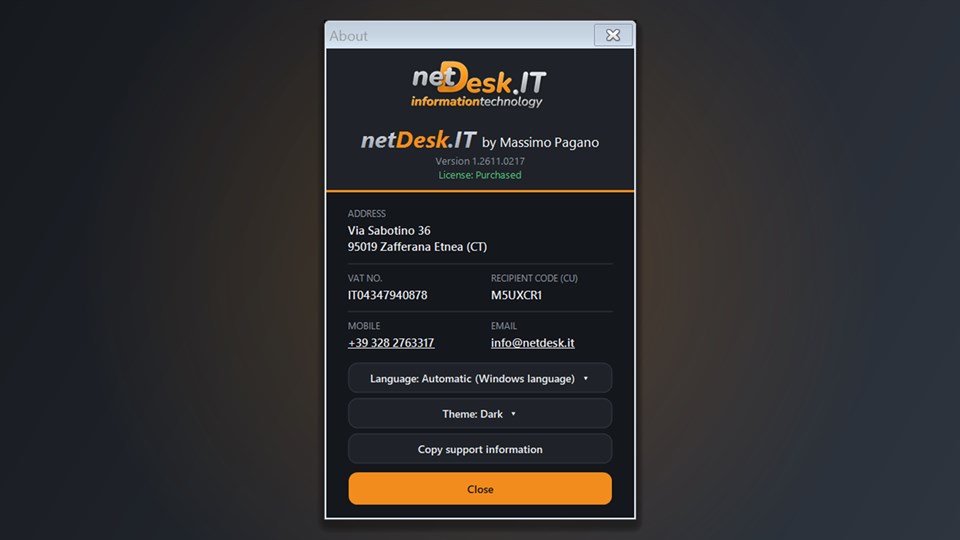
• 5 languages: Italian, English, French, German and Spanish. The app starts in the Windows language and you can change it from the About window.
How to sign in to a hidden account
If the sign-in screen offers it, choose “Other user” and type the user name and password: this depends on the Windows configuration (sign-in policies, PIN, Microsoft account). The change takes effect from the next sign-in screen.
Privacy and security
The app has no network features and sends no data to anyone. Changing the list of hidden accounts requires administrator privileges: if you start Hide Users as a normal user, you can view the list and the app offers to reopen as administrator (Windows asks for confirmation); if you decline, the list stays read-only and nothing is changed.
Who it is for
For anyone who manages a shared PC, a fixed workstation, a counter or a home PC and wants a tidier sign-in screen, without service or administration accounts in view.
Note: hiding an account is not a security measure. It tidies the sign-in screen; protection still depends on passwords.
7-day free trial; after it, hiding or showing accounts requires buying the app from the Store. Accounts already hidden stay hidden until you buy it.
Van de ontwikkelaar
Lijsten 0
-
 Hide Users
Punten 0
-

- +1 Punt

Ranglijsten 0
-
- Jouw beoordeling
Ontwikkelaar 4
- netDesk.IT - Massimo Pagano
- Volgers: 0
- Platforms: Windows Apps (4)
- Aanbiedingen: 0
- Lijsten: 0 0
- Punten: 0
- Ranglijsten: 0
- Reacties: 0
- Video’s: 0
- RSS: Abonneren
Wat is er nieuw?
- Versie: PC
- Laatst bijgewerkt:
- • Hide local accounts from the Windows sign-in screen.
• One switch per account, with a summary of the changes to apply.
• Interface in 5 languages.
Aanvullende informatie
- Releasedatum:
- Categorie:
Windows-apps›Ontwikkelhulpprogramma's - Besturingssysteem:
PC - Grootte:
675 Kb - Ondersteunde talen:
Duits,Engels,Frans,Italiaans,Spaans - Inhoudsclassificatie:
EVERYONE - Windows Store Beoordeling: ¡
0 - Website:
 https://www.netdesk.it
AppAgg-score
Geschatte AppAgg-score voor
Hide Users
Ontwikkelaar: netDesk.IT - Massimo Pagano
Een hogere score betekent meestal betere resultaten voor de factoren die AppAgg beoordeelt.
Gebaseerd op: populariteit · gebruikersbeoordelingen · actualiteit · aanbiedingen · winkelgegevens · community-activiteit
Wordt dagelijks opnieuw berekend met actuele AppAgg-gegevens.
Reacties 0 ¡
Delen
Hide Users Korte URL: Gekopieerd!- Windows Store

