
Marcadores
Elige un título para este marcador.
Marcador guardado
| Desarrollador: | Webspace IN (14) | ||
| Precio: | * $6.99 Nuevo | ||
| Puntuación: | 1450 Oro | ||
| Clasificaciones: | 0 | ||
| Comentarios: | 0 Publicar comentario | ||
| Listas: | 0 + 0 | ||
| Puntos: | 0 + 0 ¡ | ||
| +1 Punto | |||
Tu propio feed en la página de inicio ¡
Elige plataformas para la sección «Novedades y actualizaciones» y la página de inicio mostrará solo las apps y juegos que necesitas.
Capturas de pantalla 10
Anuncio
Descripción

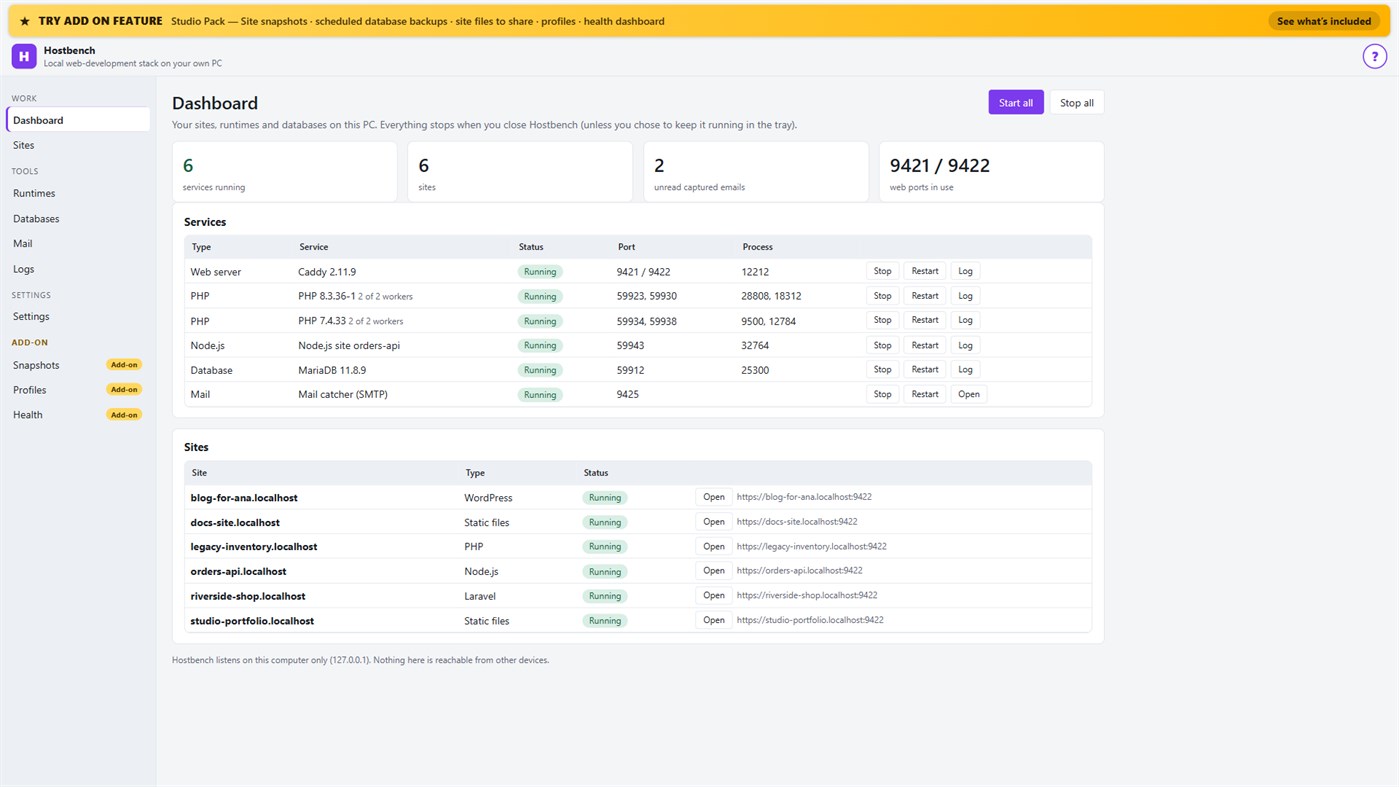
Hostbench is for PHP, Laravel and WordPress developers, Node.js developers, freelancers and agencies with many client sites, and students learning web development. It serves your own projects on your own PC (127.0.0.1) only. It does not host sites for other people and does not deploy anywhere.
HOW IT WORKS
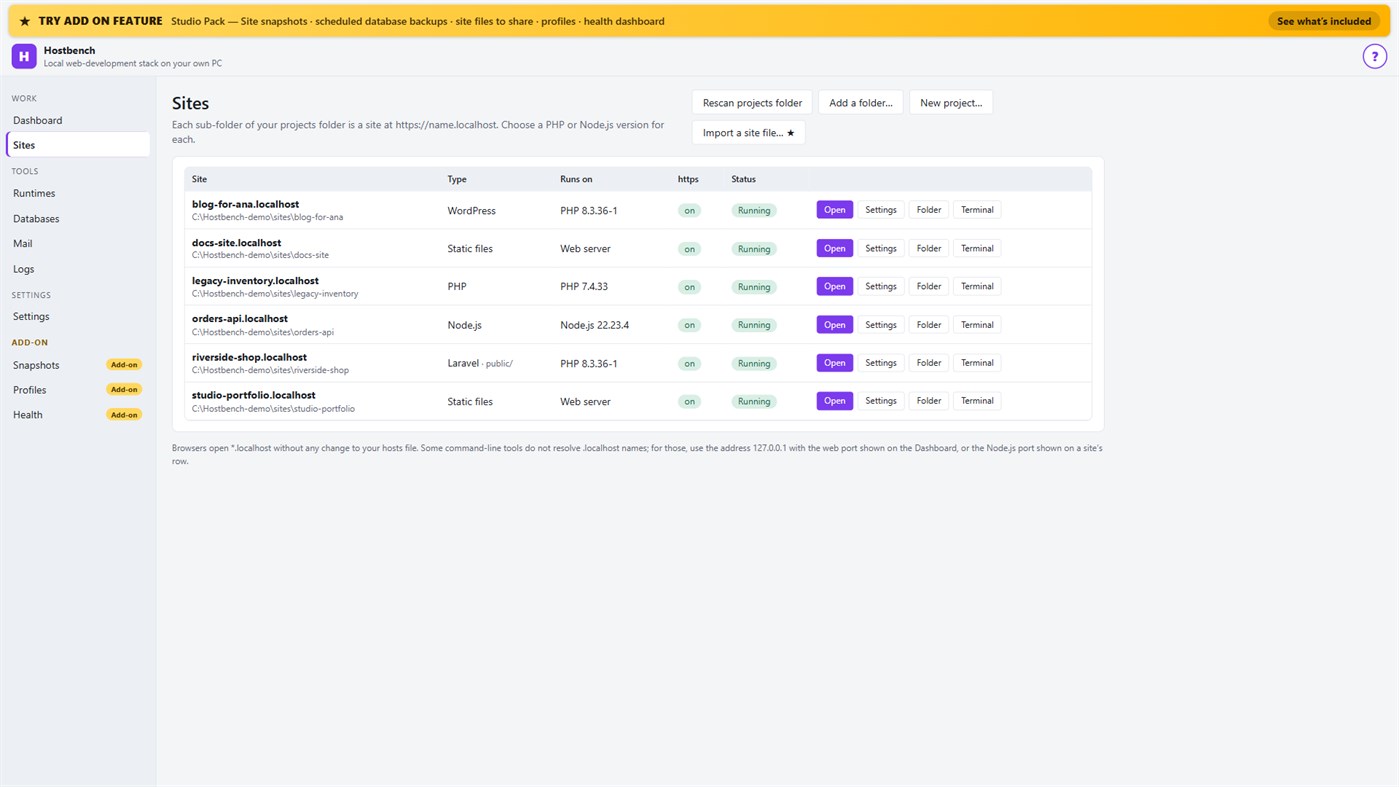
1. Choose your projects folder. Every sub-folder becomes a site: the folder "shop" is https://shop.localhost.
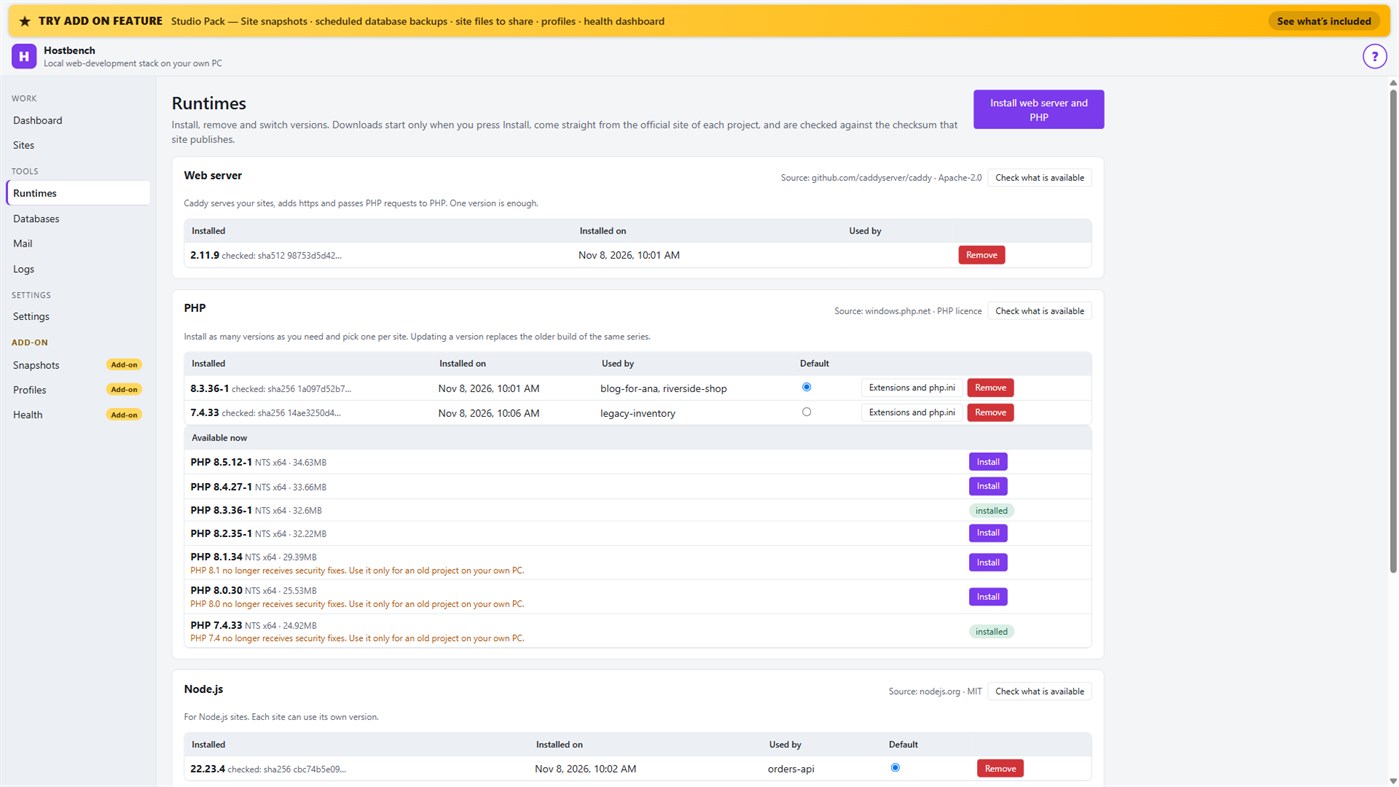
2. Install what you need. Hostbench downloads the web server, PHP, Node.js and MariaDB from their official sites when you press Install, and checks every file against the checksum the site publishes. The publisher of Hostbench hosts nothing.
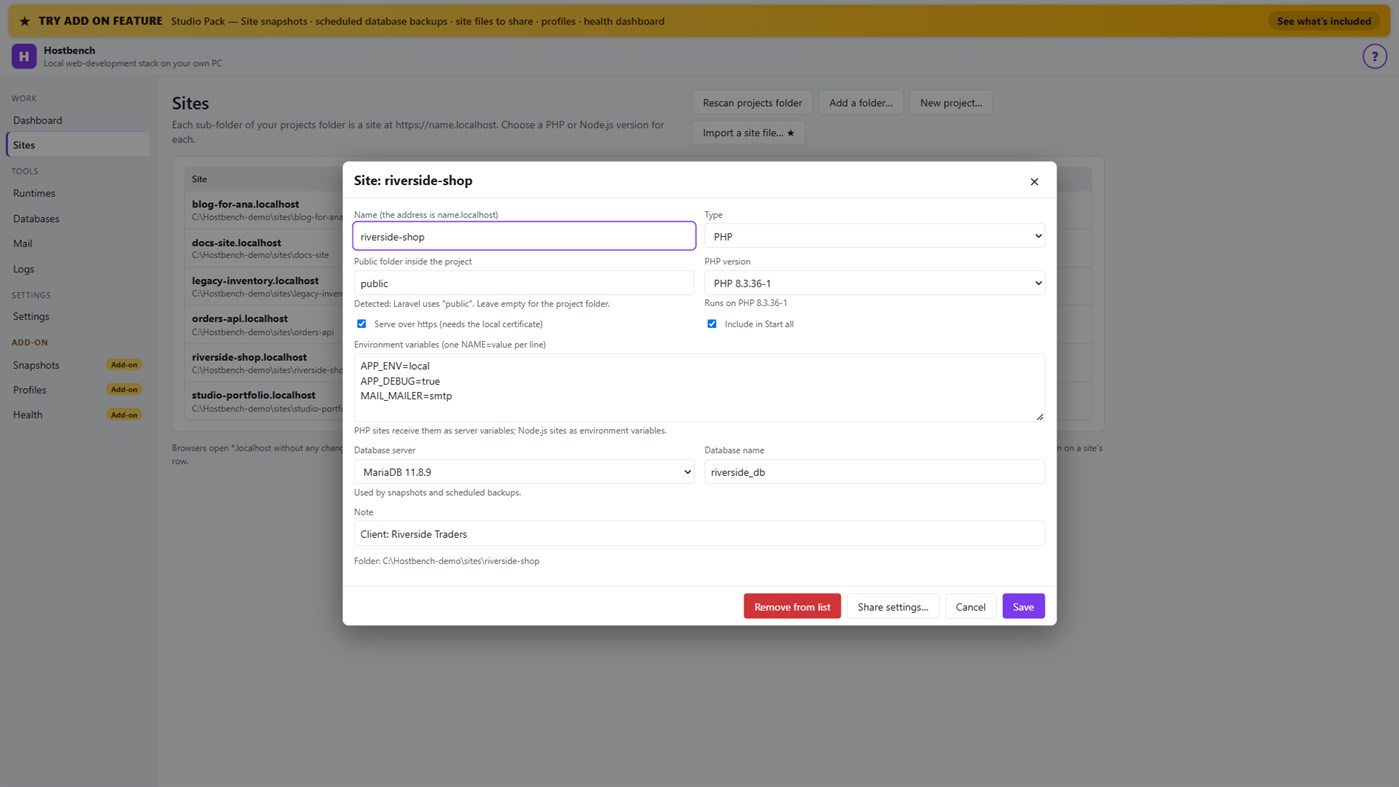
3. Pick a version per site: PHP 8.3 for one client, PHP 7.4 for an old client site, Node.js 22 for an API.
4. Press Start all. Open the site. Close Hostbench and everything stops.
EVERYTHING IN THE ONE-TIME PURCHASE
• Sites from folders with *.localhost addresses (no hosts-file editing for browsers); Laravel, Symfony, WordPress, plain PHP, static and Node.js projects are recognised, including the public folder
• Several PHP versions and Node.js versions installed side by side, chosen per site; each install is checksum-verified; versions without security support are marked
• https that works: Hostbench creates its own certificate authority for this PC, limited to .localhost names, and — only after your confirmation in Windows — trusts it for your account. Remove it again in one click
• A web server (Caddy) with PHP running through FastCGI worker pools, and Node.js sites proxied behind the same https address
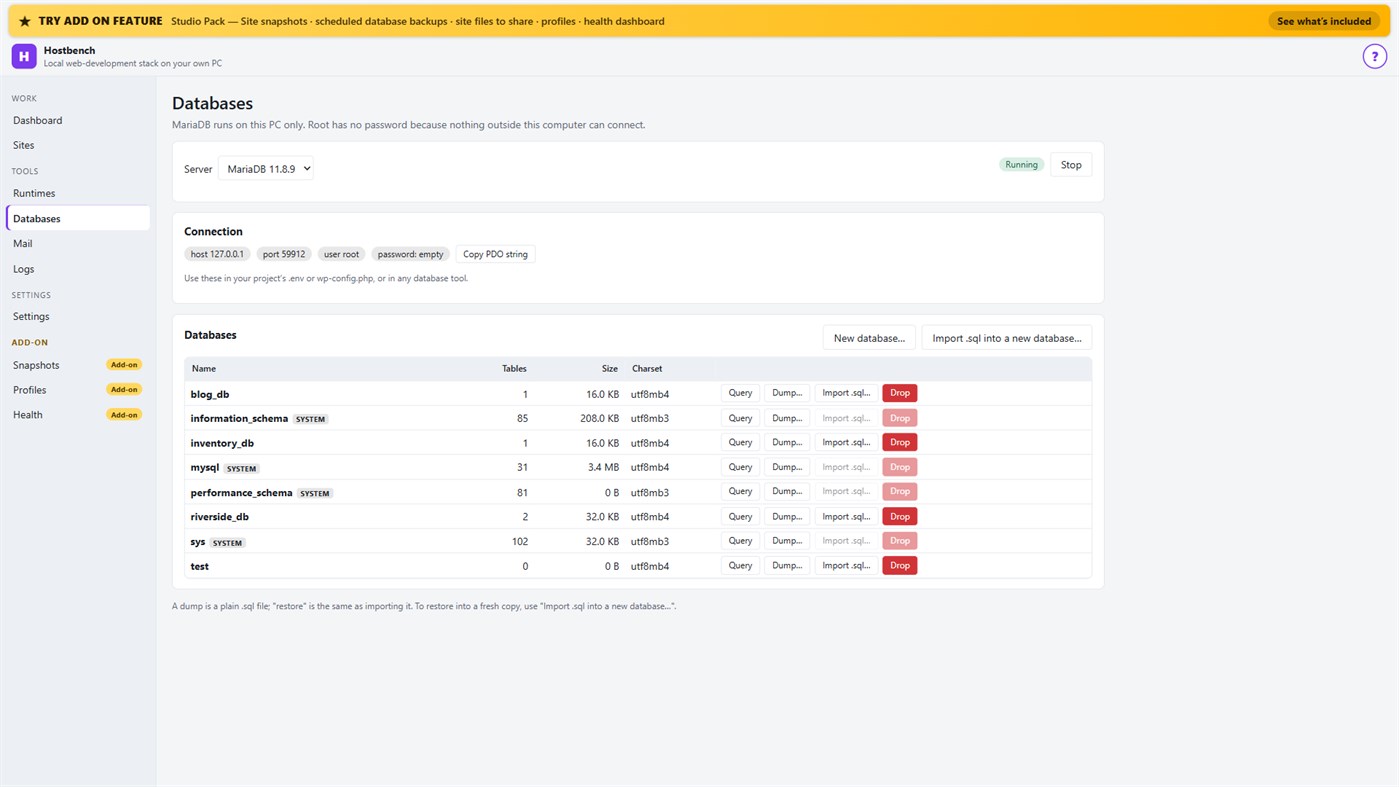
• MariaDB server with a database screen: create, drop, dump, import a .sql file, restore into a copy, run a quick query
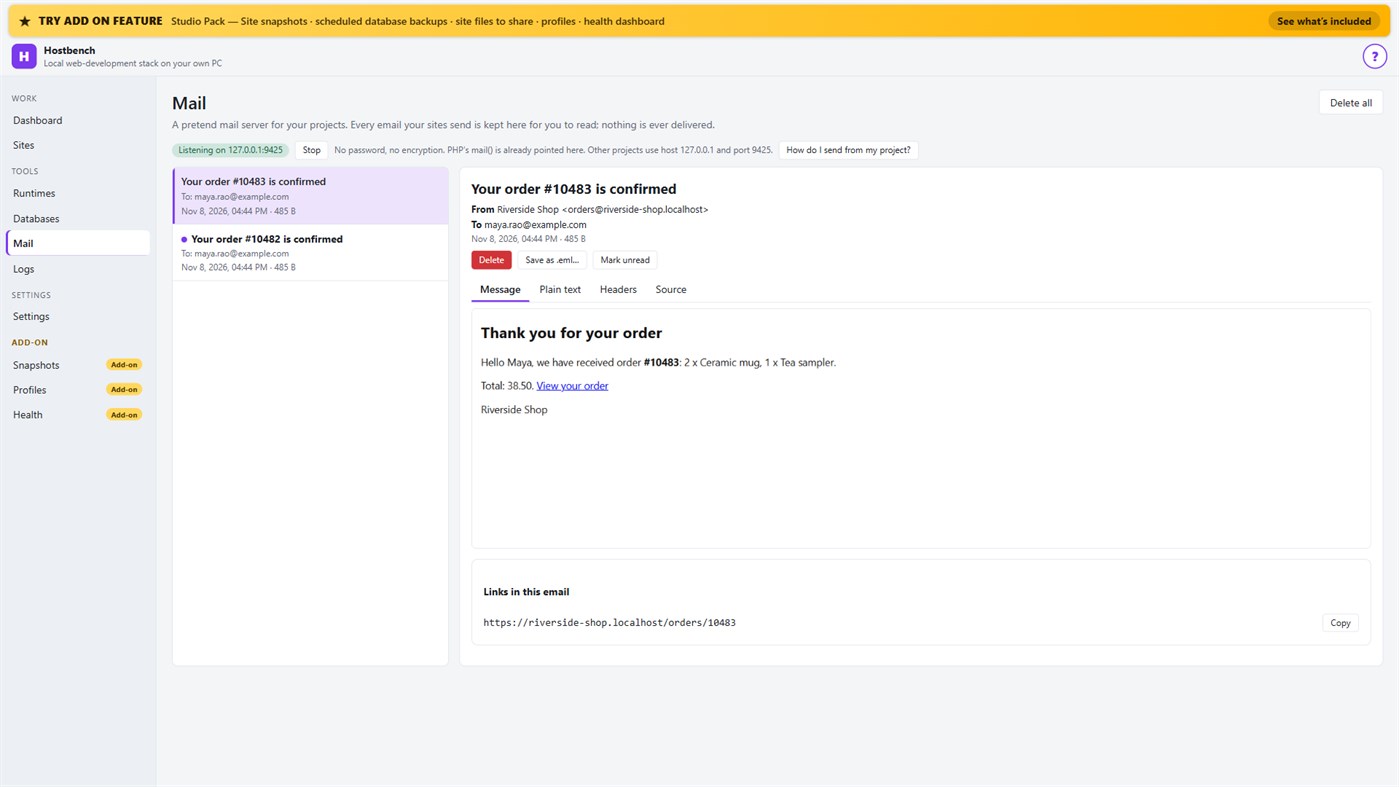
• Mail catcher: everything your sites send arrives in the Mail screen, with the message, text, headers, source, links and attachments. PHP's mail() is already connected. Nothing is ever delivered to anyone
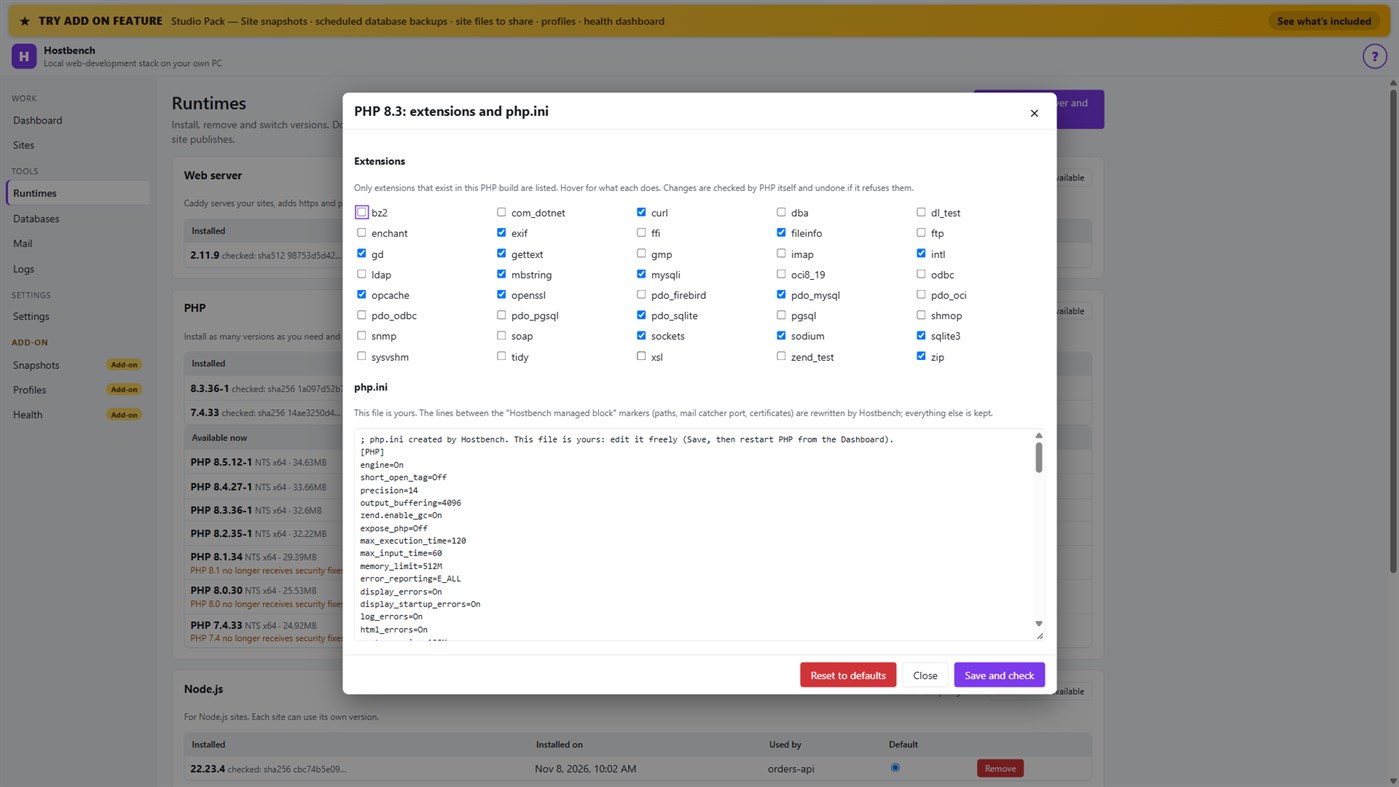
• PHP extension switches and a PHP settings file editor for every PHP version, checked by PHP itself before a change is kept
• Per-site environment variables, a Terminal button with the site's PHP, Node.js and Composer on the PATH
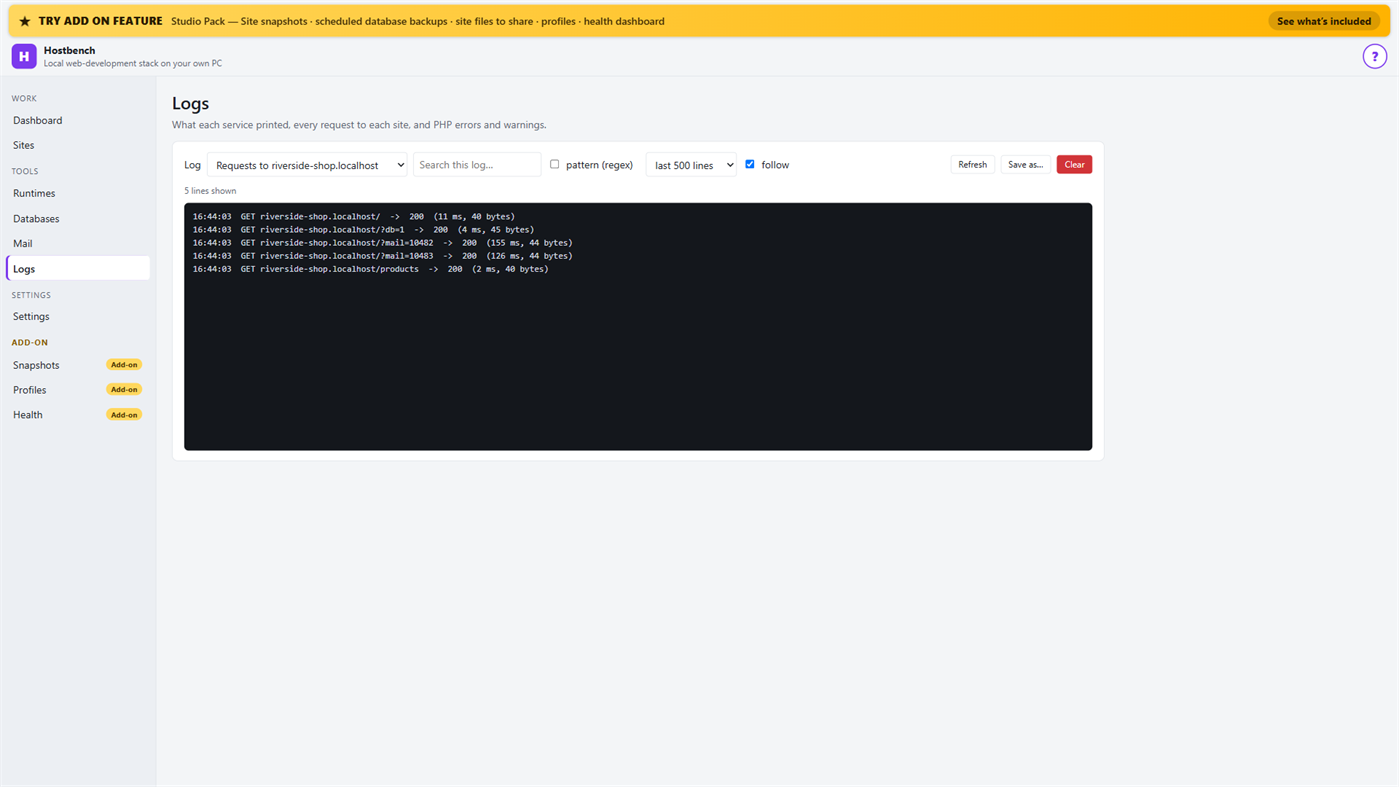
• Logs for every service, every request to every site and PHP errors, with search and regular expressions
• Port conflict detection: when ports 80 and 443 are busy (for example IIS), Hostbench switches to fallback ports (8080 and 8443), shows the addresses with the port and names the program holding the port when Windows reports it
• New WordPress and Laravel projects in one step (WordPress from wordpress.org, Laravel through Composer)
• Everything stops when you close the window (or keep it running in the tray if you choose); no process is left behind
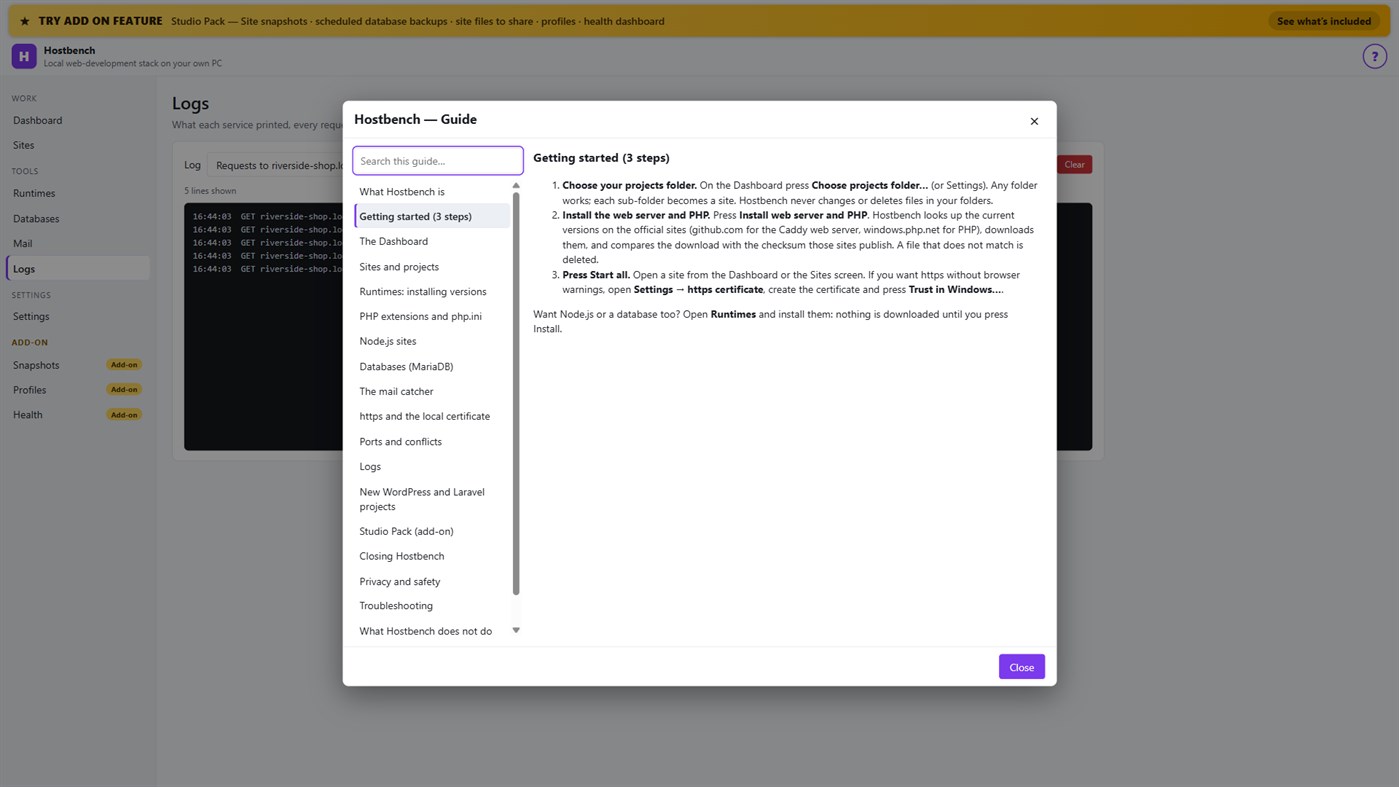
• One "?" guide explains every screen
ADD-ON: STUDIO PACK (optional monthly subscription)
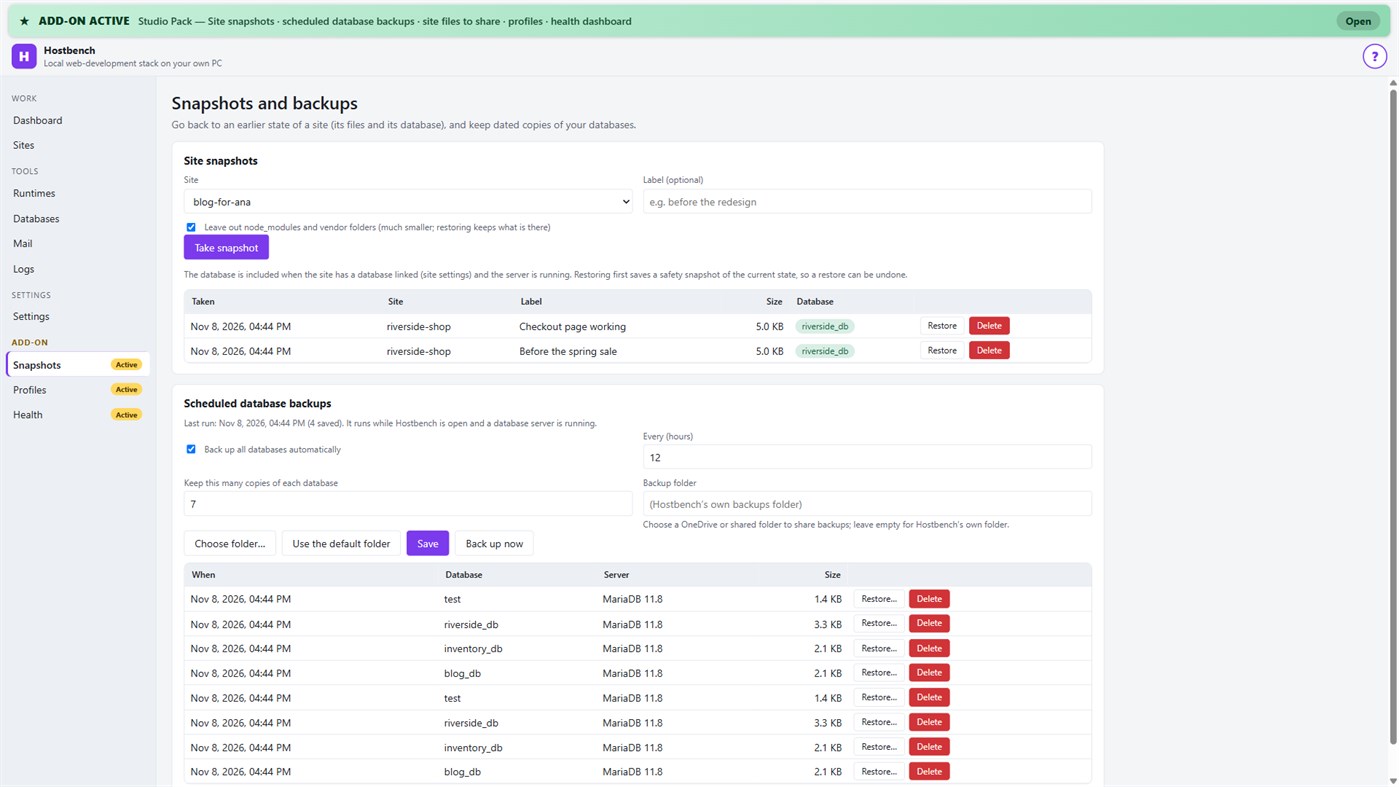
• Site snapshots and restore — a site's files and its database in one snapshot; a safety copy is taken before every restore
• Scheduled database backups — dated dumps every N hours to a folder you choose, newest copies kept
• Site files to share — export a site's settings (type, public folder, versions, PHP extensions, start command) as one small file; a colleague imports it and picks their own folder; secrets stay out unless you include them
• Profiles — name a set of sites, databases and the mail catcher and switch to it with one click
• Health dashboard — every site is checked through the real web server, with the answer code, the time and what to look at
PRIVACY
No telemetry, no advertising, no account. Your projects, databases and captured emails stay on your PC. The only network use is the downloads you start from the Runtimes screen or a new project, and the Microsoft Store licence check. Every Hostbench service listens on 127.0.0.1 only.
GOOD TO KNOW
Hostbench downloads runtimes on request, so the first set-up needs an internet connection. PHP 8 builds need the Microsoft Visual C++ Redistributable 2015–2022 (x64); Hostbench tells you if it is missing. Firefox keeps its own certificate list, so the saved certificate file must be imported there. This version includes MariaDB as its database server; PostgreSQL, MySQL, Redis-compatible caches and Xdebug setup are not included. Hostbench is tested with the programs from the official sites listed above; it is not affiliated with their projects.
Del desarrollador ¡
¿Eres el desarrollador?
Tus novedades arriba de la página, y tus seguidores las reciben por correo
Otras plataformas 0
| HostbenchWindows Store1K OroWindowsCompras integradas | $6.99 |
Por ahora, solo en esta tienda.
Historial de precios 0
- Precio actual: $6.99
- Mínimo: $6.99
- Máximo: $6.99
Seguimiento de precios Recibe un aviso por email o push cuando baje el precio
Listas 0
-
 Hostbench
Puntos 0
-

- +1 Punto

Clasificaciones 0
-
- Tu valoración
Comentarios 0 ¡
Sé el primero en comentar
Desarrollador 14
- Webspace IN
- Seguidores: 0
- Plataformas: Windows Aplicaciones (14)
- Ofertas: 0
- Listas: 0 + 0
- Puntos: 0 + 0 ¡
- Clasificaciones: 0
- Comentarios: 0
- Vídeos: 0
- RSS: Suscribirse
Novedades
- Versión: PC
- Última actualización:
- Initial release — introducing Hostbench to the Microsoft Store.
Información adicional
- Fecha de lanzamiento:
- Categoría:
Aplicaciones para Windows›Herramientas de desarrollo - Sistemas operativos:
PC - Tamaño:
158 Mb - Idiomas admitidos:
Inglés - Clasificación de contenido:
EVERYONE - Windows Store Valoración: ¡
0 - Sitio web:
 https://webspacein.com/contact
Puntuación de AppAgg
1450
Puntuación estimada de AppAgg para
Hostbench
Desarrollador: Webspace IN
1450 Oro
Una puntuación más alta suele reflejar mejores resultados en los indicadores de AppAgg.
Basado en: popularidad · valoraciones de usuarios · actualidad · ofertas · datos de tiendas · actividad de la comunidad
Se recalcula a diario con datos actualizados de AppAgg.
Insignia para sitios web:  Copiado!
Resumen
Hostbench URL corta: Copiado!- Windows Store
En AppAgg puedes seguir «Hostbench», una aplicación de Webspace IN para Windows en la categoría Herramientas de desarrollo. Puntuación de AppAgg: 1450 (Oro). Puntos de AppAgg de la aplicación — confirmados: 0; indirectos: 0. Listas públicas que incluyen la aplicación: 0. Usuarios que la han guardado en listas privadas: 0. Los usuarios de AppAgg aún no han valorado esta aplicación. Los puntos confirmados registran las visitas a la tienda de usuarios con sesión iniciada en AppAgg; los indirectos se basan en datos de las tiendas. Los dos contadores muestran las listas públicas y los usuarios que han guardado la aplicación o el juego en listas privadas. La aplicación se publicó por primera vez el . La última actualización de la aplicación fue el . La aplicación cuesta actualmente $6.99. La aplicación está disponible en estos idiomas: Inglés. Consulta el historial de precios, añade la aplicación a una lista o sigue a su desarrollador. Sigue las próximas ofertas y actualizaciones de la aplicación a través de su canal RSS. AppAgg no aloja ni distribuye esta aplicación. Todas las marcas comerciales, logotipos y capturas de pantalla relacionados con la aplicación pertenecen a sus respectivos propietarios.
También te puede interesar
Vistos recientemente
Usuarios de AppAgg ¡Más →
Misiones de la semanaInicia sesión para recibir 3 misiones cada semana y ganar XP con ellas.

