
Marque-pages
Choisissez un titre pour ce marque-page.
Marque-page enregistré
| Développeur: | Webspace IN (14) | ||
| Prix: | * $6.99 Nouveauté | ||
| Score: | 1 450 Or | ||
| Classements: | 0 | ||
| Commentaires: | 0 Publier un commentaire | ||
| Listes: | 0 + 0 | ||
| Points: | 0 + 0 ¡ | ||
| +1 Point | |||
Votre propre fil sur la page d’accueil ¡
Choisissez des plateformes pour le fil « Nouveautés et mises à jour », et la page d’accueil n’affichera que les applis et jeux qui vous intéressent.
Captures d'écran 10
Publicité
Description

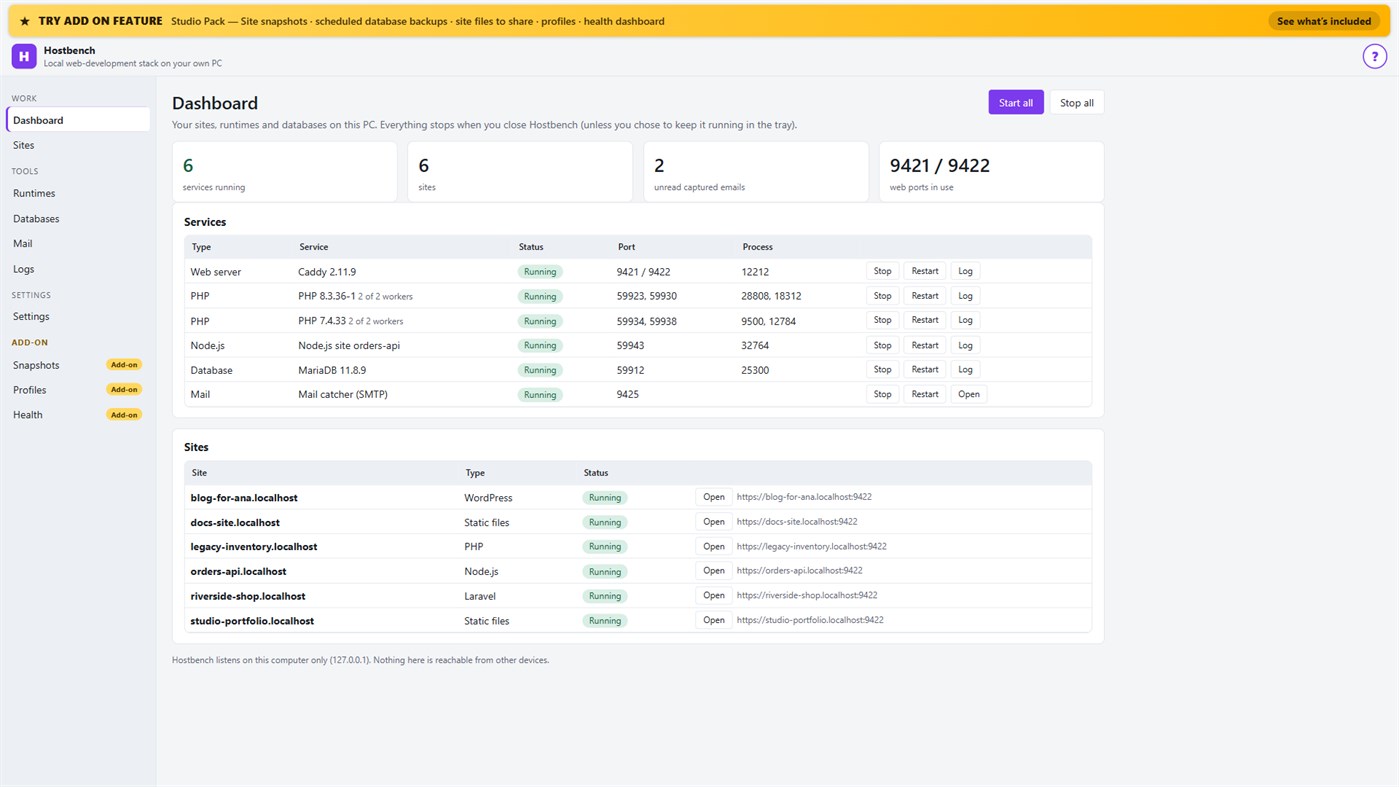
Hostbench is for PHP, Laravel and WordPress developers, Node.js developers, freelancers and agencies with many client sites, and students learning web development. It serves your own projects on your own PC (127.0.0.1) only. It does not host sites for other people and does not deploy anywhere.
HOW IT WORKS
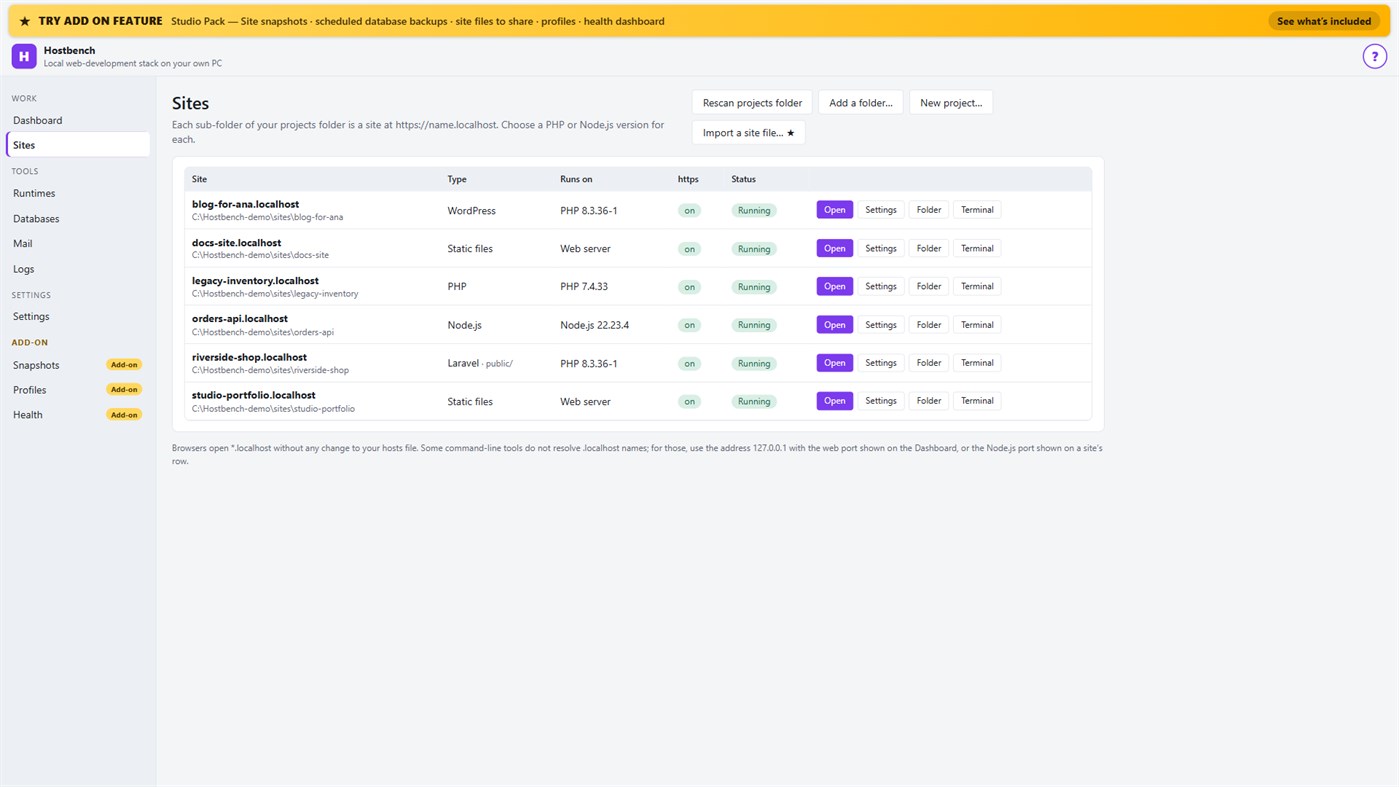
1. Choose your projects folder. Every sub-folder becomes a site: the folder "shop" is https://shop.localhost.
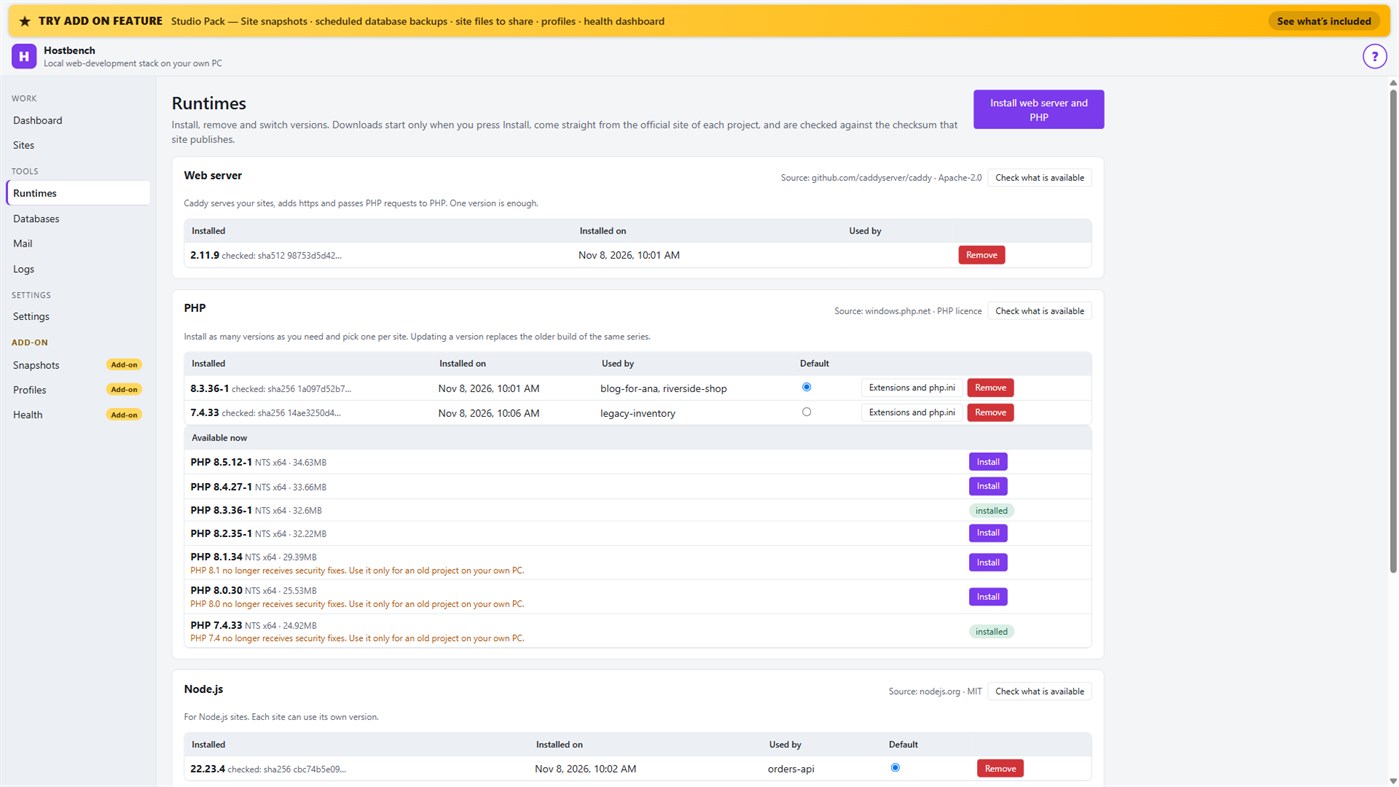
2. Install what you need. Hostbench downloads the web server, PHP, Node.js and MariaDB from their official sites when you press Install, and checks every file against the checksum the site publishes. The publisher of Hostbench hosts nothing.
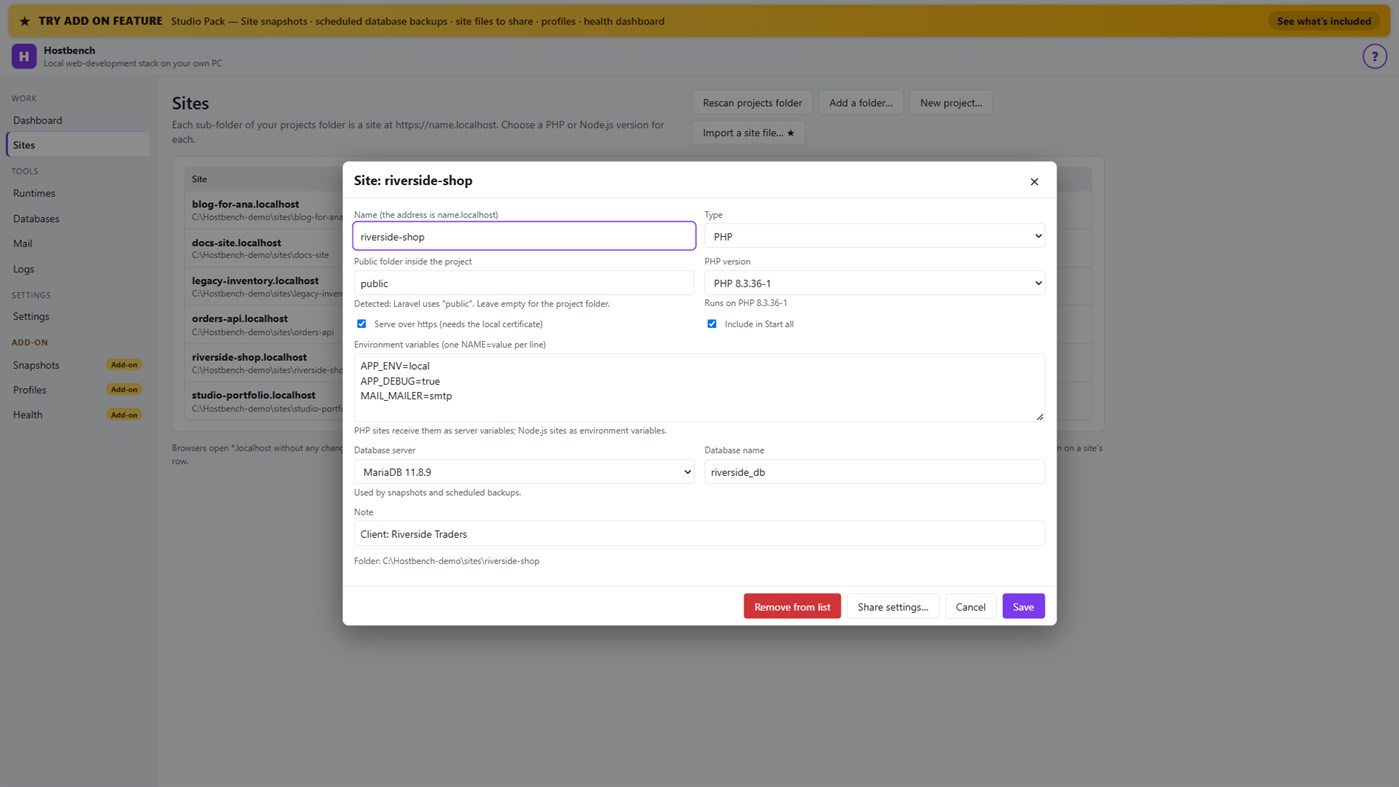
3. Pick a version per site: PHP 8.3 for one client, PHP 7.4 for an old client site, Node.js 22 for an API.
4. Press Start all. Open the site. Close Hostbench and everything stops.
EVERYTHING IN THE ONE-TIME PURCHASE
• Sites from folders with *.localhost addresses (no hosts-file editing for browsers); Laravel, Symfony, WordPress, plain PHP, static and Node.js projects are recognised, including the public folder
• Several PHP versions and Node.js versions installed side by side, chosen per site; each install is checksum-verified; versions without security support are marked
• https that works: Hostbench creates its own certificate authority for this PC, limited to .localhost names, and — only after your confirmation in Windows — trusts it for your account. Remove it again in one click
• A web server (Caddy) with PHP running through FastCGI worker pools, and Node.js sites proxied behind the same https address
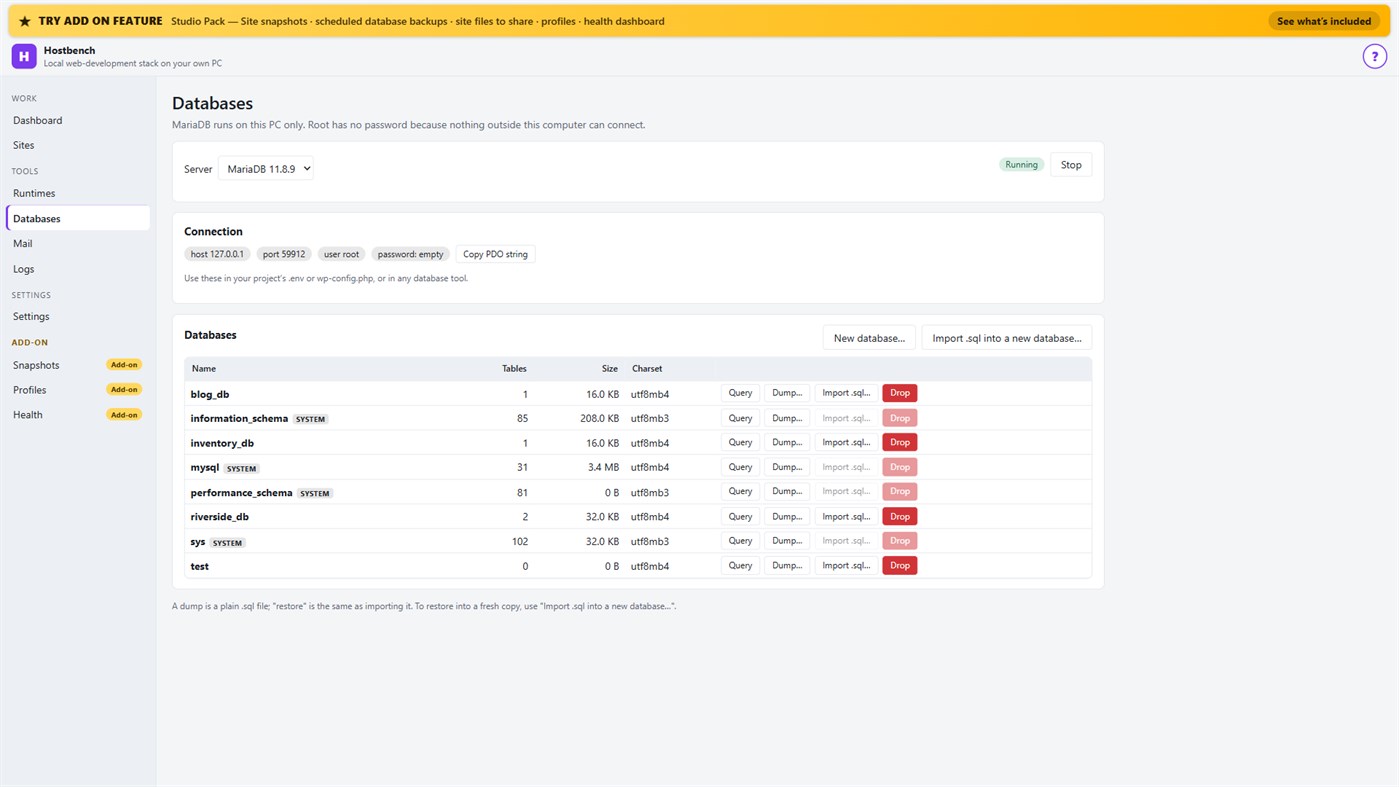
• MariaDB server with a database screen: create, drop, dump, import a .sql file, restore into a copy, run a quick query
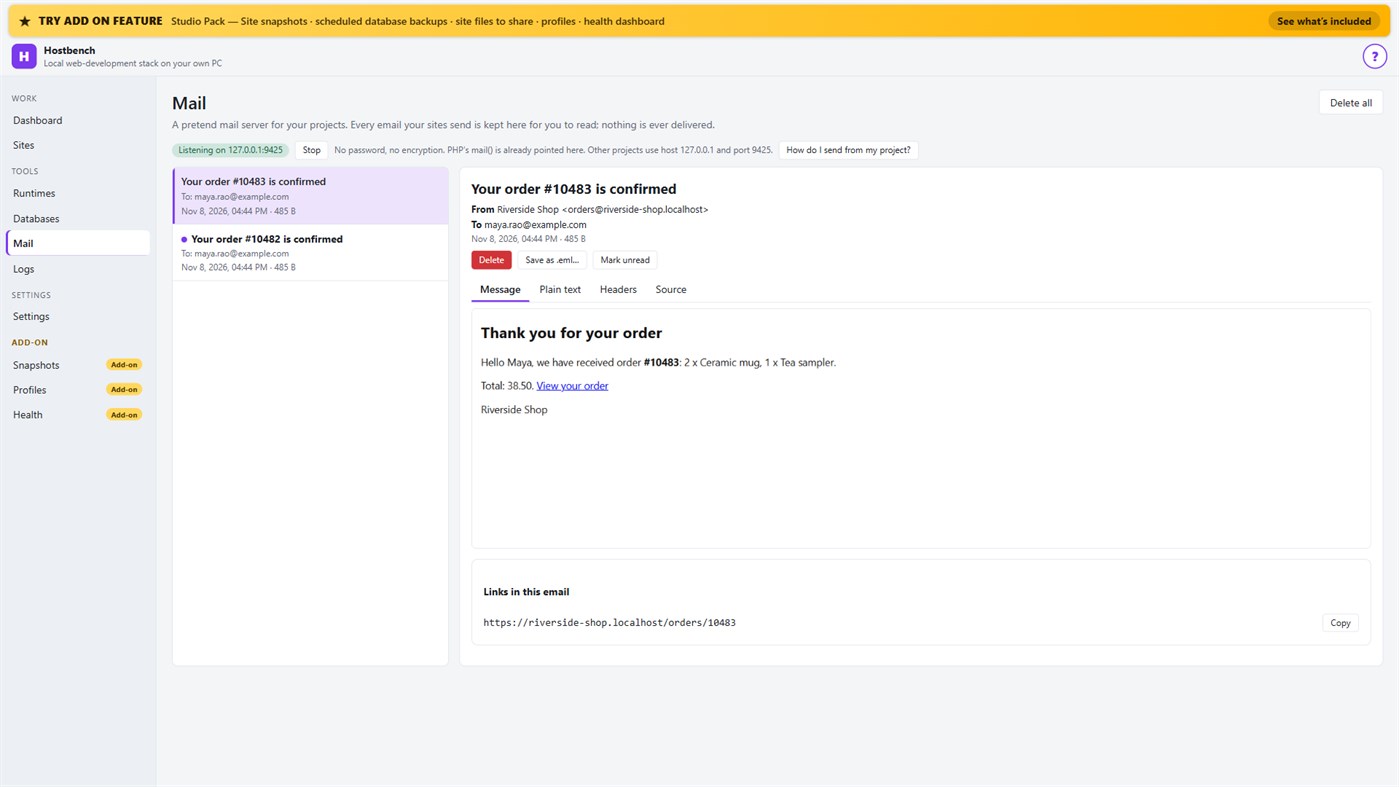
• Mail catcher: everything your sites send arrives in the Mail screen, with the message, text, headers, source, links and attachments. PHP's mail() is already connected. Nothing is ever delivered to anyone
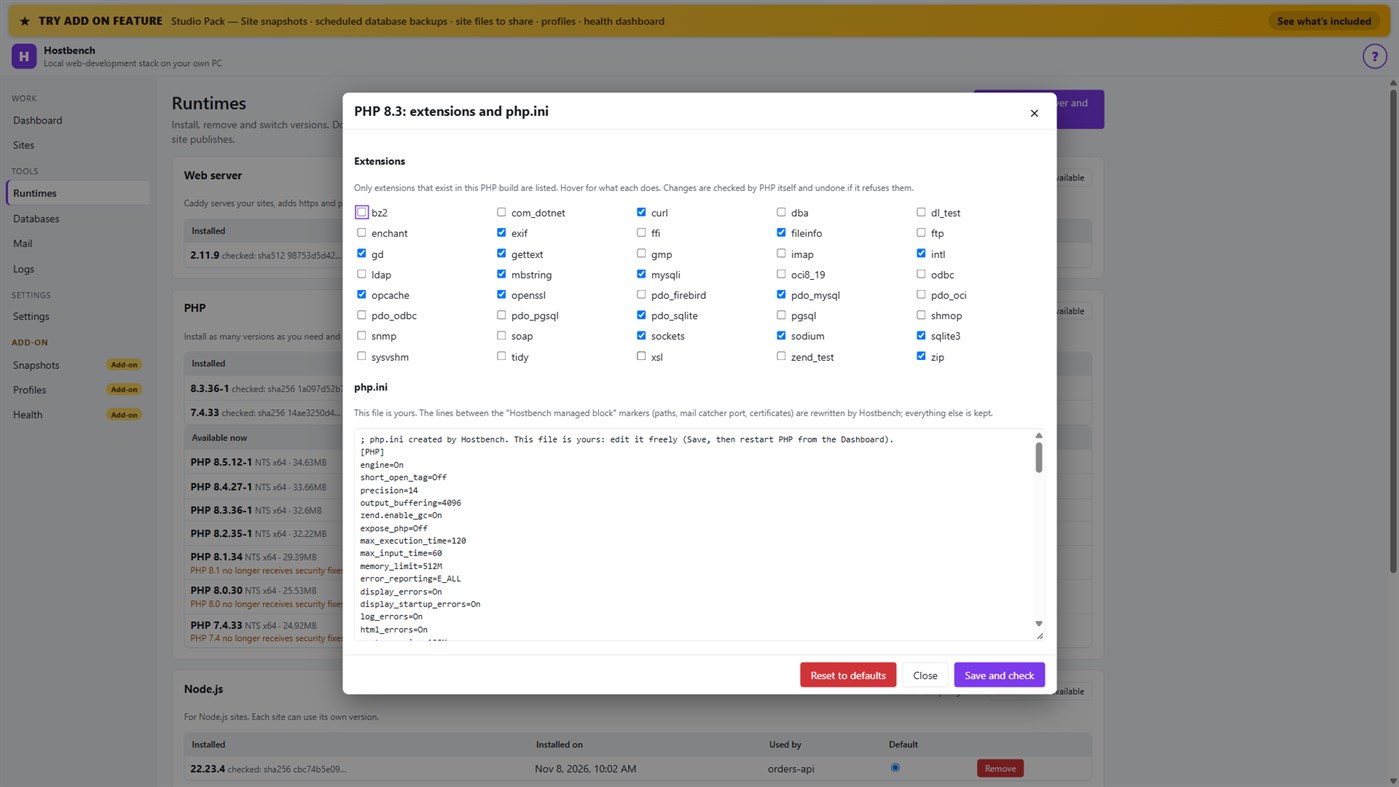
• PHP extension switches and a PHP settings file editor for every PHP version, checked by PHP itself before a change is kept
• Per-site environment variables, a Terminal button with the site's PHP, Node.js and Composer on the PATH
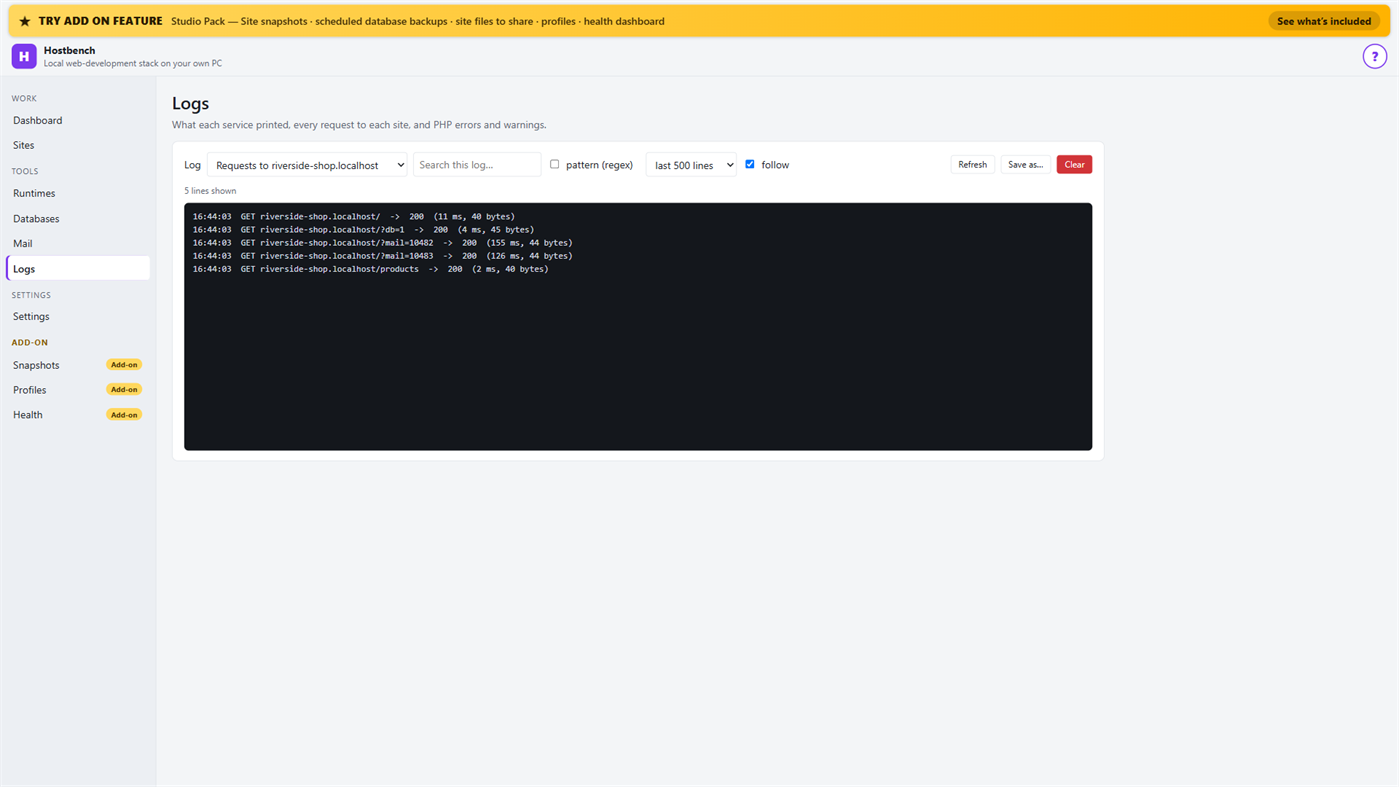
• Logs for every service, every request to every site and PHP errors, with search and regular expressions
• Port conflict detection: when ports 80 and 443 are busy (for example IIS), Hostbench switches to fallback ports (8080 and 8443), shows the addresses with the port and names the program holding the port when Windows reports it
• New WordPress and Laravel projects in one step (WordPress from wordpress.org, Laravel through Composer)
• Everything stops when you close the window (or keep it running in the tray if you choose); no process is left behind
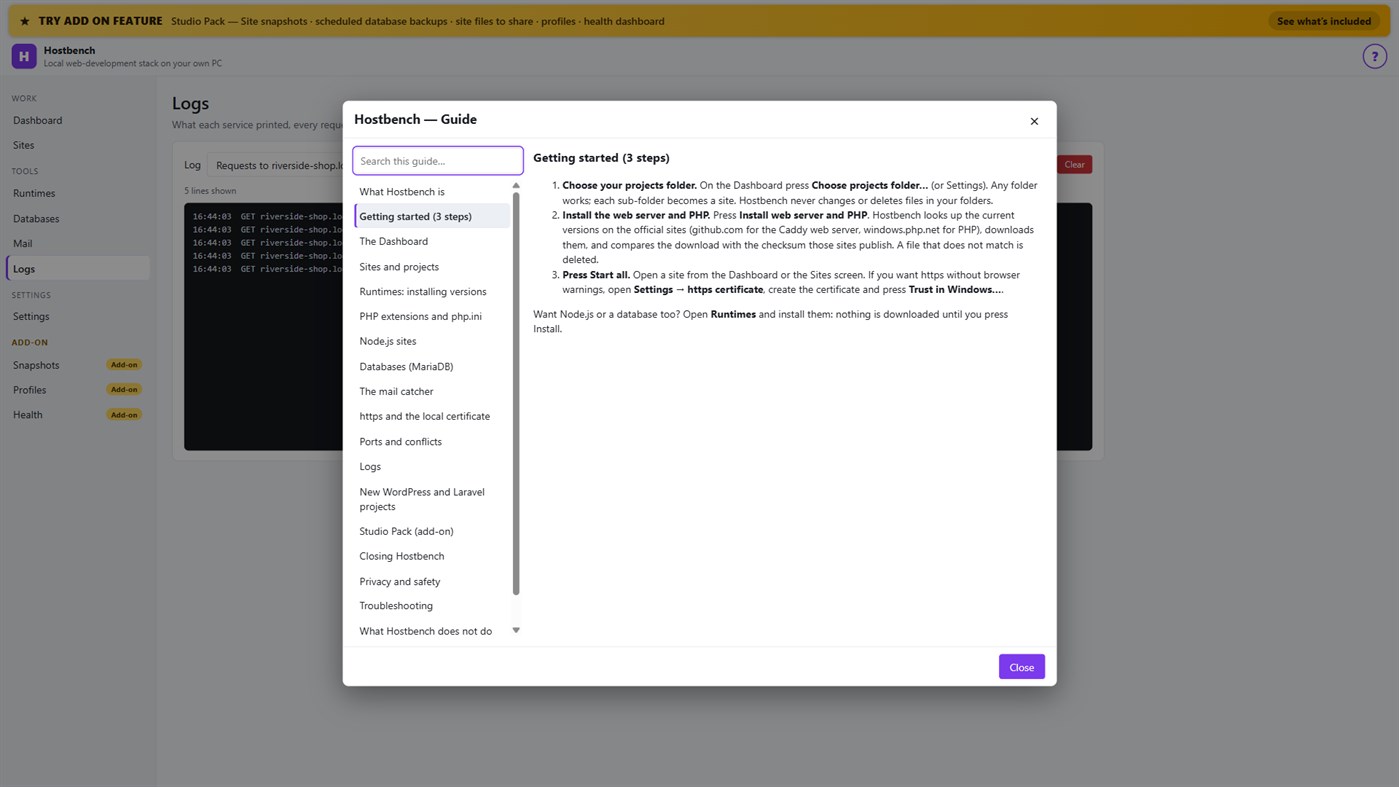
• One "?" guide explains every screen
ADD-ON: STUDIO PACK (optional monthly subscription)
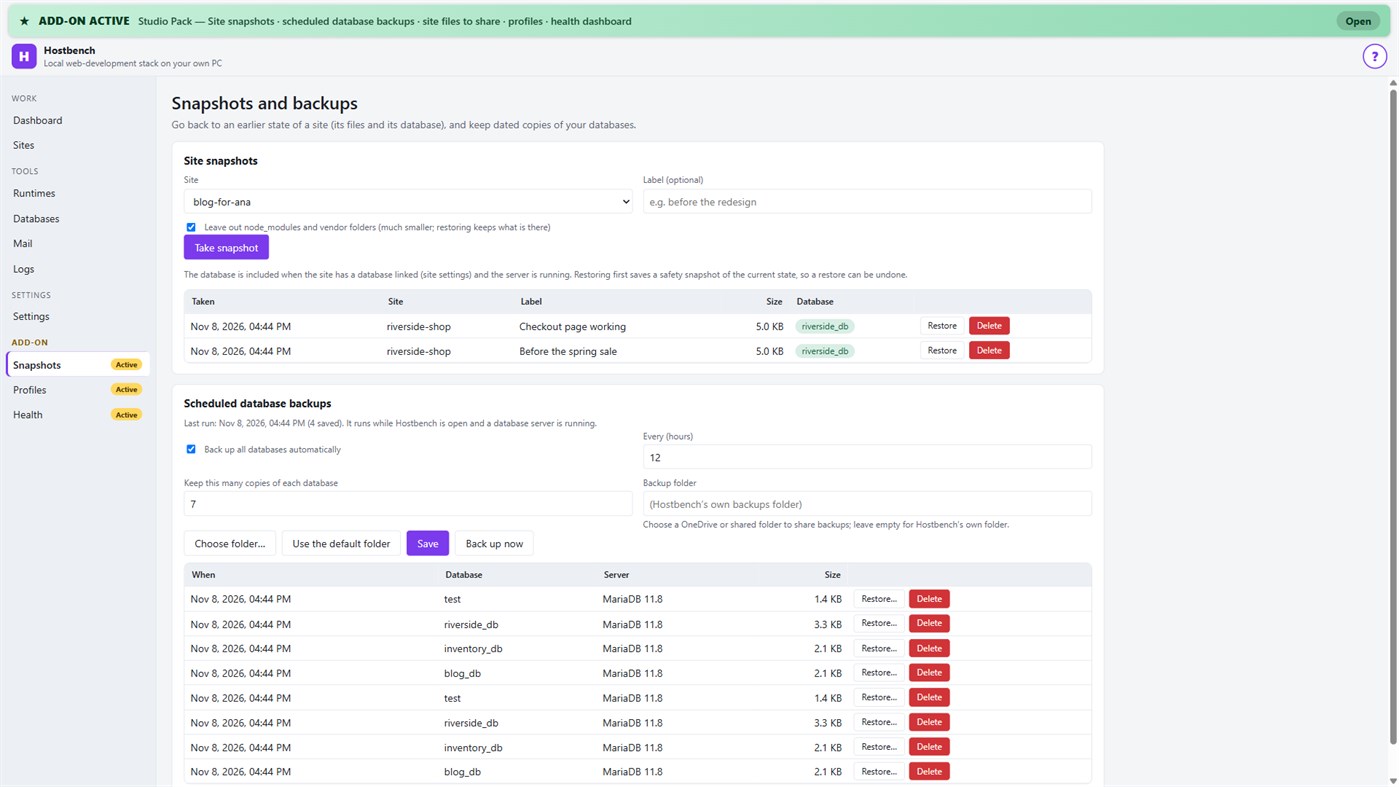
• Site snapshots and restore — a site's files and its database in one snapshot; a safety copy is taken before every restore
• Scheduled database backups — dated dumps every N hours to a folder you choose, newest copies kept
• Site files to share — export a site's settings (type, public folder, versions, PHP extensions, start command) as one small file; a colleague imports it and picks their own folder; secrets stay out unless you include them
• Profiles — name a set of sites, databases and the mail catcher and switch to it with one click
• Health dashboard — every site is checked through the real web server, with the answer code, the time and what to look at
PRIVACY
No telemetry, no advertising, no account. Your projects, databases and captured emails stay on your PC. The only network use is the downloads you start from the Runtimes screen or a new project, and the Microsoft Store licence check. Every Hostbench service listens on 127.0.0.1 only.
GOOD TO KNOW
Hostbench downloads runtimes on request, so the first set-up needs an internet connection. PHP 8 builds need the Microsoft Visual C++ Redistributable 2015–2022 (x64); Hostbench tells you if it is missing. Firefox keeps its own certificate list, so the saved certificate file must be imported there. This version includes MariaDB as its database server; PostgreSQL, MySQL, Redis-compatible caches and Xdebug setup are not included. Hostbench is tested with the programs from the official sites listed above; it is not affiliated with their projects.
Du développeur ¡
Vous êtes le développeur ?
Vos actus en haut de la page, envoyées par e-mail à vos abonnés
Autres plateformes 0
| HostbenchWindows Store1K OrWindowsAchats intégrés | $6.99 |
Pour l’instant, uniquement dans cette boutique.
Historique des prix 0
- Prix actuel : $6.99
- Minimum: $6.99
- Maximum: $6.99
Suivre l'évolution des prix Recevez une alerte par e-mail ou push quand le prix baisse
Listes 0
-
 Hostbench
Points 0
-

- +1 Point

Classements 0
-
- Votre note
Commentaires 0 ¡
Soyez le premier à commenter
Développeur 14
- Webspace IN
- Abonnés: 0
- Plateformes: Windows Applications (14)
- Promotions: 0
- Listes: 0 + 0
- Points: 0 + 0 ¡
- Classements: 0
- Commentaires: 0
- Vidéos: 0
- RSS: S'abonner
Nouveautés
- Version: PC
- Dernière mise à jour:
- Initial release — introducing Hostbench to the Microsoft Store.
Informations supplémentaires
- Date de sortie:
- Catégorie:
Applications pour Windows›Outils de développement - Systèmes d'exploitation:
PC - Taille:
158 Mb - Langues prises en charge:
Anglais - Classification du contenu:
EVERYONE - Windows Store Note: ¡
0 - Site Web:
 https://webspacein.com/contact
Score AppAgg
1 450
Score AppAgg estimé pour
Hostbench
Développeur: Webspace IN
1 450 Or
Un score plus élevé reflète généralement de meilleurs résultats selon les indicateurs d’AppAgg.
Basé sur : popularité · notes des utilisateurs · actualité · promos · données des boutiques · activité de la communauté
Recalculé chaque jour à partir des données AppAgg les plus récentes.
Badge pour site web:  Copié!
Résumé
Hostbench URL courte: Copié!- Windows Store
Sur AppAgg, vous pouvez suivre « Hostbench », une application de Webspace IN pour Windows, dans la catégorie Outils de développement. Score AppAgg : 1 450 (Or). Points AppAgg de l’application — confirmés : 0 ; indirects : 0. Listes publiques contenant cette application : 0. Utilisateurs l’ayant enregistrée dans des listes privées : 0. Les utilisateurs d’AppAgg n’ont pas encore noté cette application. Les points confirmés comptabilisent les visites en boutique des utilisateurs connectés à AppAgg ; les points indirects proviennent des données des boutiques. Les deux compteurs indiquent le nombre de listes publiques et le nombre d’utilisateurs ayant enregistré l’application ou le jeu dans des listes privées. L’application est sortie pour la première fois le . Dernière mise à jour de l’application : . L’application coûte actuellement $6.99. L’application est disponible dans les langues suivantes : Anglais. Consultez l’historique des prix, ajoutez l’application à une liste ou suivez son développeur. Suivez les prochaines promotions et mises à jour de l’application via son Flux RSS. AppAgg n’héberge ni ne distribue cette application. Toutes les marques, tous les logos et toutes les captures d’écran liés à l’application appartiennent à leurs propriétaires respectifs.
Découvrez également
Vus récemment
Utilisateurs d’AppAgg ¡Plus →
Quêtes de la semaineConnectez-vous pour recevoir 3 quêtes chaque semaine et gagner des XP.

