
Bookmark
Pilih judul untuk bookmark ini.
Bookmark disimpan
| Pengembang: | Webspace IN (14) | ||
| Harga: | * $6.99 Baru | ||
| Skor: | 1.450 Emas | ||
| Peringkat: | 0 | ||
| Komentar: | 0 Kirimkan komentar | ||
| Daftar: | 0 + 0 | ||
| Poin: | 0 + 0 ¡ | ||
| +1 Poin | |||
Feed Anda sendiri di beranda ¡
Pilih platform untuk daftar “Baru & Diperbarui”, dan beranda hanya akan menampilkan aplikasi dan game yang Anda butuhkan.
Jepretan layar 10
Iklan
Deskripsi

Hostbench is for PHP, Laravel and WordPress developers, Node.js developers, freelancers and agencies with many client sites, and students learning web development. It serves your own projects on your own PC (127.0.0.1) only. It does not host sites for other people and does not deploy anywhere.
HOW IT WORKS
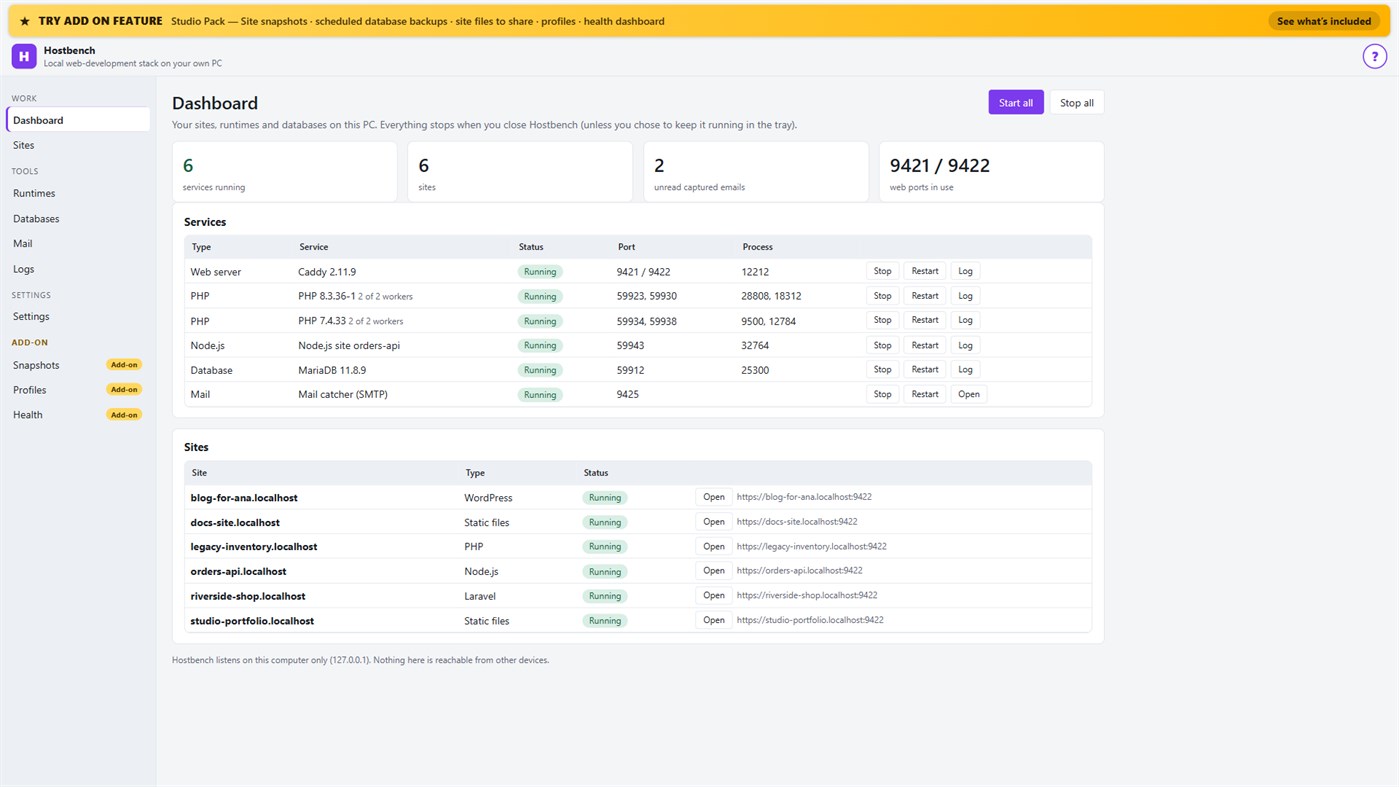
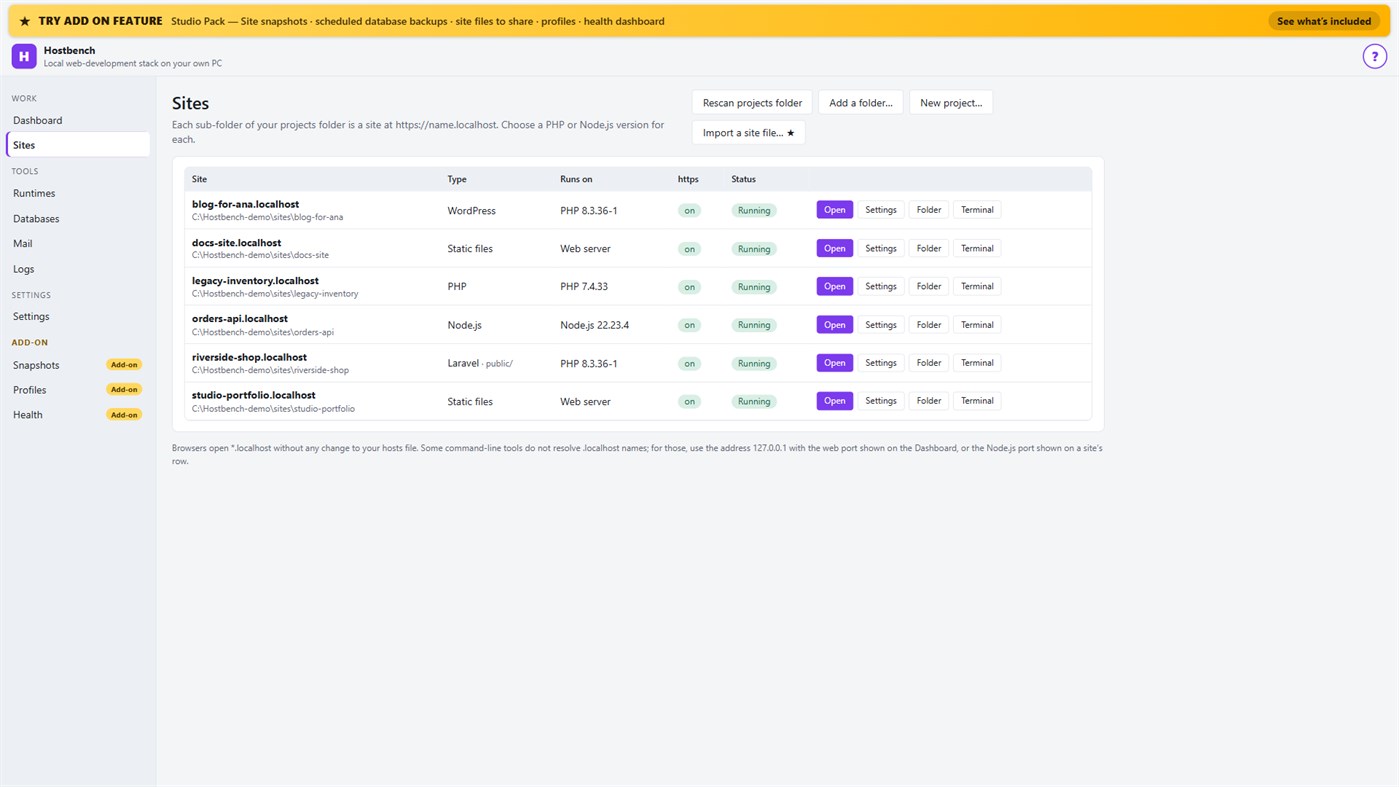
1. Choose your projects folder. Every sub-folder becomes a site: the folder "shop" is https://shop.localhost.
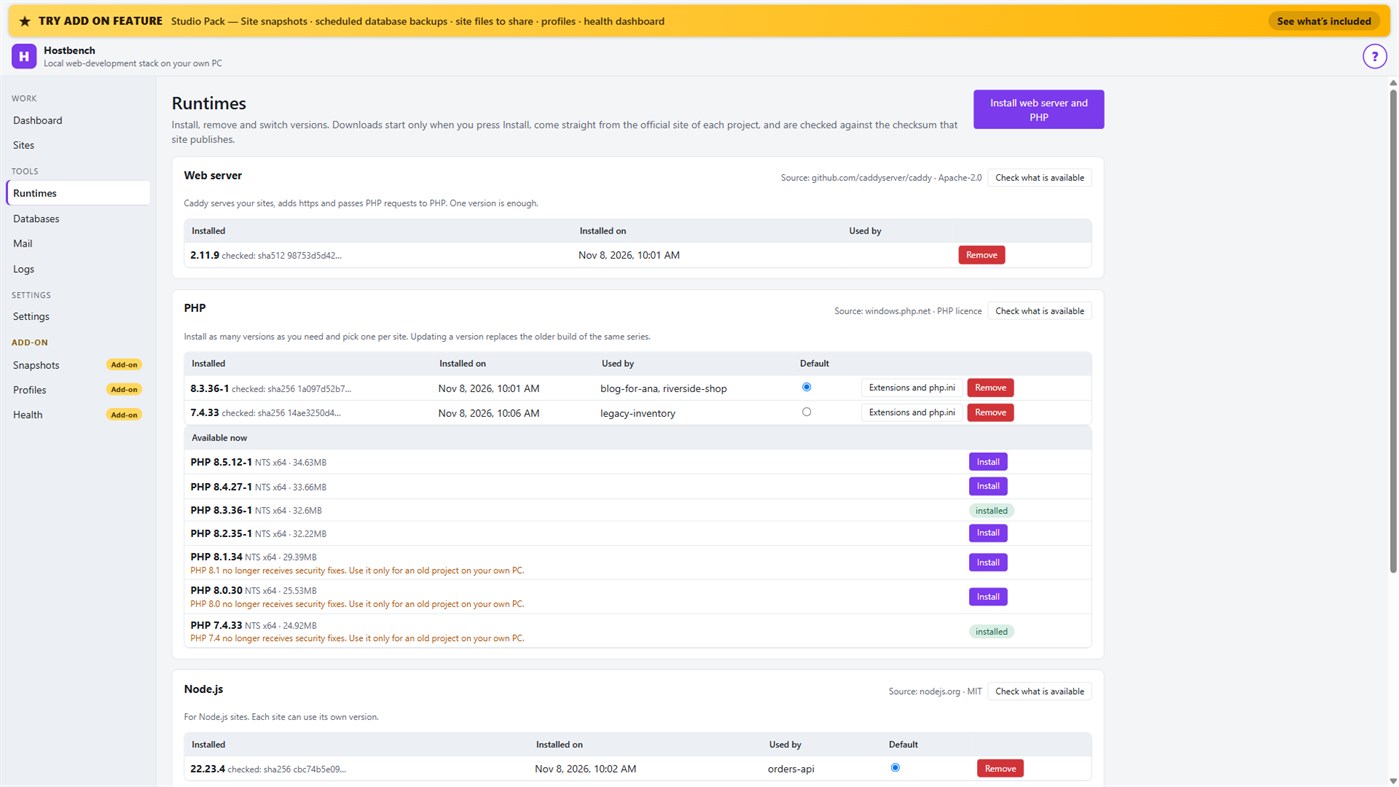
2. Install what you need. Hostbench downloads the web server, PHP, Node.js and MariaDB from their official sites when you press Install, and checks every file against the checksum the site publishes. The publisher of Hostbench hosts nothing.
3. Pick a version per site: PHP 8.3 for one client, PHP 7.4 for an old client site, Node.js 22 for an API.
4. Press Start all. Open the site. Close Hostbench and everything stops.
EVERYTHING IN THE ONE-TIME PURCHASE
• Sites from folders with *.localhost addresses (no hosts-file editing for browsers); Laravel, Symfony, WordPress, plain PHP, static and Node.js projects are recognised, including the public folder
• Several PHP versions and Node.js versions installed side by side, chosen per site; each install is checksum-verified; versions without security support are marked
• https that works: Hostbench creates its own certificate authority for this PC, limited to .localhost names, and — only after your confirmation in Windows — trusts it for your account. Remove it again in one click
• A web server (Caddy) with PHP running through FastCGI worker pools, and Node.js sites proxied behind the same https address
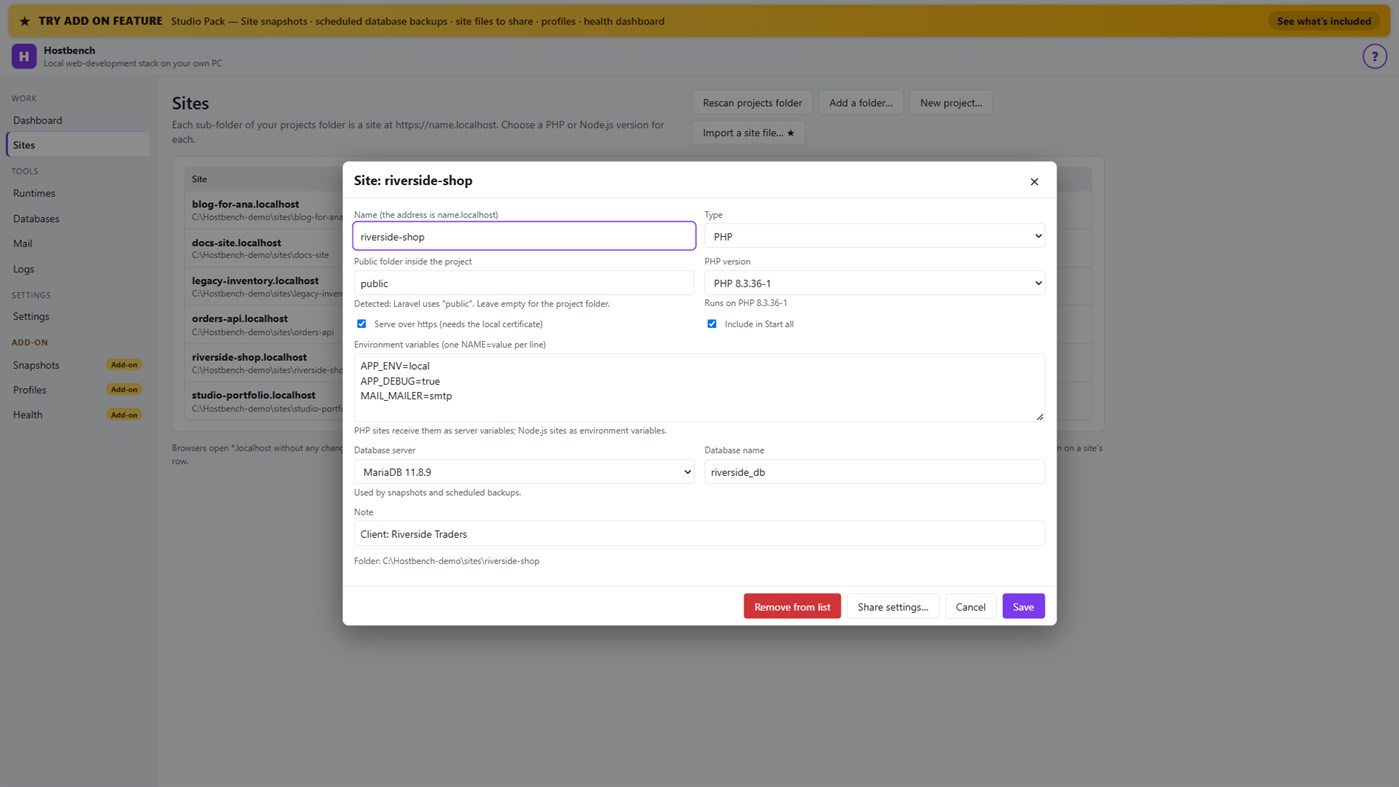
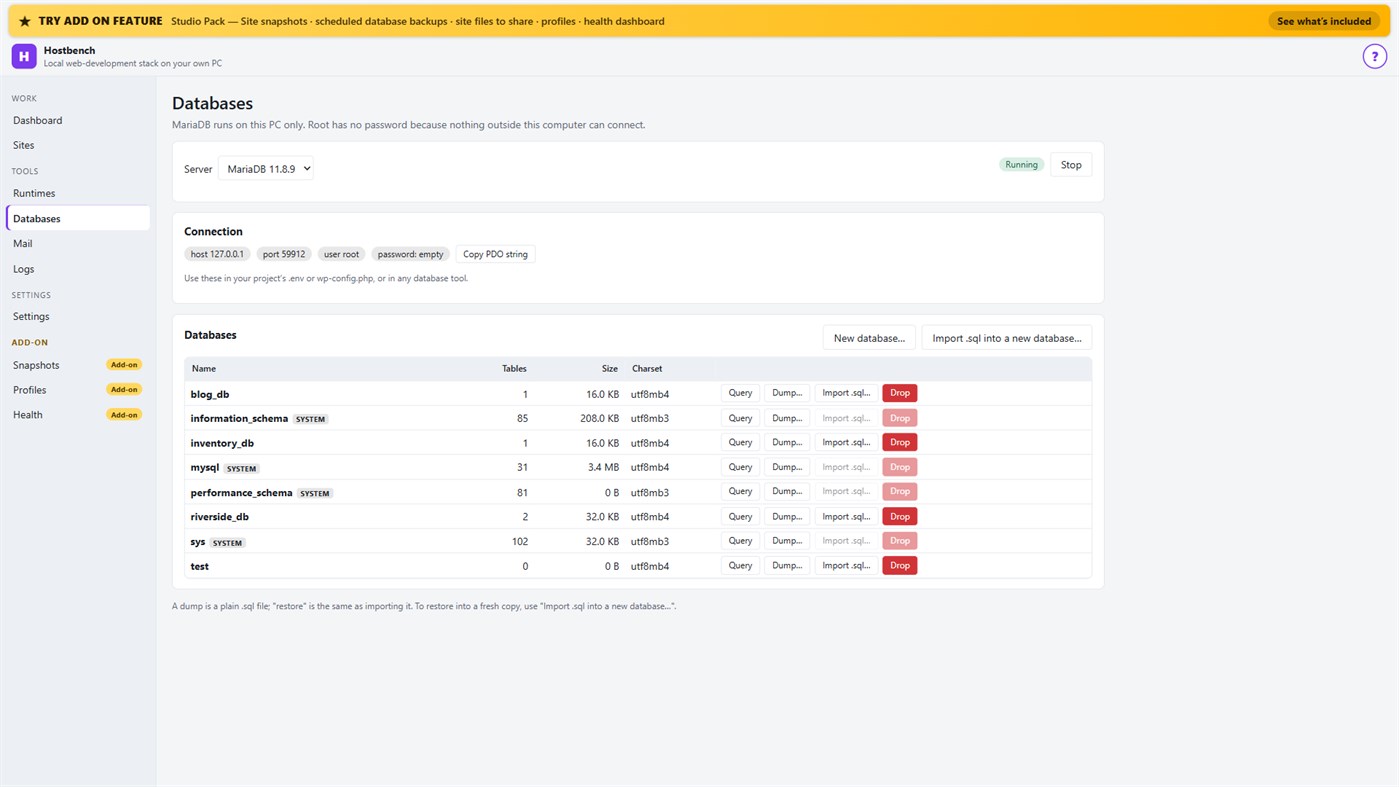
• MariaDB server with a database screen: create, drop, dump, import a .sql file, restore into a copy, run a quick query
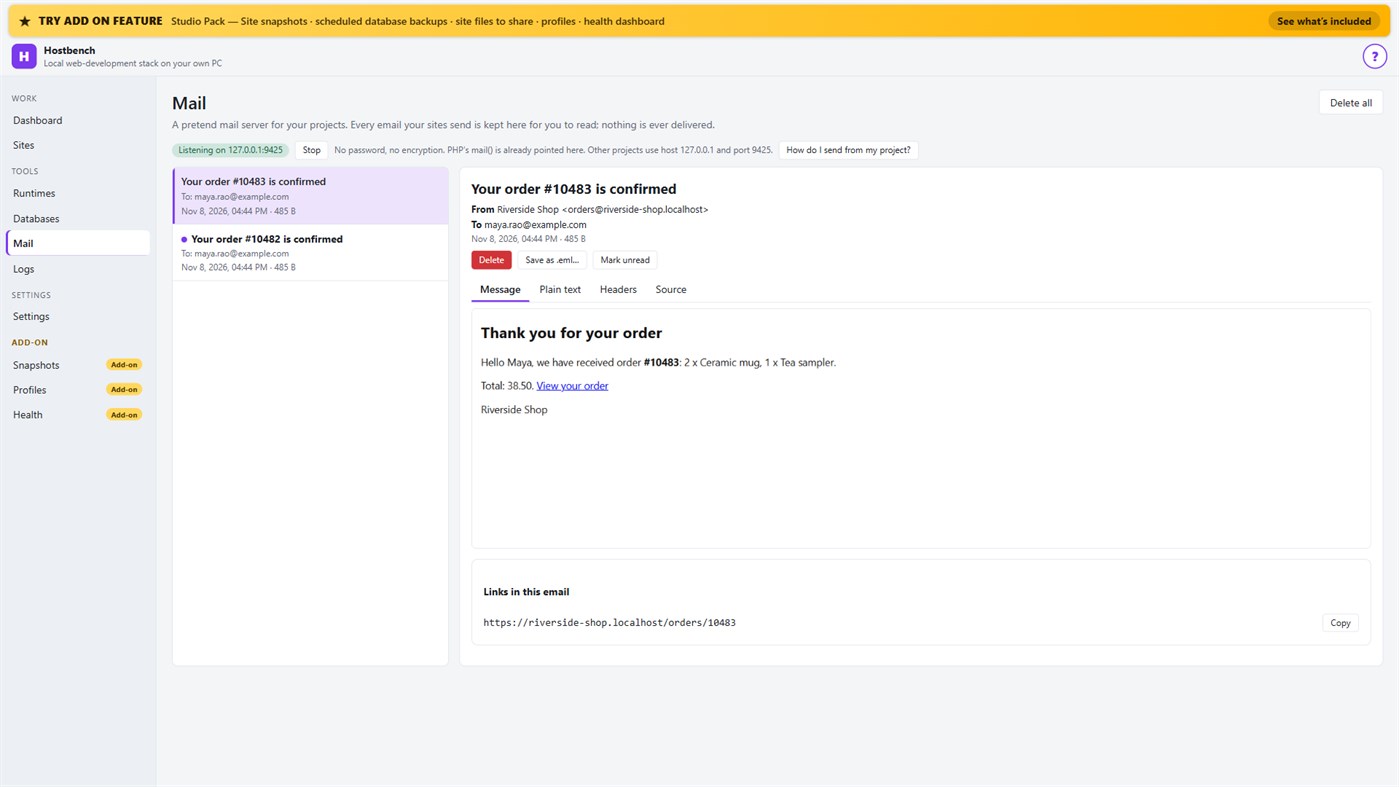
• Mail catcher: everything your sites send arrives in the Mail screen, with the message, text, headers, source, links and attachments. PHP's mail() is already connected. Nothing is ever delivered to anyone
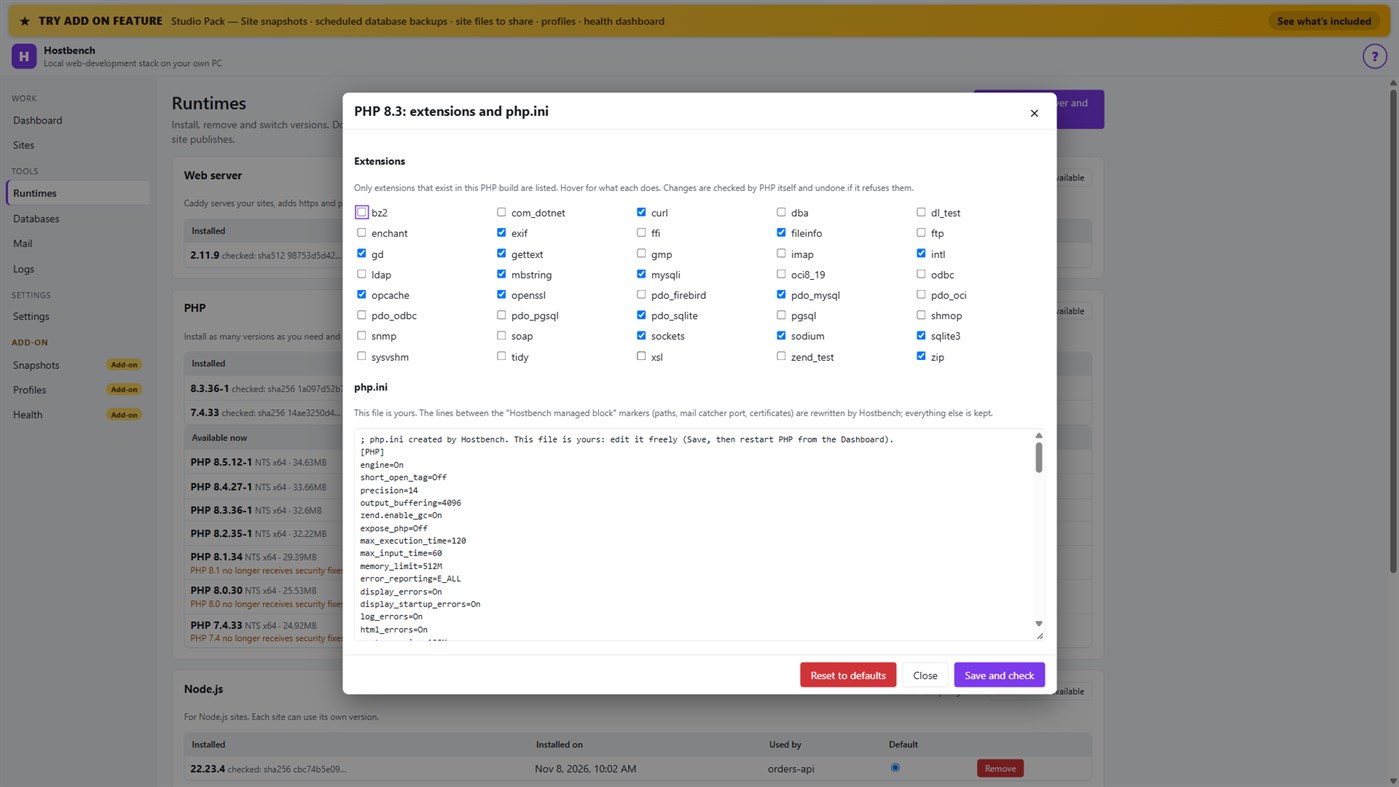
• PHP extension switches and a PHP settings file editor for every PHP version, checked by PHP itself before a change is kept
• Per-site environment variables, a Terminal button with the site's PHP, Node.js and Composer on the PATH
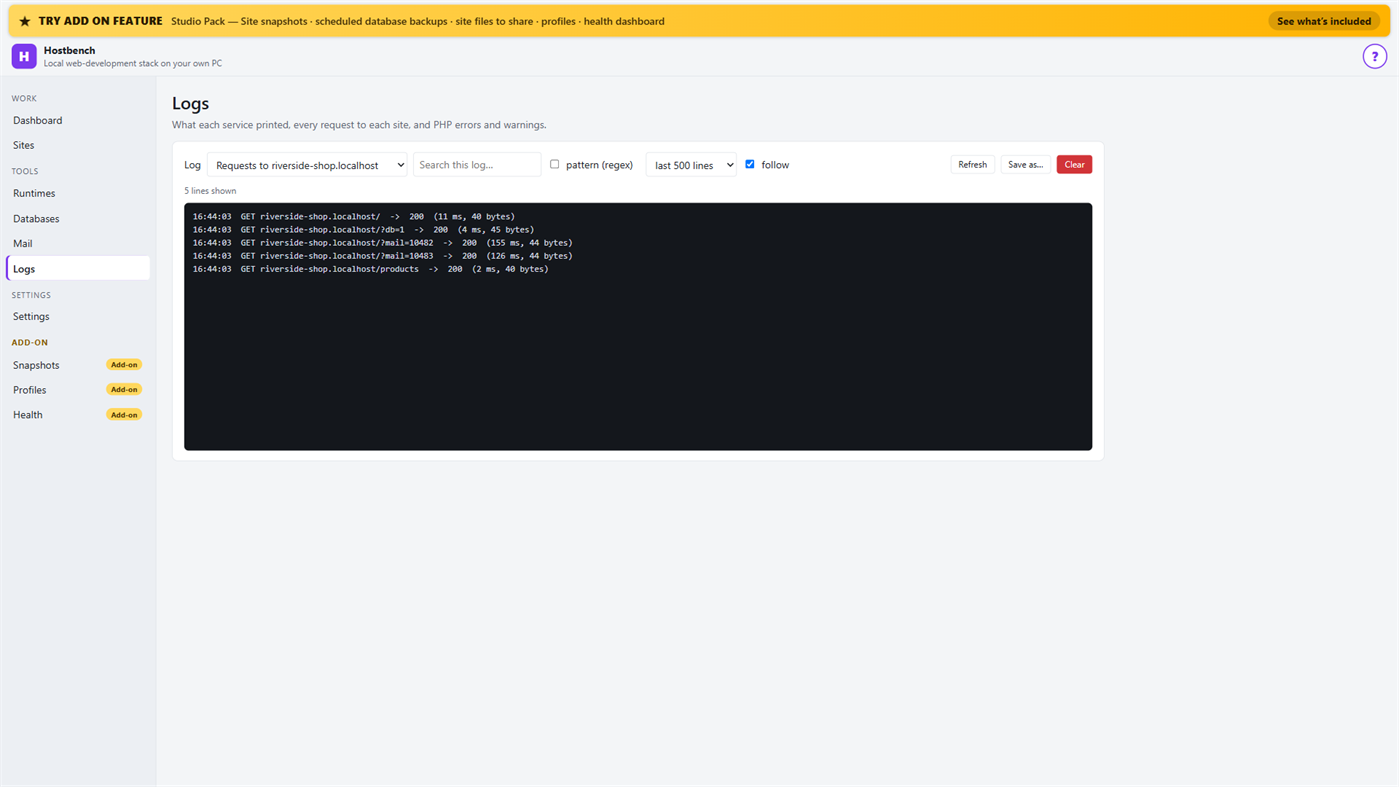
• Logs for every service, every request to every site and PHP errors, with search and regular expressions
• Port conflict detection: when ports 80 and 443 are busy (for example IIS), Hostbench switches to fallback ports (8080 and 8443), shows the addresses with the port and names the program holding the port when Windows reports it
• New WordPress and Laravel projects in one step (WordPress from wordpress.org, Laravel through Composer)
• Everything stops when you close the window (or keep it running in the tray if you choose); no process is left behind
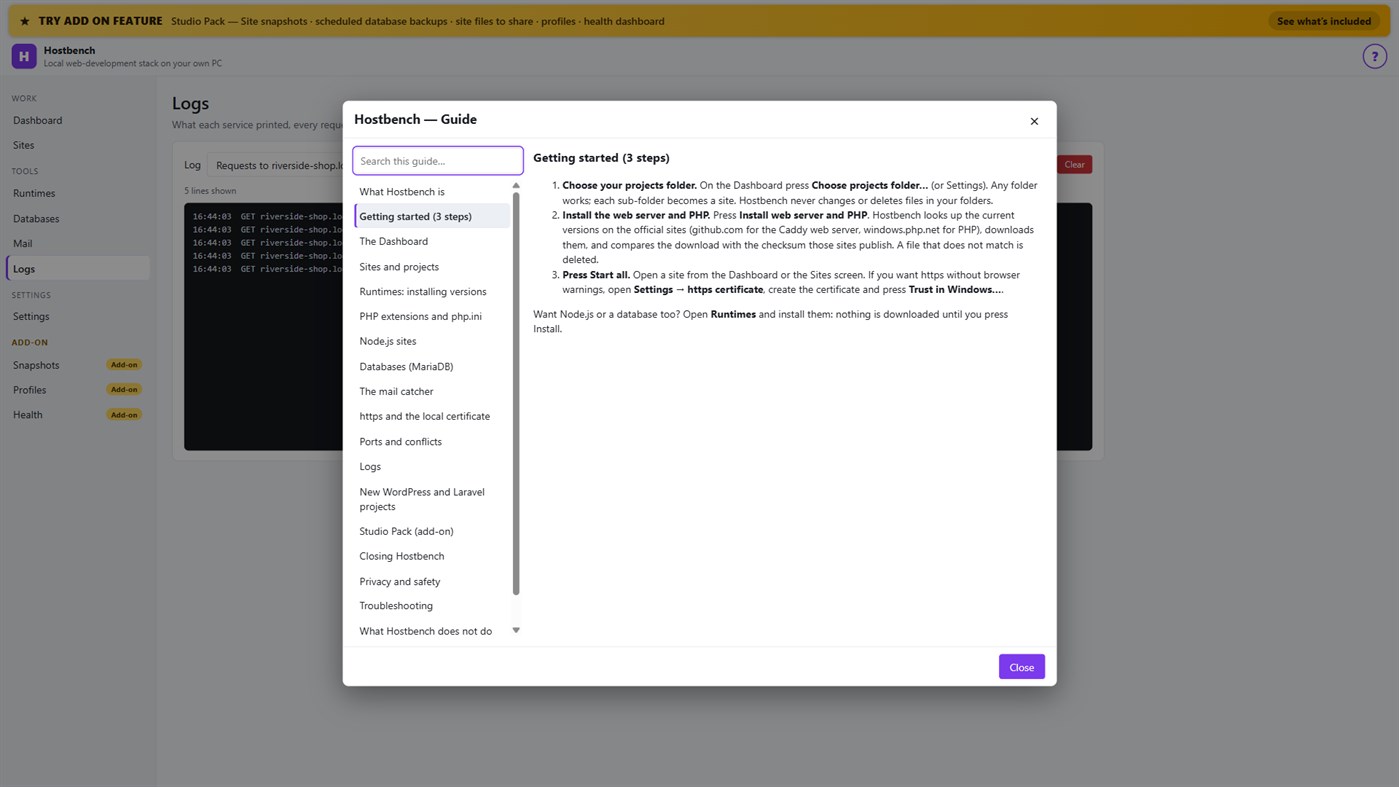
• One "?" guide explains every screen
ADD-ON: STUDIO PACK (optional monthly subscription)
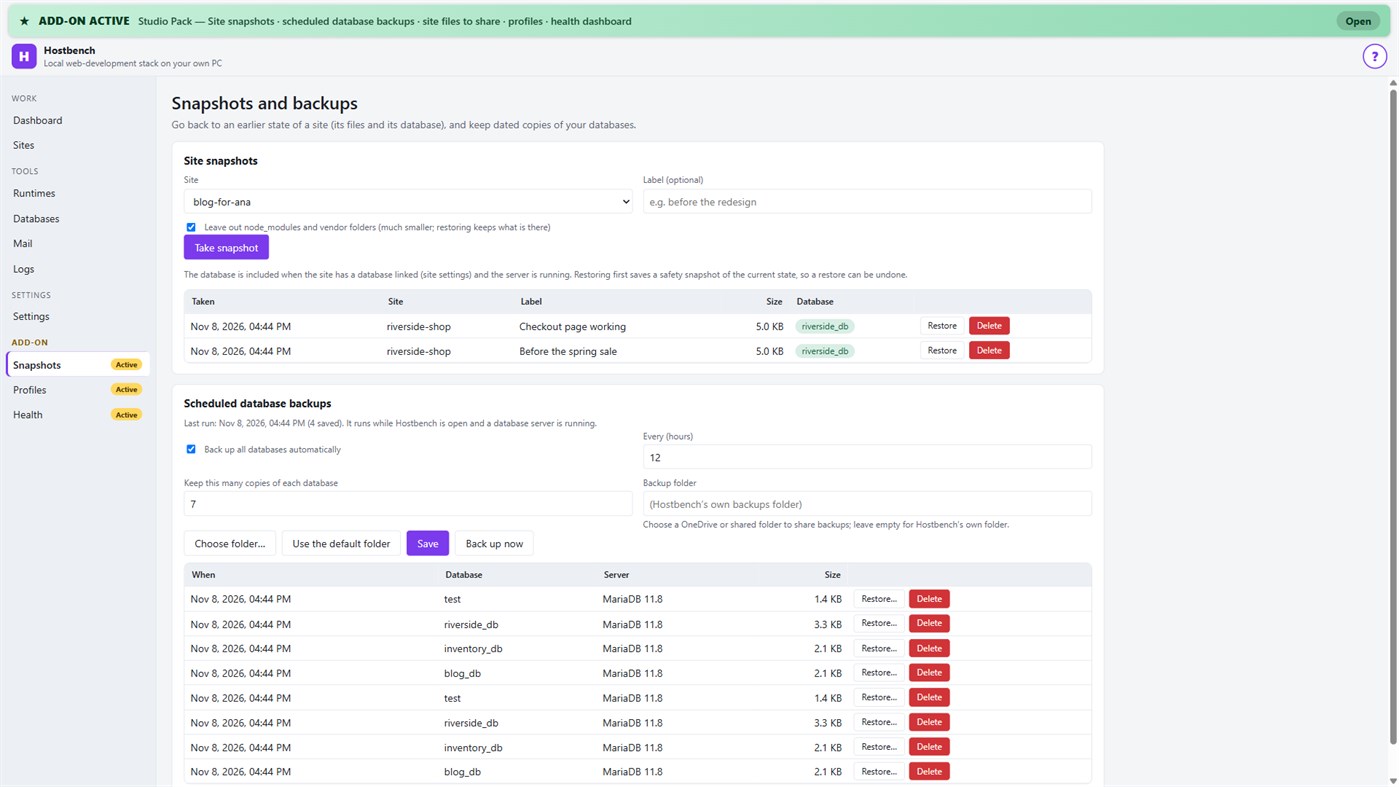
• Site snapshots and restore — a site's files and its database in one snapshot; a safety copy is taken before every restore
• Scheduled database backups — dated dumps every N hours to a folder you choose, newest copies kept
• Site files to share — export a site's settings (type, public folder, versions, PHP extensions, start command) as one small file; a colleague imports it and picks their own folder; secrets stay out unless you include them
• Profiles — name a set of sites, databases and the mail catcher and switch to it with one click
• Health dashboard — every site is checked through the real web server, with the answer code, the time and what to look at
PRIVACY
No telemetry, no advertising, no account. Your projects, databases and captured emails stay on your PC. The only network use is the downloads you start from the Runtimes screen or a new project, and the Microsoft Store licence check. Every Hostbench service listens on 127.0.0.1 only.
GOOD TO KNOW
Hostbench downloads runtimes on request, so the first set-up needs an internet connection. PHP 8 builds need the Microsoft Visual C++ Redistributable 2015–2022 (x64); Hostbench tells you if it is missing. Firefox keeps its own certificate list, so the saved certificate file must be imported there. This version includes MariaDB as its database server; PostgreSQL, MySQL, Redis-compatible caches and Xdebug setup are not included. Hostbench is tested with the programs from the official sites listed above; it is not affiliated with their projects.
Dari developer ¡
Anda developernya?
Berita Anda di bagian atas halaman, dikirim ke pengikut lewat email
Platform lain 0
| HostbenchWindows Store1K EmasWindowsPembelian Dalam Aplikasi | $6.99 |
Saat ini hanya ada di toko ini.
Riwayat harga 0
- Harga saat ini: $6.99
- Minimum: $6.99
- Maksimum: $6.99
Pantau harga Dapatkan pemberitahuan lewat email atau push saat harga turun
Daftar 0
-
 Hostbench
Poin 0
-

- +1 Poin

Peringkat 0
-
- Rating Anda
Komentar 0 ¡
Jadilah yang pertama berkomentar
Pengembang 14
- Webspace IN
- Pengikut: 0
- Platform: Windows Aplikasi (14)
- Diskon: 0
- Daftar: 0 + 0
- Poin: 0 + 0 ¡
- Peringkat: 0
- Komentar: 0
- Video: 0
- RSS: Berlangganan
Yang Baru
- Versi: PC
- Terakhir diperbarui:
- Initial release — introducing Hostbench to the Microsoft Store.
Info tambahan
- Tanggal rilis:
- Kategori:
Aplikasi Windows›Alat pengembang - OS:
PC - Ukuran:
158 Mb - Bahasa yang didukung:
Inggris - Rating Konten:
EVERYONE - Windows Store Rating: ¡
0 - Situs Web:
 https://webspacein.com/contact
Skor AppAgg
1.450
Perkiraan Skor AppAgg untuk
Hostbench
Pengembang: Webspace IN
1.450 Emas
Skor yang lebih tinggi biasanya menunjukkan indikator yang lebih kuat di AppAgg.
Berdasarkan: popularitas · rating pengguna · kebaruan · promo · data toko · aktivitas komunitas
Dihitung ulang setiap hari dari data AppAgg terbaru.
Lencana untuk situs web:  Disalin!
Ringkasan
Hostbench URL singkat: Disalin!- Windows Store
Di AppAgg, Anda dapat memantau “Hostbench”, aplikasi dari Webspace IN untuk Windows dalam kategori Alat pengembang. Skor AppAgg: 1.450 (Emas). Poin AppAgg untuk aplikasi — terkonfirmasi: 0; tidak langsung: 0. Daftar publik yang memuat aplikasi ini: 0. Pengguna yang menyimpannya dalam daftar pribadi: 0. Pengguna AppAgg belum memberi rating untuk aplikasi ini. Poin terkonfirmasi mencatat kunjungan ke toko oleh pengguna yang sudah masuk ke AppAgg. Poin tidak langsung berasal dari data toko. Kedua penghitung menunjukkan jumlah daftar publik dan pengguna yang menyimpan aplikasi atau game dalam daftar pribadi. Aplikasi ini pertama kali dirilis pada . Pembaruan terakhir aplikasi ini: . Harga aplikasi ini saat ini $6.99. Aplikasi ini mendukung bahasa berikut: Inggris. Lihat riwayat harga, tambahkan aplikasi ke daftar, atau ikuti pengembangnya. Pantau penawaran dan pembaruan berikutnya untuk aplikasi ini melalui Umpan RSS. AppAgg tidak menyimpan aplikasi ini di servernya maupun mendistribusikannya. Semua merek dagang, logo, dan tangkapan layar yang terkait dengan aplikasi ini adalah milik pemiliknya masing-masing.
Anda mungkin juga suka
Baru dilihat
Pengguna AppAgg ¡Lebih banyak →
Misi minggu iniMasuk untuk mendapat 3 misi setiap minggu dan XP darinya.

