
ブックマーク
このブックマークのタイトルを入力してください。
ブックマークを保存しました
| 開発者: | Webspace IN (14) | ||
| 価格: | * $6.99 新着 | ||
| スコア: | 1,450 ゴールド | ||
| ランキング: | 0 | ||
| コメント: | 0 コメントを投稿する | ||
| リスト: | 0 + 0 | ||
| ポイント: | 0 + 0 ¡ | ||
| +1 ポイント | |||
ホームに自分だけのフィード ¡
「新着・アップデート」のプラットフォームを選ぶと、ホームには必要なアプリとゲームだけが表示されます。
スクリーンショット 10
広告
説明

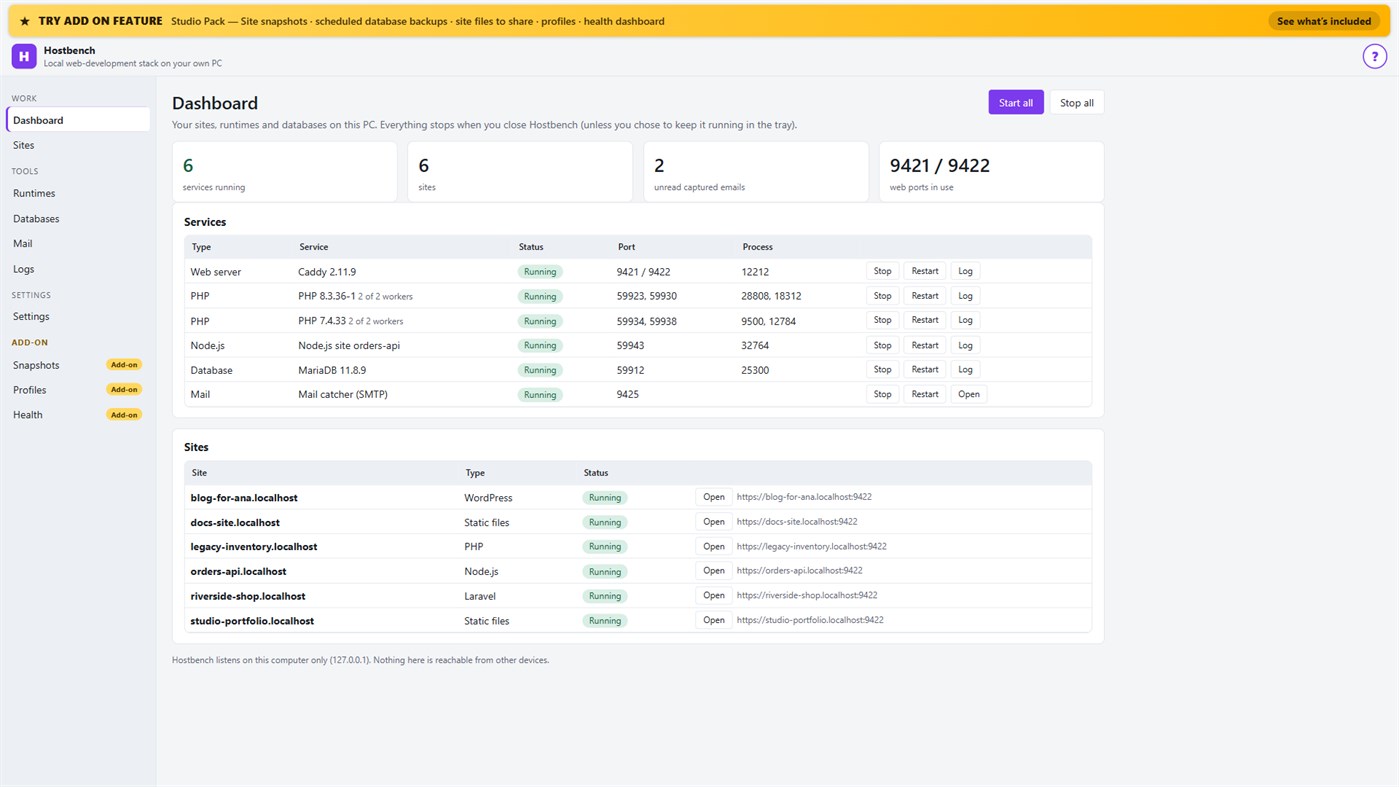
Hostbench is for PHP, Laravel and WordPress developers, Node.js developers, freelancers and agencies with many client sites, and students learning web development. It serves your own projects on your own PC (127.0.0.1) only. It does not host sites for other people and does not deploy anywhere.
HOW IT WORKS
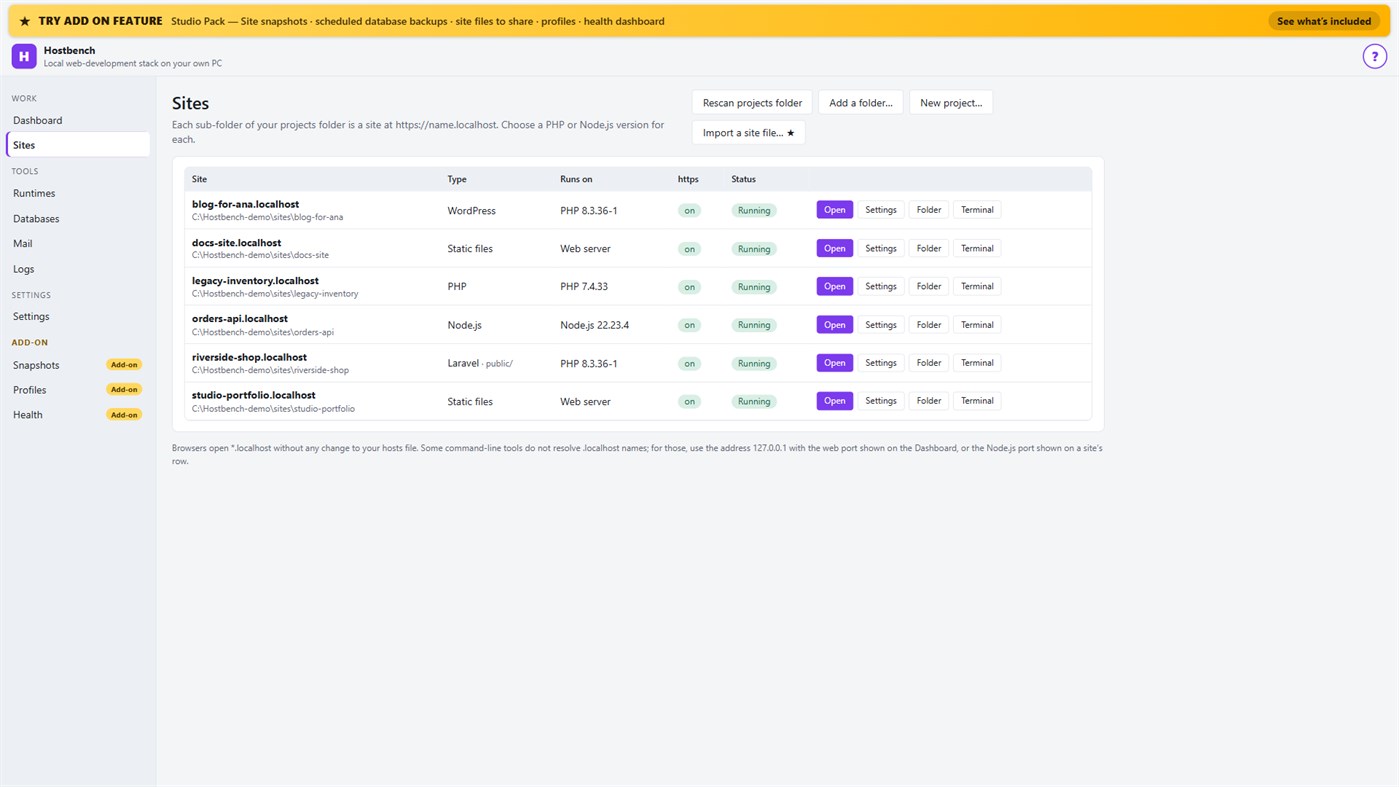
1. Choose your projects folder. Every sub-folder becomes a site: the folder "shop" is https://shop.localhost.
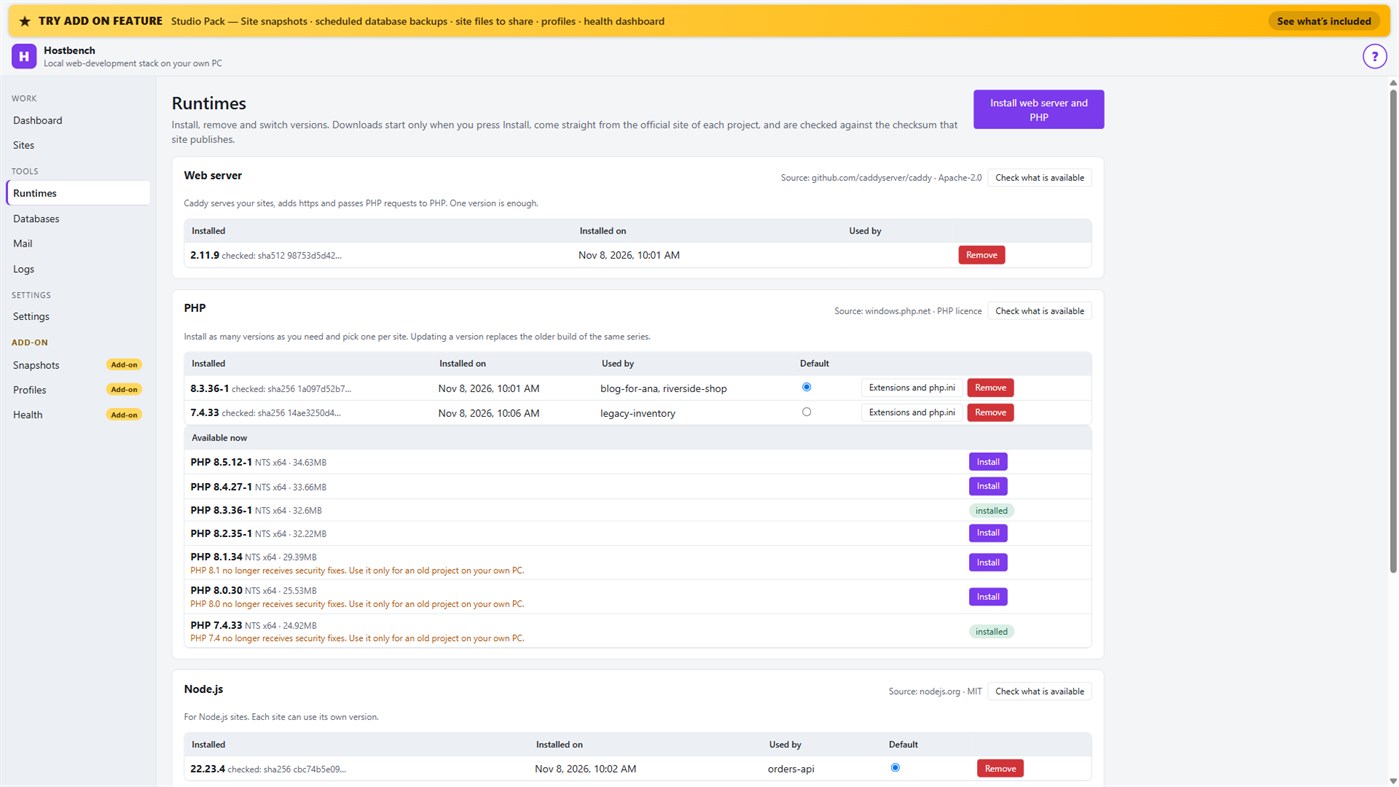
2. Install what you need. Hostbench downloads the web server, PHP, Node.js and MariaDB from their official sites when you press Install, and checks every file against the checksum the site publishes. The publisher of Hostbench hosts nothing.
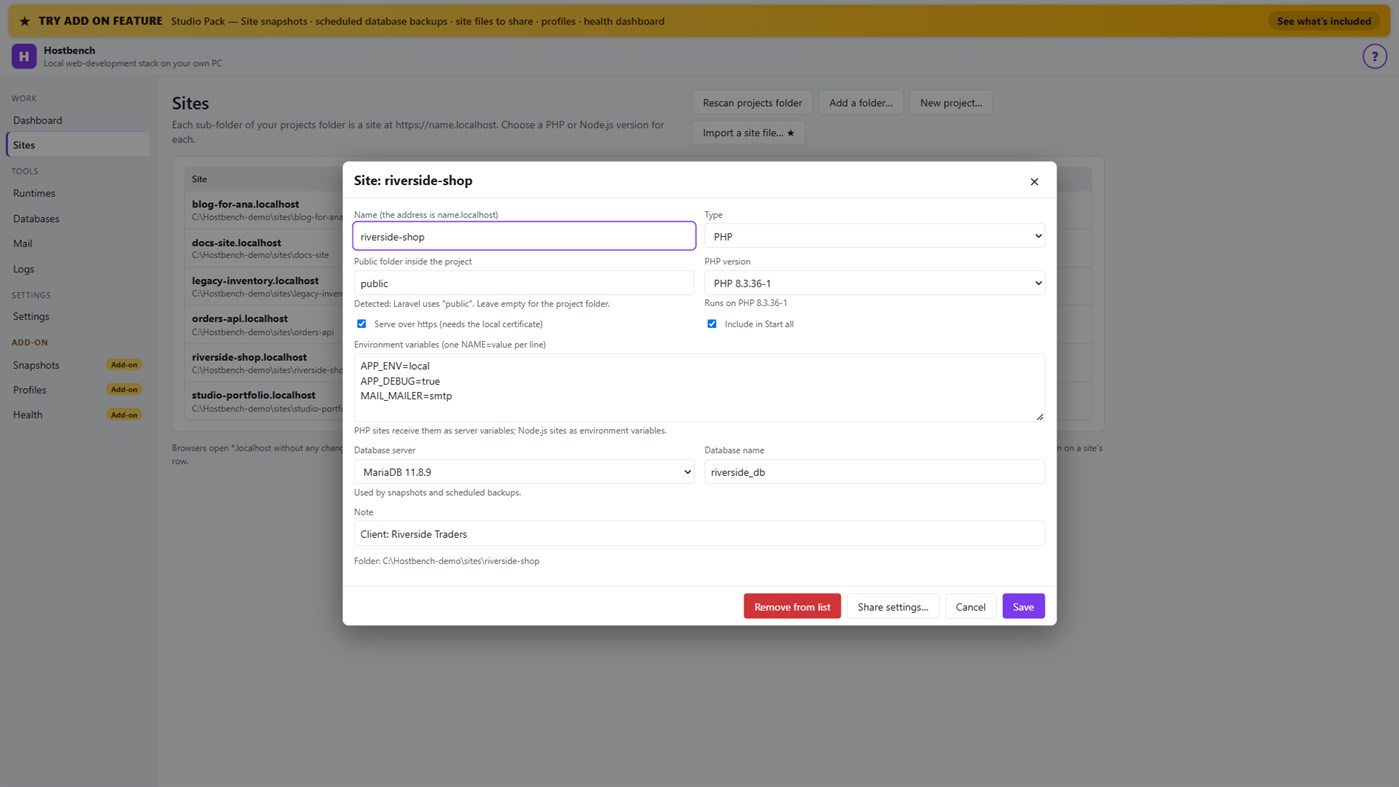
3. Pick a version per site: PHP 8.3 for one client, PHP 7.4 for an old client site, Node.js 22 for an API.
4. Press Start all. Open the site. Close Hostbench and everything stops.
EVERYTHING IN THE ONE-TIME PURCHASE
• Sites from folders with *.localhost addresses (no hosts-file editing for browsers); Laravel, Symfony, WordPress, plain PHP, static and Node.js projects are recognised, including the public folder
• Several PHP versions and Node.js versions installed side by side, chosen per site; each install is checksum-verified; versions without security support are marked
• https that works: Hostbench creates its own certificate authority for this PC, limited to .localhost names, and — only after your confirmation in Windows — trusts it for your account. Remove it again in one click
• A web server (Caddy) with PHP running through FastCGI worker pools, and Node.js sites proxied behind the same https address
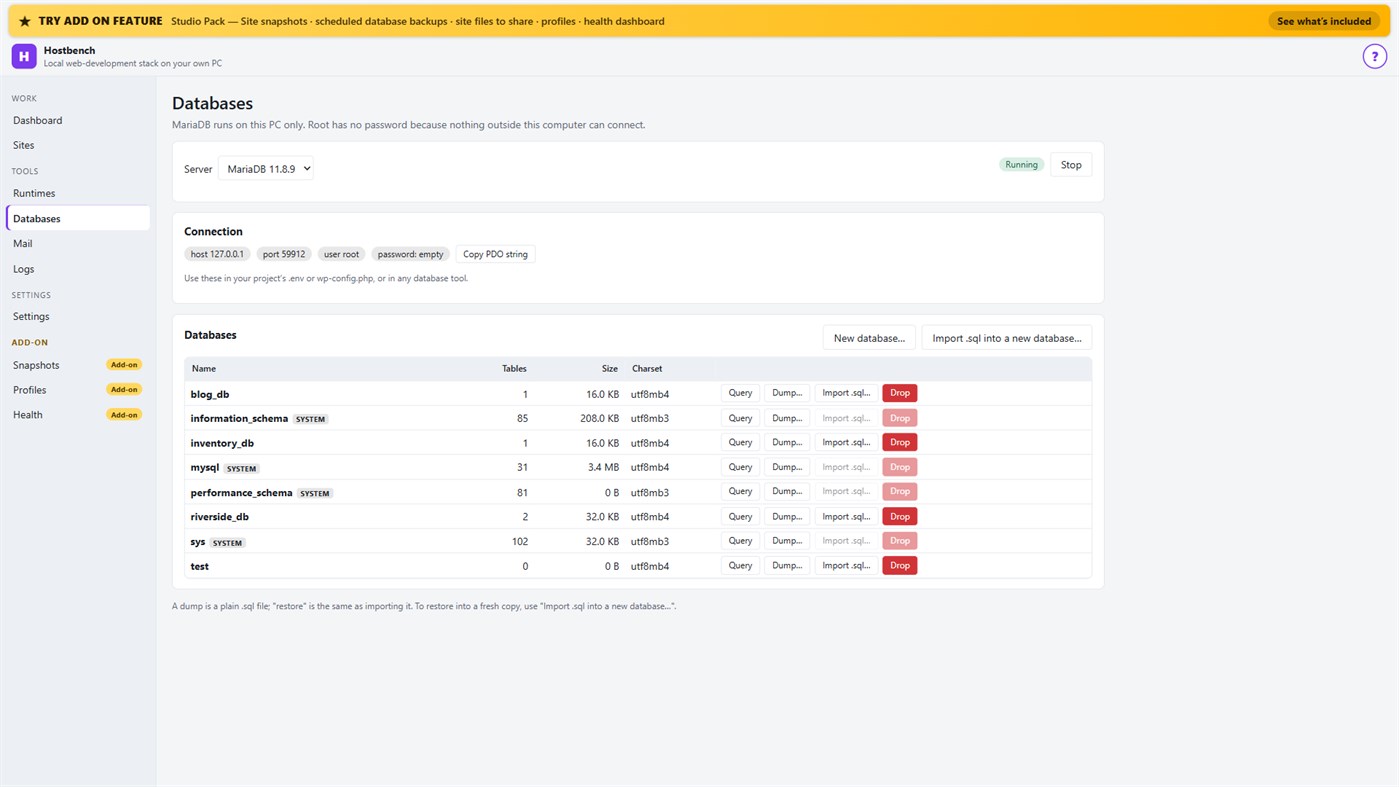
• MariaDB server with a database screen: create, drop, dump, import a .sql file, restore into a copy, run a quick query
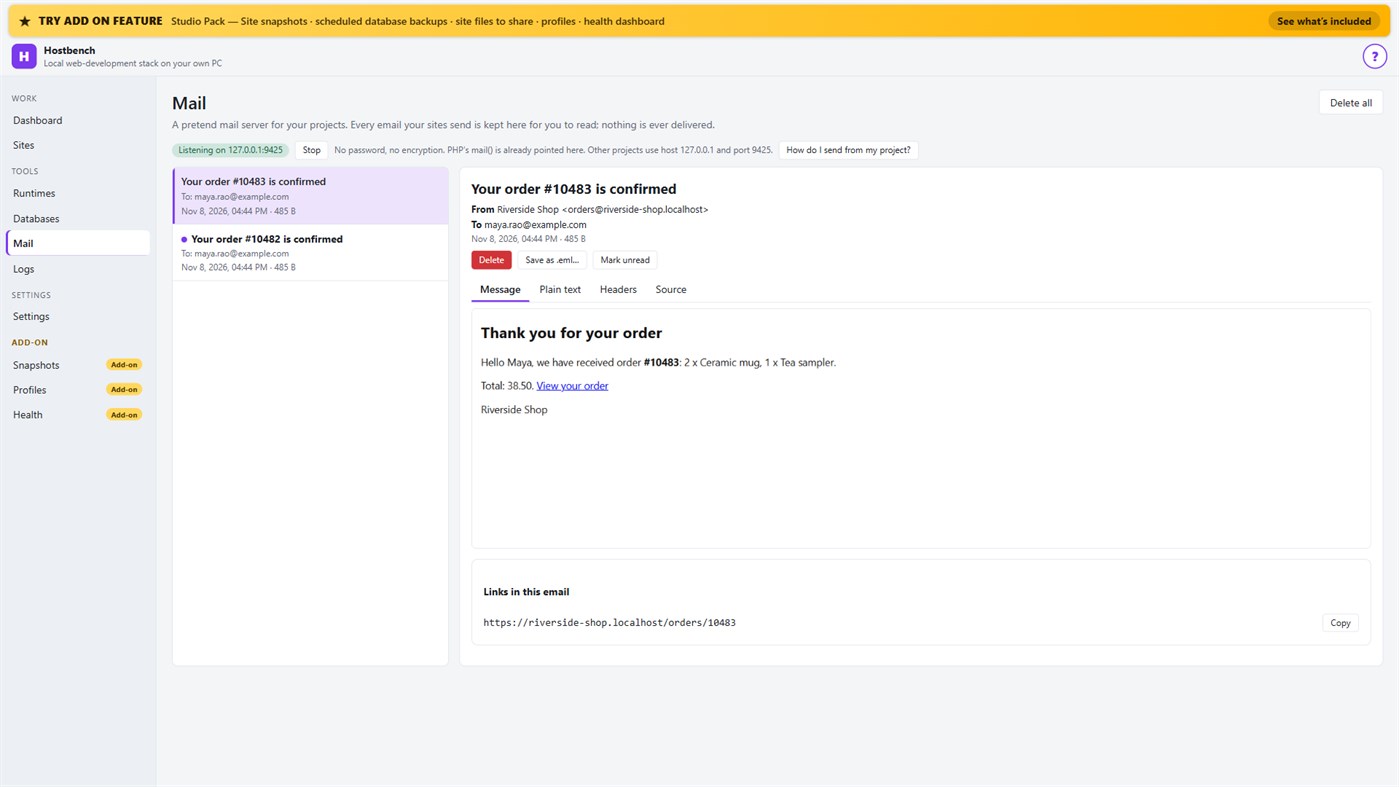
• Mail catcher: everything your sites send arrives in the Mail screen, with the message, text, headers, source, links and attachments. PHP's mail() is already connected. Nothing is ever delivered to anyone
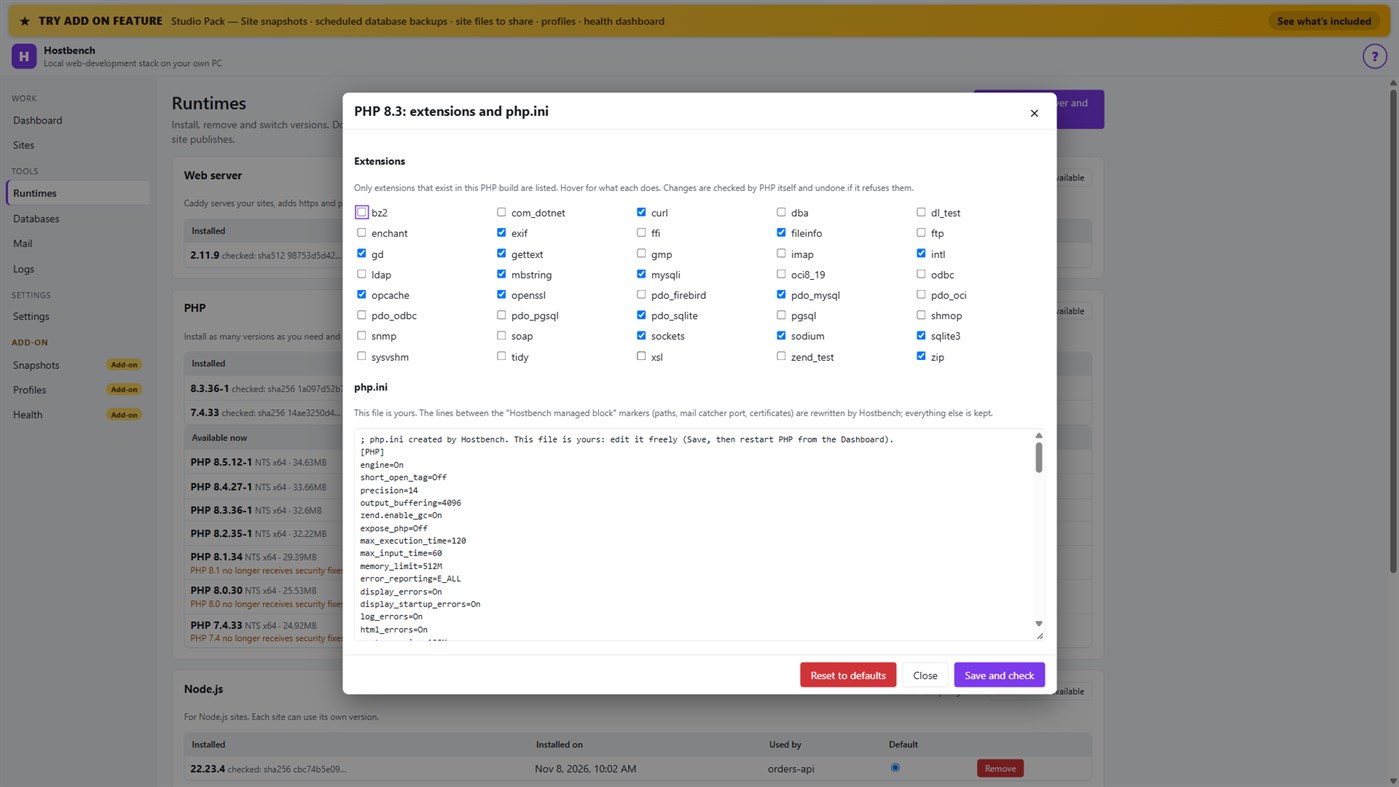
• PHP extension switches and a PHP settings file editor for every PHP version, checked by PHP itself before a change is kept
• Per-site environment variables, a Terminal button with the site's PHP, Node.js and Composer on the PATH
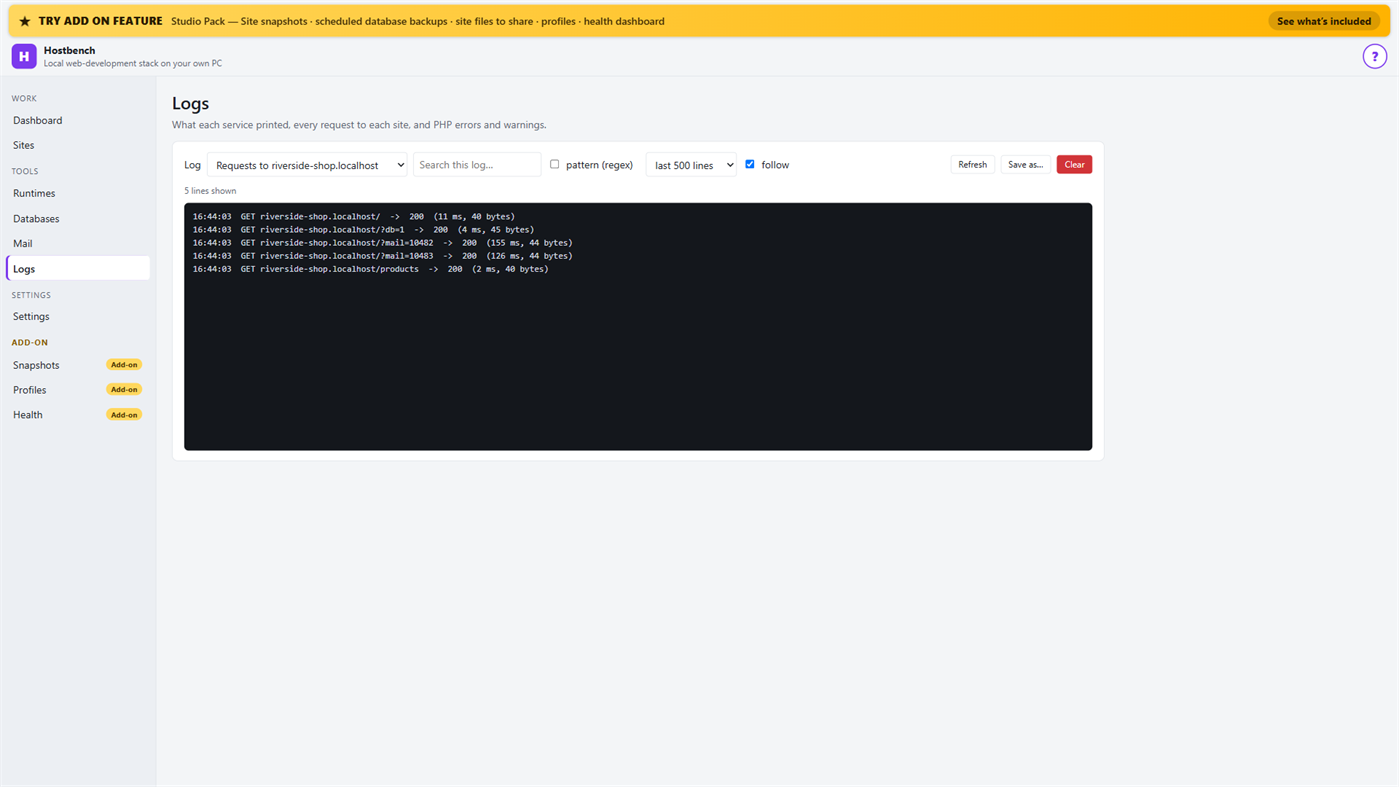
• Logs for every service, every request to every site and PHP errors, with search and regular expressions
• Port conflict detection: when ports 80 and 443 are busy (for example IIS), Hostbench switches to fallback ports (8080 and 8443), shows the addresses with the port and names the program holding the port when Windows reports it
• New WordPress and Laravel projects in one step (WordPress from wordpress.org, Laravel through Composer)
• Everything stops when you close the window (or keep it running in the tray if you choose); no process is left behind
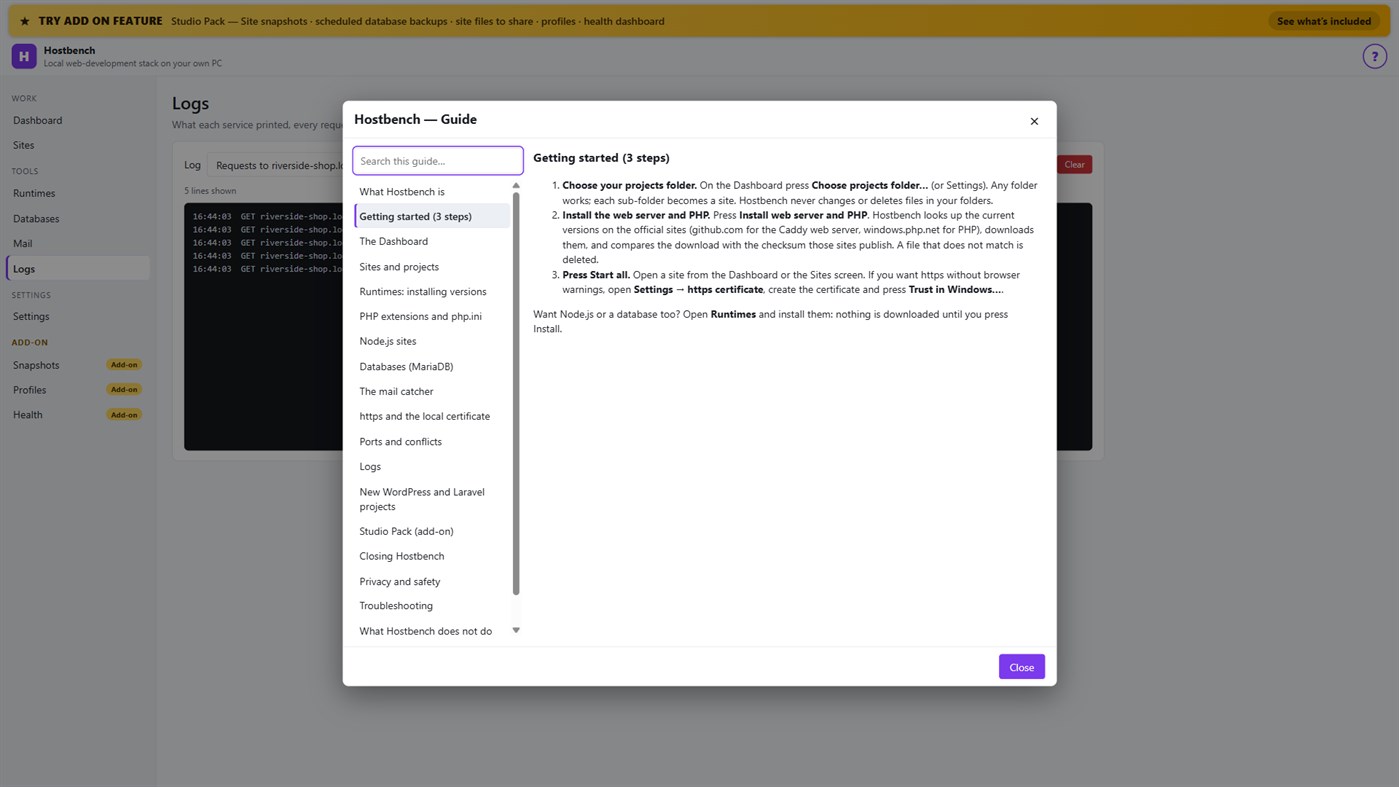
• One "?" guide explains every screen
ADD-ON: STUDIO PACK (optional monthly subscription)
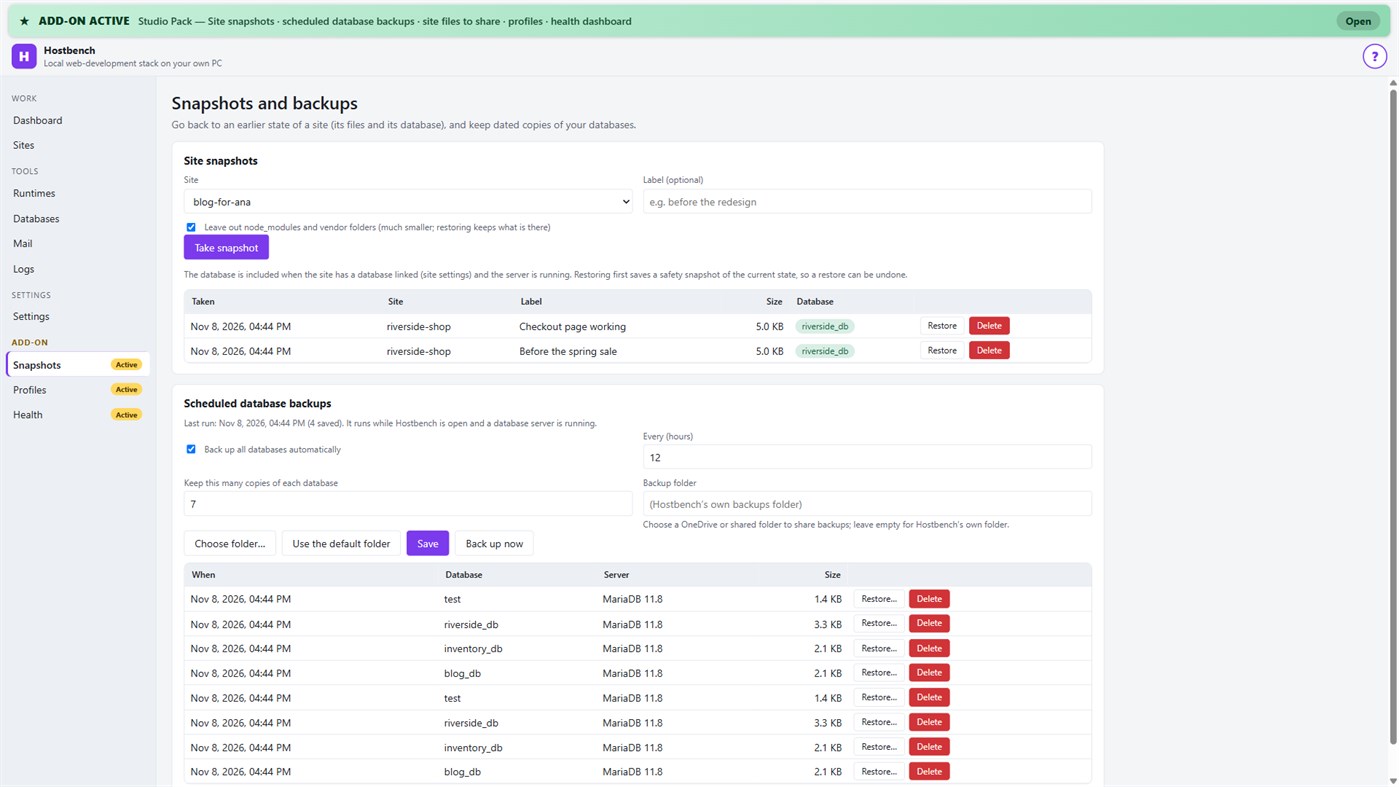
• Site snapshots and restore — a site's files and its database in one snapshot; a safety copy is taken before every restore
• Scheduled database backups — dated dumps every N hours to a folder you choose, newest copies kept
• Site files to share — export a site's settings (type, public folder, versions, PHP extensions, start command) as one small file; a colleague imports it and picks their own folder; secrets stay out unless you include them
• Profiles — name a set of sites, databases and the mail catcher and switch to it with one click
• Health dashboard — every site is checked through the real web server, with the answer code, the time and what to look at
PRIVACY
No telemetry, no advertising, no account. Your projects, databases and captured emails stay on your PC. The only network use is the downloads you start from the Runtimes screen or a new project, and the Microsoft Store licence check. Every Hostbench service listens on 127.0.0.1 only.
GOOD TO KNOW
Hostbench downloads runtimes on request, so the first set-up needs an internet connection. PHP 8 builds need the Microsoft Visual C++ Redistributable 2015–2022 (x64); Hostbench tells you if it is missing. Firefox keeps its own certificate list, so the saved certificate file must be imported there. This version includes MariaDB as its database server; PostgreSQL, MySQL, Redis-compatible caches and Xdebug setup are not included. Hostbench is tested with the programs from the official sites listed above; it is not affiliated with their projects.
デベロッパーから ¡
デベロッパーの方ですか?
お知らせをページの一番上に表示し、フォロワーにメールで届けます
他のプラットフォーム 0
| HostbenchWindows Store1K ゴールドWindowsアプリ内購入 | $6.99 |
現在はこのストアでのみ配信中です。
価格履歴 0
- 現在の価格: $6.99
- 最小値: $6.99
- 最大値: $6.99
リスト 0
-
 Hostbench
ポイント 0
-

- +1 ポイント

ランキング 0
-
- あなたの評価
コメント 0 ¡
最初のコメントを書きましょう
開発者 14
- Webspace IN
- フォロワー: 0
- プラットフォーム: Windows アプリ (14)
- セール: 0
- リスト: 0 + 0
- ポイント: 0 + 0 ¡
- ランキング: 0
- コメント: 0
- 動画: 0
- RSS: 購読する
新機能
- バージョン: PC
- 最終更新:
- Initial release — introducing Hostbench to the Microsoft Store.
情報
- リリース日:
- カテゴリ:
Windows向けアプリ›開発者ツール - オペレーティング システム:
PC - サイズ:
158 Mb - サポートされる言語:
英語 - コンテンツのレーティング:
EVERYONE - Windows Store 評価: ¡
0 - ウェブサイト:
 https://webspacein.com/contact
AppAggスコア
1,450
AppAgg推定スコア:
Hostbench
開発者: Webspace IN
1,450 ゴールド
スコアが高いほど、AppAgg上の各指標が良好な傾向にあります。
基準: 人気 · ユーザー評価 · 新しさ · セール · ストアデータ · コミュニティ活動
最新のAppAggデータに基づいて毎日再計算されます。
ウェブサイト用バッジ:  コピーしました!
概要
Hostbench 短縮 URL: コピーしました!- Windows Store
AppAggでは、Webspace INが開発したアプリ「Hostbench」の情報を確認できます。対応プラットフォーム:Windows。カテゴリ:開発者ツール。 AppAggスコア:1,450(ゴールド)。 このアプリのAppAggポイント:確認済み 0、間接 0。 このアプリを含む公開リスト:0件。非公開リストに保存しているユーザー:0人。 このアプリには、AppAggユーザーからの評価はまだありません。 確認済みポイントは、ログインしたAppAggユーザーのストアへのアクセスを記録します。間接ポイントはストアのデータに基づきます。 2つの数字は、公開リストの数と、非公開リストに保存したユーザー数を表します。 このアプリの初回リリースはです。 このアプリの最終更新はです。 このアプリの現在の価格は$6.99です。 このアプリは次の言語に対応しています:英語。 価格履歴を確認したり、アプリをリストに追加したり、開発者をフォローしたりできます。 このアプリの今後のセールや更新はRSS フィードで確認できます。 AppAggはこのアプリをホストまたは配布していません。 このアプリに関連する商標、ロゴ、スクリーンショットはすべて各権利者に帰属します。

