
북마크
이 북마크의 제목을 입력하세요.
북마크가 저장되었습니다
| 개발자: | Webspace IN (14) | ||
| 가격: | * $6.99 신규 | ||
| 종합 점수: | 1,450 골드 | ||
| 순위: | 0 | ||
| 댓글: | 0 댓글 게시 | ||
| 목록: | 0 + 0 | ||
| 포인트: | 0 + 0 ¡ | ||
| +1 포인트 | |||
홈 화면의 나만의 피드 ¡
“신규 및 업데이트” 피드의 플랫폼을 선택하면 홈 화면에 필요한 앱과 게임만 표시됩니다.
스크린샷 10
광고
설명

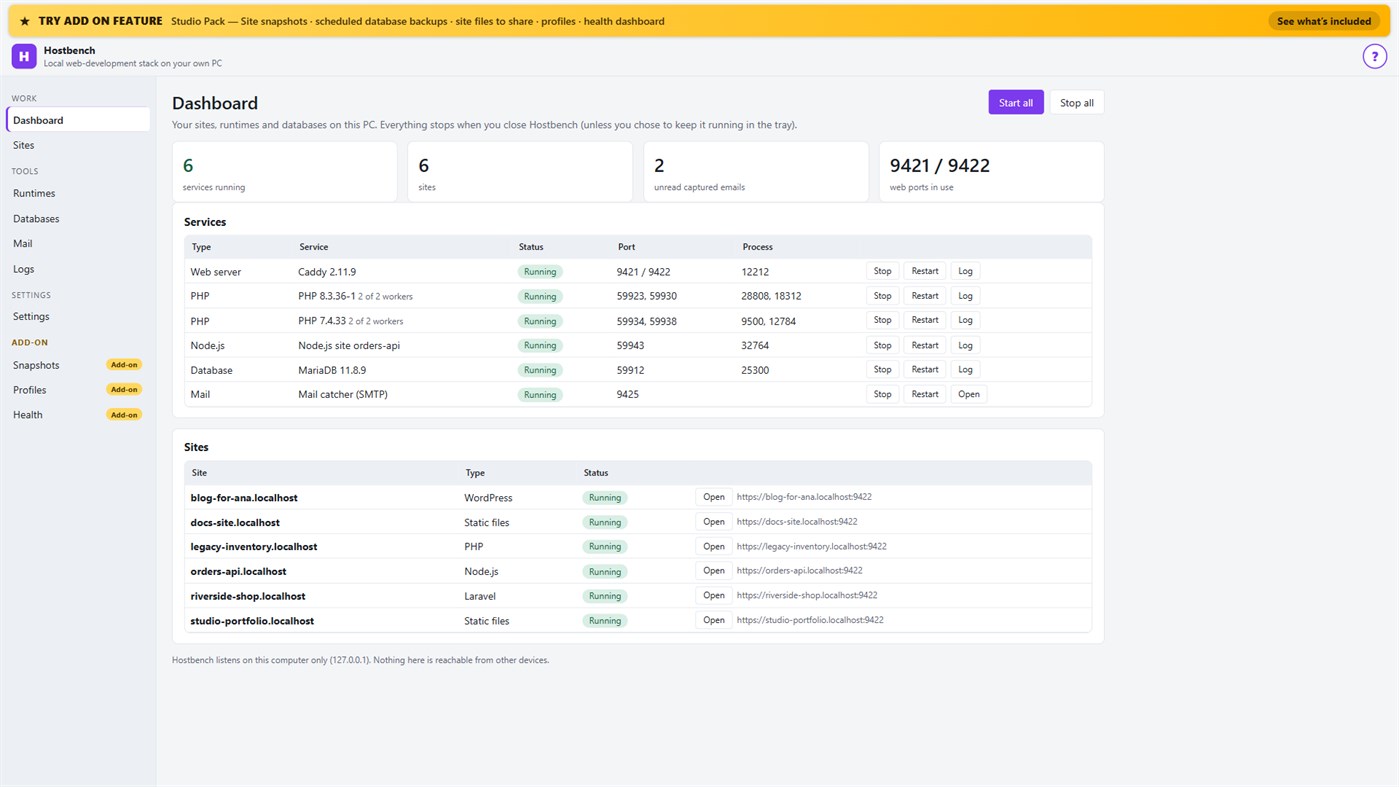
Hostbench is for PHP, Laravel and WordPress developers, Node.js developers, freelancers and agencies with many client sites, and students learning web development. It serves your own projects on your own PC (127.0.0.1) only. It does not host sites for other people and does not deploy anywhere.
HOW IT WORKS
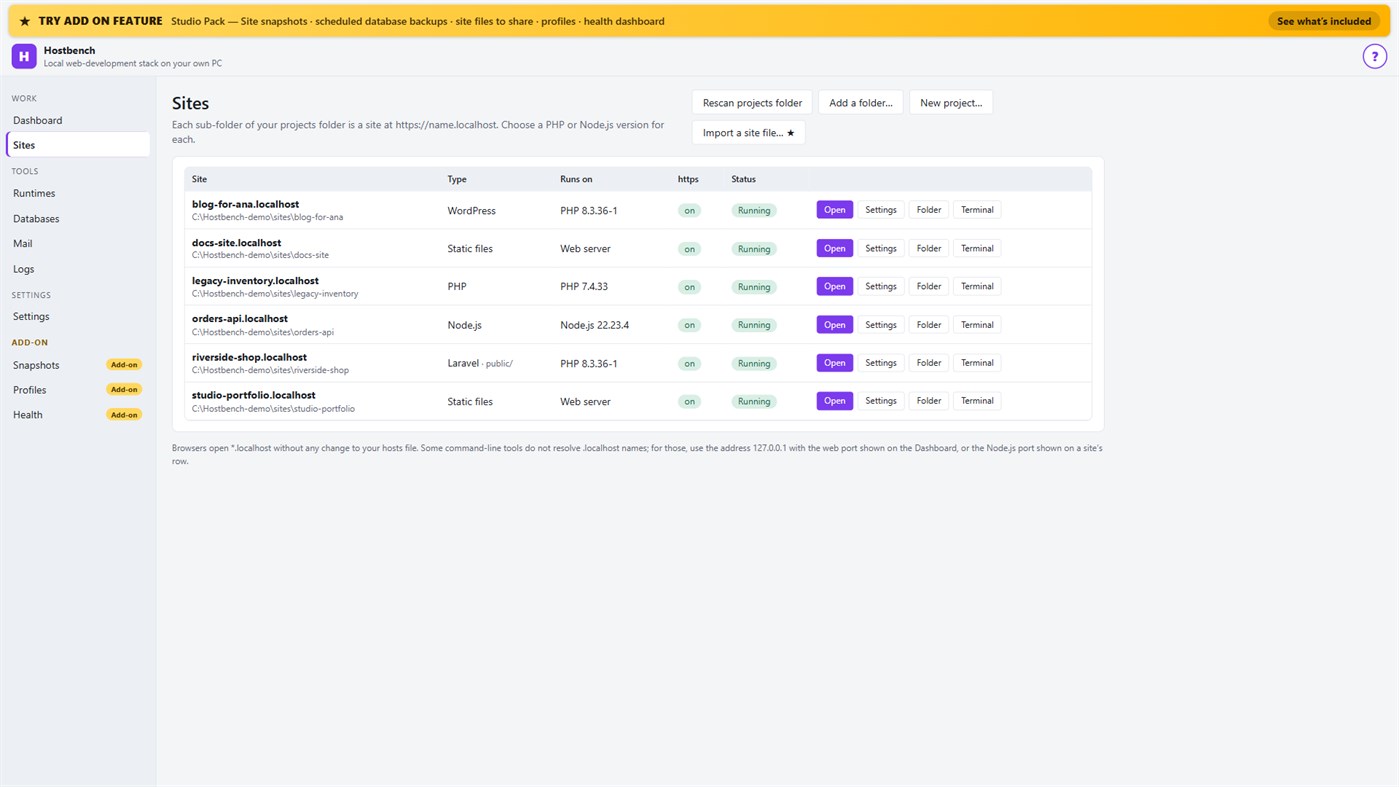
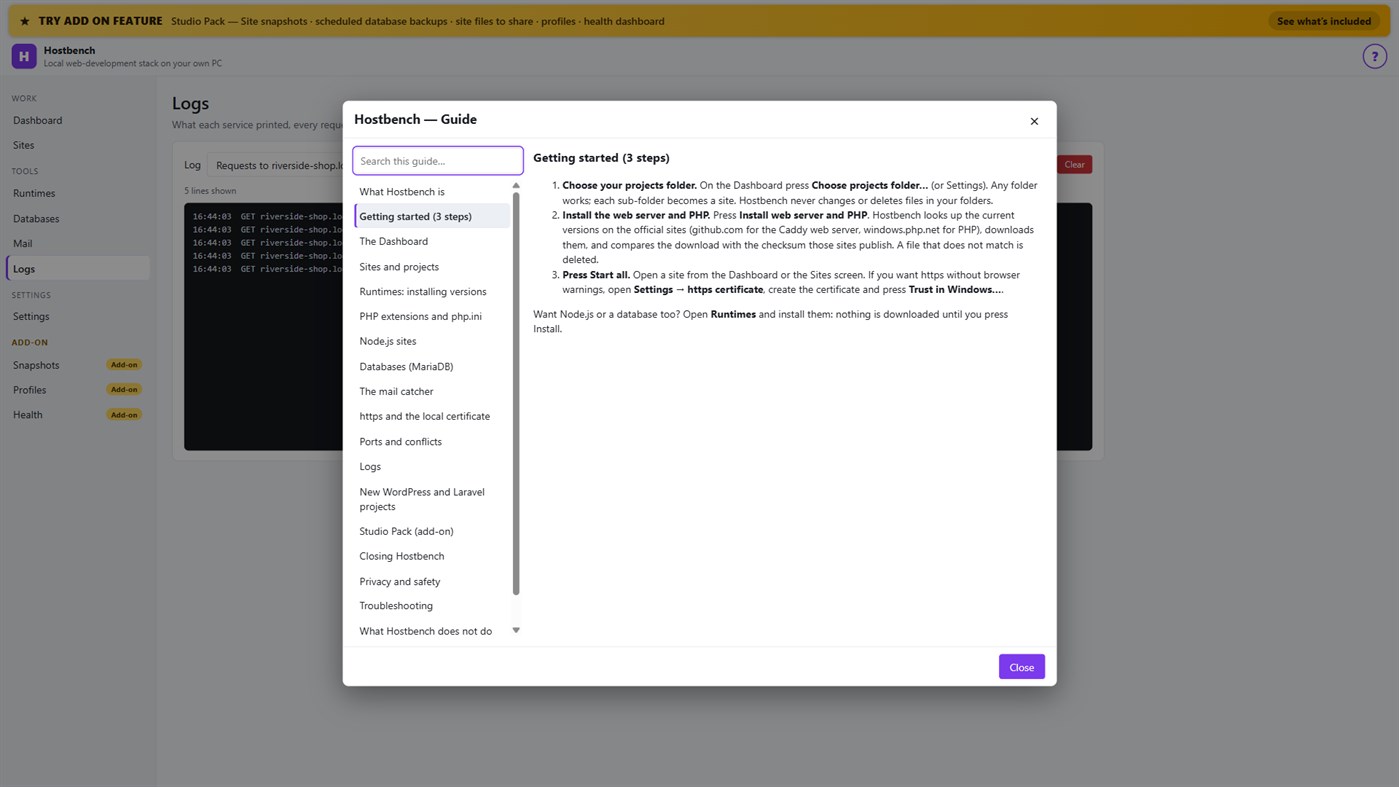
1. Choose your projects folder. Every sub-folder becomes a site: the folder "shop" is https://shop.localhost.
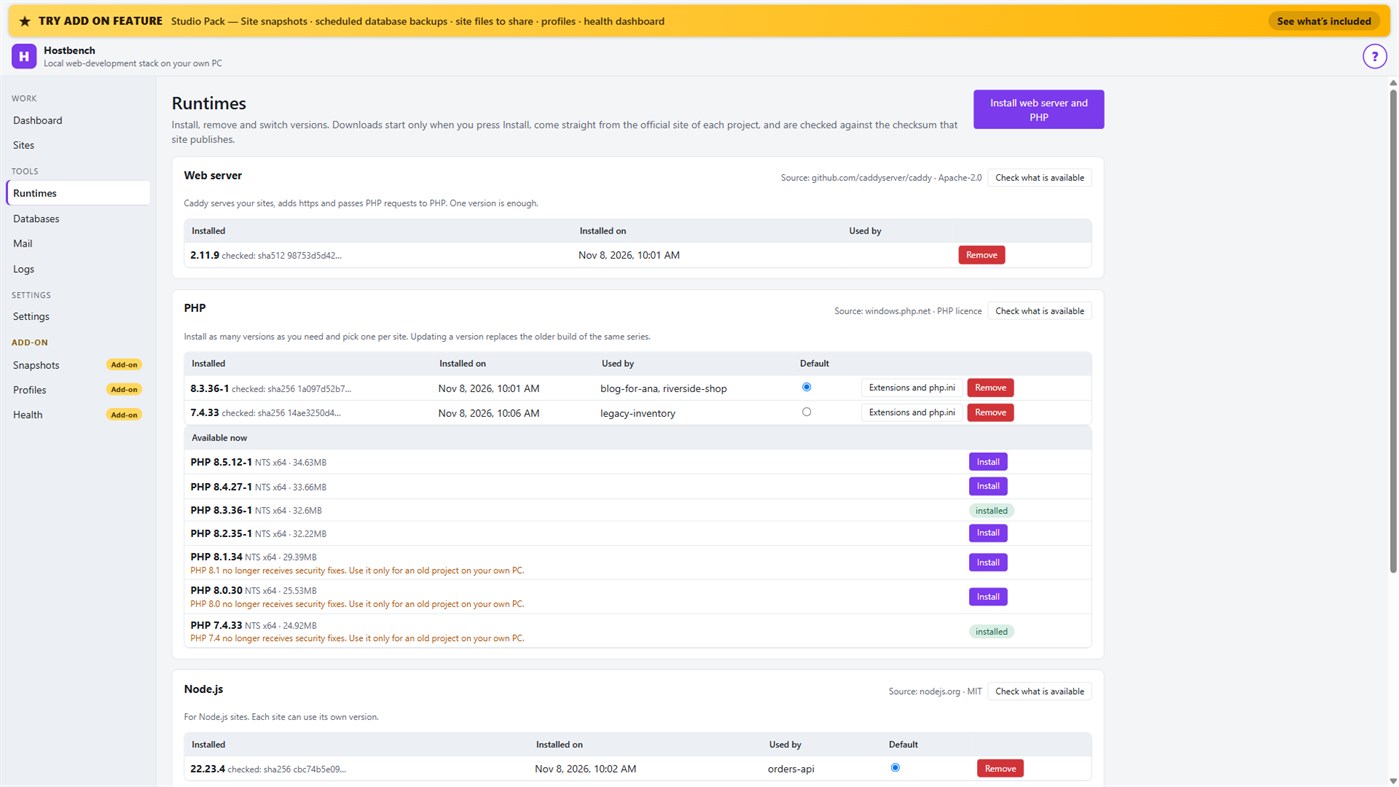
2. Install what you need. Hostbench downloads the web server, PHP, Node.js and MariaDB from their official sites when you press Install, and checks every file against the checksum the site publishes. The publisher of Hostbench hosts nothing.
3. Pick a version per site: PHP 8.3 for one client, PHP 7.4 for an old client site, Node.js 22 for an API.
4. Press Start all. Open the site. Close Hostbench and everything stops.
EVERYTHING IN THE ONE-TIME PURCHASE
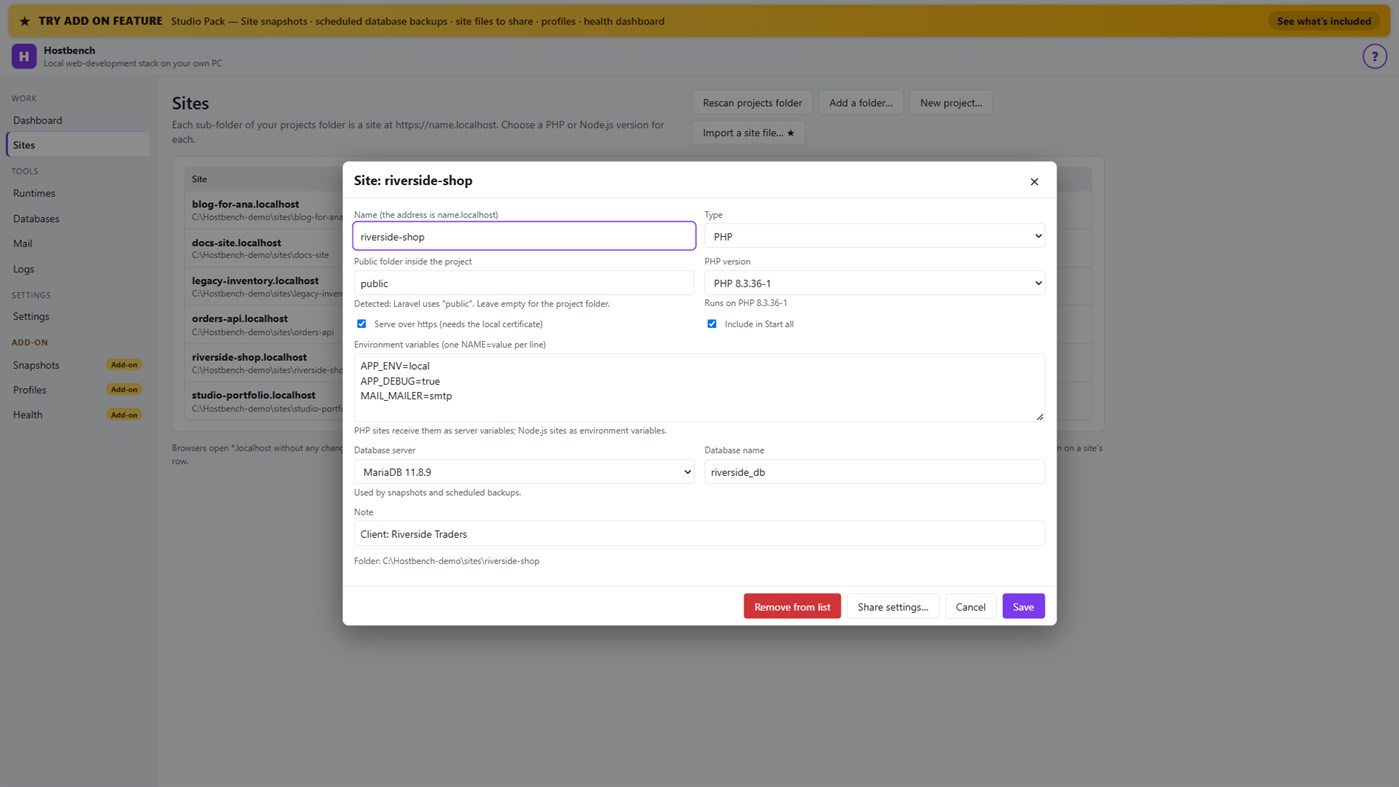
• Sites from folders with *.localhost addresses (no hosts-file editing for browsers); Laravel, Symfony, WordPress, plain PHP, static and Node.js projects are recognised, including the public folder
• Several PHP versions and Node.js versions installed side by side, chosen per site; each install is checksum-verified; versions without security support are marked
• https that works: Hostbench creates its own certificate authority for this PC, limited to .localhost names, and — only after your confirmation in Windows — trusts it for your account. Remove it again in one click
• A web server (Caddy) with PHP running through FastCGI worker pools, and Node.js sites proxied behind the same https address
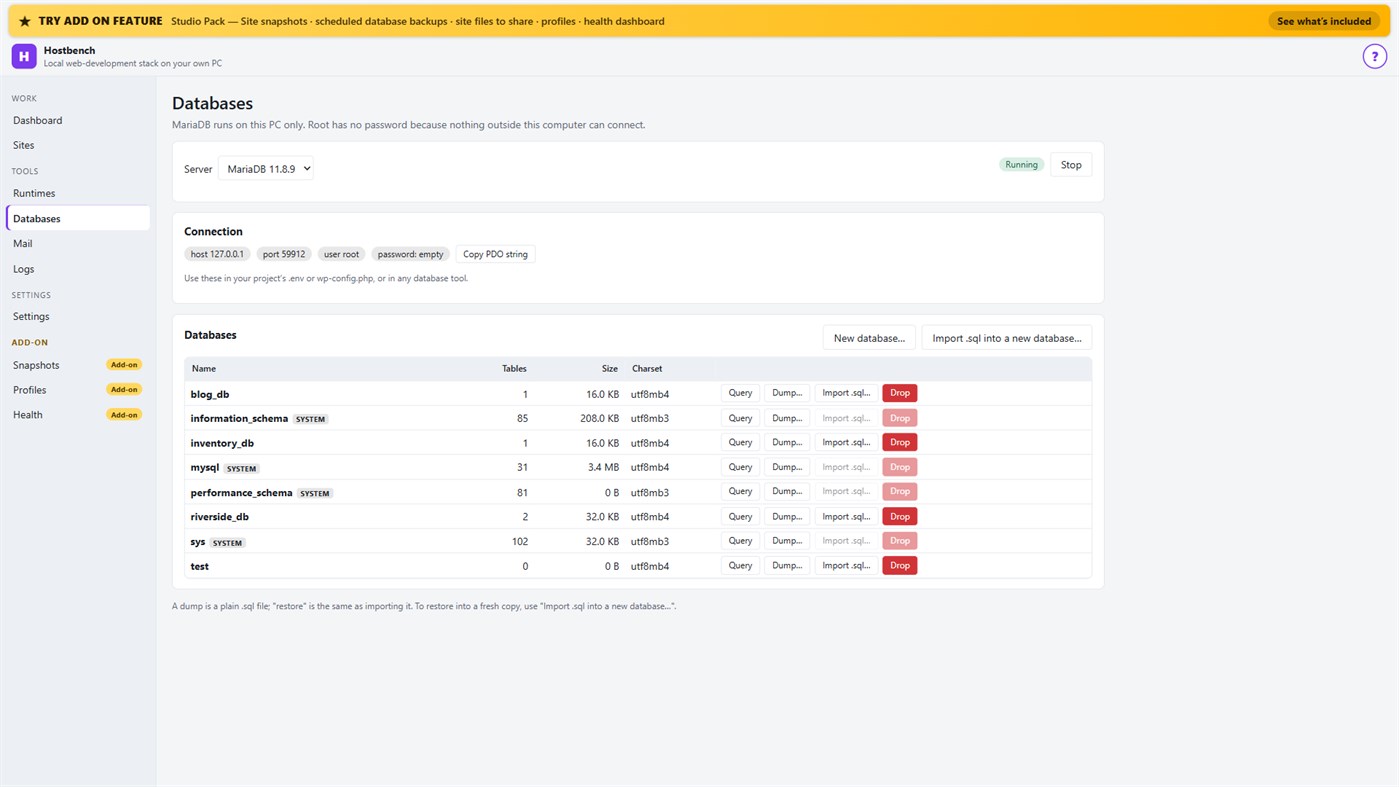
• MariaDB server with a database screen: create, drop, dump, import a .sql file, restore into a copy, run a quick query
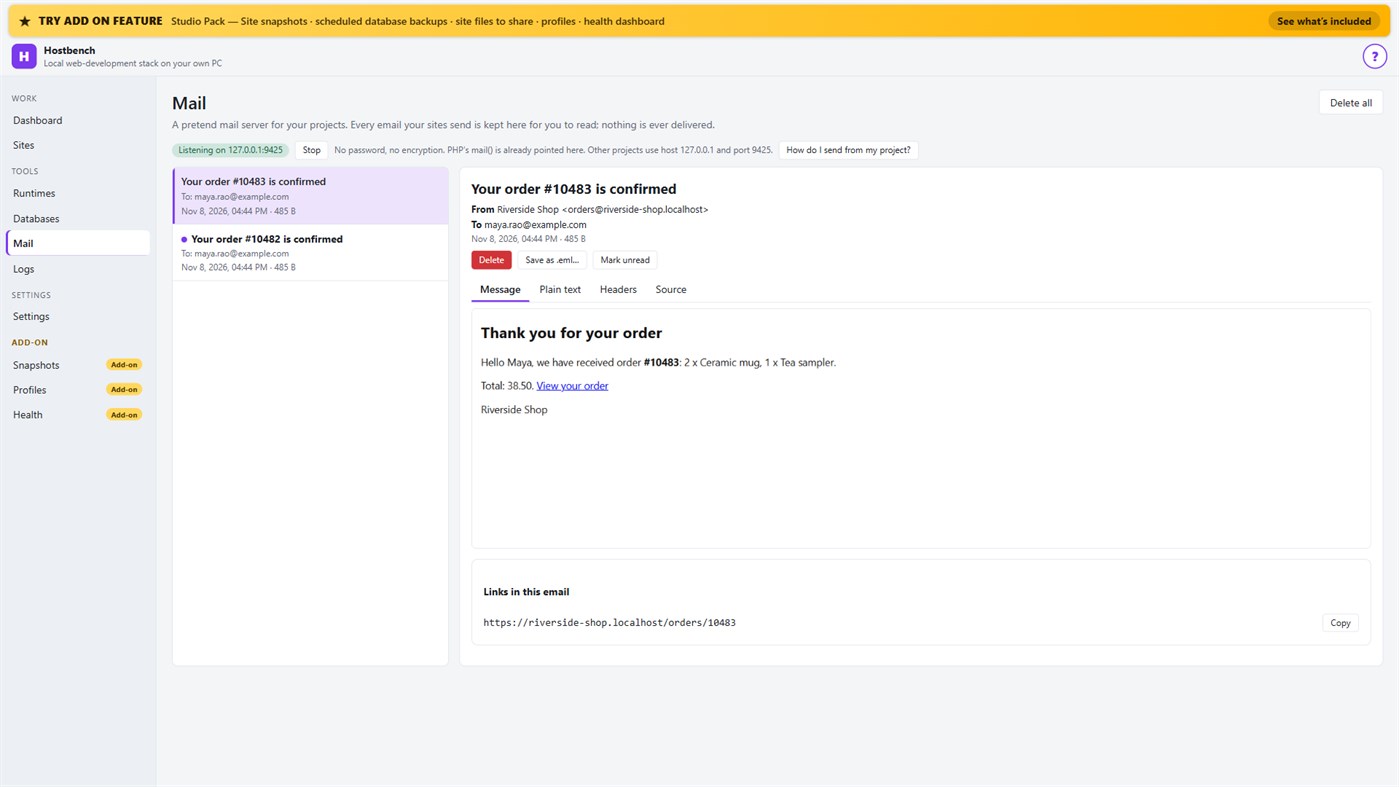
• Mail catcher: everything your sites send arrives in the Mail screen, with the message, text, headers, source, links and attachments. PHP's mail() is already connected. Nothing is ever delivered to anyone
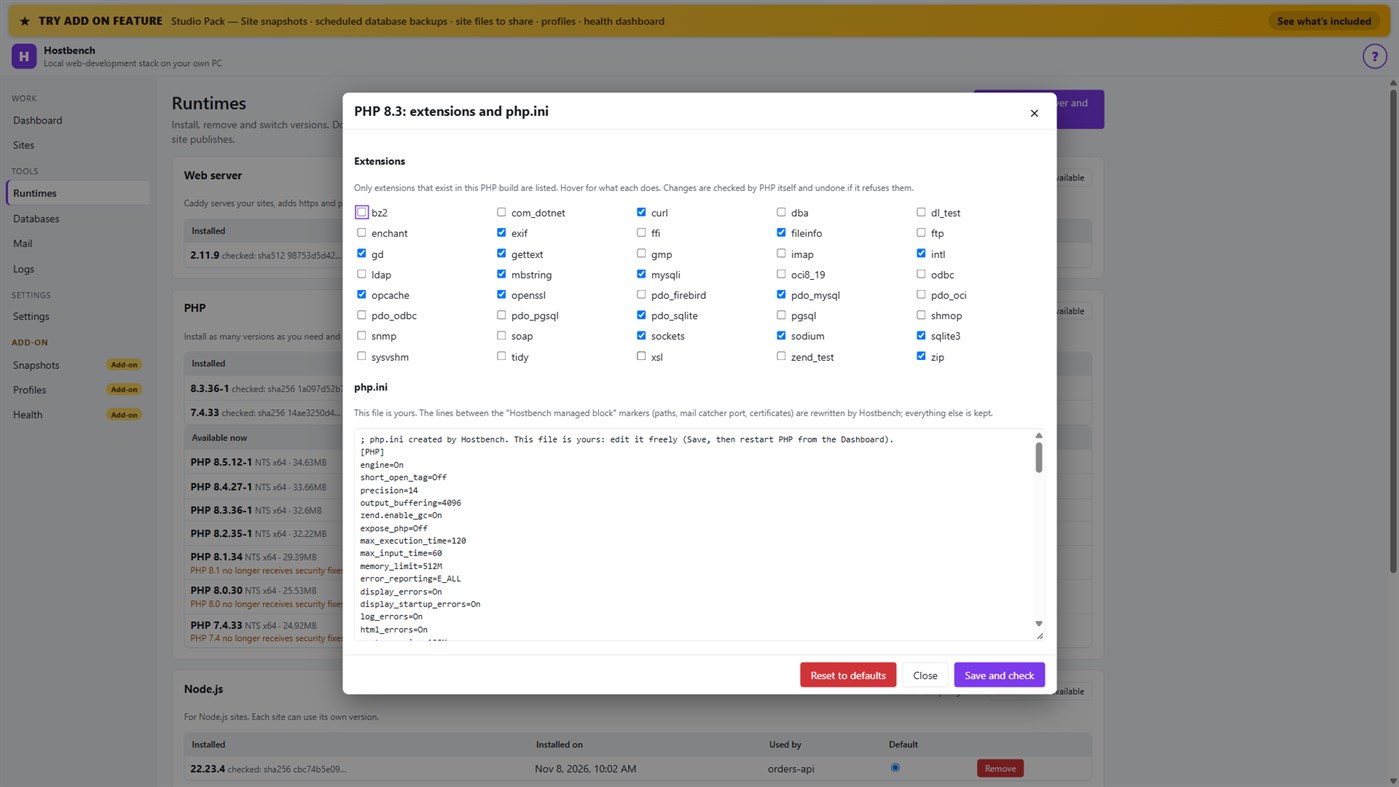
• PHP extension switches and a PHP settings file editor for every PHP version, checked by PHP itself before a change is kept
• Per-site environment variables, a Terminal button with the site's PHP, Node.js and Composer on the PATH
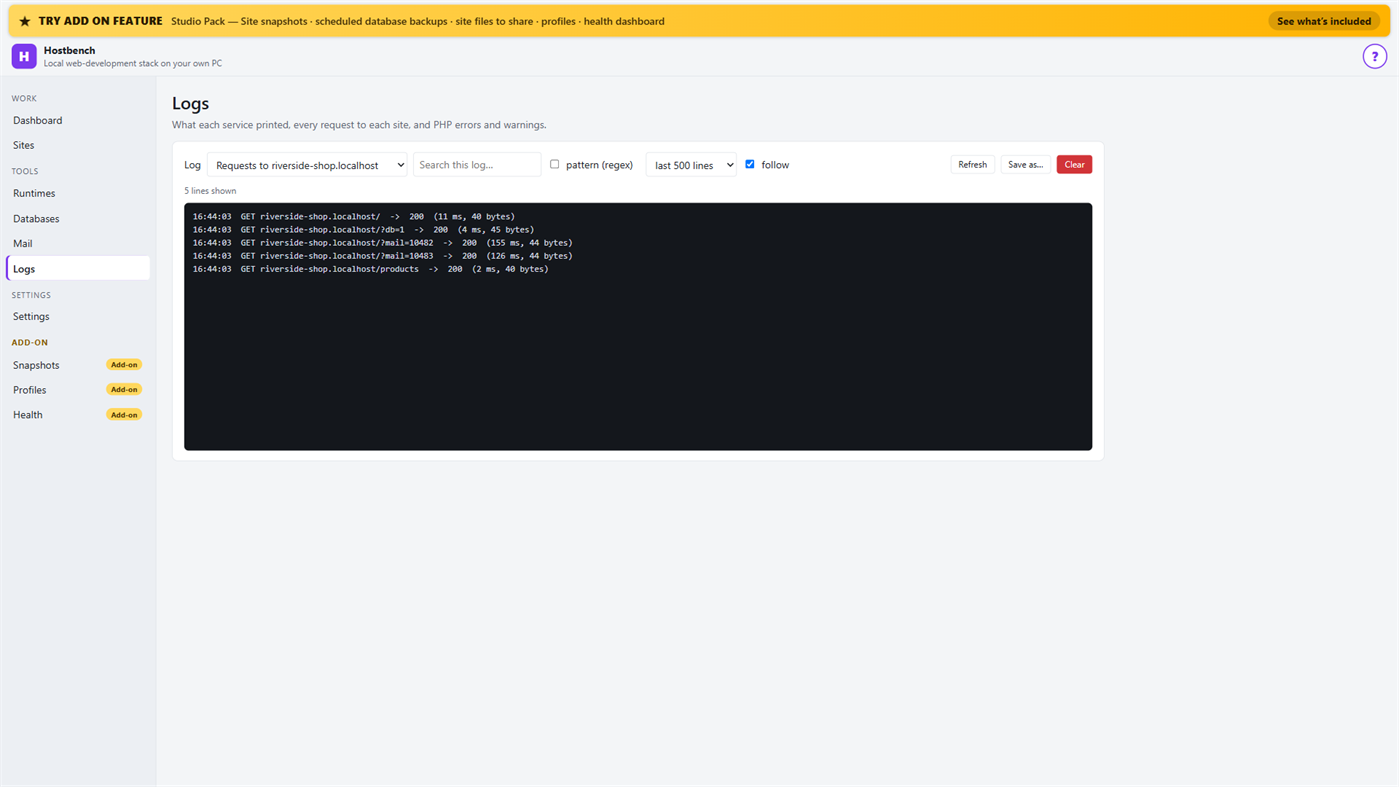
• Logs for every service, every request to every site and PHP errors, with search and regular expressions
• Port conflict detection: when ports 80 and 443 are busy (for example IIS), Hostbench switches to fallback ports (8080 and 8443), shows the addresses with the port and names the program holding the port when Windows reports it
• New WordPress and Laravel projects in one step (WordPress from wordpress.org, Laravel through Composer)
• Everything stops when you close the window (or keep it running in the tray if you choose); no process is left behind
• One "?" guide explains every screen
ADD-ON: STUDIO PACK (optional monthly subscription)
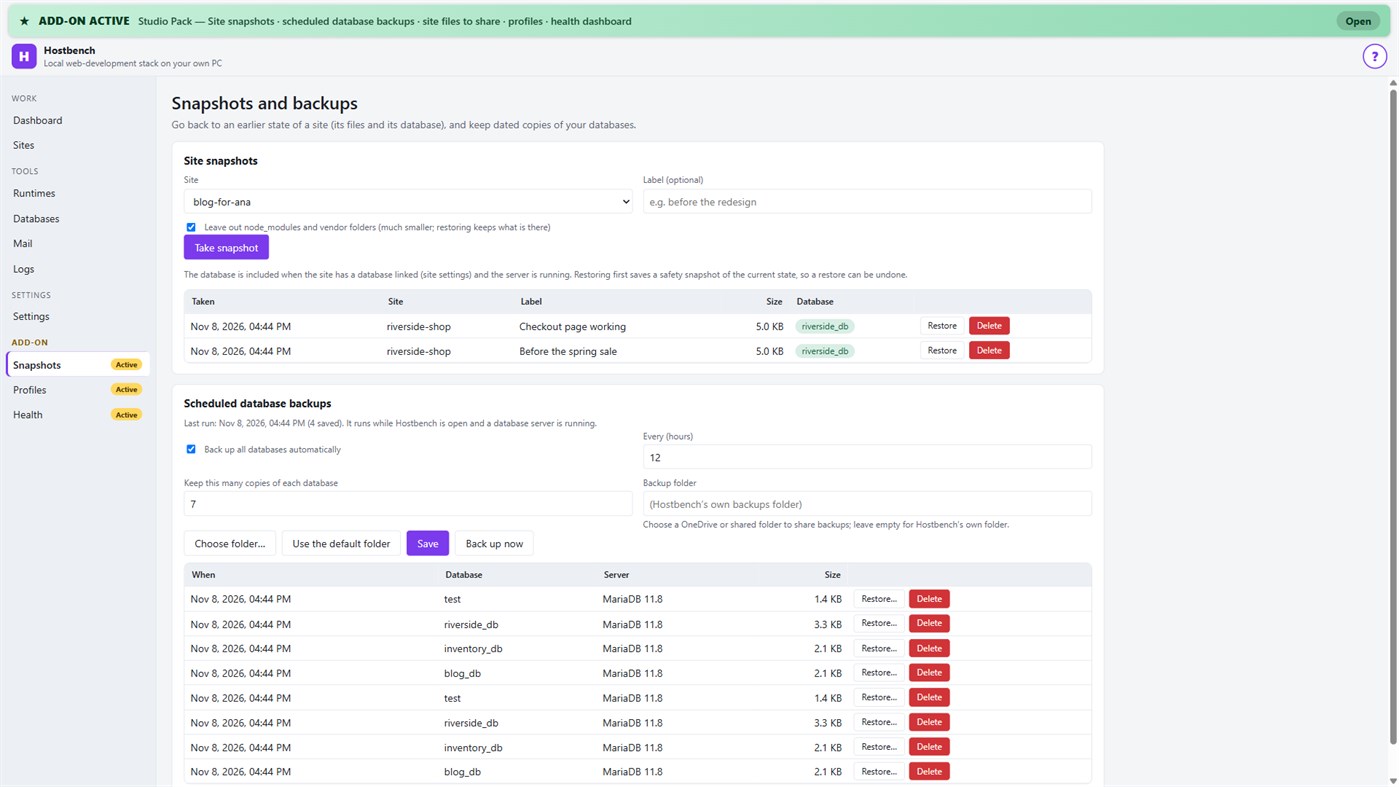
• Site snapshots and restore — a site's files and its database in one snapshot; a safety copy is taken before every restore
• Scheduled database backups — dated dumps every N hours to a folder you choose, newest copies kept
• Site files to share — export a site's settings (type, public folder, versions, PHP extensions, start command) as one small file; a colleague imports it and picks their own folder; secrets stay out unless you include them
• Profiles — name a set of sites, databases and the mail catcher and switch to it with one click
• Health dashboard — every site is checked through the real web server, with the answer code, the time and what to look at
PRIVACY
No telemetry, no advertising, no account. Your projects, databases and captured emails stay on your PC. The only network use is the downloads you start from the Runtimes screen or a new project, and the Microsoft Store licence check. Every Hostbench service listens on 127.0.0.1 only.
GOOD TO KNOW
Hostbench downloads runtimes on request, so the first set-up needs an internet connection. PHP 8 builds need the Microsoft Visual C++ Redistributable 2015–2022 (x64); Hostbench tells you if it is missing. Firefox keeps its own certificate list, so the saved certificate file must be imported there. This version includes MariaDB as its database server; PostgreSQL, MySQL, Redis-compatible caches and Xdebug setup are not included. Hostbench is tested with the programs from the official sites listed above; it is not affiliated with their projects.
개발자 소식 ¡
개발자이신가요?
페이지 맨 위에 소식을 올리고 팔로워에게 이메일로 보내기
다른 플랫폼 0
| HostbenchWindows Store1K 골드Windows인앱 구매 | $6.99 |
현재 이 스토어에서만 이용할 수 있습니다.
가격 기록 0
- 현재 가격: $6.99
- 최소: $6.99
- 최대: $6.99
목록 0
-
 Hostbench
포인트 0
-

- +1 포인트

순위 0
-
- 내 평점
댓글 0 ¡
가장 먼저 댓글을 남겨주세요
개발자 14
- Webspace IN
- 팔로워: 0
- 플랫폼: Windows 앱 (14)
- 할인: 0
- 목록: 0 + 0
- 포인트: 0 + 0 ¡
- 순위: 0
- 댓글: 0
- 동영상: 0
- RSS: 구독
새로운 기능
- 버전: PC
- 마지막 업데이트:
- Initial release — introducing Hostbench to the Microsoft Store.
추가 정보
 https://webspacein.com/contact
AppAgg 점수
1,450
AppAgg 예상 점수:
Hostbench
개발자: Webspace IN
1,450 골드
점수가 높을수록 대체로 AppAgg의 여러 지표에서 좋은 결과를 보인다는 뜻입니다.
기준: 인기 · 사용자 평점 · 최신성 · 할인 · 스토어 데이터 · 커뮤니티 활동
최신 AppAgg 데이터를 바탕으로 매일 다시 계산됩니다.
웹사이트용 배지:  복사됨!
요약
Hostbench 단축 URL: 복사됨!- Windows Store
AppAgg에서 앱 ‘Hostbench’의 정보를 확인할 수 있습니다. 개발자: Webspace IN. 플랫폼: Windows. 카테고리: 개발자 도구. AppAgg 점수: 1,450 (골드). 이 앱의 AppAgg 포인트: 확인된 포인트 0, 간접 포인트 0. 이 앱이 포함된 공개 목록: 0개. 비공개 목록에 저장한 사용자: 0명. AppAgg 사용자가 아직 이 앱에 별점을 남기지 않았습니다. 확인된 포인트는 로그인한 AppAgg 사용자가 스토어로 이동한 기록을 반영합니다. 간접 포인트는 스토어 데이터를 바탕으로 합니다. 두 숫자는 공개 목록 수와 비공개 목록에 저장한 사용자 수를 나타냅니다. 이 앱의 최초 출시일은 입니다. 이 앱의 마지막 업데이트 날짜는 입니다. 이 앱의 현재 가격은 $6.99입니다. 이 앱은 다음 언어를 지원합니다: 영어. 가격 기록을 확인하거나 앱을 목록에 추가하고 개발자를 팔로우할 수 있습니다. 이 앱의 향후 할인과 업데이트는 RSS 피드에서 확인할 수 있습니다. AppAgg는 이 앱을 호스팅하거나 배포하지 않습니다. 이 앱과 관련된 모든 상표, 로고 및 스크린샷은 각 소유자에게 귀속됩니다.


