
Favoritos
Escolha um título para este favorito.
Favorito salvo
| Desenvolvedor: | Webspace IN (14) | ||
| Preço: | * $6.99 Novo | ||
| Pontuação: | 1.450 Ouro | ||
| Classificações: | 0 | ||
| Comentários: | 0 Postar comentário | ||
| Listas: | 0 + 0 | ||
| Pontos: | 0 + 0 ¡ | ||
| +1 Ponto | |||
Seu próprio feed na página inicial ¡
Escolha plataformas para a lista “Novos e atualizados”, e a página inicial mostrará só os apps e jogos de que você precisa.
Capturas de tela 10
Anúncio
Descrição

Hostbench is for PHP, Laravel and WordPress developers, Node.js developers, freelancers and agencies with many client sites, and students learning web development. It serves your own projects on your own PC (127.0.0.1) only. It does not host sites for other people and does not deploy anywhere.
HOW IT WORKS
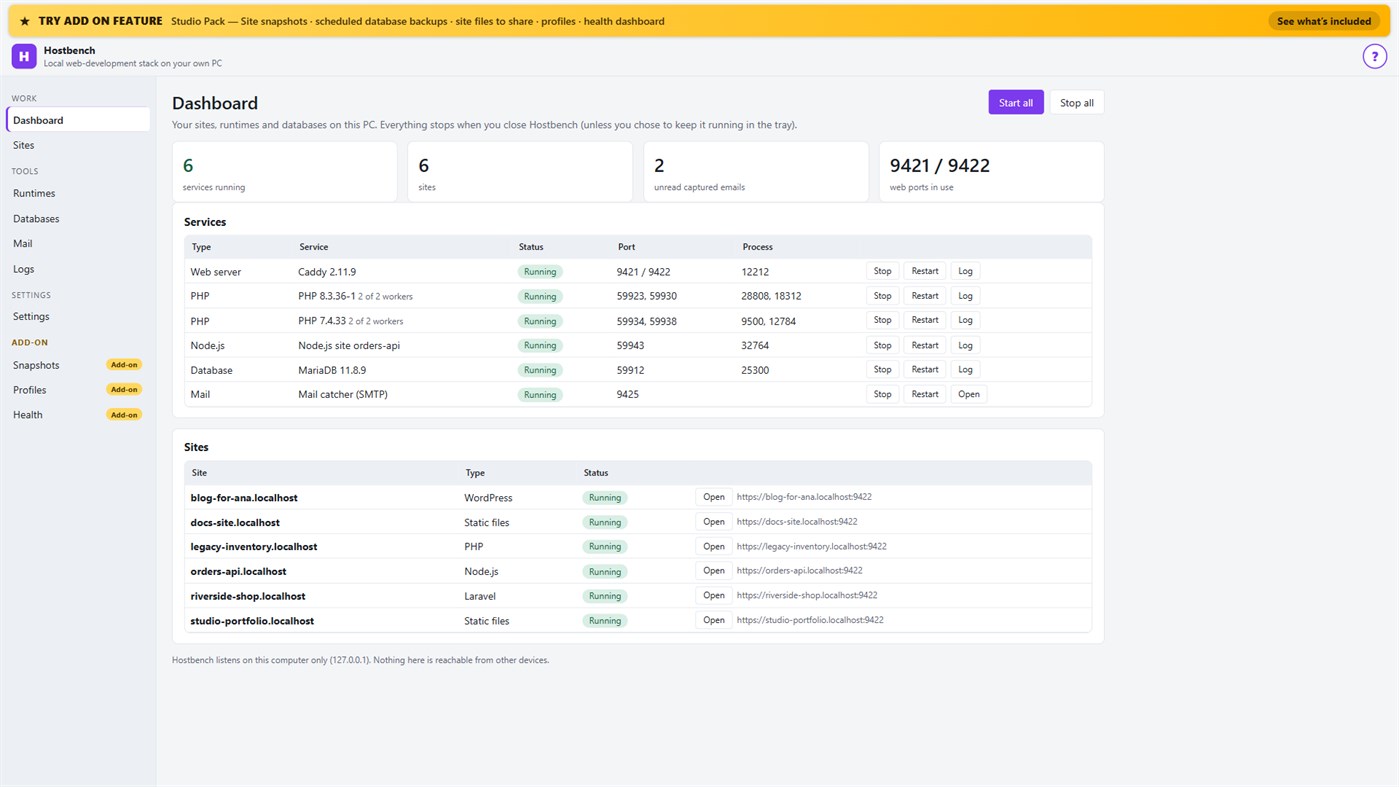
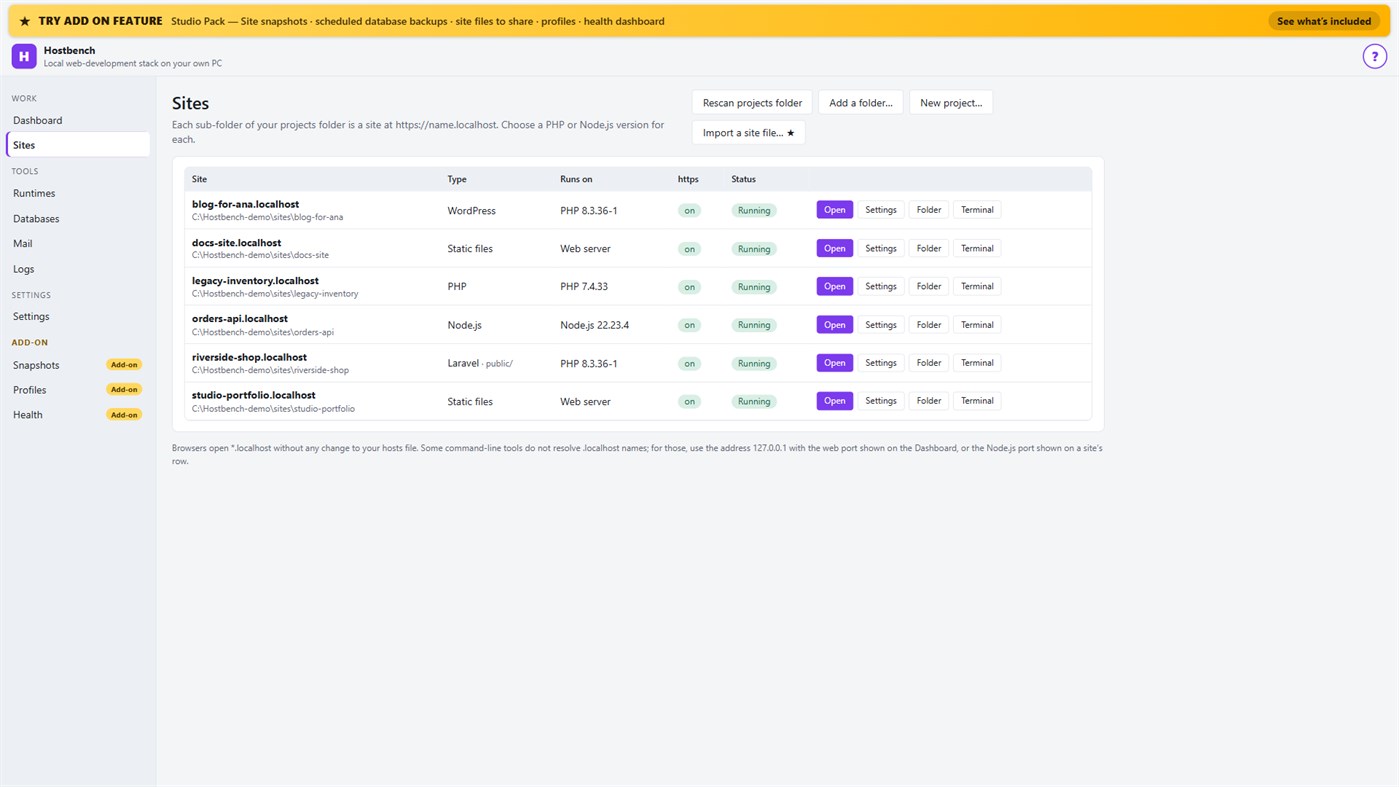
1. Choose your projects folder. Every sub-folder becomes a site: the folder "shop" is https://shop.localhost.
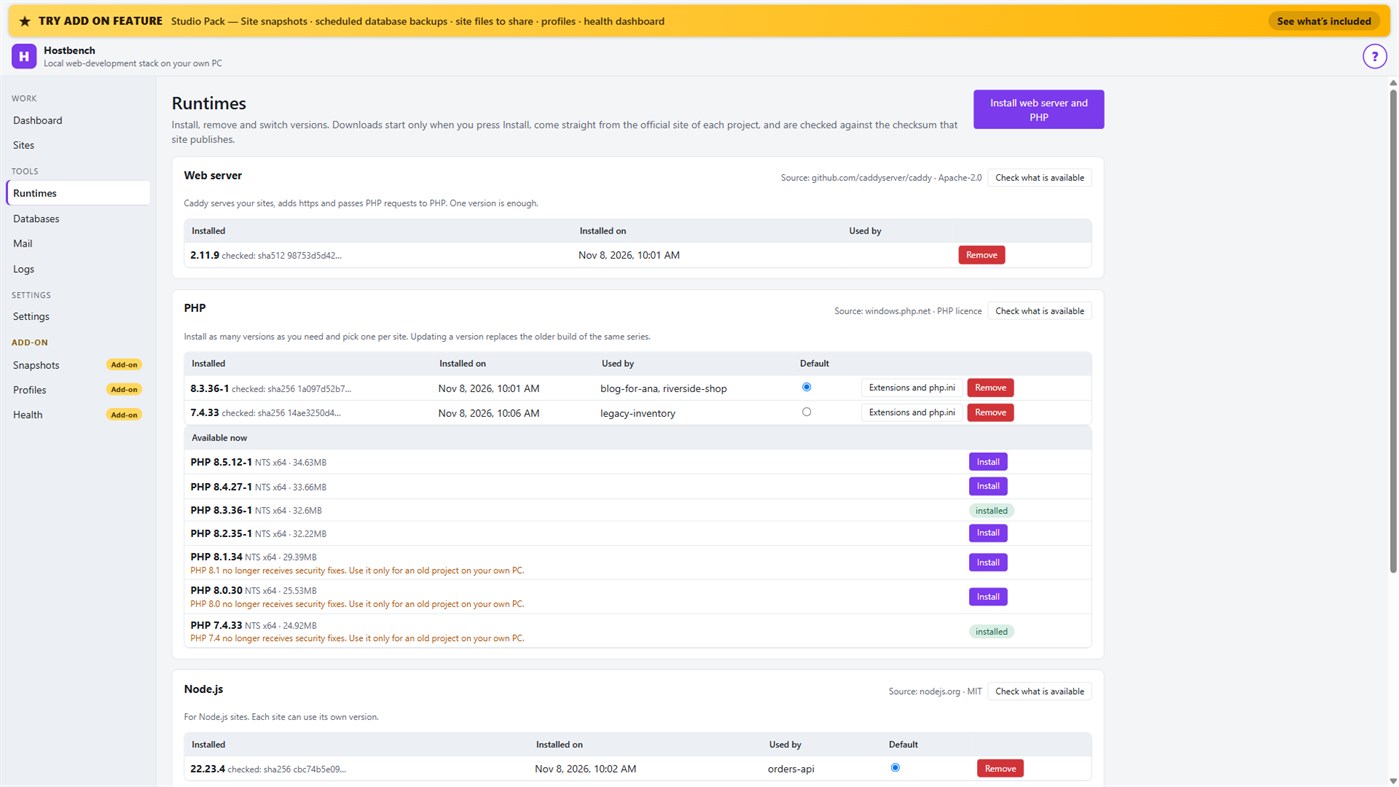
2. Install what you need. Hostbench downloads the web server, PHP, Node.js and MariaDB from their official sites when you press Install, and checks every file against the checksum the site publishes. The publisher of Hostbench hosts nothing.
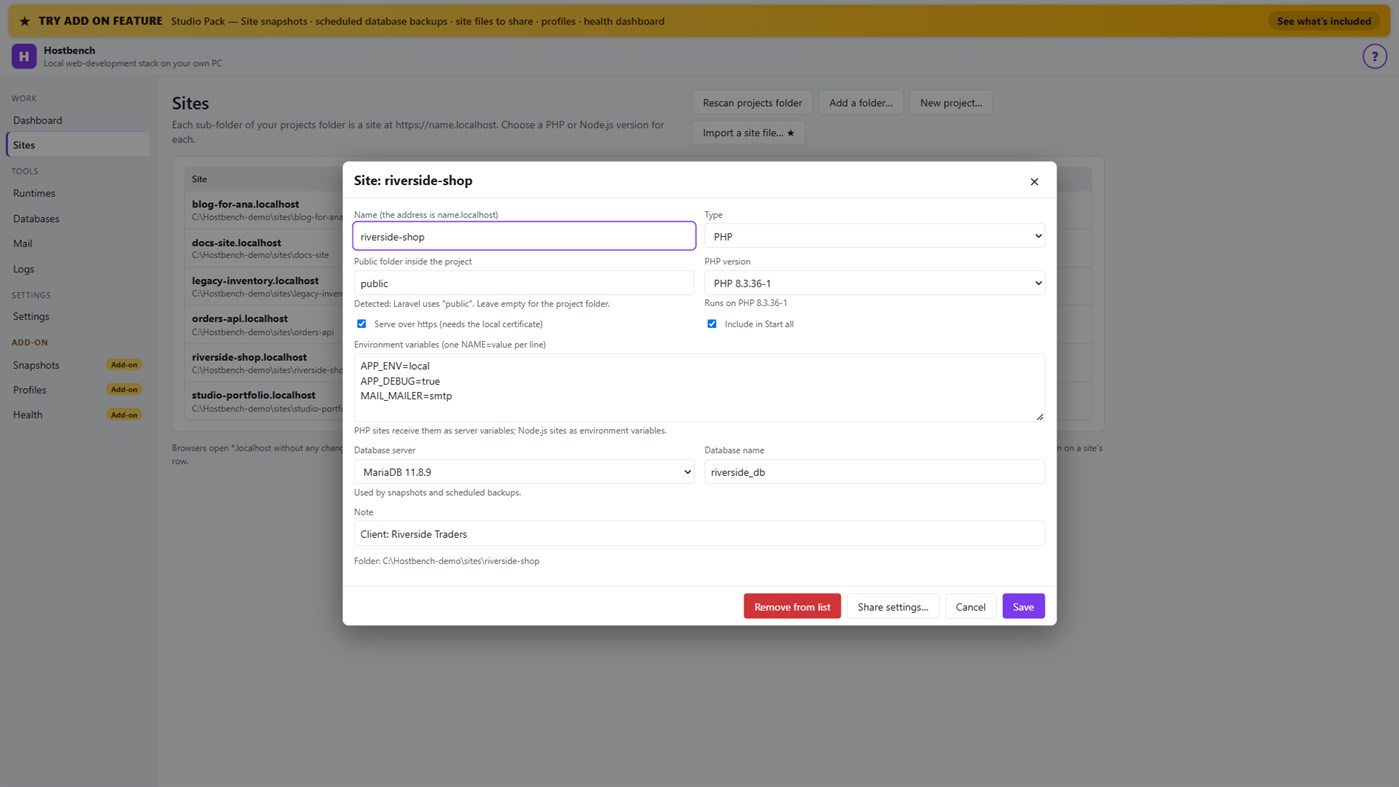
3. Pick a version per site: PHP 8.3 for one client, PHP 7.4 for an old client site, Node.js 22 for an API.
4. Press Start all. Open the site. Close Hostbench and everything stops.
EVERYTHING IN THE ONE-TIME PURCHASE
• Sites from folders with *.localhost addresses (no hosts-file editing for browsers); Laravel, Symfony, WordPress, plain PHP, static and Node.js projects are recognised, including the public folder
• Several PHP versions and Node.js versions installed side by side, chosen per site; each install is checksum-verified; versions without security support are marked
• https that works: Hostbench creates its own certificate authority for this PC, limited to .localhost names, and — only after your confirmation in Windows — trusts it for your account. Remove it again in one click
• A web server (Caddy) with PHP running through FastCGI worker pools, and Node.js sites proxied behind the same https address
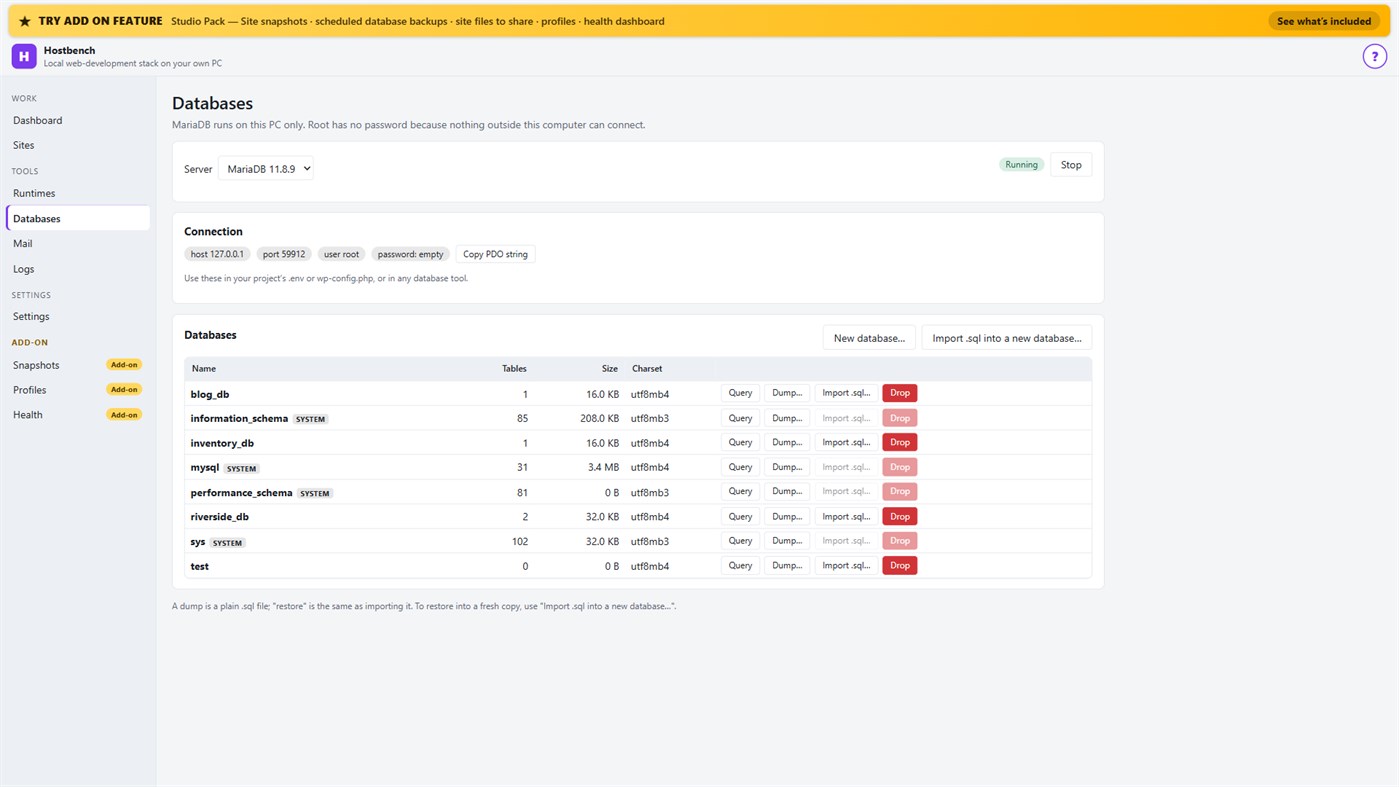
• MariaDB server with a database screen: create, drop, dump, import a .sql file, restore into a copy, run a quick query
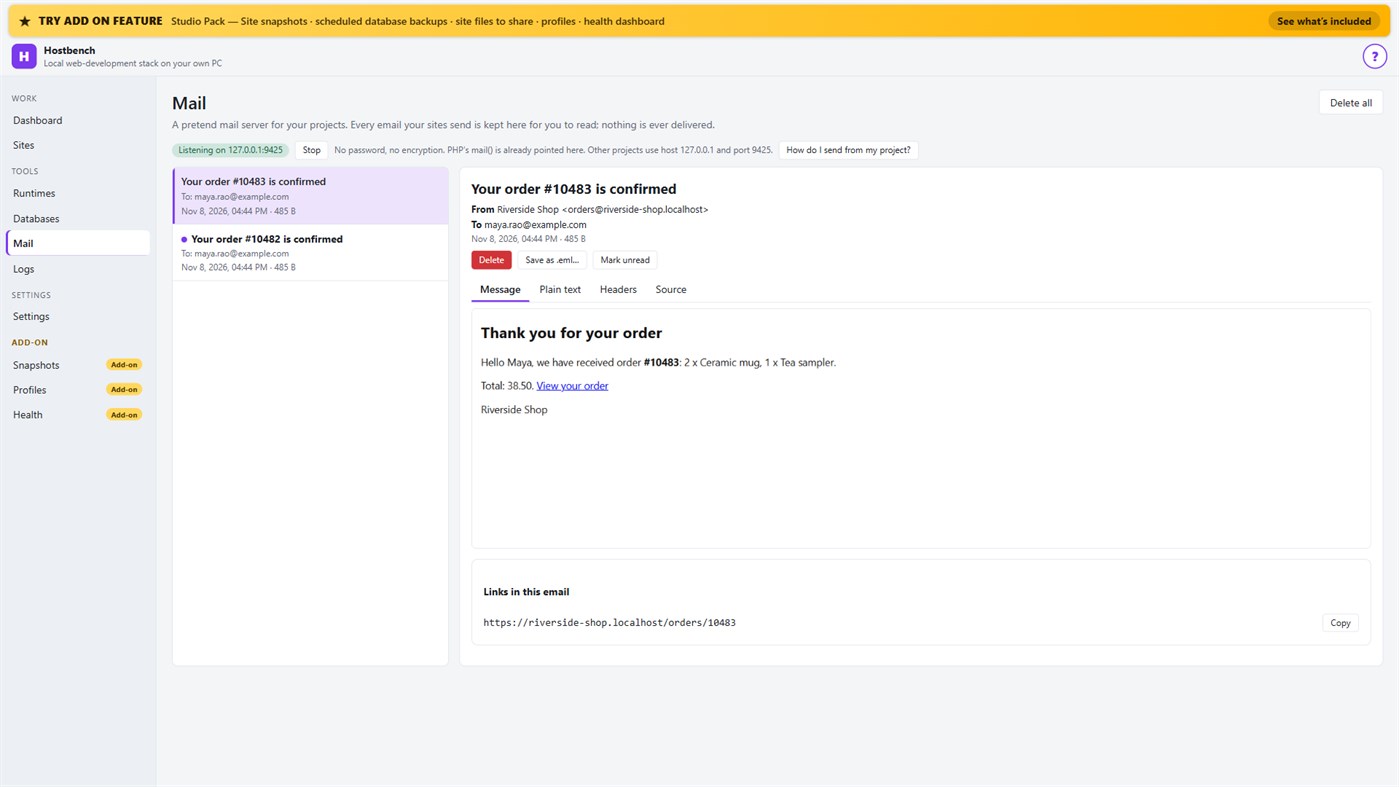
• Mail catcher: everything your sites send arrives in the Mail screen, with the message, text, headers, source, links and attachments. PHP's mail() is already connected. Nothing is ever delivered to anyone
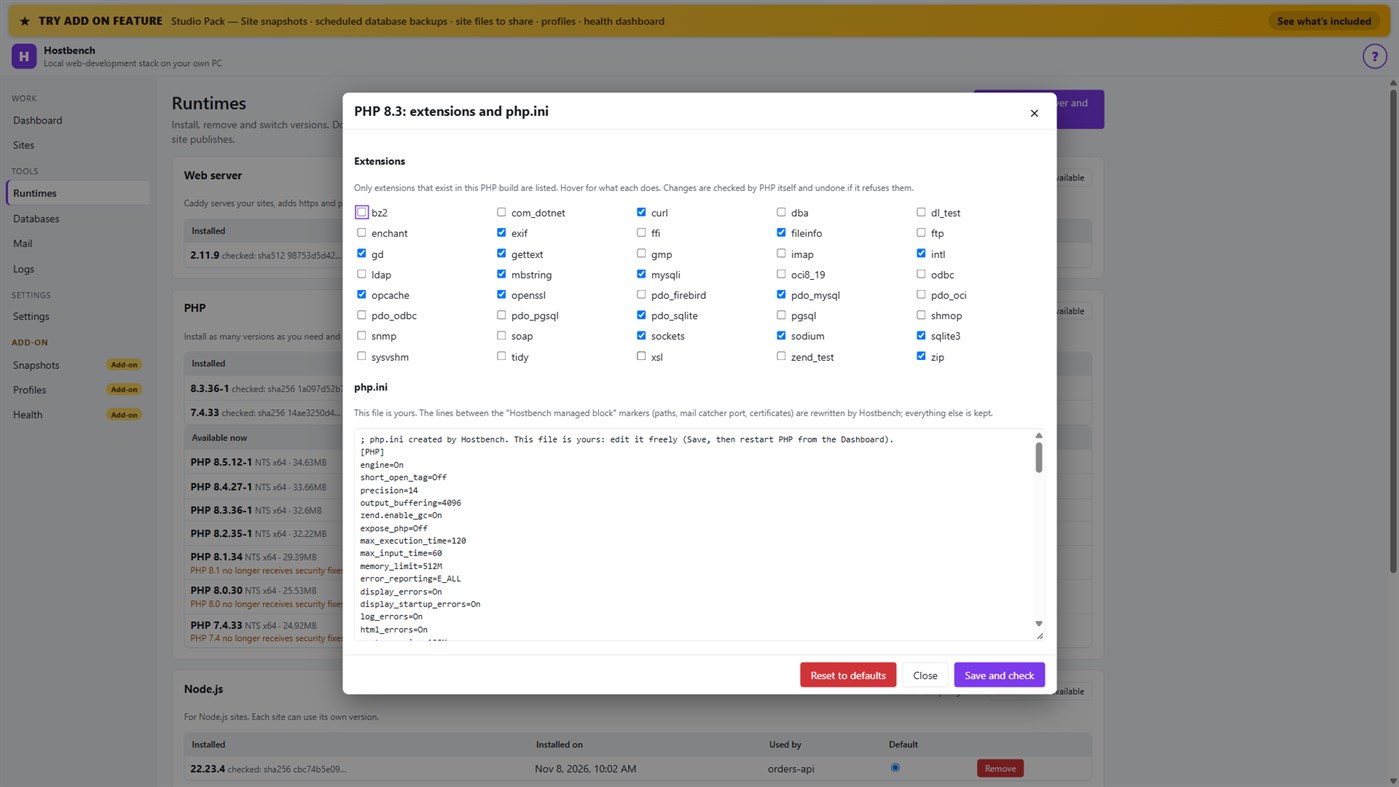
• PHP extension switches and a PHP settings file editor for every PHP version, checked by PHP itself before a change is kept
• Per-site environment variables, a Terminal button with the site's PHP, Node.js and Composer on the PATH
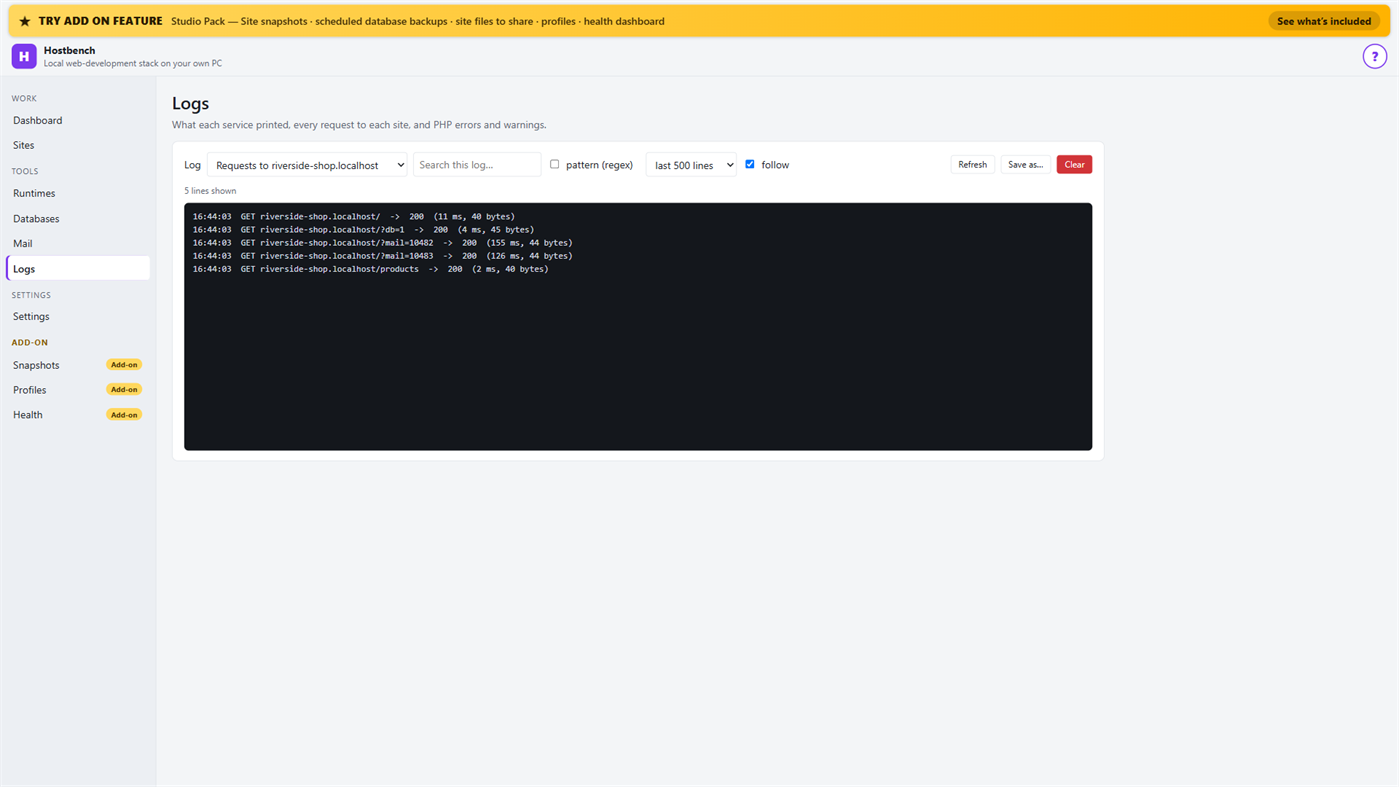
• Logs for every service, every request to every site and PHP errors, with search and regular expressions
• Port conflict detection: when ports 80 and 443 are busy (for example IIS), Hostbench switches to fallback ports (8080 and 8443), shows the addresses with the port and names the program holding the port when Windows reports it
• New WordPress and Laravel projects in one step (WordPress from wordpress.org, Laravel through Composer)
• Everything stops when you close the window (or keep it running in the tray if you choose); no process is left behind
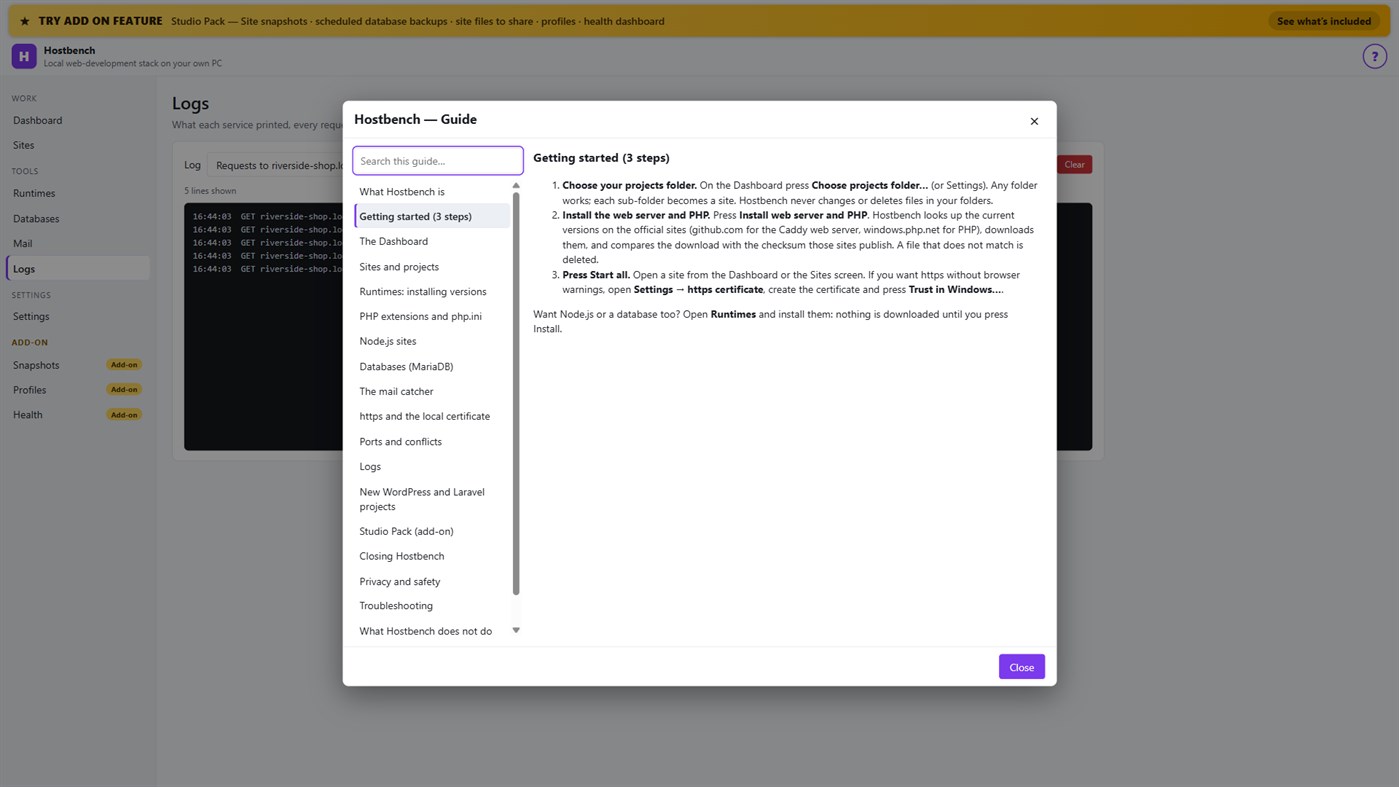
• One "?" guide explains every screen
ADD-ON: STUDIO PACK (optional monthly subscription)
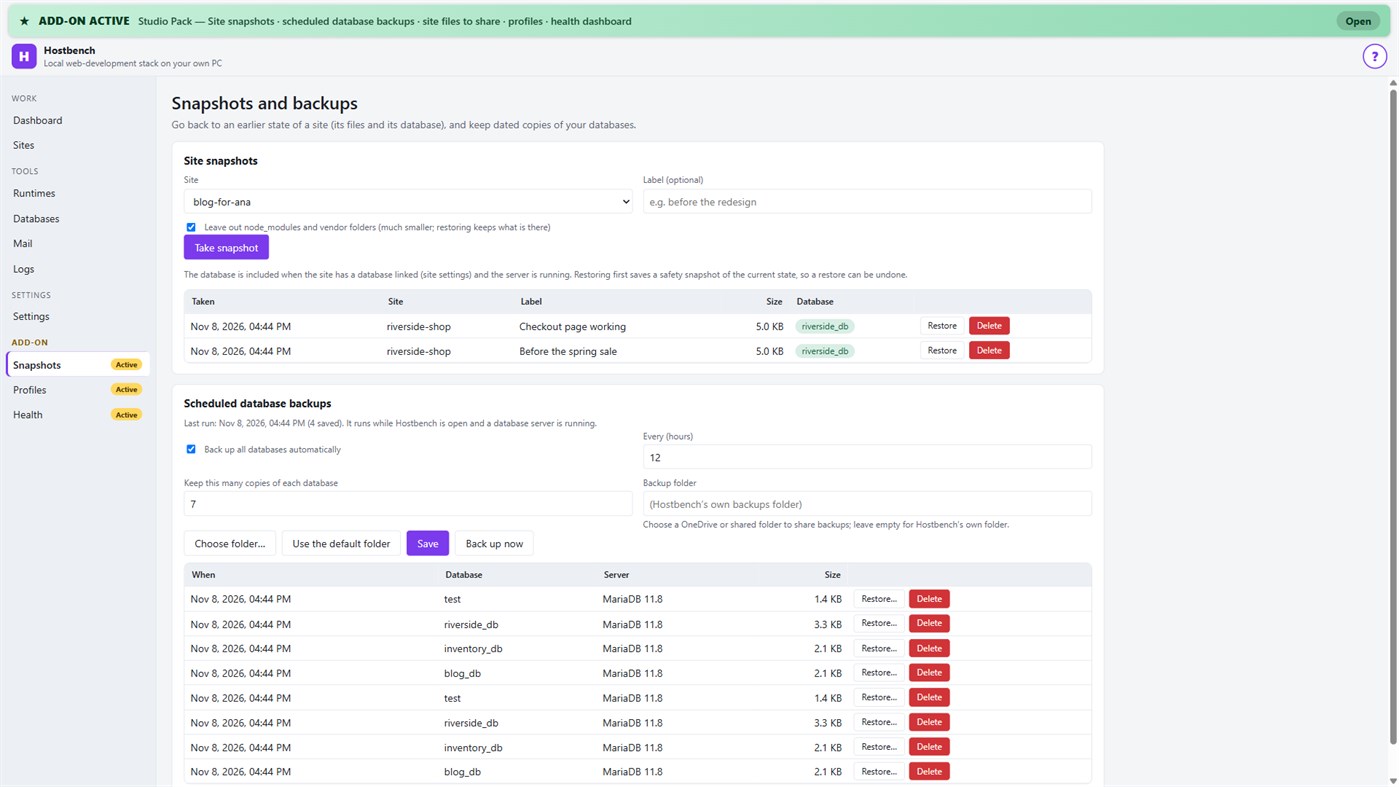
• Site snapshots and restore — a site's files and its database in one snapshot; a safety copy is taken before every restore
• Scheduled database backups — dated dumps every N hours to a folder you choose, newest copies kept
• Site files to share — export a site's settings (type, public folder, versions, PHP extensions, start command) as one small file; a colleague imports it and picks their own folder; secrets stay out unless you include them
• Profiles — name a set of sites, databases and the mail catcher and switch to it with one click
• Health dashboard — every site is checked through the real web server, with the answer code, the time and what to look at
PRIVACY
No telemetry, no advertising, no account. Your projects, databases and captured emails stay on your PC. The only network use is the downloads you start from the Runtimes screen or a new project, and the Microsoft Store licence check. Every Hostbench service listens on 127.0.0.1 only.
GOOD TO KNOW
Hostbench downloads runtimes on request, so the first set-up needs an internet connection. PHP 8 builds need the Microsoft Visual C++ Redistributable 2015–2022 (x64); Hostbench tells you if it is missing. Firefox keeps its own certificate list, so the saved certificate file must be imported there. This version includes MariaDB as its database server; PostgreSQL, MySQL, Redis-compatible caches and Xdebug setup are not included. Hostbench is tested with the programs from the official sites listed above; it is not affiliated with their projects.
Do desenvolvedor ¡
Você é o desenvolvedor?
Suas novidades no topo da página, enviadas por e-mail aos seguidores
Outras plataformas 0
| HostbenchWindows Store1K OuroWindowsCompras no aplicativo | $6.99 |
Por enquanto, só nesta loja.
Histórico de preços 0
- Preço atual: $6.99
- Mínimo: $6.99
- Máximo: $6.99
Acompanhe os preços Receba um alerta por e-mail ou push quando o preço baixar
Listas 0
-
 Hostbench
Pontos 0
-

- +1 Ponto

Classificações 0
-
- Sua nota
Comentários 0 ¡
Seja o primeiro a comentar
Desenvolvedor 14
- Webspace IN
- Seguidores: 0
- Plataformas: Windows Apps (14)
- Promoções: 0
- Listas: 0 + 0
- Pontos: 0 + 0 ¡
- Classificações: 0
- Comentários: 0
- Vídeos: 0
- RSS: Assinar
Novidades
- Versão: PC
- Última atualização:
- Initial release — introducing Hostbench to the Microsoft Store.
Informações adicionais
- Data de lançamento:
- Categoria:
Aplicativos para Windows›Ferramentas de desenvolvedor - Sistemas operacionais:
PC - Tamanho:
158 Mb - Idiomas disponíveis:
Inglês - Classificação indicativa:
EVERYONE - Windows Store Nota: ¡
0
 https://webspacein.com/contact
Pontuação AppAgg
1.450
Pontuação AppAgg estimada de
Hostbench
Desenvolvedor: Webspace IN
1.450 Ouro
Uma pontuação mais alta geralmente reflete resultados melhores nos indicadores do AppAgg.
Com base em: popularidade · avaliações dos usuários · atualidade · ofertas · dados das lojas · atividade da comunidade
Recalculado diariamente com dados AppAgg atualizados.
Selo para site:  Copiado!
Resumo
Hostbench URL curta: Copiado!- Windows Store
No AppAgg, você pode acompanhar “Hostbench”, um aplicativo de Webspace IN para Windows na categoria Ferramentas de desenvolvedor. Pontuação AppAgg: 1.450 (Ouro). Pontos AppAgg do aplicativo — confirmados: 0; indiretos: 0. Listas públicas que incluem o aplicativo: 0. Usuários que o salvaram em listas privadas: 0. Os usuários do AppAgg ainda não avaliaram este aplicativo. Os pontos confirmados registram os acessos à loja por usuários conectados ao AppAgg. Os indiretos se baseiam em dados das lojas. O AppAgg conta as listas públicas que incluem um aplicativo ou jogo e os usuários que o salvaram em listas privadas. O aplicativo foi lançado pela primeira vez em . Última atualização do aplicativo: . O aplicativo custa atualmente $6.99. O aplicativo está disponível nos seguintes idiomas: Inglês. Confira o histórico de preços, adicione o aplicativo a uma lista ou siga o desenvolvedor. Acompanhe as próximas promoções e atualizações do aplicativo pelo feed RSS. O AppAgg não hospeda nem distribui este aplicativo. Todas as marcas, logotipos e capturas de tela relacionados ao aplicativo pertencem aos respectivos proprietários.
Você também pode gostar
Vistos recentemente
Usuários do AppAgg ¡Mais →
Missões da semanaEntre para receber 3 missões toda semana e ganhar XP com elas.

