
북마크
이 북마크의 제목을 입력하세요.
북마크가 저장되었습니다
| 개발자: | Rainbowfactory (4) | ||
| 가격: | 무료 새로운 | ||
| 종합 점수: | 670 실버 | ||
| 순위: | 0 | ||
| 댓글: | 0 댓글 게시 | ||
| 목록: | 0 + 0 | ||
| 포인트: | 0 + 0 ¡ | ||
| +1 포인트 | |||
스크린샷
광고
설명

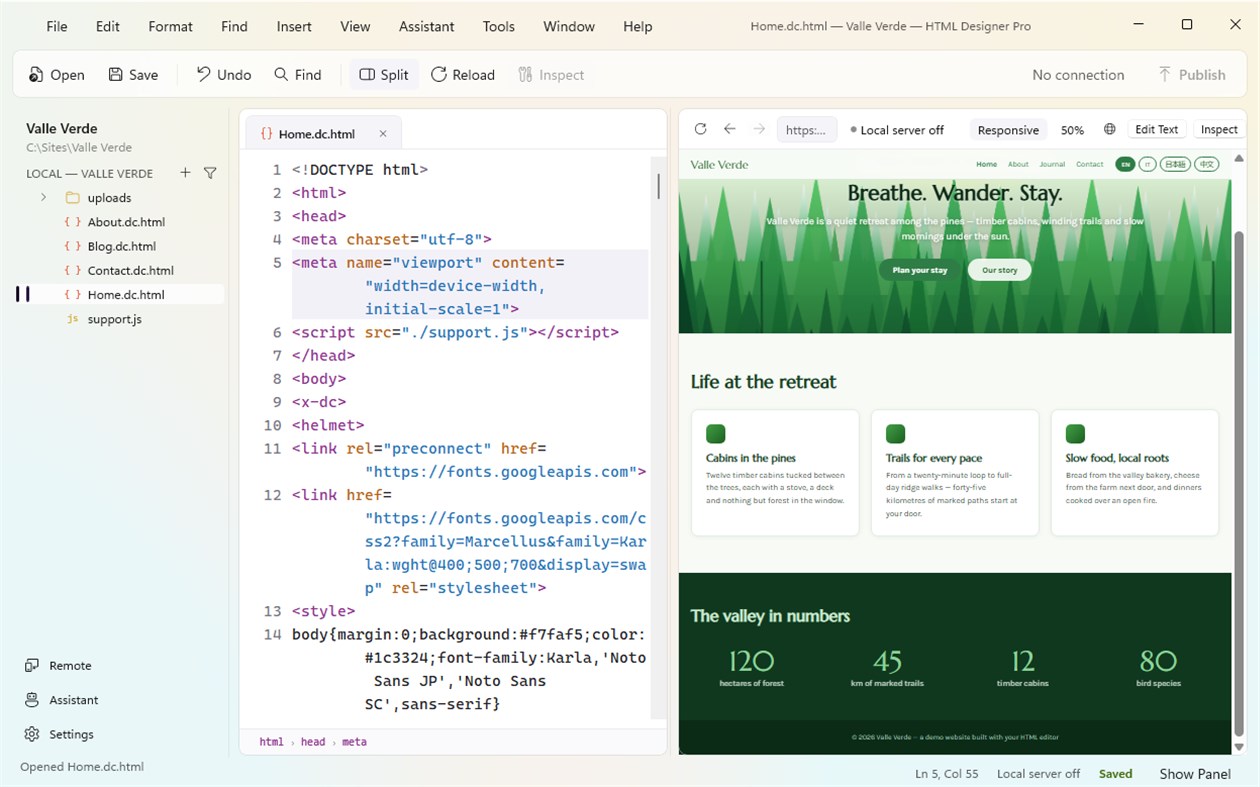
HTML Designer Pro is a complete editor for the web: your files on the left, the code in the middle, the page itself on the right. Work in code, in the preview, or in both at once — and when you are ready, send the site to your server without leaving the window.
WRITE THE CODE
• Colouring for HTML, CSS, JavaScript, PHP and Markdown, with the brackets you are inside lit up and the indent guides drawn
• Type an opening tag and the closing one appears; type a letter and the tags, attributes and CSS properties that fit are offered — both can be switched off
• A breadcrumb above the code says exactly where the cursor is, from down to the element you are in
• One key per job on a line: comment it out, move it up or down, duplicate it, change its case
• Tidy up the indentation of a whole file, or only what you selected
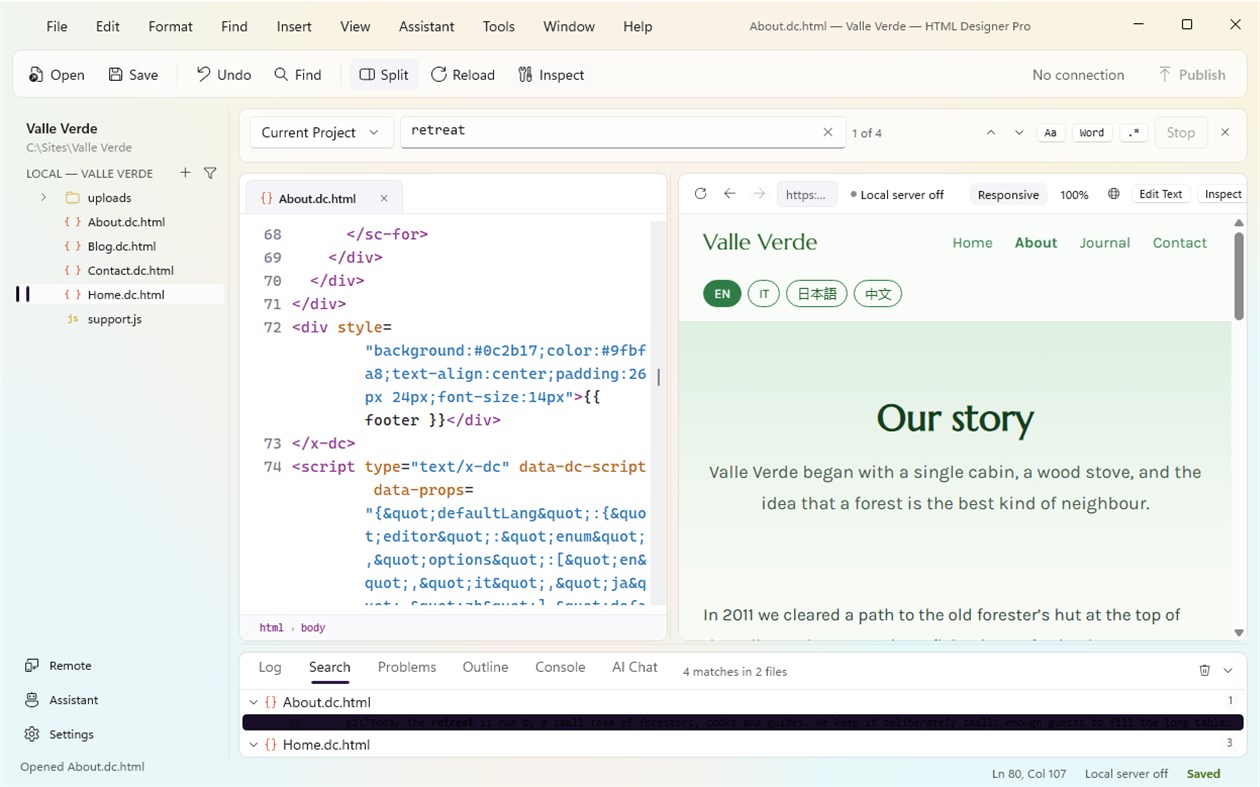
• Find and replace across the file, and across every file in the project, plainly or with a pattern — and "Undo Replace in Files" puts them all back in one step
• Multiple documents in tabs, multiple project windows, and the session you left open comes back when you return
SEE THE PAGE
• The preview sits beside the code and keeps up as you type. Side by side or one above the other, and you can hide either half
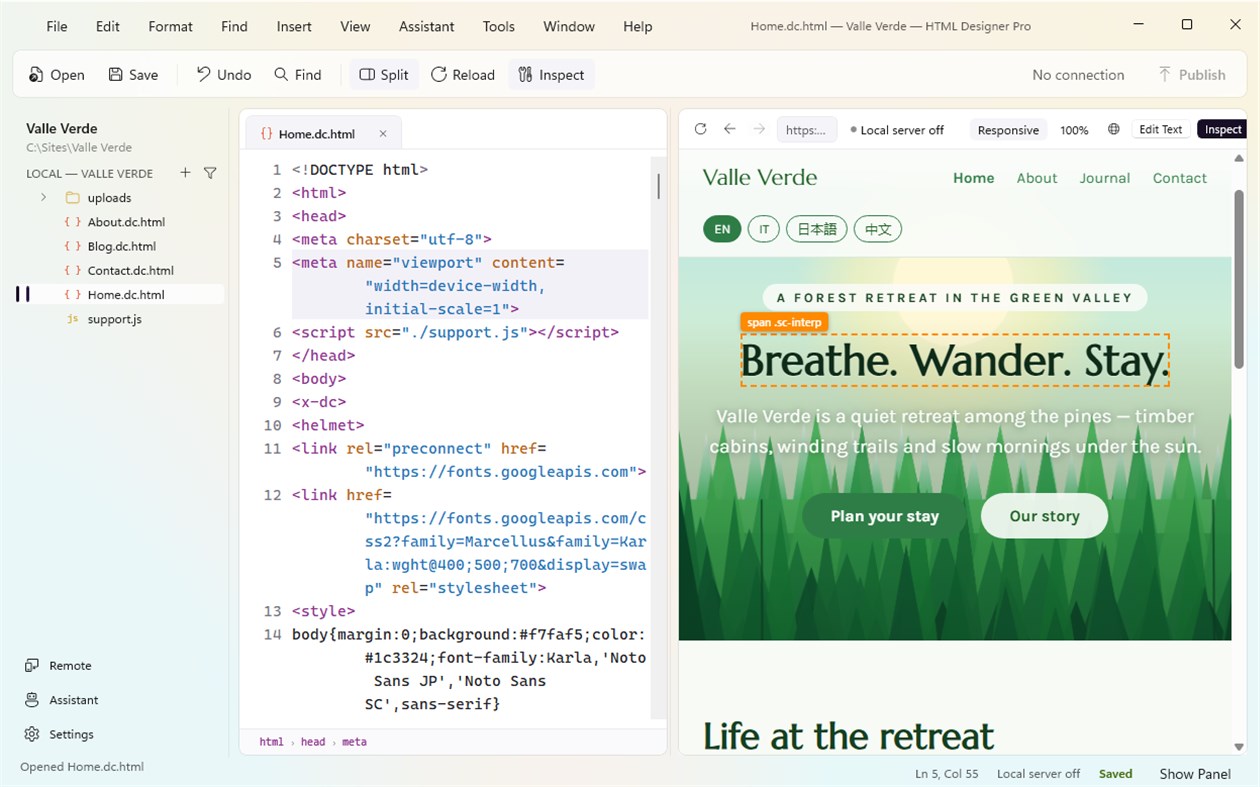
• Point at anything in the preview and "Inspect" jumps to the exact line that draws it
• "Edit Text" lets you change the words in the preview and writes the smallest possible change back into the code
• Check the page at a phone, tablet or desktop size, and zoom in and out
• A console that shows what the page itself is saying, so a script that fails says so
• Open the page in any browser installed on your computer, in one click
• Pages that need a server get one: the preview is served over a real local address, so links, fonts and scripts behave as they will online. Pages that run on your own server are previewed there
BUILD THE MARKUP
• A library of every HTML element, grouped and described, that writes the tag for you with its usual attributes
• Snippets you can keep, edit and drop in
• A table builder: pick the rows, the columns, the header and the caption, and get the markup
• A CSS panel that lists the styles the page really uses, rule by rule, and lets you change a value and see it land
• A DOM tree of the document, and an inspector for the element under the cursor
• Pull every inline SVG out of a page into files of their own, all in one undo step
• Check the document against the rules of HTML, or against the rules of XML, and get a list of problems you can click through
PUBLISH
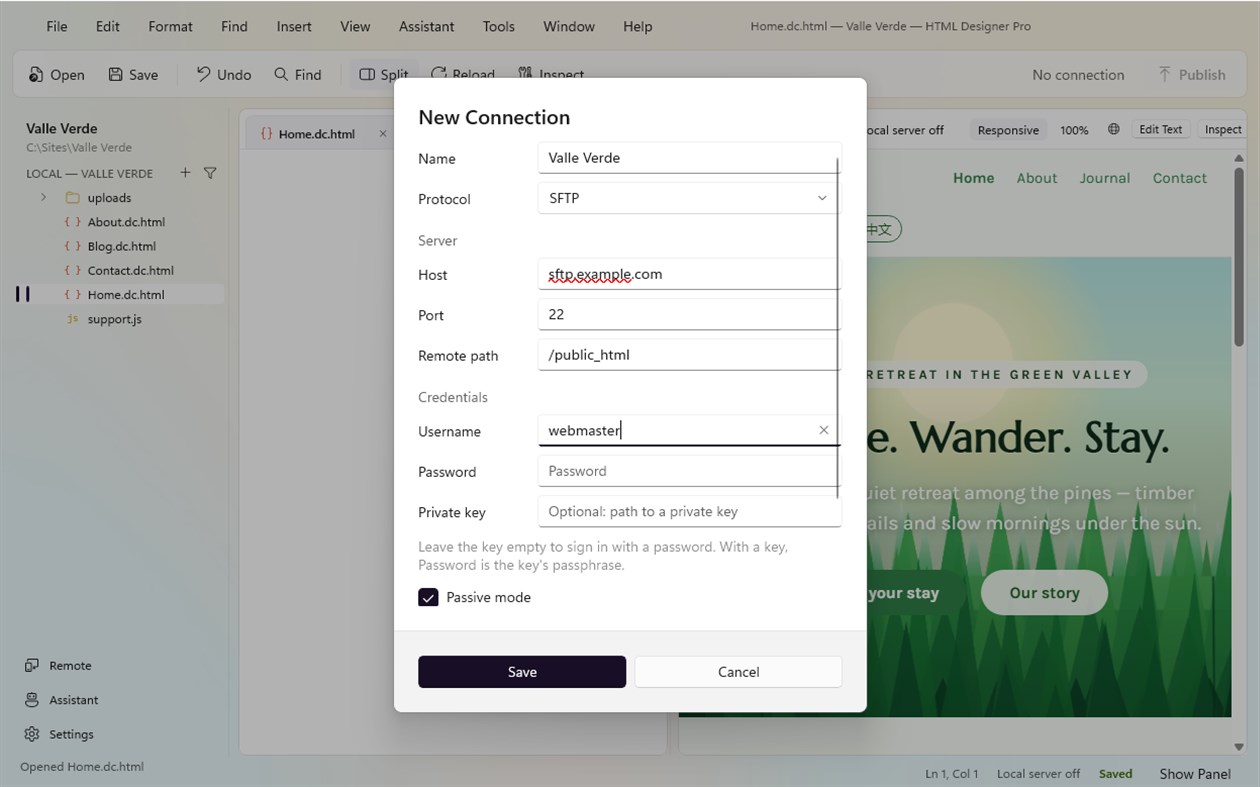
• Connect over FTP, FTPS or SFTP and see your server next to your files
• Every file and folder carries a badge: the same on both sides, newer here, newer there, or only on one
• Upload, download and pull whole folders, or send everything that changed with "Publish All"
• Drag files between the two trees in either direction
• Resume an interrupted transfer, watch the progress, and stop it if you change your mind
• A transfer log that keeps every success and every failure, with the reason
• Your passwords are kept by Windows, in the same place it keeps the rest of your credentials, and are never written into a project file
• The first time you meet a server its key is remembered, and you are told if it ever changes
AN ASSISTANT THAT KNOWS THE PROJECT
• Ask for markup, for a style, for a fix, or for an explanation — in the panel or in a palette, whichever you prefer
• It reads the files you are working on, so "make this table responsive" means this table
• Bring your own key if you have one, or use the channel that comes with the app and start straight away — free, no account
• When it writes files for you, a copy of every file it replaces is put aside first, and one step undoes the lot. A file whose copy could not be written is left alone, and it tells you
WORK WITH YOUR AI ASSISTANT
• Switch on external control and an assistant such as Claude, Codex or VS Code can work in the project with you: open and save documents, search and replace, insert elements, read and edit the tree, connect to your server and publish
• It goes through the same machinery the menus use, so everything it does can be undone the same way
THE WORKSPACE
• Ten floating palettes that remember where you put them
• A panel under the code with four views: the log, your search results, the problems found in the document, and an outline of it
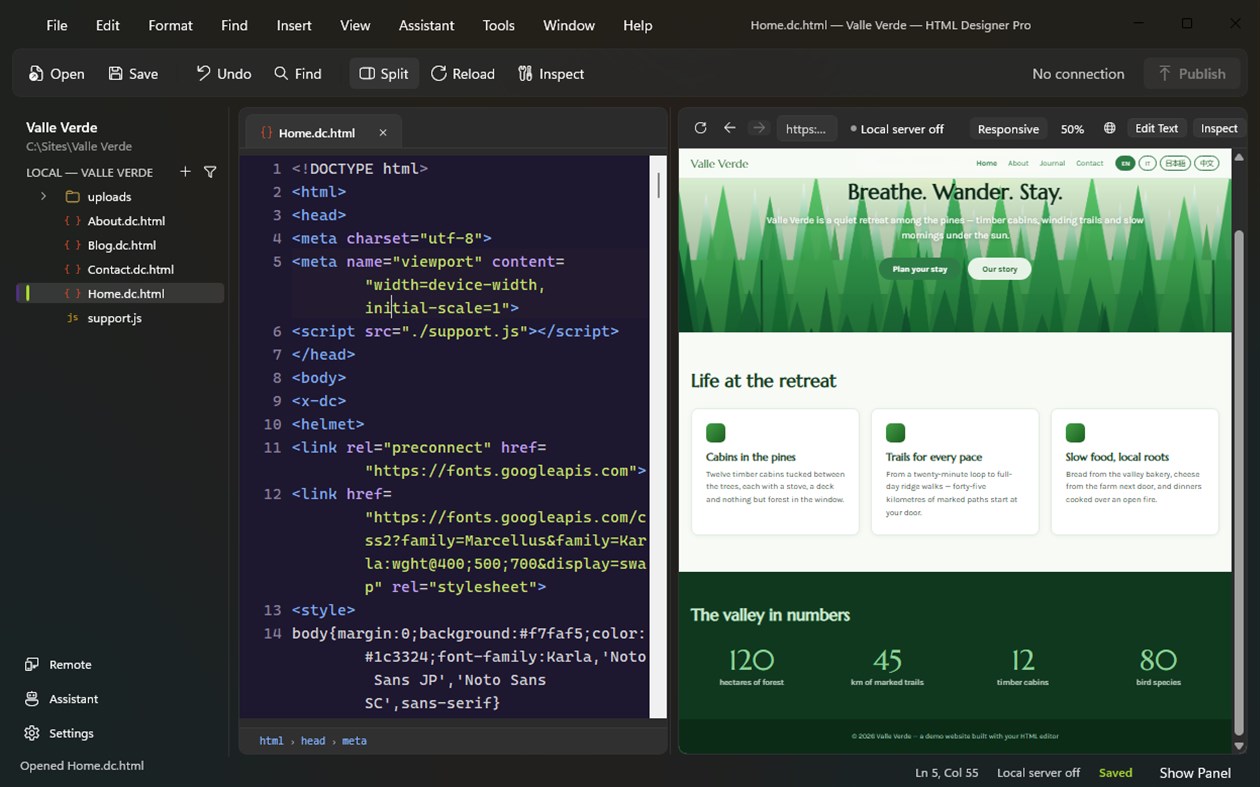
• A dark theme that follows the system setting, and a light syntax palette
• A command bar for the eight things you reach for most, and every one of them is also a menu item with a shortcut
• A searchable list of every keyboard shortcut
• Send feedback straight from the app, with a screenshot if you like; if you are offline the message waits and goes out later
Everything included, nothing to unlock. HTML Designer Pro is built by Rainbowfactory. Updates arrive through the Microsoft Store.
다른 플랫폼
| HTML Designer ProWindows Store670 실버현재 페이지 | 무료 |
현재 이 스토어에서만 이용할 수 있습니다.
가격 내역
- 현재 가격: 무료
- 최소: 무료
- 최대: 무료
목록 (0)
0
- HTML Designer Pro
포인트 (0)
0
순위 (0)
-

- 내 평점

댓글 (0) ¡
가장 먼저 댓글을 남겨주세요
개발자
- Rainbowfactory
- 팔로워: 0
- 플랫폼: Windows 앱 (4)
- 할인: 0
- 목록: 0 + 0
- 포인트: 0 + 0 ¡
- 순위: 0
- 댓글: 0
- 동영상: 0
- RSS: 구독
새로운 기능
- 버전: PC
- 마지막 업데이트:
추가 정보
 https://www.rainbowfactory.uk/
AppAgg 점수
670
AppAgg 예상 점수:
HTML Designer Pro
개발자: Rainbowfactory
670 실버
점수가 높을수록 대체로 AppAgg의 여러 지표에서 좋은 결과를 보인다는 뜻입니다.
기준: 인기 · 사용자 평점 · 최신성 · 할인 · 스토어 데이터 · 커뮤니티 활동
최신 AppAgg 데이터를 바탕으로 매일 다시 계산됩니다.
웹사이트용 배지:  복사됨!
복사됨!
요약
HTML Designer Pro 단축 URL: 복사됨!- Windows Store
AppAgg에서 앱 ‘HTML Designer Pro’의 정보를 확인할 수 있습니다. 개발자: Rainbowfactory. 플랫폼: Windows. 카테고리: 개발자 도구. AppAgg 점수: 670 (실버). 이 앱의 AppAgg 포인트: 확인된 포인트 0, 간접 포인트 0. 이 앱이 포함된 공개 목록: 0개. 비공개 목록에 저장한 사용자: 0명. AppAgg 사용자가 아직 이 앱에 별점을 남기지 않았습니다. 확인된 포인트는 로그인한 AppAgg 사용자가 스토어로 이동한 기록을 반영합니다. 간접 포인트는 스토어 데이터를 바탕으로 합니다. 두 숫자는 공개 목록 수와 비공개 목록에 저장한 사용자 수를 나타냅니다. 이 앱의 최초 출시일은 입니다. 이 앱의 마지막 업데이트 날짜는 입니다. 이 앱은 현재 무료로 이용할 수 있습니다. 이 앱은 다음 언어를 지원합니다: Chinese, Dutch, English, French, German, Italian, Japanese, Korean, Portuguese, Russian, Spanish. 가격 기록을 확인하거나 앱을 목록에 추가하고 개발자를 팔로우할 수 있습니다. 이 앱의 향후 할인과 업데이트는 RSS 피드에서 확인할 수 있습니다. AppAgg는 이 앱을 호스팅하거나 배포하지 않습니다. 이 앱과 관련된 모든 상표, 로고 및 스크린샷은 각 소유자에게 귀속됩니다.
이런 앱은 어떠세요?
최근 대화
 앱LocalDub – Real-Time Game Dubbing Hello Kırtay Interactive, I am using LocalDub - Real-Time Game Dubbing. I would like to know if Hind...
  rashid game5
  앱NauticPlayer This app is absolute cinema. Honestly, it’s one of the best media players I’ve ever tried, and I’m s...
  Manuel16
  앱Screen Beings - Desktop Pet & Study Companion This is my app so I’m a little bias but as someone from the ADHD community that teaches ADHD and neu...
  Tarelle Irwin6
  앱Aadi vault good it ia a encrypter and good you my work on office
  Aditya Rai5
  앱Typing 365 | Daily Typing Trainer The best typing app ever. With Typing 365 you don’t have to force yourself for couple minutes traini...
  Ahmad Mozaffar5
  앱Zefir Calendar — Calendar in the Taskbar excelente app! Superando todas as espectativas!
  Diógenes Magnus5
  앱LockinRa LockinRa 리뷰 LockinRa는 작업 관리, 집중력 도구, AI 코칭을 하나의 데스크톱 앱으로 통합한 무료 Windows 생산성 프로그램입니다. 클라우드 동기화 없이 로컬 ...
  abhilok reddy6
  앱CN Vault I Love this app CN Vault is a user-friendly app that helps keep your passwords safe and secure. If y...
  Marjuk Amin5
