
북마크
이 북마크의 제목을 입력하세요.
북마크가 저장되었습니다
| 개발자: | Chris Cousens (2) | ||
| 가격: | 무료 신규 | ||
| 종합 점수: | 980 실버 | ||
| 순위: | 0 | ||
| 댓글: | 0 댓글 게시 | ||
| 목록: | 0 0 | ||
| 포인트: | 0 | ||
| +1 포인트 | |||
요약
소개합니다. Chris Cousens에서 만든 ‘개발자 도구’ 카테고리 앱, HyperVoice Code.
새로 나온 앱이에요. 에 나왔으니 지금 써 보면 얼리어답터예요.
무료. 광고도 인앱 구매도 없어요. 앱에만 집중하면 돼요.
Microsoft Store는 Windows에 기본으로 들어 있어서 클릭 몇 번이면 설치돼요.
AppAgg 점수는 980. 실버 등급, 이 정도면 꽤 괜찮아요.
겨우 5메가바이트. 꽉 찬 드라이브에도 쏙 들어가요.
연령 등급은 ‘EVERYONE’, 아이들에게도 괜찮아요.
지원 언어는 딱 하나, 그런데 한국어는 아니에요.
사용해 보셨나요? 여기서 첫 리뷰의 주인공이 되어 주세요.
이 개발자의 앱이 AppAgg에 1개 더 있어요. 한번 둘러보세요.
업데이트와 새 앱 소식을 가장 먼저 받고 싶나요? 개발자를 팔로우하거나 RSS 피드를 구독하세요. 푸시 알림은 Android와 iOS용 AppAgg Alerts 앱으로 받을 수 있어요.
광고
다른 플랫폼 0
가격 기록 0
- 현재 가격: 무료
- 최소: 무료
- 최대: 무료
홈 화면의 나만의 피드
“신규 및 업데이트” 피드의 플랫폼을 선택하면 홈 화면에 필요한 앱과 게임만 표시됩니다.
스크린샷 8
설명

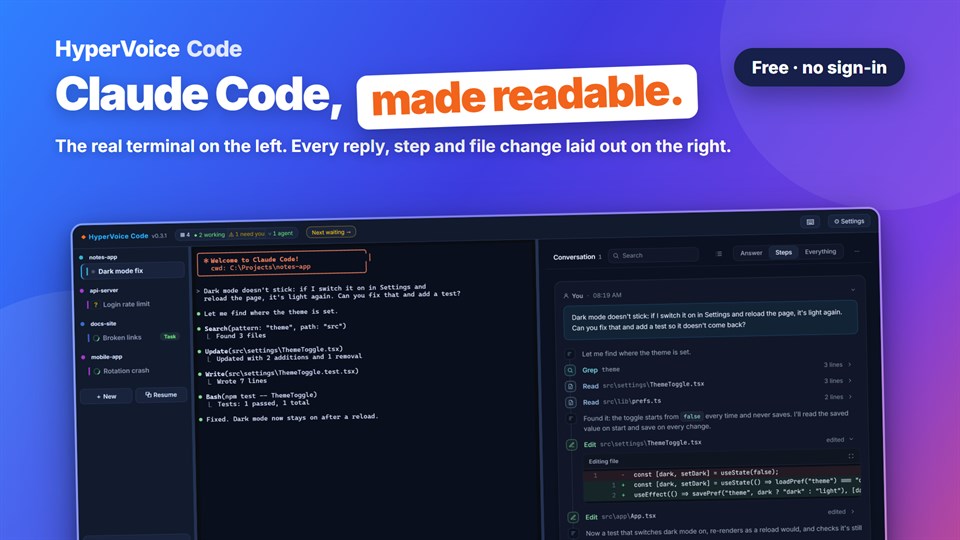
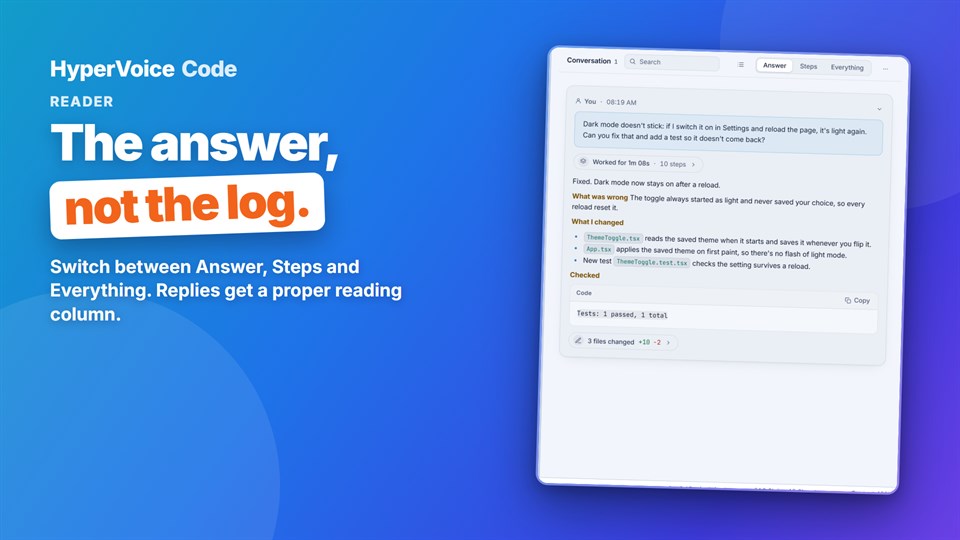
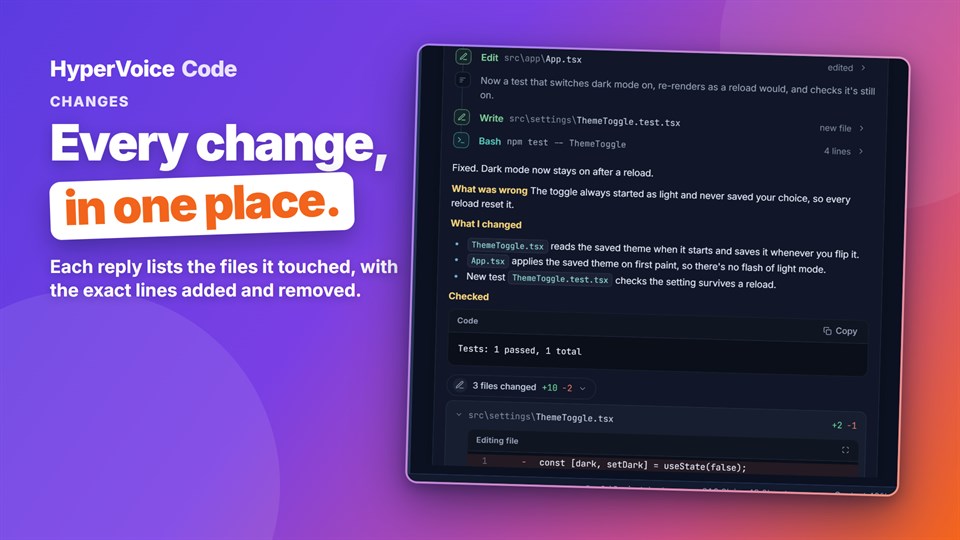
The left side is the real Claude Code terminal, exactly as you know it. The right side turns the same session into something you can read: each prompt with Claude's reply set out in a reading column, the steps it took folded into one line until you want them, and a list of every file each reply changed with the edits behind it.
- Run several sessions in tabs, grouped by project, each kept alive in the background
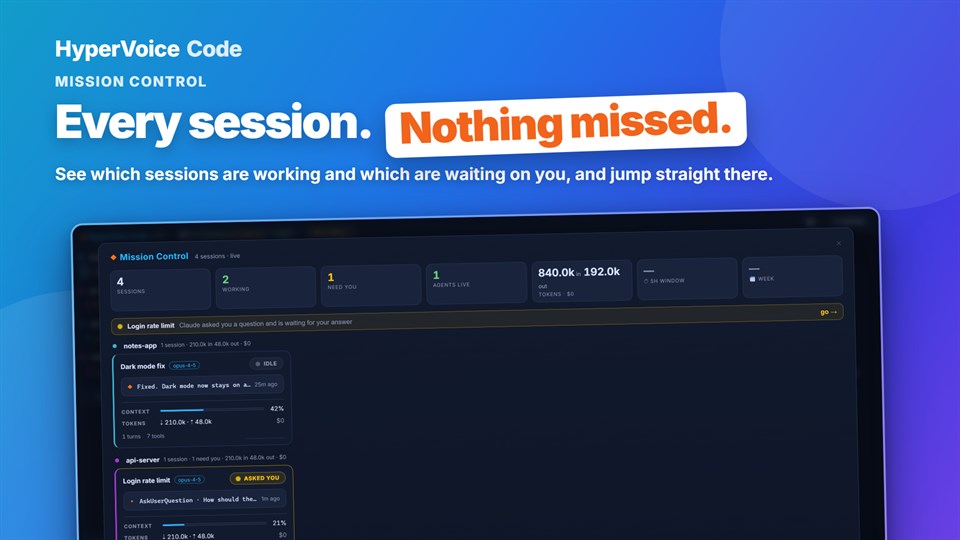
- See at a glance which sessions are working and which are waiting on you, and jump to the next one that needs you
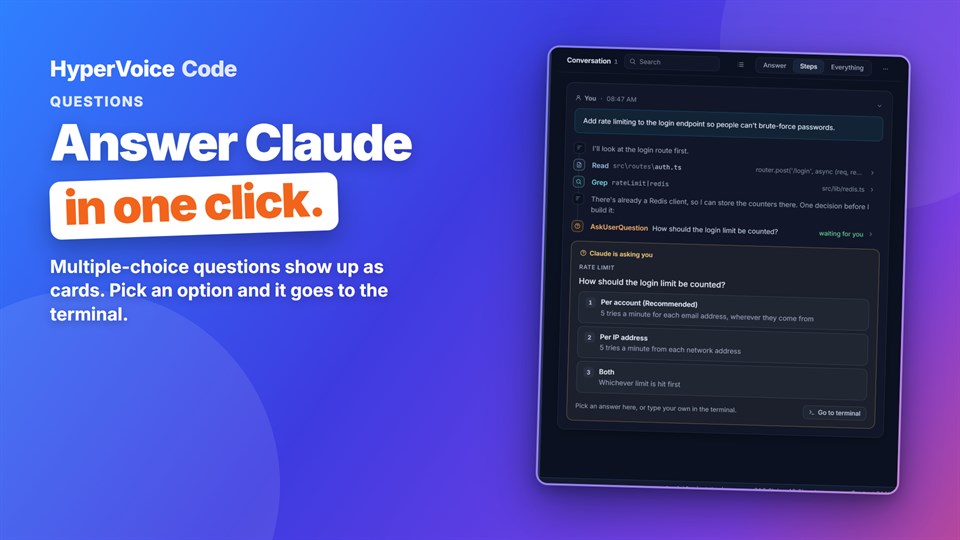
- Answer Claude's questions from the reader, or open any agent to watch its own work
- Diffs for every file change, and code with colouring and Copy buttons
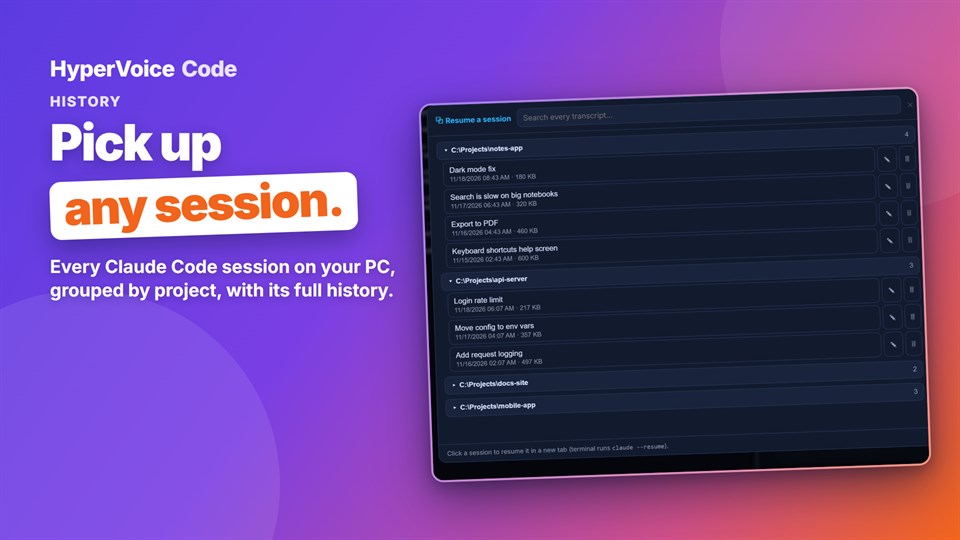
- Resume any Claude Code session on this PC with its full history
- Optional git worktree isolation per session
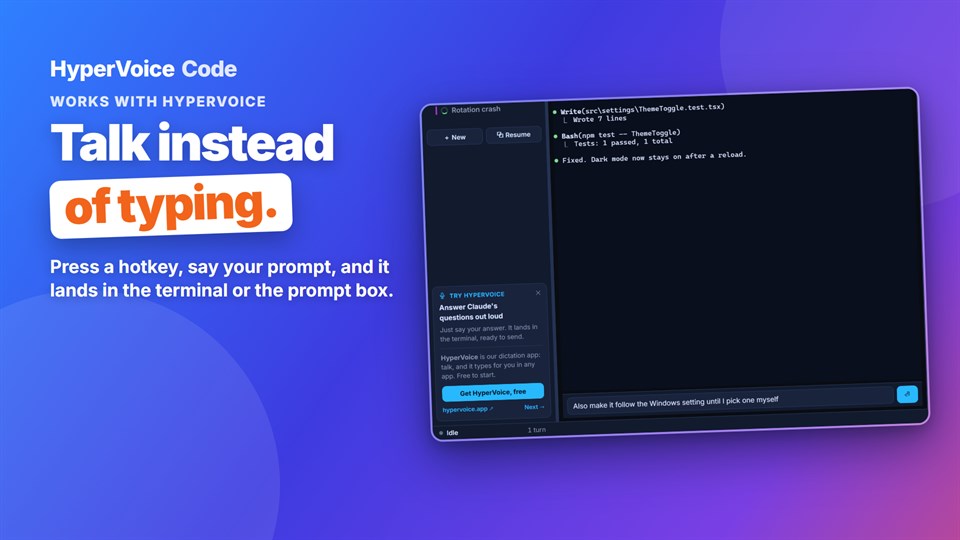
Talk instead of typing: pair it with HyperVoice, our dictation app, and say your prompts into the terminal.
Requires Claude Code (Anthropic's command-line tool), installed and signed in. HyperVoice Code is an independent app and is not made by or affiliated with Anthropic.
개발자 소식
개발자이신가요?
페이지 맨 위에 소식을 올리면 팔로워에게 이메일로 전달됩니다. YouTube 동영상을 추가하면 “동영상” 블록 맨 앞에 표시됩니다.
목록 0
-
 HyperVoice Code
포인트 0
-

- +1 포인트

순위 0
-
- 내 평점
개발자 2
- Chris Cousens
- 팔로워: 0
- 플랫폼: Windows 앱 (2)
- 할인: 0
- 목록: 0 0
- 포인트: 0
- 순위: 0
- 댓글: 0
- 동영상: 0
- RSS: 구독
새로운 기능
- 버전: PC
- 마지막 업데이트:
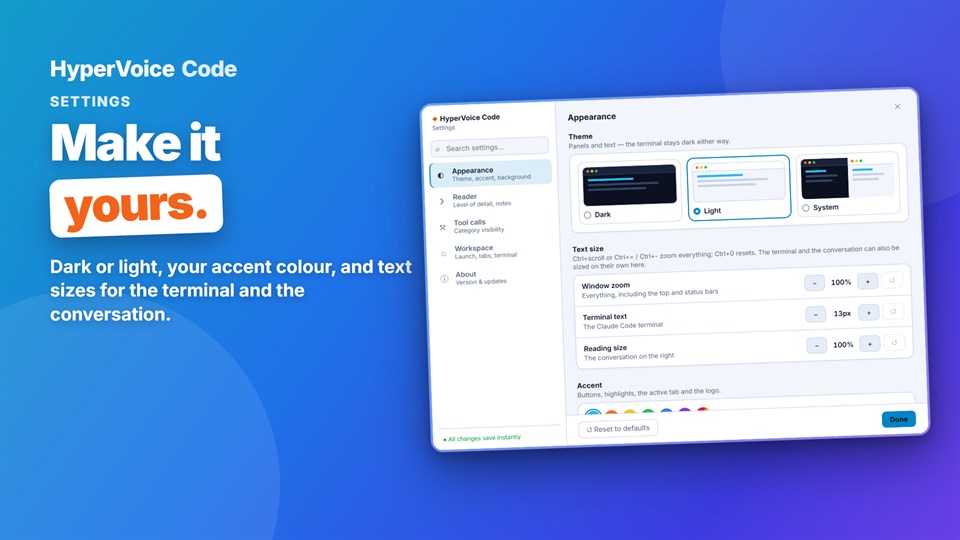
- - Zoom and text size: Ctrl+scroll or Ctrl+= / Ctrl+- zoom everything, Ctrl+0 resets. Size the terminal and the conversation on their own in Settings.
- Dictate or paste while no text box is selected and the text goes into the prompt composer (or the terminal), ready to send.
- Fixed: the terminal's last line could sit under the prompt composer at display scaling above 100%.
- Text across the app now uses one consistent set of sizes.
추가 정보
 https://hypervoice.app
AppAgg 점수
980
AppAgg 예상 점수:
HyperVoice Code
개발자: Chris Cousens
980 실버
점수가 높을수록 대체로 AppAgg의 여러 지표에서 좋은 결과를 보인다는 뜻입니다.
기준: 인기 · 사용자 평점 · 최신성 · 할인 · 스토어 데이터 · 커뮤니티 활동
최신 AppAgg 데이터를 바탕으로 매일 다시 계산됩니다.
웹사이트용 배지:  복사됨!
댓글 0 ¡
가장 먼저 댓글을 남겨주세요
공유하기
HyperVoice Code 단축 URL: 복사됨!- Windows Store


