
| Concepteur: | Newera Software Technology Inc. (33) | ||
| Prix: | $29.99 | ||
| Classements: | 0 | ||
| Avis: | 0 Rédiger un avis | ||
| Commentaires: | 0 Publier un commentaire | ||
| Listes: | 0 + 1 | ||
| Points: | 1 + 8 (2.4) ¡ | ||
| Windows Store | |||
Description

IconCool Studio is a famous icon editor software, it's an absolute solution for 32-bit icon creating, editing and modifying. With IconCool Studio as your icon helpmate, you can easily create, edit and modify your icons in your studio.
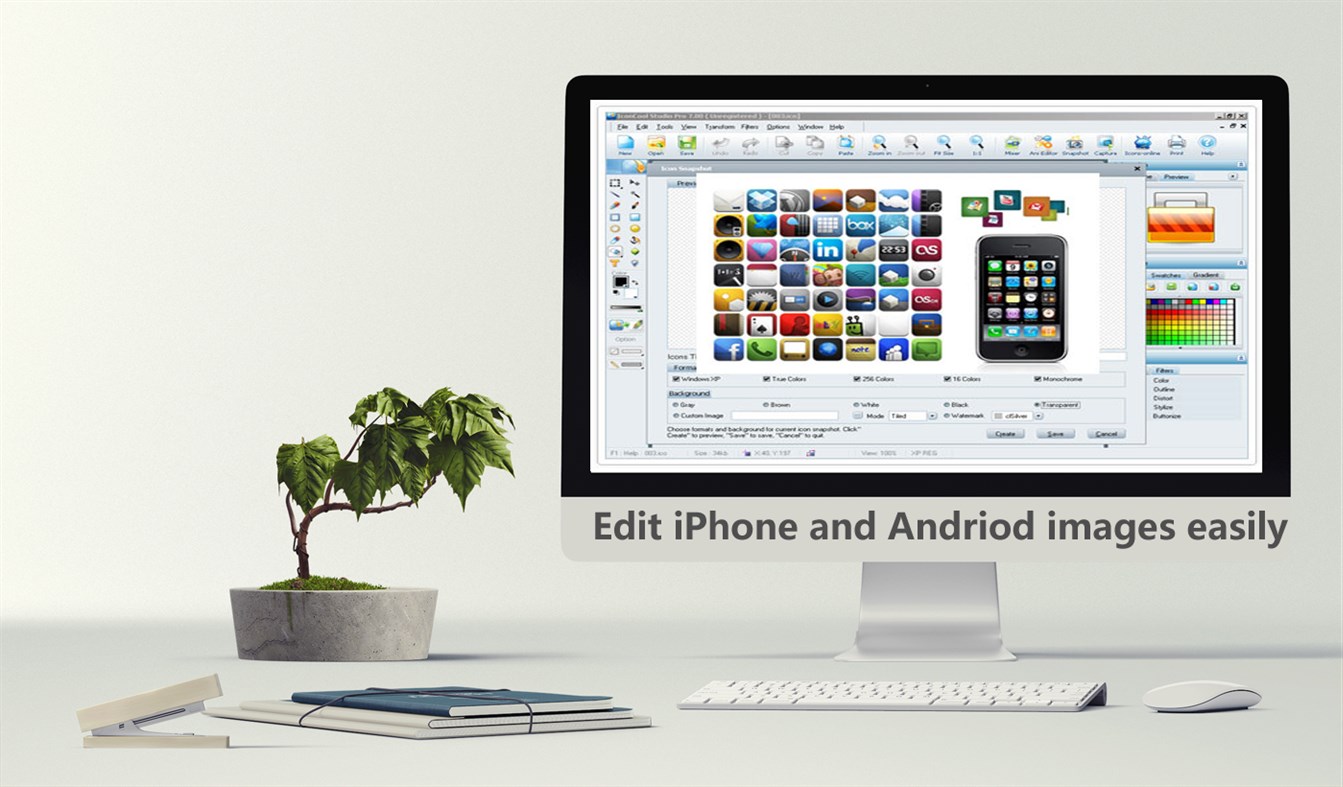
Edit iPhone and Andriod images easily
IconCool Studio Pro as a newest icon editor software, it can create high-quality icons for all versions of iPhone, iPod Touch and iPad. It allows you to create bitmap images for iPhone, Android, Unix application. The bitmap images contain only one format (size and color) and can be saved in different file formats such as optimized BMP, PNG, JPEG and GIF.
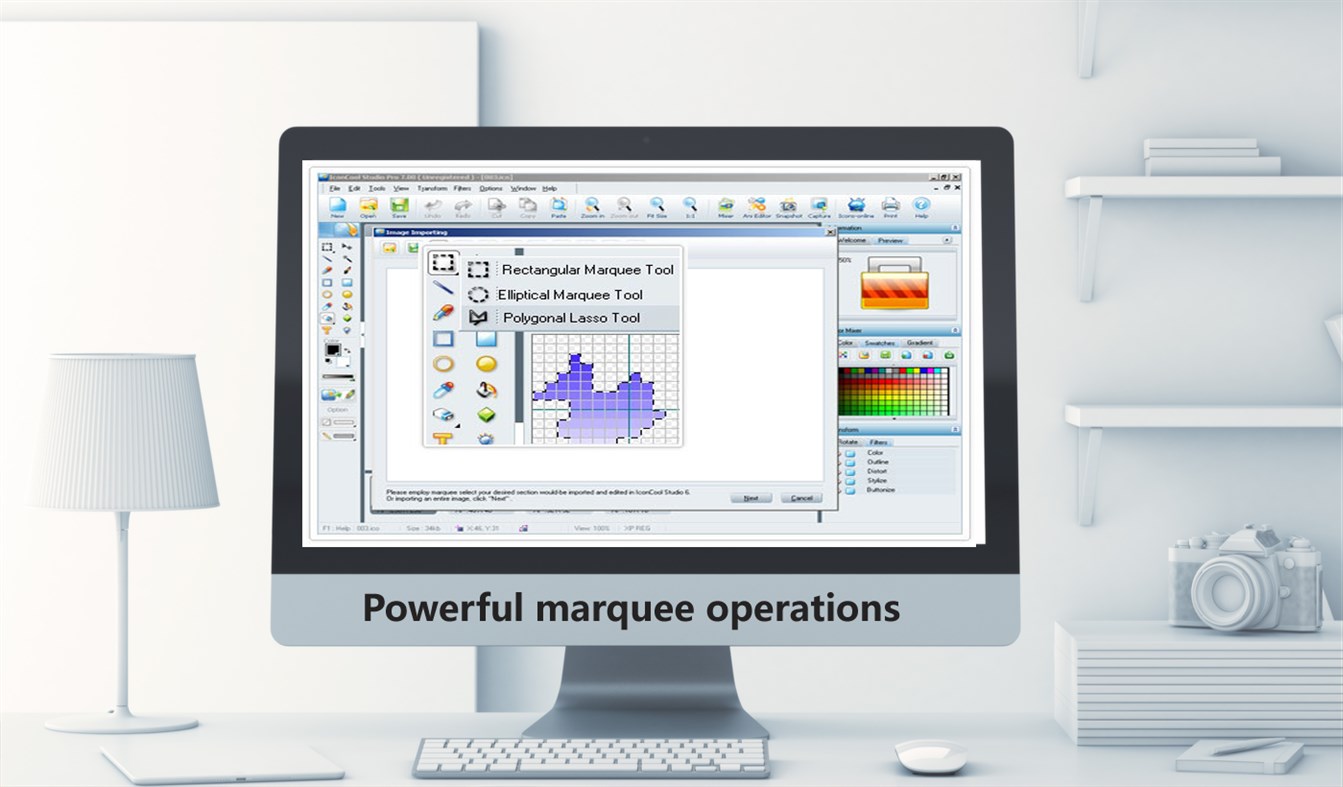
Powerful marquee operations
On the basis of IconCool Studio 7 and IconCool Editor 6, marquee tools have been improved and enhanced in IconCool Studio Pro to more conveniently and flexibly select any element of the canvas. Theses tools are Rectangular Marquee Tool, Ellipse Marquee Tool and Polygon Marquee Tool. While using these tools the experience of convenience and swiftness bears the features as well as that of Adobe Photoshop.
Create an icon with 3 states in a minute
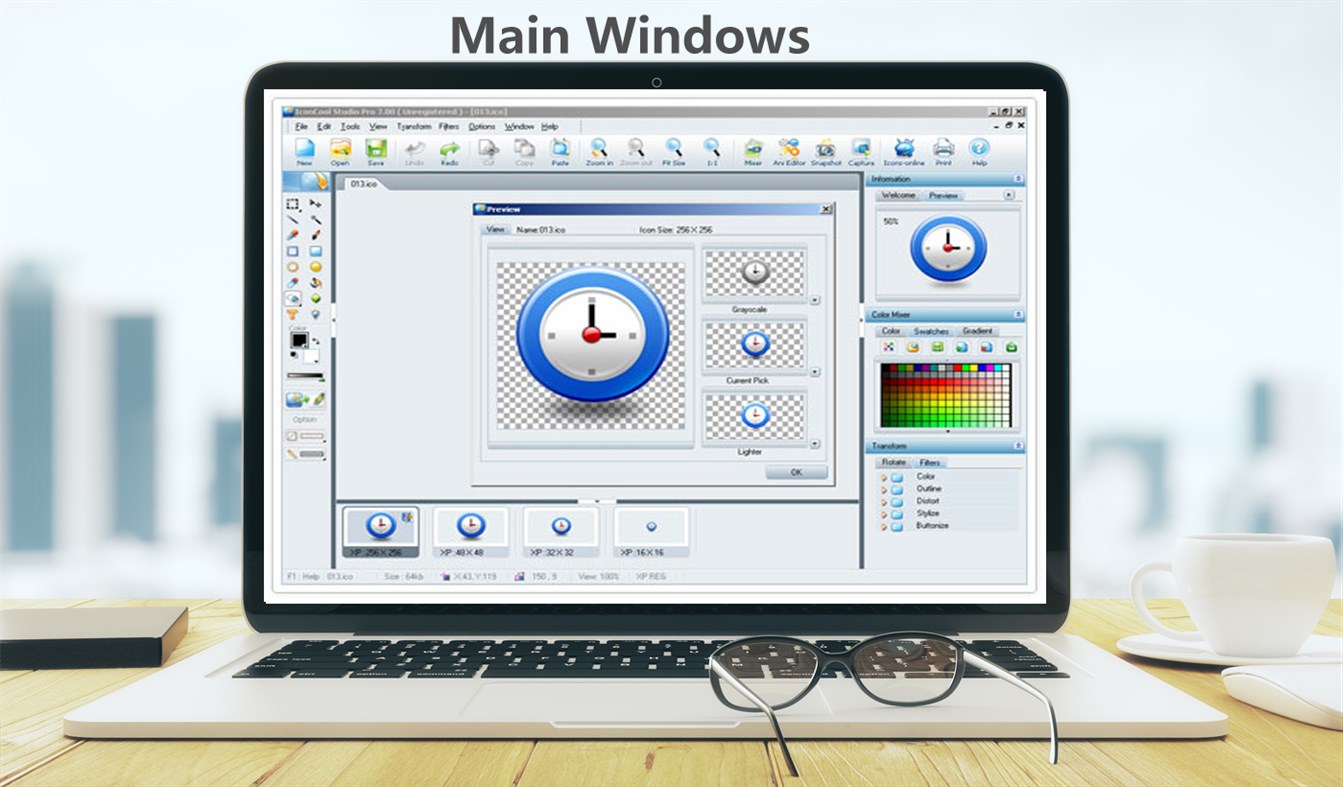
IconCool Studio Pro has a function for creating three different states automatically for current icon which is being edited. The software will create Lighter (active), Current Pick (valid) and Gray Scale (invalid). Use this to make a suit of software toolbar buttons with ease.
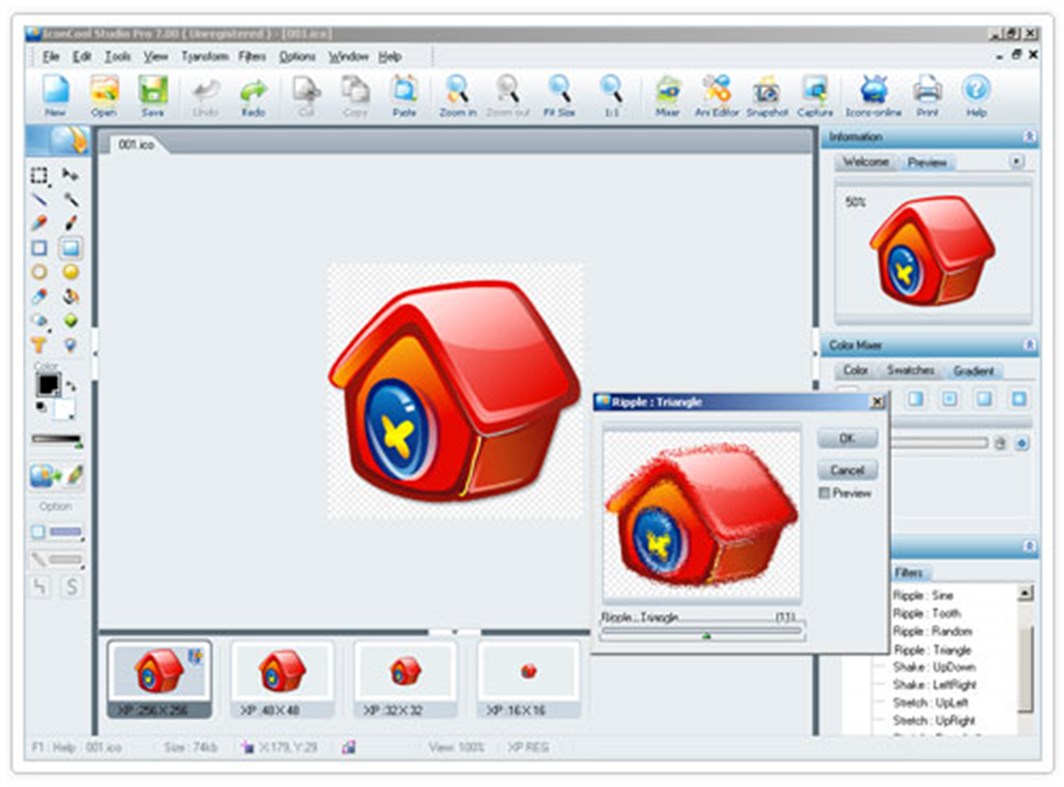
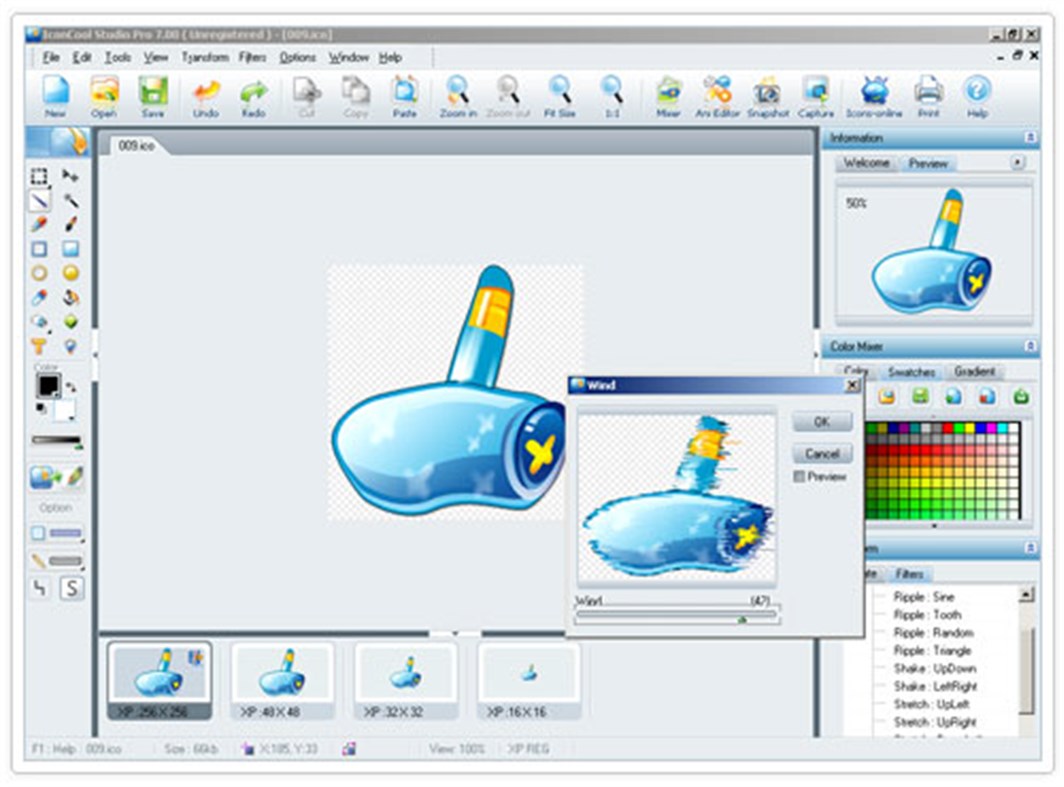
Visible filter operations
IconCool Studio Pro provides you with about more than 10 filter effects. You can open the preview panel and view the effect after adjusting the preferences by using filters as in Adobe Photoshop.
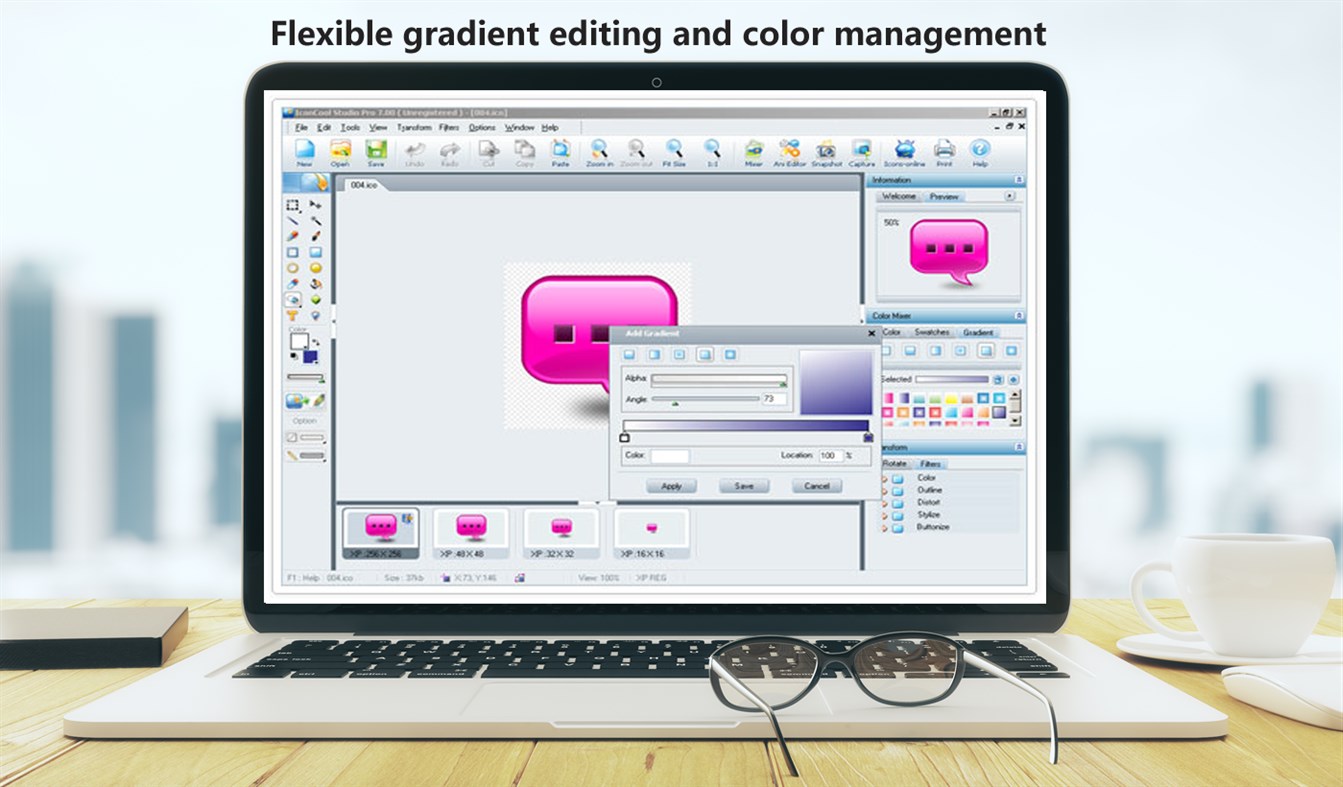
Flexible gradient editing and color management
IconCool Studio Pro has powerful and easy-to-use color tools, such as color panel, foreground color tool, background color tool, sample color tool and transparency setting tool. Moreover, in order to allow for color flexibly, the software has options for changing from the currently used color to a transparent color or white, or any other color. IconCool Studio 8 offers you convenient gradient tools, you can create, save, use and manage these gradients in the same way as you would in Adobe software family.
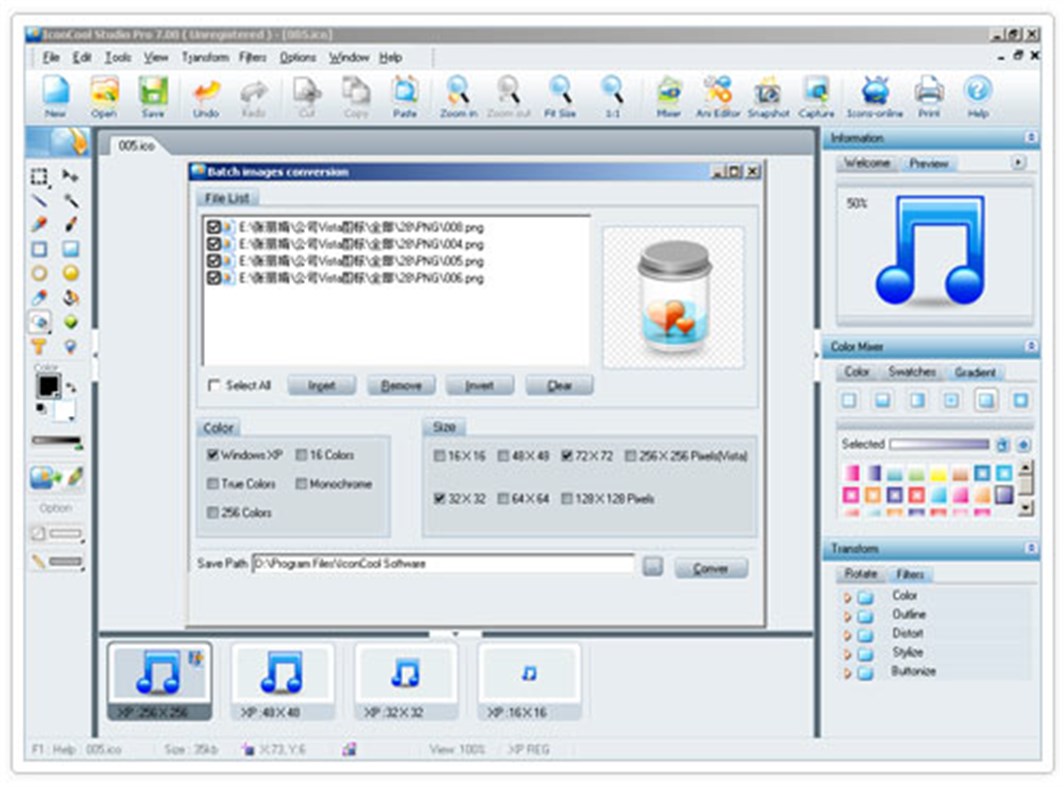
Support Multi-format import and export functions
IconCool Studio Pro can import a number of file types, such as PNG, BMP, JPG, JPG2000, GIF, PSD, TIF and so on, into the editing area. The import function has several powerful options that enable you to import an image with ease. What's more, IconCool Stuido 8 enables you to export icons into various file types such as BMP, GIF, JPG, JPEG2000, WMF, PNG, TGA, TIF, EMF, PSP and so on.
Send images to/from Photoshop
IconCool Studio Pro also allows you to send an image to PhotoShop. From IconCool Studio 8, you just choose "Send this image to PhotoShop" from the pop-up menu. The current image will then be transferred to PhotoShop editing area.
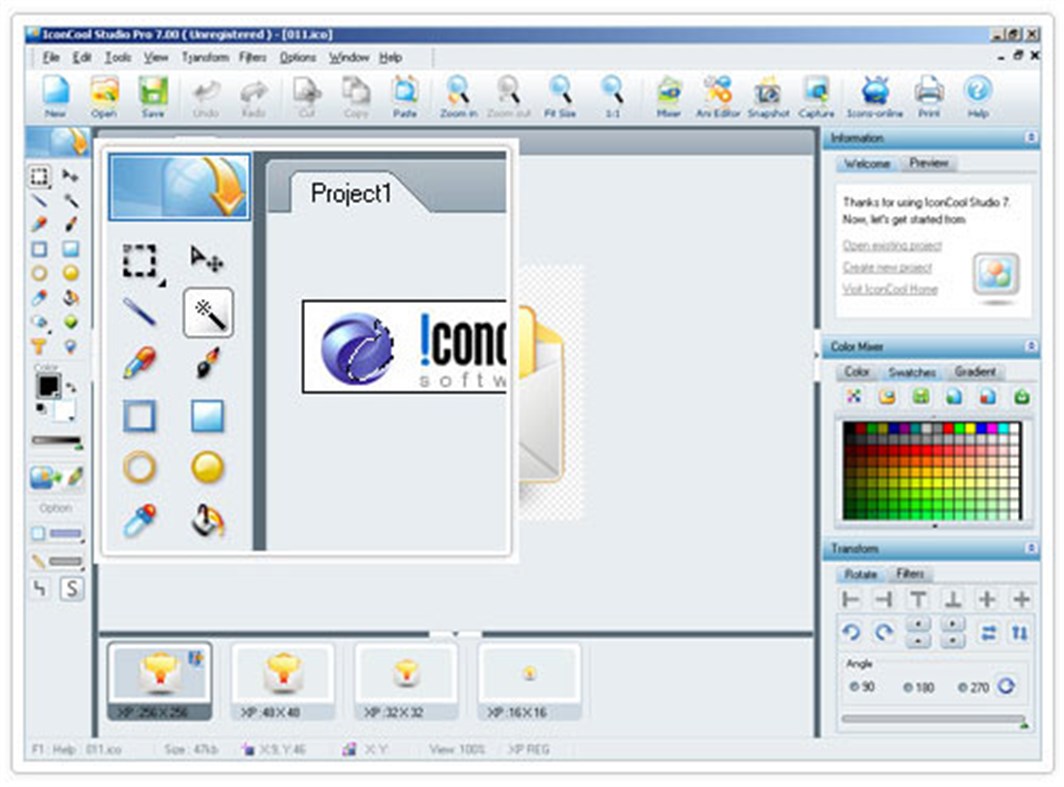
Fantastic magic wand tool
It's an easy way for you to select a consistent colored area. When you click an area in an image with magic wand tool, then all areas which have similar color will be selected. You need not to trace out the outline for the areas you want to select. It improves the preciseness for your operation and save your time.
Friendly interface and comfortable operating experience
IconCool Studio Pro is easy to use with a friendly interface. We understand that designers are accustomed to using design software such as PhotoShop, Flash, and Fireworks. We developed the interface and operating methods of IconCool Studio 8 with your comfort in mind. With self-contained coding and optimization IconCool Studio 8 allows more stable quality and running efficiency to be available.
Special offer:
We will give each buyer a FREE account of the powerful "Any to Any File Cloud Processor".
"Any to Any File Cloud Processor" is an online system(SaaS). It supports PDF converting, editing, encryption, decryption, combining(merging), splitting, photo online processing, and many document processing functions. It supports converting 500 formats to PDF or JPG, and converting PDF or JPG to 150 formats,
You just need to send a screenshot of the running product to iconcool@vip.126.com to get this free account.
Ad
Captures d'écran
Nouveautés
- Version: PC
- Mis à jour:
Historique des prix
- Aujourd’hui: $29.99
- Minimum: Gratuit
- Maximum: $39.99
Suivre l'évolution des prix
Concepteur
- Newera Software Technology Inc.
- Plateformes: Windows Applications (33)
- Listes: 5 + 2
- Points: 52 + 102 ¡
- Classements: 0
- Avis: 0
- Commentaires: 0
- Remises: 0
- Vidéos: 0
- RSS: S'abonner
Points (1)
-

- 11,063 Simon Chan
- +1

Classements (0)
0 ☹️
Listes (0)
0 ☹️
- Icon Maker - IconCool Studio Lite
Avis (0)
Soyez le premier à donner votre avis 🌟
Informations supplémentaires
- Version: PC
- Catégorie:
Windows Applications›Outils de développement - Systèmes d'exploitation:
PC - Taille:
25 Mb - Langues prises en charge:
English - Classification du contenu:
EVERYONE - Windows Store Note:
2.4(8) - Mis à jour:
- Date de sortie:
Contacts
- Site Web:
 http://iconcool.com/
«Icon Maker - IconCool Studio Lite». Plateforme : Windows. Catégorie : Outils de développement. Développeur : «Newera Software Technology Inc.». Première version : . Dernière mise à jour : . Prix actuel : $29.99. Prix le plus bas enregistré : $0.00 (). Prix le plus élevé enregistré : $39.99 (). Ce titre n'a pas encore reçu de notes ou d'avis sur AppAgg. Points suivis : confirmés 1, indirects 8. Magasin : Windows Store. Évaluation du magasin : 2.4. Votes : 8. Langues disponibles : English. AppAgg suit l'historique des prix, les notes et les commentaires des utilisateurs pour «Icon Maker - IconCool Studio Lite». Suivez les futures réductions et mises à jour via RSS. AppAgg n'héberge pas d'applications et ne distribue pas de logiciels. Toutes les marques, logos et captures d'écran appartiennent à leurs propriétaires respectifs.
Commentaires (0)
Soyez le premier à commenter 🌟
Icon Maker - IconCool Studio Lite URL courte: Copié!- 🌟 Partager
- Windows Store
Ad
Similaires
-
- RPG Maker MV Cook Tool
- Windows Applications: Outils de développement De: Studio ACE
- Gratuit
- Listes: 0 + 0 Classements: 0 Avis: 0
- Points: 0 + 1 (5.0) 0 Version: PC Please note: This tool will not work on Windows 10 S devices. It may work on ARM-powered devices, so long as you use the x86 version of nwjs. What is this? This tool automates the ... ⥯
-
- Icon Converter
- Windows Applications: Outils de développement De: Duckhead Software
- $2.99
- Listes: 0 + 0 Classements: 0 Avis: 0
- Points: 0 + 8 (1.3) 0 Version: PC Icon Converter is the easiest way to batch convert Icons to transparent PNG, JPegXR, and single image ICO files. Convert just a few Icons, or whole folders, volumes, archives, or ... ⥯
-
- MS Store Icon Creator
- Windows Applications: Outils de développement De: Newera Software Technology Inc.
- $89.99
- Listes: 0 + 1 Classements: 0 Avis: 0
- Points: 2 + 0 0 Version: PC MS Store Icon Creator is an unique tool on the market, users only need to provide a few source images, the program will automatically create PNG icons of 40 formats for Microsoft Store ⥯
-
- WordPress Studio
- Windows Applications: Outils de développement De: Automattic, Inc.
- Gratuit
- Listes: 0 + 1 Classements: 0 Avis: 0
- Points: 1 + 0 0 Version: PC Simplify WordPress site creation and management with Studio WordPress.com s powerful, lightweight local development tool. Studio streamlines your workflow with instant WordPress setup, ⥯
-
- Visual Studio Code
- Windows Applications: Outils de développement De: Microsoft Corporation
- Gratuit
- Listes: 0 + 3 Classements: 0 Avis: 0
- Points: 1 + 1,291 (4.5) 0 Version: PC Visual Studio Code is a free, lightweight, and extensible code editor for building web, desktop, and mobile applications, using any programming language and framework. Visual Studio ... ⥯
-
- Karnaugh Studio
- Windows Applications: Outils de développement De: Daniel Ševčík
- Gratuit
- Listes: 0 + 0 Classements: 0 Avis: 0
- Points: 0 + 1 (5.0) 0 Version: PC Karnaugh Studio is a graphical editor for truth function design and minimization using the Karnaugh mapping method. It supports performing both manual and fully automatic minimization ... ⥯
-
- JavaScript Studio
- Windows Applications: Outils de développement De: Melvin Dev
- Gratuit
- Listes: 1 + 2 Classements: 0 Avis: 0
- Points: 1 + 79 (3.9) 0 Version: PC Use your JavaScript, Css, html skills to create apps wherever you go. These days many of us we use a smartphone anytime, as a developers sometimes we create code using some text editor ⥯
-
- Universal Logo Maker for Windows
- Windows Applications: Outils de développement De: TuanMSP
- * Gratuit
- Listes: 1 + 0 Classements: 0 Avis: 0
- Points: 1 + 71 (3.3) 0 Version: PC FOR DEVELOPERS ONLY Universal Logo Maker for Windows help you resize and crop logo for Windows 10 UWP, Windows 8.1 & Windows Phone 8.1 Package quick and easy. All images size are ... ⥯
-
- SQLPro Studio
- Windows Applications: Outils de développement De: Hankinsoft Development Inc
- * Gratuit
- Listes: 0 + 0 Classements: 0 Avis: 0
- Points: 1 + 8 (2.5) 0 Version: PC SQLPro Studio is the premium database management tool for Postgres, MySQL, Microsoft Management Studio and Oracle databases. Some of the great features include: + Intellisense/SQL ... ⥯
-
- Sketch Maker
- Windows Applications: Outils de développement De: Ashman Malik
- $0.99
- Listes: 0 + 0 Classements: 0 Avis: 0
- Points: 0 + 0 0 Version: PC Sketch Maker is basically an app for people to design their custom sketches using the canvas import different scenarios and use them accordingly share them to social media and save on ... ⥯
-
- Gravio Studio
- Windows Applications: Outils de développement De: Asteria Technology Pte. Ltd.
- Gratuit
- Listes: 0 + 0 Classements: 0 Avis: 0
- Points: 1 + 0 0 Version: PC This application is Gravio Studio, which is used to configure the Gravio server. You will still need to download and install the Gravio server on a device such as macOS, a Linux ... ⥯
-
- GameRealisticMap Studio
- Windows Applications: Outils de développement De: Julien Etelain
- Gratuit
- Listes: 0 + 0 Classements: 0 Avis: 0
- Points: 1 + 7 (5.0) 0 Version: PC Game Realistic Map is a toolchain to generate realistic game maps from OpenStreetMap data. It's designed to work in an highly automated process, and to be usable by most people. The ... ⥯
-
- Northwind PL by Logotec App Studio
- Windows Applications: Outils de développement De: Logotec Engineering
- Gratuit
- Listes: 0 + 0 Classements: 0 Avis: 0
- Points: 0 + 1 (1.0) 0 Version: PC Northwind PL by Logotec App Studio is a Windows 10 (Universal Windows Platform) cloud solution based on Microsoft example database Northwind. The solution has been developed within 3 ... ⥯
-
- Xamarin Logo Maker
- Windows Applications: Outils de développement De: matatabi-ux
- Gratuit
- Listes: 1 + 0 Classements: 0 Avis: 0
- Points: 1 + 23 (3.5) 0 Version: PC What's application? This application can export application logo images file for iOS, Android or Windows application development by using Xamarin. How to use ・In the background ... ⥯