
الإشارات المرجعية
| المطوّر: | Zhao Xiyue (3) | ||
| السعر: | مجاني | ||
| الدرجة: | 570 برونز | ||
| الترتيب: | 0 | ||
| تعليقات: | 0 انشر تعليقًا | ||
| قوائم: | 0 0 | ||
| النقاط: | 0 | ||
| +1 نقطة | |||
ملخص
تعرّف على Jrag، تطبيق من Zhao Xiyue ضمن فئة «أدوات المطور».
صدر ، وما زال حديثًا نسبيًا.
بلا مقابل، لا إعلانات ولا مشتريات داخلية. فقط أنت والتطبيق.
متجر Microsoft مدمج في Windows، فالتثبيت يتم بنقرتين.
درجة AppAgg هي 570. برونز حاليًا، والقادم أفضل.
التصنيف العمري «EVERYONE»، أي أنه مناسب للأطفال أيضًا.
يتحدث لغة واحدة فقط، وليست العربية.
لم يقيّمه أحد على AppAgg بعد. فرصتك لتكون الأول الآن.
لدى هذا المطوّر 2 تطبيقان آخران على AppAgg. ألقِ نظرة.
تريد أن تعرف بالتحديثات والتطبيقات الجديدة أولًا؟ تابع المطور أو اشترك في موجز RSS. تصلك الإشعارات عبر تطبيق AppAgg Alerts لنظامي Android وiOS.
لقطات الشاشة 3
منصات أخرى 0
سجل الأسعار 0
- السعر الحالي: مجاني
- الحد الأدنى: مجاني
- الحد الأقصى: مجاني
خلاصتك الخاصة في الصفحة الرئيسية
الوصف

Project Overview
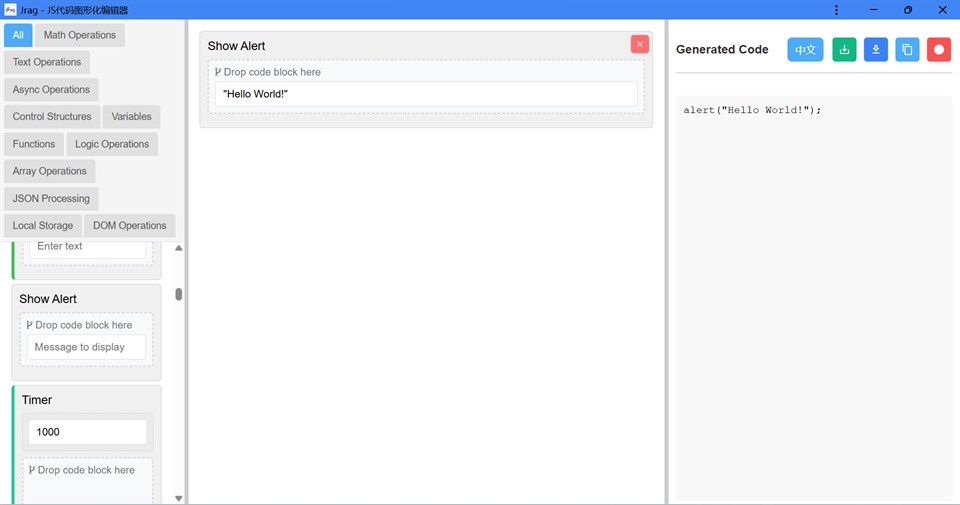
The JS Code Visual Editor is an innovative tool designed to lower the barrier to JavaScript programming through a graphical interface. Users can easily create JavaScript code by dragging and dropping modules without writing complex code. This project is still under development and features may be incomplete or contain bugs. Please report any issues encountered.
Main Features
Modular Programming: Provides rich modules covering math operations, text manipulation, asynchronous operations, control structures and more. Users can select and combine modules as needed.
Nested Structure Support: Allows nesting between modules for building complex logic.
Real-time Code Generation: Generates corresponding JavaScript code in real-time during module dragging. Users can view and copy at any time.
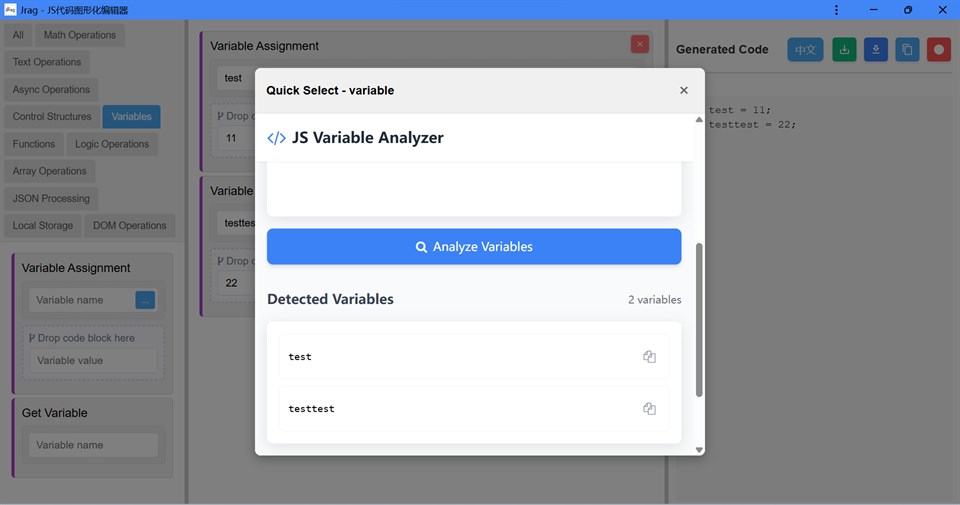
Variable Analysis Tool: Helps identify all variables defined in code, supports copying individual or all variable names.
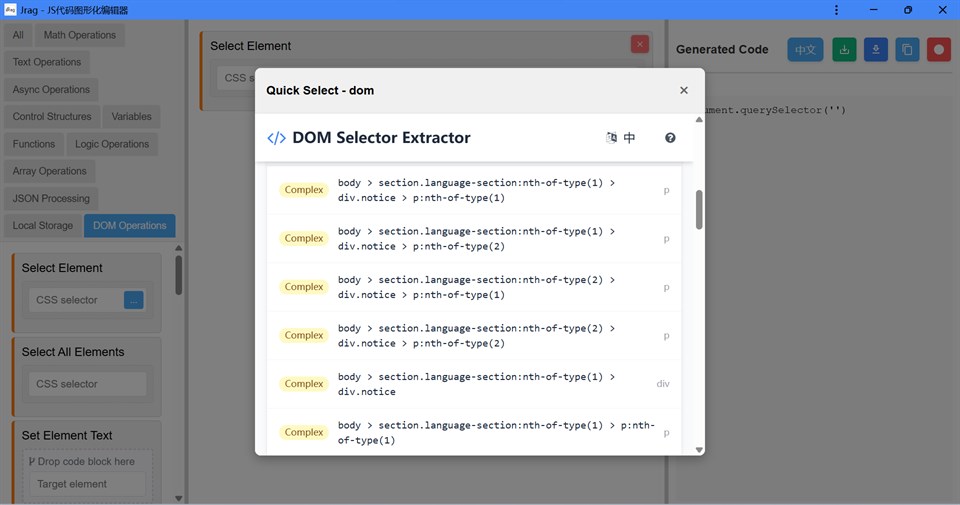
DOM Selector Extraction Tool: Automatically parses HTML files and extracts all available DOM selectors for web development.
Usage Guide
Select Modules: Choose required modules from left panel.
Drag & Drop Modules: Arrange and nest modules in editing area.
Configure Inputs: Set input parameters for each module.
View Code: Generated code displays in right panel.
Copy Code: Click copy button to get generated code.
من المطوّر
المطوّر
- Zhao Xiyue
- المتابعون: 0
- المنصات: Windows تطبيقات (3)
- العروض: 0
- قوائم: 0 0
- النقاط: 0
- الترتيب: 0
- تعليقات: 0
- الفيديوهات: 0
- RSS: اشتراك
قوائم 0
-
 Jrag
النقاط 0
-

- +1 نقطة

الترتيب 0
-
- تقييمك
ما الجديد
- الإصدار: PC
- آخر تحديث:
معلومات إضافية
- تاريخ الإصدار:
- الفئة:
تطبيقات Windows›أدوات المطور - نظام التشغيل:
PC - الحجم:
814 Kb - اللغات المدعومة:
الإنجليزية - تقييم المحتوى:
EVERYONE - Windows Store تقييم: ¡
0 - الموقع الإلكتروني:
 https://common.20100929.xyz/about_jrag.html
تعليقات 0 ¡
درجة AppAgg
درجة AppAgg التقديرية لـ
Jrag
المطوّر: Zhao Xiyue
تشير الدرجة الأعلى عادةً إلى أداء أفضل في مؤشرات AppAgg.
استنادًا إلى: الشعبية · تقييمات المستخدمين · الحداثة · العروض · بيانات المتاجر · نشاط المجتمع
يُعاد حسابها يوميًا بناءً على أحدث بيانات AppAgg.
Jrag عنوان URL مختصر: تم النسخ!- Windows Store

