
ブックマーク
このブックマークのタイトルを入力してください。
ブックマークを保存しました
| 開発者: | Zhao Xiyue (3) | ||
| 価格: | 無料 | ||
| スコア: | 570 ブロンズ | ||
| ランキング: | 0 | ||
| コメント: | 0 コメントを投稿する | ||
| リスト: | 0 0 | ||
| ポイント: | 0 | ||
| +1 ポイント | |||
概要
こちらはJrag。Zhao Xiyueが贈る「開発者ツール」カテゴリのアプリです。
にリリース。まだまだフレッシュです。
無料。広告なし、アプリ内課金なし。あなたとアプリだけです。
Microsoft StoreはWindowsに組み込まれているので、数クリックでインストールできます。
AppAggスコアは570。今は「ブロンズ」ですが、伸びしろはたっぷり。
年齢区分は「EVERYONE」なので、子どもでも安心です。
対応言語はひとつだけ、しかも日本語ではありません。
AppAggではまだ誰も評価していません。一番乗りのチャンスは今です。
この開発者のアプリは、AppAggにほかに2個あります。のぞいてみては?
アップデートや新しいアプリを誰よりも早く知りたい?開発者をフォローするか、RSS フィードを購読しましょう。プッシュ通知は Android と iOS 向けの AppAgg Alerts アプリで届きます。
広告
スクリーンショット 3
他のプラットフォーム 0
価格履歴 0
- 現在の価格: 無料
- 最小値: 無料
- 最大値: 無料
ホームに自分だけのフィード
「新着・アップデート」のプラットフォームを選ぶと、ホームには必要なアプリとゲームだけが表示されます。
説明

Project Overview
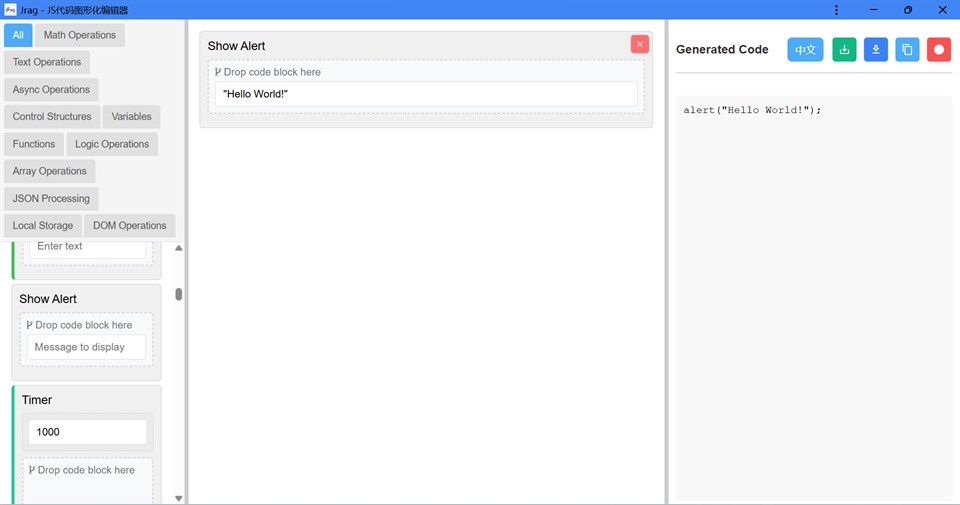
The JS Code Visual Editor is an innovative tool designed to lower the barrier to JavaScript programming through a graphical interface. Users can easily create JavaScript code by dragging and dropping modules without writing complex code. This project is still under development and features may be incomplete or contain bugs. Please report any issues encountered.
Main Features
Modular Programming: Provides rich modules covering math operations, text manipulation, asynchronous operations, control structures and more. Users can select and combine modules as needed.
Nested Structure Support: Allows nesting between modules for building complex logic.
Real-time Code Generation: Generates corresponding JavaScript code in real-time during module dragging. Users can view and copy at any time.
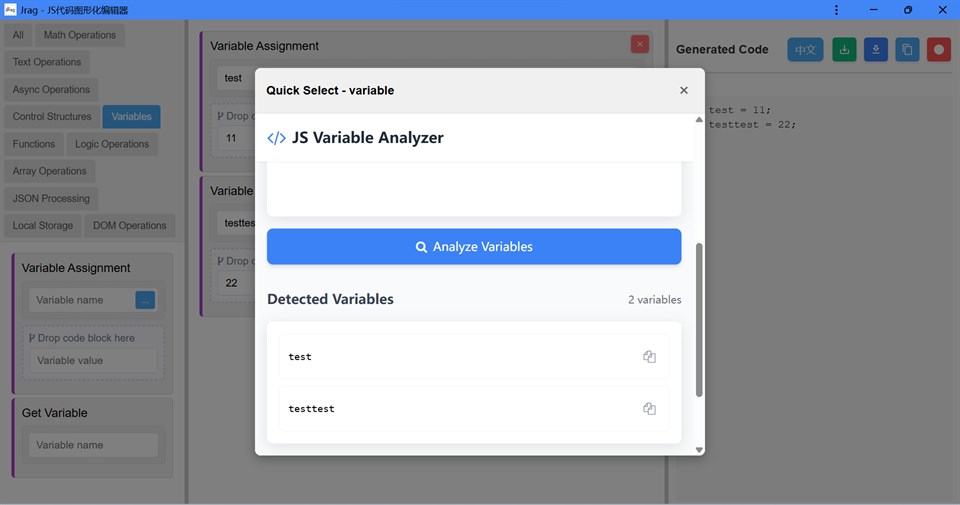
Variable Analysis Tool: Helps identify all variables defined in code, supports copying individual or all variable names.
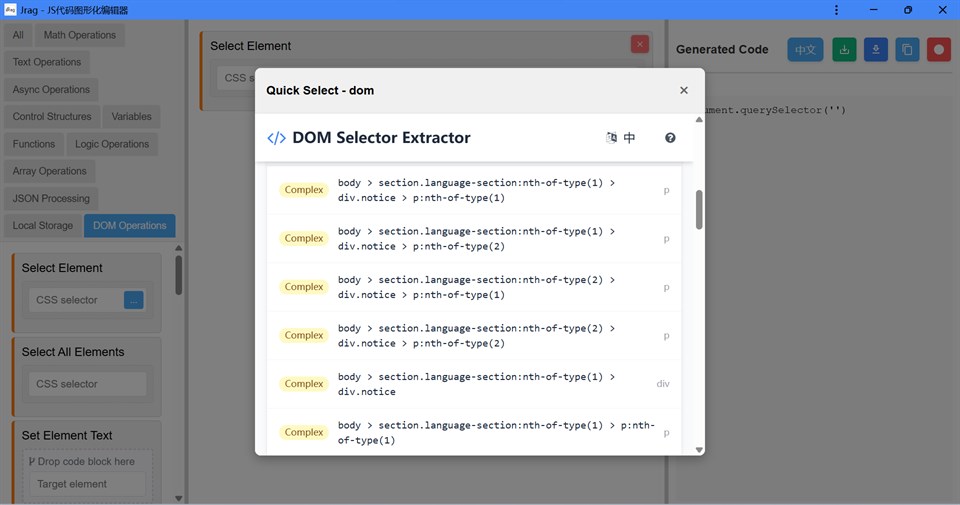
DOM Selector Extraction Tool: Automatically parses HTML files and extracts all available DOM selectors for web development.
Usage Guide
Select Modules: Choose required modules from left panel.
Drag & Drop Modules: Arrange and nest modules in editing area.
Configure Inputs: Set input parameters for each module.
View Code: Generated code displays in right panel.
Copy Code: Click copy button to get generated code.
デベロッパーから
デベロッパーの方ですか?
ページの一番上にニュースを投稿すると、フォロワーにメールで届きます。YouTube 動画を追加すると、「動画」の一番上に表示されます。
開発者
- Zhao Xiyue
- フォロワー: 0
- プラットフォーム: Windows アプリ (3)
- セール: 0
- リスト: 0 0
- ポイント: 0
- ランキング: 0
- コメント: 0
- 動画: 0
- RSS: 購読する
リスト 0
-
 Jrag
ポイント 0
-

- +1 ポイント

ランキング 0
-
- あなたの評価
新機能
- バージョン: PC
- 最終更新:
情報
 https://common.20100929.xyz/about_jrag.html
コメント 0 ¡
最初のコメントを書きましょう
AppAggスコア
570
AppAgg推定スコア:
Jrag
開発者: Zhao Xiyue
570 ブロンズ
スコアが高いほど、AppAgg上の各指標が良好な傾向にあります。
基準: 人気 · ユーザー評価 · 新しさ · セール · ストアデータ · コミュニティ活動
最新のAppAggデータに基づいて毎日再計算されます。
ウェブサイト用バッジ:  コピーしました!
Jrag 短縮 URL: コピーしました!- Windows Store

