
บุ๊กมาร์ก
| ผู้พัฒนา: | Zhao Xiyue (3) | ||
| ราคา: | ฟรี | ||
| คะแนน: | 570 บรอนซ์ | ||
| การจัดอันดับ: | 0 | ||
| ความคิดเห็น: | 0 โพสต์ความคิดเห็น | ||
| รายการ: | 0 0 | ||
| แต้ม: | 0 | ||
| +1 แต้ม | |||
สรุป
มาทำความรู้จัก Jrag แอปในหมวด “เครื่องมือสำหรับนักพัฒนา” จาก Zhao Xiyue
ออกเมื่อ ยังสดใหม่อยู่เลย
ฟรี ไม่มีโฆษณา ไม่มีการซื้อภายในแอป มีแค่คุณกับแอป
Microsoft Store มีมาในตัว Windows อยู่แล้ว ติดตั้งได้ในไม่กี่คลิก
คะแนน AppAgg คือ 570 ตอนนี้อยู่ระดับ “บรอนซ์” ยังไปได้อีกไกล
จัดเรต “EVERYONE” เหมาะกับเด็ก ๆ ด้วย
รองรับแค่ภาษาเดียว และไม่ใช่ภาษาไทย
ยังไม่มีใครบน AppAgg ให้คะแนนเลย โอกาสเป็นคนแรกอยู่ตรงนี้แล้ว
ผู้พัฒนารายนี้มีแอปอื่นบน AppAgg อีก 2 แอป ลองไปดูกัน
อยากรู้เรื่องอัปเดตและแอปใหม่ก่อนใครไหม? ติดตาม ผู้พัฒนา หรือกดติดตาม ฟีด RSS ได้เลย การแจ้งเตือนแบบพุชส่งผ่านแอป AppAgg Alerts สำหรับ Android และ iOS
ภาพหน้าจอ 3
แพลตฟอร์มอื่น 0
ประวัติราคา 0
- ราคาปัจจุบัน: ฟรี
- ต่ำสุด: ฟรี
- สูงสุด: ฟรี
ฟีดของคุณเองบนหน้าแรก
คำอธิบาย

Project Overview
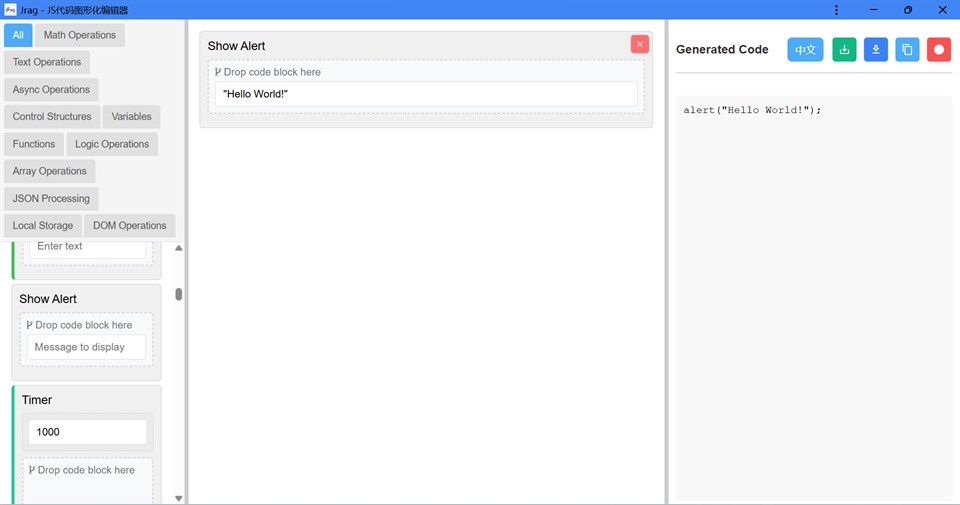
The JS Code Visual Editor is an innovative tool designed to lower the barrier to JavaScript programming through a graphical interface. Users can easily create JavaScript code by dragging and dropping modules without writing complex code. This project is still under development and features may be incomplete or contain bugs. Please report any issues encountered.
Main Features
Modular Programming: Provides rich modules covering math operations, text manipulation, asynchronous operations, control structures and more. Users can select and combine modules as needed.
Nested Structure Support: Allows nesting between modules for building complex logic.
Real-time Code Generation: Generates corresponding JavaScript code in real-time during module dragging. Users can view and copy at any time.
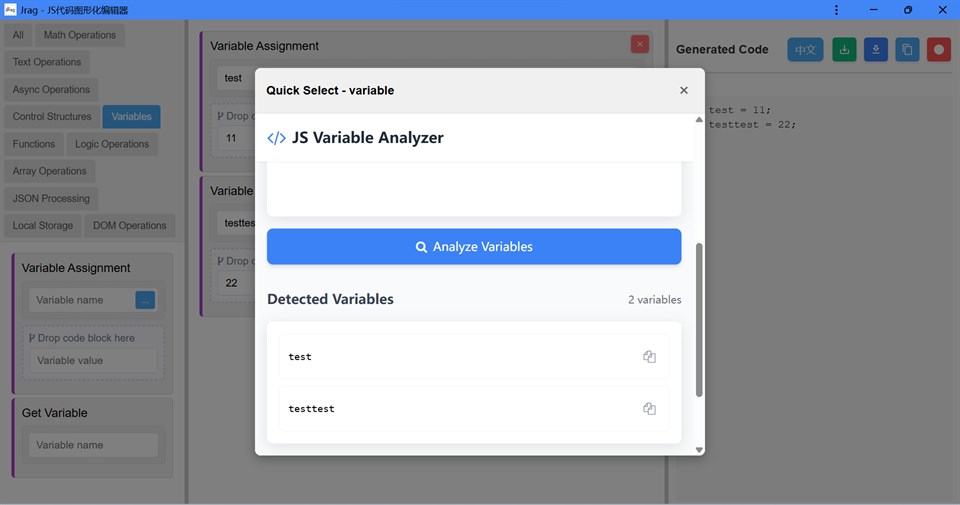
Variable Analysis Tool: Helps identify all variables defined in code, supports copying individual or all variable names.
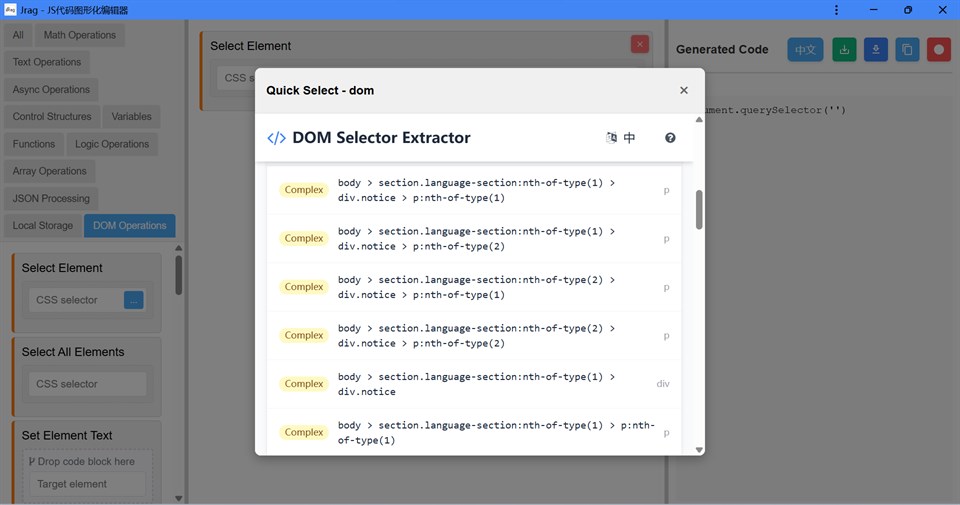
DOM Selector Extraction Tool: Automatically parses HTML files and extracts all available DOM selectors for web development.
Usage Guide
Select Modules: Choose required modules from left panel.
Drag & Drop Modules: Arrange and nest modules in editing area.
Configure Inputs: Set input parameters for each module.
View Code: Generated code displays in right panel.
Copy Code: Click copy button to get generated code.
จากนักพัฒนา
ผู้พัฒนา
- Zhao Xiyue
- ผู้ติดตาม: 0
- แพลตฟอร์ม: Windows แอป (3)
- ลดราคา: 0
- รายการ: 0 0
- แต้ม: 0
- การจัดอันดับ: 0
- ความคิดเห็น: 0
- วิดีโอ: 0
- RSS: ติดตาม
รายการ 0
-
 Jrag
แต้ม 0
-

- +1 แต้ม

การจัดอันดับ 0
-
- คะแนนของคุณ
มีอะไรใหม่
- เวอร์ชัน: PC
- อัปเดตล่าสุด:
ข้อมูลเพิ่มเติม
- วันที่วางจำหน่าย:
- หมวดหมู่:
แอปสำหรับ Windows›เครื่องมือสำหรับนักพัฒนา - ระบบปฏิบัติการ:
PC - ขนาด:
814 Kb - ภาษาที่รองรับ:
อังกฤษ - การจัดประเภทเนื้อหา:
EVERYONE - Windows Store คะแนน: ¡
0
 https://common.20100929.xyz/about_jrag.html
ความคิดเห็น 0 ¡
คะแนน AppAgg
คะแนน AppAgg โดยประมาณของ
Jrag
ผู้พัฒนา: Zhao Xiyue
คะแนนที่สูงขึ้นมักสะท้อนตัวชี้วัดที่ดีกว่าบน AppAgg
อิงจาก: ความนิยม · คะแนนจากผู้ใช้ · ความสดใหม่ · ดีล · ข้อมูลร้านค้า · กิจกรรมชุมชน
คำนวณใหม่ทุกวันจากข้อมูล AppAgg ล่าสุด
Jrag URL แบบสั้น: คัดลอกแล้ว!- Windows Store

