
الإشارات المرجعية
| المطوّر: | fdydw (1) | ||
| السعر: | مجاني جديد | ||
| الدرجة: | 670 فضة | ||
| الترتيب: | 0 | ||
| تعليقات: | 0 انشر تعليقًا | ||
| قوائم: | 0 0 | ||
| النقاط: | 0 | ||
| +1 نقطة | |||
ملخص
Larik SQL Studio تطبيق من fdydw ضمن فئة «أدوات المطور».
إصدار جديد: صدر ، فأنت من الأوائل.
بلا مقابل، لا إعلانات ولا مشتريات داخلية. فقط أنت والتطبيق.
متجر Microsoft مدمج في Windows، فالتثبيت يتم بنقرتين.
درجة AppAgg هي 670. فضة، وهذا ليس سيئًا أبدًا.
التصنيف العمري «EVERYONE»، أي أنه مناسب للأطفال أيضًا.
يتحدث لغة واحدة فقط، وليست العربية.
صمت تام هنا حتى الآن: لا تقييمات ولا تعليقات. اكسر الصمت.
إنه التطبيق الوحيد لهذا المطوّر على AppAgg. حتى الآن.
تريد أن تعرف بالتحديثات والتطبيقات الجديدة أولًا؟ تابع المطور أو اشترك في موجز RSS. تصلك الإشعارات عبر تطبيق AppAgg Alerts لنظامي Android وiOS.
منصات أخرى 0
سجل الأسعار 0
- السعر الحالي: مجاني
- الحد الأدنى: مجاني
- الحد الأقصى: مجاني
خلاصتك الخاصة في الصفحة الرئيسية
لقطات الشاشة 4
الوصف

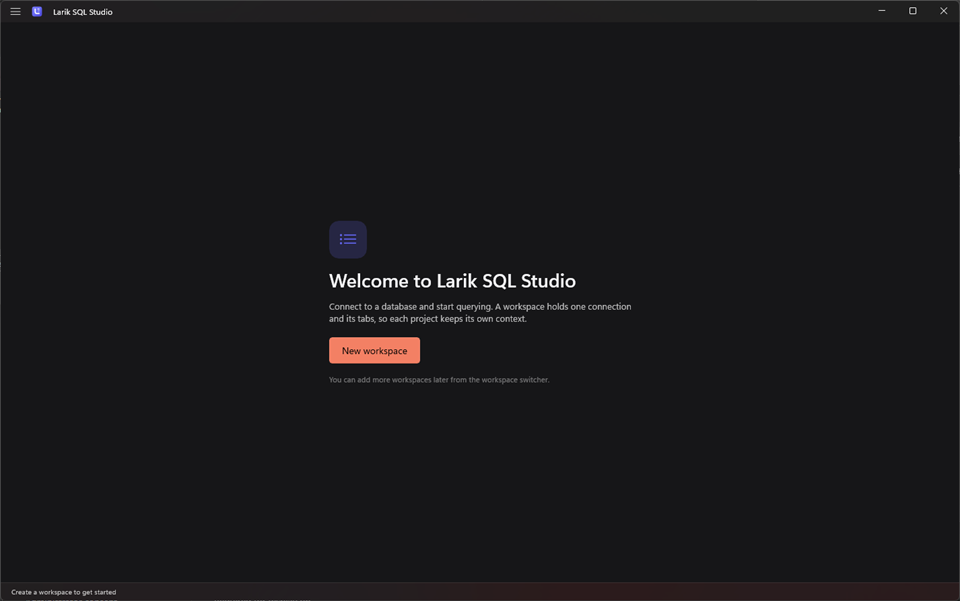
Larik is a native SQL studio for SQL Server and PostgreSQL, built with WinUI 3 and the Windows App SDK. It uses Mica and your system theme, follows Windows keyboard and accessibility conventions, and does not put a web page inside a window.
Workspaces are the object. Each workspace owns one connection. Its databases sit underneath it, and its query tabs live beside it. A workspace starts disconnected and connects from the rail with one action. Workspaces carry a colour and an icon so you can tell them apart at a glance, and you can hide or reorder them. Deleting a workspace archives its SQL first.
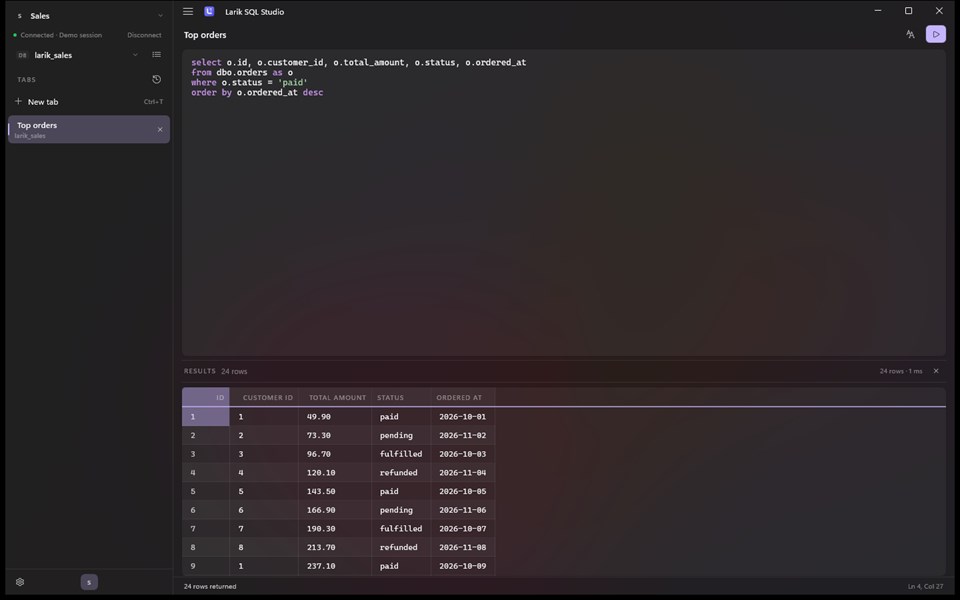
Vertical tabs, the way a studio should work. Query tabs stack vertically and can be grouped, pinned, renamed inline and reordered. Closing a tab is non-destructive: the SQL moves to an archive you can reopen, with optional auto-archive.
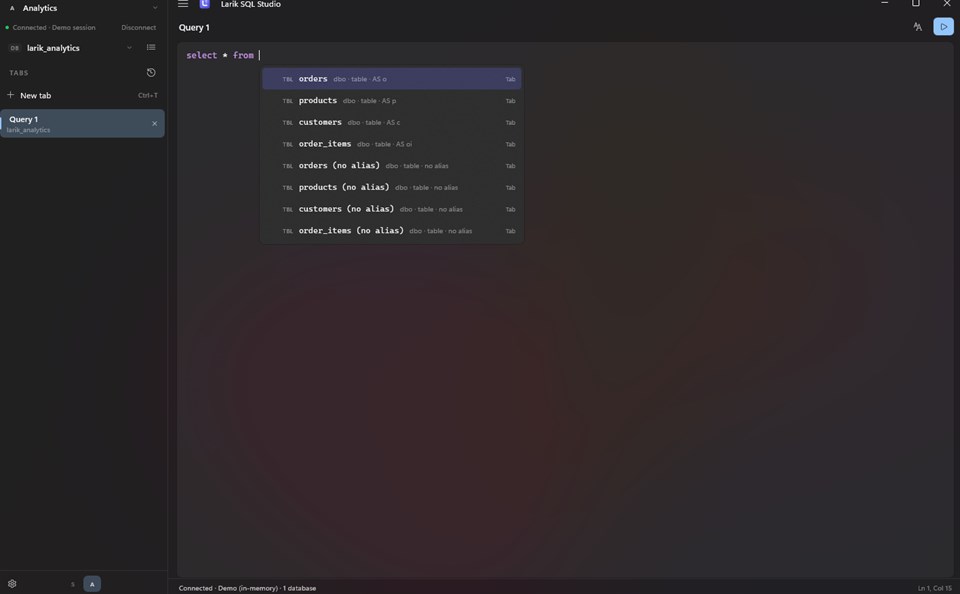
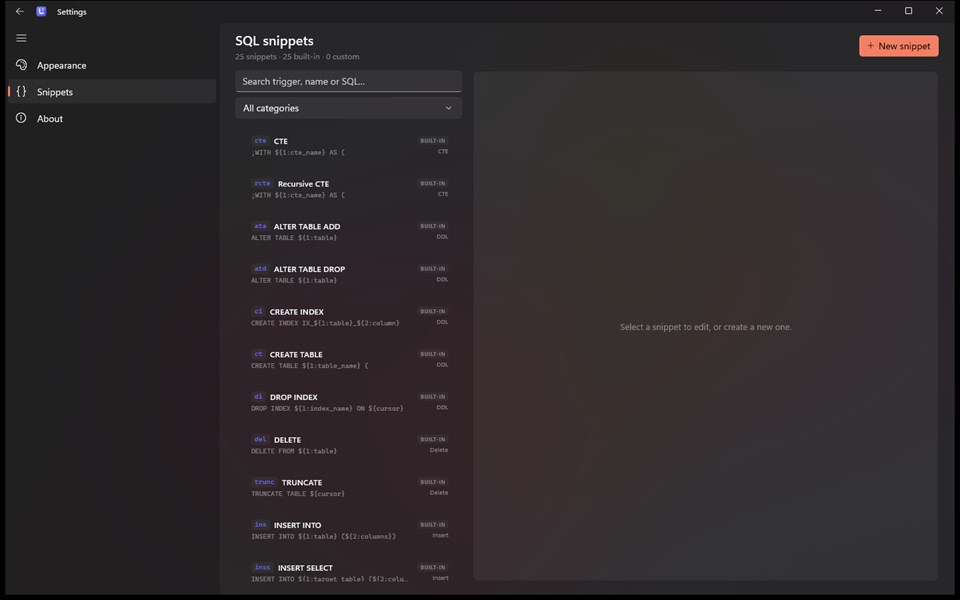
An editor that knows your schema. Syntax highlighting comes from the database dialect, so T-SQL and PostgreSQL each look right. Completion understands the clause you are in and offers tables, columns, aliases, joins, CTEs, variables, databases and procedure calls. Snippets expand on Tab. Ctrl+K opens a schema peek that pins beside the editor while you type.
Each tab owns one connection session. Temp tables, SET options and an open BEGIN TRAN stay on that tab and never leak into another. A transaction guard offers Commit and Roll back, and USE moves the tab, the rail and completion to the new database together.
Results that stay usable. Every result set gets its own tab. The grid is virtualized, cells open in a preview with JSON and XML formatting, foreign-key values show the row they reference, and you can copy rows as TSV or export CSV and JSON.
Connections without ceremony. SQL Server and PostgreSQL are built in. A connection dialog is generated from the provider’s own settings, Test reports inline, and credentials stay in Windows Credential Manager rather than in a settings file. A built-in Demo database needs no server at all, so you can try the editor, tabs and results offline on a fresh machine.
Local by default. Workspaces, tabs and SQL are stored locally in this app’s own data folder. Larik does not collect telemetry. The only network connections it makes are the ones you configure: connections to your own database servers. This edition does not check for updates over the network; updates arrive through the Microsoft Store.
Requirements. Windows 10 version 1809 or later, x64. SQL Server and PostgreSQL are optional: the Demo database works with no server installed.
Note: this edition stores workspaces in its own application data. Content created in another distribution of Larik is not imported or migrated.
من المطوّر
قوائم 0
-
 Larik SQL Studio
النقاط 0
-

- +1 نقطة

الترتيب 0
-
- تقييمك
المطوّر 1
- fdydw
- المتابعون: 0
- المنصات: Windows تطبيقات (1)
- العروض: 0
- قوائم: 0 0
- النقاط: 0
- الترتيب: 0
- تعليقات: 0
- الفيديوهات: 0
- RSS: اشتراك
ما الجديد
- الإصدار: PC
- آخر تحديث:
معلومات إضافية
- تاريخ الإصدار:
- الفئة:
تطبيقات Windows›أدوات المطور - نظام التشغيل:
PC - الحجم:
114 Mb - اللغات المدعومة:
الإنجليزية - تقييم المحتوى:
EVERYONE - Windows Store تقييم: ¡
0 - الموقع الإلكتروني:
 https://dwifuady.github.io/larik-site/
درجة AppAgg
درجة AppAgg التقديرية لـ
Larik SQL Studio
المطوّر: fdydw
تشير الدرجة الأعلى عادةً إلى أداء أفضل في مؤشرات AppAgg.
استنادًا إلى: الشعبية · تقييمات المستخدمين · الحداثة · العروض · بيانات المتاجر · نشاط المجتمع
يُعاد حسابها يوميًا بناءً على أحدث بيانات AppAgg.
تعليقات 0 ¡
مشاركة
Larik SQL Studio عنوان URL مختصر: تم النسخ!- Windows Store

