
Σελιδοδείκτες
| Προγραμματιστής: | fdydw (1) | ||
| Τιμή: | Δωρεάν Νέα | ||
| Βαθμολογία: | 670 Ασημένιο | ||
| Κατατάξεις: | 0 | ||
| Σχόλια: | 0 Δημοσίευση σχολίου | ||
| Λίστες: | 0 0 | ||
| Πόντοι: | 0 | ||
| +1 Πόντος | |||
Σύνοψη
Το Larik SQL Studio είναι μια εφαρμογή της κατηγορίας «Εργαλεία προγραμματισμού» από fdydw.
Νέα κυκλοφορία: βγήκε , οπότε είσαι από τους πρώτους.
Δωρεάν, χωρίς διαφημίσεις, χωρίς αγορές μέσα στην εφαρμογή. Μόνο εσύ και η εφαρμογή.
Το Microsoft Store είναι ενσωματωμένο στα Windows, οπότε η εγκατάσταση γίνεται με δυο κλικ.
Η Βαθμολογία AppAgg είναι 670. «Ασημένιο», και αυτό δεν είναι καθόλου άσχημο.
Ηλικιακή κατάταξη «EVERYONE»: ταιριάζει και σε παιδιά.
Μιλάει μόνο μία γλώσσα, και δεν είναι τα ελληνικά.
Απόλυτη ησυχία εδώ μέχρι στιγμής. Ούτε βαθμολογίες, ούτε σχόλια. Σπάσε τη σιωπή.
Είναι η μοναδική εφαρμογή του προγραμματιστή στο AppAgg. Προς το παρόν.
Μάθε πρώτος για ενημερώσεις και νέες εφαρμογές. Ακολούθησε τον προγραμματιστή ή κάνε εγγραφή στη ροή RSS. Οι ειδοποιήσεις push έρχονται μέσω της εφαρμογής AppAgg Alerts για Android και iOS.
Άλλες πλατφόρμες 0
Ιστορικό τιμών 0
- Τρέχουσα τιμή: Δωρεάν
- Ελάχιστο: Δωρεάν
- Μέγιστο: Δωρεάν
Η δική σας ροή στην αρχική σελίδα
Στιγμιότυπα οθόνης 4
Περιγραφή

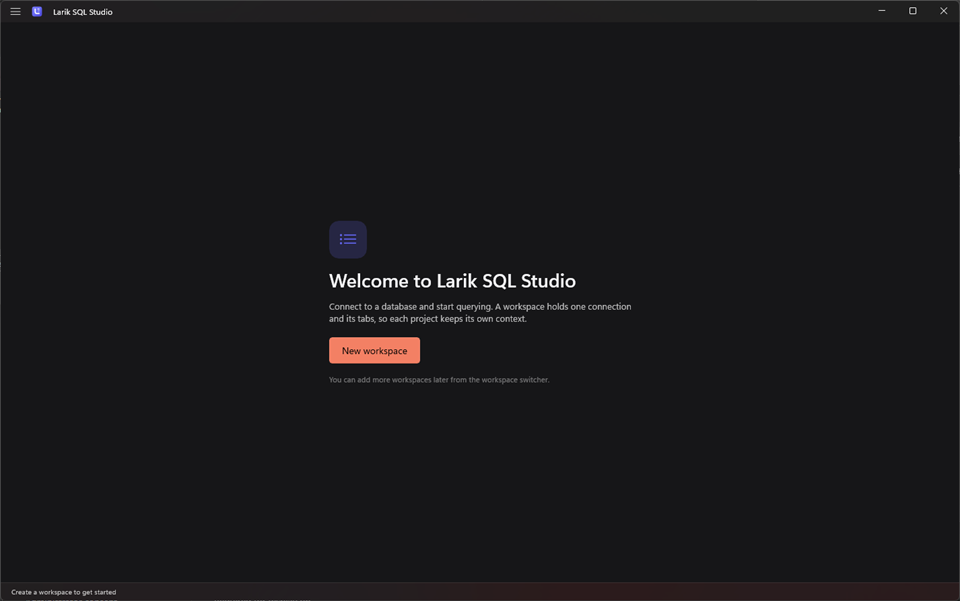
Larik is a native SQL studio for SQL Server and PostgreSQL, built with WinUI 3 and the Windows App SDK. It uses Mica and your system theme, follows Windows keyboard and accessibility conventions, and does not put a web page inside a window.
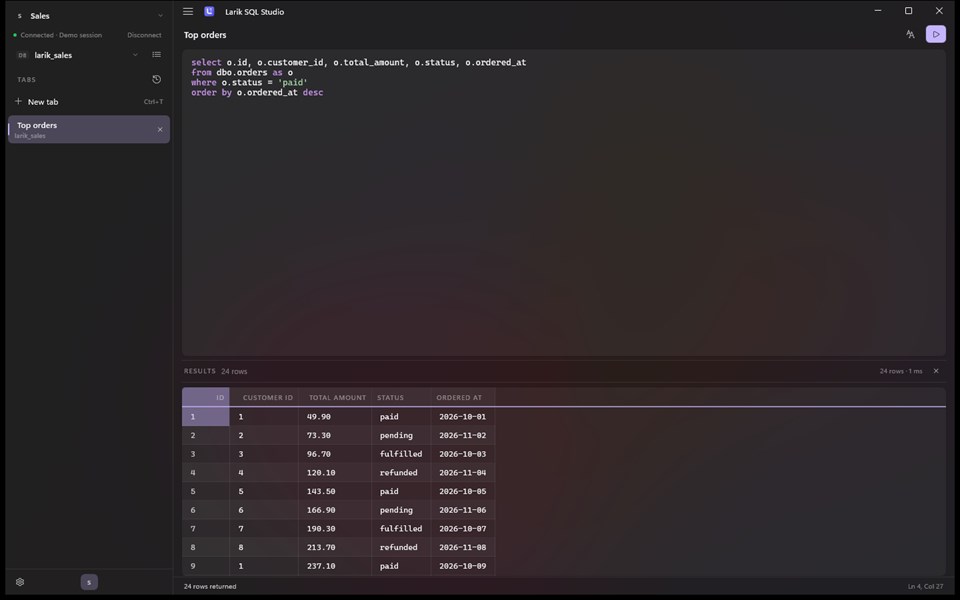
Workspaces are the object. Each workspace owns one connection. Its databases sit underneath it, and its query tabs live beside it. A workspace starts disconnected and connects from the rail with one action. Workspaces carry a colour and an icon so you can tell them apart at a glance, and you can hide or reorder them. Deleting a workspace archives its SQL first.
Vertical tabs, the way a studio should work. Query tabs stack vertically and can be grouped, pinned, renamed inline and reordered. Closing a tab is non-destructive: the SQL moves to an archive you can reopen, with optional auto-archive.
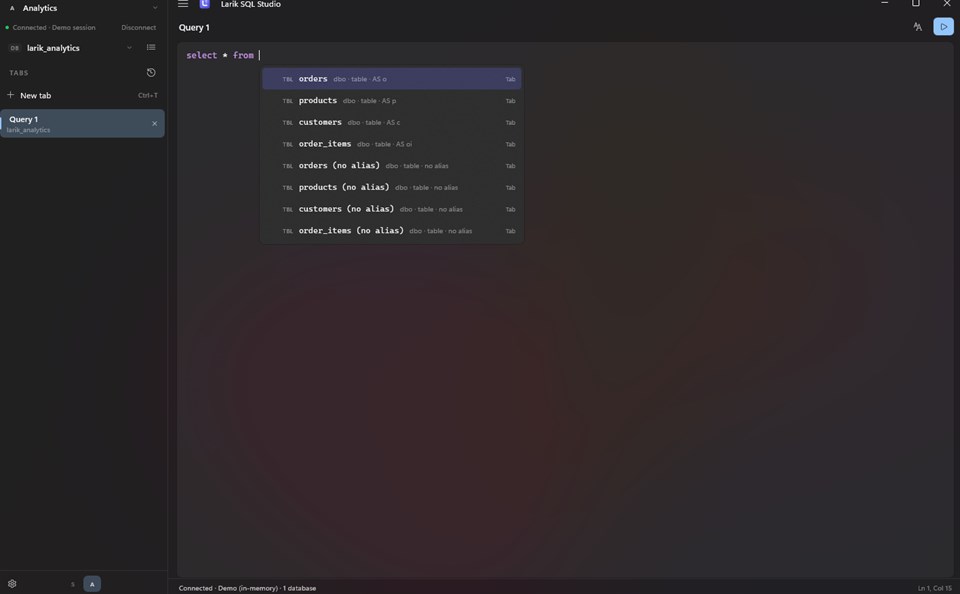
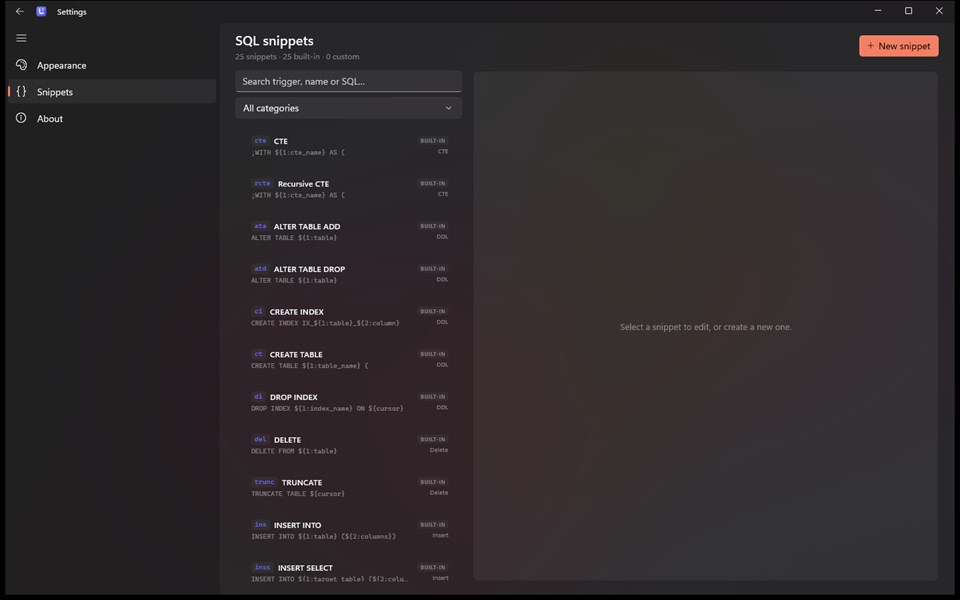
An editor that knows your schema. Syntax highlighting comes from the database dialect, so T-SQL and PostgreSQL each look right. Completion understands the clause you are in and offers tables, columns, aliases, joins, CTEs, variables, databases and procedure calls. Snippets expand on Tab. Ctrl+K opens a schema peek that pins beside the editor while you type.
Each tab owns one connection session. Temp tables, SET options and an open BEGIN TRAN stay on that tab and never leak into another. A transaction guard offers Commit and Roll back, and USE moves the tab, the rail and completion to the new database together.
Results that stay usable. Every result set gets its own tab. The grid is virtualized, cells open in a preview with JSON and XML formatting, foreign-key values show the row they reference, and you can copy rows as TSV or export CSV and JSON.
Connections without ceremony. SQL Server and PostgreSQL are built in. A connection dialog is generated from the provider’s own settings, Test reports inline, and credentials stay in Windows Credential Manager rather than in a settings file. A built-in Demo database needs no server at all, so you can try the editor, tabs and results offline on a fresh machine.
Local by default. Workspaces, tabs and SQL are stored locally in this app’s own data folder. Larik does not collect telemetry. The only network connections it makes are the ones you configure: connections to your own database servers. This edition does not check for updates over the network; updates arrive through the Microsoft Store.
Requirements. Windows 10 version 1809 or later, x64. SQL Server and PostgreSQL are optional: the Demo database works with no server installed.
Note: this edition stores workspaces in its own application data. Content created in another distribution of Larik is not imported or migrated.
Από τον προγραμματιστή
Λίστες 0
-
 Larik SQL Studio
Πόντοι 0
-

- +1 Πόντος

Κατατάξεις 0
-
- Η βαθμολογία σας
Προγραμματιστής 1
- fdydw
- Ακόλουθοι: 0
- Πλατφόρμες: Windows Εφαρμογές (1)
- Προσφορές: 0
- Λίστες: 0 0
- Πόντοι: 0
- Κατατάξεις: 0
- Σχόλια: 0
- Βίντεο: 0
- RSS: Εγγραφή
Τι νέο υπάρχει
- Έκδοση: PC
- Τελευταία ενημέρωση:
Πρόσθετες πληροφορίες
- Ημερομηνία κυκλοφορίας:
- Κατηγορία:
Εφαρμογές για Windows›Εργαλεία προγραμματισμού - Λειτουργικό σύστημα:
PC - Μέγεθος:
114 Mb - Υποστηριζόμενες γλώσσες:
Αγγλικά - Αξιολόγηση περιεχομένου:
EVERYONE - Windows Store Βαθμολογία: ¡
0 - Ιστοσελίδα:
 https://dwifuady.github.io/larik-site/
Βαθμολογία AppAgg
Εκτιμώμενη βαθμολογία AppAgg για
Larik SQL Studio
Προγραμματιστής: fdydw
Η υψηλότερη βαθμολογία συνήθως αντανακλά ισχυρότερους δείκτες στο AppAgg.
Βασισμένο σε: δημοτικότητα · αξιολογήσεις χρηστών · επικαιρότητα · προσφορές · δεδομένα καταστημάτων · δραστηριότητα κοινότητας
Υπολογίζεται εκ νέου καθημερινά με βάση τα πιο πρόσφατα δεδομένα του AppAgg.
Σχόλια 0 ¡
Κοινή χρήση
Larik SQL Studio Σύντομο URL: Αντιγράφηκε!- Windows Store

