
ブックマーク
このブックマークのタイトルを入力してください。
ブックマークを保存しました
概要
Larik SQL Studioは、fdydwが手がける「開発者ツール」カテゴリのアプリです。
に出たばかりの新作。今なら一番乗りのひとりです。
無料。広告なし、アプリ内課金なし。あなたとアプリだけです。
Microsoft StoreはWindowsに組み込まれているので、数クリックでインストールできます。
AppAggスコアは670。「シルバー」なら、なかなかのものです。
年齢区分は「EVERYONE」なので、子どもでも安心です。
対応言語はひとつだけ、しかも日本語ではありません。
ここはまだ静まり返っています。評価もコメントもなし。沈黙を破ってみませんか?
AppAggにあるこの開発者のアプリはこれだけ。今のところは。
アップデートや新しいアプリを誰よりも早く知りたい?開発者をフォローするか、RSS フィードを購読しましょう。プッシュ通知は Android と iOS 向けの AppAgg Alerts アプリで届きます。
広告
他のプラットフォーム 0
価格履歴 0
- 現在の価格: 無料
- 最小値: 無料
- 最大値: 無料
ホームに自分だけのフィード
「新着・アップデート」のプラットフォームを選ぶと、ホームには必要なアプリとゲームだけが表示されます。
スクリーンショット 4
説明

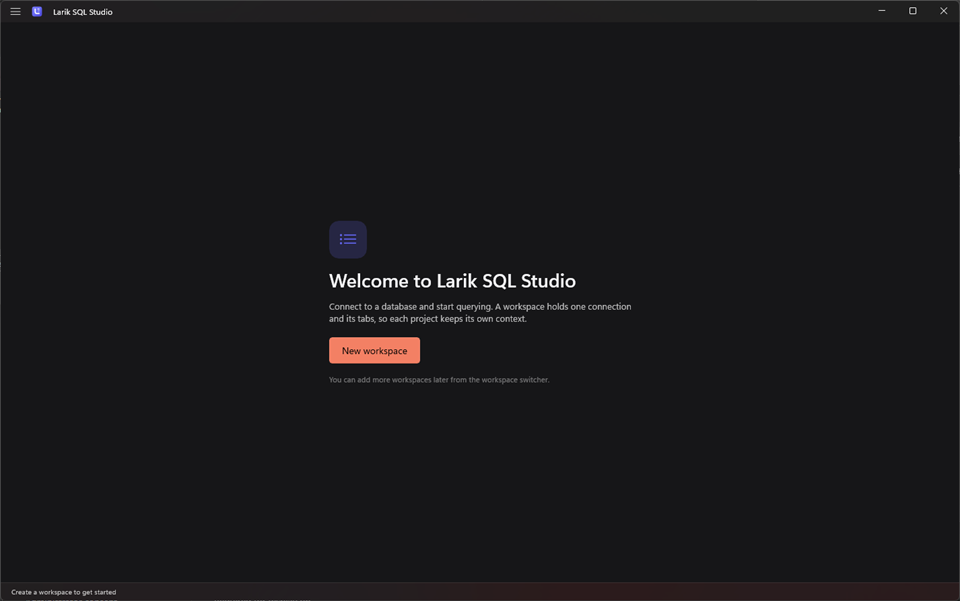
Larik is a native SQL studio for SQL Server and PostgreSQL, built with WinUI 3 and the Windows App SDK. It uses Mica and your system theme, follows Windows keyboard and accessibility conventions, and does not put a web page inside a window.
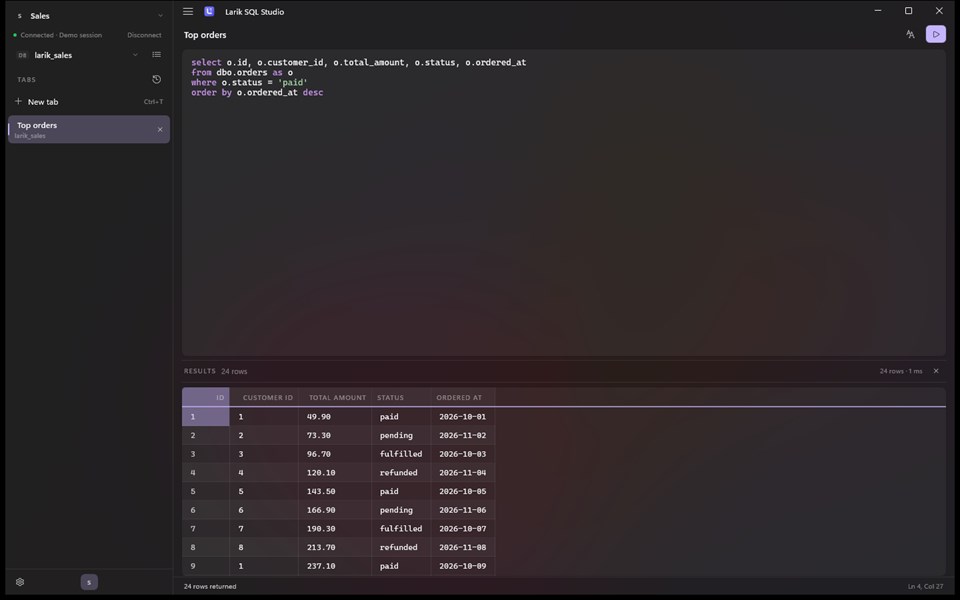
Workspaces are the object. Each workspace owns one connection. Its databases sit underneath it, and its query tabs live beside it. A workspace starts disconnected and connects from the rail with one action. Workspaces carry a colour and an icon so you can tell them apart at a glance, and you can hide or reorder them. Deleting a workspace archives its SQL first.
Vertical tabs, the way a studio should work. Query tabs stack vertically and can be grouped, pinned, renamed inline and reordered. Closing a tab is non-destructive: the SQL moves to an archive you can reopen, with optional auto-archive.
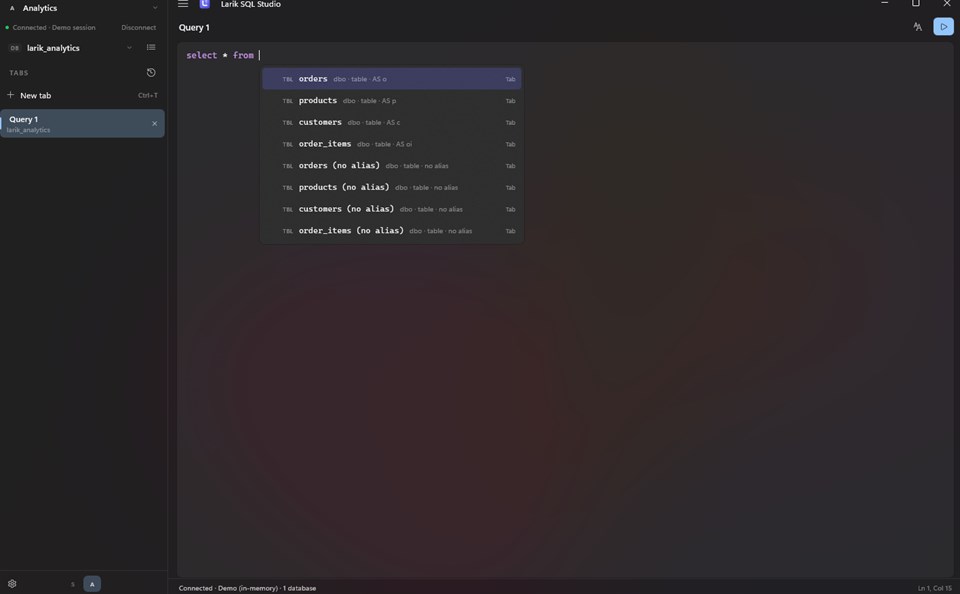
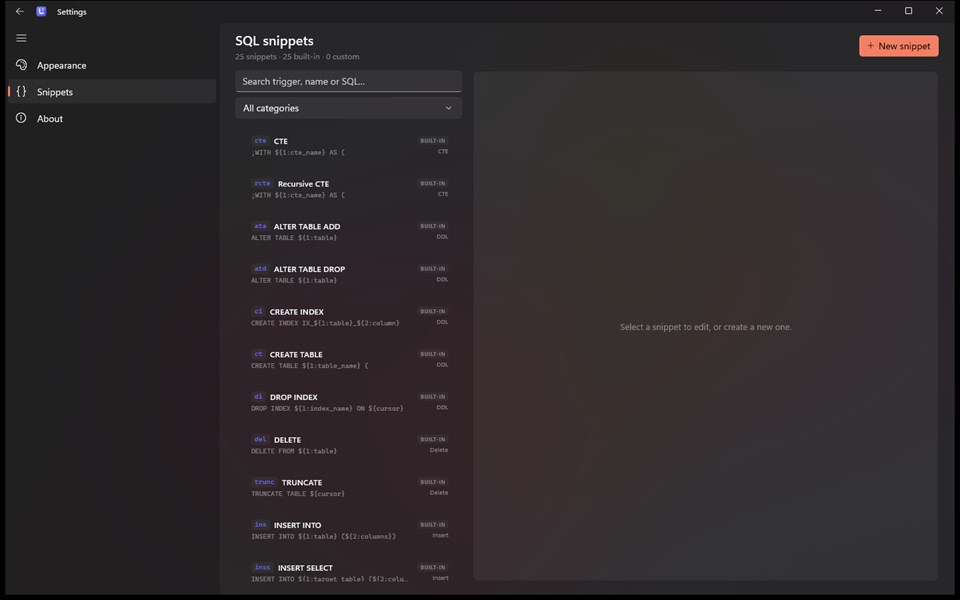
An editor that knows your schema. Syntax highlighting comes from the database dialect, so T-SQL and PostgreSQL each look right. Completion understands the clause you are in and offers tables, columns, aliases, joins, CTEs, variables, databases and procedure calls. Snippets expand on Tab. Ctrl+K opens a schema peek that pins beside the editor while you type.
Each tab owns one connection session. Temp tables, SET options and an open BEGIN TRAN stay on that tab and never leak into another. A transaction guard offers Commit and Roll back, and USE moves the tab, the rail and completion to the new database together.
Results that stay usable. Every result set gets its own tab. The grid is virtualized, cells open in a preview with JSON and XML formatting, foreign-key values show the row they reference, and you can copy rows as TSV or export CSV and JSON.
Connections without ceremony. SQL Server and PostgreSQL are built in. A connection dialog is generated from the provider’s own settings, Test reports inline, and credentials stay in Windows Credential Manager rather than in a settings file. A built-in Demo database needs no server at all, so you can try the editor, tabs and results offline on a fresh machine.
Local by default. Workspaces, tabs and SQL are stored locally in this app’s own data folder. Larik does not collect telemetry. The only network connections it makes are the ones you configure: connections to your own database servers. This edition does not check for updates over the network; updates arrive through the Microsoft Store.
Requirements. Windows 10 version 1809 or later, x64. SQL Server and PostgreSQL are optional: the Demo database works with no server installed.
Note: this edition stores workspaces in its own application data. Content created in another distribution of Larik is not imported or migrated.
デベロッパーから
デベロッパーの方ですか?
ページの一番上にニュースを投稿すると、フォロワーにメールで届きます。YouTube 動画を追加すると、「動画」の一番上に表示されます。
リスト 0
-
 Larik SQL Studio
ポイント 0
-

- +1 ポイント

ランキング 0
-
- あなたの評価
開発者 1
- fdydw
- フォロワー: 0
- プラットフォーム: Windows アプリ (1)
- セール: 0
- リスト: 0 0
- ポイント: 0
- ランキング: 0
- コメント: 0
- 動画: 0
- RSS: 購読する
新機能
- バージョン: PC
- 最終更新:
情報
 https://dwifuady.github.io/larik-site/
AppAggスコア
670
AppAgg推定スコア:
Larik SQL Studio
開発者: fdydw
670 シルバー
スコアが高いほど、AppAgg上の各指標が良好な傾向にあります。
基準: 人気 · ユーザー評価 · 新しさ · セール · ストアデータ · コミュニティ活動
最新のAppAggデータに基づいて毎日再計算されます。
ウェブサイト用バッジ:  コピーしました!
コメント 0 ¡
最初のコメントを書きましょう
シェア
Larik SQL Studio 短縮 URL: コピーしました!- Windows Store

