
Bladwijzers
| Ontwikkelaar: | fdydw (1) | ||
| Prijs: | Gratis Nieuw | ||
| Score: | 670 Zilver | ||
| Ranglijsten: | 0 | ||
| Reacties: | 0 Plaats reactie | ||
| Lijsten: | 0 0 | ||
| Punten: | 0 | ||
| +1 Punt | |||
Samenvatting
Larik SQL Studio is een app van fdydw in de categorie “Ontwikkelhulpprogramma's”.
Nieuwe release: pas uitgekomen, dus je bent er vroeg bij.
Gratis, geen advertenties, geen in-app-aankopen. Alleen jij en de app.
De Microsoft Store zit ingebouwd in Windows, dus installeren doe je in een paar klikken.
De AppAgg-score is 670. Zilver, en dat is helemaal niet slecht.
Leeftijdsclassificatie “EVERYONE”, dus ook prima voor kinderen.
Spreekt maar één taal, en dat is geen Nederlands.
Hier is het nog doodstil: geen beoordelingen, geen reacties. Doorbreek de stilte.
Dit is de enige app van de ontwikkelaar op AppAgg. Voorlopig.
Wil je als eerste horen over updates en nieuwe apps? Volg de ontwikkelaar of abonneer je op de RSS-feed. Pushmeldingen komen binnen via de app AppAgg Alerts voor Android en iOS.
Andere platforms 0
Prijsgeschiedenis 0
- Huidige prijs: Gratis
- Minimum: Gratis
- Maximum: Gratis
Je eigen feed op de startpagina
Screenshots 4
Beschrijving

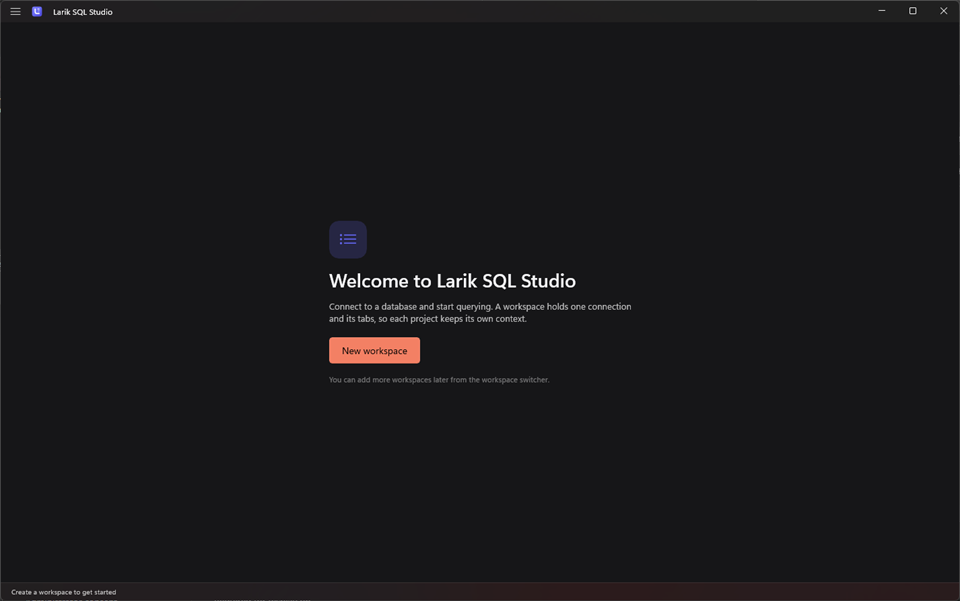
Larik is a native SQL studio for SQL Server and PostgreSQL, built with WinUI 3 and the Windows App SDK. It uses Mica and your system theme, follows Windows keyboard and accessibility conventions, and does not put a web page inside a window.
Workspaces are the object. Each workspace owns one connection. Its databases sit underneath it, and its query tabs live beside it. A workspace starts disconnected and connects from the rail with one action. Workspaces carry a colour and an icon so you can tell them apart at a glance, and you can hide or reorder them. Deleting a workspace archives its SQL first.
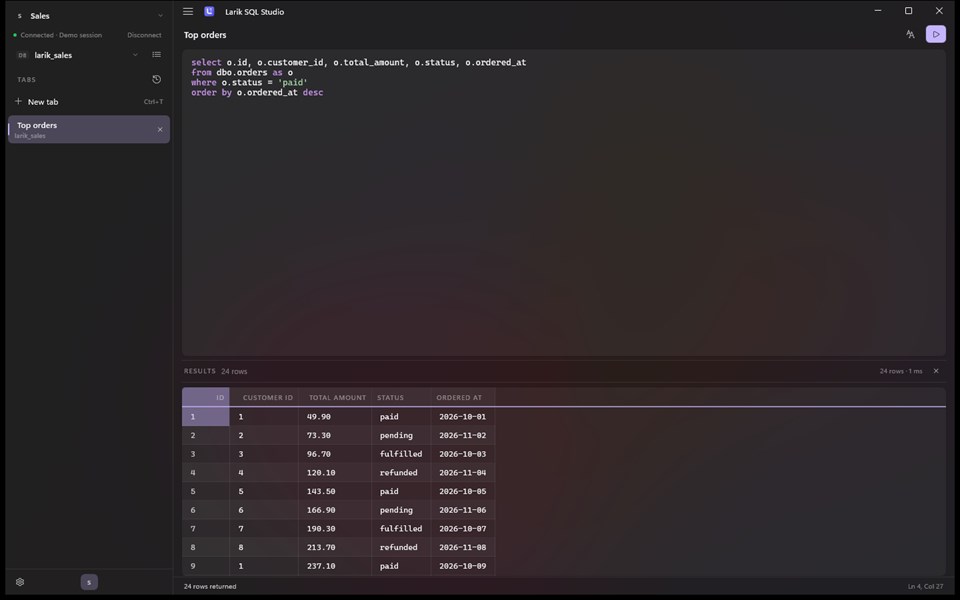
Vertical tabs, the way a studio should work. Query tabs stack vertically and can be grouped, pinned, renamed inline and reordered. Closing a tab is non-destructive: the SQL moves to an archive you can reopen, with optional auto-archive.
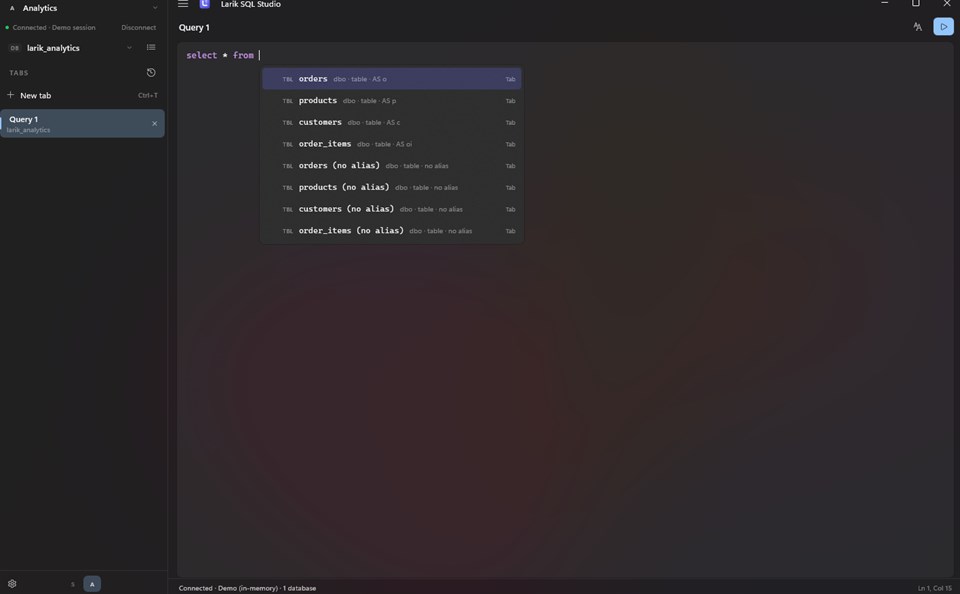
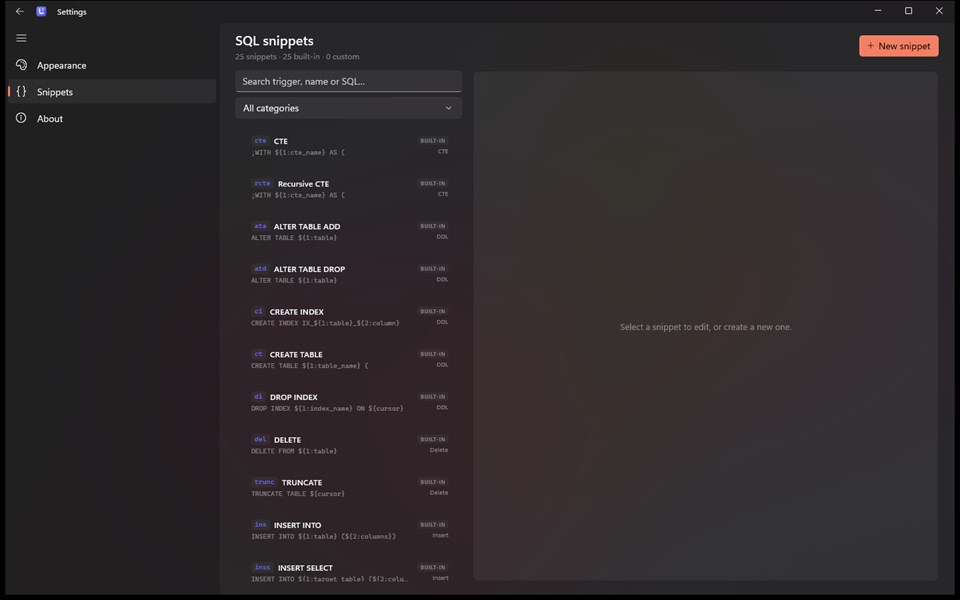
An editor that knows your schema. Syntax highlighting comes from the database dialect, so T-SQL and PostgreSQL each look right. Completion understands the clause you are in and offers tables, columns, aliases, joins, CTEs, variables, databases and procedure calls. Snippets expand on Tab. Ctrl+K opens a schema peek that pins beside the editor while you type.
Each tab owns one connection session. Temp tables, SET options and an open BEGIN TRAN stay on that tab and never leak into another. A transaction guard offers Commit and Roll back, and USE moves the tab, the rail and completion to the new database together.
Results that stay usable. Every result set gets its own tab. The grid is virtualized, cells open in a preview with JSON and XML formatting, foreign-key values show the row they reference, and you can copy rows as TSV or export CSV and JSON.
Connections without ceremony. SQL Server and PostgreSQL are built in. A connection dialog is generated from the provider’s own settings, Test reports inline, and credentials stay in Windows Credential Manager rather than in a settings file. A built-in Demo database needs no server at all, so you can try the editor, tabs and results offline on a fresh machine.
Local by default. Workspaces, tabs and SQL are stored locally in this app’s own data folder. Larik does not collect telemetry. The only network connections it makes are the ones you configure: connections to your own database servers. This edition does not check for updates over the network; updates arrive through the Microsoft Store.
Requirements. Windows 10 version 1809 or later, x64. SQL Server and PostgreSQL are optional: the Demo database works with no server installed.
Note: this edition stores workspaces in its own application data. Content created in another distribution of Larik is not imported or migrated.
Van de ontwikkelaar
Lijsten 0
-
 Larik SQL Studio
Punten 0
-

- +1 Punt

Ranglijsten 0
-
- Jouw beoordeling
Ontwikkelaar 1
- fdydw
- Volgers: 0
- Platforms: Windows Apps (1)
- Aanbiedingen: 0
- Lijsten: 0 0
- Punten: 0
- Ranglijsten: 0
- Reacties: 0
- Video’s: 0
- RSS: Abonneren
Wat is er nieuw?
- Versie: PC
- Laatst bijgewerkt:
Aanvullende informatie
- Releasedatum:
- Categorie:
Windows-apps›Ontwikkelhulpprogramma's - Besturingssysteem:
PC - Grootte:
114 Mb - Ondersteunde talen:
Engels - Inhoudsclassificatie:
EVERYONE - Windows Store Beoordeling: ¡
0
 https://dwifuady.github.io/larik-site/
AppAgg-score
Geschatte AppAgg-score voor
Larik SQL Studio
Ontwikkelaar: fdydw
Een hogere score betekent meestal betere resultaten voor de factoren die AppAgg beoordeelt.
Gebaseerd op: populariteit · gebruikersbeoordelingen · actualiteit · aanbiedingen · winkelgegevens · community-activiteit
Wordt dagelijks opnieuw berekend met actuele AppAgg-gegevens.
Reacties 0 ¡
Delen
Larik SQL Studio Korte URL: Gekopieerd!- Windows Store

