
Yer imleri
| Geliştirici: | fdydw (1) | ||
| Fiyat: | Ücretsiz Yeni | ||
| Skor: | 670 Gümüş | ||
| Sıralamalar: | 0 | ||
| Yorumlar: | 0 Yorum gönder | ||
| Listeler: | 0 0 | ||
| Puanlar: | 0 | ||
| +1 Puan | |||
Özet
Larik SQL Studio, fdydw imzalı, Geliştirici araçları kategorisinde bir uygulama.
Yeni çıktı. yayınlandı, yani ilk deneyenlerden birisin.
Ücretsiz, reklam yok, uygulama içi satın alma yok. Sadece sen ve uygulama.
Microsoft Store, Windows’a yerleşik. Birkaç tıkla kuruluyor.
AppAgg skoru 670. Gümüş, hiç de fena değil.
Yaş sınırı “EVERYONE”, yani çocuklar için de uygun.
Tek bir dil konuşuyor, o da Türkçe değil.
Burada şimdilik derin bir sessizlik var, ne puan ne yorum. Sessizliği sen boz.
Bu, geliştiricinin AppAgg’deki tek uygulaması. Şimdilik.
Güncellemeleri ve yeni uygulamaları ilk sen mi duymak istiyorsun? Hemen geliştiriciyi takip et ya da RSS akışı ile haberdar ol. Push bildirimleri Android ve iOS için AppAgg Alerts uygulamasıyla gelir.
Diğer platformlar 0
Fiyat Geçmişi 0
- Güncel fiyat: Ücretsiz
- En az: Ücretsiz
- En fazla: Ücretsiz
Ana sayfada kendi akışınız
Ekran görüntüleri 4
Açıklama

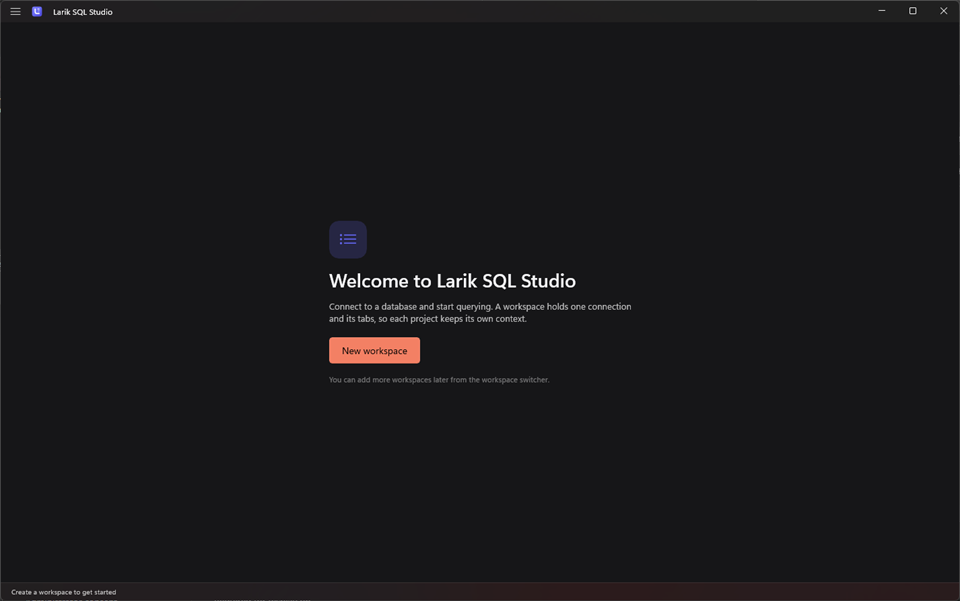
Larik is a native SQL studio for SQL Server and PostgreSQL, built with WinUI 3 and the Windows App SDK. It uses Mica and your system theme, follows Windows keyboard and accessibility conventions, and does not put a web page inside a window.
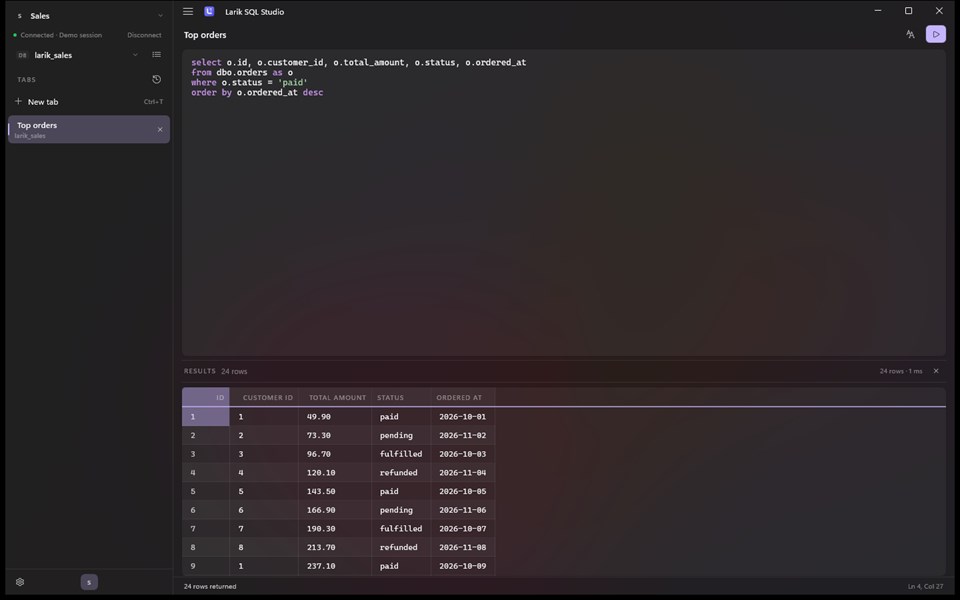
Workspaces are the object. Each workspace owns one connection. Its databases sit underneath it, and its query tabs live beside it. A workspace starts disconnected and connects from the rail with one action. Workspaces carry a colour and an icon so you can tell them apart at a glance, and you can hide or reorder them. Deleting a workspace archives its SQL first.
Vertical tabs, the way a studio should work. Query tabs stack vertically and can be grouped, pinned, renamed inline and reordered. Closing a tab is non-destructive: the SQL moves to an archive you can reopen, with optional auto-archive.
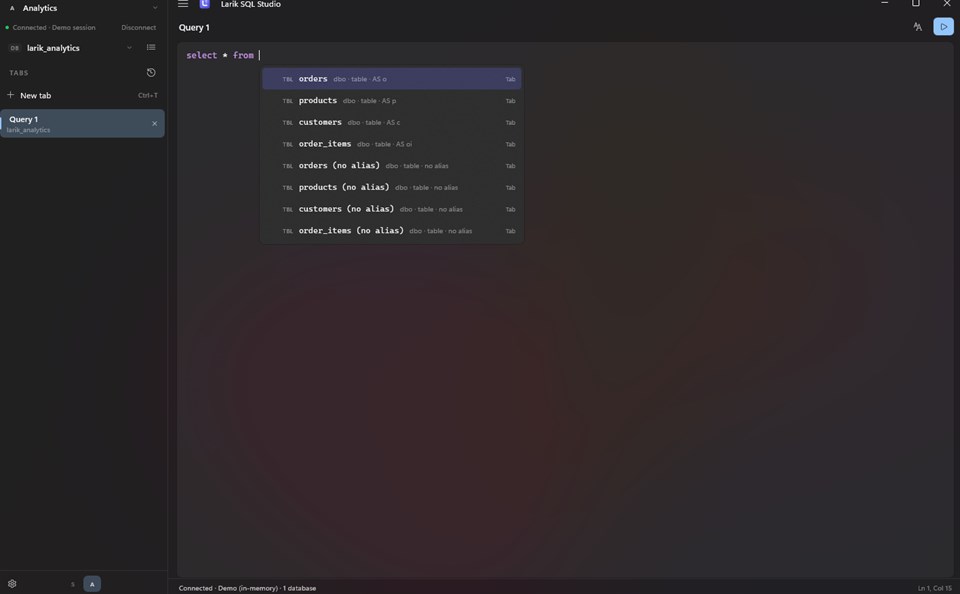
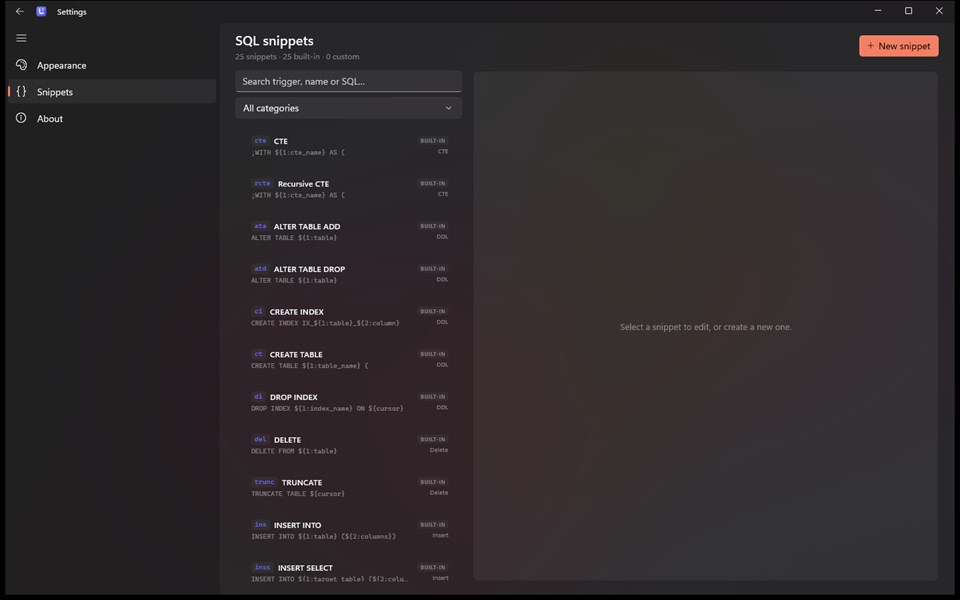
An editor that knows your schema. Syntax highlighting comes from the database dialect, so T-SQL and PostgreSQL each look right. Completion understands the clause you are in and offers tables, columns, aliases, joins, CTEs, variables, databases and procedure calls. Snippets expand on Tab. Ctrl+K opens a schema peek that pins beside the editor while you type.
Each tab owns one connection session. Temp tables, SET options and an open BEGIN TRAN stay on that tab and never leak into another. A transaction guard offers Commit and Roll back, and USE moves the tab, the rail and completion to the new database together.
Results that stay usable. Every result set gets its own tab. The grid is virtualized, cells open in a preview with JSON and XML formatting, foreign-key values show the row they reference, and you can copy rows as TSV or export CSV and JSON.
Connections without ceremony. SQL Server and PostgreSQL are built in. A connection dialog is generated from the provider’s own settings, Test reports inline, and credentials stay in Windows Credential Manager rather than in a settings file. A built-in Demo database needs no server at all, so you can try the editor, tabs and results offline on a fresh machine.
Local by default. Workspaces, tabs and SQL are stored locally in this app’s own data folder. Larik does not collect telemetry. The only network connections it makes are the ones you configure: connections to your own database servers. This edition does not check for updates over the network; updates arrive through the Microsoft Store.
Requirements. Windows 10 version 1809 or later, x64. SQL Server and PostgreSQL are optional: the Demo database works with no server installed.
Note: this edition stores workspaces in its own application data. Content created in another distribution of Larik is not imported or migrated.
Geliştiriciden
Listeler 0
-
 Larik SQL Studio
Puanlar 0
-

- +1 Puan

Sıralamalar 0
-
- Puanınız
Geliştirici 1
- fdydw
- Takipçiler: 0
- Platformlar: Windows Uygulamalar (1)
- İndirimler: 0
- Listeler: 0 0
- Puanlar: 0
- Sıralamalar: 0
- Yorumlar: 0
- Video: 0
- RSS: Abone ol
Yenilikler
- Sürüm: PC
- Son güncelleme:
Ek Bilgi
- Çıkış tarihi:
- Kategori:
Windows uygulamaları›Geliştirici araçları - İşletim Sistemleri:
PC - Boyut:
114 Mb - Desteklenen diller:
İngilizce - İçerik Derecelendirmesi:
EVERYONE - Windows Store Puan: ¡
0 - Web sitesi:
 https://dwifuady.github.io/larik-site/
AppAgg Skoru
Tahmini AppAgg skoru:
Larik SQL Studio
Geliştirici: fdydw
Daha yüksek skorlar genellikle AppAgg’deki göstergelerin daha güçlü olduğunu belirtir.
Şunlara göre: popülerlik · kullanıcı puanları · güncellik · fırsatlar · mağaza verileri · topluluk etkinliği
Güncel AppAgg verileriyle her gün yeniden hesaplanır.
Yorumlar 0 ¡
Paylaş
Larik SQL Studio Kısa URL: Kopyalandı!- Windows Store

