
保存済み
保存済みメニューに表示する名前を選択してください。
完了
| デベロッパー: | Haha Circle (12) | ||
| 価格: | フリー | ||
| 評価: | 590 ブロンズ | ||
| ランキング: | 0 | ||
| コメント: | 0 コメントを投稿する | ||
| リスト: | 0 + 0 | ||
| ポイント: | 0 + 0 ¡ | ||
| +1 ポイント | |||
説明

Master Python programming with a powerful, beginner-friendly desktop IDE and interactive tutorial suite built specifically for Windows! Whether you are writing your first
"Hello, World!" program or visualizing complex data with Matplotlib, Learn Python provides a complete, self-contained environment with zero configuration required.
⚡ Key Features:
🚀 Out-of-the-Box CPython Runtime
• Bundled Python 3.14 execution harness.
• No manual Python installation, environment variables, or complex PATH setup needed.
• Simply launch the app and press F5 to execute your code!
📝 Feature-Rich Code Editor
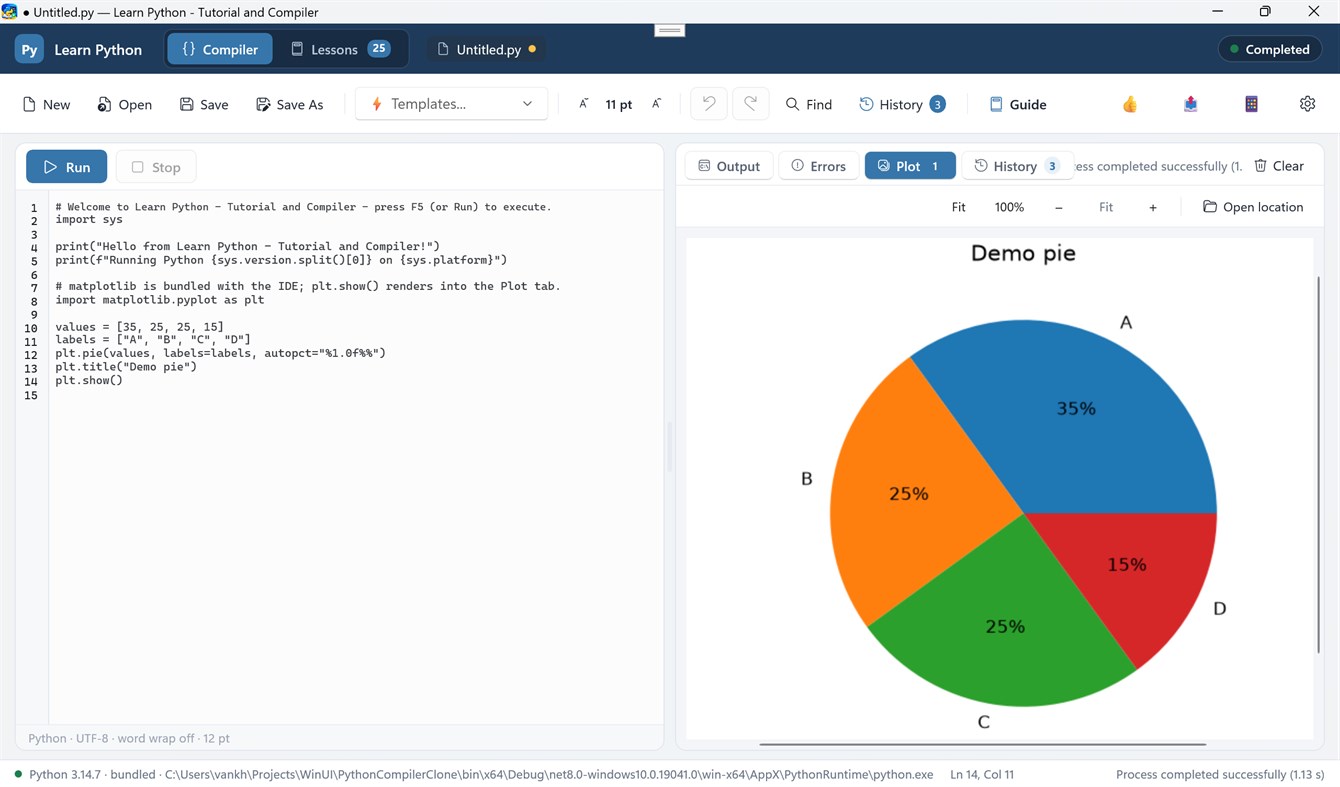
• Full syntax highlighting for Python keywords, strings, numbers, decorators, and comments.
• Instant Font Size Controls: Zoom text in/out with toolbar buttons (A+ / A-) or keyboard shortcuts (Ctrl+Add / Ctrl+Subtract).
• Line numbering, custom undo/redo history stack, line wrapping, and integrated search (Ctrl+F).
• 10 Built-in Starter Templates: Jump-start your coding with templates for Data Structures, OOP, Regex, Math, JSON Parsing, Sorting Algorithms, and Matplotlib Charts.
📊 Interactive Matplotlib Plotting & Graphics Viewer
• Automatic rendering of figures generated via `plt.show()` directly into the IDE's Plot tab.
• Interactive Image Zooming: Scale figures with Fit, 100%, Zoom In (+), Zoom Out (-), or smooth Ctrl + Mouse Wheel zooming.
• Plot Thumbnail Gallery: View and toggle between all generated figures in your current session.
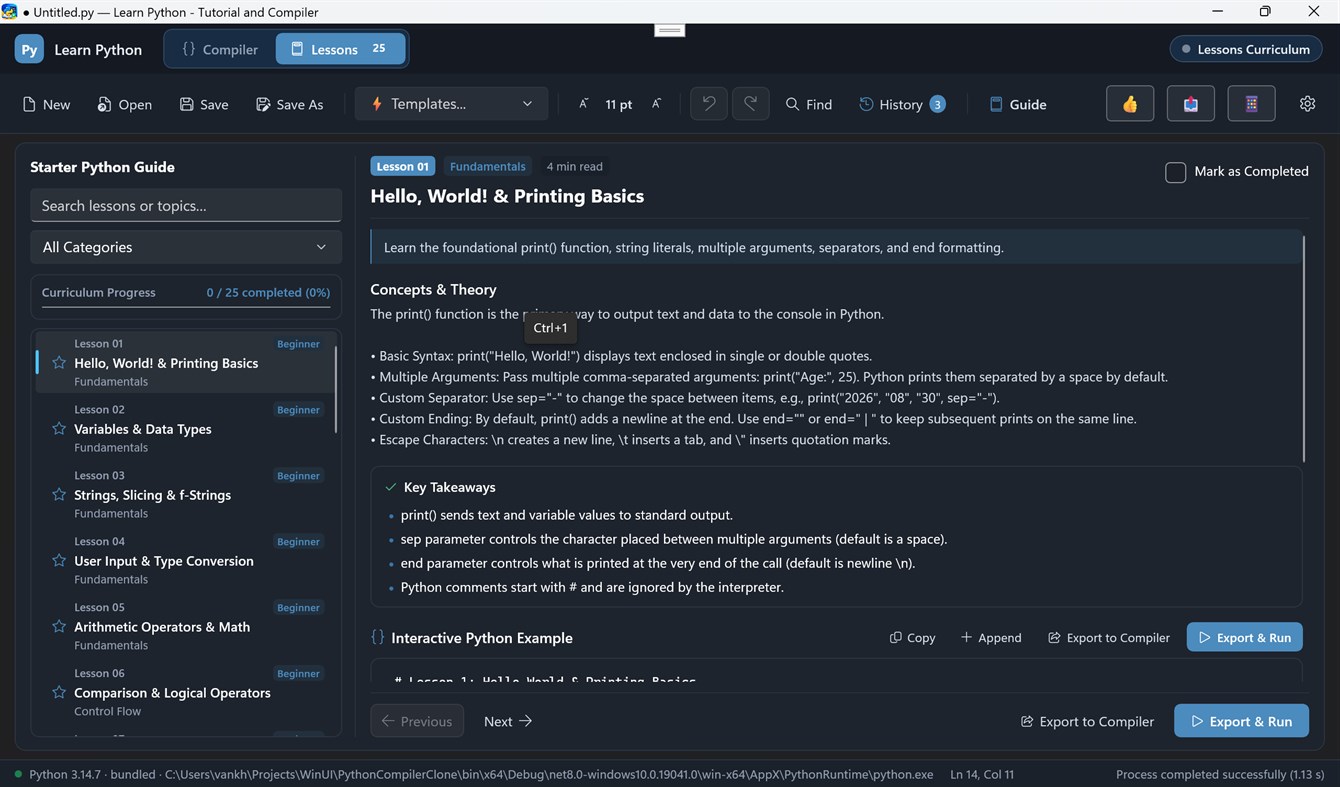
🎓 26+ Interactive Lessons & Coding Challenges
• Structured step-by-step curriculum covering basic syntax, data structures, algorithms, and visualization.
• One-click "Load Code" to export lesson code directly into the compiler.
• Hands-on coding challenge exercises to test your Python knowledge.
📜 Execution History & Results Pane
• Side-by-side adjustable column layout to view code and compile results simultaneously.
• Real-time stdout streaming and highlighted stderr error tracebacks.
• Dedicated Run History tab to review previous execution logs and execution timestamps.
🎨 Modern Windows UI
• Built with WinUI 3 and Fluent Design.
• Full support for Dark Mode, Light Mode, and System Theme preferences.
• Responsive side-by-side draggable column splitter.
広告
スクリーンショット
価格履歴
- 現在の価格: フリー
- 最小値: フリー
- 最大: フリー
AppAgg評価
590
AppAgg推定評価:
Learn Python - Tutorial and Compiler
デベロッパー: Haha Circle
590 ブロンズ
評価が高いほど、AppAgg 上のシグナルが強い傾向があります。
基準: 人気 · ユーザー評価 · 新しさ · セール · ストアデータ · コミュニティ活動
最新のAppAggデータに基づいて毎日再計算されます。
短縮 URL: コピーしました!
新機能
- バージョン: PC
- 最終更新:
情報
- リリース日:
- カテゴリ:
Windows向けアプリ›開発者ツール - オペレーティング システム:
HoloLens,Mobile,PC,Surface Hub - サイズ:
125 Mb - サポートされる言語:
English - コンテンツのレーティング:
EVERYONE - Windows Store 評価:
0
デベロッパー
- Haha Circle
- フォロワー: 0
- プラットフォーム: Windows アプリ (12)
- 割引: 0
- リスト: 0 + 0
- ポイント: 0 + 0 ¡
- ランキング: 0
- コメント: 0
- 動画: 0
- RSS: 購読する
リスト (0)
0
- Learn Python - Tutorial and Compiler
ポイント (0)
0
ランキング (0)
0
コメント (0)
最初にコメントしてください
概要
Learn Python - Tutorial and Compiler 短縮 URL: コピーしました!- シェア
- Windows Store
「Learn Python - Tutorial and Compiler」は、Windows向けの開発者ツールカテゴリーのアプリです。このアプリは「Haha Circle」が開発し、に初めてリリースされ、に最終更新されました。 このアプリは現在無料です。 このアプリはまだAppAggで評価されていません。 このアプリは次の言語に対応しています:English。 AppAggはアプリ「Learn Python - Tutorial and Compiler」の価格履歴、評価、ユーザーレビューを追跡しています。 AppAggはこのアプリをホストまたは配布していません。 このアプリに関連する商標、ロゴ、スクリーンショットはすべて各権利者に帰属します。 このアプリの今後のセールや更新はRSS フィードで確認できます。

