
Lagrede
Velg navnet som skal vises i menyen Lagrede.
Ferdig!
| Utvikler: | Haha Circle (12) | ||
| Pris: | Gratis | ||
| Vurdering: | 590 Bronse | ||
| Rangeringer: | 0 | ||
| Kommentarer: | 0 Legg inn kommentar | ||
| Lister: | 0 + 0 | ||
| Poeng: | 0 + 0 ¡ | ||
| +1 Poeng | |||
Beskrivelse

Master Python programming with a powerful, beginner-friendly desktop IDE and interactive tutorial suite built specifically for Windows! Whether you are writing your first
"Hello, World!" program or visualizing complex data with Matplotlib, Learn Python provides a complete, self-contained environment with zero configuration required.
⚡ Key Features:
🚀 Out-of-the-Box CPython Runtime
• Bundled Python 3.14 execution harness.
• No manual Python installation, environment variables, or complex PATH setup needed.
• Simply launch the app and press F5 to execute your code!
📝 Feature-Rich Code Editor
• Full syntax highlighting for Python keywords, strings, numbers, decorators, and comments.
• Instant Font Size Controls: Zoom text in/out with toolbar buttons (A+ / A-) or keyboard shortcuts (Ctrl+Add / Ctrl+Subtract).
• Line numbering, custom undo/redo history stack, line wrapping, and integrated search (Ctrl+F).
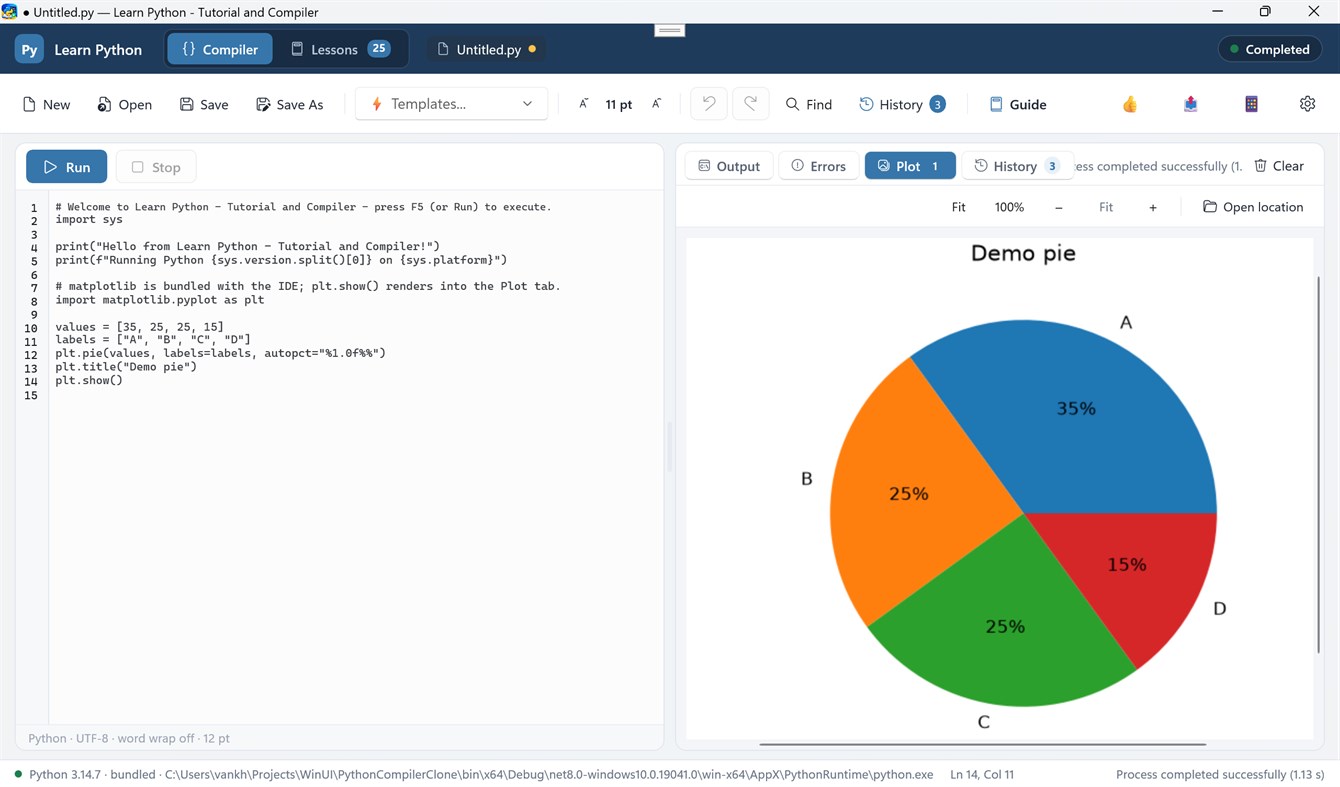
• 10 Built-in Starter Templates: Jump-start your coding with templates for Data Structures, OOP, Regex, Math, JSON Parsing, Sorting Algorithms, and Matplotlib Charts.
📊 Interactive Matplotlib Plotting & Graphics Viewer
• Automatic rendering of figures generated via `plt.show()` directly into the IDE's Plot tab.
• Interactive Image Zooming: Scale figures with Fit, 100%, Zoom In (+), Zoom Out (-), or smooth Ctrl + Mouse Wheel zooming.
• Plot Thumbnail Gallery: View and toggle between all generated figures in your current session.
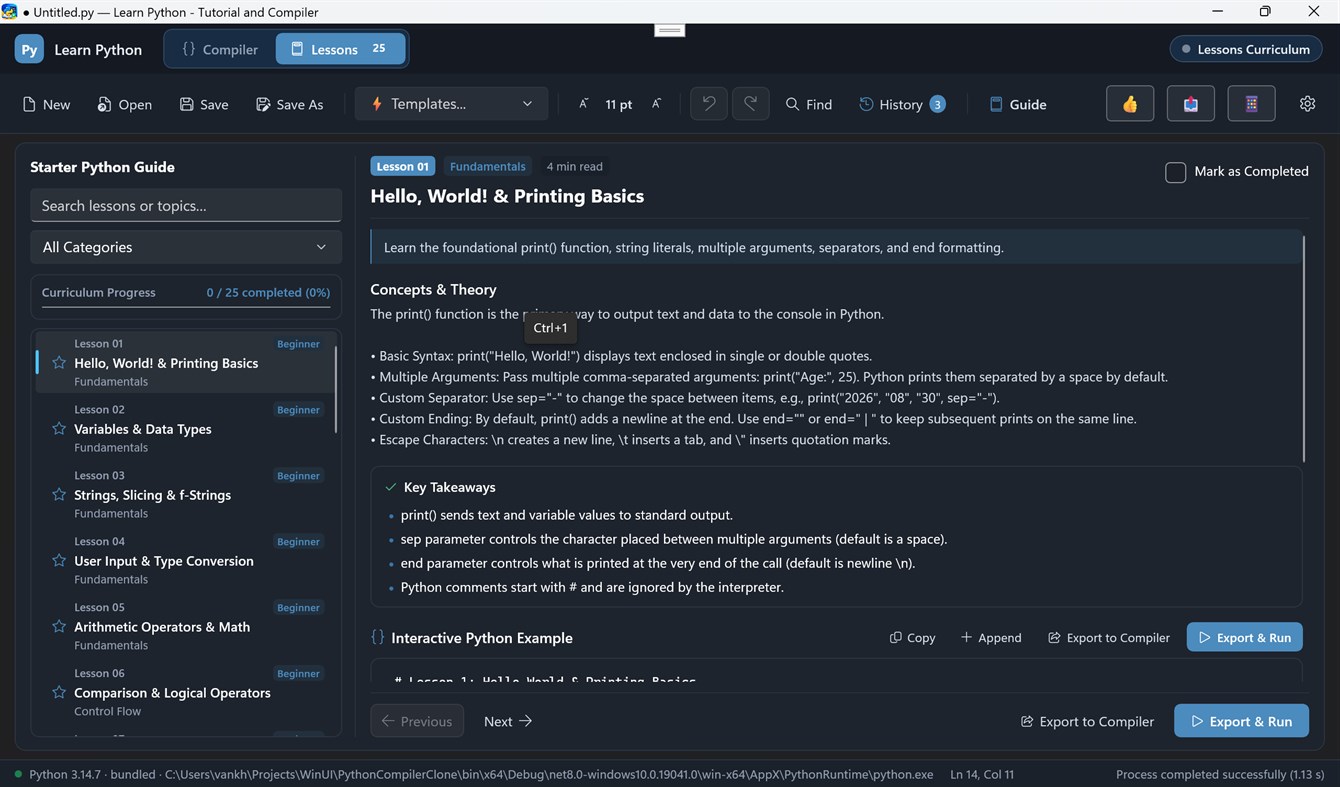
🎓 26+ Interactive Lessons & Coding Challenges
• Structured step-by-step curriculum covering basic syntax, data structures, algorithms, and visualization.
• One-click "Load Code" to export lesson code directly into the compiler.
• Hands-on coding challenge exercises to test your Python knowledge.
📜 Execution History & Results Pane
• Side-by-side adjustable column layout to view code and compile results simultaneously.
• Real-time stdout streaming and highlighted stderr error tracebacks.
• Dedicated Run History tab to review previous execution logs and execution timestamps.
🎨 Modern Windows UI
• Built with WinUI 3 and Fluent Design.
• Full support for Dark Mode, Light Mode, and System Theme preferences.
• Responsive side-by-side draggable column splitter.
Annonse
Skjermbilder
Prishistorie
- Gjeldende pris: Gratis
- Minimum: Gratis
- Maksimalt: Gratis
Spor priser Legg til i en liste for å få rabattvarsler via e-post eller push
AppAgg-vurdering
590
Estimert AppAgg-vurdering for
Learn Python - Tutorial and Compiler
Utvikler: Haha Circle
590 Bronse
Høyere vurderinger betyr vanligvis sterkere signaler på AppAgg.
Basert på: popularitet · brukervurderinger · ferskhet · tilbud · butikkdata · fellesskapsaktivitet
Beregnes på nytt hver dag med ferske AppAgg-data.
Kort nettadresse: Kopiert!
Dette er nytt
- Versjon: PC
- Sist oppdatert:
Tilleggsinformasjon
- Utgivelsesdato:
- Kategori:
Windows-apper›Utviklerverktøy - OS:
HoloLens,Mobile,PC,Surface Hub - Størrelse:
125 Mb - Språk som støttes:
English - Egnethet:
EVERYONE - Windows Store Vurdering:
0
Utvikler
- Haha Circle
- Følgere: 0
- Plattformer: Windows Apper (12)
- Rabatter: 0
- Lister: 0 + 0
- Poeng: 0 + 0 ¡
- Rangeringer: 0
- Kommentarer: 0
- Videoer: 0
- RSS: Abonner
Lister (0)
0
- Learn Python - Tutorial and Compiler
Poeng (0)
0
Rangeringer (0)
0
Kommentarer (0)
Vær den første til å kommentere
Kort fortalt
Learn Python - Tutorial and Compiler Kort nettadresse: Kopiert!- Dele
- Windows Store
«Learn Python - Tutorial and Compiler» er en app i kategorien Utviklerverktøy for Windows. Appen er utviklet av «Haha Circle», ble først utgitt og sist oppdatert . Appen er gratis for øyeblikket. Appen har ennå ikke fått vurderinger på AppAgg. Appen støtter følgende språk: English. AppAgg følger prishistorikk, vurderinger og brukeranmeldelser for appen «Learn Python - Tutorial and Compiler». AppAgg er ikke vert for og distribuerer ikke denne appen. Alle varemerker, logoer og skjermbilder knyttet til appen tilhører sine respektive eiere. Følg kommende tilbud og oppdateringer for appen via RSS-feed.

