
已儲存
選擇要顯示在你的已儲存選單中的名稱。
完成!
| 開發人員: | Haha Circle (12) | ||
| 價錢: | 免費 | ||
| 評價: | 590 青銅 | ||
| 排名: | 0 | ||
| 留言: | 0 發表評論 | ||
| 清單: | 0 + 0 | ||
| 點數: | 0 + 0 ¡ | ||
| +1 點數 | |||
描述

Master Python programming with a powerful, beginner-friendly desktop IDE and interactive tutorial suite built specifically for Windows! Whether you are writing your first
"Hello, World!" program or visualizing complex data with Matplotlib, Learn Python provides a complete, self-contained environment with zero configuration required.
⚡ Key Features:
🚀 Out-of-the-Box CPython Runtime
• Bundled Python 3.14 execution harness.
• No manual Python installation, environment variables, or complex PATH setup needed.
• Simply launch the app and press F5 to execute your code!
📝 Feature-Rich Code Editor
• Full syntax highlighting for Python keywords, strings, numbers, decorators, and comments.
• Instant Font Size Controls: Zoom text in/out with toolbar buttons (A+ / A-) or keyboard shortcuts (Ctrl+Add / Ctrl+Subtract).
• Line numbering, custom undo/redo history stack, line wrapping, and integrated search (Ctrl+F).
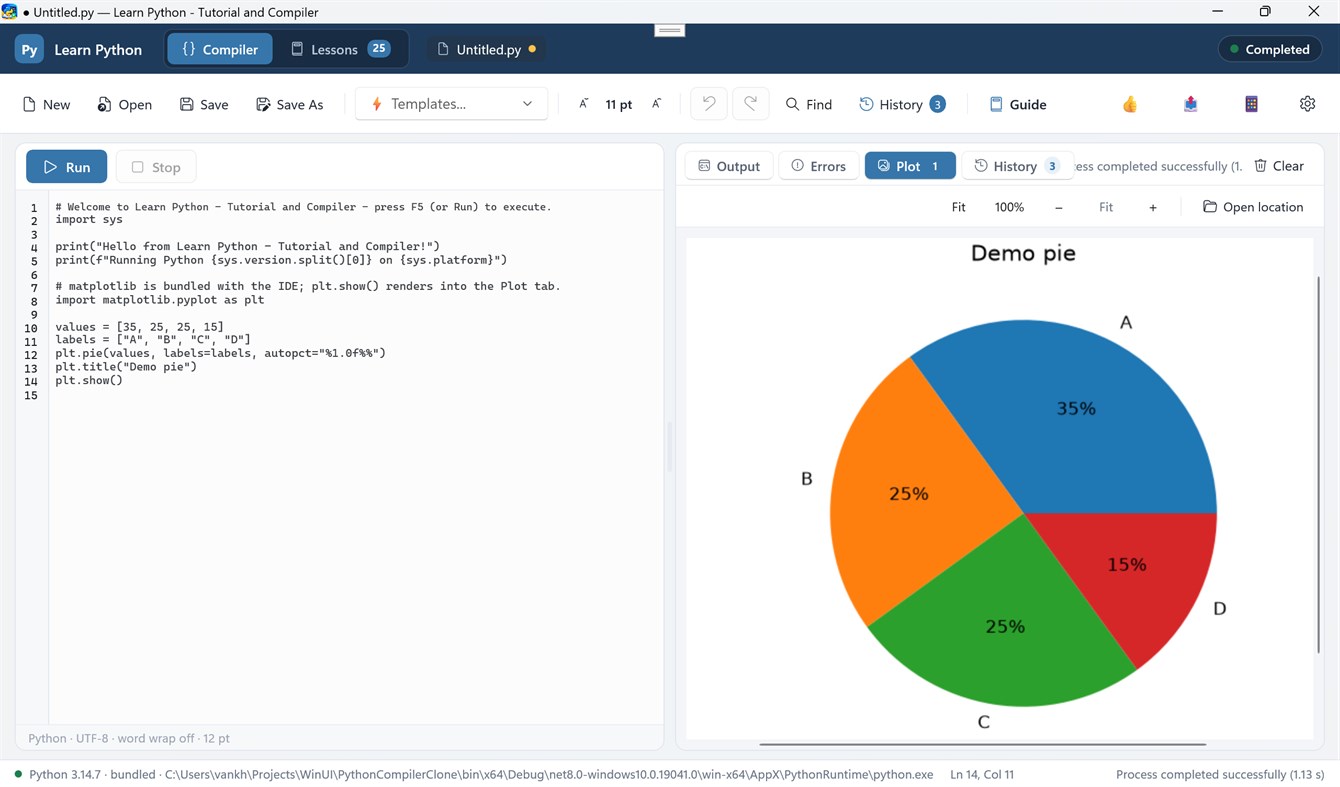
• 10 Built-in Starter Templates: Jump-start your coding with templates for Data Structures, OOP, Regex, Math, JSON Parsing, Sorting Algorithms, and Matplotlib Charts.
📊 Interactive Matplotlib Plotting & Graphics Viewer
• Automatic rendering of figures generated via `plt.show()` directly into the IDE's Plot tab.
• Interactive Image Zooming: Scale figures with Fit, 100%, Zoom In (+), Zoom Out (-), or smooth Ctrl + Mouse Wheel zooming.
• Plot Thumbnail Gallery: View and toggle between all generated figures in your current session.
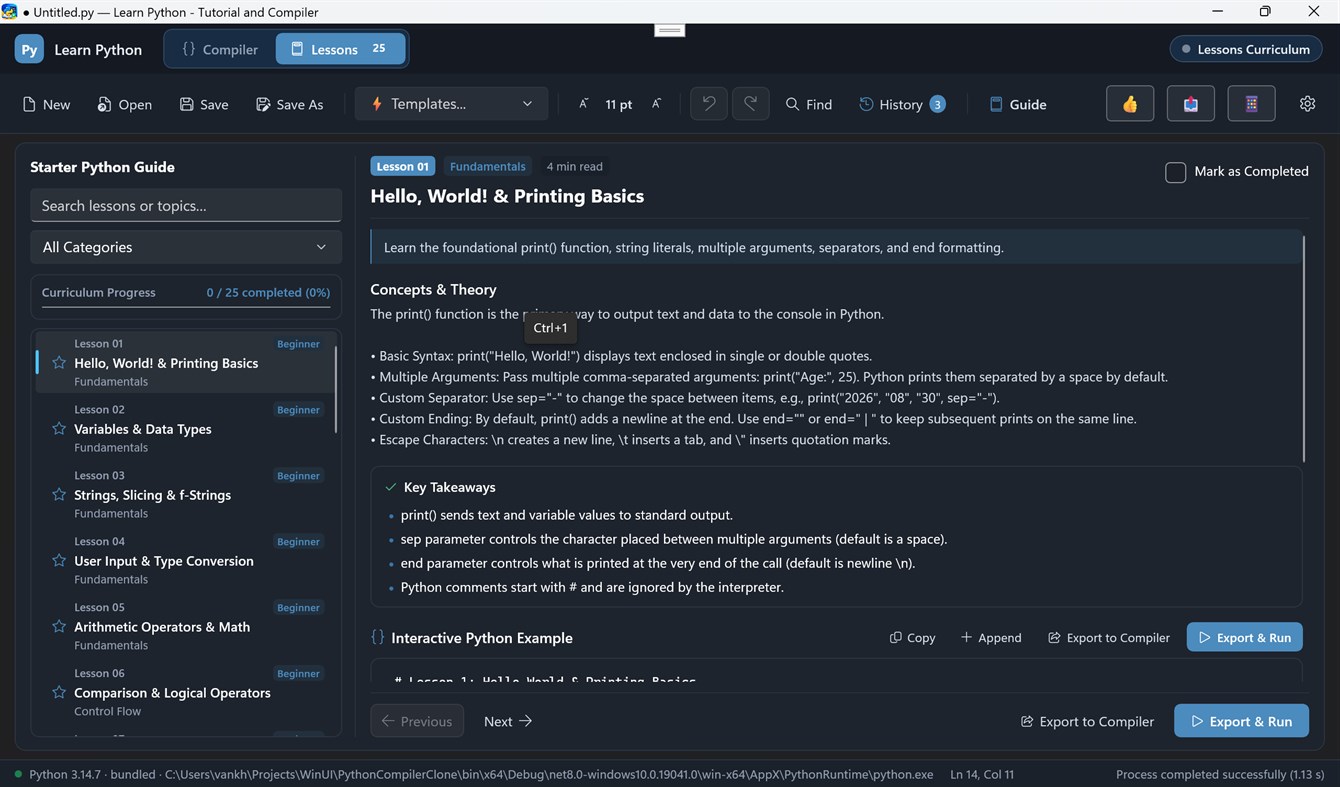
🎓 26+ Interactive Lessons & Coding Challenges
• Structured step-by-step curriculum covering basic syntax, data structures, algorithms, and visualization.
• One-click "Load Code" to export lesson code directly into the compiler.
• Hands-on coding challenge exercises to test your Python knowledge.
📜 Execution History & Results Pane
• Side-by-side adjustable column layout to view code and compile results simultaneously.
• Real-time stdout streaming and highlighted stderr error tracebacks.
• Dedicated Run History tab to review previous execution logs and execution timestamps.
🎨 Modern Windows UI
• Built with WinUI 3 and Fluent Design.
• Full support for Dark Mode, Light Mode, and System Theme preferences.
• Responsive side-by-side draggable column splitter.
廣告
螢幕擷取畫面
價格歷史
- 目前價格: 免費
- 最小值: 免費
- 最大值: 免費
AppAgg 評價
590
AppAgg 預估評價:
Learn Python - Tutorial and Compiler
開發人員: Haha Circle
590 青銅
評價越高,通常代表在 AppAgg 上的信號越強。
基於: 人氣 · 使用者評分 · 新鮮度 · 優惠 · 商店資料 · 社群活躍度
根據最新 AppAgg 資料每日重新計算。
短網址: 已複製!
新功能
- 版本: PC
- 最後更新:
其他資訊
- 發行日期:
- 類別 :
Windows 應用程式›開發人員工具 - OS:
HoloLens,Mobile,PC,Surface Hub - 大小:
125 Mb - 支援的語言 :
English - 內容分級:
EVERYONE - Windows Store 評分:
0
開發人員
- Haha Circle
- 追蹤者: 0
- 平台: Windows 應用程式 (12)
- 折扣: 0
- 清單: 0 + 0
- 點數: 0 + 0 ¡
- 排名: 0
- 留言: 0
- 影片: 0
- RSS: 訂閱
清單 (0)
0
- Learn Python - Tutorial and Compiler
點數 (0)
0
排名 (0)
0
留言 (0)
成為第一個發表評論的人
摘要
Learn Python - Tutorial and Compiler 短網址: 已複製!- 分享
- Windows Store
在 AppAgg 上,你可以追蹤由 Haha Circle 開發的「Learn Python - Tutorial and Compiler」應用程式。適用平台:Windows;分類:開發人員工具。 AppAgg 評價:590(青銅)。 AppAgg 為此應用程式記錄的點數:已確認 0,間接 0。 收錄此應用程式的公開清單:0 個。將其儲存至私人清單的使用者:0 人。 AppAgg 使用者尚未對此應用程式評分。 已確認點數記錄已登入 AppAgg 的使用者前往商店的操作,間接點數則以商店資料為依據。 兩個計數分別表示公開清單數量,以及將應用程式或遊戲存入私人清單的使用者人數。 此應用程式首次發布於。 此應用程式最近更新於。 此應用程式目前可免費取得。 此應用程式支援以下語言:English。 查看價格記錄、將應用程式加入清單,或追蹤開發者。 透過RSS 摘要關注此應用程式日後的優惠和更新。 AppAgg 不代管或散布此應用程式。 與此應用程式相關的所有商標、標誌和螢幕截圖均屬於其各自的所有者。

