
Marcadores
| Desarrollador: | Birdycom (1) | ||
| Precio: | Gratis Nuevo | ||
| Puntuación: | 990 Plata | ||
| Clasificaciones: | 0 | ||
| Comentarios: | 0 Publicar comentario | ||
| Listas: | 0 0 | ||
| Puntos: | 0 | ||
| +1 Punto | |||
Resumen
LimitGlance es una app de Birdycom de la categoría «Herramientas de desarrollo».
Recién estrenada, salió . Todavía huele a código nuevo.
Gratis: sin anuncios ni compras integradas. Solo tú y la app.
La Microsoft Store viene integrada en Windows, así que se instala en un par de clics.
Su Puntuación de AppAgg es 990. Nivel Plata, y eso no está nada mal.
Clasificación «EVERYONE»: sirve también para los más pequeños.
Sabe 4 idiomas, pero el español todavía no.
¿Ya la has usado? Tu reseña sería la primera aquí.
Es la única app del desarrollador en AppAgg. Por ahora.
¿Quieres enterarte antes que nadie de actualizaciones y apps nuevas? Sigue al desarrollador o suscríbete al canal RSS. Las notificaciones push llegan con la app AppAgg Alerts para Android y iOS.
Capturas de pantalla 6
Otras plataformas 0
Historial de precios 0
- Precio actual: Gratis
- Mínimo: Gratis
- Máximo: Gratis
Tu propio feed en la página de inicio
Descripción

DETECTS YOUR AI TOOLS
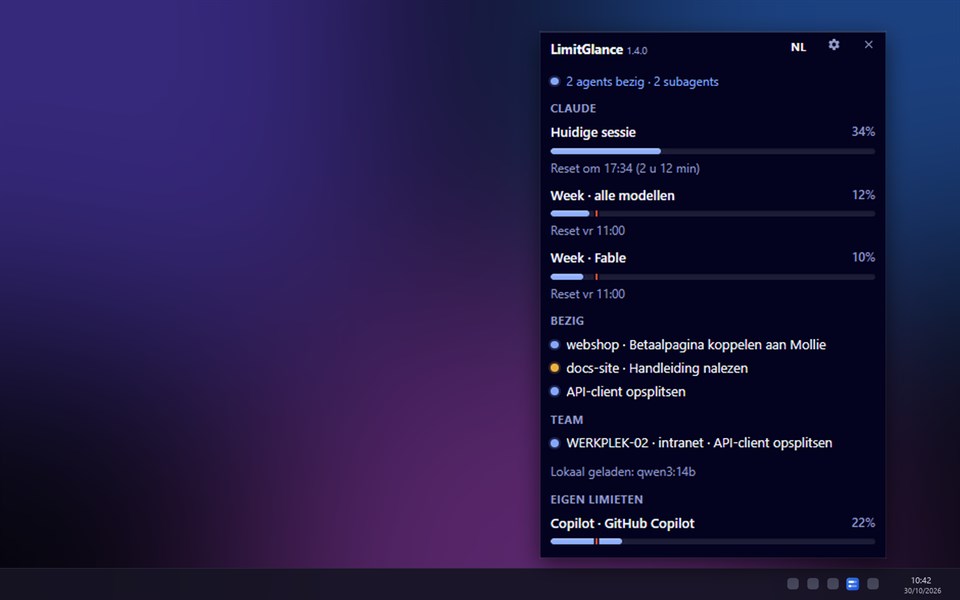
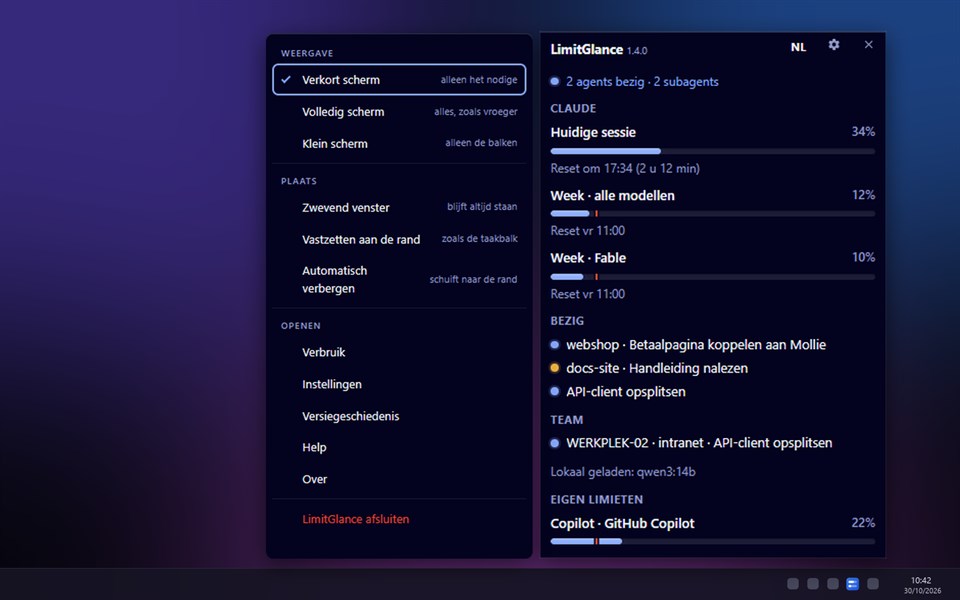
LimitGlance detects which AI tools are on your computer: Claude Code, the Claude app, Cursor, GitHub Copilot, Codex, the ChatGPT app, Gemini CLI, Gemini Code Assist, Antigravity and Windsurf, plus local AI with Ollama and LM Studio. A tool you install later shows up by itself. It refreshes every 5 seconds. Busy agents are at the top, with the number of agents and subagents working right now above them.
WHAT THEY ARE DOING
For Claude Code you see every open session with project, title, last step (e.g. "Bash: npm test"), model and subagents, plus the token usage of the last 5 hours and 7 days. For Cursor, the agent chats of the last 2 hours, with how full the context is.
LIMITS
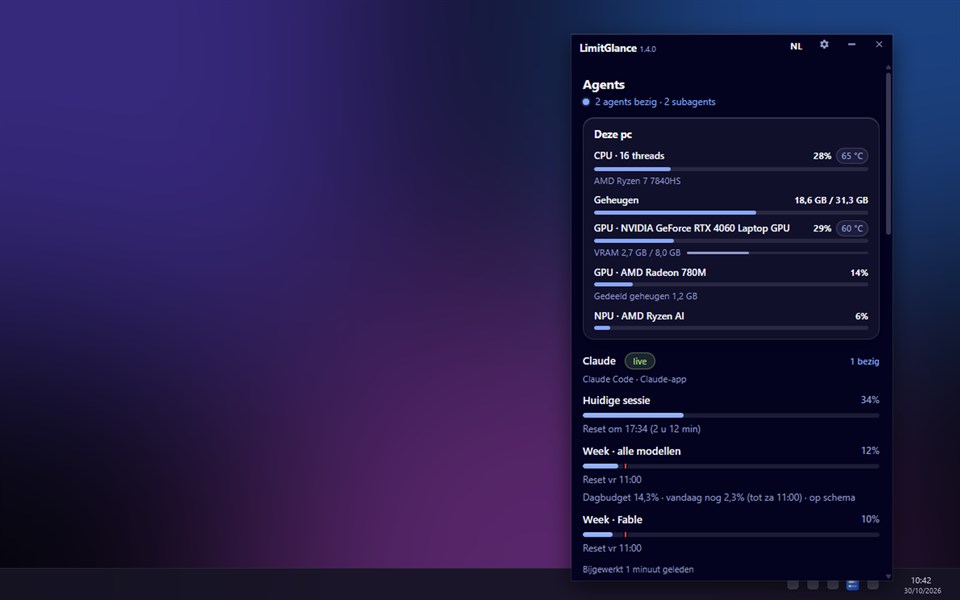
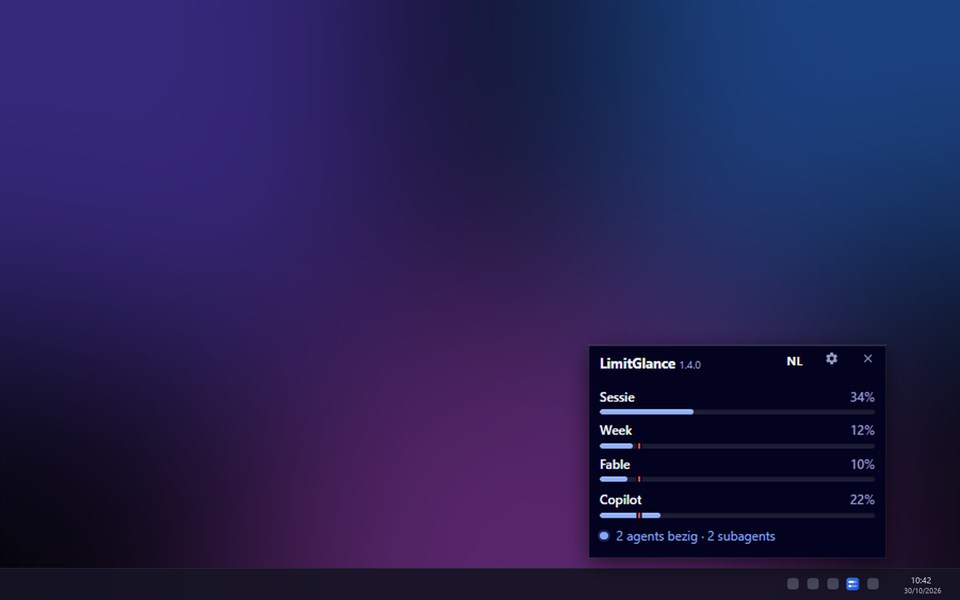
LimitGlance shows the limits of your Claude subscription (5 hours and 7 days, Pro and Max) if you turn that on, with a daily budget and the time of the next reset. For other services you see tokens and activity. Cursor, Copilot, ChatGPT and Gemini do not store their limit on your computer: there you fill it in yourself with "Enter limit".
LOCAL AI AND YOUR PC
For Ollama and LM Studio you see which models are loaded right now, how much video memory they use and which ones are ready. LimitGlance also shows the load of processor, memory and graphics card, and the temperature as Windows reports it. No service, no driver, no extra program.
TEAM
See the agents on your other PCs. Off by default. Encrypted with a team code and only on your own local network, never over the internet.
ALWAYS AT HAND
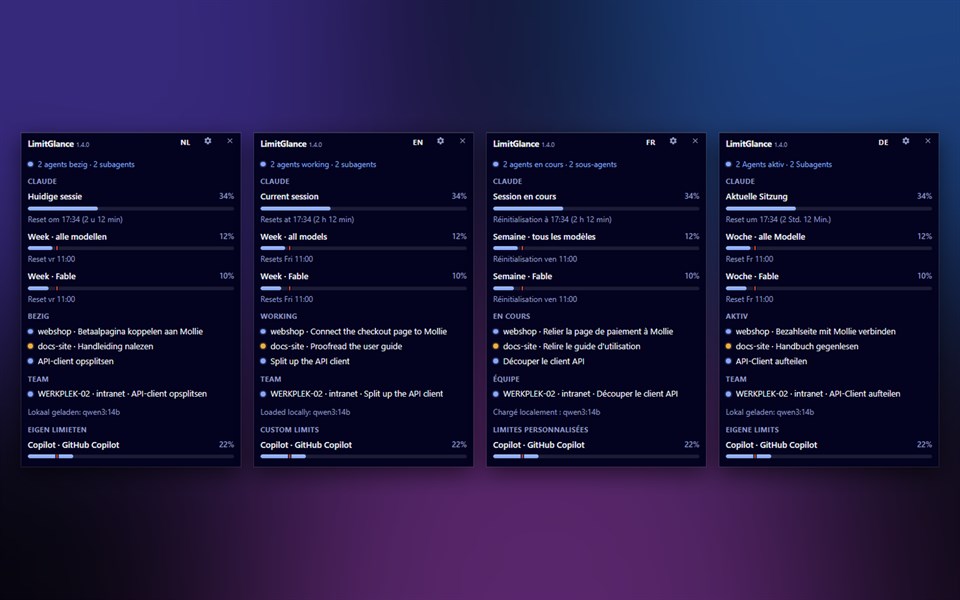
A small window that stays on top, or docked to the edge of the screen like the taskbar. Choose compact, full or small. With an icon next to the clock and, if you like, it starts with Windows. In English, Dutch, French and German.
PRIVACY: EVERYTHING STAYS LOCAL
- No account and no telemetry. LimitGlance sends nothing to Birdycom or to third parties.
- LimitGlance only reads the local data of your AI tools, read-only. Your login details are never opened.
- You can hide a tool; it is then not read either.
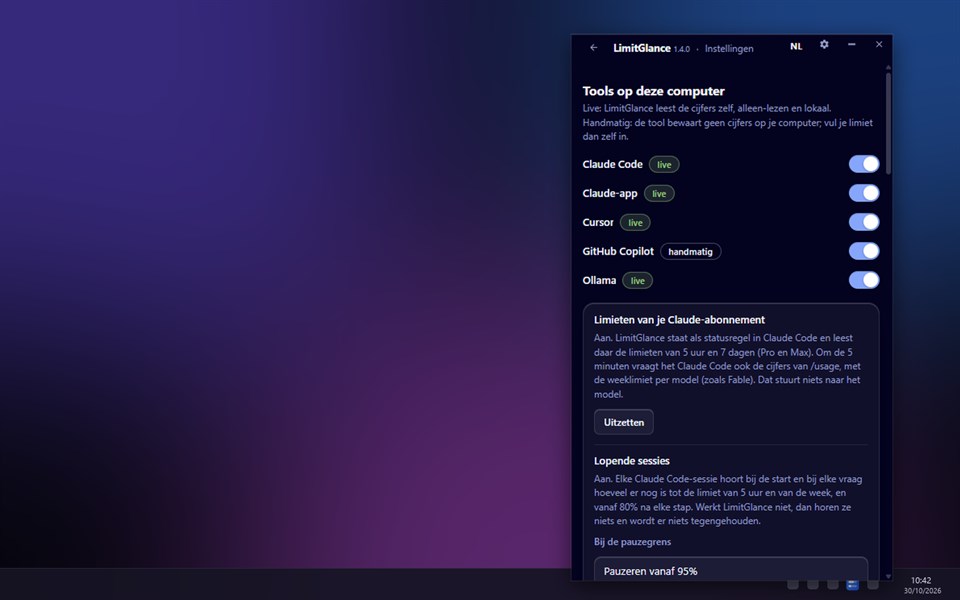
WHAT LIMITGLANCE OPTIONALLY ADDS TO CLAUDE CODE
Only when you turn it on in the settings:
- Limits of your Claude subscription: LimitGlance sets itself as the status line in the Claude Code settings. A status line that was already there stays in place.
- Running sessions: hooks in Claude Code. Each session then hears how much is left until the limit, pauses just before it and continues by itself after the reset.
You turn both off again with one button. Turn them off before you uninstall LimitGlance: that way nothing of LimitGlance is left behind in Claude Code.
SYSTEM REQUIREMENTS
Windows 10 or 11, 64-bit (x64). LimitGlance is free.
LimitGlance is a tool by Birdycom. It is not made by or affiliated with Anthropic, Cursor, GitHub, OpenAI, Google or the other makers mentioned. Trademarks belong to their owners.
Del desarrollador
Desarrollador
- Birdycom
- Seguidores: 0
- Plataformas: Windows Aplicaciones (1)
- Ofertas: 0
- Listas: 0 0
- Puntos: 0
- Clasificaciones: 0
- Comentarios: 0
- Vídeos: 0
- RSS: Suscribirse
Listas 0
-
 LimitGlance
Puntos 0
-

- +1 Punto

Clasificaciones 0
-
- Tu valoración
Novedades
- Versión: PC
- Última actualización:
- First release in the Microsoft Store.
- Per session and subagent the model and the role (e.g. reader · Sonnet), the running time and the tokens.
- Code sessions from the Claude app show up too.
- Estimated API value per session and for 5 hours and 7 days, plus extra usage and credit when that is on.
- The session reset with the time and the time left, e.g. "Resets at 2:26 PM (2 h 12 min)".
Información adicional
- Fecha de lanzamiento:
- Categoría:
Aplicaciones para Windows›Herramientas de desarrollo - Sistemas operativos:
PC - Tamaño:
156 Mb - Idiomas admitidos:
Alemán,Francés,Inglés,Neerlandés - Clasificación de contenido:
EVERYONE - Windows Store Valoración: ¡
0 - Sitio web:
 https://birdycom.be/
Comentarios 0 ¡
Puntuación de AppAgg
Puntuación estimada de AppAgg para
LimitGlance
Desarrollador: Birdycom
Una puntuación más alta suele reflejar mejores resultados en los indicadores de AppAgg.
Basado en: popularidad · valoraciones de usuarios · actualidad · ofertas · datos de tiendas · actividad de la comunidad
Se recalcula a diario con datos actualizados de AppAgg.
LimitGlance URL corta: Copiado!- Windows Store

