
Bookmark
| Pengembang: | Birdycom (1) | ||
| Harga: | Gratis Baru | ||
| Skor: | 990 Perak | ||
| Peringkat: | 0 | ||
| Komentar: | 0 Kirimkan komentar | ||
| Daftar: | 0 0 | ||
| Poin: | 0 | ||
| +1 Poin | |||
Ringkasan
LimitGlance adalah aplikasi buatan Birdycom di kategori Alat pengembang.
Masih gres, rilis . Aroma kode barunya masih tercium.
Gratis, tanpa iklan, tanpa pembelian dalam aplikasi. Cuma kamu dan aplikasinya.
Microsoft Store sudah jadi bawaan Windows, jadi bisa dipasang dalam beberapa klik.
Skor AppAgg-nya 990. Perak, dan itu sama sekali tidak buruk.
Rating usia “EVERYONE”, jadi aman juga untuk anak-anak.
Menguasai 4 bahasa, tapi bahasa Indonesia belum termasuk.
Sudah memakainya? Ulasanmu bakal jadi yang pertama di sini.
Ini satu-satunya aplikasi dari pengembang ini di AppAgg. Untuk sekarang.
Mau jadi yang pertama tahu soal pembaruan dan aplikasi baru? Ikuti pengembang atau berlangganan lewat Umpan RSS. Notifikasi push dikirim lewat aplikasi AppAgg Alerts untuk Android dan iOS.
Jepretan layar 6
Platform lain 0
Riwayat harga 0
- Harga saat ini: Gratis
- Minimum: Gratis
- Maksimum: Gratis
Feed Anda sendiri di beranda
Deskripsi

DETECTS YOUR AI TOOLS
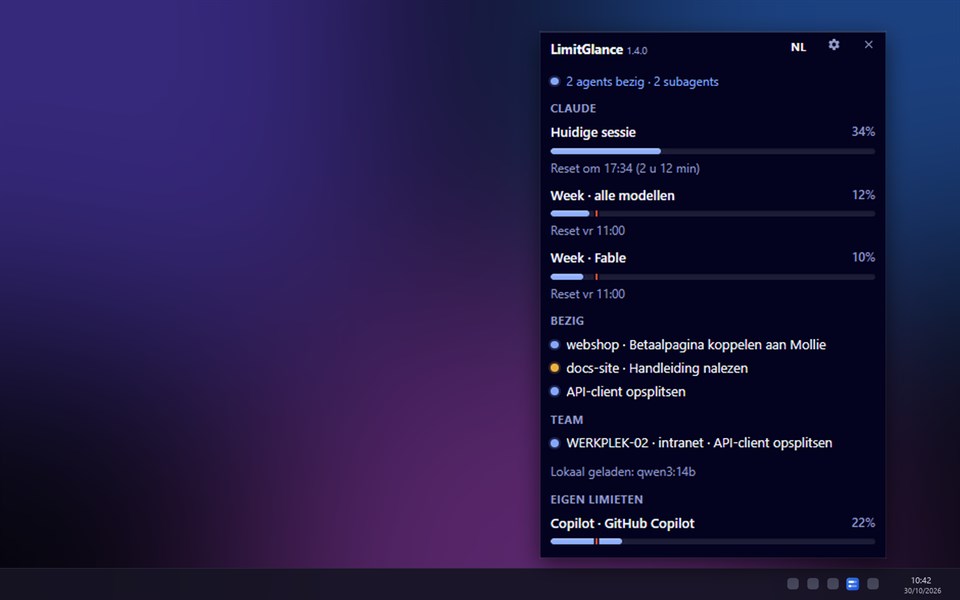
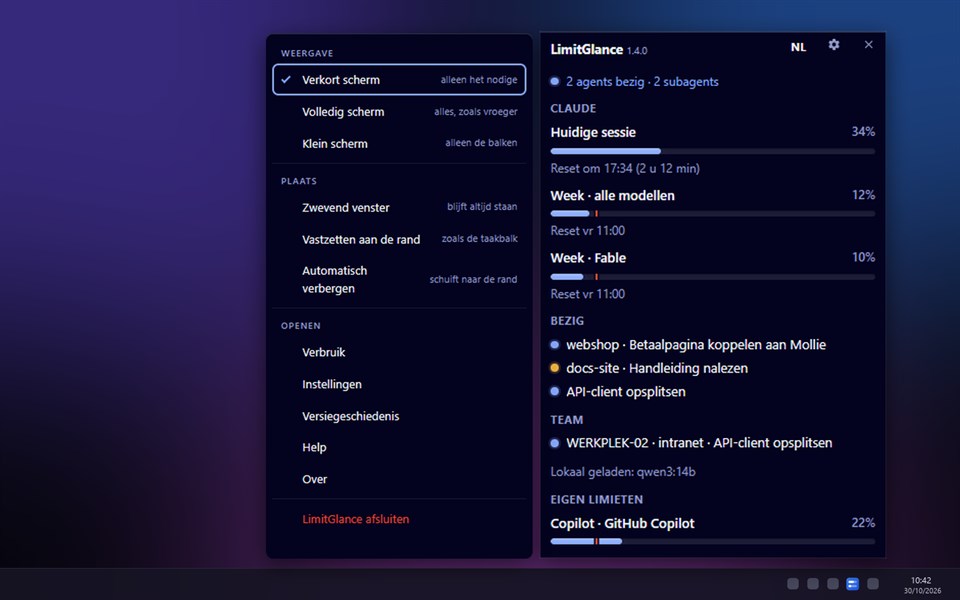
LimitGlance detects which AI tools are on your computer: Claude Code, the Claude app, Cursor, GitHub Copilot, Codex, the ChatGPT app, Gemini CLI, Gemini Code Assist, Antigravity and Windsurf, plus local AI with Ollama and LM Studio. A tool you install later shows up by itself. It refreshes every 5 seconds. Busy agents are at the top, with the number of agents and subagents working right now above them.
WHAT THEY ARE DOING
For Claude Code you see every open session with project, title, last step (e.g. "Bash: npm test"), model and subagents, plus the token usage of the last 5 hours and 7 days. For Cursor, the agent chats of the last 2 hours, with how full the context is.
LIMITS
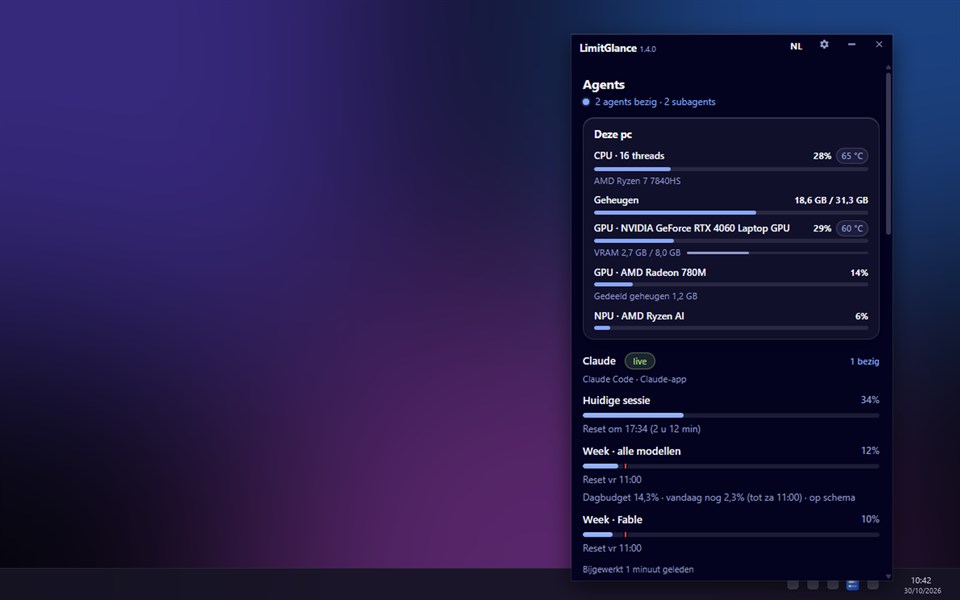
LimitGlance shows the limits of your Claude subscription (5 hours and 7 days, Pro and Max) if you turn that on, with a daily budget and the time of the next reset. For other services you see tokens and activity. Cursor, Copilot, ChatGPT and Gemini do not store their limit on your computer: there you fill it in yourself with "Enter limit".
LOCAL AI AND YOUR PC
For Ollama and LM Studio you see which models are loaded right now, how much video memory they use and which ones are ready. LimitGlance also shows the load of processor, memory and graphics card, and the temperature as Windows reports it. No service, no driver, no extra program.
TEAM
See the agents on your other PCs. Off by default. Encrypted with a team code and only on your own local network, never over the internet.
ALWAYS AT HAND
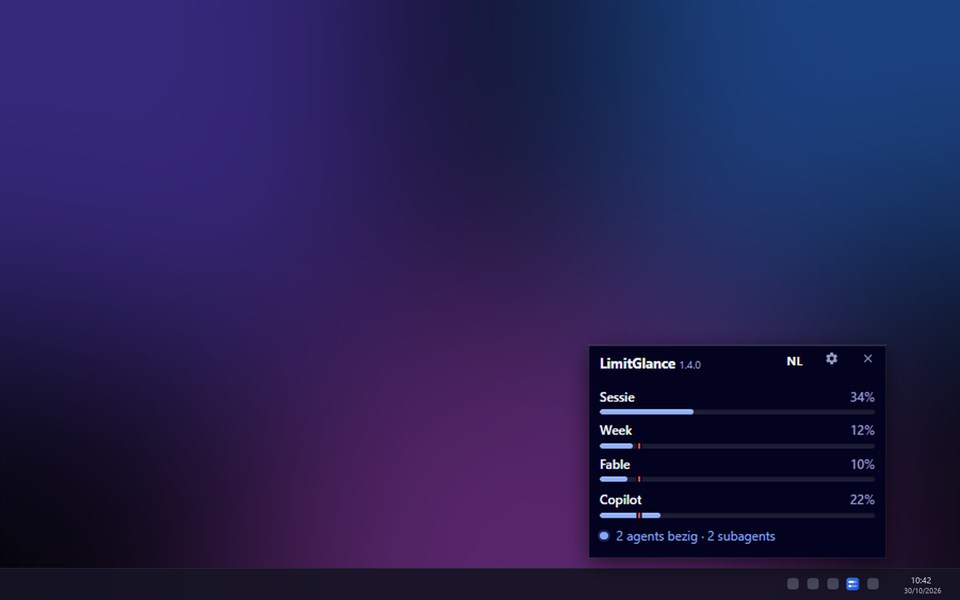
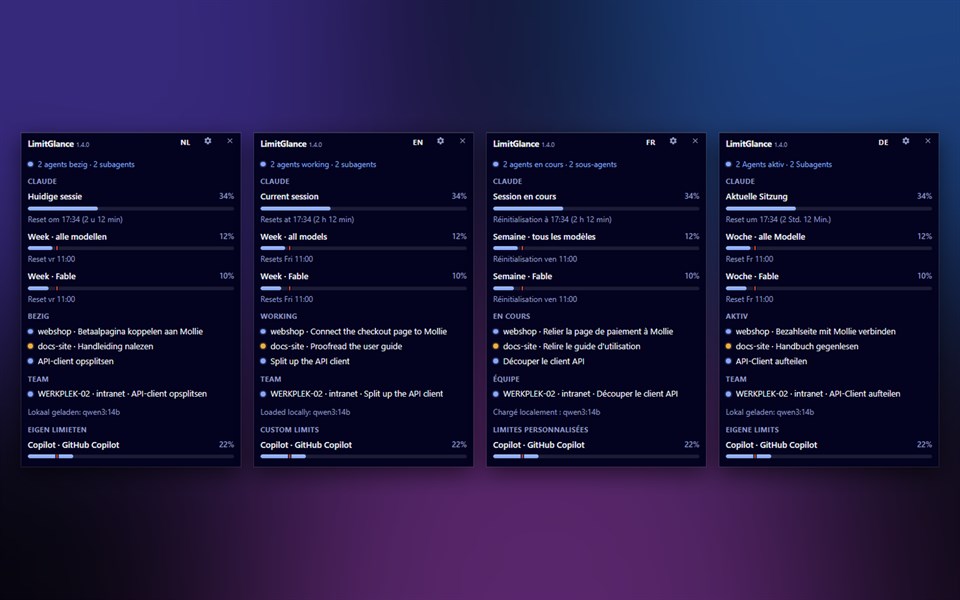
A small window that stays on top, or docked to the edge of the screen like the taskbar. Choose compact, full or small. With an icon next to the clock and, if you like, it starts with Windows. In English, Dutch, French and German.
PRIVACY: EVERYTHING STAYS LOCAL
- No account and no telemetry. LimitGlance sends nothing to Birdycom or to third parties.
- LimitGlance only reads the local data of your AI tools, read-only. Your login details are never opened.
- You can hide a tool; it is then not read either.
WHAT LIMITGLANCE OPTIONALLY ADDS TO CLAUDE CODE
Only when you turn it on in the settings:
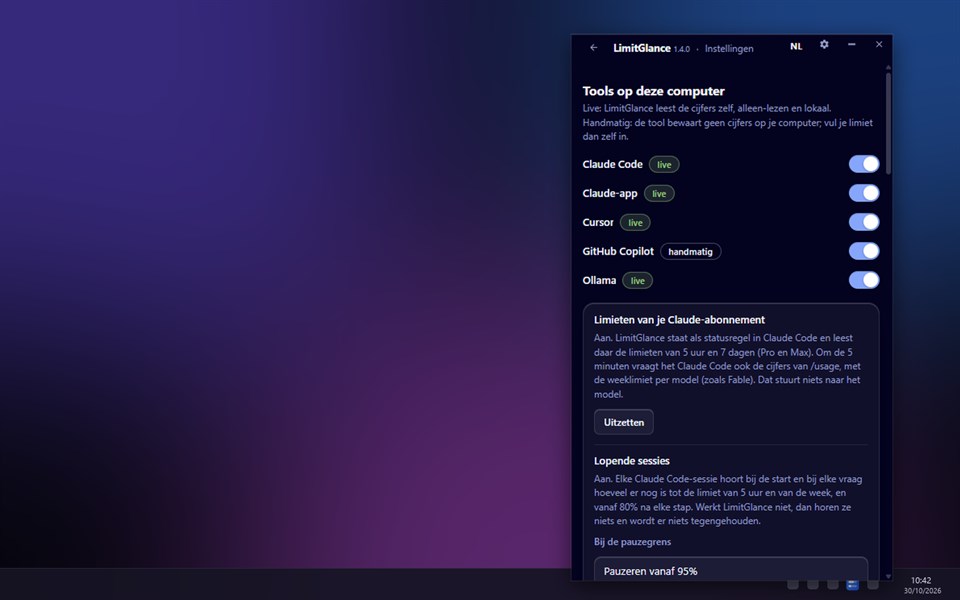
- Limits of your Claude subscription: LimitGlance sets itself as the status line in the Claude Code settings. A status line that was already there stays in place.
- Running sessions: hooks in Claude Code. Each session then hears how much is left until the limit, pauses just before it and continues by itself after the reset.
You turn both off again with one button. Turn them off before you uninstall LimitGlance: that way nothing of LimitGlance is left behind in Claude Code.
SYSTEM REQUIREMENTS
Windows 10 or 11, 64-bit (x64). LimitGlance is free.
LimitGlance is a tool by Birdycom. It is not made by or affiliated with Anthropic, Cursor, GitHub, OpenAI, Google or the other makers mentioned. Trademarks belong to their owners.
Dari developer
Pengembang
- Birdycom
- Pengikut: 0
- Platform: Windows Aplikasi (1)
- Diskon: 0
- Daftar: 0 0
- Poin: 0
- Peringkat: 0
- Komentar: 0
- Video: 0
- RSS: Berlangganan
Daftar 0
-
 LimitGlance
Poin 0
-

- +1 Poin

Peringkat 0
-
- Rating Anda
Yang Baru
- Versi: PC
- Terakhir diperbarui:
- First release in the Microsoft Store.
- Per session and subagent the model and the role (e.g. reader · Sonnet), the running time and the tokens.
- Code sessions from the Claude app show up too.
- Estimated API value per session and for 5 hours and 7 days, plus extra usage and credit when that is on.
- The session reset with the time and the time left, e.g. "Resets at 2:26 PM (2 h 12 min)".
Info tambahan
- Tanggal rilis:
- Kategori:
Aplikasi Windows›Alat pengembang - OS:
PC - Ukuran:
156 Mb - Bahasa yang didukung:
Belanda,Inggris,Jerman,Prancis - Rating Konten:
EVERYONE - Windows Store Rating: ¡
0 - Situs Web:
 https://birdycom.be/
Komentar 0 ¡
Skor AppAgg
Perkiraan Skor AppAgg untuk
LimitGlance
Pengembang: Birdycom
Skor yang lebih tinggi biasanya menunjukkan indikator yang lebih kuat di AppAgg.
Berdasarkan: popularitas · rating pengguna · kebaruan · promo · data toko · aktivitas komunitas
Dihitung ulang setiap hari dari data AppAgg terbaru.
LimitGlance URL singkat: Disalin!- Windows Store

