
Bookmark
| Pengembang: | Marchuk Studios (1) | ||
| Harga: | Gratis Baru | ||
| Skor: | 860 Perak | ||
| Peringkat: | 0 | ||
| Komentar: | 0 Kirimkan komentar | ||
| Daftar: | 0 0 | ||
| Poin: | 0 | ||
| +1 Poin | |||
Ringkasan
Malvo Code adalah aplikasi buatan Marchuk Studios di kategori Alat pengembang.
Rilisan baru, keluar , jadi kamu termasuk yang pertama.
Gratis, tanpa iklan, tanpa pembelian dalam aplikasi. Cuma kamu dan aplikasinya.
Microsoft Store sudah jadi bawaan Windows, jadi bisa dipasang dalam beberapa klik.
Skor AppAgg-nya 860. Perak, dan itu sama sekali tidak buruk.
Rating usia “EVERYONE”, jadi aman juga untuk anak-anak.
Menguasai 2 bahasa, tapi bahasa Indonesia belum termasuk.
Sudah memakainya? Ulasanmu bakal jadi yang pertama di sini.
Ini satu-satunya aplikasi dari pengembang ini di AppAgg. Untuk sekarang.
Mau jadi yang pertama tahu soal pembaruan dan aplikasi baru? Ikuti pengembang atau berlangganan lewat Umpan RSS. Notifikasi push dikirim lewat aplikasi AppAgg Alerts untuk Android dan iOS.
Platform lain 0
Riwayat harga 0
- Harga saat ini: Gratis
- Minimum: Gratis
- Maksimum: Gratis
Feed Anda sendiri di beranda
Jepretan layar 5
Deskripsi

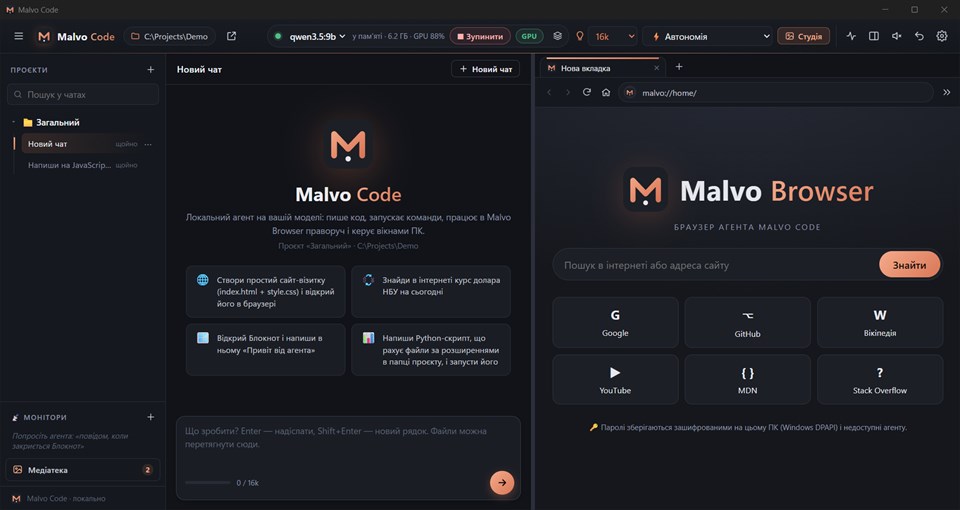
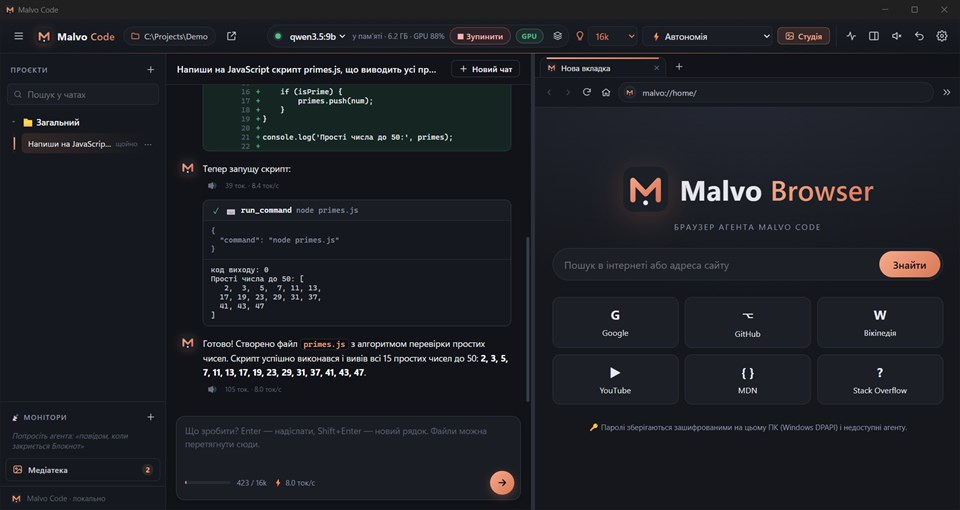
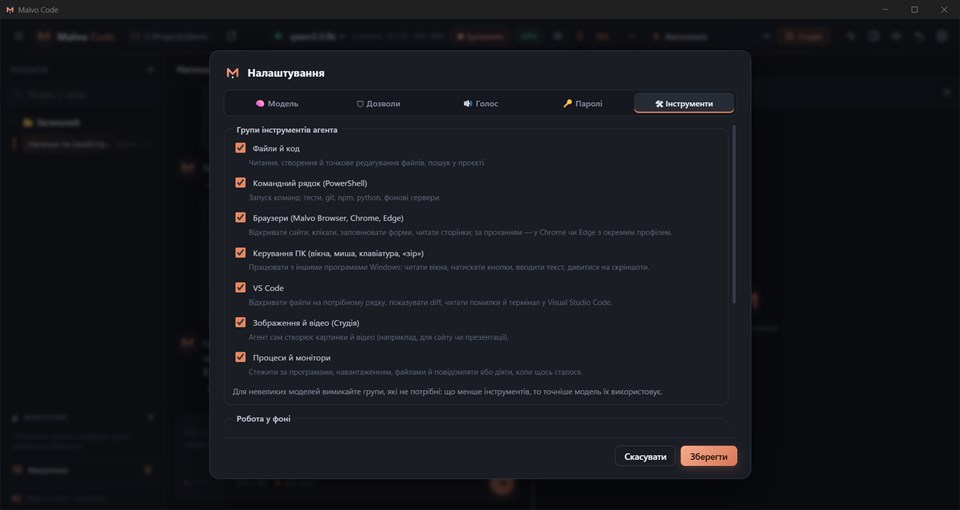
Describe a task in plain words and Malvo Code does it: writes and fixes code, runs tests and PowerShell commands, opens a website, fills in a form, looks at an application window and clicks the right button.
WHAT IT CAN DO
• Code: reads, creates and precisely edits files, searches the project, runs tests, git, npm, python. Every file change is shown line by line, and the last request can be undone with one click.
• Its own browser, Malvo Browser: tabs, an encrypted password manager, search. The agent reads pages, clicks, fills in forms. On request it also works in Chrome and Edge using a separate profile.
• PC control: sees application windows, presses buttons, types text, uses hotkeys. "Vision" mode reads text from screenshots for apps that expose no accessible interface.
• Visual Studio Code: opens a file at a given line, shows a diff, reads errors from the Problems panel.
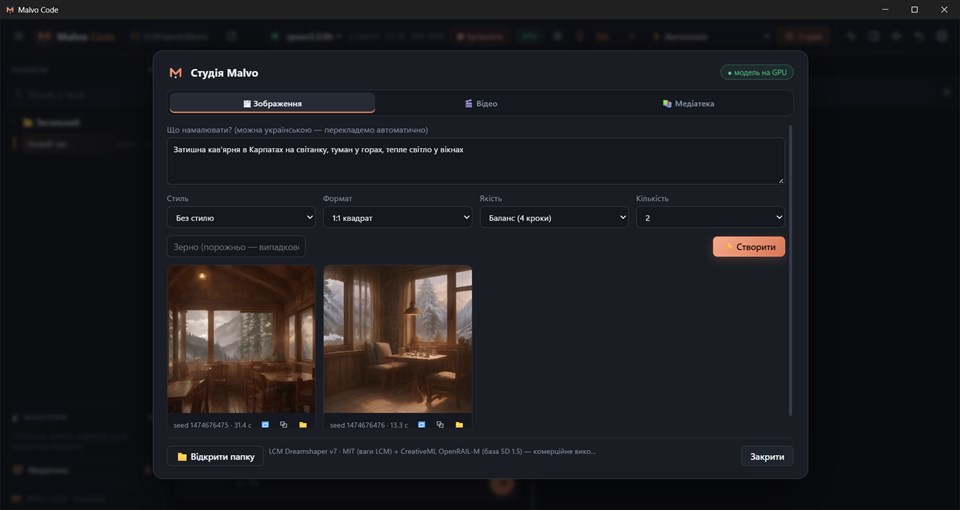
• Studio: create images and videos on your own graphics card (no subscription), with Ukrainian voice-over.
• Ukrainian neural voice that reads answers aloud, offline.
• Monitors: "tell me when the render finishes", "watch memory usage" — they run in the background and Windows notifies you.
• Load window: how the app and the model load the CPU, RAM and GPU; a GPU / system RAM switch.
YOU STAY IN CONTROL
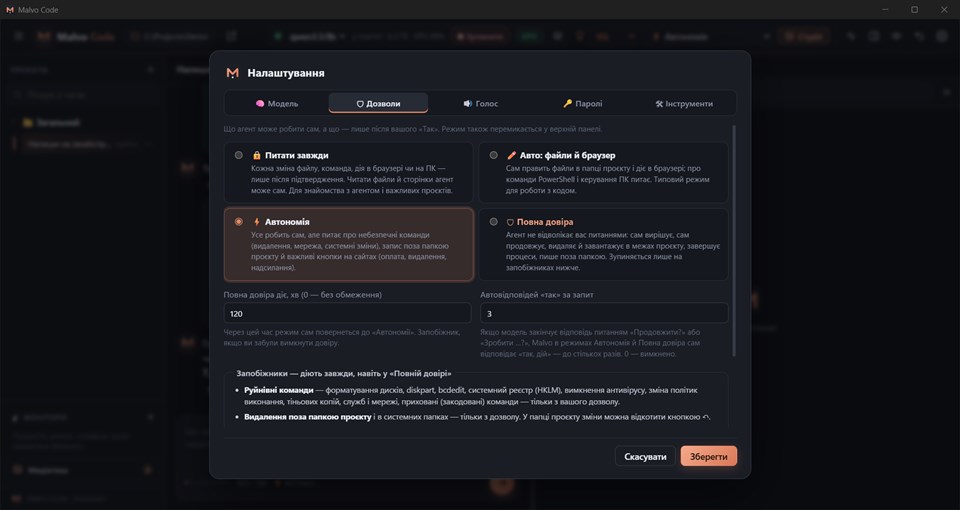
Four permission modes, from "always ask" to "full trust". Even in full trust, Malvo Code stops at dangerous actions: formatting disks, changing system settings, deleting outside the project folder, payments and deletions on websites. The agent never sees or types your passwords. You can stop it at any time with a button or Ctrl+Alt+X.
CHOOSE YOUR MODEL
The catalog has 34 openly licensed models (Qwen, Mistral, IBM Granite, OLMo, GLM and others) for PCs of every size, from a 4 GB laptop to a workstation. The app checks your PC and shows what will run well on it.
FROM A USB DRIVE
Malvo Code can be copied to a USB drive and run on any Windows PC without installing — chats, settings and passwords stay on the drive.
WHAT YOU NEED
The free Ollama program (ollama.com) is required — Malvo Code offers to install it on first launch. Language models are downloaded separately with one click (1.3 to 20 GB; internet is needed only for downloading). Recommended: 16 GB of RAM or a graphics card with 8 GB of video memory.
Dari developer
Daftar 0
-
 Malvo Code
Poin 0
-

- +1 Poin

Peringkat 0
-
- Rating Anda
Pengembang 1
- Marchuk Studios
- Pengikut: 0
- Platform: Windows Aplikasi (1)
- Diskon: 0
- Daftar: 0 0
- Poin: 0
- Peringkat: 0
- Komentar: 0
- Video: 0
- RSS: Berlangganan
Yang Baru
- Versi: PC
- Terakhir diperbarui:
- First release of Malvo Code.
Info tambahan
- Tanggal rilis:
- Kategori:
Aplikasi Windows›Alat pengembang - OS:
PC - Ukuran:
239 Mb - Bahasa yang didukung:
Inggris,Ukraina - Rating Konten:
EVERYONE - Windows Store Rating: ¡
0
Skor AppAgg
Perkiraan Skor AppAgg untuk
Malvo Code
Pengembang: Marchuk Studios
Skor yang lebih tinggi biasanya menunjukkan indikator yang lebih kuat di AppAgg.
Berdasarkan: popularitas · rating pengguna · kebaruan · promo · data toko · aktivitas komunitas
Dihitung ulang setiap hari dari data AppAgg terbaru.
Komentar 0 ¡
Bagikan
Malvo Code URL singkat: Disalin!- Windows Store

