
ブックマーク
このブックマークのタイトルを入力してください。
ブックマークを保存しました
概要
こちらはMarkdown Lens。Abhi9が贈る「開発者ツール」カテゴリのアプリです。
にリリース。冷蔵庫の牛乳よりも若いんです。
無料。広告なし、アプリ内課金なし。あなたとアプリだけです。
Microsoft StoreはWindowsに組み込まれているので、数クリックでインストールできます。
AppAggスコアは770。「シルバー」なら、なかなかのものです。
年齢区分は「EVERYONE」なので、子どもでも安心です。
対応言語はひとつだけ、しかも日本語ではありません。
使ってみましたか?あなたのレビューがここで最初の一件になります。
この開発者のアプリは、AppAggにほかに1個あります。のぞいてみては?
ちなみに、この開発者は今1件のセールを開催中です。
アップデートや新しいアプリを誰よりも早く知りたい?開発者をフォローするか、RSS フィードを購読しましょう。プッシュ通知は Android と iOS 向けの AppAgg Alerts アプリで届きます。
広告
他のプラットフォーム 0
価格履歴 0
- 現在の価格: 無料
- 最小値: 無料
- 最大値: 無料
ホームに自分だけのフィード
「新着・アップデート」のプラットフォームを選ぶと、ホームには必要なアプリとゲームだけが表示されます。
スクリーンショット 5
説明

Made for developers reading README files, writers and students keeping notes, and teams sharing documentation.
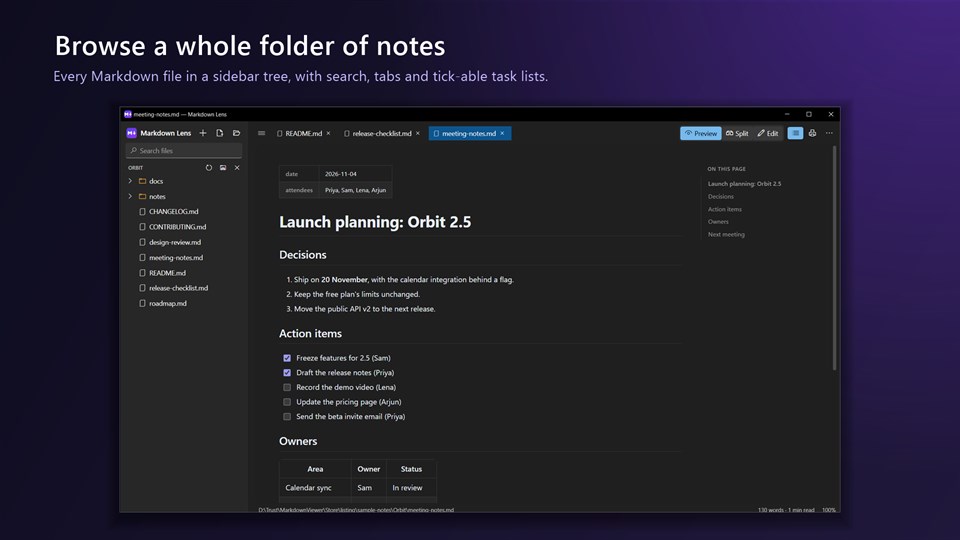
BROWSE A WHOLE FOLDER
• Open any folder and every Markdown file in it appears in a sidebar tree
• Search file names across the folder as you type
• Tabs keep many documents open; your tabs come back next time
• Double-click any .md file in File Explorer to open it
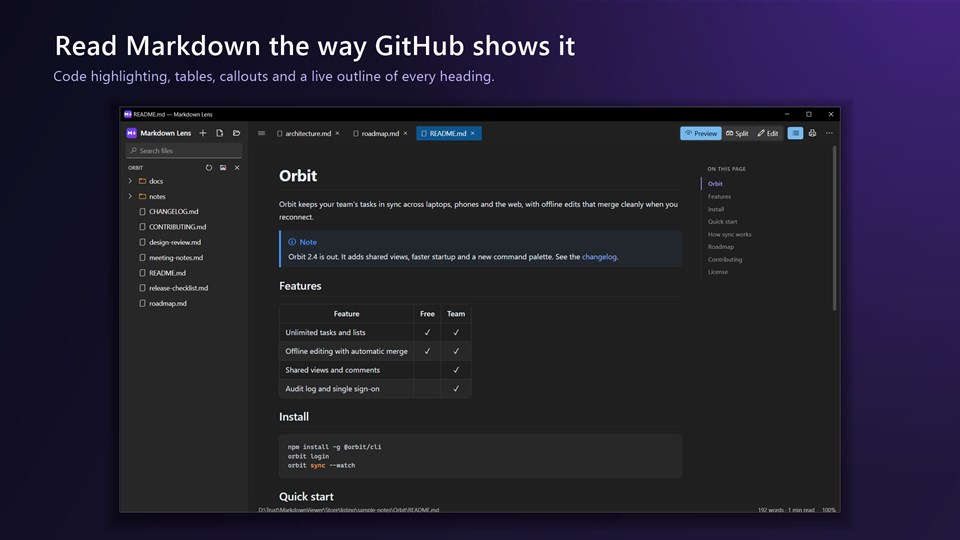
READ IT THE WAY GITHUB SHOWS IT
• GitHub Flavored Markdown: tables, task lists, strikethrough and autolinks
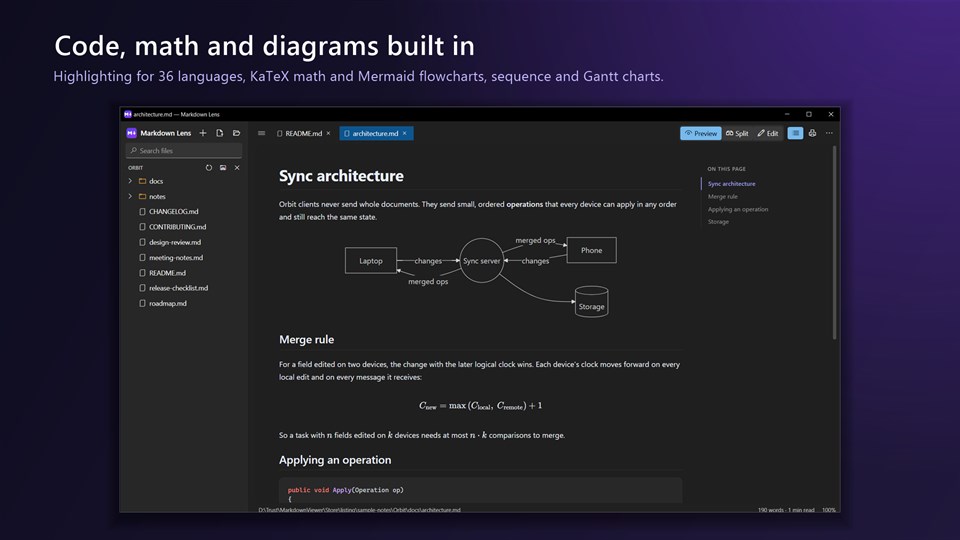
• Code highlighting for 36 popular languages, with a copy button on every block
• Math with KaTeX: $inline$ and $$display$$ formulas
• Mermaid diagrams: flowcharts, sequence diagrams, Gantt charts, class diagrams and more
• GitHub-style callouts: Note, Tip, Important, Warning and Caution
• A live outline of your headings that highlights the section you're reading
• Front matter shown as a neat table
• Relative images and links work, including links to other Markdown files
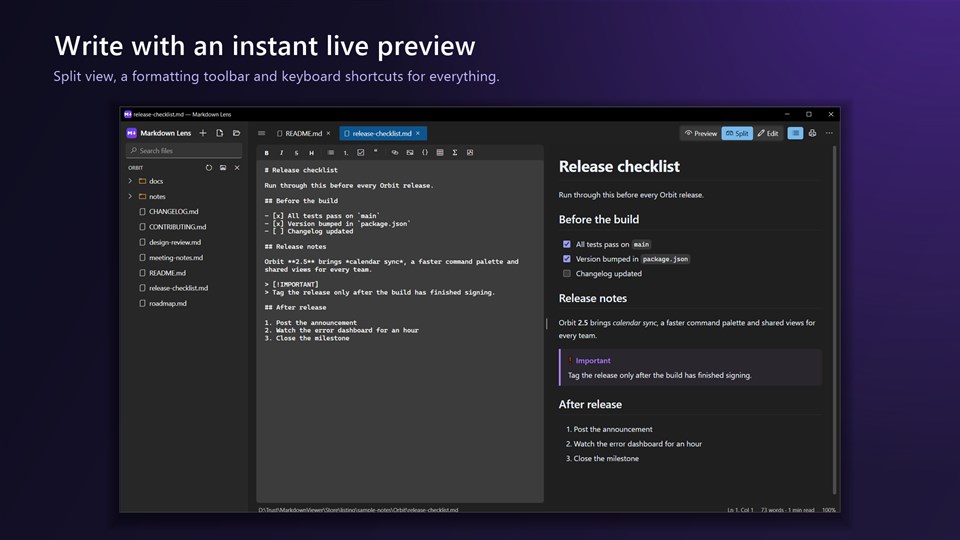
WRITE WITH A LIVE PREVIEW
• Preview, Split and Edit views (Ctrl+1, Ctrl+2, Ctrl+3)
• Formatting toolbar for bold, headings, lists, tasks, links, images, tables, math and diagrams
• Shortcuts: Ctrl+B bold, Ctrl+I italic, Ctrl+K link
• Tick a task checkbox in the preview and it's ticked in the file
• Files changed by another app reload automatically, never over your unsaved edits
• Keeps each file's original text encoding
SHARE IT
• Export to PDF, always in clean, print-ready light colours
• Export a standalone HTML page
• Copy as formatted text to paste into Word, Outlook or Gmail
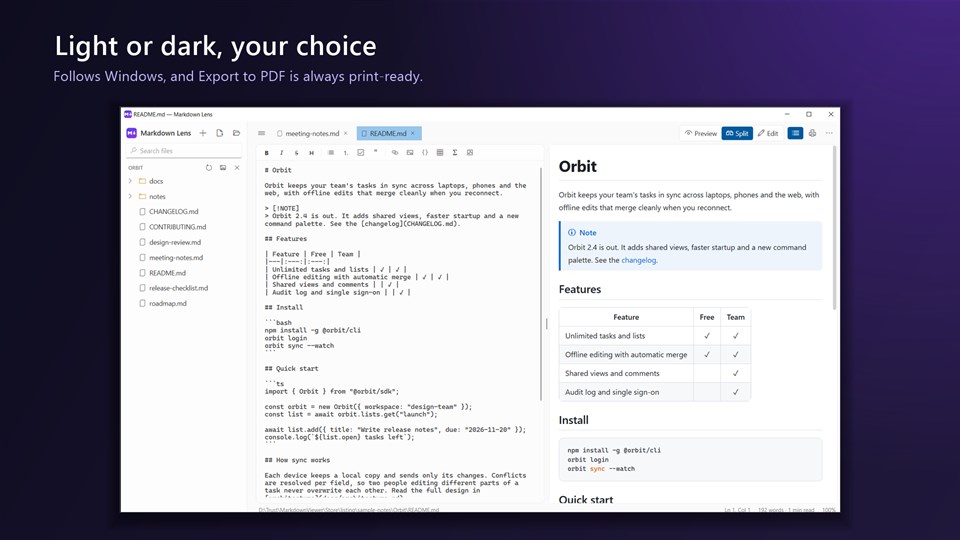
LIGHT OR DARK
• Follows your Windows theme, or choose light or dark yourself
PRIVATE AND OFFLINE
• Everything is built in and works without an internet connection
• No account, no ads, no tracking: your files never leave your PC
デベロッパーから
デベロッパーの方ですか?
ページの一番上にニュースを投稿すると、フォロワーにメールで届きます。YouTube 動画を追加すると、「動画」の一番上に表示されます。
リスト 0
-
 Markdown Lens
ポイント 0
-

- +1 ポイント

ランキング 0
-
- あなたの評価
開発者 2
- Abhi9
- フォロワー: 0
- プラットフォーム: Windows アプリ (2)
- セール: 1
- リスト: 0 0
- ポイント: 0
- ランキング: 0
- コメント: 0
- 動画: 0
- RSS: 購読する
新機能
- バージョン: PC
- 最終更新:
情報
AppAggスコア
770
AppAgg推定スコア:
Markdown Lens
開発者: Abhi9
770 シルバー
スコアが高いほど、AppAgg上の各指標が良好な傾向にあります。
基準: 人気 · ユーザー評価 · 新しさ · セール · ストアデータ · コミュニティ活動
最新のAppAggデータに基づいて毎日再計算されます。
ウェブサイト用バッジ:  コピーしました!
コメント 0 ¡
最初のコメントを書きましょう
シェア
Markdown Lens 短縮 URL: コピーしました!- Windows Store

