
북마크
이 북마크의 제목을 입력하세요.
북마크가 저장되었습니다
요약
소개합니다. Abhi9에서 만든 ‘개발자 도구’ 카테고리 앱, Markdown Lens.
에 나왔으니, 냉장고 속 우유보다 어려요.
무료. 광고도 인앱 구매도 없어요. 앱에만 집중하면 돼요.
Microsoft Store는 Windows에 기본으로 들어 있어서 클릭 몇 번이면 설치돼요.
AppAgg 점수는 770. 실버 등급, 이 정도면 꽤 괜찮아요.
연령 등급은 ‘EVERYONE’, 아이들에게도 괜찮아요.
지원 언어는 딱 하나, 그런데 한국어는 아니에요.
사용해 보셨나요? 여기서 첫 리뷰의 주인공이 되어 주세요.
이 개발자의 앱이 AppAgg에 1개 더 있어요. 한번 둘러보세요.
참고로, 이 개발자는 지금 할인 1건 진행 중이에요.
업데이트와 새 앱 소식을 가장 먼저 받고 싶나요? 개발자를 팔로우하거나 RSS 피드를 구독하세요. 푸시 알림은 Android와 iOS용 AppAgg Alerts 앱으로 받을 수 있어요.
광고
다른 플랫폼 0
가격 기록 0
- 현재 가격: 무료
- 최소: 무료
- 최대: 무료
홈 화면의 나만의 피드
“신규 및 업데이트” 피드의 플랫폼을 선택하면 홈 화면에 필요한 앱과 게임만 표시됩니다.
스크린샷 5
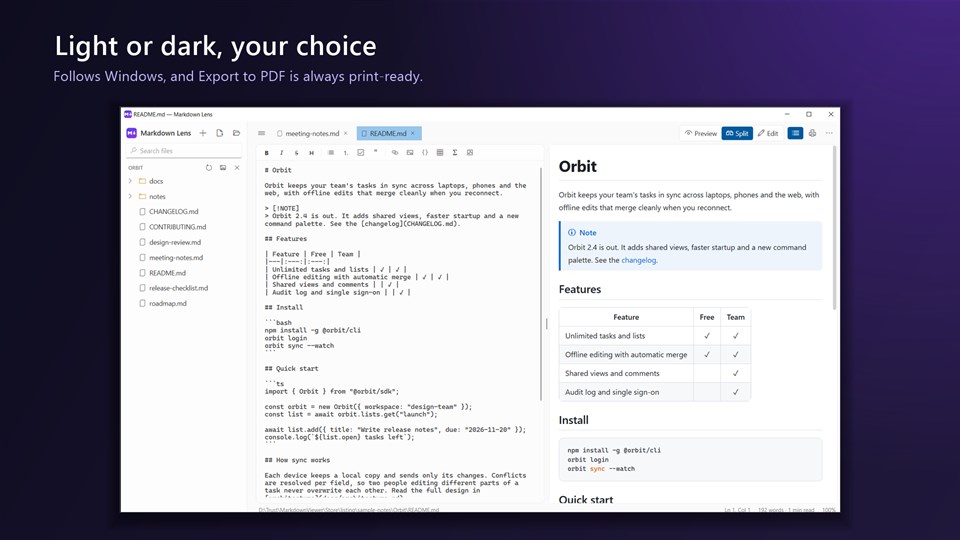
설명

Made for developers reading README files, writers and students keeping notes, and teams sharing documentation.
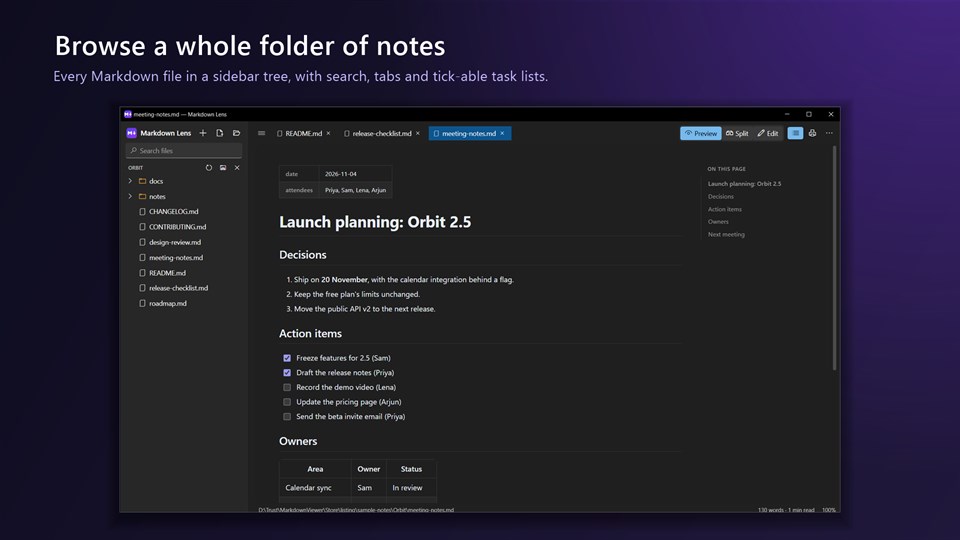
BROWSE A WHOLE FOLDER
• Open any folder and every Markdown file in it appears in a sidebar tree
• Search file names across the folder as you type
• Tabs keep many documents open; your tabs come back next time
• Double-click any .md file in File Explorer to open it
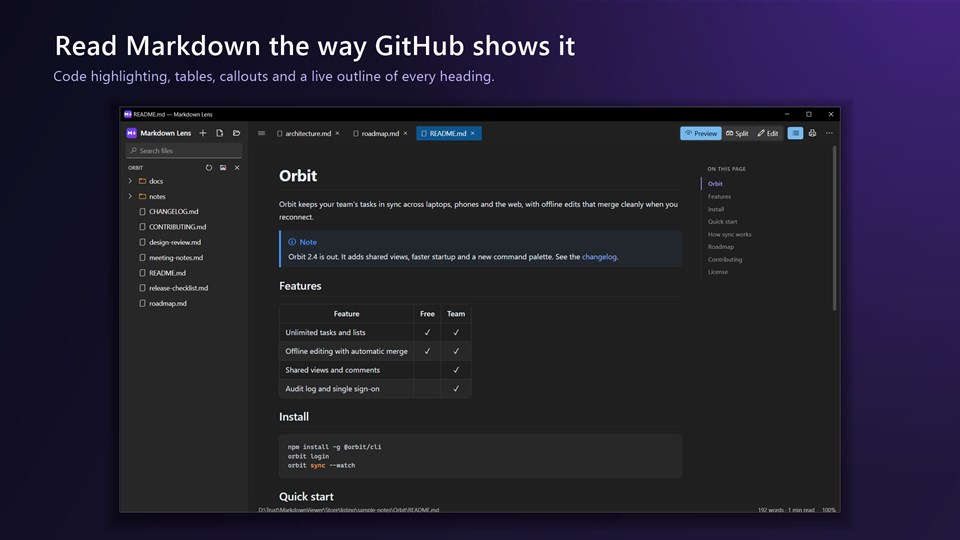
READ IT THE WAY GITHUB SHOWS IT
• GitHub Flavored Markdown: tables, task lists, strikethrough and autolinks
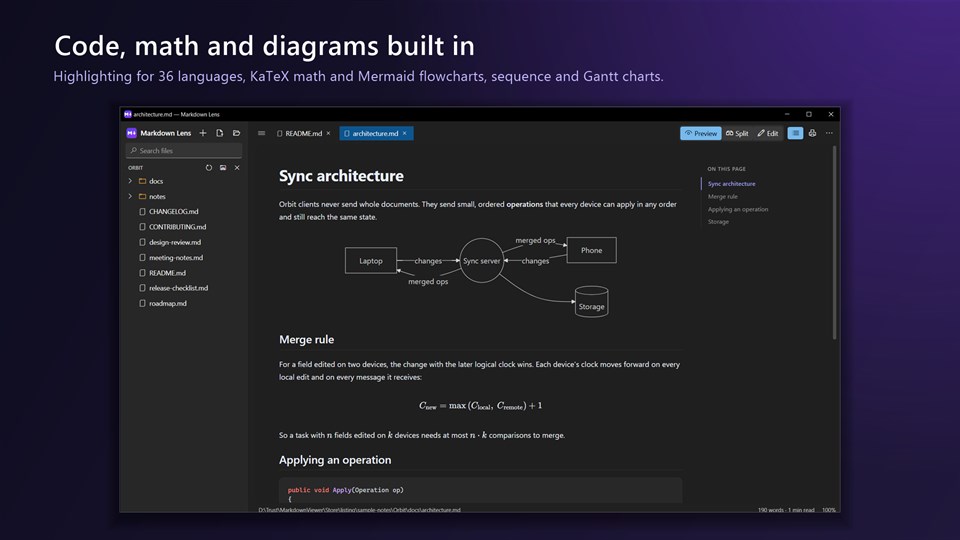
• Code highlighting for 36 popular languages, with a copy button on every block
• Math with KaTeX: $inline$ and $$display$$ formulas
• Mermaid diagrams: flowcharts, sequence diagrams, Gantt charts, class diagrams and more
• GitHub-style callouts: Note, Tip, Important, Warning and Caution
• A live outline of your headings that highlights the section you're reading
• Front matter shown as a neat table
• Relative images and links work, including links to other Markdown files
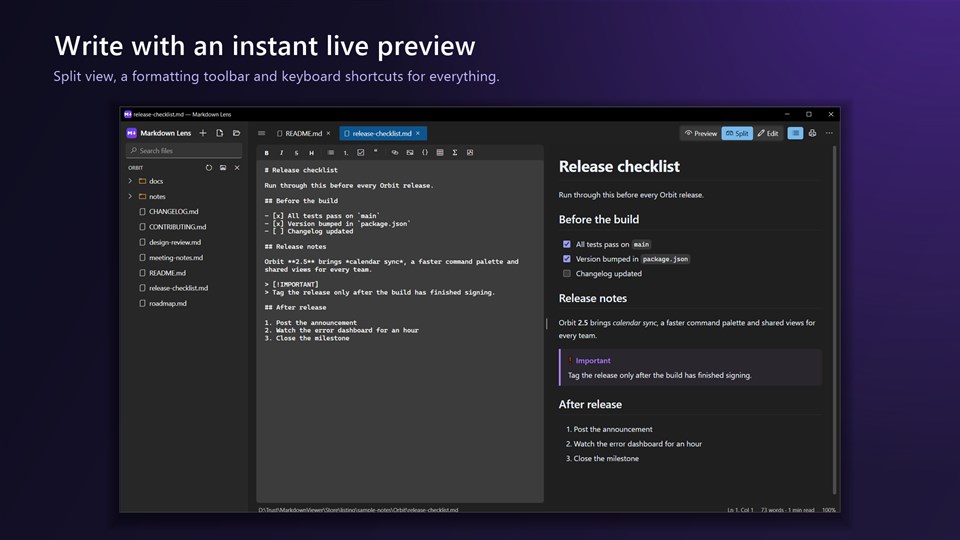
WRITE WITH A LIVE PREVIEW
• Preview, Split and Edit views (Ctrl+1, Ctrl+2, Ctrl+3)
• Formatting toolbar for bold, headings, lists, tasks, links, images, tables, math and diagrams
• Shortcuts: Ctrl+B bold, Ctrl+I italic, Ctrl+K link
• Tick a task checkbox in the preview and it's ticked in the file
• Files changed by another app reload automatically, never over your unsaved edits
• Keeps each file's original text encoding
SHARE IT
• Export to PDF, always in clean, print-ready light colours
• Export a standalone HTML page
• Copy as formatted text to paste into Word, Outlook or Gmail
LIGHT OR DARK
• Follows your Windows theme, or choose light or dark yourself
PRIVATE AND OFFLINE
• Everything is built in and works without an internet connection
• No account, no ads, no tracking: your files never leave your PC
개발자 소식
개발자이신가요?
페이지 맨 위에 소식을 올리면 팔로워에게 이메일로 전달됩니다. YouTube 동영상을 추가하면 “동영상” 블록 맨 앞에 표시됩니다.
목록 0
-
 Markdown Lens
포인트 0
-

- +1 포인트

순위 0
-
- 내 평점
새로운 기능
- 버전: PC
- 마지막 업데이트:
추가 정보
AppAgg 점수
770
AppAgg 예상 점수:
Markdown Lens
개발자: Abhi9
770 실버
점수가 높을수록 대체로 AppAgg의 여러 지표에서 좋은 결과를 보인다는 뜻입니다.
기준: 인기 · 사용자 평점 · 최신성 · 할인 · 스토어 데이터 · 커뮤니티 활동
최신 AppAgg 데이터를 바탕으로 매일 다시 계산됩니다.
웹사이트용 배지:  복사됨!
댓글 0 ¡
가장 먼저 댓글을 남겨주세요
공유하기
Markdown Lens 단축 URL: 복사됨!- Windows Store


