
บุ๊กมาร์ก
| ผู้พัฒนา: | ptl1998naganodevall (24) | ||
| ราคา: | $1.79 | ||
| คะแนน: | 680 เงิน | ||
| การจัดอันดับ: | 0 | ||
| ความคิดเห็น: | 0 โพสต์ความคิดเห็น | ||
| รายการ: | 0 0 | ||
| แต้ม: | 0 | ||
| +1 แต้ม | |||
สรุป
Markdown Table Batch Converter เป็นแอปในหมวด “เครื่องมือสำหรับนักพัฒนา” จาก ptl1998naganodevall
ออกเมื่อ ยังสดใหม่อยู่เลย
$1.79 ไม่เคยลดราคาบน AppAgg เลยสักครั้ง ตั้งการแจ้งเตือนราคาไว้ ต่อให้คุณลืม เราก็ไม่ลืม
Microsoft Store มีมาในตัว Windows อยู่แล้ว ติดตั้งได้ในไม่กี่คลิก
คะแนน AppAgg คือ 680 ระดับ “เงิน” ถือว่าไม่เลวเลย
แค่ 20 เมกะไบต์ ต่อให้ไดรฟ์เต็มก็ยังลงได้
จัดเรต “EVERYONE” เหมาะกับเด็ก ๆ ด้วย
รองรับแค่ภาษาเดียว และไม่ใช่ภาษาไทย
ยังไม่มีใครบน AppAgg ให้คะแนนเลย โอกาสเป็นคนแรกอยู่ตรงนี้แล้ว
ผู้พัฒนารายนี้มีแอปอื่นบน AppAgg อีก 23 แอป ลองไปดูกัน
อีกอย่าง ตอนนี้ผู้พัฒนารายนี้มี ดีลลดราคา 1 รายการ ด้วยนะ
อยากรู้เรื่องลดราคา อัปเดต และแอปใหม่ก่อนใครไหม? ตั้งการแจ้งเตือนราคา ติดตาม ผู้พัฒนา หรือกดติดตาม ฟีด RSS ได้เลย การแจ้งเตือนแบบพุชส่งผ่านแอป AppAgg Alerts สำหรับ Android และ iOS
แพลตฟอร์มอื่น 0
ประวัติราคา 0
- ราคาปัจจุบัน: $1.79
- ต่ำสุด: $1.79
- สูงสุด: $1.79
ฟีดของคุณเองบนหน้าแรก
ภาพหน้าจอ 5

คำอธิบาย

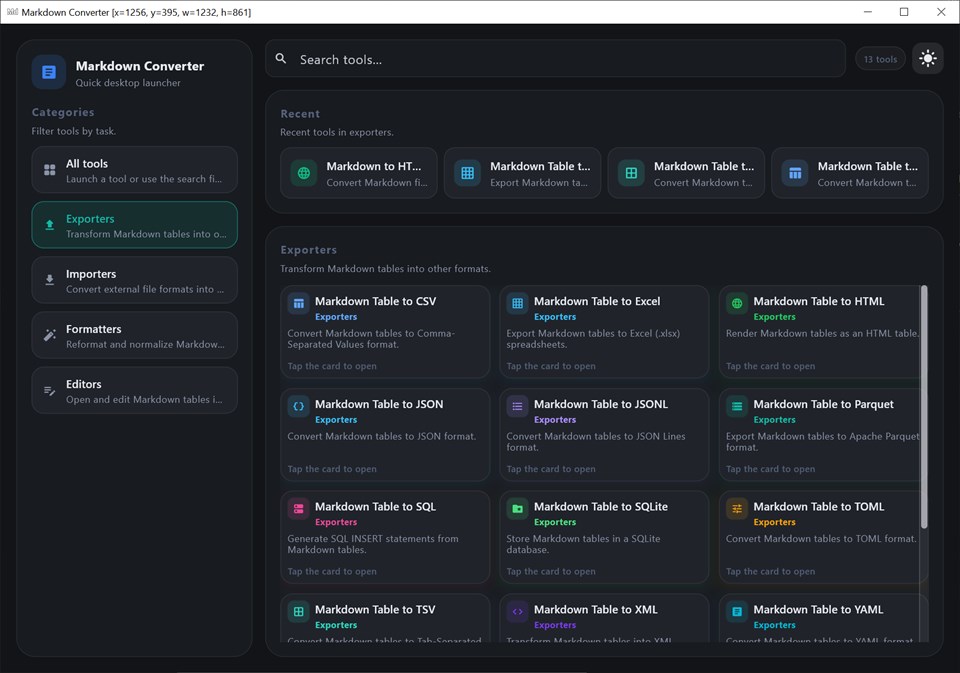
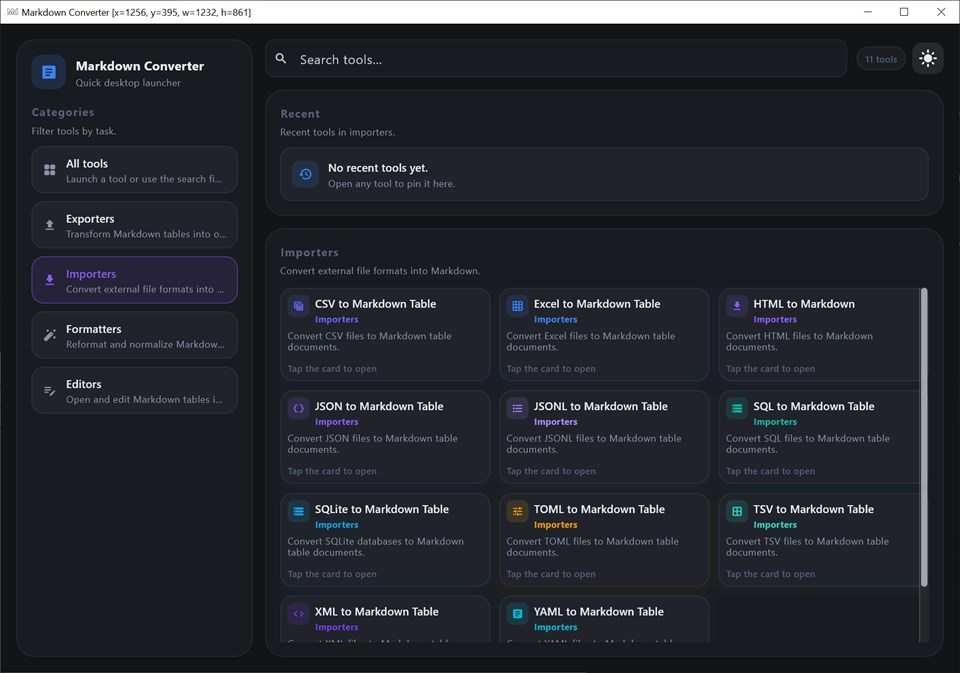
`Markdown Table Batch Converter` is a desktop app for reading, editing, formatting, and converting table data in Markdown files (`.md`, `.markdown`) in batch.
It is designed for cases where you have many Markdown files with tables and want to process them faster instead of editing raw Markdown manually.
## Main Features
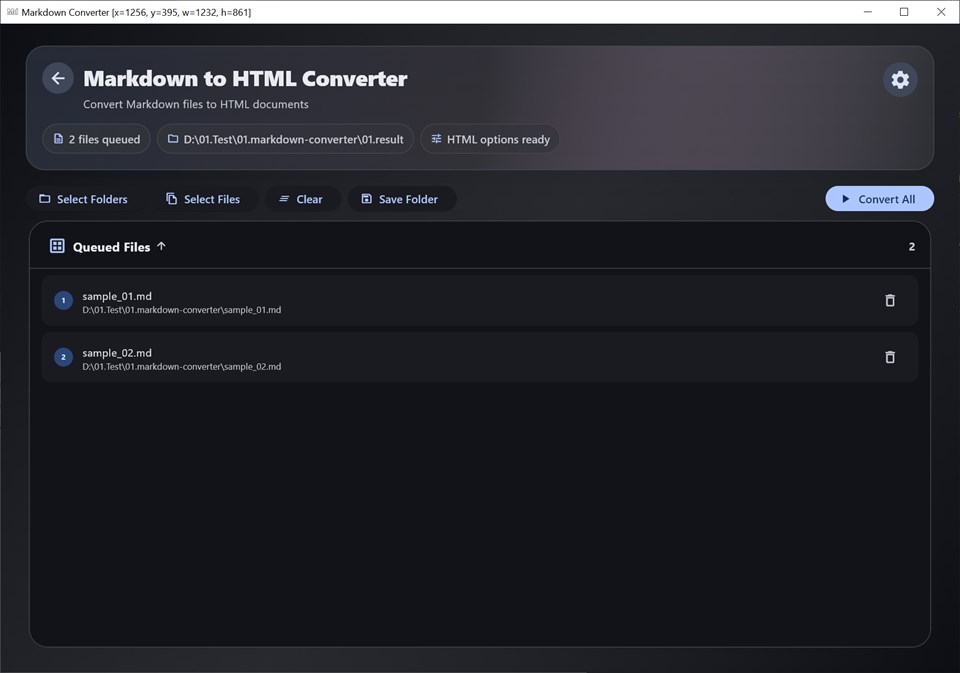
- Open a single file, multiple files, or an entire folder of Markdown files
- Automatically detect and parse Markdown tables from each file
- Edit table data directly in `Markdown Table Editor`
- Add, insert, and delete rows; add, delete, sort, and reorder columns
- Copy, paste, and delete multiple rows; auto-fit column widths; reload and save files
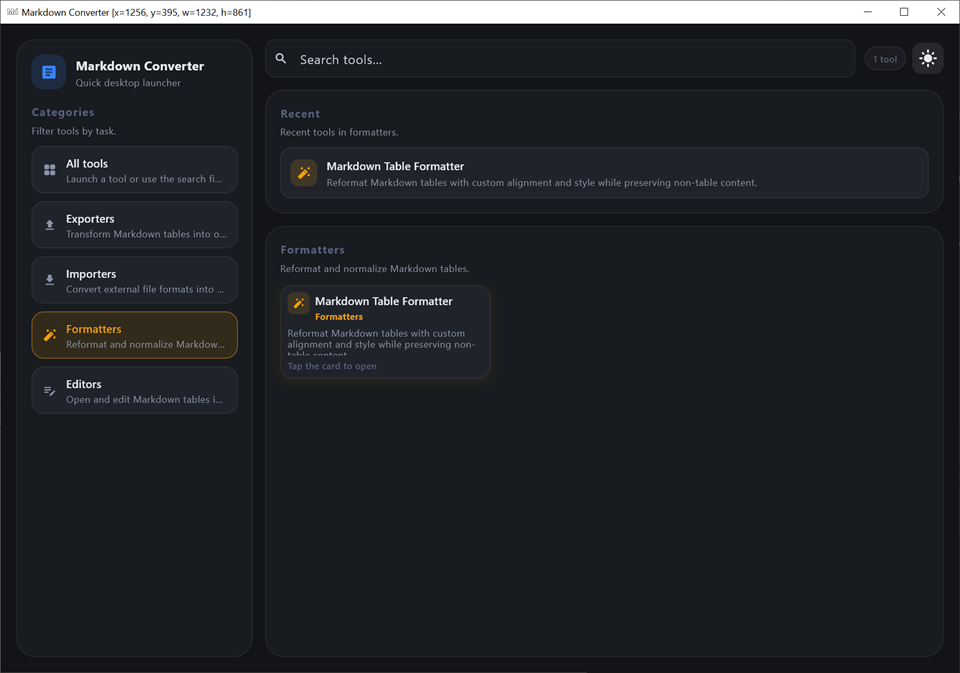
- Reformat Markdown tables with options such as alignment, bold header, null handling, date format, and encoding
- Batch convert Markdown tables into formats such as CSV, TSV, JSON, JSONL, YAML, TOML, HTML, XML, SQL, SQLite, and Parquet
## How to Use
1. Choose the right screen for your task:
`Markdown Table Editor`, `Markdown Table Formatter`, or `Markdown Table to ...`
2. Select Markdown files or a folder that contains multiple files
3. Configure the required options such as encoding, alignment, empty-cell handling, and date formatting
4. Perform the main action:
edit and `Save`, format, or convert to the target format
5. Review the result:
the Markdown file is updated, or the data is exported to a new format
## Value
The app reduces manual work, speeds up batch processing, makes Markdown tables easier to edit, and helps reuse the data across different systems.
จากนักพัฒนา
รายการ 0
-
 Markdown Table Batch Converter
แต้ม 0
-

- +1 แต้ม

การจัดอันดับ 0
-
- คะแนนของคุณ
ผู้พัฒนา 24
- ptl1998naganodevall
- ผู้ติดตาม: 0
- แพลตฟอร์ม: Windows แอป (24)
- ลดราคา: 1
- รายการ: 0 0
- แต้ม: 0
- การจัดอันดับ: 0
- ความคิดเห็น: 0
- วิดีโอ: 0
- RSS: ติดตาม
มีอะไรใหม่
- เวอร์ชัน: PC
- อัปเดตล่าสุด:
ข้อมูลเพิ่มเติม
- วันที่วางจำหน่าย:
- หมวดหมู่:
แอปสำหรับ Windows›เครื่องมือสำหรับนักพัฒนา - ระบบปฏิบัติการ:
PC - ขนาด:
20 Mb - ภาษาที่รองรับ:
อังกฤษ - การจัดประเภทเนื้อหา:
EVERYONE - Windows Store คะแนน: ¡
0
คะแนน AppAgg
คะแนน AppAgg โดยประมาณของ
Markdown Table Batch Converter
ผู้พัฒนา: ptl1998naganodevall
คะแนนที่สูงขึ้นมักสะท้อนตัวชี้วัดที่ดีกว่าบน AppAgg
อิงจาก: ความนิยม · คะแนนจากผู้ใช้ · ความสดใหม่ · ดีล · ข้อมูลร้านค้า · กิจกรรมชุมชน
คำนวณใหม่ทุกวันจากข้อมูล AppAgg ล่าสุด
ความคิดเห็น 0 ¡
แชร์
Markdown Table Batch Converter URL แบบสั้น: คัดลอกแล้ว!- Windows Store

