
บุ๊กมาร์ก
| ผู้พัฒนา: | MokingBird (7) | ||
| ราคา: | ฟรี ใหม่ | ||
| คะแนน: | 1,300 ทอง | ||
| การจัดอันดับ: | 0 | ||
| ความคิดเห็น: | 0 โพสต์ความคิดเห็น | ||
| รายการ: | 0 0 | ||
| แต้ม: | 0 | ||
| +1 แต้ม | |||
สรุป
มาทำความรู้จัก MB_viewer แอปในหมวด “เครื่องมือสำหรับนักพัฒนา” จาก MokingBird
มาใหม่ ออกเมื่อ คุณได้เป็นหนึ่งในคนกลุ่มแรก
ฟรี ไม่มีโฆษณา ไม่มีการซื้อภายในแอป มีแค่คุณกับแอป
Microsoft Store มีมาในตัว Windows อยู่แล้ว ติดตั้งได้ในไม่กี่คลิก
คะแนน AppAgg คือ 1,300 อยู่ระดับ “ทอง”
จัดเรต “EVERYONE” เหมาะกับเด็ก ๆ ด้วย
รองรับแค่ภาษาเดียว และไม่ใช่ภาษาไทย
ยังไม่มีใครบน AppAgg ให้คะแนนเลย โอกาสเป็นคนแรกอยู่ตรงนี้แล้ว
ผู้พัฒนารายนี้มีแอปอื่นบน AppAgg อีก 6 แอป ลองไปดูกัน
อยากรู้เรื่องอัปเดตและแอปใหม่ก่อนใครไหม? ติดตาม ผู้พัฒนา หรือกดติดตาม ฟีด RSS ได้เลย การแจ้งเตือนแบบพุชส่งผ่านแอป AppAgg Alerts สำหรับ Android และ iOS
แพลตฟอร์มอื่น 0
ประวัติราคา 0
- ราคาปัจจุบัน: ฟรี
- ต่ำสุด: ฟรี
- สูงสุด: ฟรี
ฟีดของคุณเองบนหน้าแรก
ภาพหน้าจอ 10
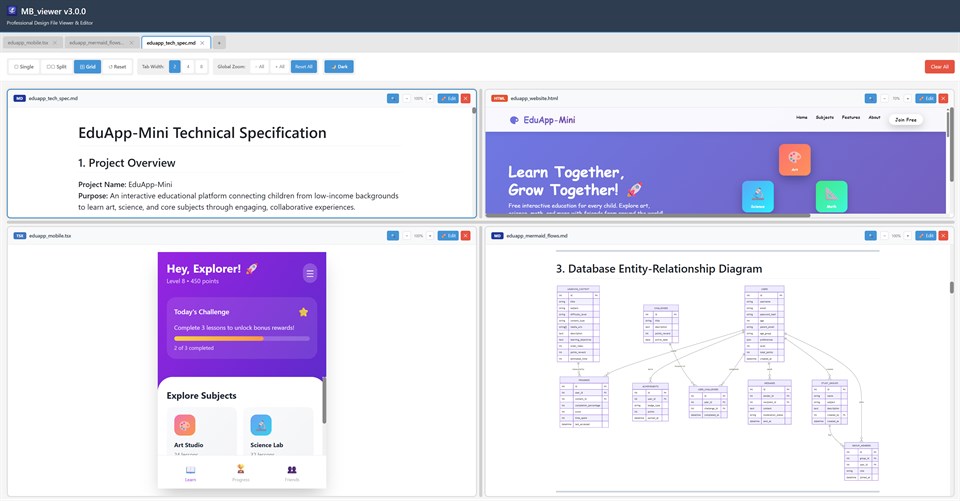
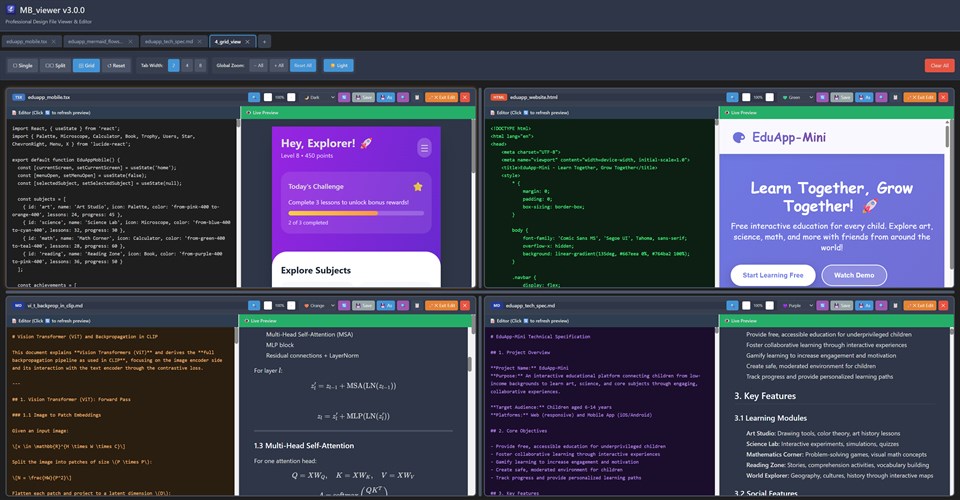
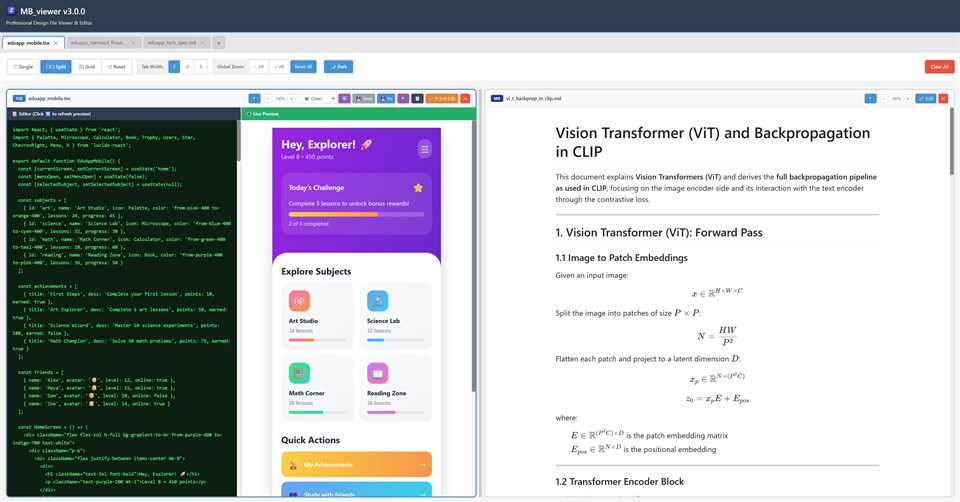
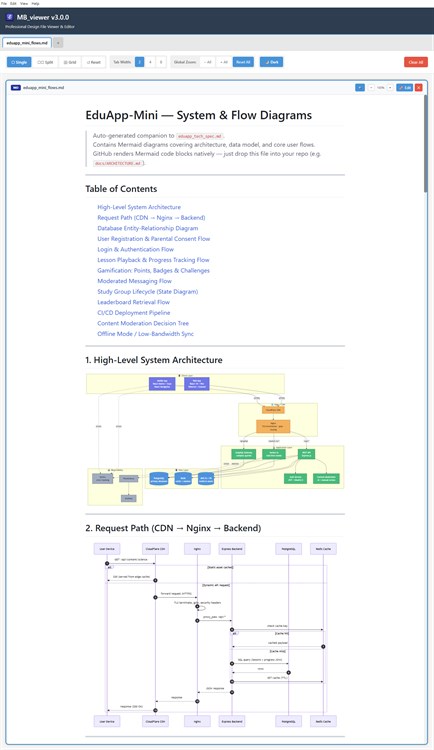
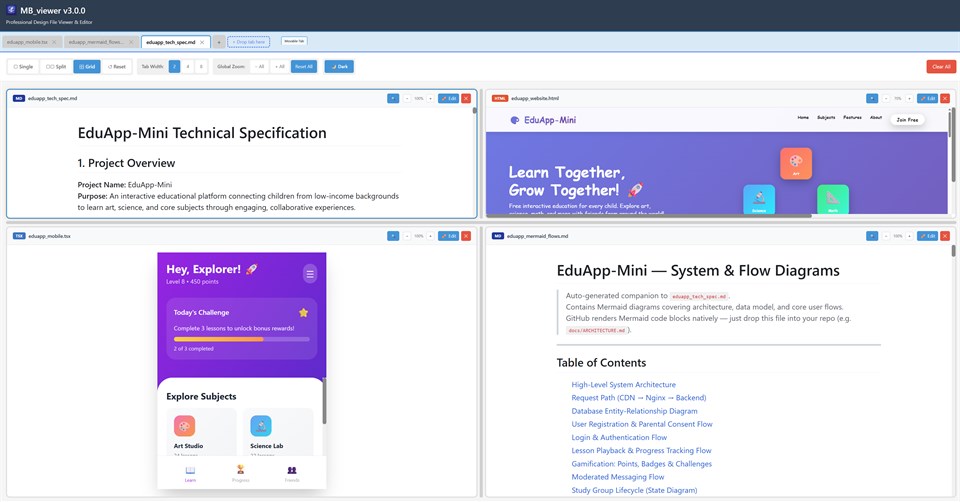
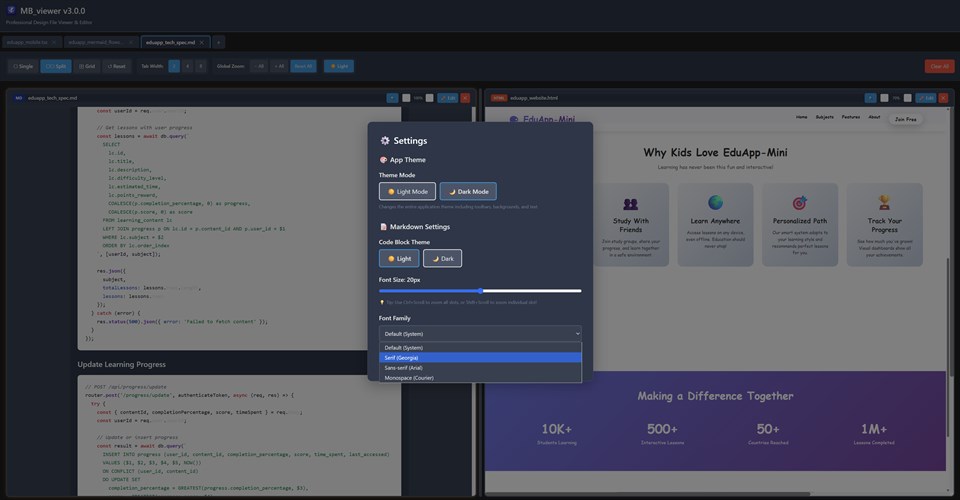
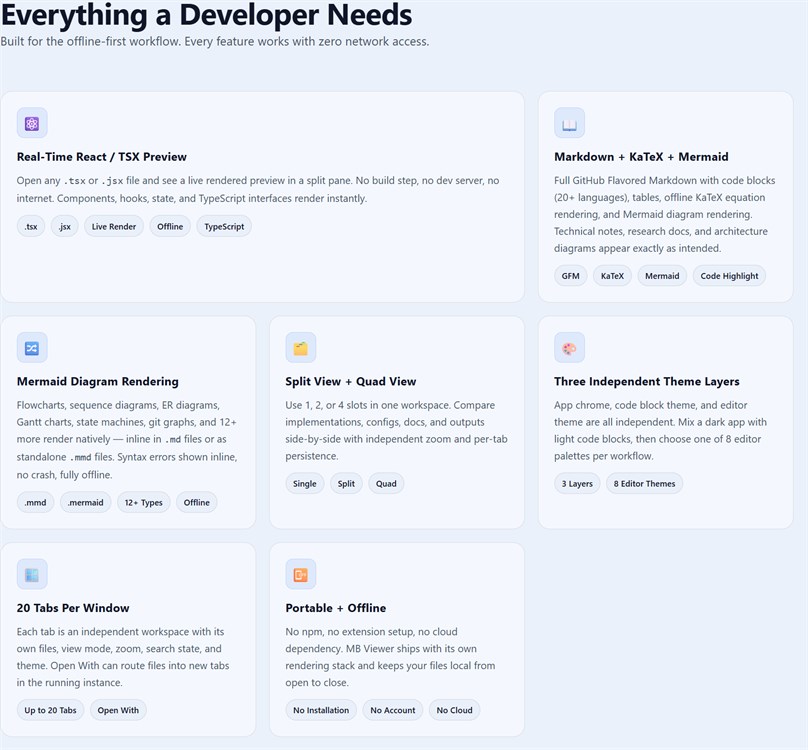
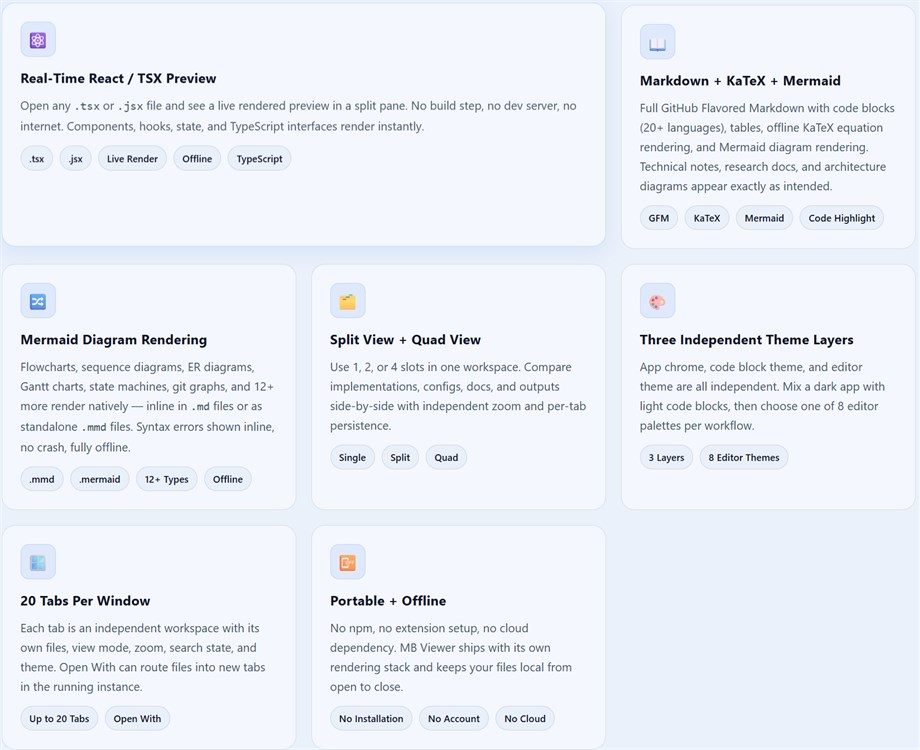
วิดีโอ 1
คำอธิบาย

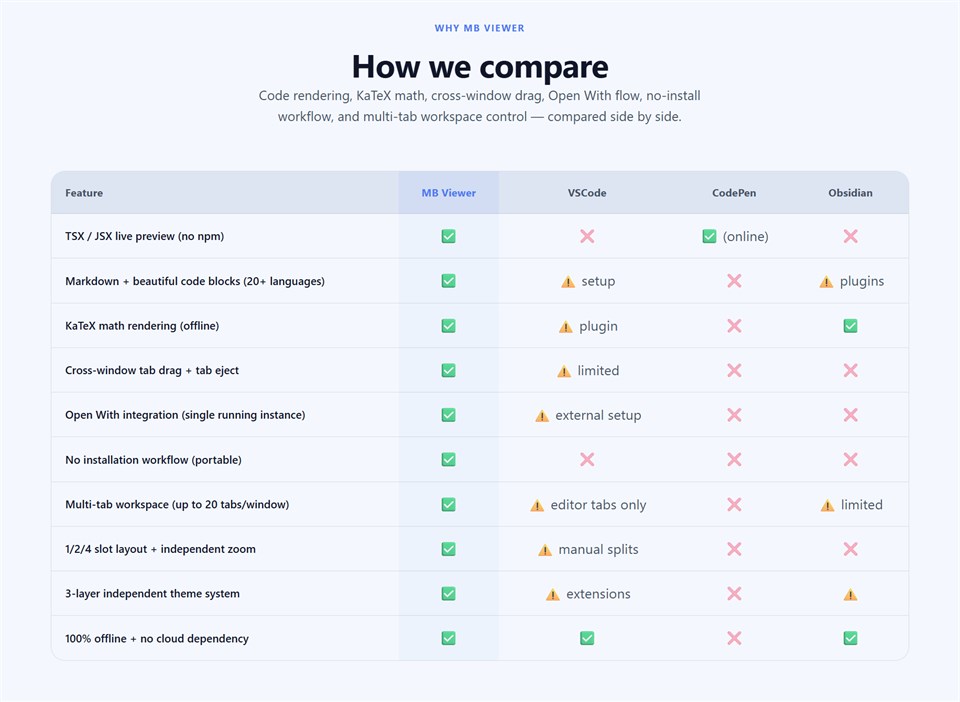
Built for developers, designers, technical writers, students, and anyone working with AI-generated code, MB Viewer makes it easy to turn TSX and JSX components into visual previews, render Markdown documents, and explore Mermaid diagrams in one workspace.
KEY FEATURES
• Instant TSX & JSX Preview
Open React components and see them rendered without creating a separate development project.
• Advanced Markdown Rendering
View Markdown documents with syntax-highlighted code blocks, GitHub-style tables, KaTeX mathematical equations, and embedded Mermaid diagrams.
• Mermaid Diagram Support
Render flowcharts, sequence diagrams, entity-relationship diagrams, Gantt charts, mind maps, timelines, and more. Open standalone .mmd and .mermaid files directly.
• Live Editor with Real-Time Preview
Edit supported files alongside a live preview, with convenient Save and Save As functionality.
• Flexible Multi-Window Workspace
Open multiple tabs, drag tabs between windows, and organize files across single, split-screen, and four-panel layouts.
• Powerful Customization
Choose light or dark mode, customize editor themes, adjust font settings, and control zoom independently for different files.
• Broad File Format Support
Work with TSX, JSX, HTML, Markdown, Mermaid, JSON, CSS, JavaScript, SVG, TXT, and supported image files.
• Offline-First Experience
Core file preview, Markdown, math, and Mermaid rendering work locally without requiring an internet connection.
DESIGNED FOR YOUR WORKFLOW
Whether you're previewing React components generated by ChatGPT or Claude, reviewing a Markdown document, editing an HTML page, or creating technical diagrams, MB Viewer helps you work faster without complicated setup.
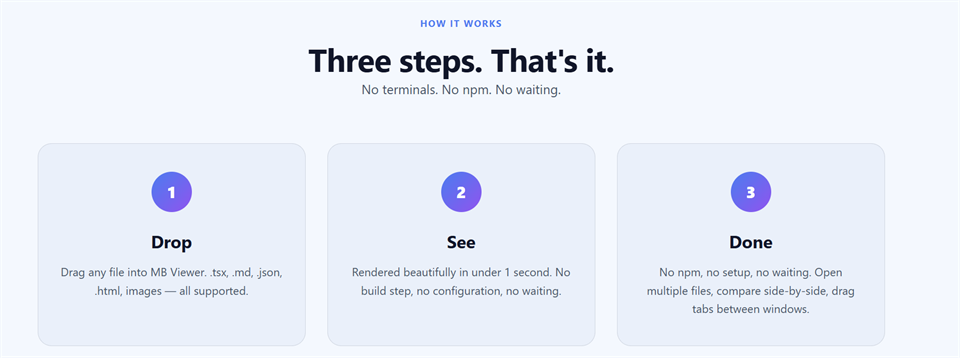
Simply open or drag and drop your files to get started.
Developed by MokingBird Oy.
https://mbviewer.mokingbird.xyz/
จากนักพัฒนา
รายการ 0
-
 MB_viewer
แต้ม 0
-

- +1 แต้ม

การจัดอันดับ 0
-
- คะแนนของคุณ
ผู้พัฒนา 7
- MokingBird
- ผู้ติดตาม: 0
- แพลตฟอร์ม: Android แอป (3) iOS แอป (3) Windows แอป (1)
- ลดราคา: 0
- รายการ: 0 0
- แต้ม: 0
- การจัดอันดับ: 0
- ความคิดเห็น: 0
- วิดีโอ: 1
- RSS: ติดตาม
มีอะไรใหม่
- เวอร์ชัน: PC
- อัปเดตล่าสุด:
- MB Viewer 3.0 introduces Mermaid diagram rendering in Markdown and standalone .mmd files, including flowcharts, sequence diagrams, Gantt charts, and mind maps.
This release also improves HTML preview stability, fixes saving files opened via drag-and-drop, and enhances multi-window reliability.
ข้อมูลเพิ่มเติม
- วันที่วางจำหน่าย:
- หมวดหมู่:
แอปสำหรับ Windows›เครื่องมือสำหรับนักพัฒนา - ระบบปฏิบัติการ:
PC - ขนาด:
159 Mb - ภาษาที่รองรับ:
อังกฤษ - การจัดประเภทเนื้อหา:
EVERYONE - Windows Store คะแนน: ¡
0 - เว็บไซต์:
 https://mbviewer.mokingbird.xyz/
คะแนน AppAgg
คะแนน AppAgg โดยประมาณของ
MB_viewer
ผู้พัฒนา: MokingBird
คะแนนที่สูงขึ้นมักสะท้อนตัวชี้วัดที่ดีกว่าบน AppAgg
อิงจาก: ความนิยม · คะแนนจากผู้ใช้ · ความสดใหม่ · ดีล · ข้อมูลร้านค้า · กิจกรรมชุมชน
คำนวณใหม่ทุกวันจากข้อมูล AppAgg ล่าสุด
ความคิดเห็น 0 ¡
แชร์
MB_viewer URL แบบสั้น: คัดลอกแล้ว!- Windows Store

