
الإشارات المرجعية
اختر عنوانًا لهذه الإشارة المرجعية.
تم حفظ الإشارة المرجعية
| المطوّر: | LEVELHARD (3) | ||
| السعر: | مجاني | ||
| الدرجة: | 1,500 ذهب | ||
| الترتيب: | 0 | ||
| تعليقات: | 0 انشر تعليقًا | ||
| قوائم: | 0 + 0 | ||
| النقاط: | 0 + 13 (2.5) ¡ | ||
| +1 النقاط | |||
لقطات الشاشة
الإعلانات
الوصف

Free, offline, no account, no ads, no telemetry.
FIND WHAT YOU WROTE
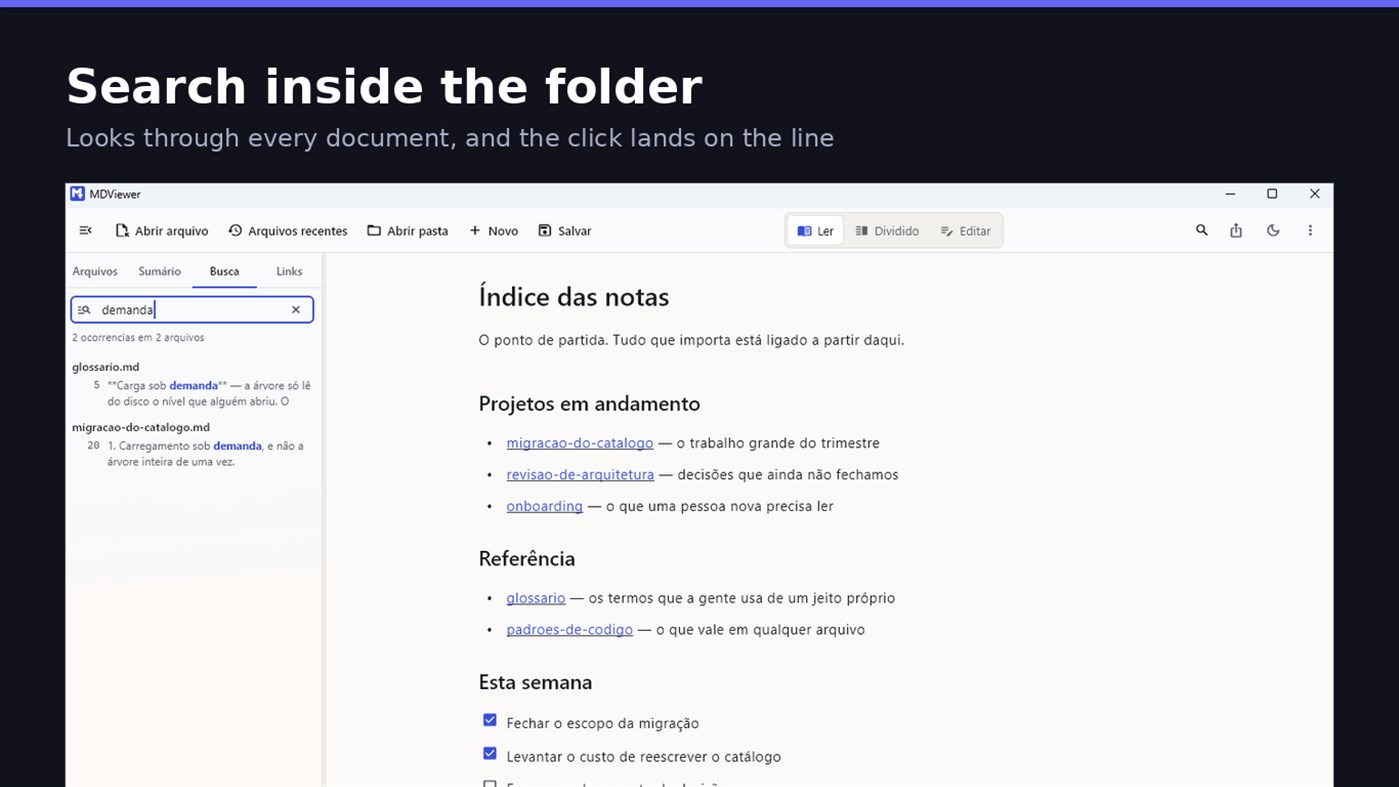
Search by content across the folder with Ctrl+Shift+F: MDViewer looks for the term inside every document, shows the snippet with the word highlighted, and clicking takes you to the file with the line already selected. Filter by name finds the file even in a subfolder you never opened, showing the path to it.
LINK YOUR DOCUMENTS TOGETHER
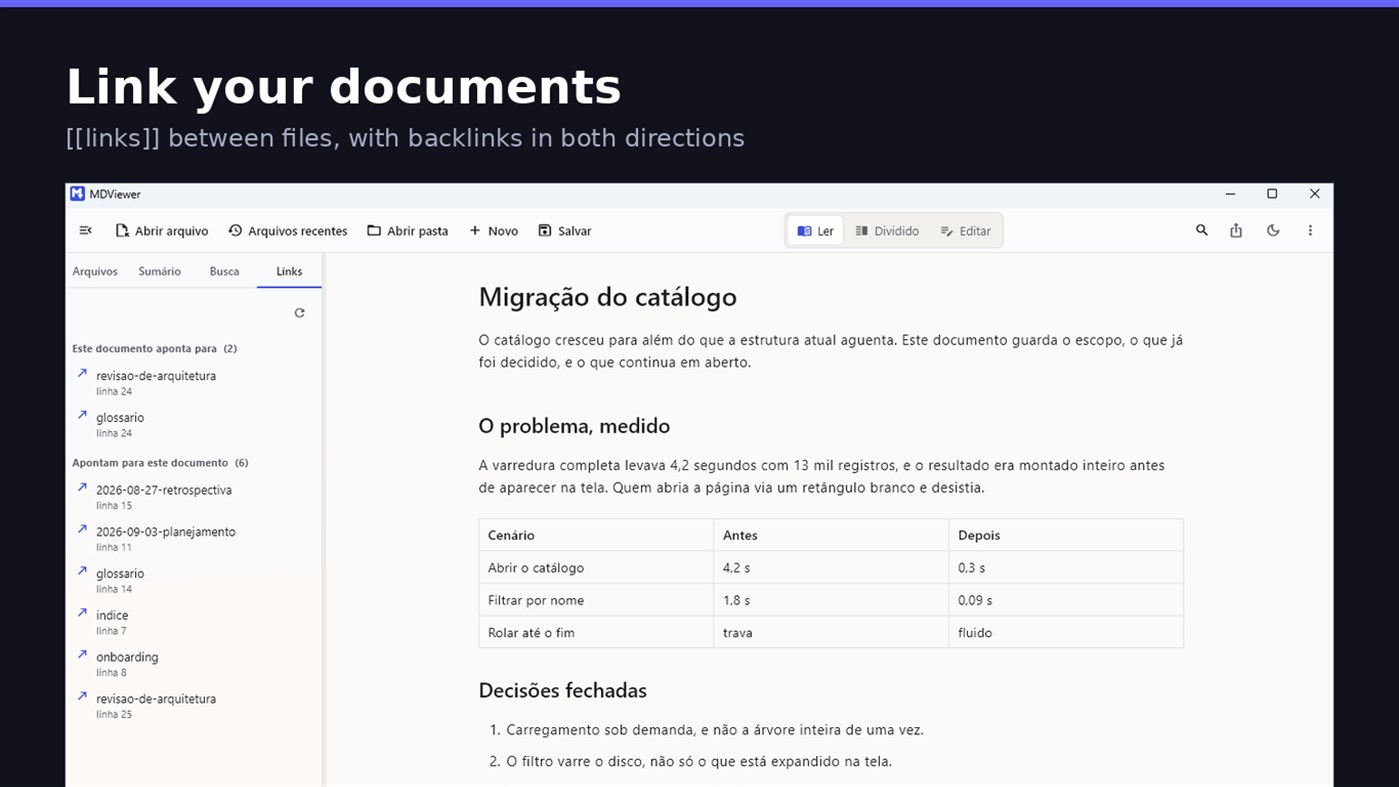
Write [[document-name]] and it becomes a clickable link. [[document#section]] jumps straight to the section; [[document|the text you want]] shows your own label. The Links tab shows both directions: where this document points, and who points to it, and a backlink takes you to the exact line where the link was written. A link to a target that does not exist is marked, instead of silently doing nothing.
READ
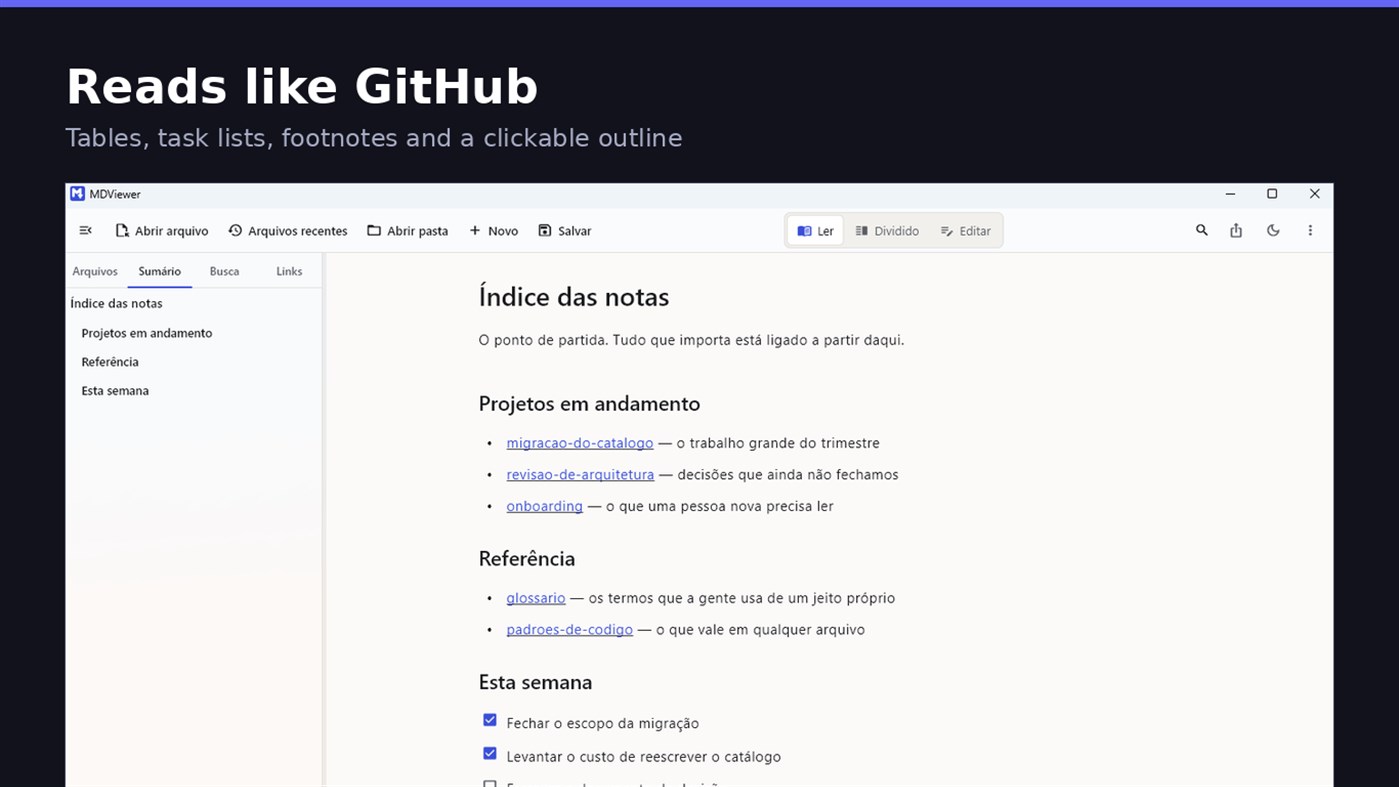
• GitHub Flavored Markdown: tables, task lists, strikethrough, footnotes and code blocks
• A reading column with a comfortable width, instead of text stretched across the screen
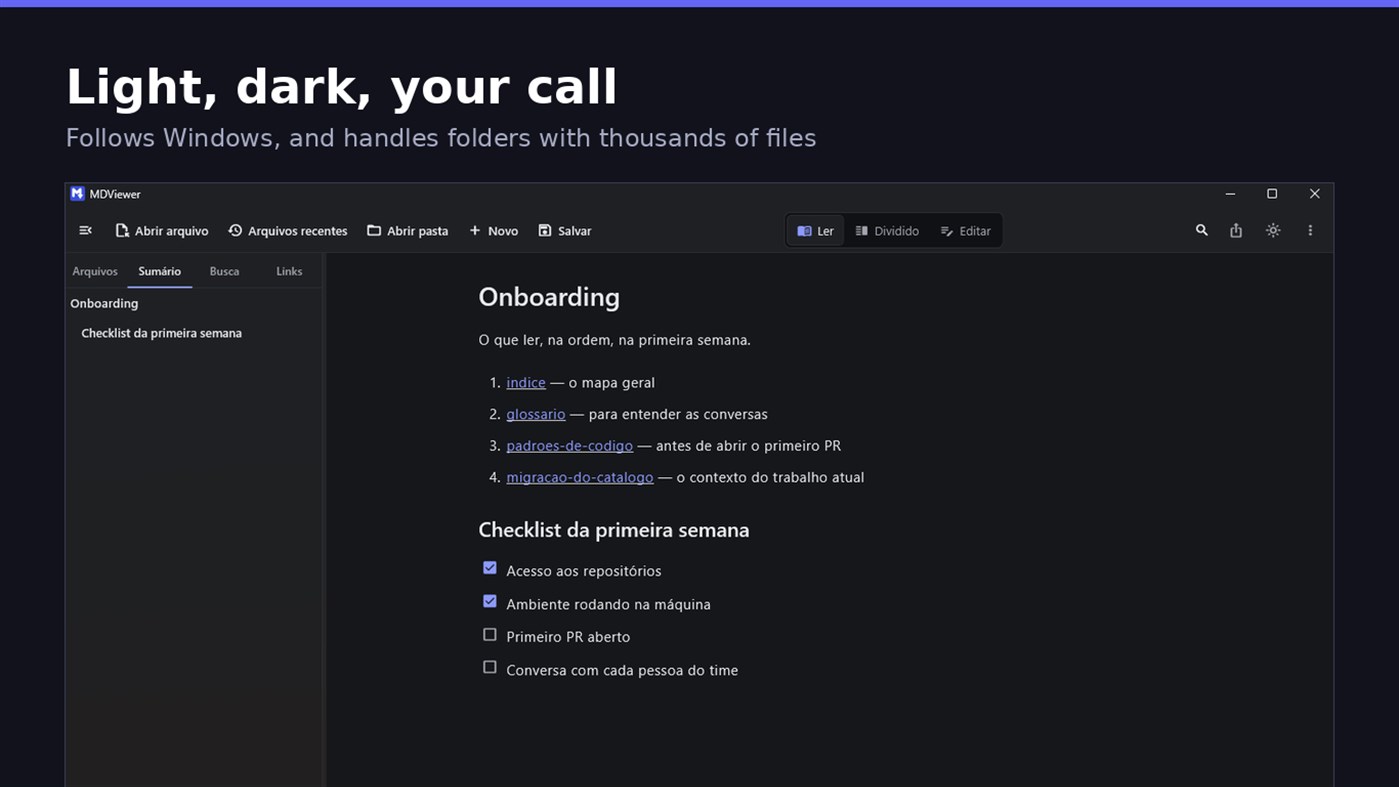
• Clickable document outline, to jump between sections
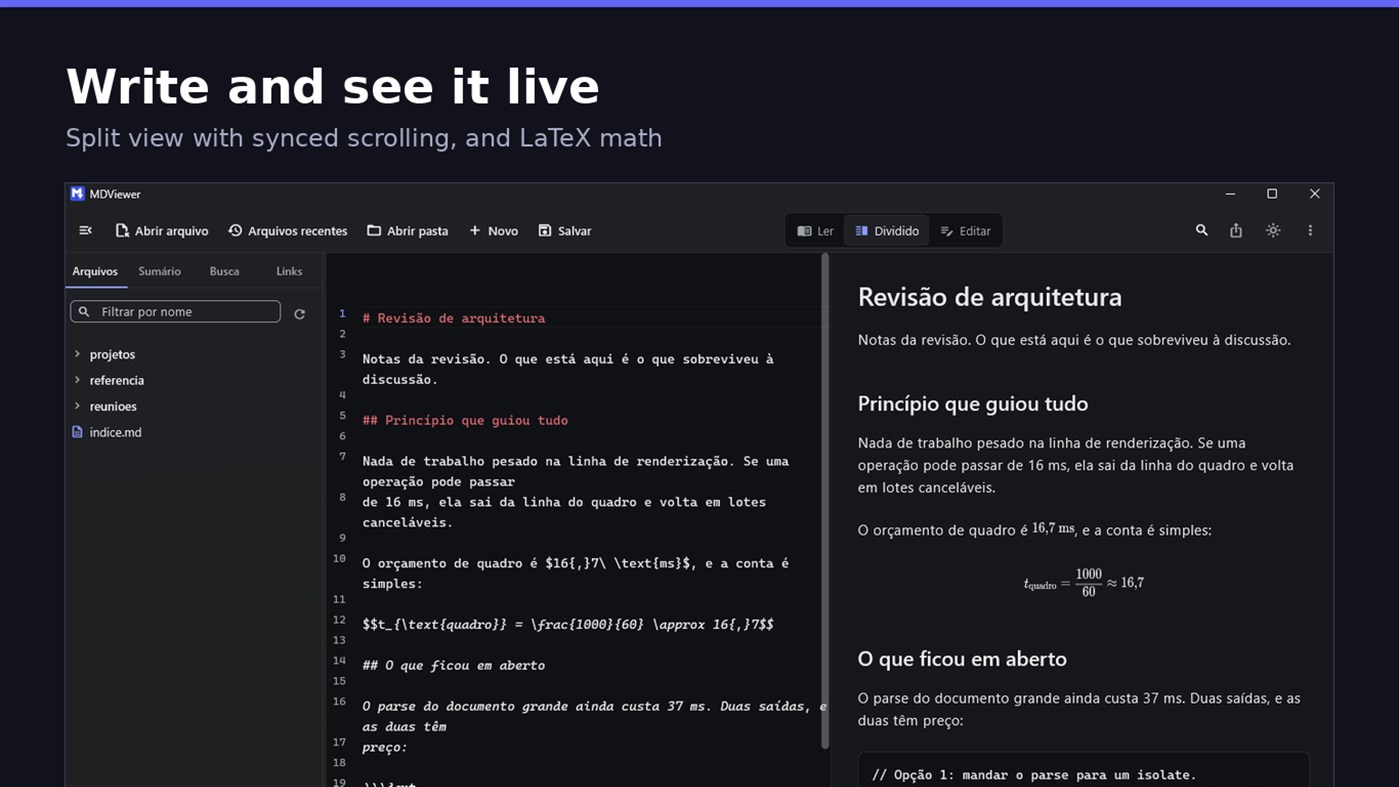
• LaTeX math
• Task checkboxes you tick with one click, written back to the file
• Light and dark themes, following Windows
EDIT
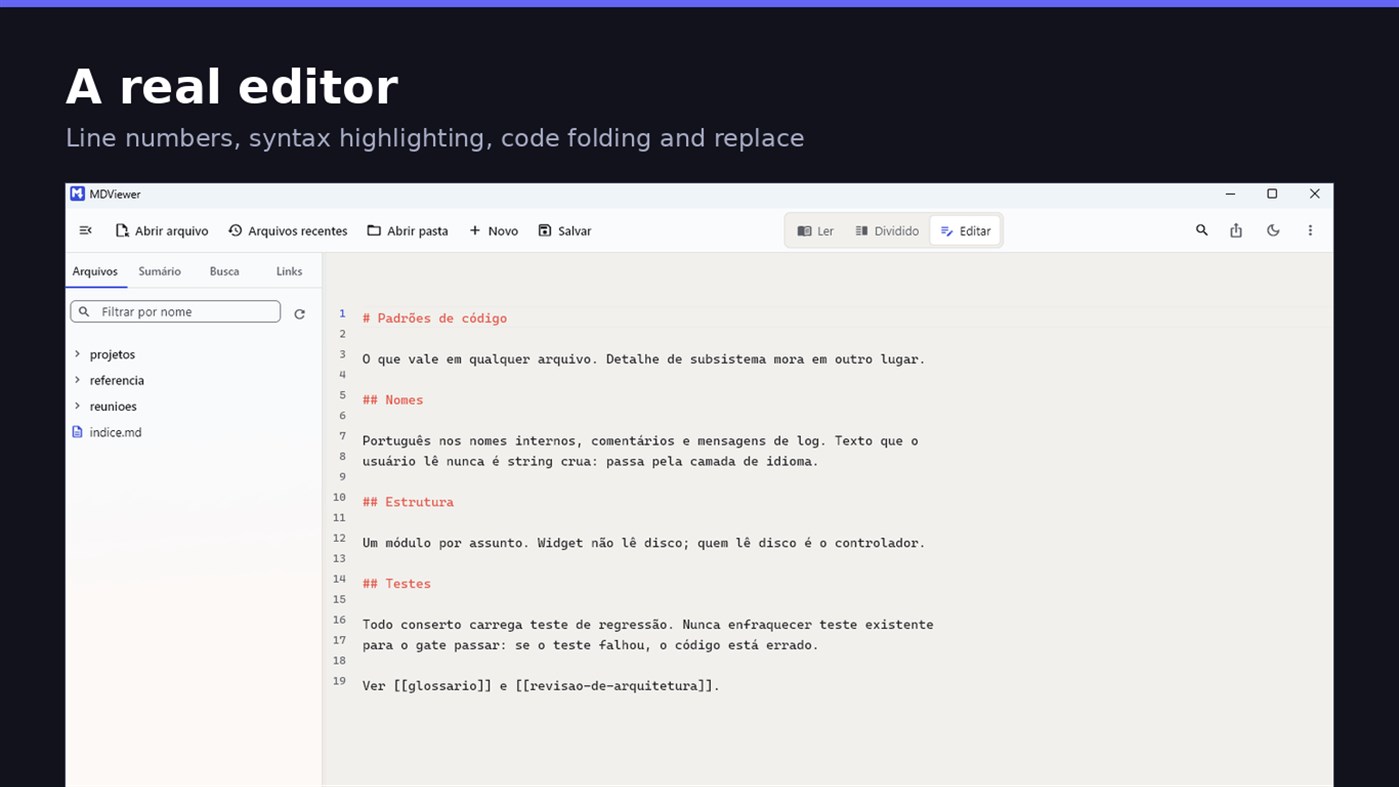
• Editor with line numbers, syntax highlighting, code folding, undo and redo, find and replace
• Split view, text on one side and result on the other, scrolling together
• Draft saved automatically, and recovered if the app closes without saving
• A warning when the file changes outside the app
• Nothing is written to your file unless you say so
HOLD UP UNDER LOAD
In a folder with thirteen thousand documents, MDViewer opens without freezing the screen. The folder tree loads on demand and skips .git and node_modules. Search, filtering and the link index run off the rendering thread, in batches, and are cancelled the moment you keep typing. This is measured every release, and the app logs any operation that goes over the frame budget.
FIT INTO WINDOWS
• File association for .md, .markdown and .mdx, with its own document icon
• Single instance: a second file becomes a tab, not another window
• Document tabs, and a taskbar dot while any document has unsaved changes
• Taskbar progress while exporting PDF
• Mica background on Windows 11, with the reading area always solid
• Drag and drop a file or a folder onto the window
• Export to HTML and PDF, and print
• Interface in Portuguese, English and Spanish
PRIVACY
MDViewer has no account, uploads nothing anywhere, and works without an internet connection. There is no remote telemetry: the log stays on your machine, and the app has a shortcut to open its folder.
Made by LEVELHARD.
منصات أخرى
| MDViewerWindows Store1K ذهبأنت هنا | مجاني |
متاح حاليًا في هذا المتجر فقط.
سجل الأسعار
- السعر الحالي: مجاني
- الحد الأدنى: مجاني
- الحد الأقصى: مجاني
تتبّع الأسعار أضِف إلى قائمة لتلقّي تنبيهات الخصومات عبر البريد الإلكتروني أو الإشعارات الفورية
قوائم 0
0
- MDViewer
النقاط 0
0
الترتيب 0
-

- تقييمك

تعليقات 0 ¡
كن أول من يعلق
المطوّر
- LEVELHARD
- المتابعون: 0
- المنصات: Windows تطبيقات (3)
- العروض: 0
- قوائم: 0 + 0
- النقاط: 0 + 13 ¡
- الترتيب: 0
- تعليقات: 0
- الفيديوهات: 0
- RSS: اشتراك
الميزات الجديدة
- الإصدار: PC
- آخر تحديث:
- This version makes the editor easier to use and reading more complete.
• Command palette (Ctrl+Shift+P): type what you want to do, like "pdf" or "theme", and see the key for each command.
• Formatting toolbar in the editor, and a key for every format: Ctrl+Shift+1 to 3 headings, Ctrl+Shift+7, 8 and 9 lists and tasks, Ctrl+Shift+Q quote, Ctrl+T table.
• The editor understands Markdown: Enter continues the list, Tab builds the sublist, and pasting an address over text creates the link.
• Mermaid diagrams drawn in reading view, in light and dark themes, with no internet.
• Select and copy text in reading view.
• Chinese, Japanese and Korean with the right font, on screen and in exported PDFs.
معلومات إضافية
- تاريخ الإصدار:
- الفئة:
تطبيقات لمنصة Windows›أدوات المطور - نظام التشغيل:
PC - الحجم:
20 Mb - اللغات المدعومة:
الإسبانية,الإنجليزية,البرتغالية - تقييم المحتوى:
EVERYONE - Windows Store تقييم: ¡
2.5(13) - الموقع الإلكتروني:
 https://levelhard.com.br
درجة AppAgg
1,500
درجة AppAgg التقديرية لـ
MDViewer
المطوّر: LEVELHARD
1,500 ذهب
تشير الدرجة الأعلى عادةً إلى أداء أفضل في مؤشرات AppAgg.
استنادًا إلى: الشعبية · تقييمات المستخدمين · الحداثة · العروض · بيانات المتاجر · نشاط المجتمع
يُعاد حسابها يوميًا بناءً على أحدث بيانات AppAgg.
شارة للمواقع الإلكترونية:  تم النسخ!
ملخص
MDViewer عنوان URL مختصر: تم النسخ!- Windows Store
يمكنك متابعة تطبيق «MDViewer» من LEVELHARD على AppAgg. المنصة: Windows. الفئة: أدوات المطور. درجة AppAgg: 1,500 (ذهب). نقاط AppAgg للتطبيق — المؤكدة: 0؛ غير المباشرة: 13. عدد القوائم العامة التي تضم التطبيق: 0. عدد المستخدمين الذين حفظوه في قوائم خاصة: 0. لم يقيّم مستخدمو AppAgg التطبيق بعد. تسجّل النقاط المؤكدة انتقال المستخدمين الذين سجّلوا الدخول إلى AppAgg إلى المتجر، بينما تستند النقاط غير المباشرة إلى بيانات المتاجر. يعرض العدّادان عدد القوائم العامة وعدد المستخدمين الذين حفظوا التطبيق أو اللعبة في قوائم خاصة. صدر التطبيق لأول مرة في . آخر تحديث للتطبيق: . التطبيق متاح مجانًا حاليًا. تقييم التطبيق الحالي على Windows Store هو 2.5؛ عدد الأصوات: 13. يدعم التطبيق اللغات التالية: الإسبانية, الإنجليزية, البرتغالية. اطّلع على سجل الأسعار، أو أضف التطبيق إلى قائمة، أو تابع المطوّر. تابع خصومات التطبيق وتحديثاته القادمة عبر موجز RSS. لا يستضيف AppAgg التطبيق ولا يوزعه. جميع العلامات التجارية والشعارات ولقطات الشاشة الخاصة بالتطبيق مملوكة لأصحابها.

