
ブックマーク
このブックマークのタイトルを入力してください。
ブックマークを保存しました
| 開発者: | LEVELHARD (3) | ||
| 価格: | 無料 | ||
| スコア: | 1,500 ゴールド | ||
| ランキング: | 0 | ||
| コメント: | 0 コメントを投稿する | ||
| リスト: | 0 + 0 | ||
| ポイント: | 0 + 13 (2.5) ¡ | ||
| +1 ポイント | |||
スクリーンショット 6
広告
説明

Free, offline, no account, no ads, no telemetry.
FIND WHAT YOU WROTE
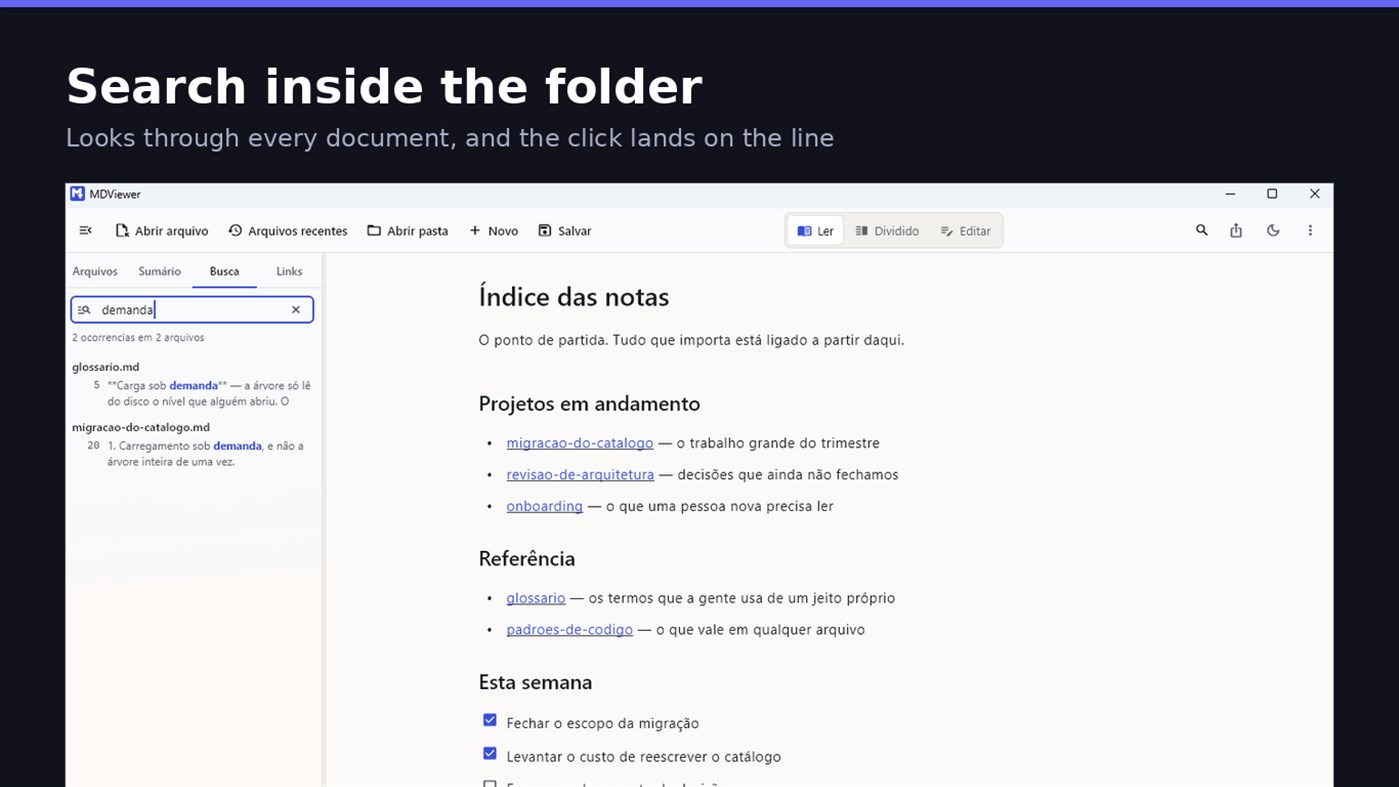
Search by content across the folder with Ctrl+Shift+F: MDViewer looks for the term inside every document, shows the snippet with the word highlighted, and clicking takes you to the file with the line already selected. Filter by name finds the file even in a subfolder you never opened, showing the path to it.
LINK YOUR DOCUMENTS TOGETHER
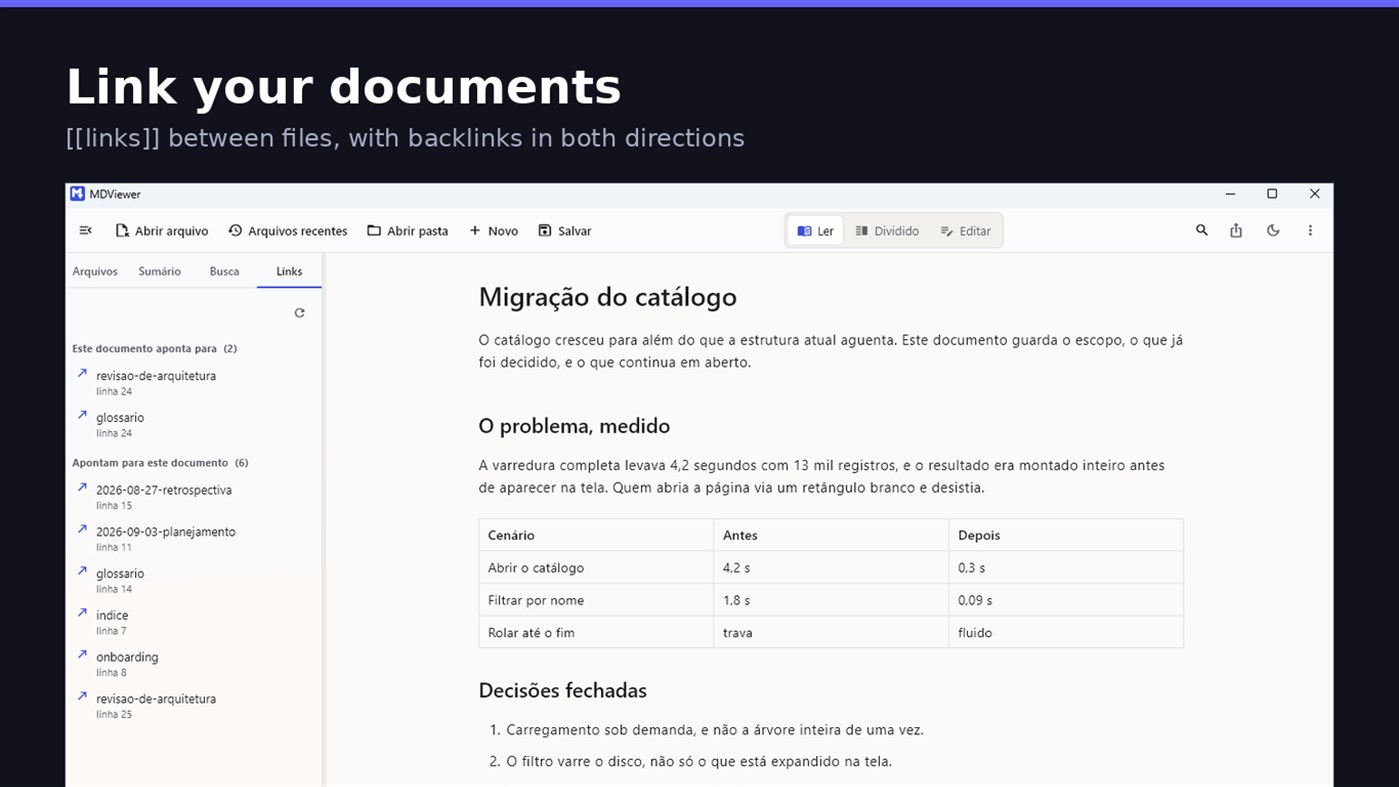
Write [[document-name]] and it becomes a clickable link. [[document#section]] jumps straight to the section; [[document|the text you want]] shows your own label. The Links tab shows both directions: where this document points, and who points to it, and a backlink takes you to the exact line where the link was written. A link to a target that does not exist is marked, instead of silently doing nothing.
READ
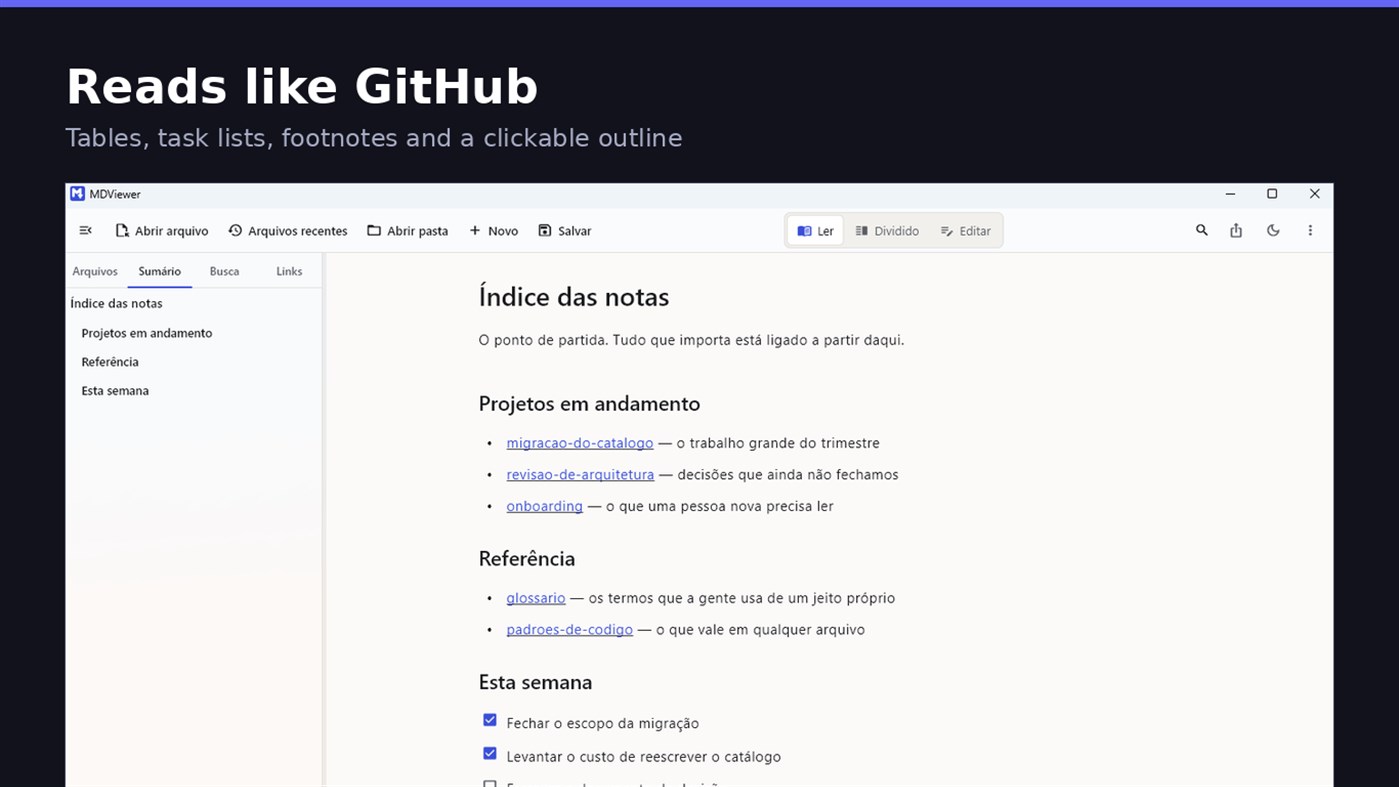
• GitHub Flavored Markdown: tables, task lists, strikethrough, footnotes and code blocks
• A reading column with a comfortable width, instead of text stretched across the screen
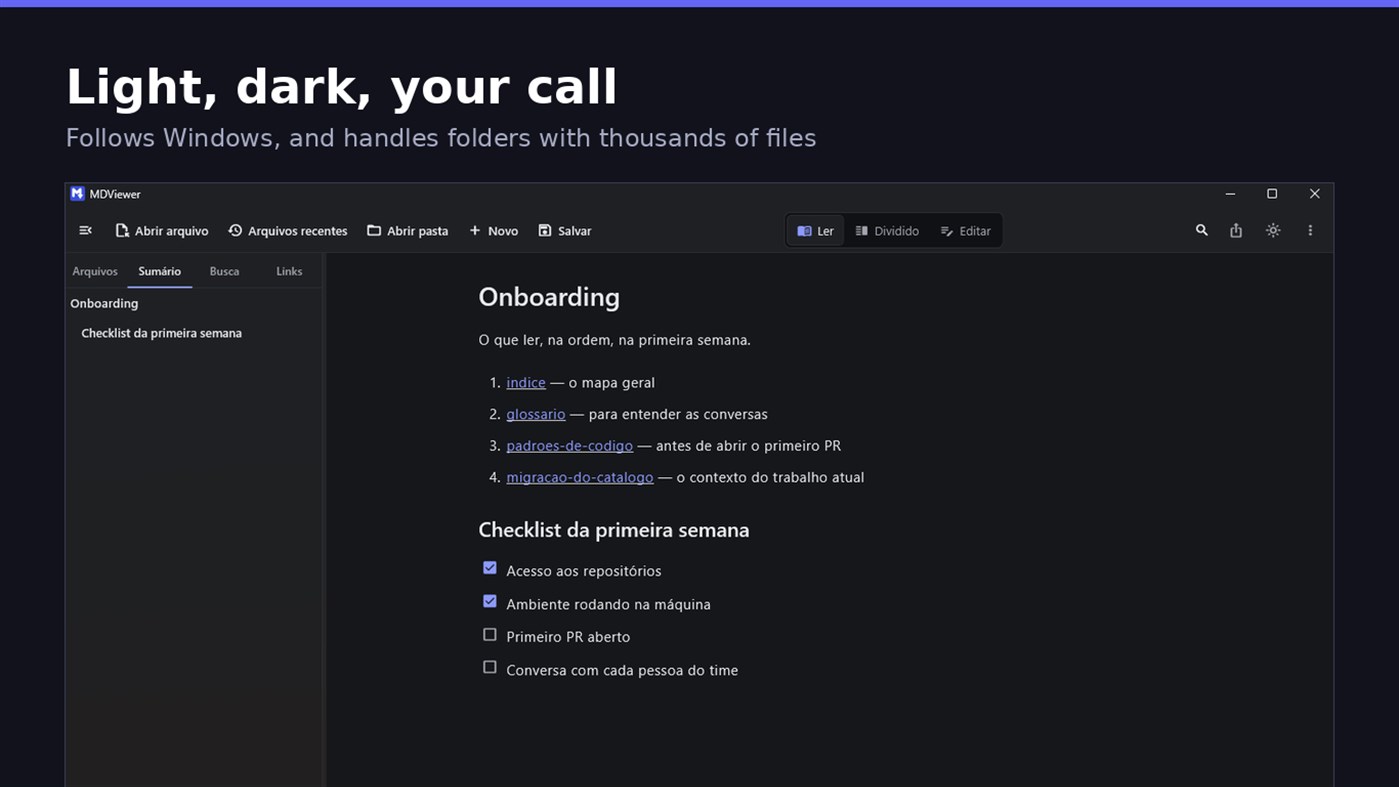
• Clickable document outline, to jump between sections
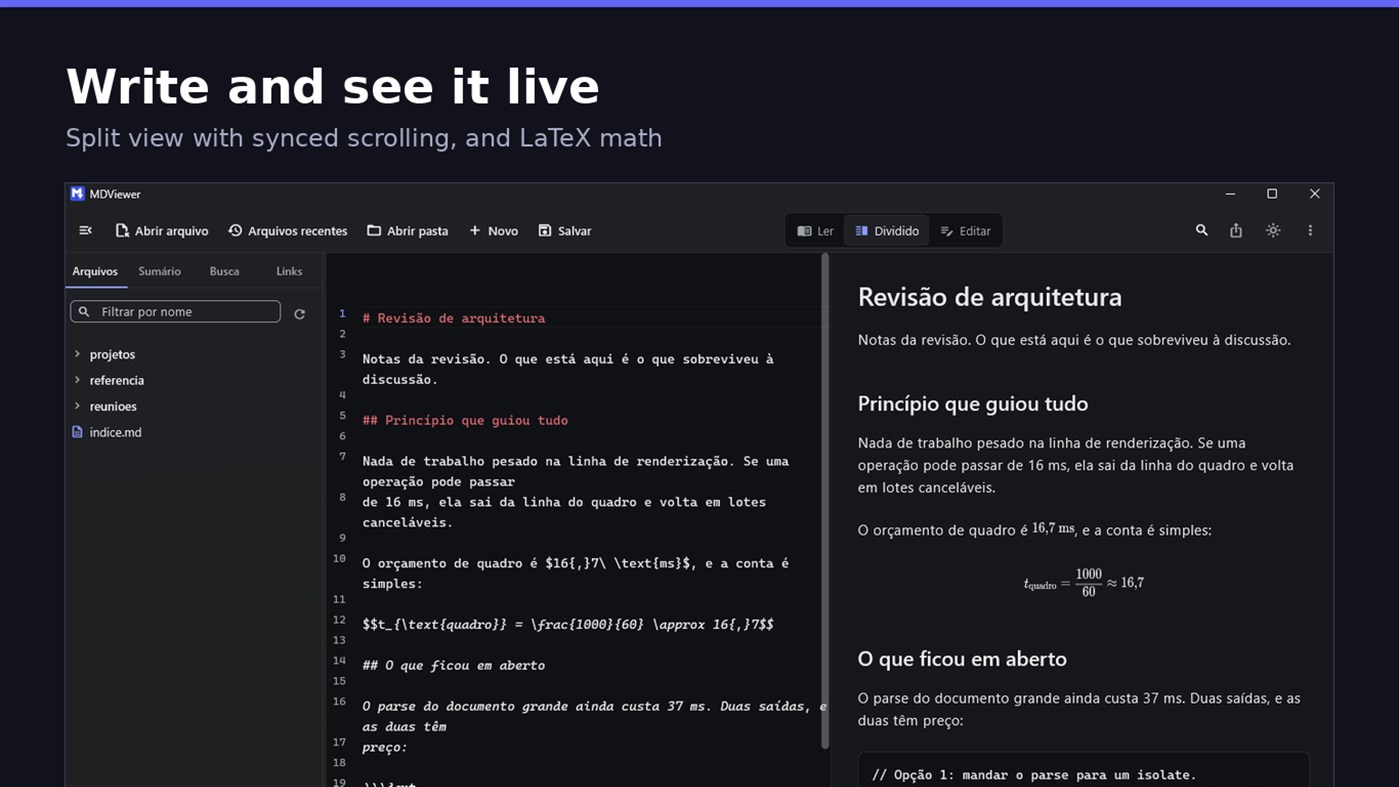
• LaTeX math
• Task checkboxes you tick with one click, written back to the file
• Light and dark themes, following Windows
EDIT
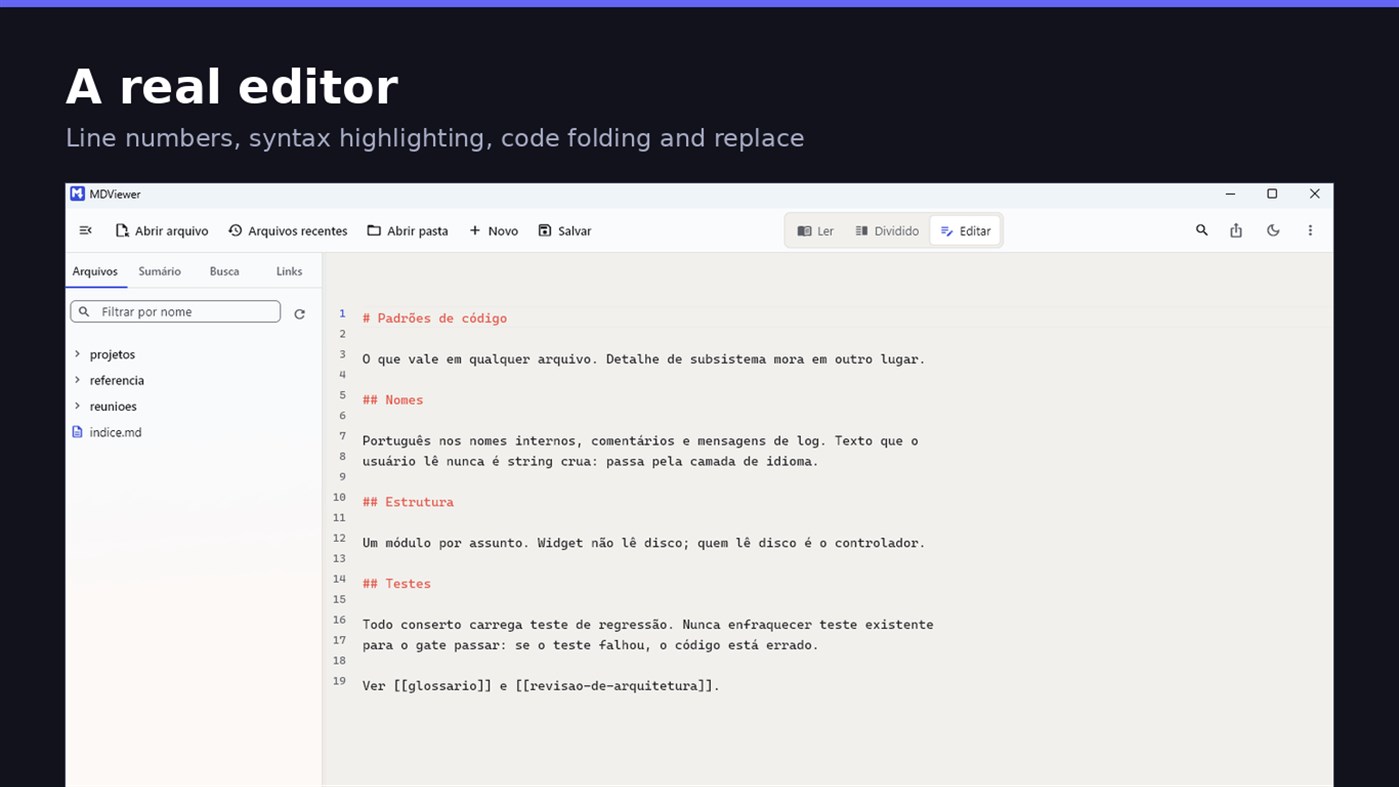
• Editor with line numbers, syntax highlighting, code folding, undo and redo, find and replace
• Split view, text on one side and result on the other, scrolling together
• Draft saved automatically, and recovered if the app closes without saving
• A warning when the file changes outside the app
• Nothing is written to your file unless you say so
HOLD UP UNDER LOAD
In a folder with thirteen thousand documents, MDViewer opens without freezing the screen. The folder tree loads on demand and skips .git and node_modules. Search, filtering and the link index run off the rendering thread, in batches, and are cancelled the moment you keep typing. This is measured every release, and the app logs any operation that goes over the frame budget.
FIT INTO WINDOWS
• File association for .md, .markdown and .mdx, with its own document icon
• Single instance: a second file becomes a tab, not another window
• Document tabs, and a taskbar dot while any document has unsaved changes
• Taskbar progress while exporting PDF
• Mica background on Windows 11, with the reading area always solid
• Drag and drop a file or a folder onto the window
• Export to HTML and PDF, and print
• Interface in Portuguese, English and Spanish
PRIVACY
MDViewer has no account, uploads nothing anywhere, and works without an internet connection. There is no remote telemetry: the log stays on your machine, and the app has a shortcut to open its folder.
Made by LEVELHARD.
他のプラットフォーム 0
| MDViewerWindows Store1K ゴールド現在のページ | 無料 |
現在はこのストアでのみ配信中です。
価格履歴 0
- 現在の価格: 無料
- 最小値: 無料
- 最大値: 無料
リスト 0
0
-
 MDViewer
ポイント 0
0
ランキング 0
-

- あなたの評価

コメント 0 ¡
最初にコメントしてください
開発者 3
- LEVELHARD
- フォロワー: 0
- プラットフォーム: Windows アプリ (3)
- セール: 0
- リスト: 0 + 0
- ポイント: 0 + 13 ¡
- ランキング: 0
- コメント: 0
- 動画: 0
- RSS: 購読する
新機能
- バージョン: PC
- 最終更新:
- This version makes the editor easier to use and reading more complete.
• Command palette (Ctrl+Shift+P): type what you want to do, like "pdf" or "theme", and see the key for each command.
• Formatting toolbar in the editor, and a key for every format: Ctrl+Shift+1 to 3 headings, Ctrl+Shift+7, 8 and 9 lists and tasks, Ctrl+Shift+Q quote, Ctrl+T table.
• The editor understands Markdown: Enter continues the list, Tab builds the sublist, and pasting an address over text creates the link.
• Mermaid diagrams drawn in reading view, in light and dark themes, with no internet.
• Select and copy text in reading view.
• Chinese, Japanese and Korean with the right font, on screen and in exported PDFs.
情報
- リリース日:
- カテゴリ:
Windows向けアプリ›開発者ツール - オペレーティング システム:
PC - サイズ:
20 Mb - サポートされる言語:
スペイン語,ポルトガル語,英語 - コンテンツのレーティング:
EVERYONE - Windows Store 評価: ¡
2.5(13) - ウェブサイト:
 https://levelhard.com.br
AppAggスコア
1,500
AppAgg推定スコア:
MDViewer
開発者: LEVELHARD
1,500 ゴールド
スコアが高いほど、AppAgg上の各指標が良好な傾向にあります。
基準: 人気 · ユーザー評価 · 新しさ · セール · ストアデータ · コミュニティ活動
最新のAppAggデータに基づいて毎日再計算されます。
Webサイト用バッジ:  コピーしました!
概要
MDViewer 短縮 URL: コピーしました!- Windows Store
AppAggでは、LEVELHARDが開発したアプリ「MDViewer」の情報を確認できます。対応プラットフォーム:Windows。カテゴリ:開発者ツール。 AppAggスコア:1,500(ゴールド)。 このアプリのAppAggポイント:確認済み 0、間接 13。 このアプリを含む公開リスト:0件。非公開リストに保存しているユーザー:0人。 このアプリには、AppAggユーザーからの評価はまだありません。 確認済みポイントは、ログインしたAppAggユーザーのストアへのアクセスを記録します。間接ポイントはストアのデータに基づきます。 2つの数字は、公開リストの数と、非公開リストに保存したユーザー数を表します。 このアプリの初回リリースはです。 このアプリの最終更新はです。 このアプリは現在無料です。 このアプリのWindows Storeでの現在の評価は2.5で、投票数は13です。 このアプリは次の言語に対応しています:スペイン語, ポルトガル語, 英語。 価格履歴を確認したり、アプリをリストに追加したり、開発者をフォローしたりできます。 このアプリの今後のセールや更新はRSS フィードで確認できます。 AppAggはこのアプリをホストまたは配布していません。 このアプリに関連する商標、ロゴ、スクリーンショットはすべて各権利者に帰属します。

