
Bladwijzers
Kies een titel voor deze bladwijzer.
Bladwijzer opgeslagen
| Ontwikkelaar: | LEVELHARD (3) | ||
| Prijs: | Gratis | ||
| Score: | 1.500 Goud | ||
| Ranglijsten: | 0 | ||
| Reacties: | 0 Plaats reactie | ||
| Lijsten: | 0 + 0 | ||
| Punten: | 0 + 13 (2.5) ¡ | ||
| +1 Punten | |||
Screenshots
Advertentie
Beschrijving

Free, offline, no account, no ads, no telemetry.
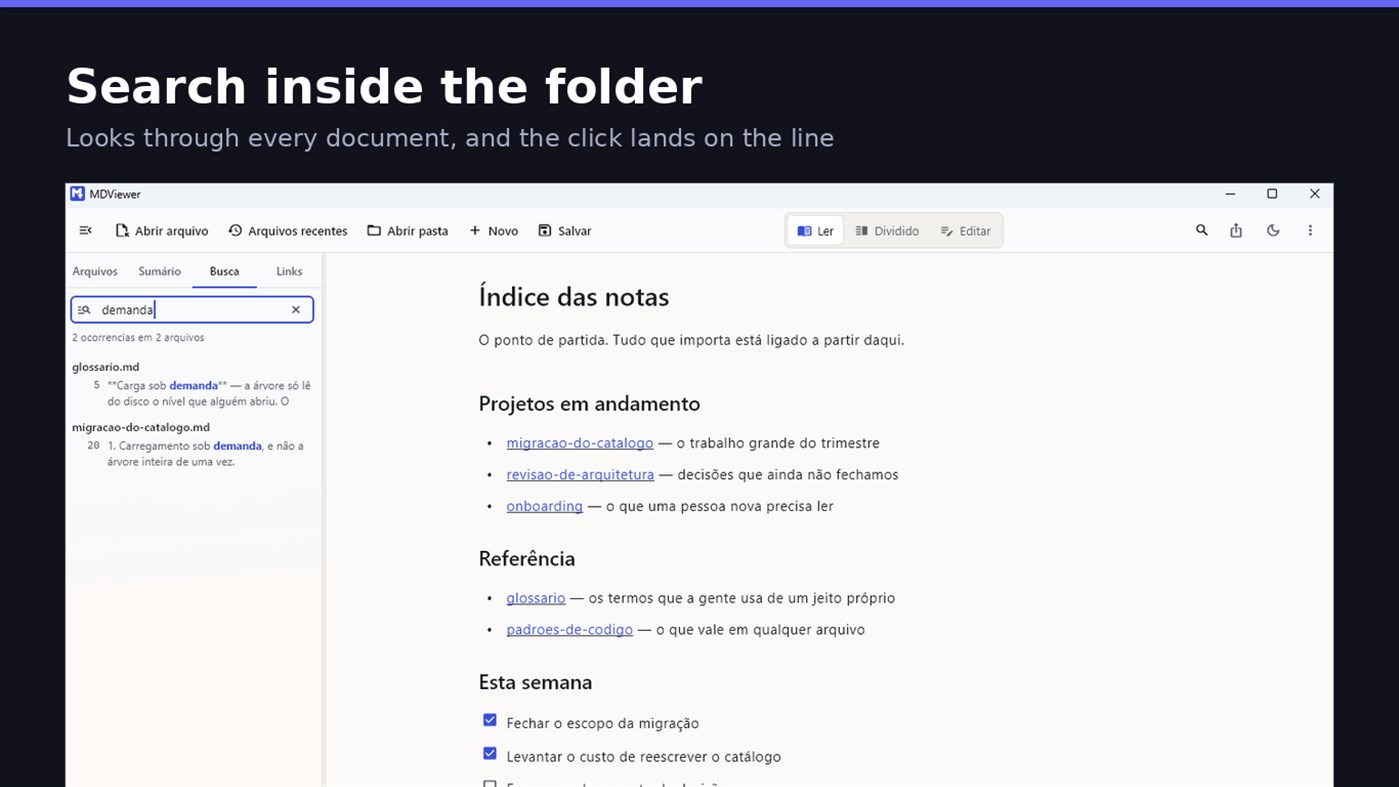
FIND WHAT YOU WROTE
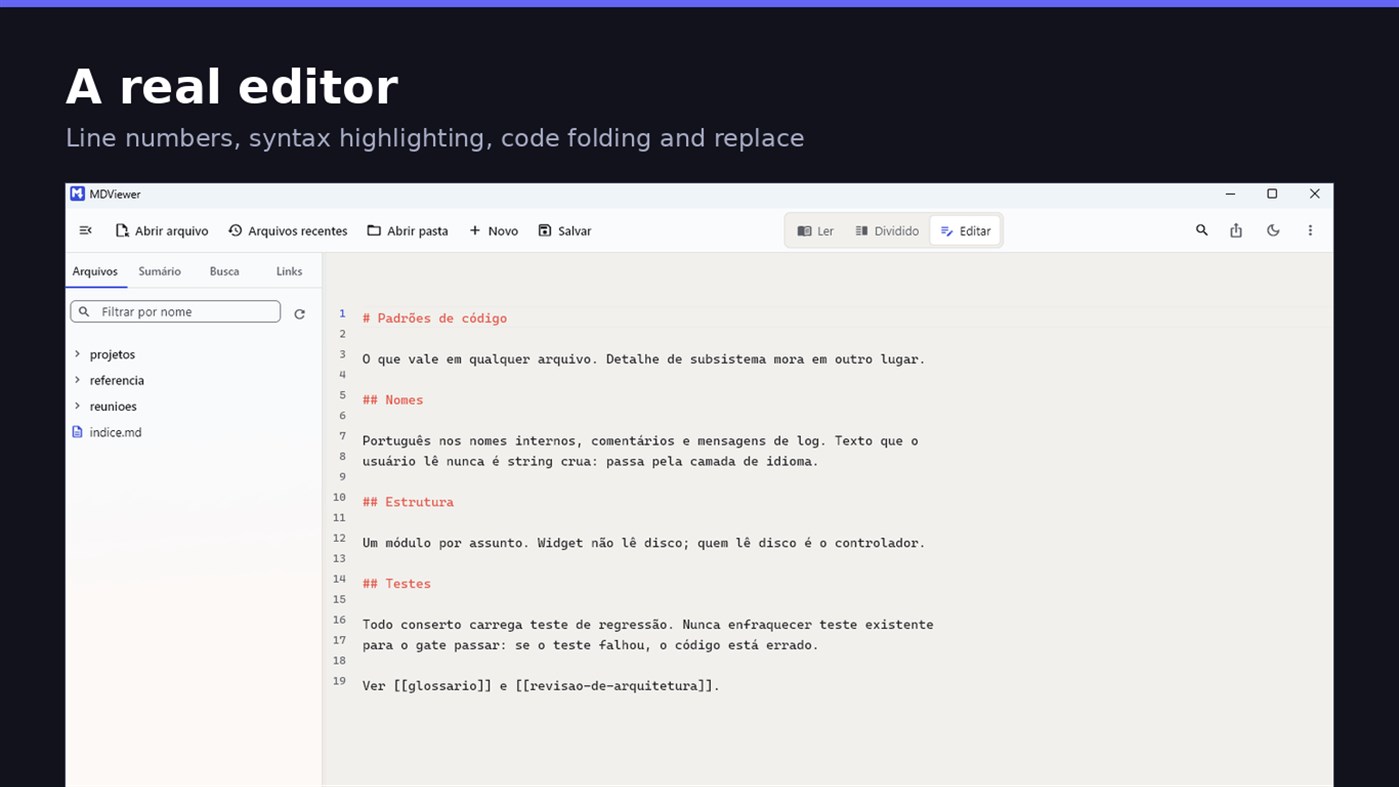
Search by content across the folder with Ctrl+Shift+F: MDViewer looks for the term inside every document, shows the snippet with the word highlighted, and clicking takes you to the file with the line already selected. Filter by name finds the file even in a subfolder you never opened, showing the path to it.
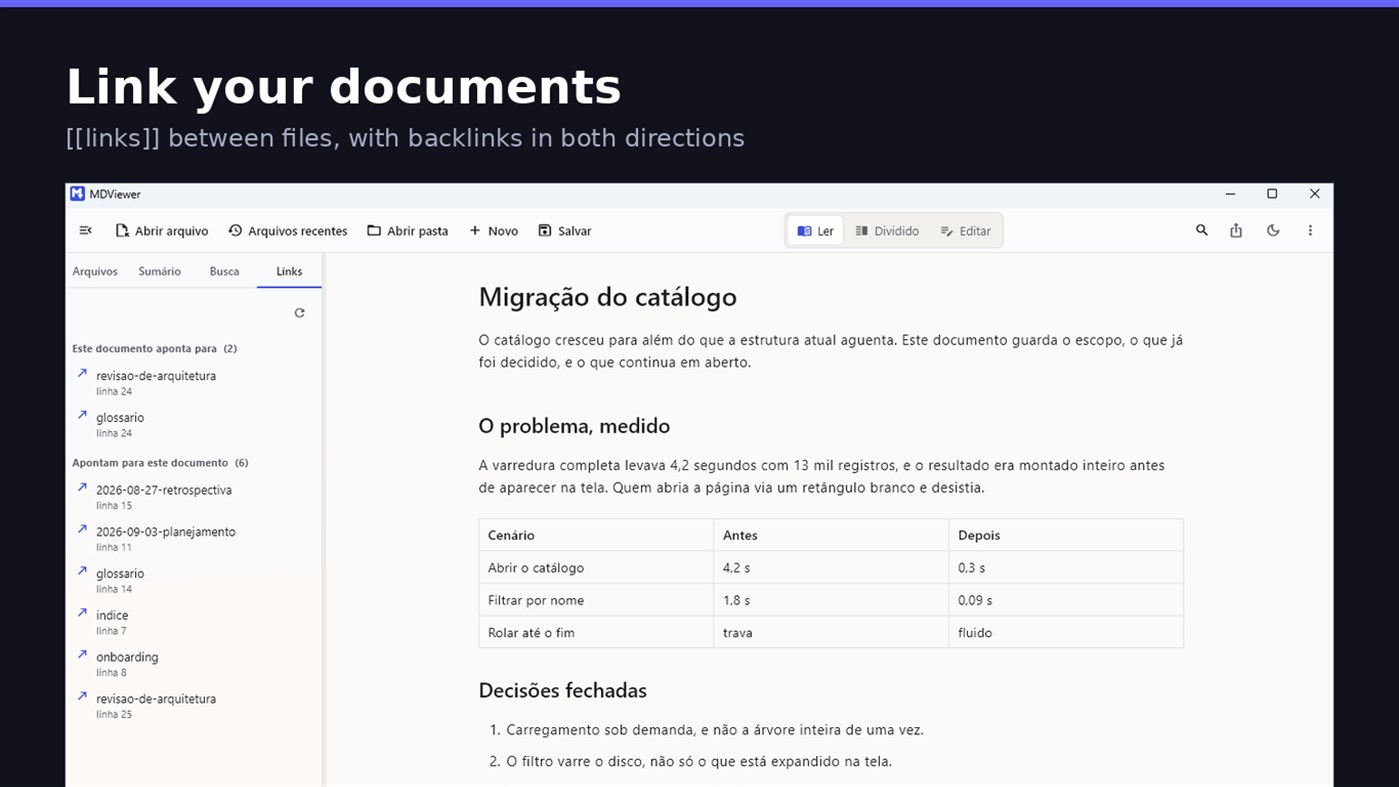
LINK YOUR DOCUMENTS TOGETHER
Write [[document-name]] and it becomes a clickable link. [[document#section]] jumps straight to the section; [[document|the text you want]] shows your own label. The Links tab shows both directions: where this document points, and who points to it, and a backlink takes you to the exact line where the link was written. A link to a target that does not exist is marked, instead of silently doing nothing.
READ
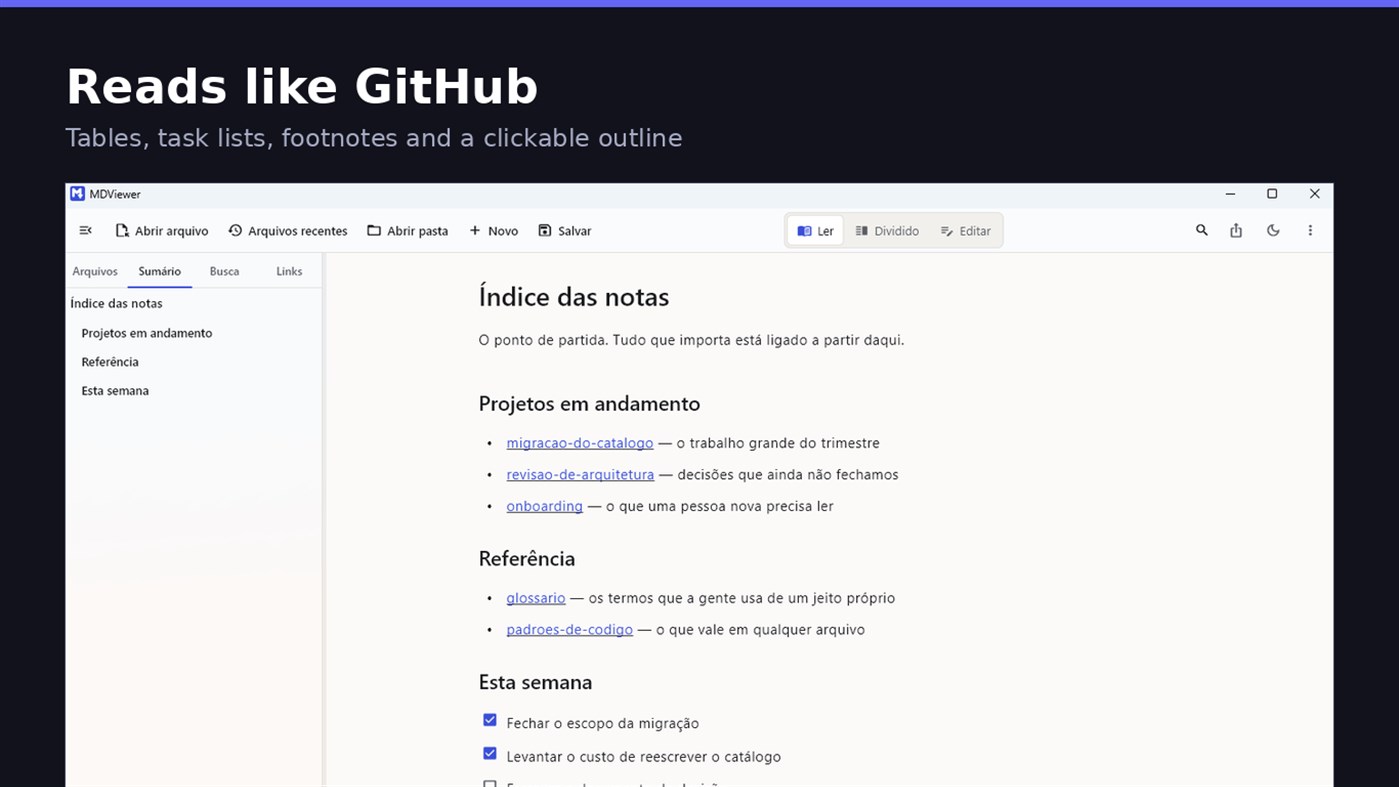
• GitHub Flavored Markdown: tables, task lists, strikethrough, footnotes and code blocks
• A reading column with a comfortable width, instead of text stretched across the screen
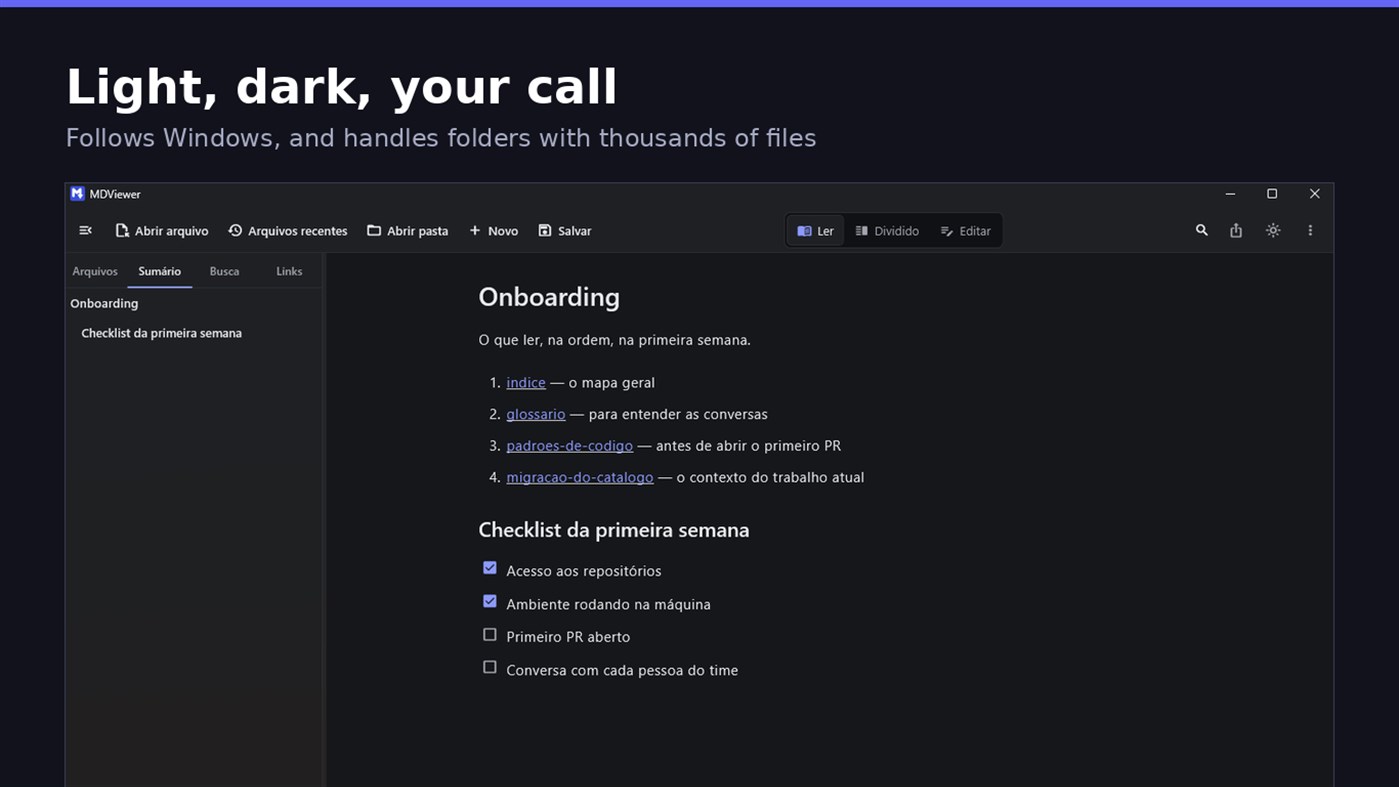
• Clickable document outline, to jump between sections
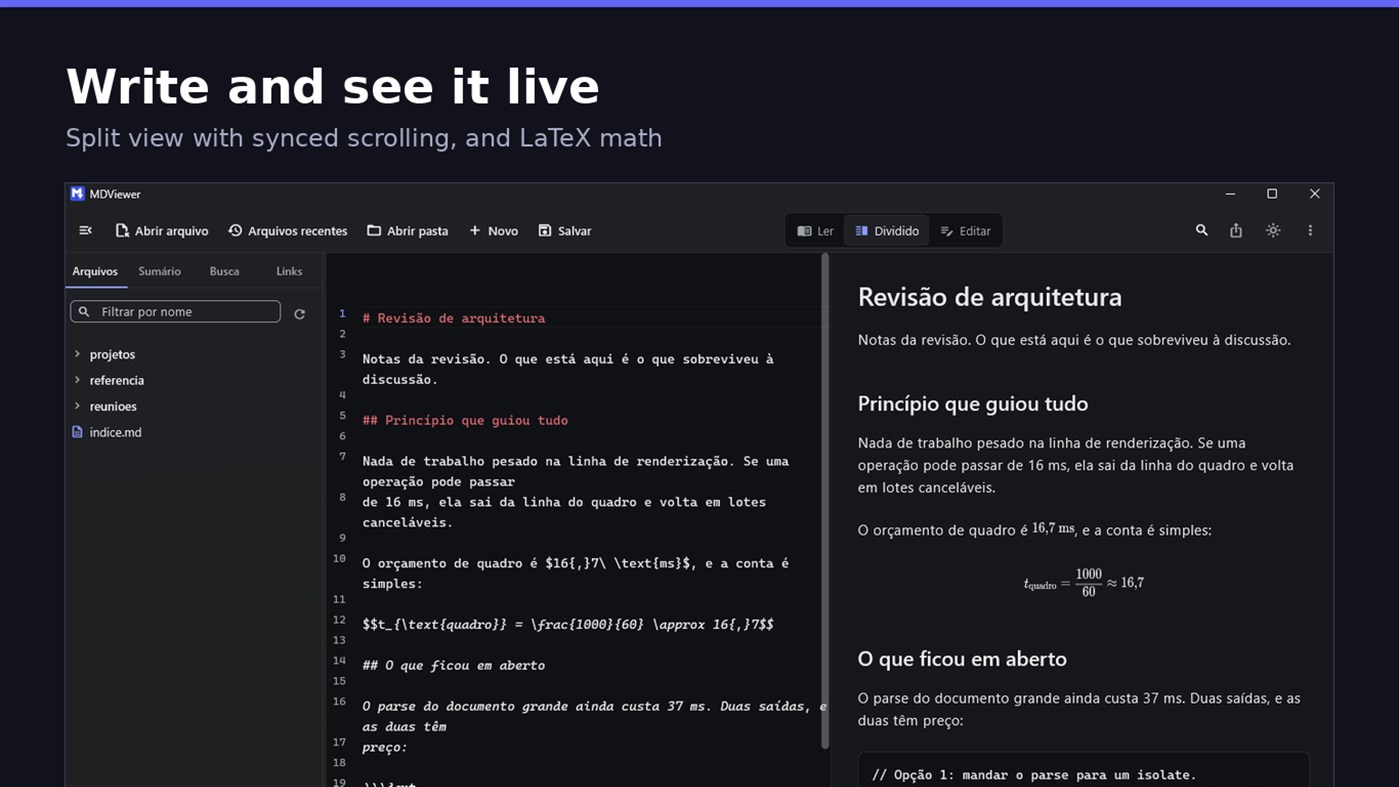
• LaTeX math
• Task checkboxes you tick with one click, written back to the file
• Light and dark themes, following Windows
EDIT
• Editor with line numbers, syntax highlighting, code folding, undo and redo, find and replace
• Split view, text on one side and result on the other, scrolling together
• Draft saved automatically, and recovered if the app closes without saving
• A warning when the file changes outside the app
• Nothing is written to your file unless you say so
HOLD UP UNDER LOAD
In a folder with thirteen thousand documents, MDViewer opens without freezing the screen. The folder tree loads on demand and skips .git and node_modules. Search, filtering and the link index run off the rendering thread, in batches, and are cancelled the moment you keep typing. This is measured every release, and the app logs any operation that goes over the frame budget.
FIT INTO WINDOWS
• File association for .md, .markdown and .mdx, with its own document icon
• Single instance: a second file becomes a tab, not another window
• Document tabs, and a taskbar dot while any document has unsaved changes
• Taskbar progress while exporting PDF
• Mica background on Windows 11, with the reading area always solid
• Drag and drop a file or a folder onto the window
• Export to HTML and PDF, and print
• Interface in Portuguese, English and Spanish
PRIVACY
MDViewer has no account, uploads nothing anywhere, and works without an internet connection. There is no remote telemetry: the log stays on your machine, and the app has a shortcut to open its folder.
Made by LEVELHARD.
Andere platforms
| MDViewerWindows Store1K GoudJe bent hier | Gratis |
Nu alleen in deze store.
Prijsgeschiedenis
- Huidige prijs: Gratis
- Minimum: Gratis
- Maximum: Gratis
Prijzen volgen Voeg toe aan een lijst voor kortingsmeldingen via e-mail of push
Lijsten 0
0
- MDViewer
Punten 0
0
Ranglijsten 0
-

- Jouw beoordeling

Reacties 0 ¡
Reageer als eerste
Ontwikkelaar
- LEVELHARD
- Volgers: 0
- Platforms: Windows Apps (3)
- Aanbiedingen: 0
- Lijsten: 0 + 0
- Punten: 0 + 13 ¡
- Ranglijsten: 0
- Reacties: 0
- Video’s: 0
- RSS: Abonneren
Wat is er nieuw?
- Versie: PC
- Laatst bijgewerkt:
- This version makes the editor easier to use and reading more complete.
• Command palette (Ctrl+Shift+P): type what you want to do, like "pdf" or "theme", and see the key for each command.
• Formatting toolbar in the editor, and a key for every format: Ctrl+Shift+1 to 3 headings, Ctrl+Shift+7, 8 and 9 lists and tasks, Ctrl+Shift+Q quote, Ctrl+T table.
• The editor understands Markdown: Enter continues the list, Tab builds the sublist, and pasting an address over text creates the link.
• Mermaid diagrams drawn in reading view, in light and dark themes, with no internet.
• Select and copy text in reading view.
• Chinese, Japanese and Korean with the right font, on screen and in exported PDFs.
Aanvullende informatie
- Releasedatum:
- Categorie:
Windows-apps›Ontwikkelhulpprogramma's - Besturingssysteem:
PC - Grootte:
20 Mb - Ondersteunde talen:
Engels,Portugees,Spaans - Inhoudsclassificatie:
EVERYONE - Windows Store Beoordeling: ¡
2.5(13) - Website:
 https://levelhard.com.br
AppAgg-score
1.500
Geschatte AppAgg-score voor
MDViewer
Ontwikkelaar: LEVELHARD
1.500 Goud
Een hogere score betekent meestal betere resultaten voor de factoren die AppAgg beoordeelt.
Gebaseerd op: populariteit · gebruikersbeoordelingen · actualiteit · deals · winkelgegevens · community-activiteit
Wordt dagelijks opnieuw berekend met actuele AppAgg-gegevens.
Badge voor websites:  Gekopieerd!
Samenvatting
MDViewer Korte URL: Gekopieerd!- Windows Store
Op AppAgg kun je ‘MDViewer’ volgen, een app van LEVELHARD voor Windows in de categorie Ontwikkelhulpprogramma's. AppAgg-score: 1.500 (Goud). AppAgg-punten van de app — bevestigd: 0; indirect: 13. Openbare lijsten met deze app: 0. Gebruikers die de app in privélijsten hebben opgeslagen: 0. AppAgg-gebruikers hebben de app nog niet beoordeeld. Bevestigde punten registreren winkelbezoeken van ingelogde AppAgg-gebruikers; indirecte punten zijn gebaseerd op winkelgegevens. AppAgg telt openbare lijsten met een app of game en gebruikers die de app of game in privélijsten hebben opgeslagen. De app is voor het eerst uitgebracht op . De app is voor het laatst bijgewerkt op . De app is momenteel gratis beschikbaar. Huidige beoordeling van de app in Windows Store: 2.5. Aantal stemmen: 13. De app is beschikbaar in de volgende talen: Engels, Portugees, Spaans. Bekijk de prijsgeschiedenis, voeg de app toe aan een lijst of volg de ontwikkelaar. Volg toekomstige aanbiedingen en updates voor de app via de RSS-feed. AppAgg host of distribueert deze app niet. Alle handelsmerken, logo’s en schermafbeeldingen die bij de app horen, zijn eigendom van hun respectieve eigenaren.

