
Favoritos
Escolha um título para este favorito.
Favorito salvo
| Desenvolvedor: | LEVELHARD (3) | ||
| Preço: | Grátis | ||
| Pontuação: | 1,500 Ouro | ||
| Classificações: | 0 | ||
| Comentários: | 0 Postar comentário | ||
| Listas: | 0 + 0 | ||
| Pontos: | 0 + 13 (2.5) ¡ | ||
| +1 Pontos | |||
Capturas de tela
Anúncio
Descrição

Free, offline, no account, no ads, no telemetry.
FIND WHAT YOU WROTE
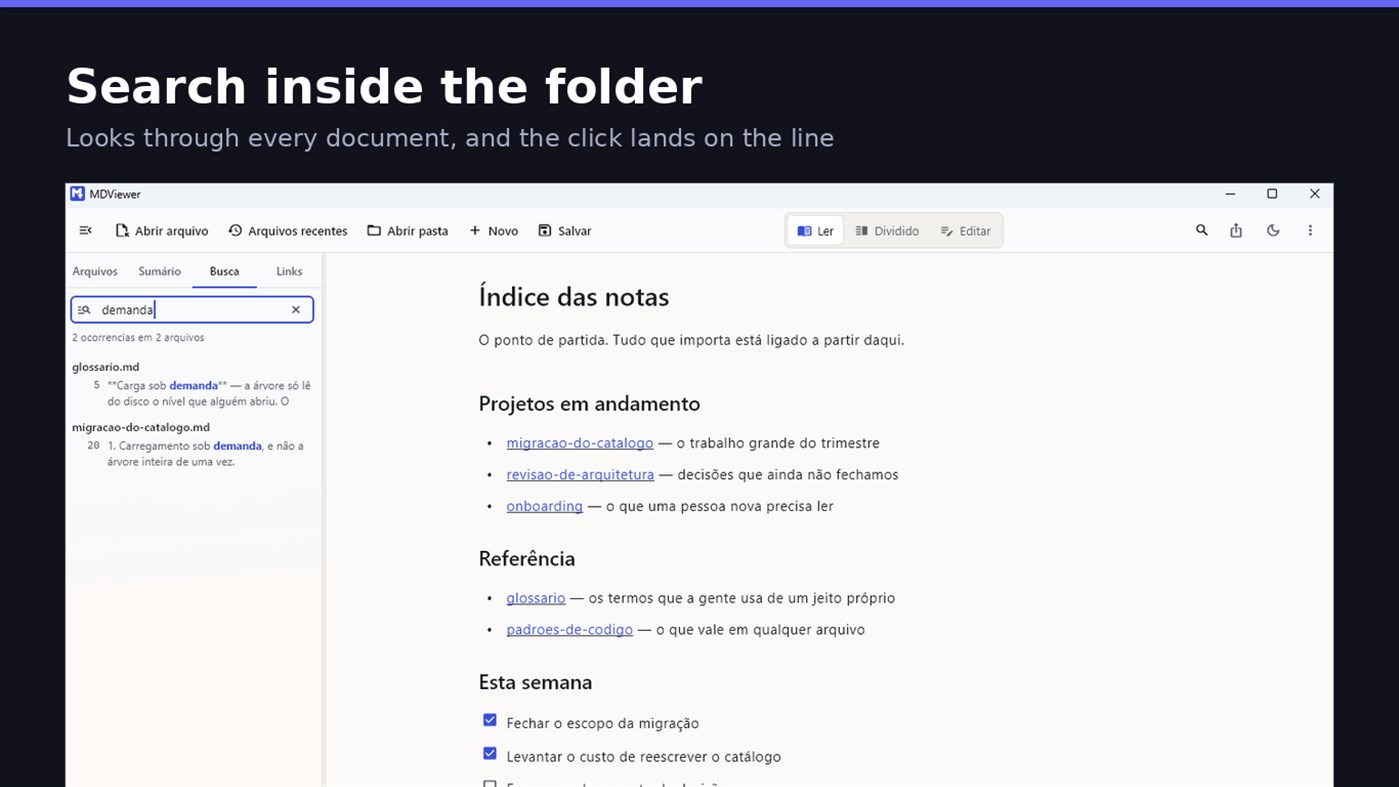
Search by content across the folder with Ctrl+Shift+F: MDViewer looks for the term inside every document, shows the snippet with the word highlighted, and clicking takes you to the file with the line already selected. Filter by name finds the file even in a subfolder you never opened, showing the path to it.
LINK YOUR DOCUMENTS TOGETHER
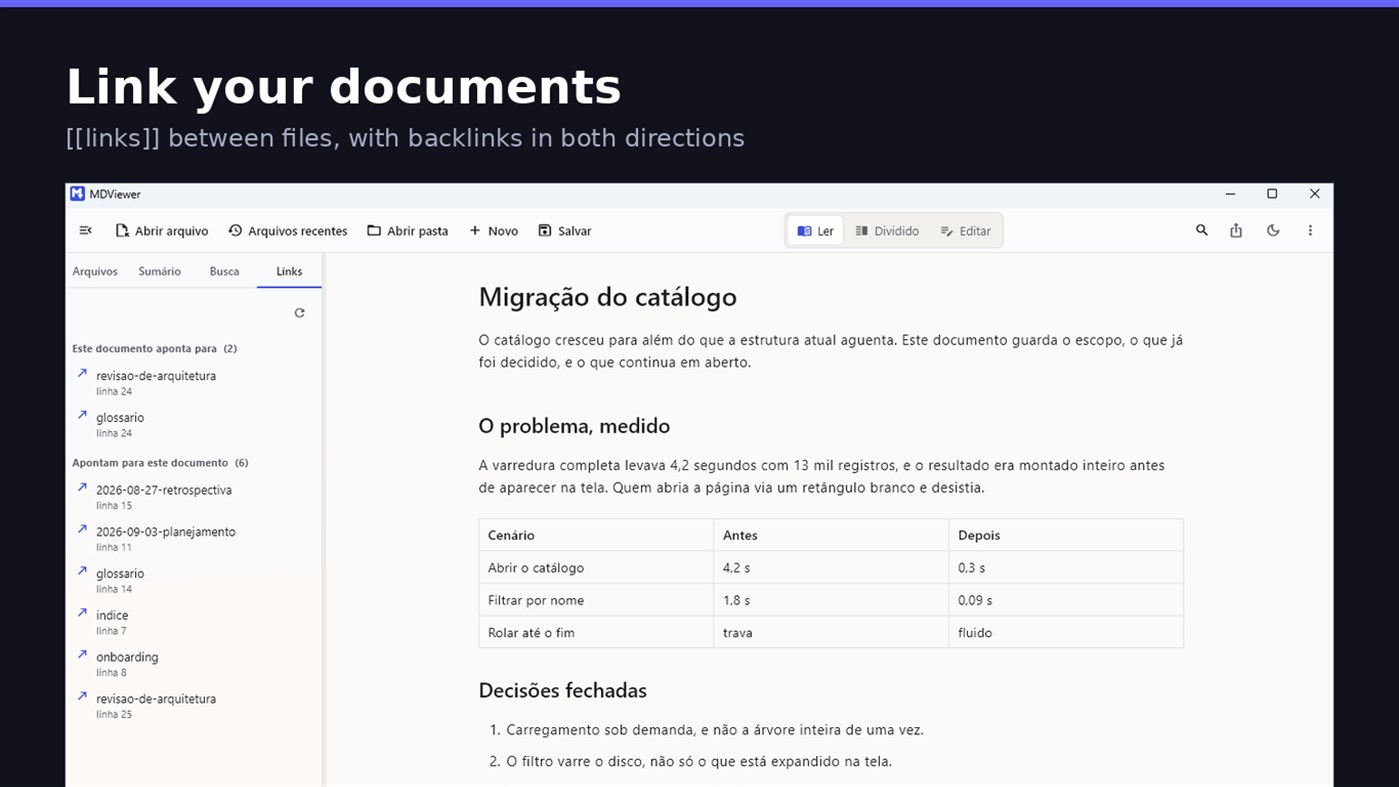
Write [[document-name]] and it becomes a clickable link. [[document#section]] jumps straight to the section; [[document|the text you want]] shows your own label. The Links tab shows both directions: where this document points, and who points to it, and a backlink takes you to the exact line where the link was written. A link to a target that does not exist is marked, instead of silently doing nothing.
READ
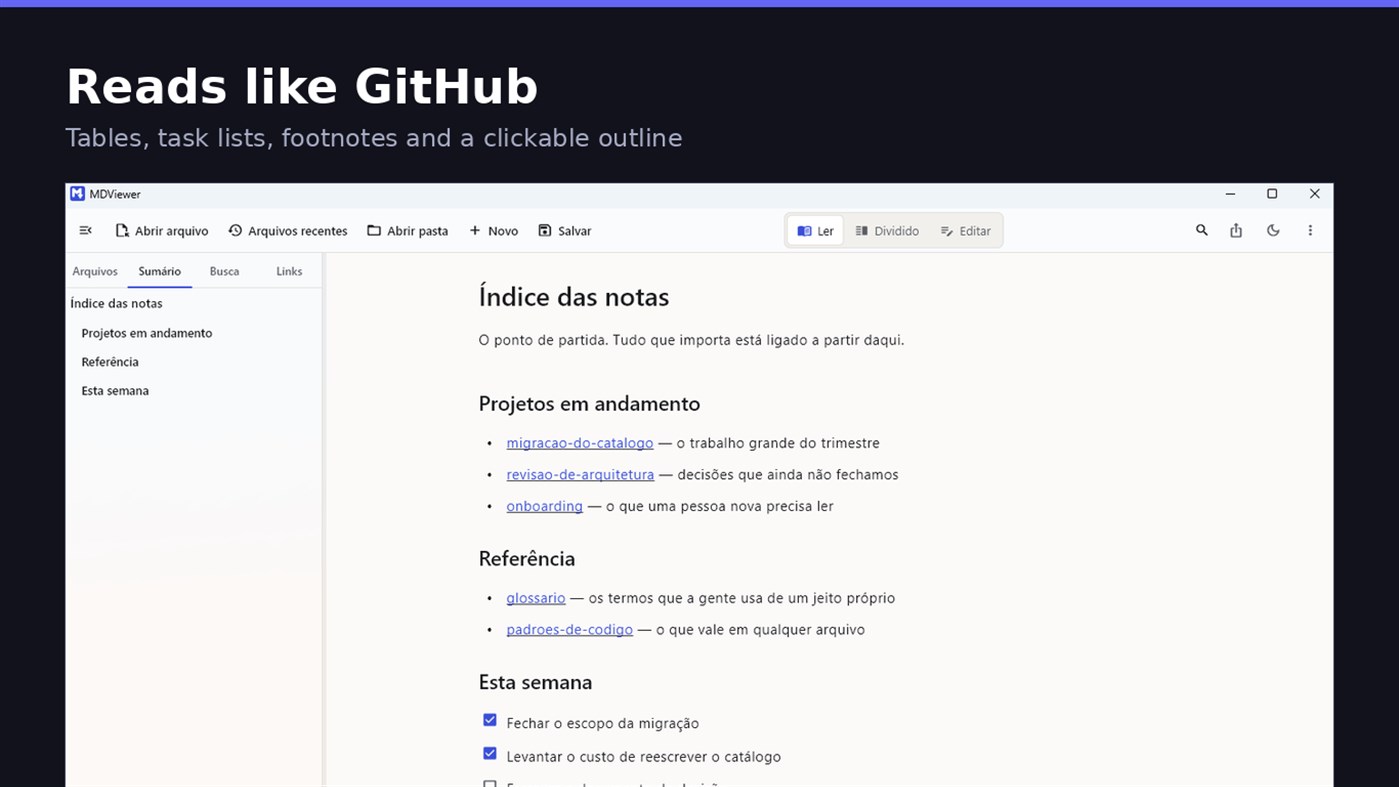
• GitHub Flavored Markdown: tables, task lists, strikethrough, footnotes and code blocks
• A reading column with a comfortable width, instead of text stretched across the screen
• Clickable document outline, to jump between sections
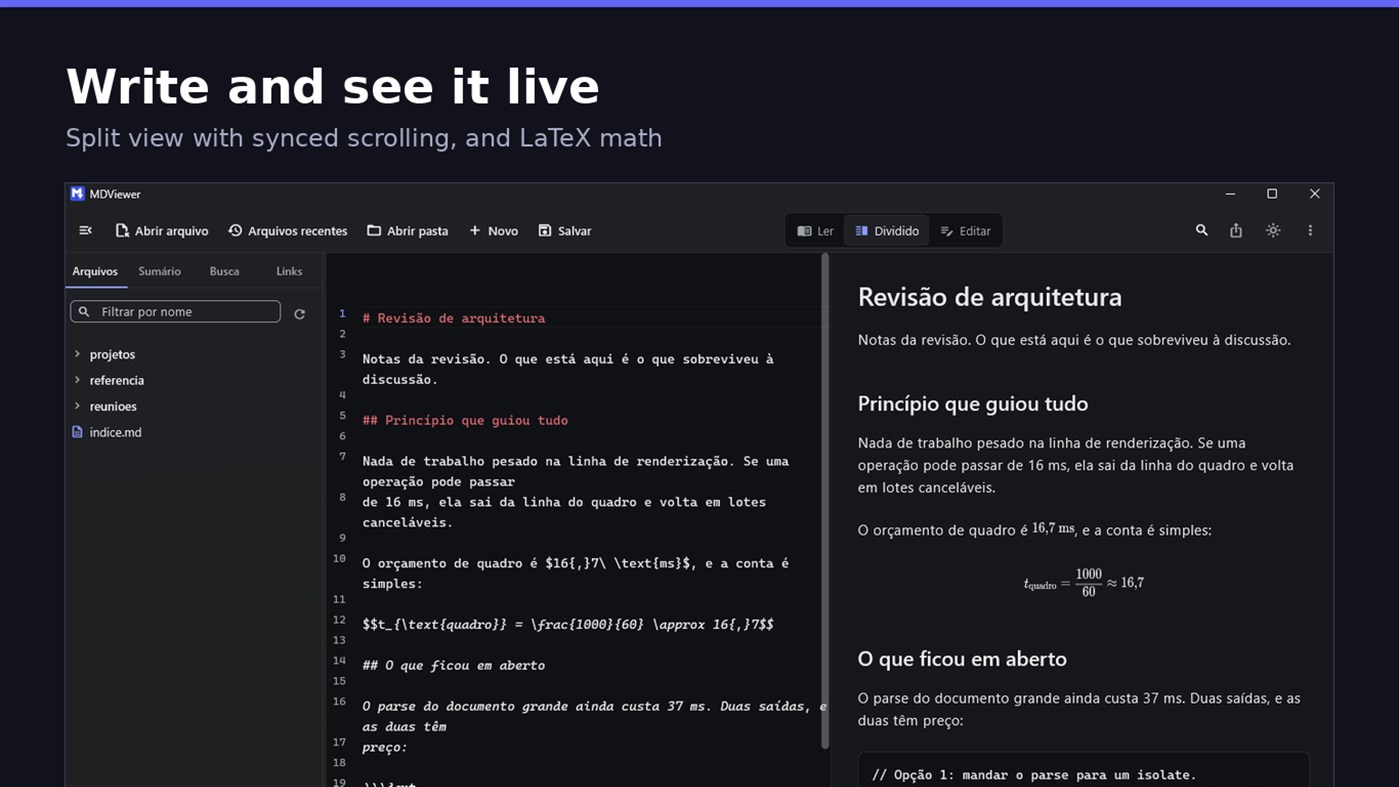
• LaTeX math
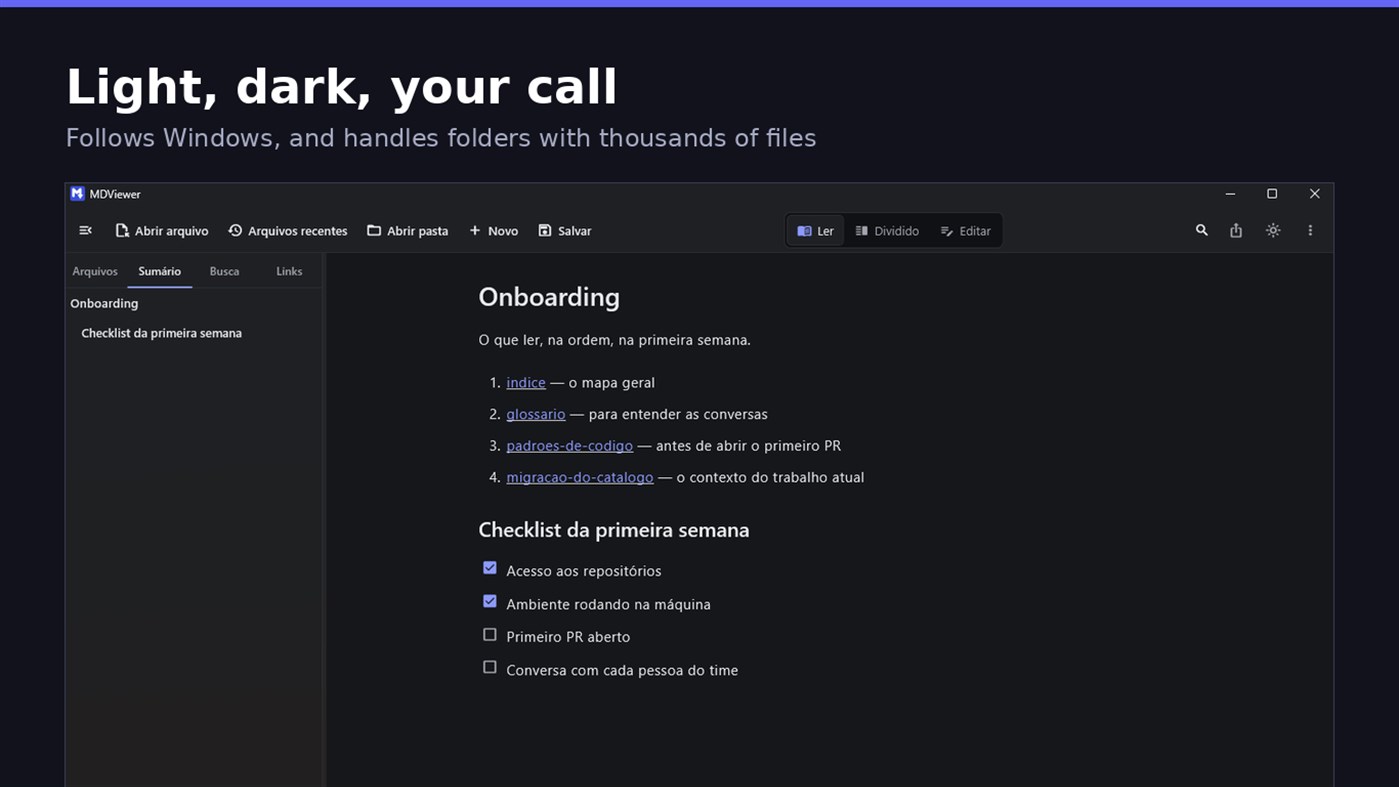
• Task checkboxes you tick with one click, written back to the file
• Light and dark themes, following Windows
EDIT
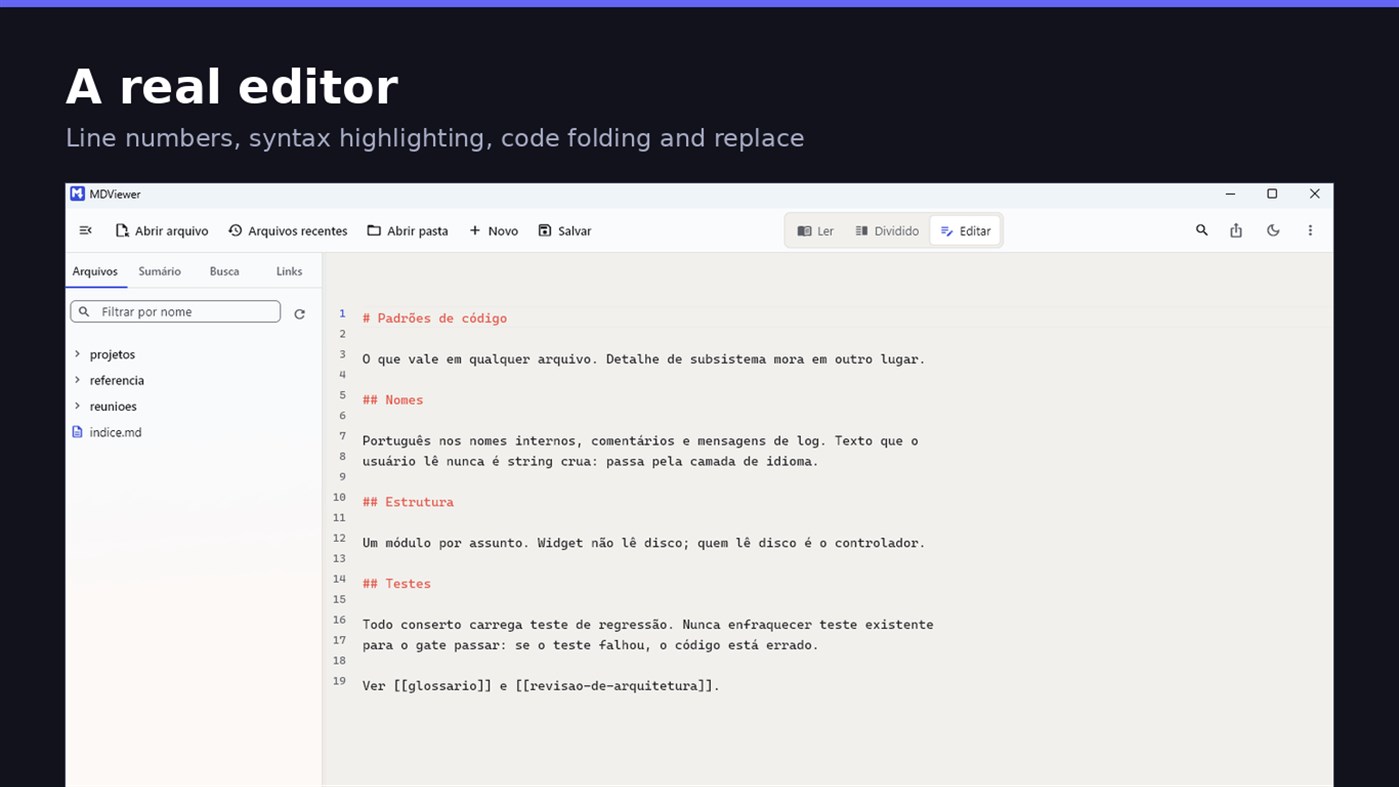
• Editor with line numbers, syntax highlighting, code folding, undo and redo, find and replace
• Split view, text on one side and result on the other, scrolling together
• Draft saved automatically, and recovered if the app closes without saving
• A warning when the file changes outside the app
• Nothing is written to your file unless you say so
HOLD UP UNDER LOAD
In a folder with thirteen thousand documents, MDViewer opens without freezing the screen. The folder tree loads on demand and skips .git and node_modules. Search, filtering and the link index run off the rendering thread, in batches, and are cancelled the moment you keep typing. This is measured every release, and the app logs any operation that goes over the frame budget.
FIT INTO WINDOWS
• File association for .md, .markdown and .mdx, with its own document icon
• Single instance: a second file becomes a tab, not another window
• Document tabs, and a taskbar dot while any document has unsaved changes
• Taskbar progress while exporting PDF
• Mica background on Windows 11, with the reading area always solid
• Drag and drop a file or a folder onto the window
• Export to HTML and PDF, and print
• Interface in Portuguese, English and Spanish
PRIVACY
MDViewer has no account, uploads nothing anywhere, and works without an internet connection. There is no remote telemetry: the log stays on your machine, and the app has a shortcut to open its folder.
Made by LEVELHARD.
Outras plataformas
| MDViewerWindows Store1K OuroVocê está aqui | Grátis |
Por enquanto, só nesta loja.
Histórico de preços
- Preço atual: Grátis
- Mínimo: Grátis
- Máximo: Grátis
Acompanhe os preços Adicione a uma lista para receber alertas de descontos por e-mail ou push
Listas 0
0
- MDViewer
Pontos 0
0
Classificações 0
-

- Sua nota

Comentários 0 ¡
Seja o primeiro a comentar
Desenvolvedor
- LEVELHARD
- Seguidores: 0
- Plataformas: Windows Apps (3)
- Promoções: 0
- Listas: 0 + 0
- Pontos: 0 + 13 ¡
- Classificações: 0
- Comentários: 0
- Vídeos: 0
- RSS: Assinar
Novidades
- Versão: PC
- Última atualização:
- This version makes the editor easier to use and reading more complete.
• Command palette (Ctrl+Shift+P): type what you want to do, like "pdf" or "theme", and see the key for each command.
• Formatting toolbar in the editor, and a key for every format: Ctrl+Shift+1 to 3 headings, Ctrl+Shift+7, 8 and 9 lists and tasks, Ctrl+Shift+Q quote, Ctrl+T table.
• The editor understands Markdown: Enter continues the list, Tab builds the sublist, and pasting an address over text creates the link.
• Mermaid diagrams drawn in reading view, in light and dark themes, with no internet.
• Select and copy text in reading view.
• Chinese, Japanese and Korean with the right font, on screen and in exported PDFs.
Informações adicionais
- Data de lançamento:
- Categoria:
Aplicativos para Windows›Ferramentas de desenvolvedor - Sistemas operacionais:
PC - Tamanho:
20 Mb - Idiomas disponíveis:
English,Portuguese,Spanish - Classificação do conteúdo:
EVERYONE - Windows Store Nota: ¡
2.5(13) - Site:
 https://levelhard.com.br
Pontuação AppAgg
1,500
Pontuação AppAgg estimada de
MDViewer
Desenvolvedor: LEVELHARD
1,500 Ouro
Uma pontuação mais alta geralmente reflete resultados melhores nos indicadores do AppAgg.
Com base em: popularidade · avaliações dos usuários · atualidade · ofertas · dados das lojas · atividade da comunidade
Recalculado diariamente com dados AppAgg atualizados.
Selo para site:  Copiado!
Resumo
MDViewer URL abreviado: Copiado!- Windows Store
No AppAgg, você pode acompanhar “MDViewer”, um aplicativo de LEVELHARD para Windows na categoria Ferramentas de desenvolvedor. Pontuação AppAgg: 1,500 (Ouro). Pontos AppAgg do aplicativo — confirmados: 0; indiretos: 13. Listas públicas que incluem o aplicativo: 0. Usuários que o salvaram em listas privadas: 0. Os usuários do AppAgg ainda não avaliaram este aplicativo. Os pontos confirmados registram os acessos à loja por usuários conectados ao AppAgg. Os indiretos se baseiam em dados das lojas. O AppAgg conta as listas públicas que incluem um aplicativo ou jogo e os usuários que o salvaram em listas privadas. O aplicativo foi lançado pela primeira vez em . Última atualização do aplicativo: . O aplicativo está disponível gratuitamente no momento. Avaliação atual do aplicativo em Windows Store: 2.5. Número de votos: 13. O aplicativo está disponível nos seguintes idiomas: English, Portuguese, Spanish. Confira o histórico de preços, adicione o aplicativo a uma lista ou siga o desenvolvedor. Acompanhe as próximas promoções e atualizações do aplicativo pelo Feed RSS. O AppAgg não hospeda nem distribui este aplicativo. Todas as marcas, logotipos e capturas de tela relacionados ao aplicativo pertencem aos respectivos proprietários.

