
บุ๊กมาร์ก
ตั้งชื่อสำหรับบุ๊กมาร์กนี้
บันทึกบุ๊กมาร์กแล้ว
| ผู้พัฒนา: | LEVELHARD (3) | ||
| ราคา: | ฟรี | ||
| คะแนน: | 1,500 ทอง | ||
| การจัดอันดับ: | 0 | ||
| ความคิดเห็น: | 0 โพสต์ความคิดเห็น | ||
| รายการ: | 0 + 0 | ||
| แต้ม: | 0 + 13 (2.5) ¡ | ||
| +1 แต้ม | |||
ภาพหน้าจอ
โฆษณา
คำอธิบาย

Free, offline, no account, no ads, no telemetry.
FIND WHAT YOU WROTE
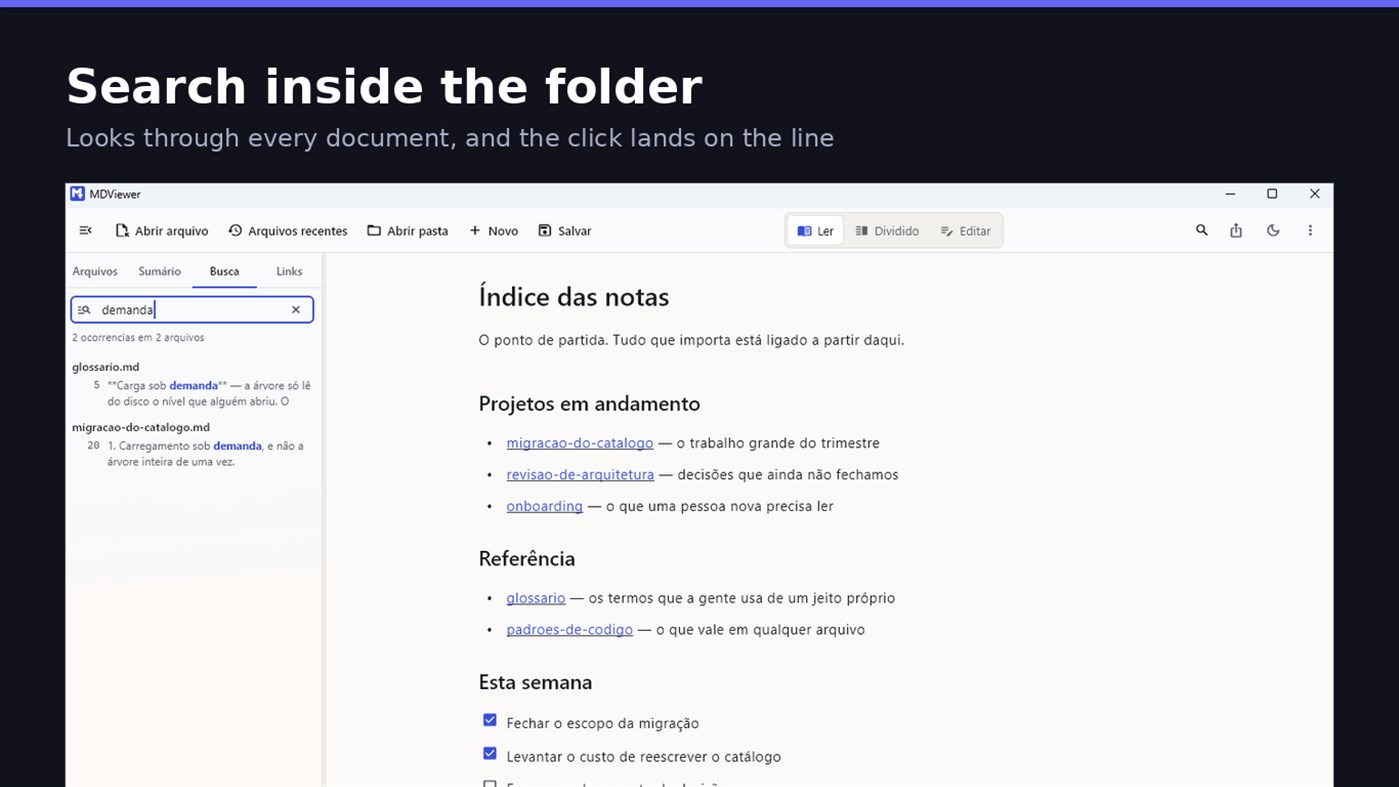
Search by content across the folder with Ctrl+Shift+F: MDViewer looks for the term inside every document, shows the snippet with the word highlighted, and clicking takes you to the file with the line already selected. Filter by name finds the file even in a subfolder you never opened, showing the path to it.
LINK YOUR DOCUMENTS TOGETHER
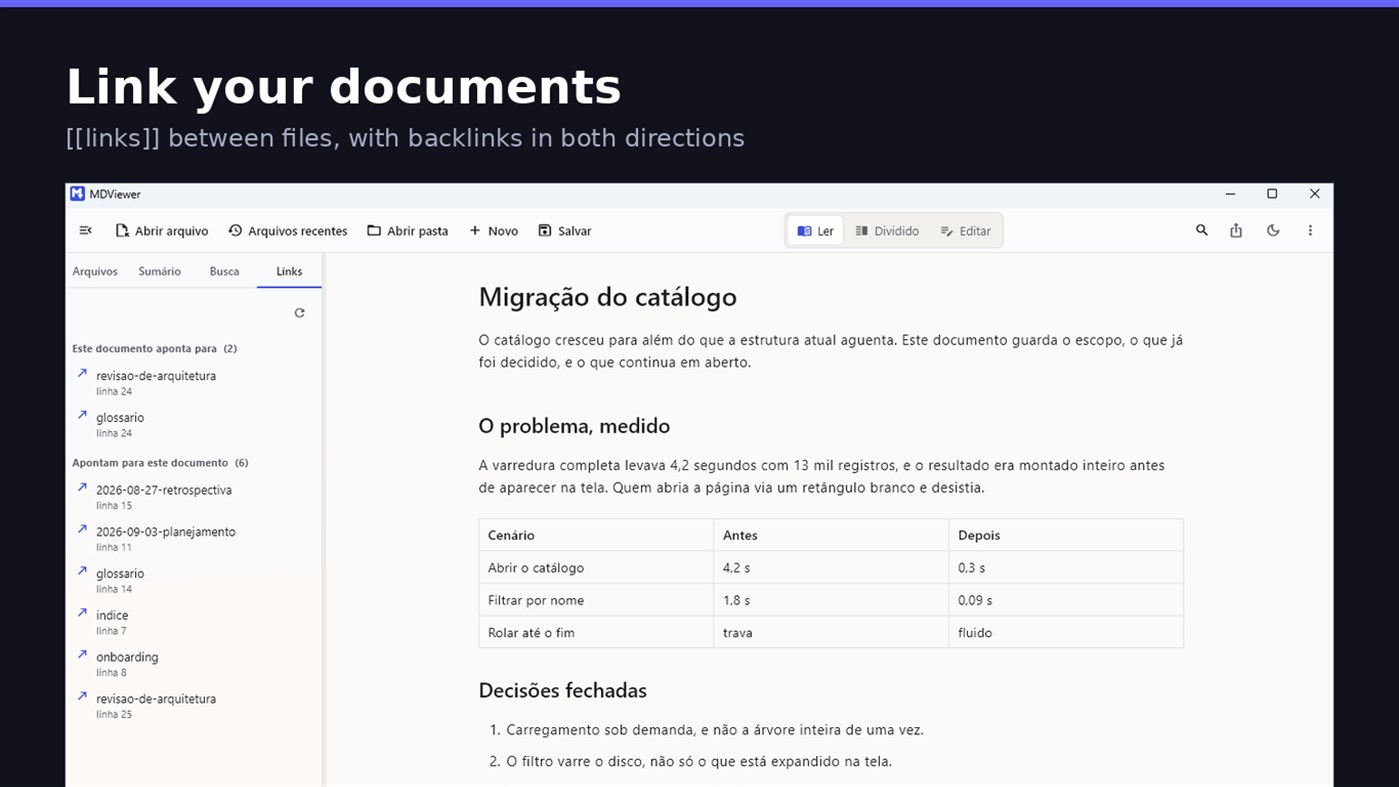
Write [[document-name]] and it becomes a clickable link. [[document#section]] jumps straight to the section; [[document|the text you want]] shows your own label. The Links tab shows both directions: where this document points, and who points to it, and a backlink takes you to the exact line where the link was written. A link to a target that does not exist is marked, instead of silently doing nothing.
READ
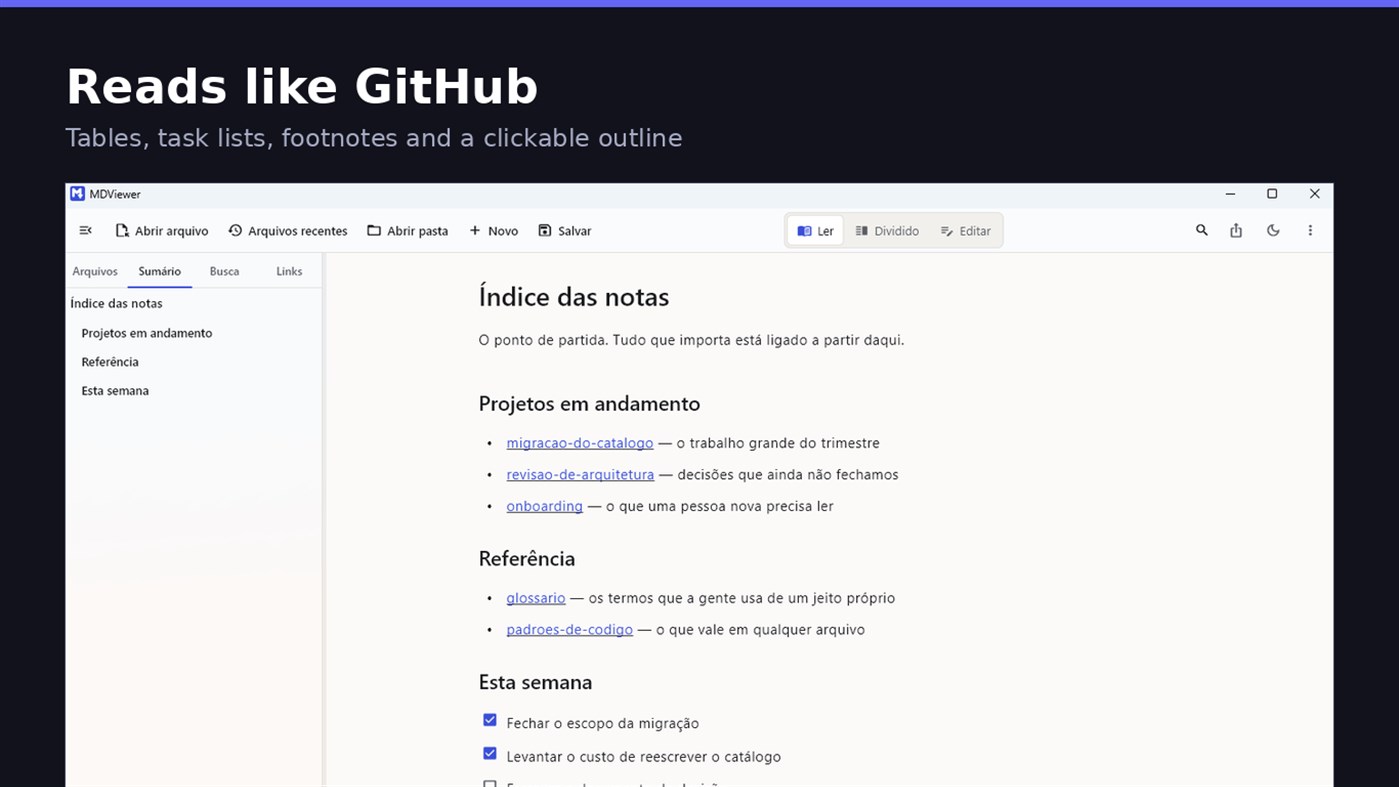
• GitHub Flavored Markdown: tables, task lists, strikethrough, footnotes and code blocks
• A reading column with a comfortable width, instead of text stretched across the screen
• Clickable document outline, to jump between sections
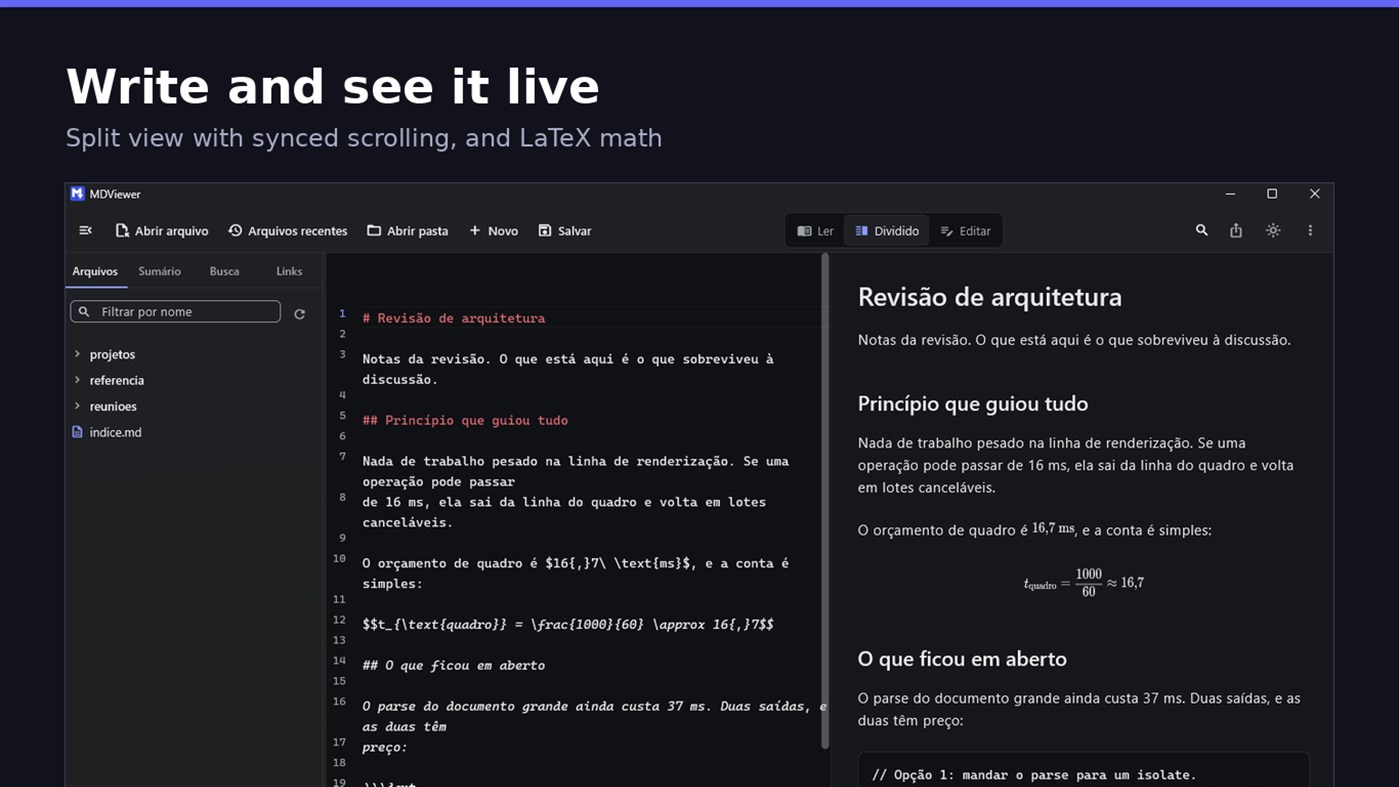
• LaTeX math
• Task checkboxes you tick with one click, written back to the file
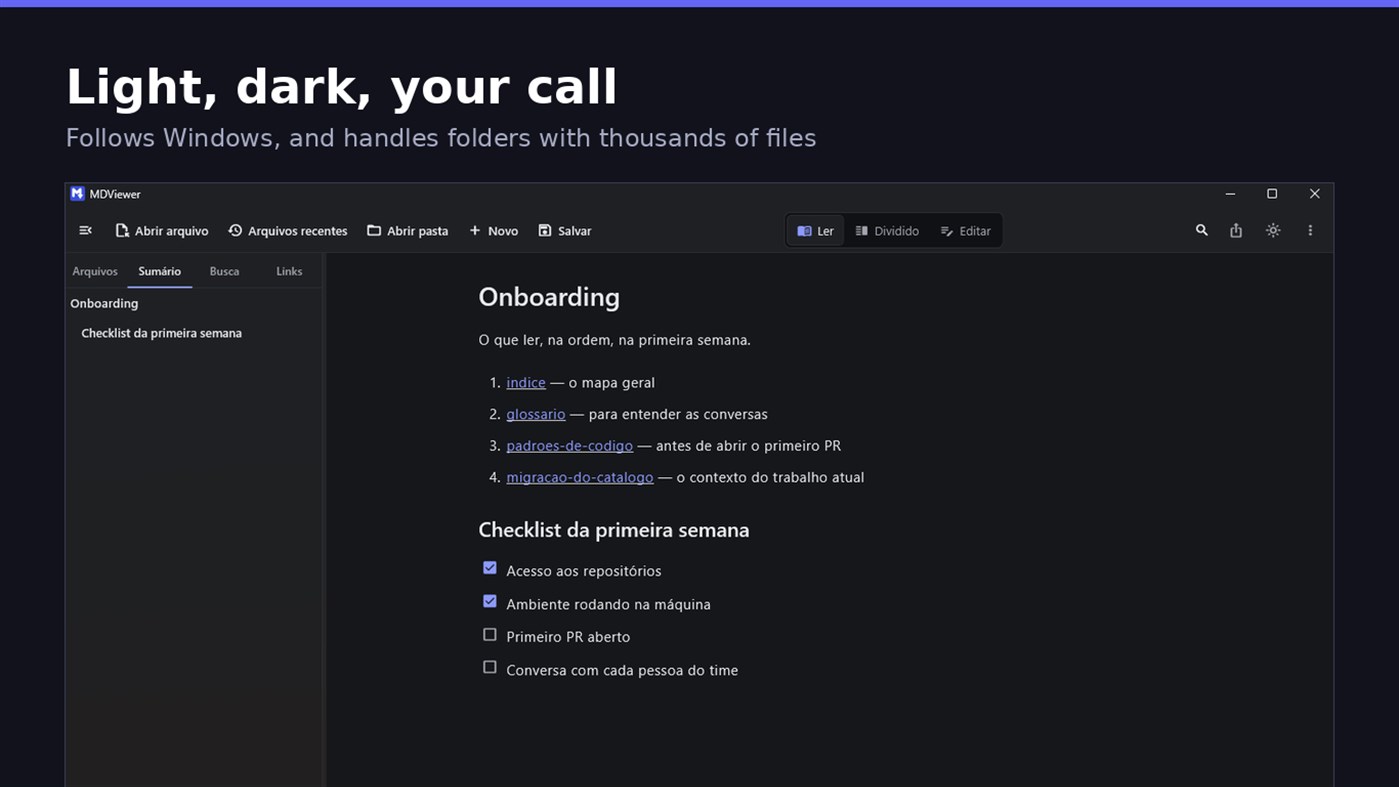
• Light and dark themes, following Windows
EDIT
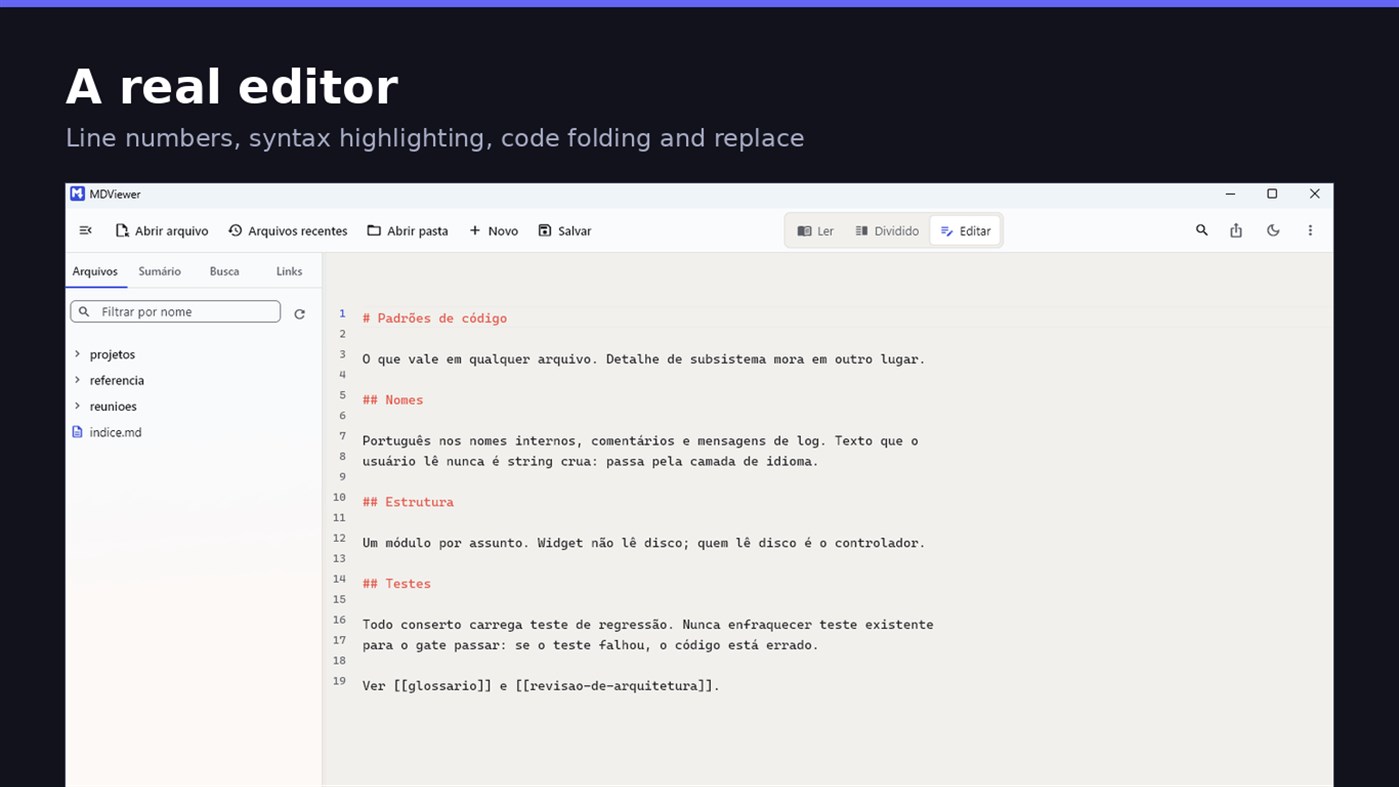
• Editor with line numbers, syntax highlighting, code folding, undo and redo, find and replace
• Split view, text on one side and result on the other, scrolling together
• Draft saved automatically, and recovered if the app closes without saving
• A warning when the file changes outside the app
• Nothing is written to your file unless you say so
HOLD UP UNDER LOAD
In a folder with thirteen thousand documents, MDViewer opens without freezing the screen. The folder tree loads on demand and skips .git and node_modules. Search, filtering and the link index run off the rendering thread, in batches, and are cancelled the moment you keep typing. This is measured every release, and the app logs any operation that goes over the frame budget.
FIT INTO WINDOWS
• File association for .md, .markdown and .mdx, with its own document icon
• Single instance: a second file becomes a tab, not another window
• Document tabs, and a taskbar dot while any document has unsaved changes
• Taskbar progress while exporting PDF
• Mica background on Windows 11, with the reading area always solid
• Drag and drop a file or a folder onto the window
• Export to HTML and PDF, and print
• Interface in Portuguese, English and Spanish
PRIVACY
MDViewer has no account, uploads nothing anywhere, and works without an internet connection. There is no remote telemetry: the log stays on your machine, and the app has a shortcut to open its folder.
Made by LEVELHARD.
แพลตฟอร์มอื่น
| MDViewerWindows Store1K ทองคุณอยู่ที่นี่ | ฟรี |
ตอนนี้มีเฉพาะในร้านนี้
ประวัติราคา
- ราคาปัจจุบัน: ฟรี
- ต่ำสุด: ฟรี
- สูงสุด: ฟรี
ติดตามราคา เพิ่มลงในรายการเพื่อรับการแจ้งเตือนส่วนลดทางอีเมลหรือพุช
รายการ 0
0
- MDViewer
แต้ม 0
0
การจัดอันดับ 0
-

- คะแนนของคุณ

ความคิดเห็น 0 ¡
เป็นคนแรกที่แสดงความเห็น
ผู้พัฒนา
- LEVELHARD
- ผู้ติดตาม: 0
- แพลตฟอร์ม: Windows แอป (3)
- ลดราคา: 0
- รายการ: 0 + 0
- แต้ม: 0 + 13 ¡
- การจัดอันดับ: 0
- ความคิดเห็น: 0
- วิดีโอ: 0
- RSS: ติดตาม
มีอะไรใหม่
- เวอร์ชัน: PC
- อัปเดตล่าสุด:
- This version makes the editor easier to use and reading more complete.
• Command palette (Ctrl+Shift+P): type what you want to do, like "pdf" or "theme", and see the key for each command.
• Formatting toolbar in the editor, and a key for every format: Ctrl+Shift+1 to 3 headings, Ctrl+Shift+7, 8 and 9 lists and tasks, Ctrl+Shift+Q quote, Ctrl+T table.
• The editor understands Markdown: Enter continues the list, Tab builds the sublist, and pasting an address over text creates the link.
• Mermaid diagrams drawn in reading view, in light and dark themes, with no internet.
• Select and copy text in reading view.
• Chinese, Japanese and Korean with the right font, on screen and in exported PDFs.
ข้อมูลเพิ่มเติม
- วันที่วางจำหน่าย:
- หมวดหมู่:
แอปสำหรับ Windows›เครื่องมือสำหรับนักพัฒนา - ระบบปฏิบัติการ:
PC - ขนาด:
20 Mb - ภาษาที่สนับสนุน:
สเปน,อังกฤษ,โปรตุเกส - การจัดประเภทเนื้อหา:
EVERYONE - Windows Store คะแนน: ¡
2.5(13) - เว็บไซต์:
 https://levelhard.com.br
คะแนน AppAgg
1,500
คะแนน AppAgg โดยประมาณของ
MDViewer
ผู้พัฒนา: LEVELHARD
1,500 ทอง
คะแนนที่สูงขึ้นมักสะท้อนตัวชี้วัดที่ดีกว่าบน AppAgg
อิงจาก: ความนิยม · คะแนนจากผู้ใช้ · ความสดใหม่ · ดีล · ข้อมูลร้านค้า · กิจกรรมชุมชน
คำนวณใหม่ทุกวันจากข้อมูล AppAgg ล่าสุด
ป้ายสำหรับเว็บไซต์:  คัดลอกแล้ว!
สรุป
MDViewer URL แบบสั้น: คัดลอกแล้ว!- Windows Store
ติดตามแอป “MDViewer” โดย LEVELHARD สำหรับ Windows ในหมวด เครื่องมือสำหรับนักพัฒนา ได้บน AppAgg คะแนน AppAgg: 1,500 (ทอง) แต้ม AppAgg ของแอปนี้: ยืนยันแล้ว 0 แต้ม และทางอ้อม 13 แต้ม รายการสาธารณะที่มีแอปนี้: 0 รายการ ผู้ใช้ที่บันทึกแอปไว้ในรายการส่วนตัว: 0 คน ผู้ใช้ AppAgg ยังไม่ได้ให้คะแนนแอปนี้ แต้มที่ยืนยันแล้วบันทึกการกดไปยังร้านของผู้ใช้ที่เข้าสู่ระบบ AppAgg ส่วนแต้มทางอ้อมอ้างอิงข้อมูลจากร้านค้า ตัวนับทั้งสองแสดงจำนวนรายการสาธารณะและจำนวนผู้ใช้ที่บันทึกแอปหรือเกมไว้ในรายการส่วนตัว แอปนี้เปิดตัวครั้งแรกเมื่อ แอปนี้อัปเดตล่าสุดเมื่อ ขณะนี้แอปนี้เปิดให้ใช้งานฟรี แอปนี้มีคะแนนปัจจุบันบน Windows Store ที่ 2.5 จาก 13 โหวต แอปนี้รองรับภาษาต่อไปนี้: สเปน, อังกฤษ, โปรตุเกส ดูประวัติราคา เพิ่มแอปลงในรายการ หรือติดตามผู้พัฒนา ติดตามส่วนลดและอัปเดตในอนาคตของแอปผ่าน ฟีด RSS AppAgg ไม่ได้โฮสต์หรือแจกจ่ายแอปนี้ เครื่องหมายการค้า โลโก้ และภาพหน้าจอทั้งหมดที่เกี่ยวข้องกับแอปเป็นของเจ้าของแต่ละราย

