
บุ๊กมาร์ก
| ผู้พัฒนา: | Kyrylo Pshenychnyi (3) | ||
| ราคา: | ฟรี ใหม่ | ||
| คะแนน: | 600 เงิน | ||
| การจัดอันดับ: | 0 | ||
| ความคิดเห็น: | 0 โพสต์ความคิดเห็น | ||
| รายการ: | 0 0 | ||
| แต้ม: | 0 | ||
| +1 แต้ม | |||
สรุป
มาทำความรู้จัก MoMarkdown แอปในหมวด “เครื่องมือสำหรับนักพัฒนา” จาก Kyrylo Pshenychnyi
มาใหม่ ออกเมื่อ คุณได้เป็นหนึ่งในคนกลุ่มแรก
ฟรี ไม่มีโฆษณา ไม่มีการซื้อภายในแอป มีแค่คุณกับแอป
Microsoft Store มีมาในตัว Windows อยู่แล้ว ติดตั้งได้ในไม่กี่คลิก
คะแนน AppAgg คือ 600 ระดับ “เงิน” ถือว่าไม่เลวเลย
จัดเรต “EVERYONE” เหมาะกับเด็ก ๆ ด้วย
รองรับแค่ภาษาเดียว และไม่ใช่ภาษาไทย
เคยใช้แล้วเหรอ? รีวิวของคุณจะเป็นรีวิวแรกที่นี่
ผู้พัฒนารายนี้มีแอปอื่นบน AppAgg อีก 2 แอป ลองไปดูกัน
อยากรู้เรื่องอัปเดตและแอปใหม่ก่อนใครไหม? ติดตาม ผู้พัฒนา หรือกดติดตาม ฟีด RSS ได้เลย การแจ้งเตือนแบบพุชส่งผ่านแอป AppAgg Alerts สำหรับ Android และ iOS
ภาพหน้าจอ 3
แพลตฟอร์มอื่น 0
ประวัติราคา 0
- ราคาปัจจุบัน: ฟรี
- ต่ำสุด: ฟรี
- สูงสุด: ฟรี
ฟีดของคุณเองบนหน้าแรก
คำอธิบาย

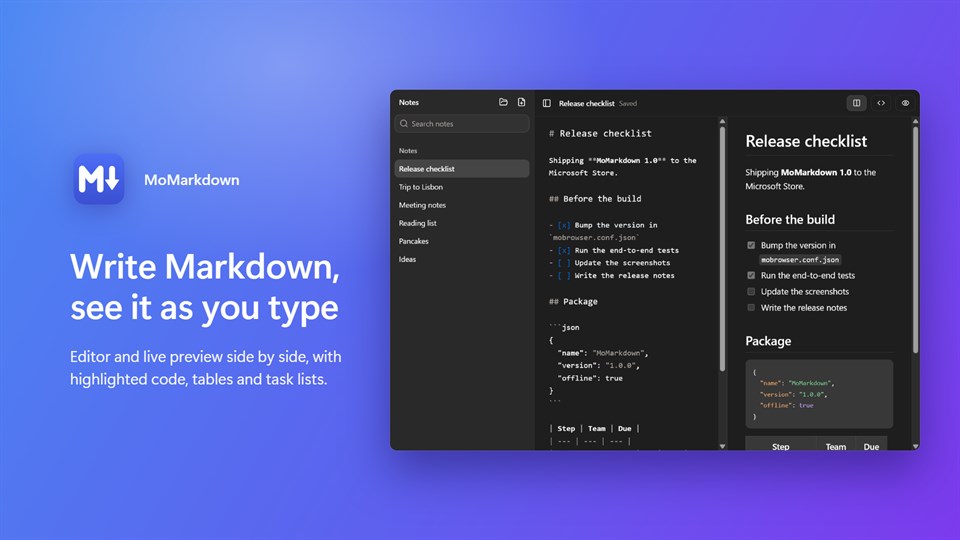
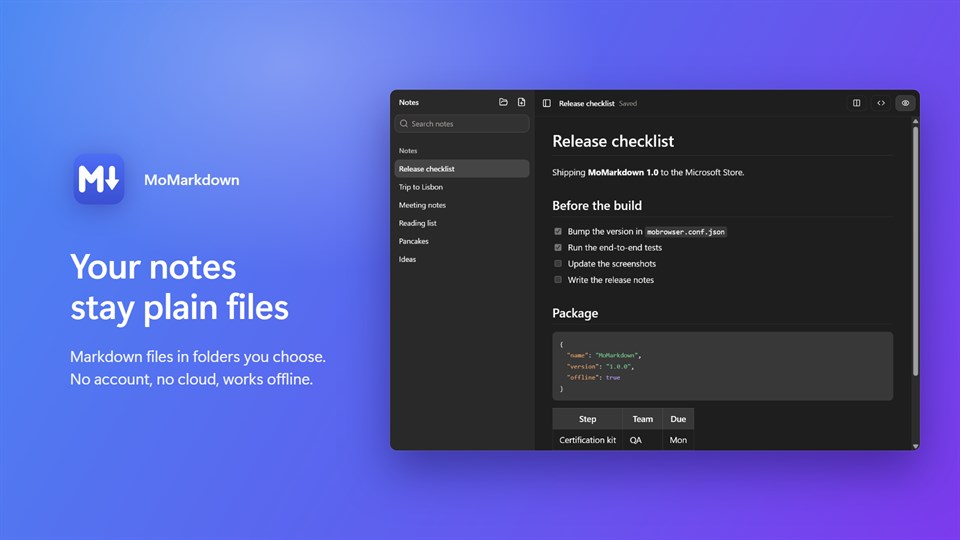
Point it at any folder on your PC, and every .md file in it becomes a note. There's no import step, no proprietary database, and no account. Your notes stay plain-text Markdown files in a folder you choose, so you can back them up, sync them with your own tools, or open them in any other editor.
Write with a focused source editor that highlights Markdown as you type and saves your work automatically. You can see the rendered result side by side, or switch to the editor or the preview alone with one keystroke. The preview supports GitHub Flavored Markdown: tables, task lists, syntax-highlighted code blocks and images stored next to your notes.
MoMarkdown works well with the other programs you use. If a note changes on disk, for example from a sync client or another editor, the change appears right away. If a note was edited in two places, MoMarkdown asks which version to keep, so nothing is silently overwritten.
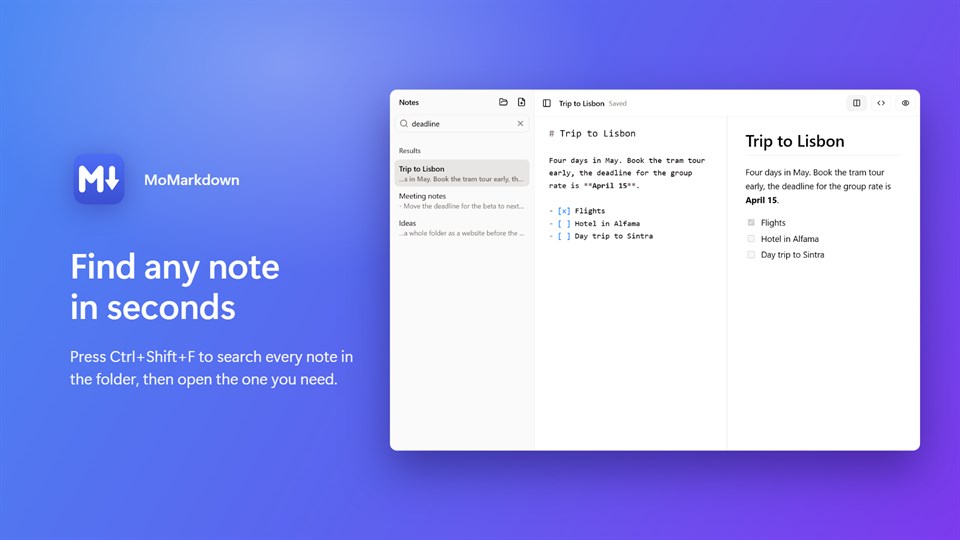
Search across the names and contents of all your notes, and create, rename or delete notes in a click. Deleted notes go to the Recycle Bin, so you can always get them back.
When you're ready to share, export a note as a standalone HTML file, or print it and save it as a PDF.
MoMarkdown feels like a native Windows app, d shortcuts, a recent-folders list, aremembered window size, and light, dark or system themes.
Your privacy is respected by design. MoMarkd and sends nothing over the network: noanalytics, no telemetry, no crash reports. Your notes never leave your computer.
จากนักพัฒนา
รายการ 0
-
 MoMarkdown
แต้ม 0
-

- +1 แต้ม

การจัดอันดับ 0
-
- คะแนนของคุณ
ผู้พัฒนา 3
- Kyrylo Pshenychnyi
- ผู้ติดตาม: 0
- แพลตฟอร์ม: Windows แอป (3)
- ลดราคา: 0
- รายการ: 0 0
- แต้ม: 0
- การจัดอันดับ: 0
- ความคิดเห็น: 0
- วิดีโอ: 0
- RSS: ติดตาม
มีอะไรใหม่
- เวอร์ชัน: PC
- อัปเดตล่าสุด:
- • Word count and reading time for the open note.
• Updated app runtime (Chromium 157) with the latest security and stability fixes.
ข้อมูลเพิ่มเติม
- วันที่วางจำหน่าย:
- หมวดหมู่:
แอปสำหรับ Windows›เครื่องมือสำหรับนักพัฒนา - ระบบปฏิบัติการ:
PC - ขนาด:
202 Mb - ภาษาที่รองรับ:
อังกฤษ - การจัดประเภทเนื้อหา:
EVERYONE - Windows Store คะแนน: ¡
0
คะแนน AppAgg
คะแนน AppAgg โดยประมาณของ
MoMarkdown
ผู้พัฒนา: Kyrylo Pshenychnyi
คะแนนที่สูงขึ้นมักสะท้อนตัวชี้วัดที่ดีกว่าบน AppAgg
อิงจาก: ความนิยม · คะแนนจากผู้ใช้ · ความสดใหม่ · ดีล · ข้อมูลร้านค้า · กิจกรรมชุมชน
คำนวณใหม่ทุกวันจากข้อมูล AppAgg ล่าสุด
ความคิดเห็น 0 ¡
แชร์
MoMarkdown URL แบบสั้น: คัดลอกแล้ว!- Windows Store

