
บุ๊กมาร์ก
| ผู้พัฒนา: | vasmarfas (10) | ||
| ราคา: | ฟรี ใหม่ | ||
| คะแนน: | 1,130 เงิน | ||
| การจัดอันดับ: | 0 | ||
| ความคิดเห็น: | 0 โพสต์ความคิดเห็น | ||
| รายการ: | 0 0 | ||
| แต้ม: | 0 | ||
| +1 แต้ม | |||
สรุป
มาทำความรู้จัก NetworkHelm แอปในหมวด “เครื่องมือสำหรับนักพัฒนา” จาก vasmarfas
มาใหม่ ออกเมื่อ คุณได้เป็นหนึ่งในคนกลุ่มแรก
มีบน Google Play ด้วย เลือกที่ที่สะดวกได้เลย
ฟรี ไม่มีโฆษณา ไม่มีการซื้อภายในแอป มีแค่คุณกับแอป
Microsoft Store มีมาในตัว Windows อยู่แล้ว ติดตั้งได้ในไม่กี่คลิก
คะแนน AppAgg คือ 1,130 ระดับ “เงิน” ถือว่าไม่เลวเลย
จัดเรต “EVERYONE” เหมาะกับเด็ก ๆ ด้วย
รองรับ 2 ภาษา แต่ยังไม่มีภาษาไทย
เคยใช้แล้วเหรอ? รีวิวของคุณจะเป็นรีวิวแรกที่นี่
ผู้พัฒนารายนี้มีแอปอื่นบน AppAgg อีก 9 แอป ลองไปดูกัน
อยากรู้เรื่องอัปเดตและแอปใหม่ก่อนใครไหม? ติดตาม ผู้พัฒนา หรือกดติดตาม ฟีด RSS ได้เลย การแจ้งเตือนแบบพุชส่งผ่านแอป AppAgg Alerts สำหรับ Android และ iOS
แพลตฟอร์มอื่น 1
 | NetworkHelmWindows Store1K เงินWindows | ฟรี |
 | NetworkHelm: Routers & SSHGoogle Play1K บรอนซ์Android | ฟรี |
ประวัติราคา 0
- ราคาปัจจุบัน: ฟรี
- ต่ำสุด: ฟรี
- สูงสุด: ฟรี
ฟีดของคุณเองบนหน้าแรก
ภาพหน้าจอ 7
คำอธิบาย
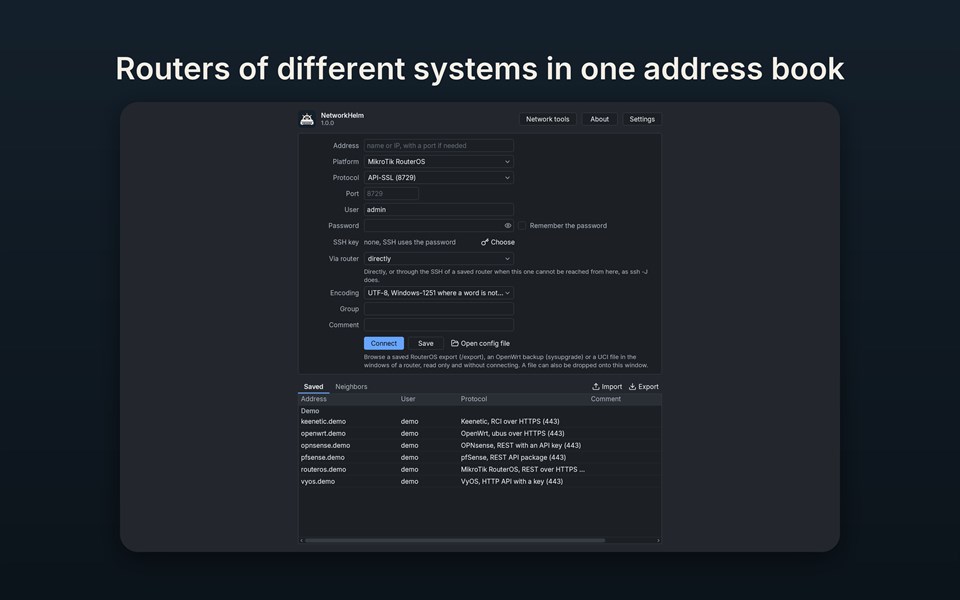
Supported:
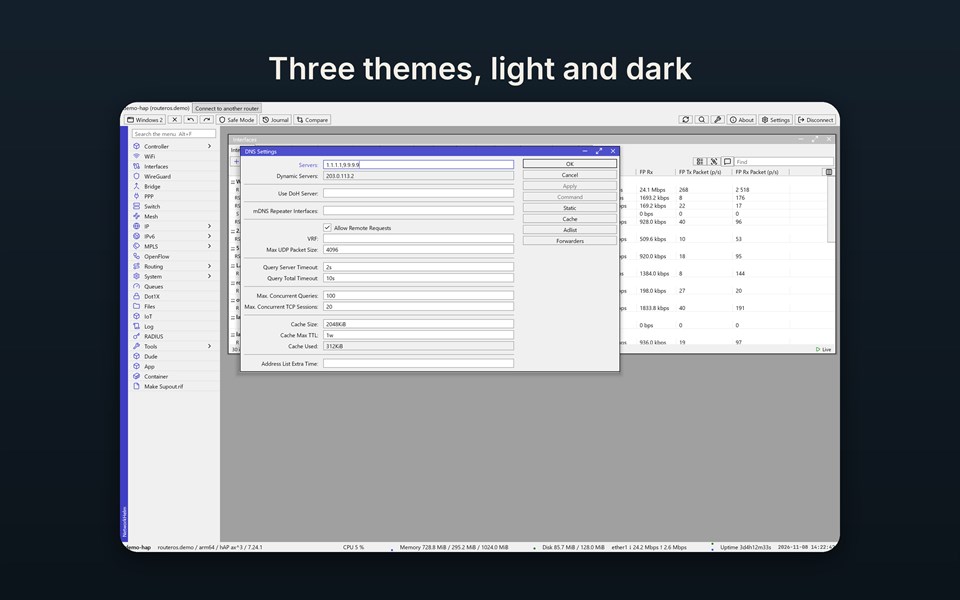
• MikroTik RouterOS 6 and 7 — over the API (with or without TLS), REST, SSH or port 8291;
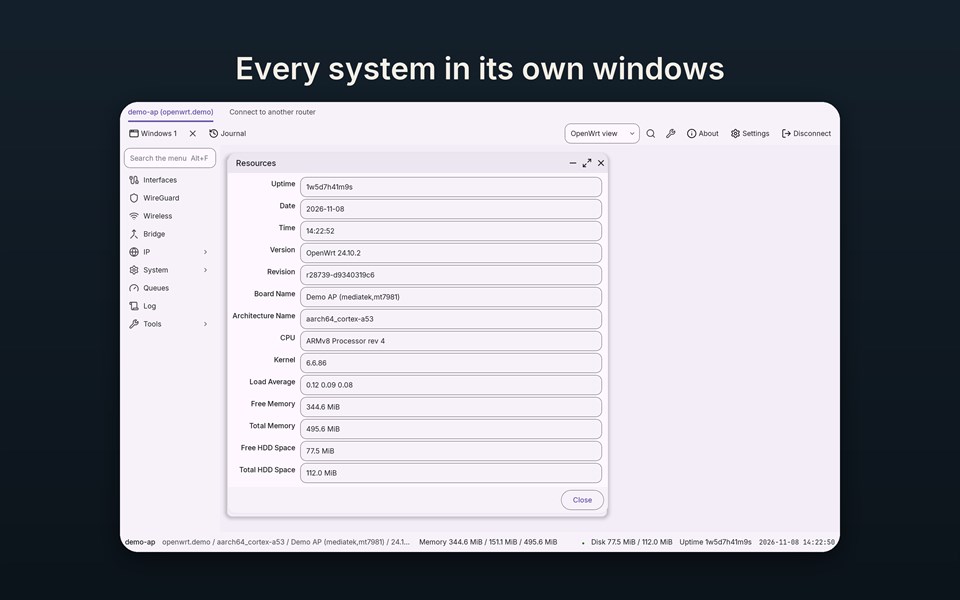
• OpenWrt and Teltonika RutOS — over ubus via SSH or HTTP, LuCI forms included;
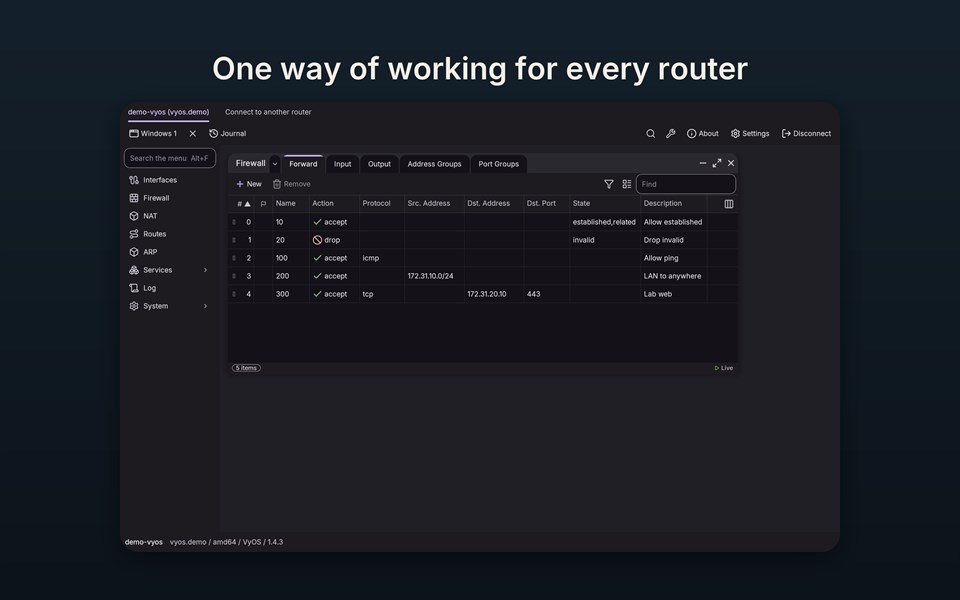
• OPNsense, pfSense (with the REST API package) and VyOS;
• Keenetic, Netcraze, Linux over SSH, SNMP, UPnP and TR-064 — view only.
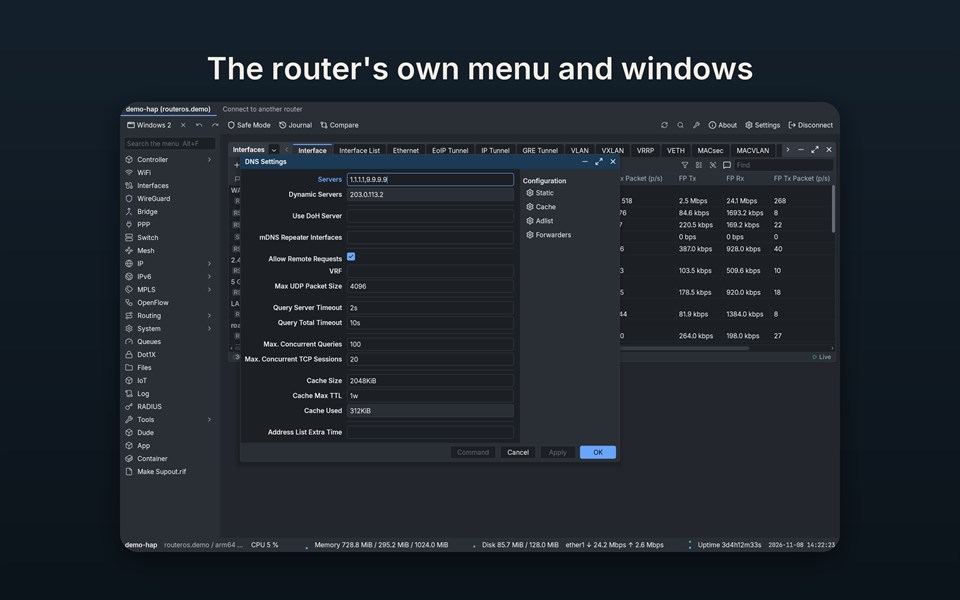
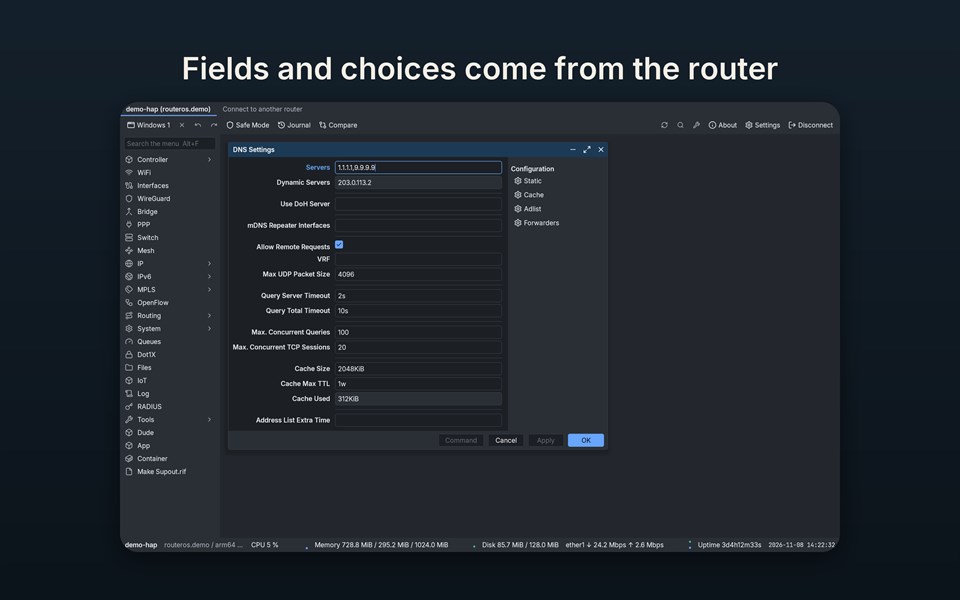
The app asks the router which fields to show and which values they accept. So when the firmware gets new settings, they appear right away, without an app update. Mistakes like February 30, a gateway typed as 192.168.1 or a port in a rule without a protocol are flagged before anything is sent.
So you don't lock yourself out:
• Safe Mode: if the connection drops, the router rolls the changes back by itself (RouterOS, OpenWrt, VyOS);
• before applying a change you can see the exact command the router will get, and every change of the session goes to a journal;
• certificates and SSH host keys are checked, and the app warns you when a connection is not encrypted.
Also:
• SSH terminal with saved commands, SFTP file transfer, SSH tunnels, connecting through another router;
• one search across all connected routers — by address, network, MAC or any text;
• open a saved configuration export or backup without the router, and compare two configurations;
• a router list with groups, CSV import, password-protected export;
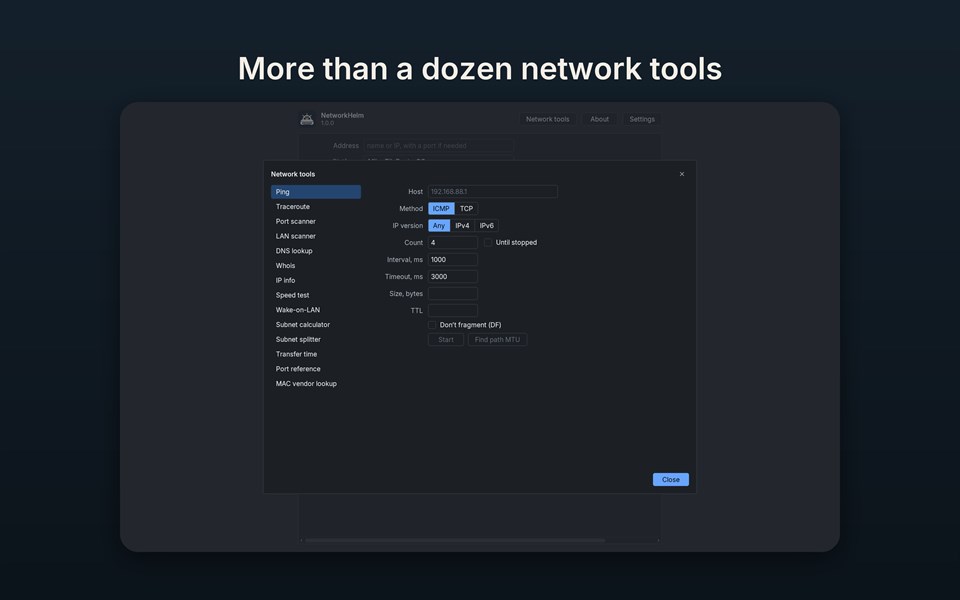
• Torch, ping, traceroute, packet sniffer and traffic graphs on the router, plus ping, traceroute, a LAN scanner and Wake-on-LAN right on the computer.
The app collects nothing: no sign-up, no analytics, no crash reports. Passwords and keys are kept in the protected storage of Windows, and the app connects only to the addresses you give it.
The source code is available to read (source-available); the app is free for personal, non-commercial use.
MikroTik and RouterOS are trademarks of SIA Mikrotīkls, OpenWrt of Software Freedom Conservancy, OPNsense of Deciso B.V., pfSense of Rubicon Communications, VyOS of VyOS Inc. The app is made by an independent developer and is not affiliated with them.
จากนักพัฒนา
รายการ 0
-
 NetworkHelm
แต้ม 0
-

- +1 แต้ม

การจัดอันดับ 0
-
- คะแนนของคุณ
ผู้พัฒนา 10
- vasmarfas
- ผู้ติดตาม: 0
- แพลตฟอร์ม: Android แอป (7) Windows แอป (3)
- ลดราคา: 0
- รายการ: 0 0
- แต้ม: 0
- การจัดอันดับ: 0
- ความคิดเห็น: 0
- วิดีโอ: 0
- RSS: ติดตาม
มีอะไรใหม่
- เวอร์ชัน: PC
- อัปเดตล่าสุด:
ข้อมูลเพิ่มเติม
- วันที่วางจำหน่าย:
- หมวดหมู่:
แอปสำหรับ Windows›เครื่องมือสำหรับนักพัฒนา - ระบบปฏิบัติการ:
PC - ขนาด:
176 Mb - ภาษาที่รองรับ:
รัสเซีย,อังกฤษ - การจัดประเภทเนื้อหา:
EVERYONE - Windows Store คะแนน: ¡
0 - เว็บไซต์:
 https://github.com/vasmarfas/networkhelm
คะแนน AppAgg
คะแนน AppAgg โดยประมาณของ
NetworkHelm
ผู้พัฒนา: vasmarfas
คะแนนที่สูงขึ้นมักสะท้อนตัวชี้วัดที่ดีกว่าบน AppAgg
อิงจาก: ความนิยม · คะแนนจากผู้ใช้ · ความสดใหม่ · ดีล · ข้อมูลร้านค้า · กิจกรรมชุมชน
คำนวณใหม่ทุกวันจากข้อมูล AppAgg ล่าสุด
ความคิดเห็น 0 ¡
แชร์
NetworkHelm URL แบบสั้น: คัดลอกแล้ว!- Windows Store

