
الإشارات المرجعية
اختر عنوانًا لهذه الإشارة المرجعية.
تم حفظ الإشارة المرجعية
| المطوّر: | Saeid Khoorani (1) | ||
| السعر: | * مجاني جديد | ||
| الدرجة: | 1,450 ذهب | ||
| الترتيب: | 0 | ||
| تعليقات: | 0 انشر تعليقًا | ||
| قوائم: | 0 + 0 | ||
| النقاط: | 0 + 0 ¡ | ||
| +1 نقطة | |||
لقطات الشاشة 10
إعلان
الوصف

CODE LAB
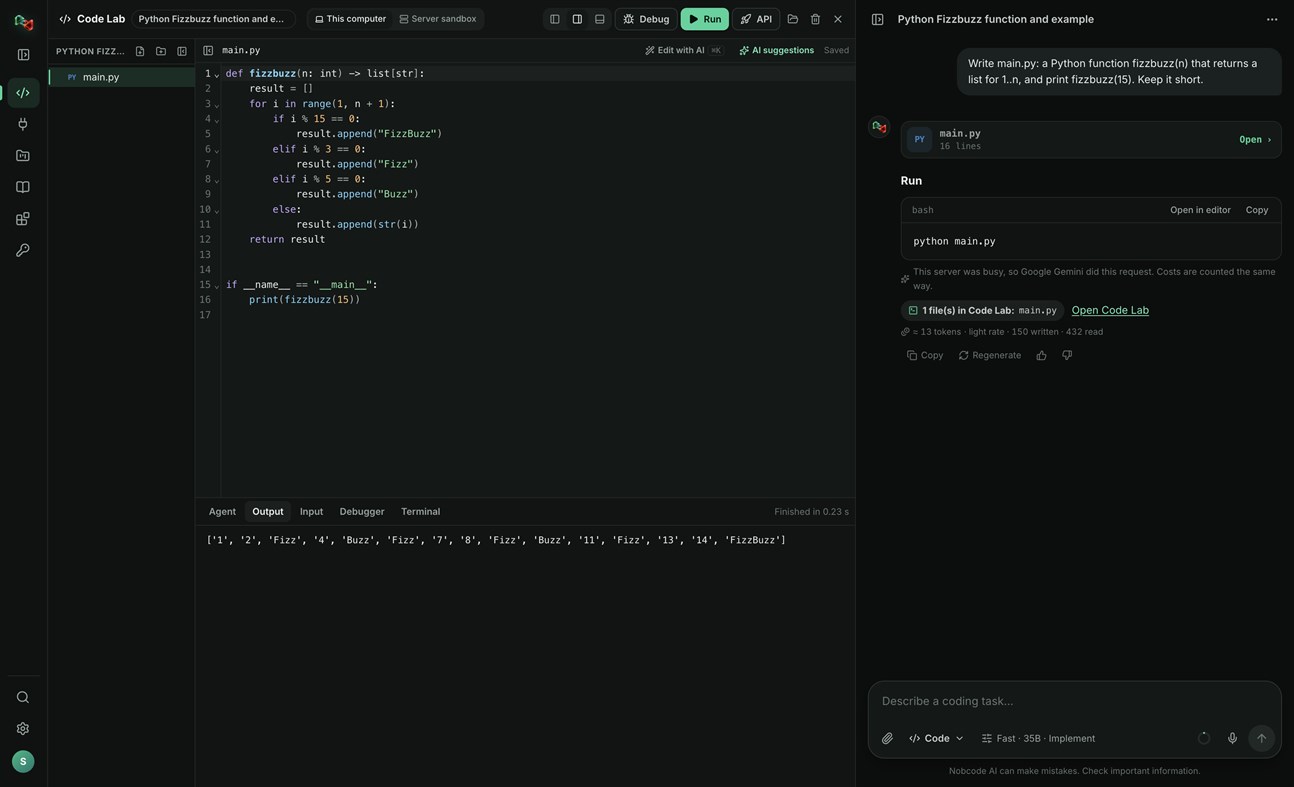
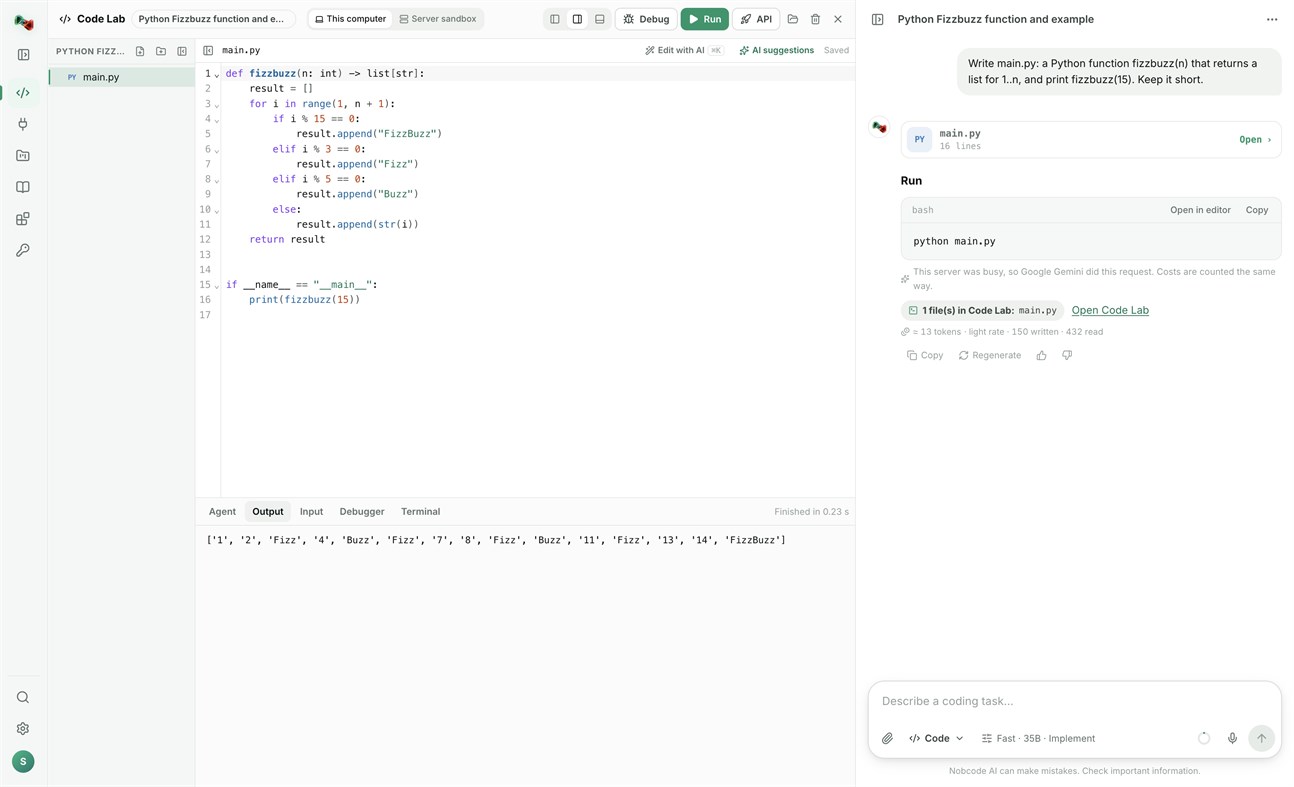
• Run code locally: Python, JavaScript and TypeScript, Go, C and C++, Rust, Java, C#, PHP, Ruby, shell and PowerShell scripts, and SQL, with your own compilers and interpreters.
• Open a terminal in your project folder.
• Link a folder on your PC: Code Lab and your files stay in sync both ways.
• The AI assistant proposes commands and file changes. Nothing runs or is written without your approval.
DEVICES: ADD YOUR OWN HARDWARE
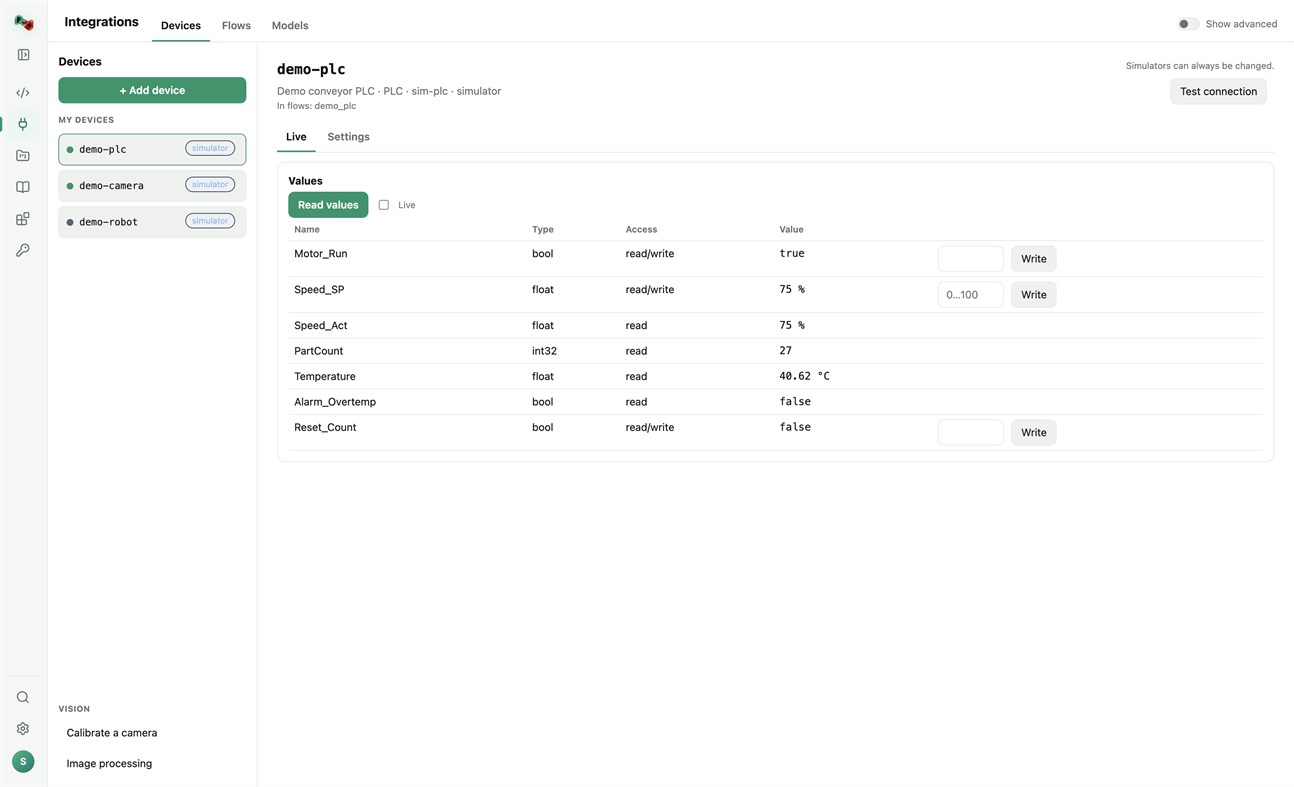
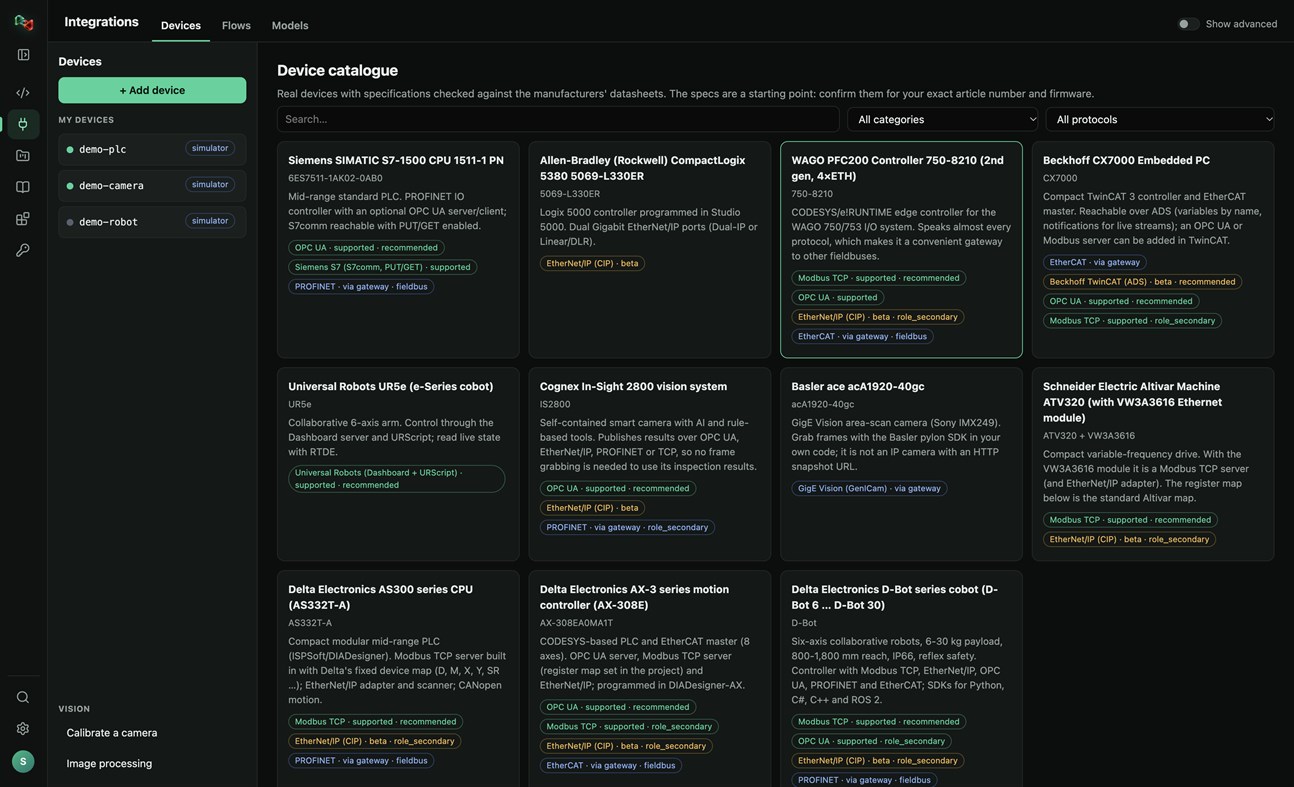
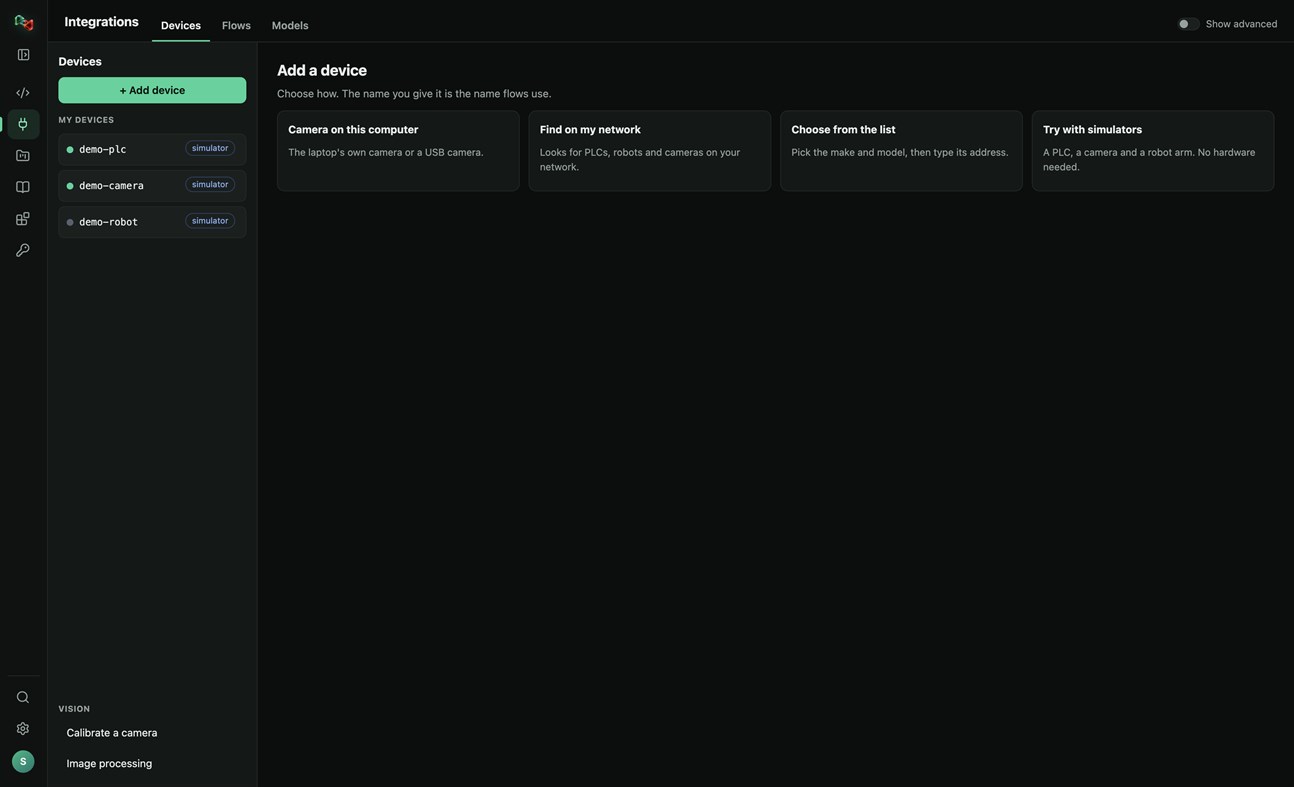
• Add a device in four ways: the camera of this PC or a USB camera, search your network for PLCs, robots and cameras, pick the make and model from a catalogue of real devices, or start with simulators (a PLC, a camera and a robot arm, no hardware needed).
• Connections: OPC UA, Siemens S7 (S7comm), Modbus TCP, Universal Robots, ROS and ROS 2 (rosbridge), IP cameras (HTTP snapshot, MJPEG, RTSP), serial RS-232/RS-485 and CAN through a USB adapter. EtherNet/IP and Beckhoff ADS are in beta.
• Watch live values and read and write tags. Real devices only accept writes and moves after you arm them; stop is always allowed.
• Calibrate a camera and try image processing on its pictures.
• Use your devices from your own code: the Python and JavaScript libraries read and write PLC values, take camera pictures and move robots by the device's name.
FLOWS: VISION AND AUTOMATION WITHOUT BOILERPLATE
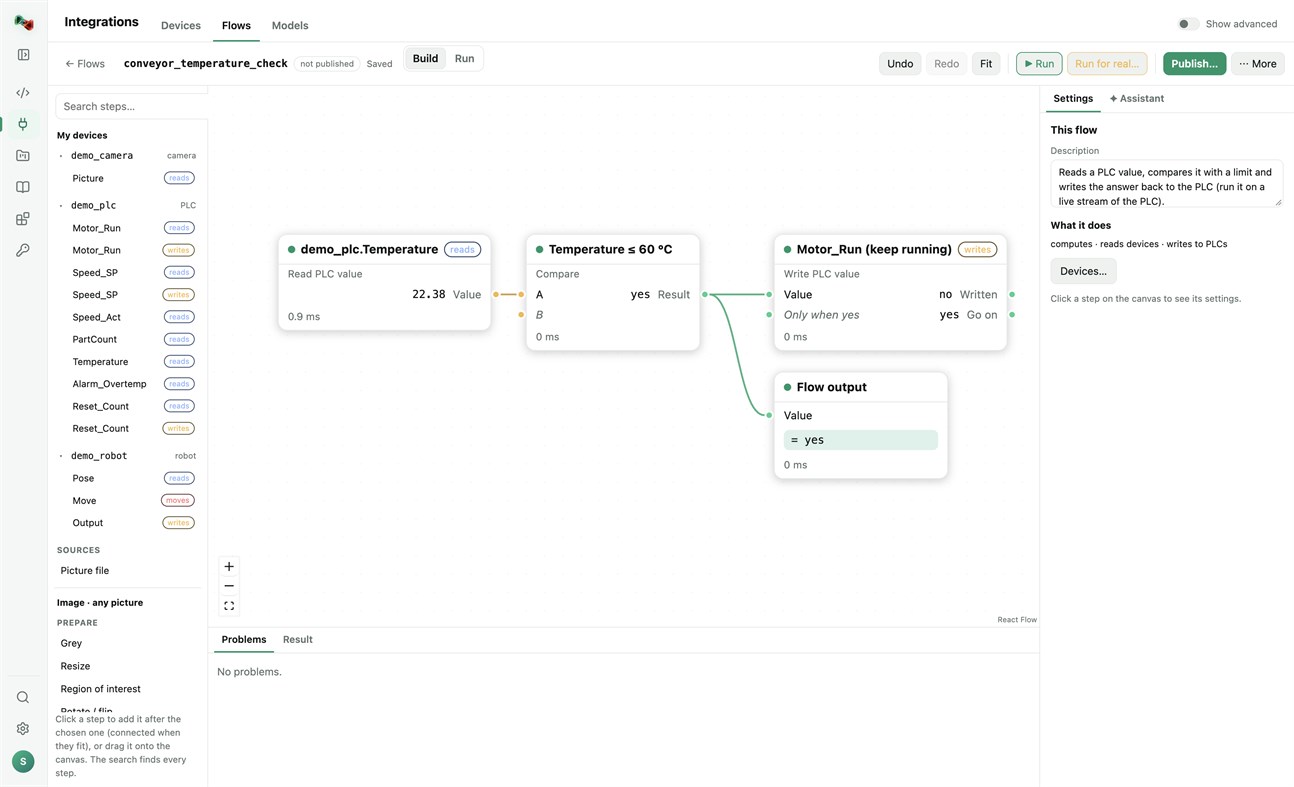
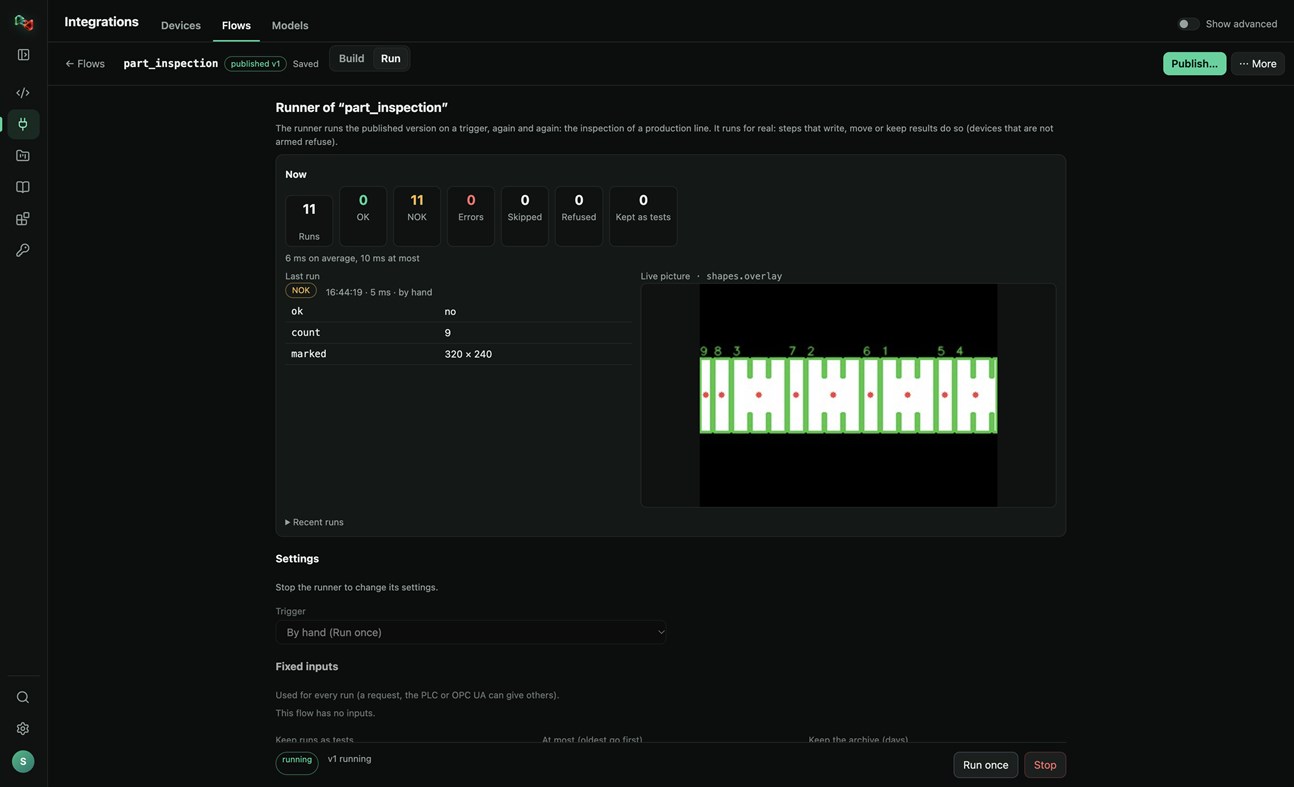
• Build flows in a visual editor: a camera picture or a PLC value, then prepare, find (shapes, circles, known parts, QR codes, barcodes), measure (count, sizes in millimetres), decide (compare, OK/NOK) and act (write a PLC value, move a robot, keep the result).
• Start from a template (inspect parts with a camera, measure parts in millimetres, react to a PLC value) or let the assistant draft the flow.
• Test with a picture, publish versions, and run them on a trigger: by hand, on a timer, PLC handshake, TCP socket, OPC UA or a live stream, with OK/NOK counts and the live picture. Your programs run published flows by name, in any language.
MODELS: TRAIN YOUR OWN OR USE READY ONES
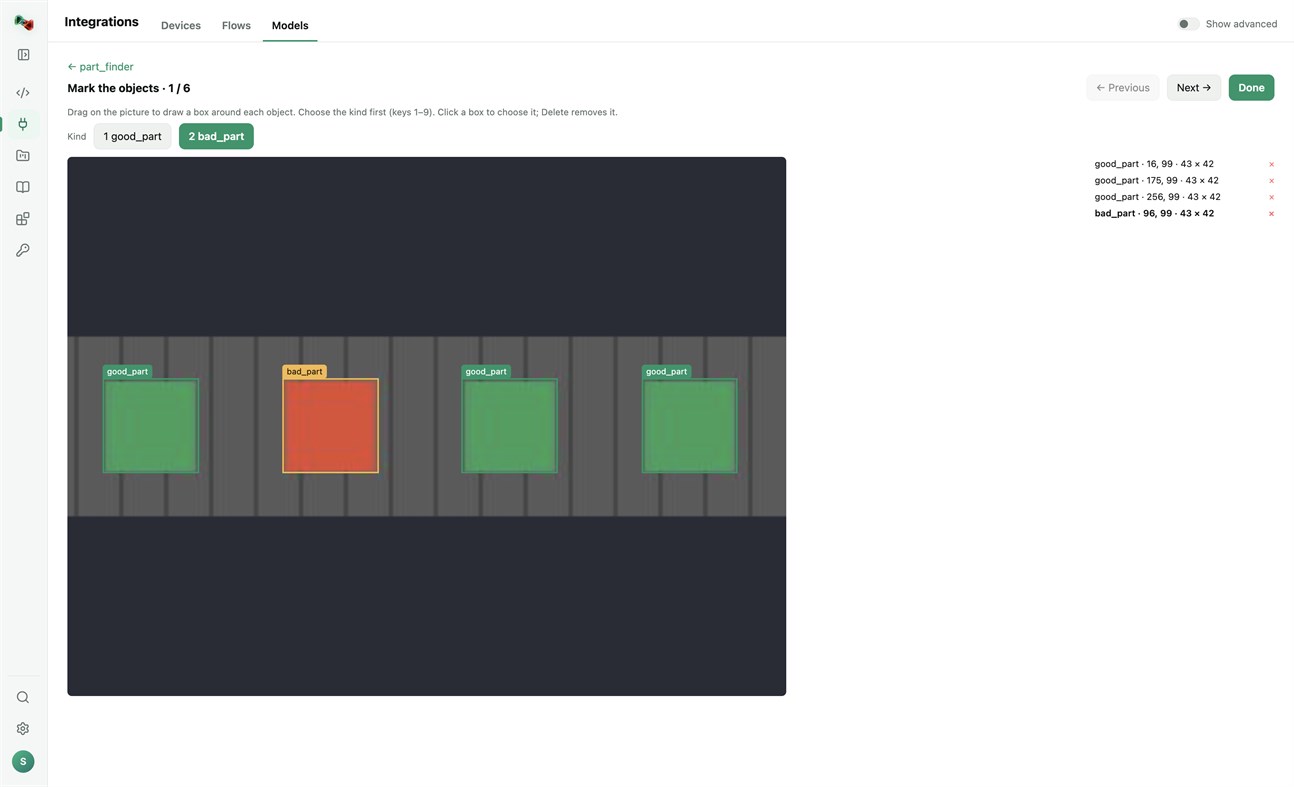
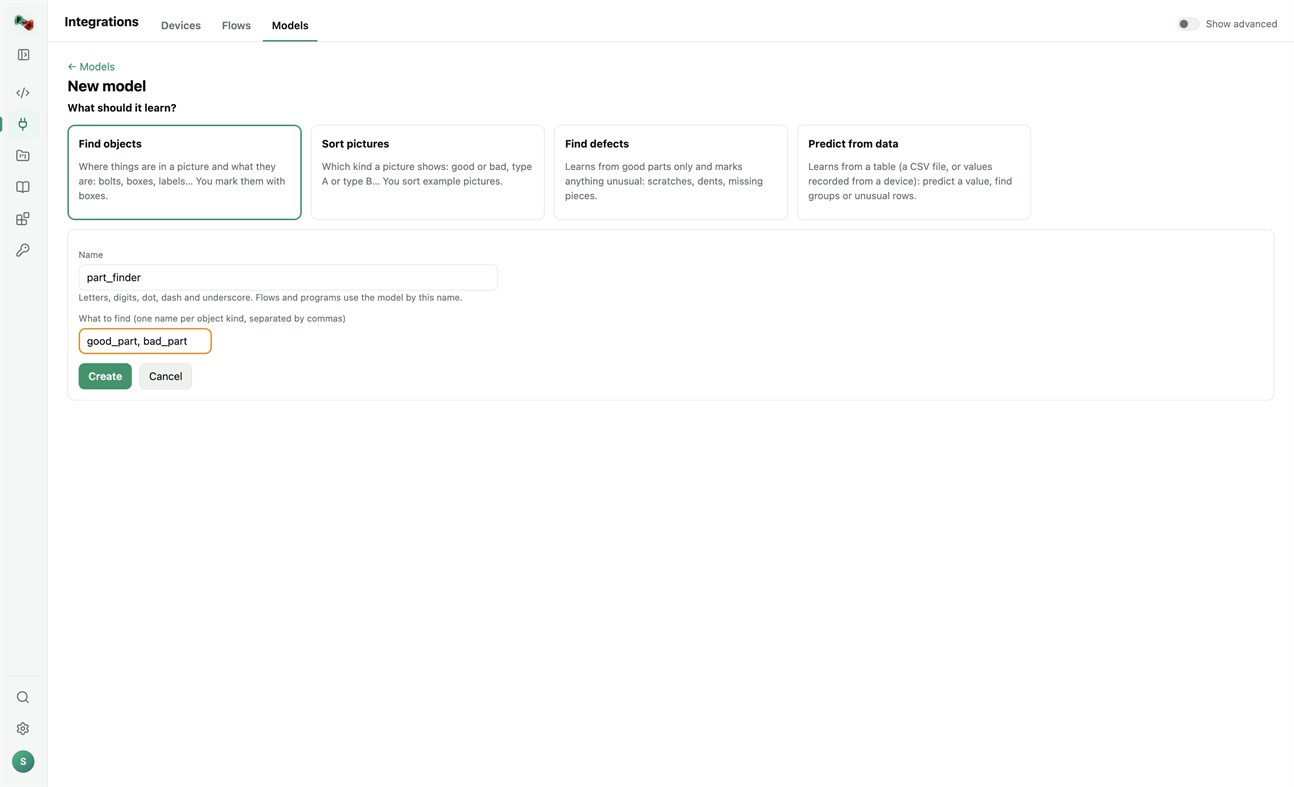
• Train models on this PC's processor; your pictures and tables stay on your computer. Find objects (you mark them with boxes), sort pictures, find defects (learns from good parts only) or predict from data (a CSV file or values recorded from a device). Training needs a one-time download of PyTorch and scikit-learn.
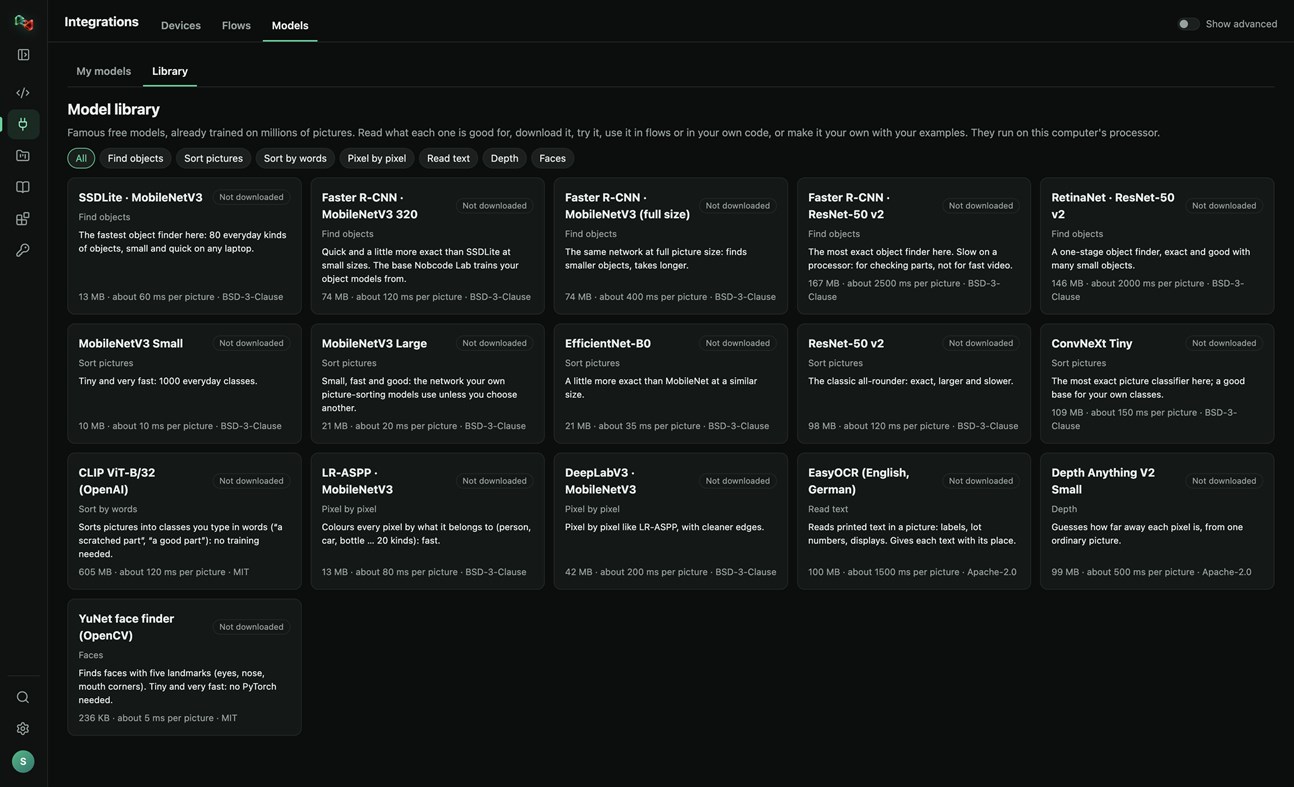
• A library of 16 free pretrained models: find objects, sort pictures, sort by words, pixel-by-pixel segmentation, read text, depth and faces. Read what each one is good for, try it, use it in flows or in your own code, or make it your own with your examples.
RECORDER: SEE WHAT HAPPENED BEFORE A FAULT
• Record the values of your PLCs and robots and the pictures of your cameras. The last 10 minutes to 24 hours stay on this PC.
• Incidents are saved by themselves when an alarm or fault switches on, a flow run is NOK or fails, or a device stops answering. Press Mark incident to save one by hand, with a note.
• Each incident shows what changed first, a replay of the values and pictures, and Where to look first: ranked leads with their evidence, compared with normal operation and with earlier incidents. A lead is not proof of the cause.
• Note what the cause was and what fixed it: the next incident like it shows that as a lead.
• Save an incident as CSV or as a report, or copy it for Code Lab's AI. The Recorder only reads: it never writes to a device or moves anything, and pictures stay on your computer.
Sign in with your browser. The app is made for code and machines: Code Lab with its AI chat, Integrations, Projects and Knowledge. The plain chat, images and 3D are on ai.nobco.de.
Your code runs on your computer, not on our servers, when you choose "This computer". The app keeps only a small local log for troubleshooting and sends no telemetry.
Basic chat works as a guest. Some features need a free Nobcode AI account; Premium plans are available on ai.nobco.de. An internet connection is required.
من المطوّر ¡
هل أنت المطوّر؟
أخبارك في أعلى الصفحة، ويستلمها المتابعون عبر البريد الإلكتروني
منصات أخرى 0
| Nob Code LabWindows Store1K ذهبWindowsعمليات الشراء داخل التطبيق | مجاني |
متاح حاليًا في هذا المتجر فقط.
سجل الأسعار 0
- السعر الحالي: مجاني
- الحد الأدنى: مجاني
- الحد الأقصى: مجاني
تتبّع الأسعار أضِف إلى قائمة لتلقّي تنبيهات الخصومات عبر البريد الإلكتروني أو الإشعارات الفورية
قوائم 0
-
 Nob Code Lab
النقاط 0
-

- +1 نقطة

الترتيب 0
-
- تقييمك
تعليقات 0 ¡
كن أول من يعلق
المطوّر 1
- Saeid Khoorani
- المتابعون: 0
- المنصات: Windows تطبيقات (1)
- العروض: 0
- قوائم: 0 + 0
- النقاط: 0 + 0 ¡
- الترتيب: 0
- تعليقات: 0
- الفيديوهات: 0
- RSS: اشتراك
ما الجديد
- الإصدار: PC
- آخر تحديث:
- New in 1.1.3: the Recorder (Integrations → Recorder). Record your devices' values and camera pictures; incidents are saved on alarms, NOK runs and lost connections, and each one shows what changed first and where to look first. New Nobcode logo.
معلومات إضافية
- تاريخ الإصدار:
- الفئة:
تطبيقات Windows›أدوات المطور - نظام التشغيل:
PC - الحجم:
169 Mb - اللغات المدعومة:
الألمانية,الإنجليزية - تقييم المحتوى:
EVERYONE - Windows Store تقييم: ¡
0 - الموقع الإلكتروني:
 https://ai.nobco.de/desktop/
درجة AppAgg
1,450
درجة AppAgg التقديرية لـ
Nob Code Lab
المطوّر: Saeid Khoorani
1,450 ذهب
تشير الدرجة الأعلى عادةً إلى أداء أفضل في مؤشرات AppAgg.
استنادًا إلى: الشعبية · تقييمات المستخدمين · الحداثة · العروض · بيانات المتاجر · نشاط المجتمع
يُعاد حسابها يوميًا بناءً على أحدث بيانات AppAgg.
شارة للمواقع الإلكترونية:  تم النسخ!
ملخص
Nob Code Lab عنوان URL مختصر: تم النسخ!- Windows Store
يمكنك متابعة تطبيق «Nob Code Lab» من Saeid Khoorani على AppAgg. المنصة: Windows. الفئة: أدوات المطور. درجة AppAgg: 1,450 (ذهب). نقاط AppAgg للتطبيق — المؤكدة: 0؛ غير المباشرة: 0. عدد القوائم العامة التي تضم التطبيق: 0. عدد المستخدمين الذين حفظوه في قوائم خاصة: 0. لم يقيّم مستخدمو AppAgg التطبيق بعد. تسجّل النقاط المؤكدة انتقال المستخدمين الذين سجّلوا الدخول إلى AppAgg إلى المتجر، بينما تستند النقاط غير المباشرة إلى بيانات المتاجر. يعرض العدّادان عدد القوائم العامة وعدد المستخدمين الذين حفظوا التطبيق أو اللعبة في قوائم خاصة. صدر التطبيق لأول مرة في . آخر تحديث للتطبيق: . التطبيق متاح مجانًا حاليًا. يدعم التطبيق اللغات التالية: الألمانية, الإنجليزية. اطّلع على سجل الأسعار، أو أضف التطبيق إلى قائمة، أو تابع المطوّر. تابع خصومات التطبيق وتحديثاته القادمة عبر موجز RSS. لا يستضيف AppAgg التطبيق ولا يوزعه. جميع العلامات التجارية والشعارات ولقطات الشاشة الخاصة بالتطبيق مملوكة لأصحابها.
قد يعجبك أيضًا
شاهدتها مؤخرًا
مستخدمو AppAgg ¡المزيد →
مهام الأسبوعسجّل الدخول لتحصل على 3 مهام كل أسبوع وتكسب XP مقابلها.

