
Marque-pages
Choisissez un titre pour ce marque-page.
Marque-page enregistré
| Développeur: | Saeid Khoorani (1) | ||
| Prix: | * Gratuit Nouveauté | ||
| Score: | 1 450 Or | ||
| Classements: | 0 | ||
| Commentaires: | 0 Publier un commentaire | ||
| Listes: | 0 + 0 | ||
| Points: | 0 + 0 ¡ | ||
| +1 Point | |||
Captures d'écran 10
Publicité
Description

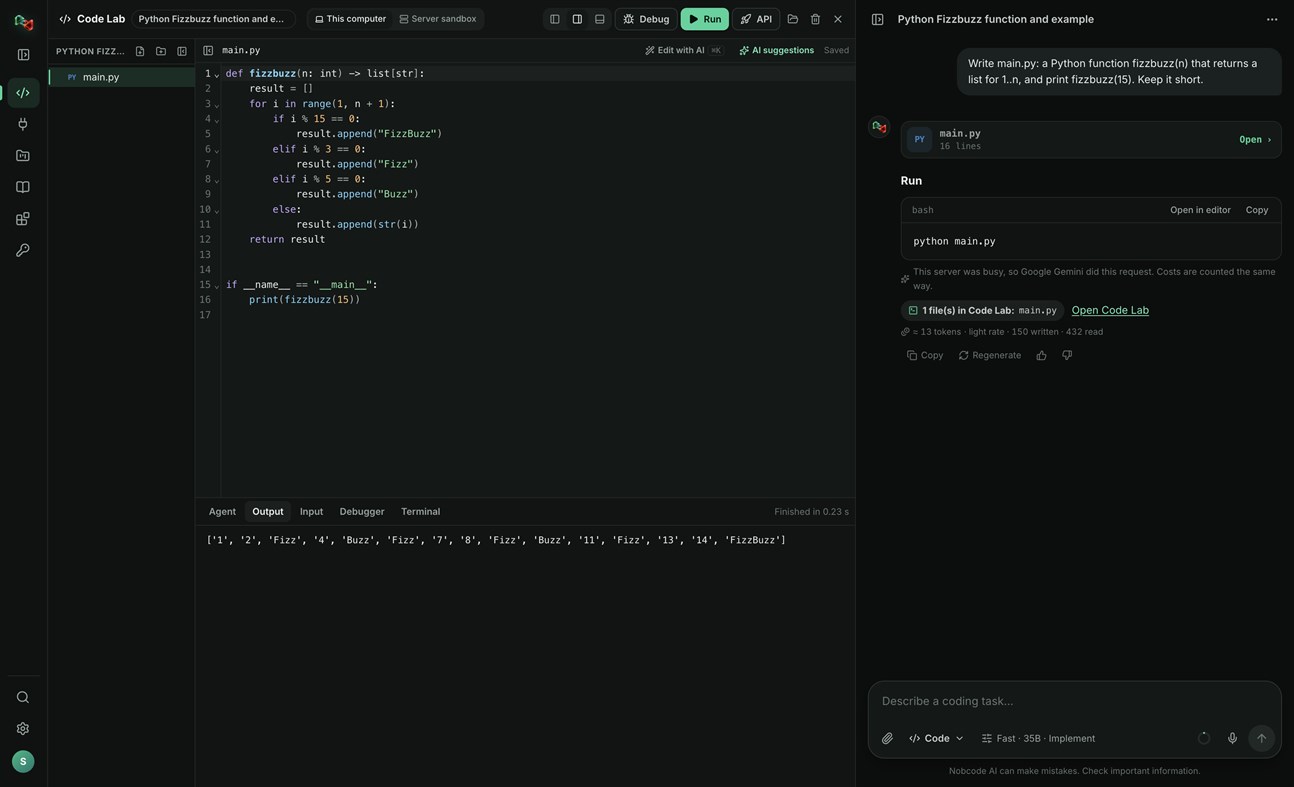
CODE LAB
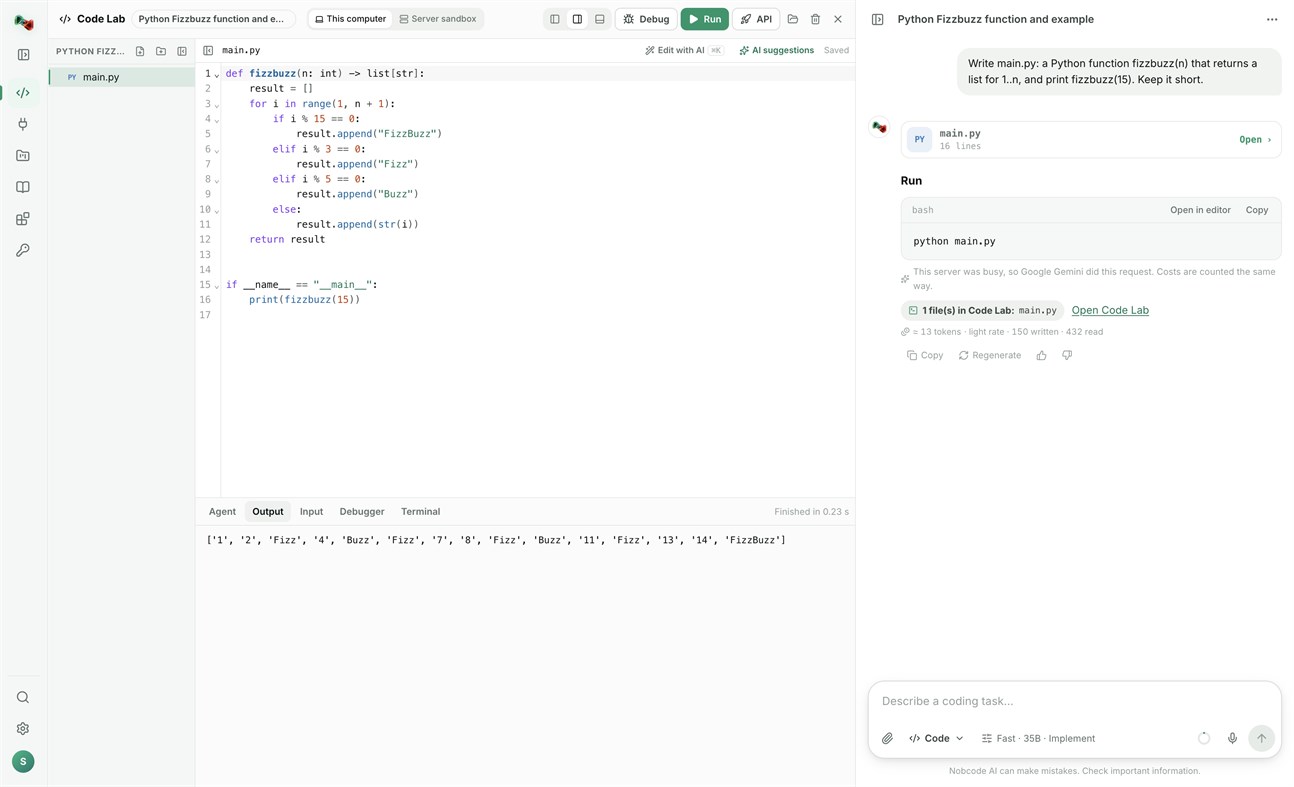
• Run code locally: Python, JavaScript and TypeScript, Go, C and C++, Rust, Java, C#, PHP, Ruby, shell and PowerShell scripts, and SQL, with your own compilers and interpreters.
• Open a terminal in your project folder.
• Link a folder on your PC: Code Lab and your files stay in sync both ways.
• The AI assistant proposes commands and file changes. Nothing runs or is written without your approval.
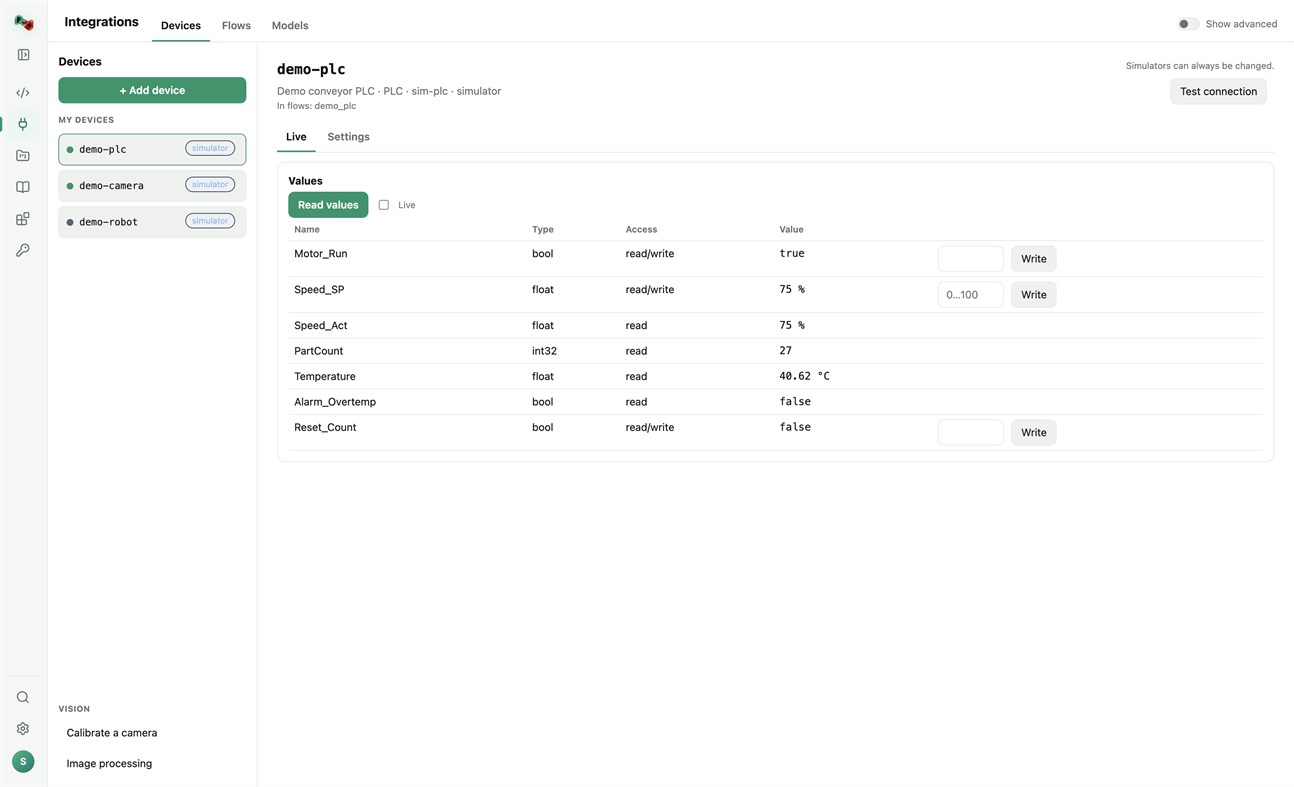
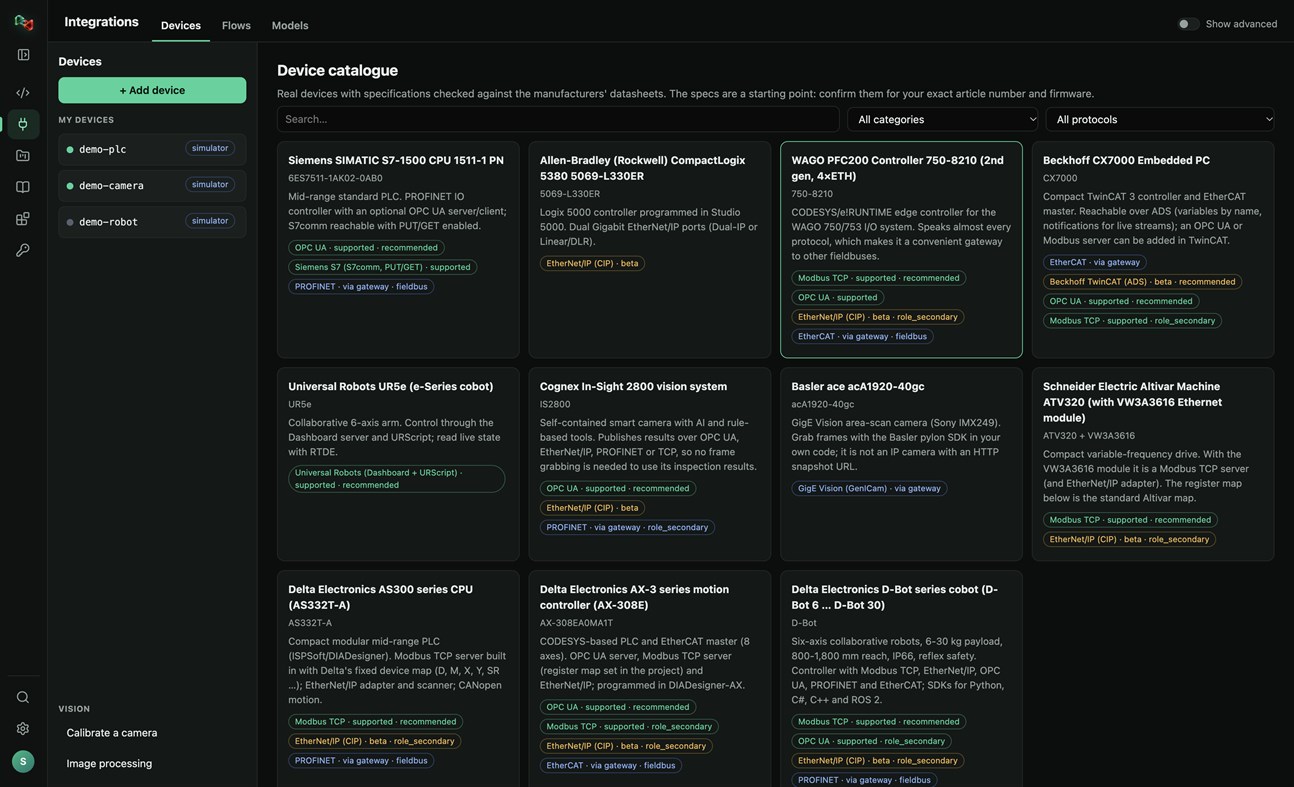
DEVICES: ADD YOUR OWN HARDWARE
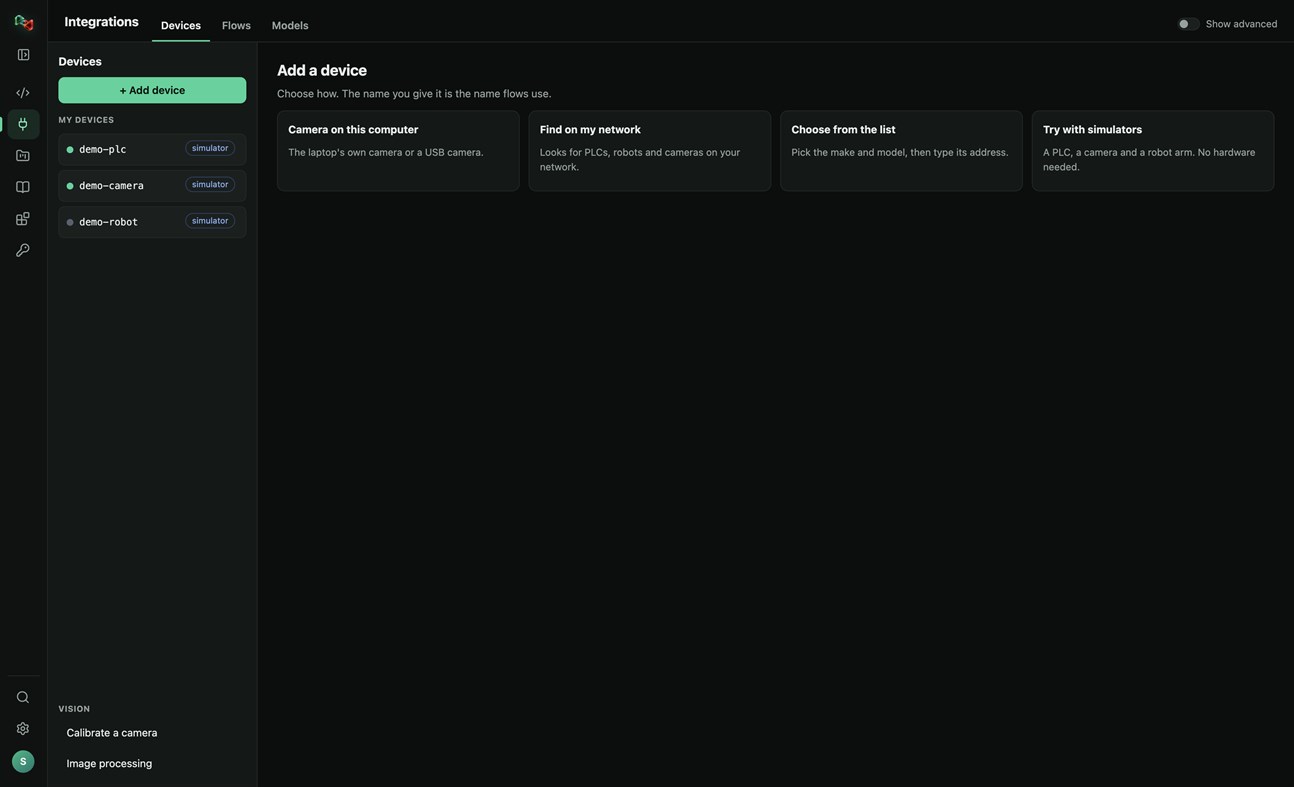
• Add a device in four ways: the camera of this PC or a USB camera, search your network for PLCs, robots and cameras, pick the make and model from a catalogue of real devices, or start with simulators (a PLC, a camera and a robot arm, no hardware needed).
• Connections: OPC UA, Siemens S7 (S7comm), Modbus TCP, Universal Robots, ROS and ROS 2 (rosbridge), IP cameras (HTTP snapshot, MJPEG, RTSP), serial RS-232/RS-485 and CAN through a USB adapter. EtherNet/IP and Beckhoff ADS are in beta.
• Watch live values and read and write tags. Real devices only accept writes and moves after you arm them; stop is always allowed.
• Calibrate a camera and try image processing on its pictures.
• Use your devices from your own code: the Python and JavaScript libraries read and write PLC values, take camera pictures and move robots by the device's name.
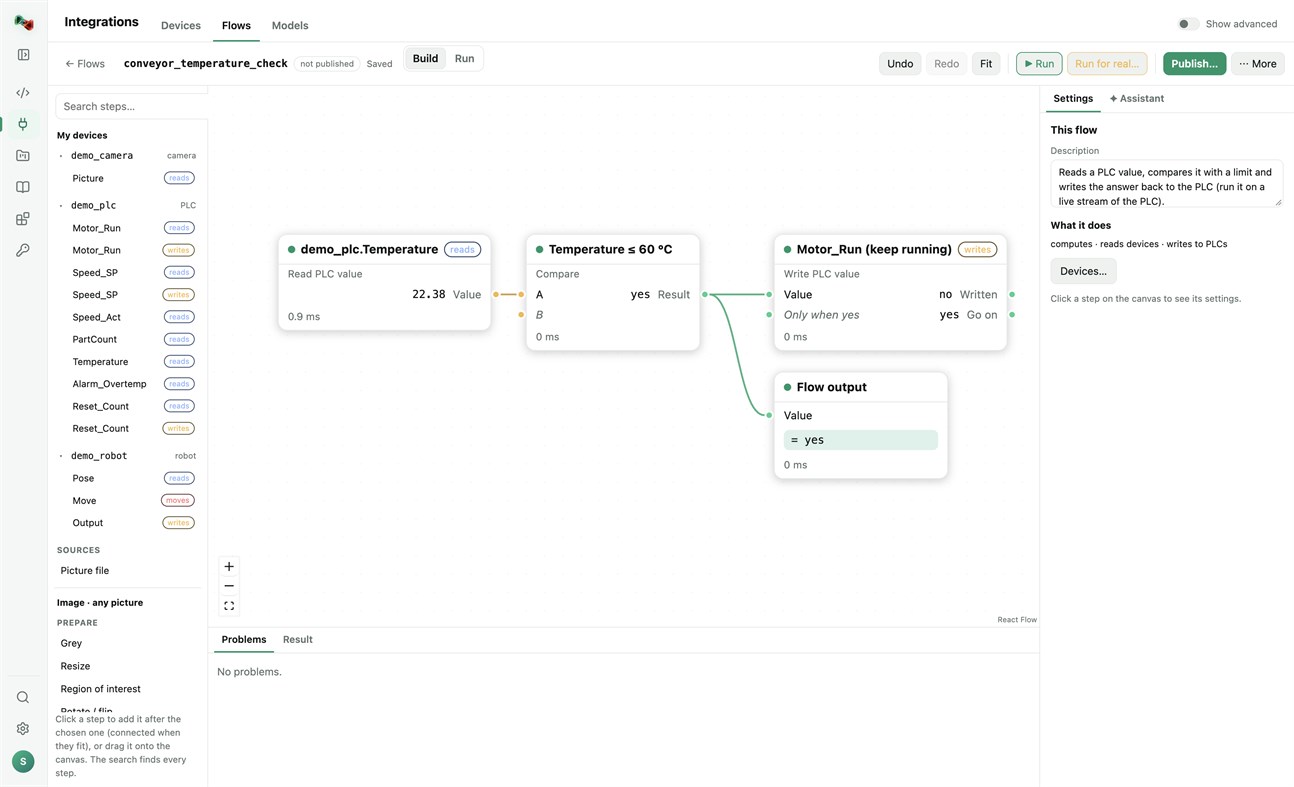
FLOWS: VISION AND AUTOMATION WITHOUT BOILERPLATE
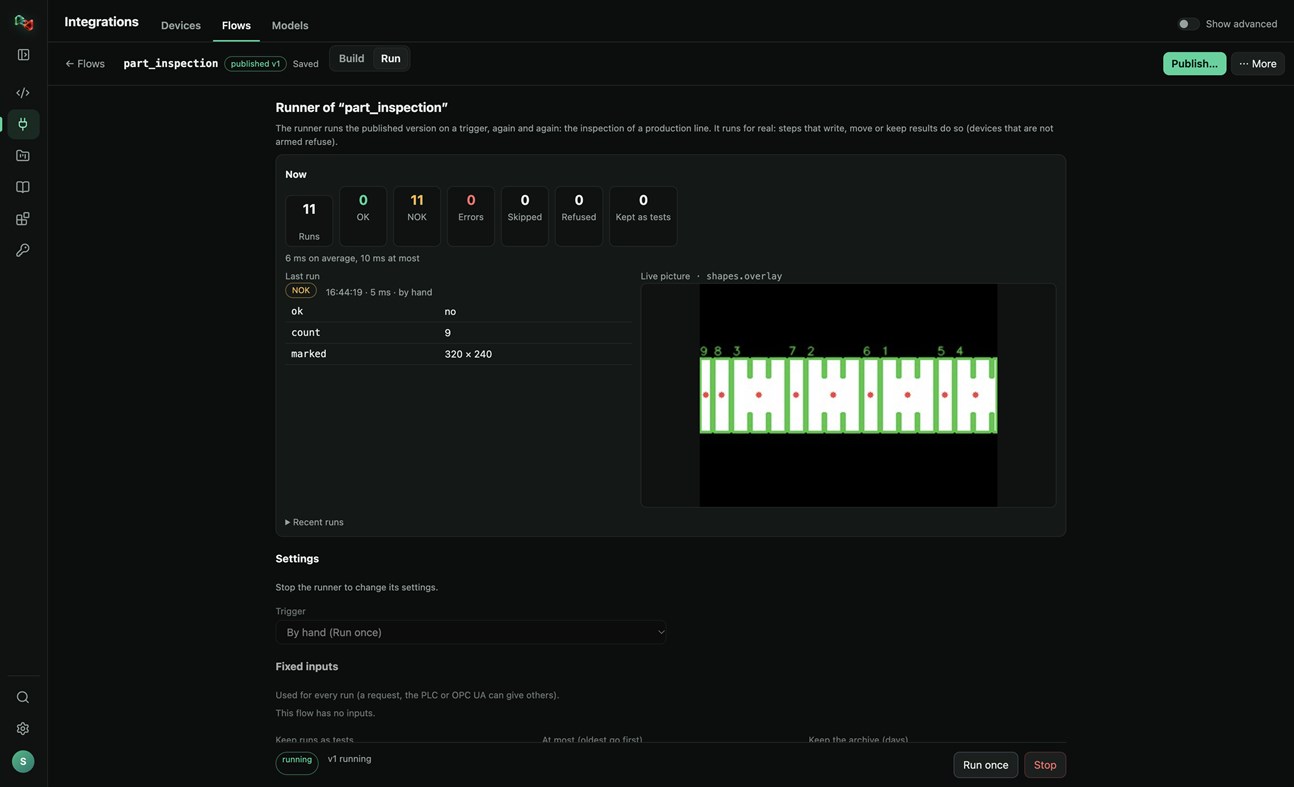
• Build flows in a visual editor: a camera picture or a PLC value, then prepare, find (shapes, circles, known parts, QR codes, barcodes), measure (count, sizes in millimetres), decide (compare, OK/NOK) and act (write a PLC value, move a robot, keep the result).
• Start from a template (inspect parts with a camera, measure parts in millimetres, react to a PLC value) or let the assistant draft the flow.
• Test with a picture, publish versions, and run them on a trigger: by hand, on a timer, PLC handshake, TCP socket, OPC UA or a live stream, with OK/NOK counts and the live picture. Your programs run published flows by name, in any language.
MODELS: TRAIN YOUR OWN OR USE READY ONES
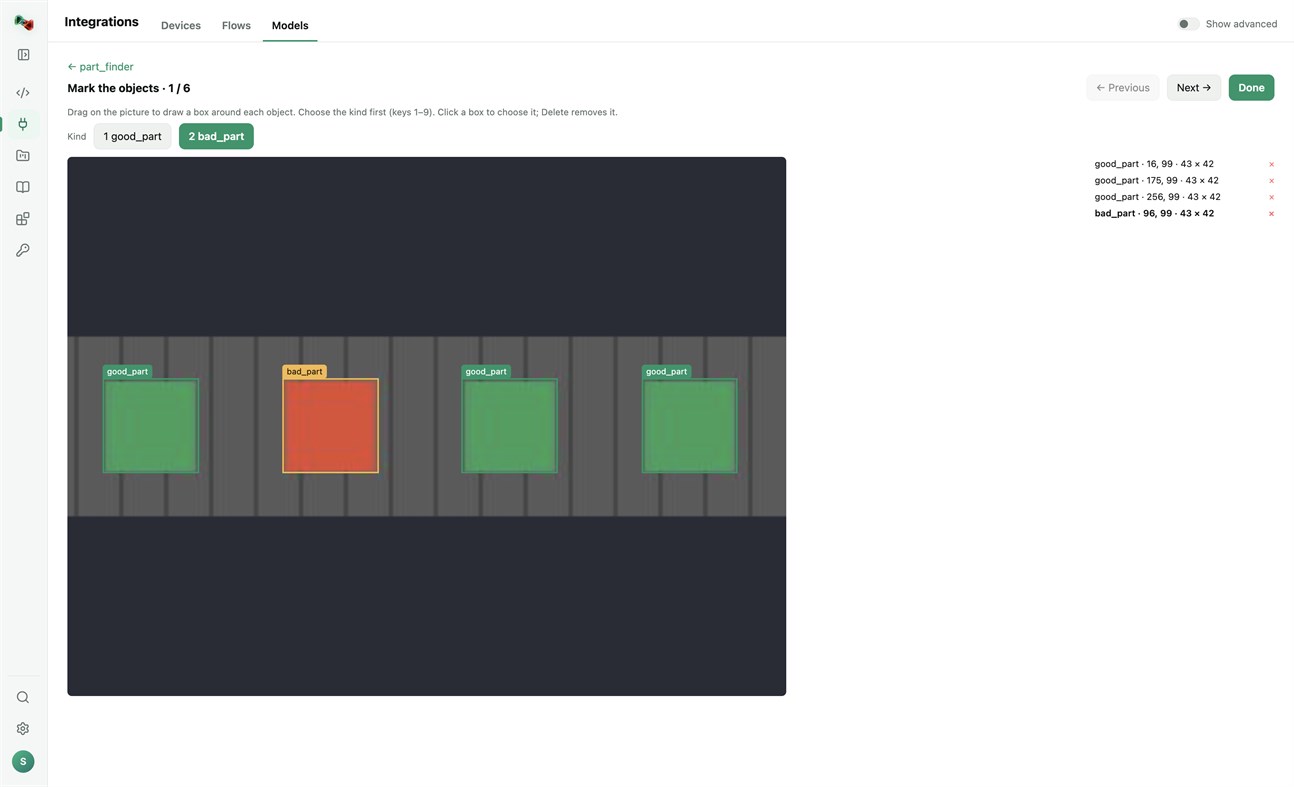
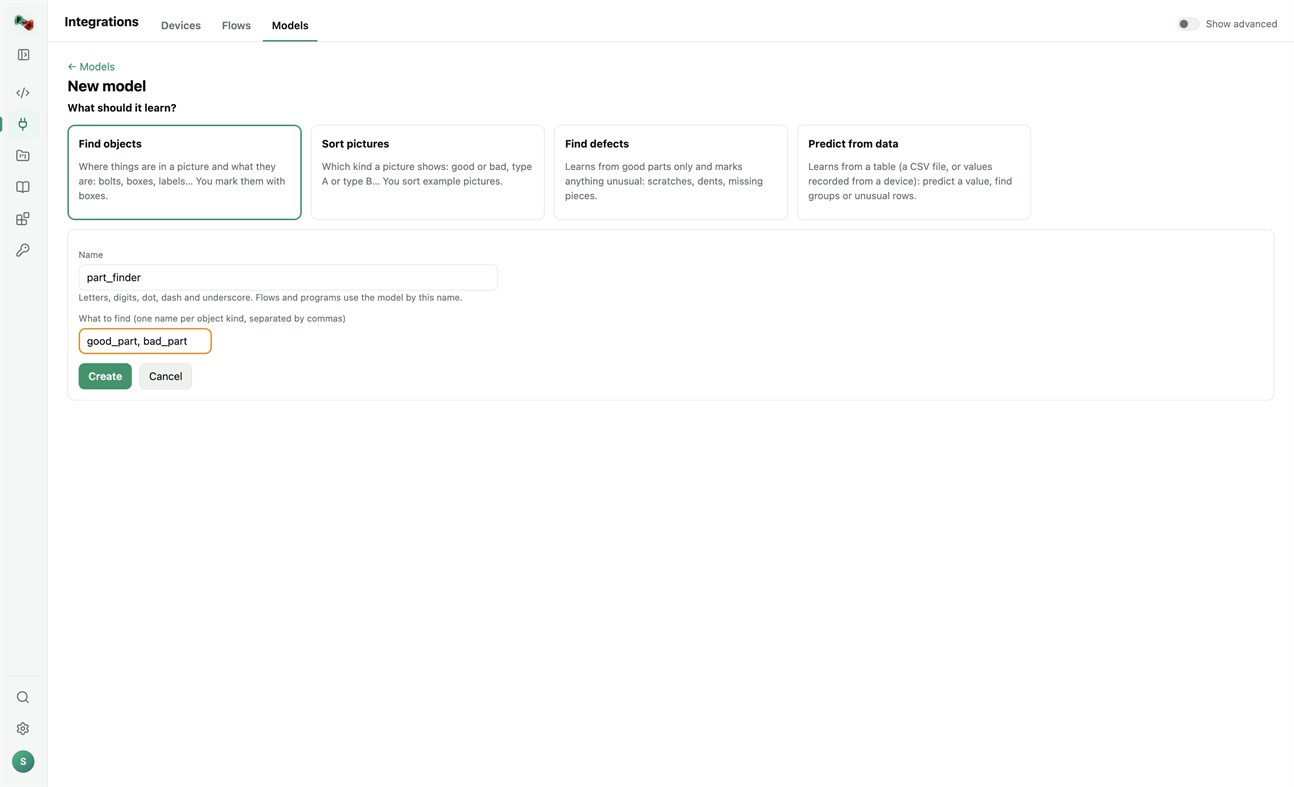
• Train models on this PC's processor; your pictures and tables stay on your computer. Find objects (you mark them with boxes), sort pictures, find defects (learns from good parts only) or predict from data (a CSV file or values recorded from a device). Training needs a one-time download of PyTorch and scikit-learn.
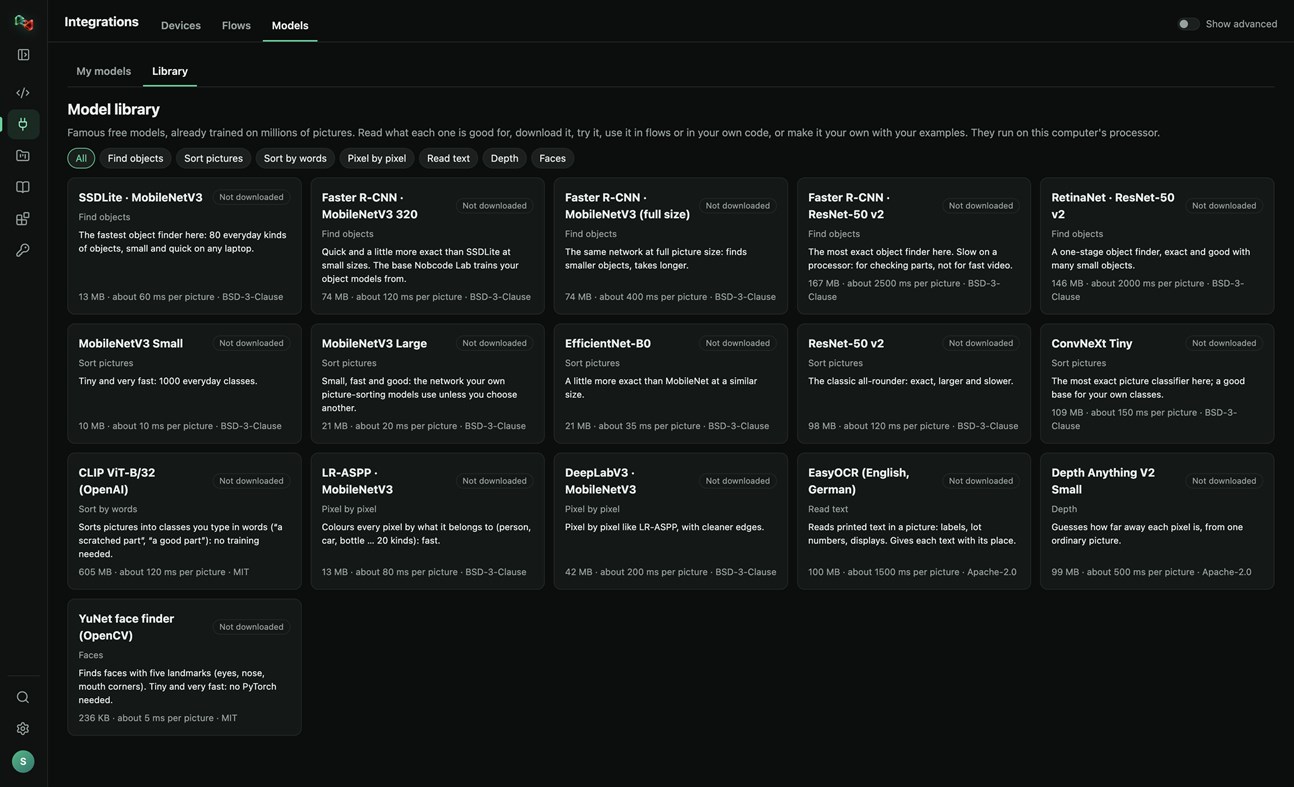
• A library of 16 free pretrained models: find objects, sort pictures, sort by words, pixel-by-pixel segmentation, read text, depth and faces. Read what each one is good for, try it, use it in flows or in your own code, or make it your own with your examples.
RECORDER: SEE WHAT HAPPENED BEFORE A FAULT
• Record the values of your PLCs and robots and the pictures of your cameras. The last 10 minutes to 24 hours stay on this PC.
• Incidents are saved by themselves when an alarm or fault switches on, a flow run is NOK or fails, or a device stops answering. Press Mark incident to save one by hand, with a note.
• Each incident shows what changed first, a replay of the values and pictures, and Where to look first: ranked leads with their evidence, compared with normal operation and with earlier incidents. A lead is not proof of the cause.
• Note what the cause was and what fixed it: the next incident like it shows that as a lead.
• Save an incident as CSV or as a report, or copy it for Code Lab's AI. The Recorder only reads: it never writes to a device or moves anything, and pictures stay on your computer.
Sign in with your browser. The app is made for code and machines: Code Lab with its AI chat, Integrations, Projects and Knowledge. The plain chat, images and 3D are on ai.nobco.de.
Your code runs on your computer, not on our servers, when you choose "This computer". The app keeps only a small local log for troubleshooting and sends no telemetry.
Basic chat works as a guest. Some features need a free Nobcode AI account; Premium plans are available on ai.nobco.de. An internet connection is required.
Du développeur ¡
Vous êtes le développeur ?
Vos actus en haut de la page, envoyées par e-mail à vos abonnés
Autres plateformes 0
| Nob Code LabWindows Store1K OrWindowsAchats intégrés | Gratuit |
Pour l’instant, uniquement dans cette boutique.
Historique des prix 0
- Prix actuel : Gratuit
- Minimum: Gratuit
- Maximum: Gratuit
Suivre l'évolution des prix Ajoutez à une liste pour recevoir des alertes de réduction par e-mail ou push
Listes 0
-
 Nob Code Lab
Points 0
-

- +1 Point

Classements 0
-
- Votre note
Commentaires 0 ¡
Soyez le premier à commenter
Développeur 1
- Saeid Khoorani
- Abonnés: 0
- Plateformes: Windows Applications (1)
- Promotions: 0
- Listes: 0 + 0
- Points: 0 + 0 ¡
- Classements: 0
- Commentaires: 0
- Vidéos: 0
- RSS: S'abonner
Nouveautés
- Version: PC
- Dernière mise à jour:
- New in 1.1.3: the Recorder (Integrations → Recorder). Record your devices' values and camera pictures; incidents are saved on alarms, NOK runs and lost connections, and each one shows what changed first and where to look first. New Nobcode logo.
Informations supplémentaires
- Date de sortie:
- Catégorie:
Applications pour Windows›Outils de développement - Systèmes d'exploitation:
PC - Taille:
169 Mb - Langues prises en charge:
Allemand,Anglais - Classification du contenu:
EVERYONE - Windows Store Note: ¡
0 - Site Web:
 https://ai.nobco.de/desktop/
Score AppAgg
1 450
Score AppAgg estimé pour
Nob Code Lab
Développeur: Saeid Khoorani
1 450 Or
Un score plus élevé reflète généralement de meilleurs résultats selon les indicateurs d’AppAgg.
Basé sur : popularité · notes des utilisateurs · actualité · promos · données des boutiques · activité de la communauté
Recalculé chaque jour à partir des données AppAgg les plus récentes.
Badge pour site web:  Copié!
Résumé
Nob Code Lab URL courte: Copié!- Windows Store
Sur AppAgg, vous pouvez suivre « Nob Code Lab », une application de Saeid Khoorani pour Windows, dans la catégorie Outils de développement. Score AppAgg : 1 450 (Or). Points AppAgg de l’application — confirmés : 0 ; indirects : 0. Listes publiques contenant cette application : 0. Utilisateurs l’ayant enregistrée dans des listes privées : 0. Les utilisateurs d’AppAgg n’ont pas encore noté cette application. Les points confirmés comptabilisent les visites en boutique des utilisateurs connectés à AppAgg ; les points indirects proviennent des données des boutiques. Les deux compteurs indiquent le nombre de listes publiques et le nombre d’utilisateurs ayant enregistré l’application ou le jeu dans des listes privées. L’application est sortie pour la première fois le . Dernière mise à jour de l’application : . L’application est actuellement disponible gratuitement. L’application est disponible dans les langues suivantes : Allemand, Anglais. Consultez l’historique des prix, ajoutez l’application à une liste ou suivez son développeur. Suivez les prochaines promotions et mises à jour de l’application via son Flux RSS. AppAgg n’héberge ni ne distribue cette application. Toutes les marques, tous les logos et toutes les captures d’écran liés à l’application appartiennent à leurs propriétaires respectifs.
Découvrez également
Vus récemment
Utilisateurs d’AppAgg ¡Plus →
Quêtes de la semaineConnectez-vous pour recevoir 3 quêtes chaque semaine et gagner des XP.

