
Yer imleri
Bu yer imi için bir başlık seçin.
Yer imi kaydedildi
| Geliştirici: | Saeid Khoorani (1) | ||
| Fiyat: | * Ücretsiz Yeni | ||
| Skor: | 1.450 Altın | ||
| Sıralamalar: | 0 | ||
| Yorumlar: | 0 Yorum gönder | ||
| Listeler: | 0 + 0 | ||
| Puanlar: | 0 + 0 ¡ | ||
| +1 Puan | |||
Ekran görüntüleri 10
Reklam
Açıklama

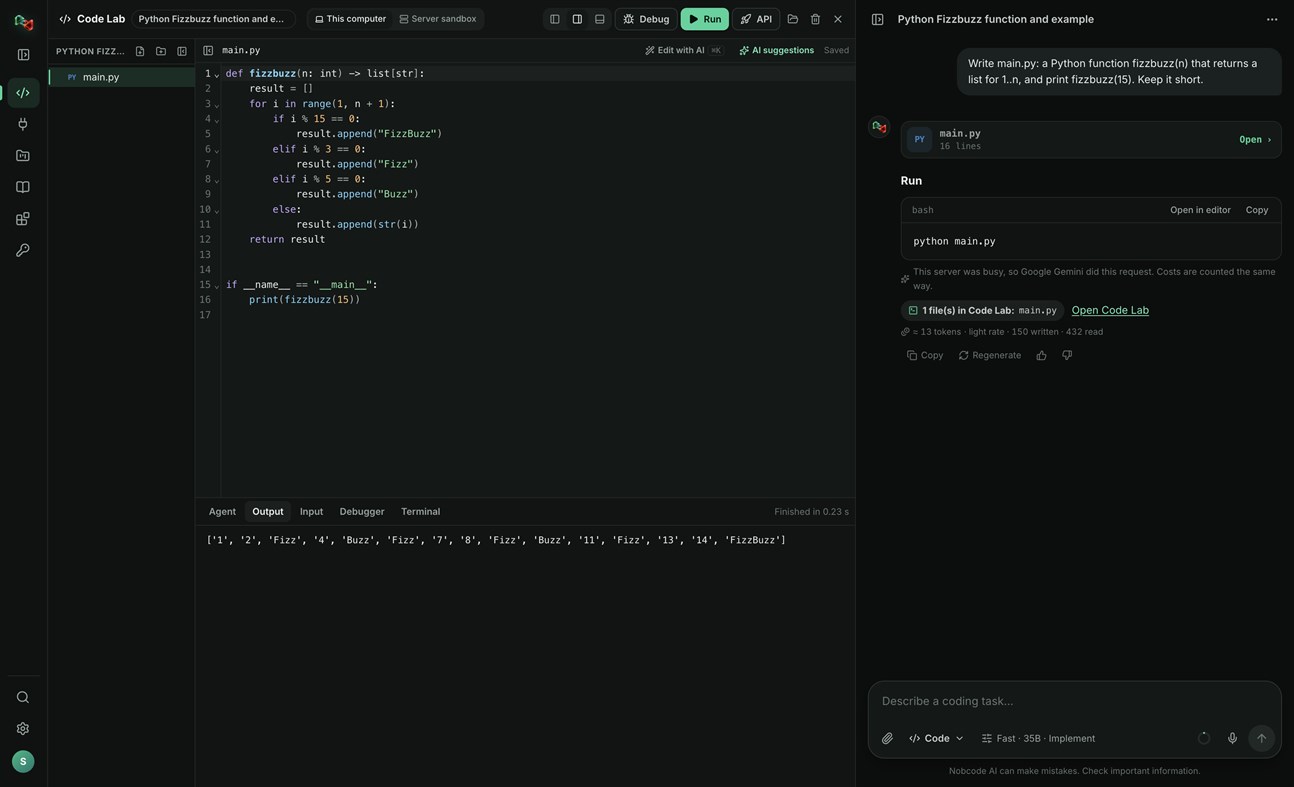
CODE LAB
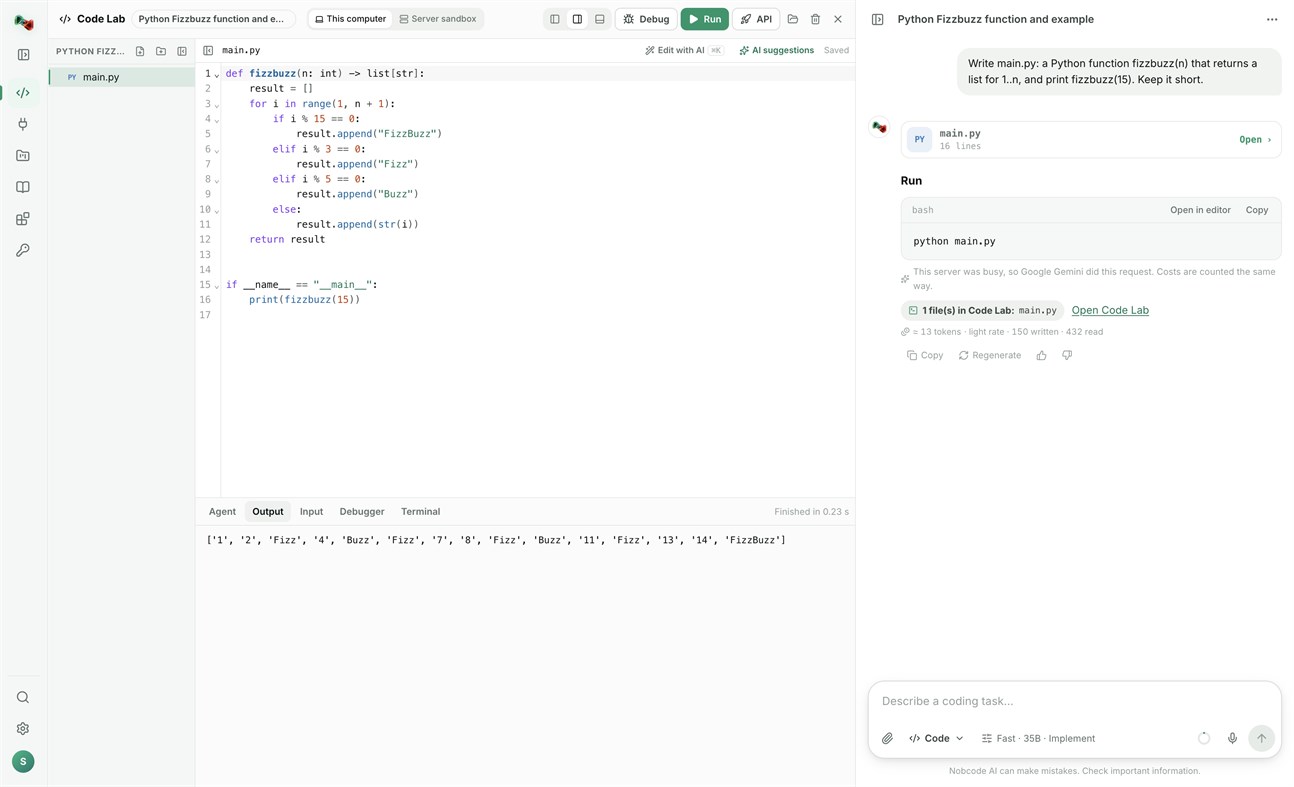
• Run code locally: Python, JavaScript and TypeScript, Go, C and C++, Rust, Java, C#, PHP, Ruby, shell and PowerShell scripts, and SQL, with your own compilers and interpreters.
• Open a terminal in your project folder.
• Link a folder on your PC: Code Lab and your files stay in sync both ways.
• The AI assistant proposes commands and file changes. Nothing runs or is written without your approval.
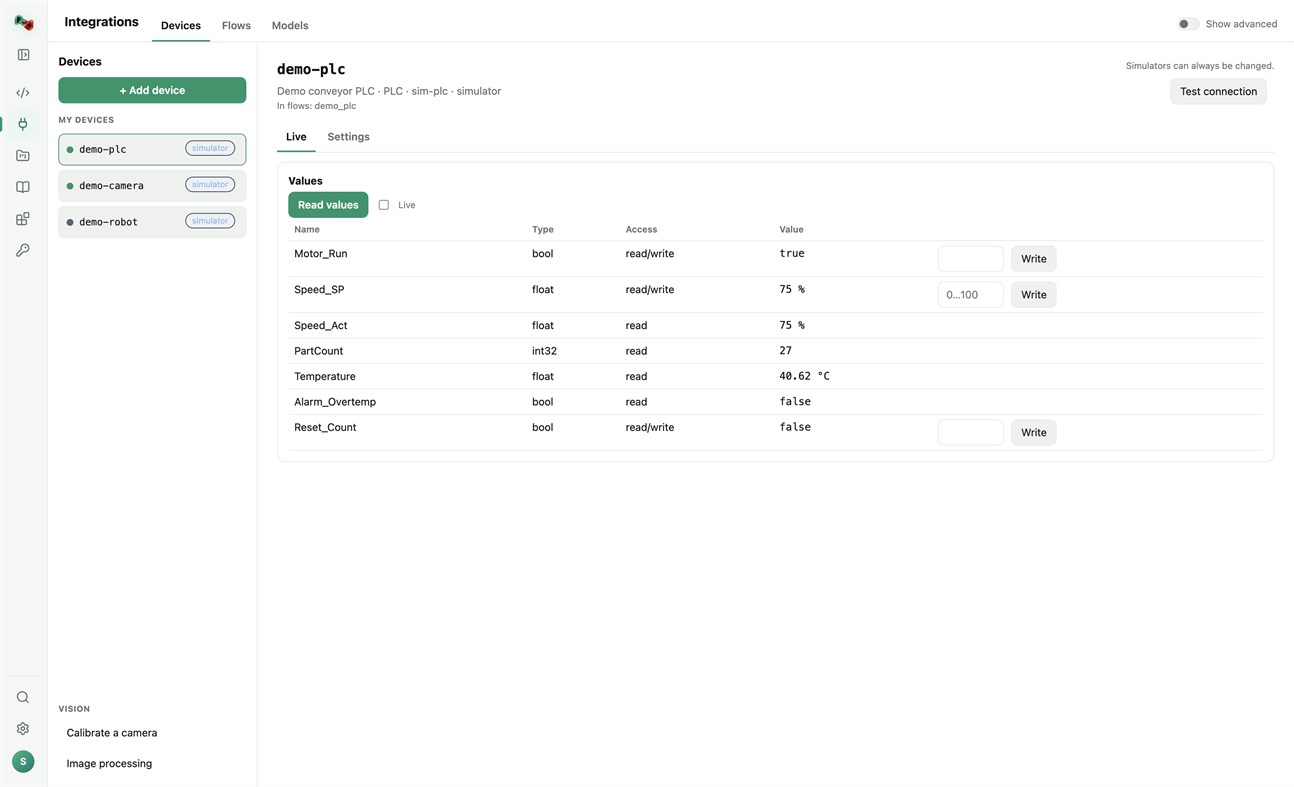
DEVICES: ADD YOUR OWN HARDWARE
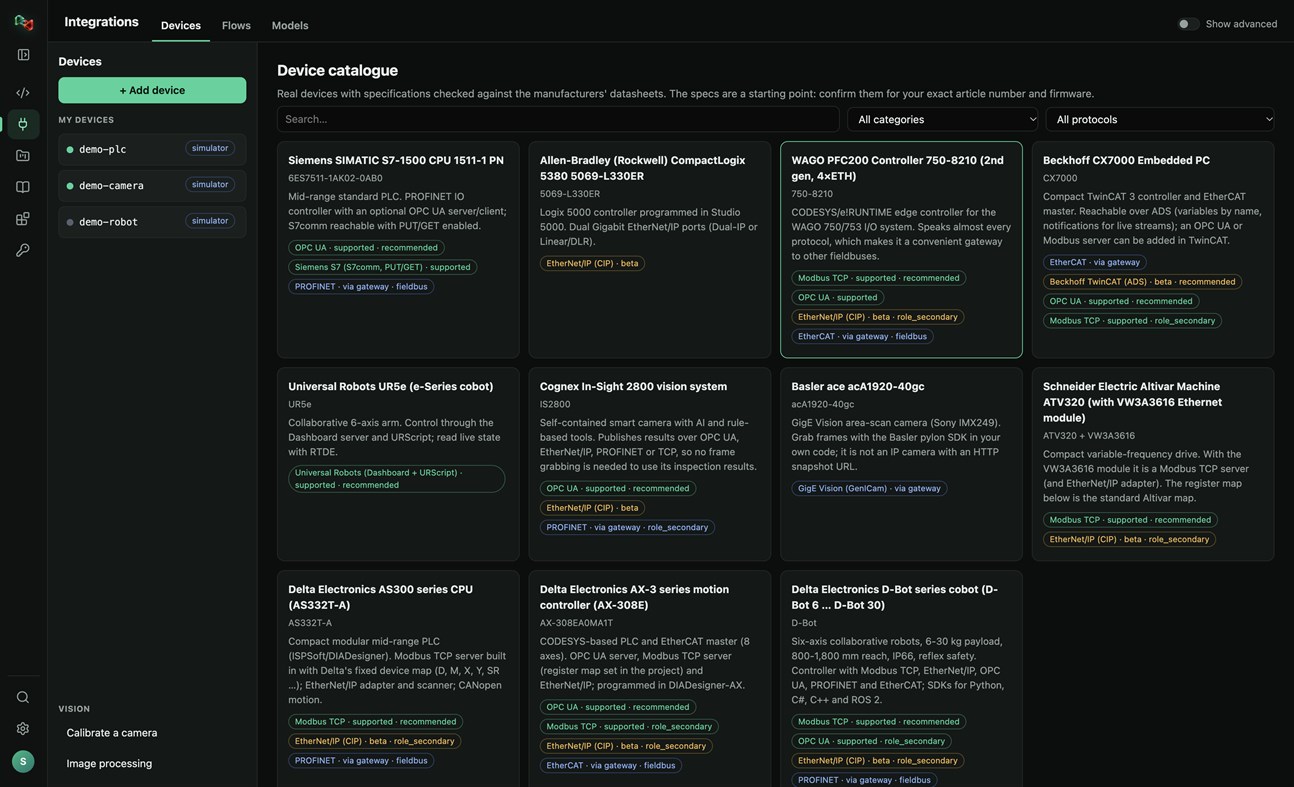
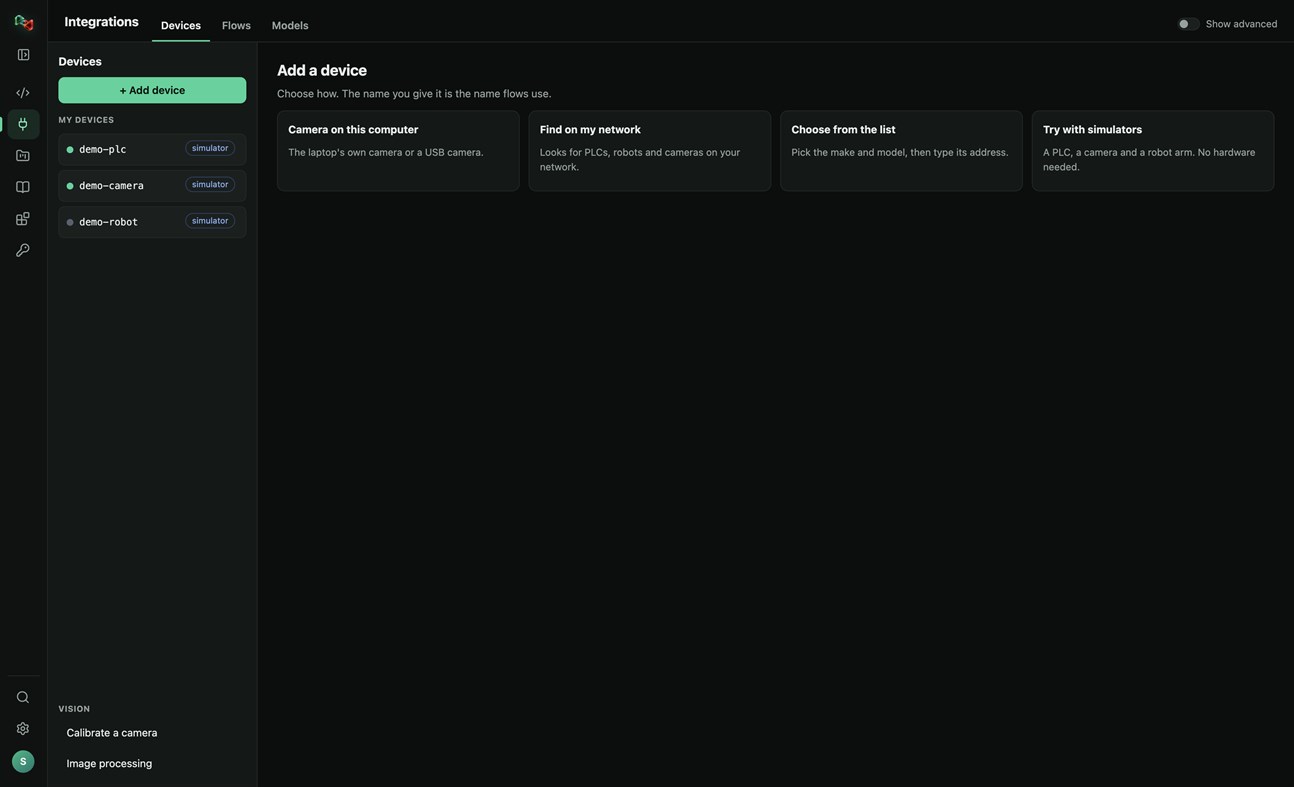
• Add a device in four ways: the camera of this PC or a USB camera, search your network for PLCs, robots and cameras, pick the make and model from a catalogue of real devices, or start with simulators (a PLC, a camera and a robot arm, no hardware needed).
• Connections: OPC UA, Siemens S7 (S7comm), Modbus TCP, Universal Robots, ROS and ROS 2 (rosbridge), IP cameras (HTTP snapshot, MJPEG, RTSP), serial RS-232/RS-485 and CAN through a USB adapter. EtherNet/IP and Beckhoff ADS are in beta.
• Watch live values and read and write tags. Real devices only accept writes and moves after you arm them; stop is always allowed.
• Calibrate a camera and try image processing on its pictures.
• Use your devices from your own code: the Python and JavaScript libraries read and write PLC values, take camera pictures and move robots by the device's name.
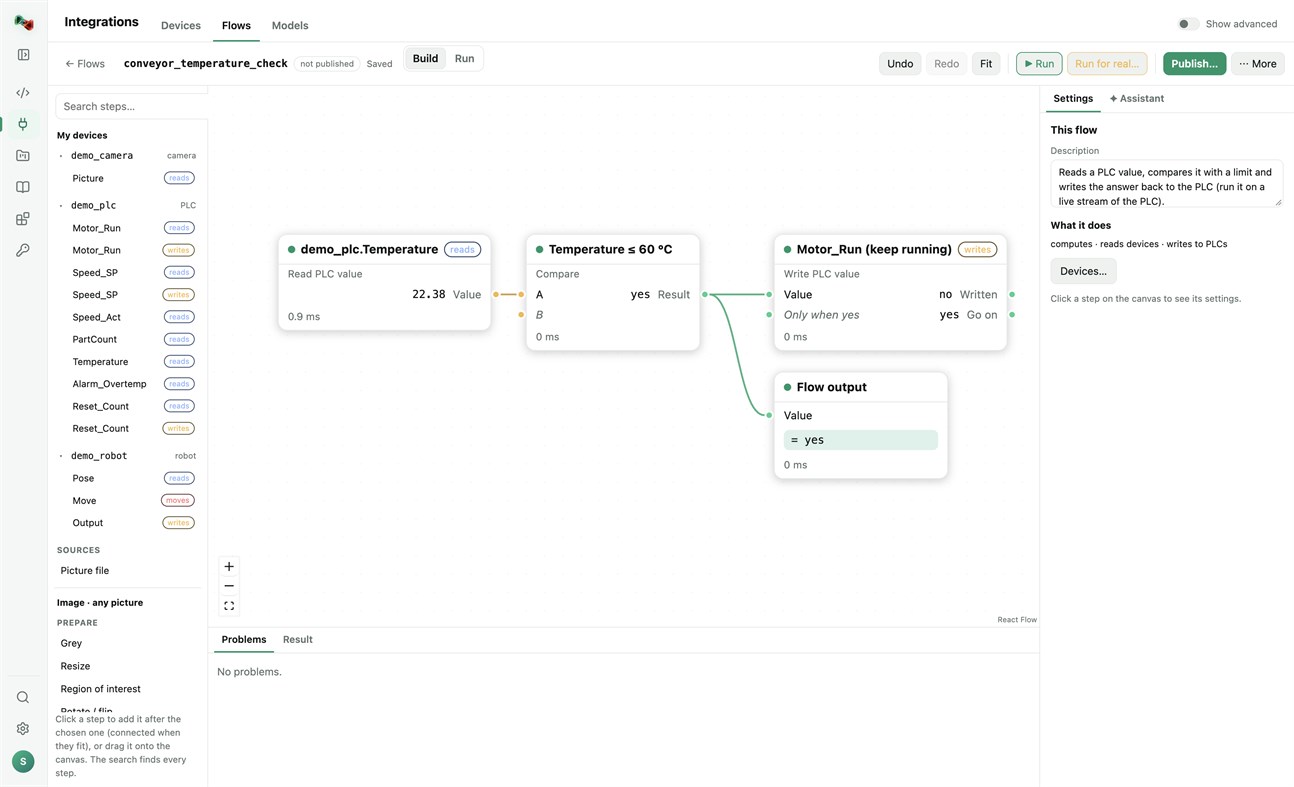
FLOWS: VISION AND AUTOMATION WITHOUT BOILERPLATE
• Build flows in a visual editor: a camera picture or a PLC value, then prepare, find (shapes, circles, known parts, QR codes, barcodes), measure (count, sizes in millimetres), decide (compare, OK/NOK) and act (write a PLC value, move a robot, keep the result).
• Start from a template (inspect parts with a camera, measure parts in millimetres, react to a PLC value) or let the assistant draft the flow.
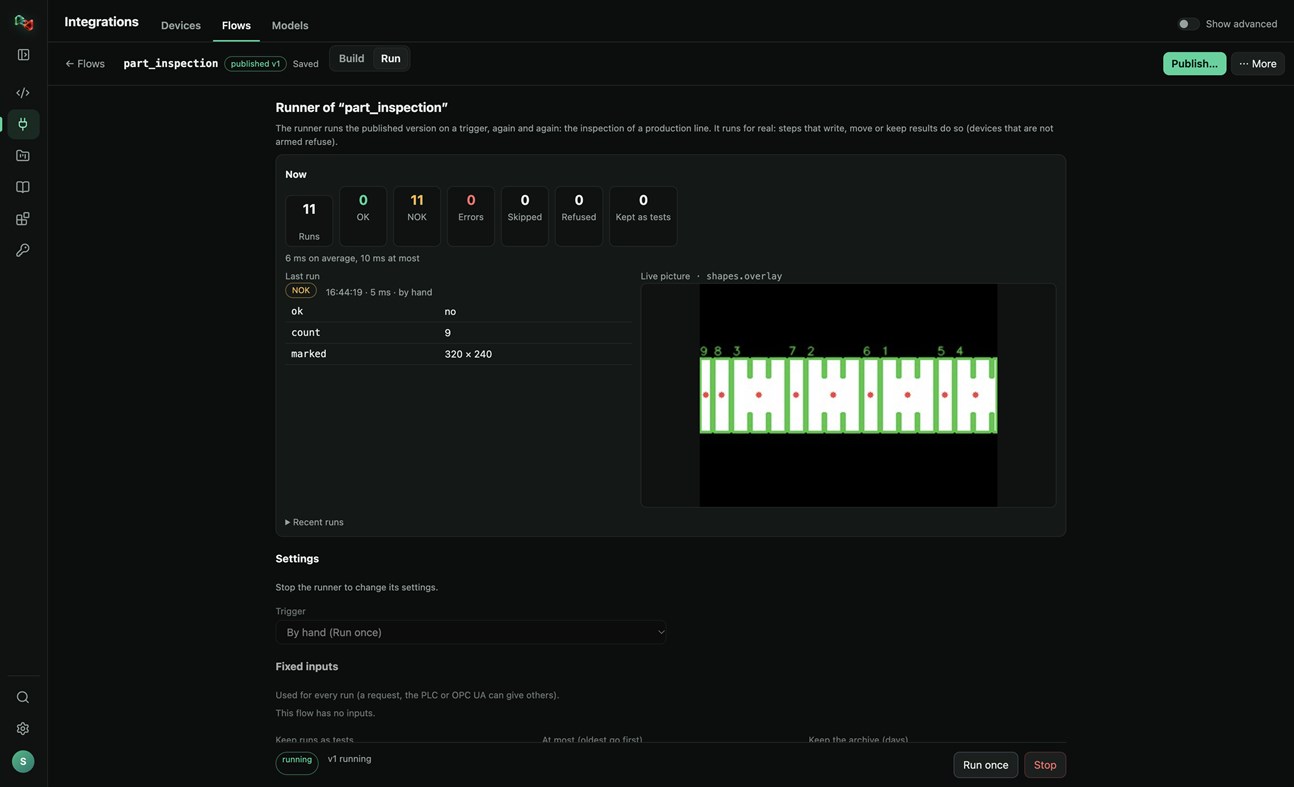
• Test with a picture, publish versions, and run them on a trigger: by hand, on a timer, PLC handshake, TCP socket, OPC UA or a live stream, with OK/NOK counts and the live picture. Your programs run published flows by name, in any language.
MODELS: TRAIN YOUR OWN OR USE READY ONES
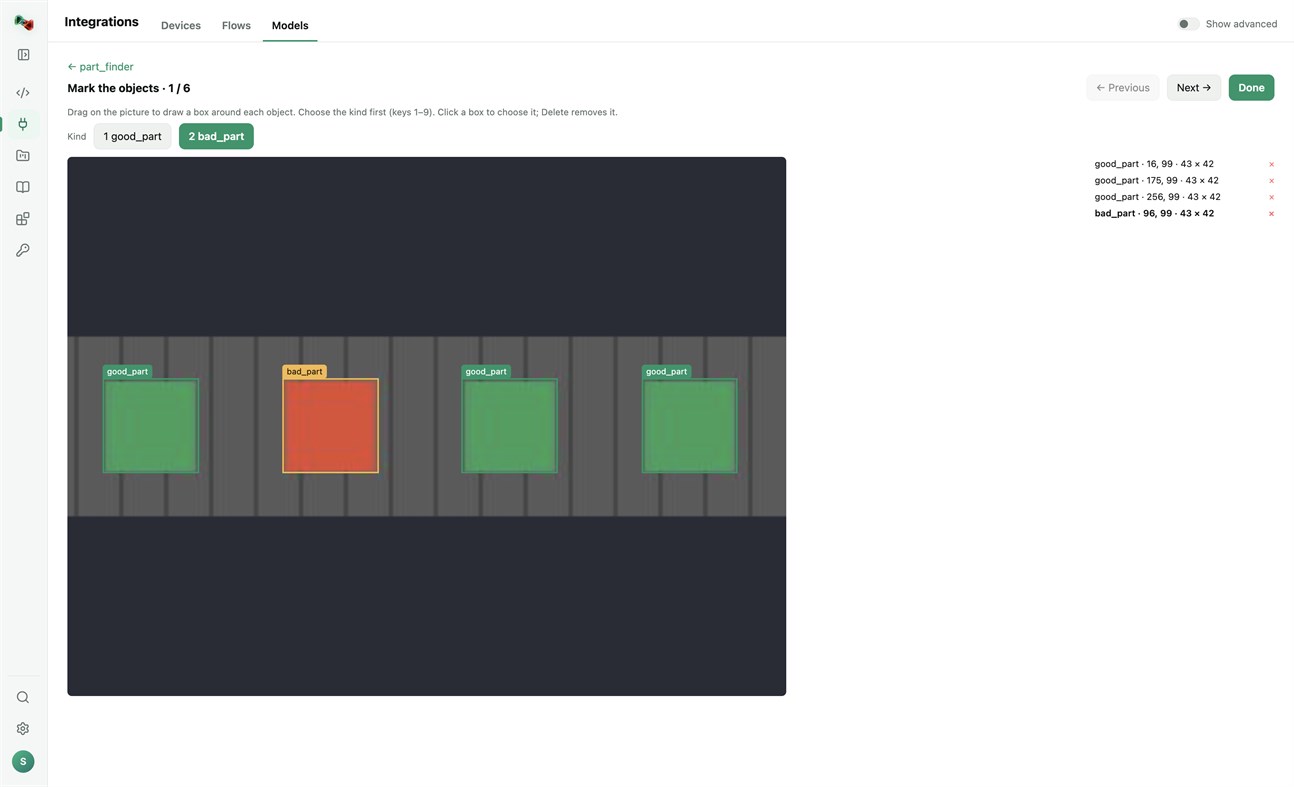
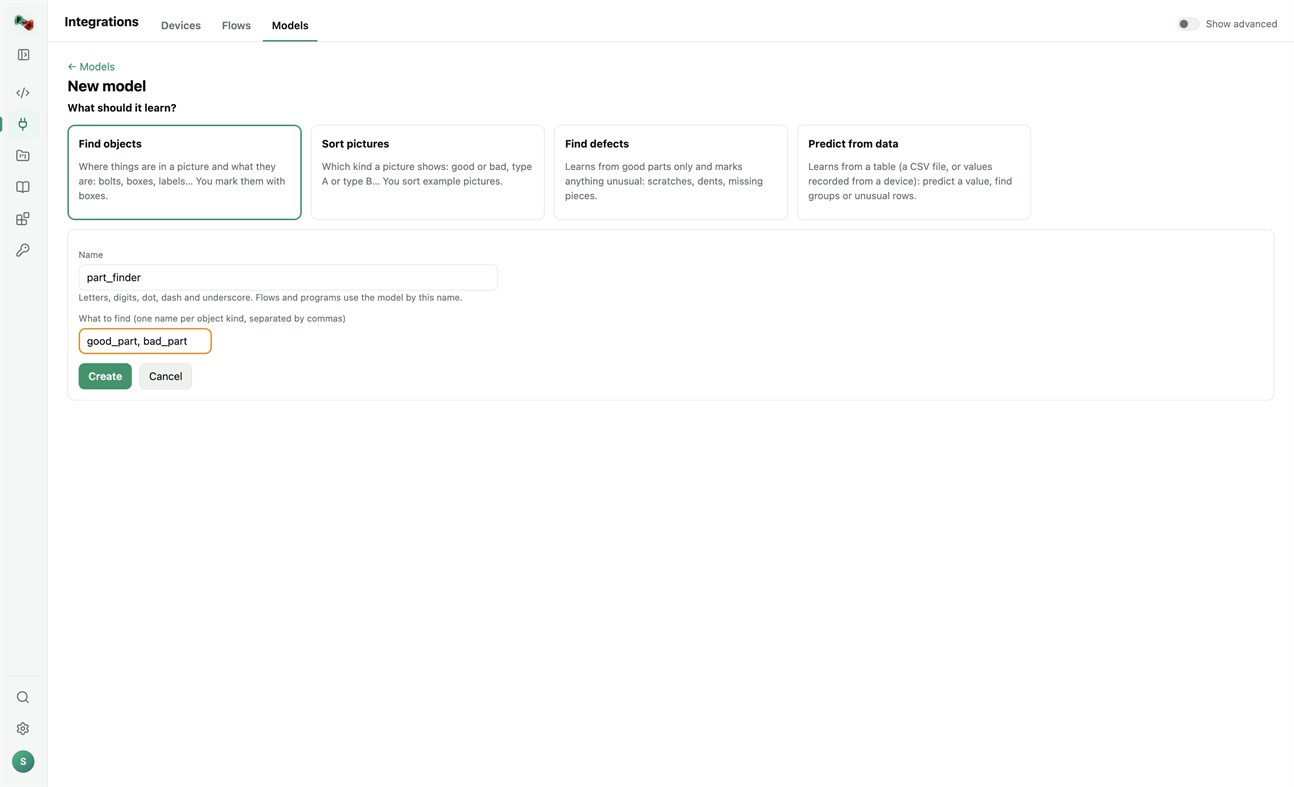
• Train models on this PC's processor; your pictures and tables stay on your computer. Find objects (you mark them with boxes), sort pictures, find defects (learns from good parts only) or predict from data (a CSV file or values recorded from a device). Training needs a one-time download of PyTorch and scikit-learn.
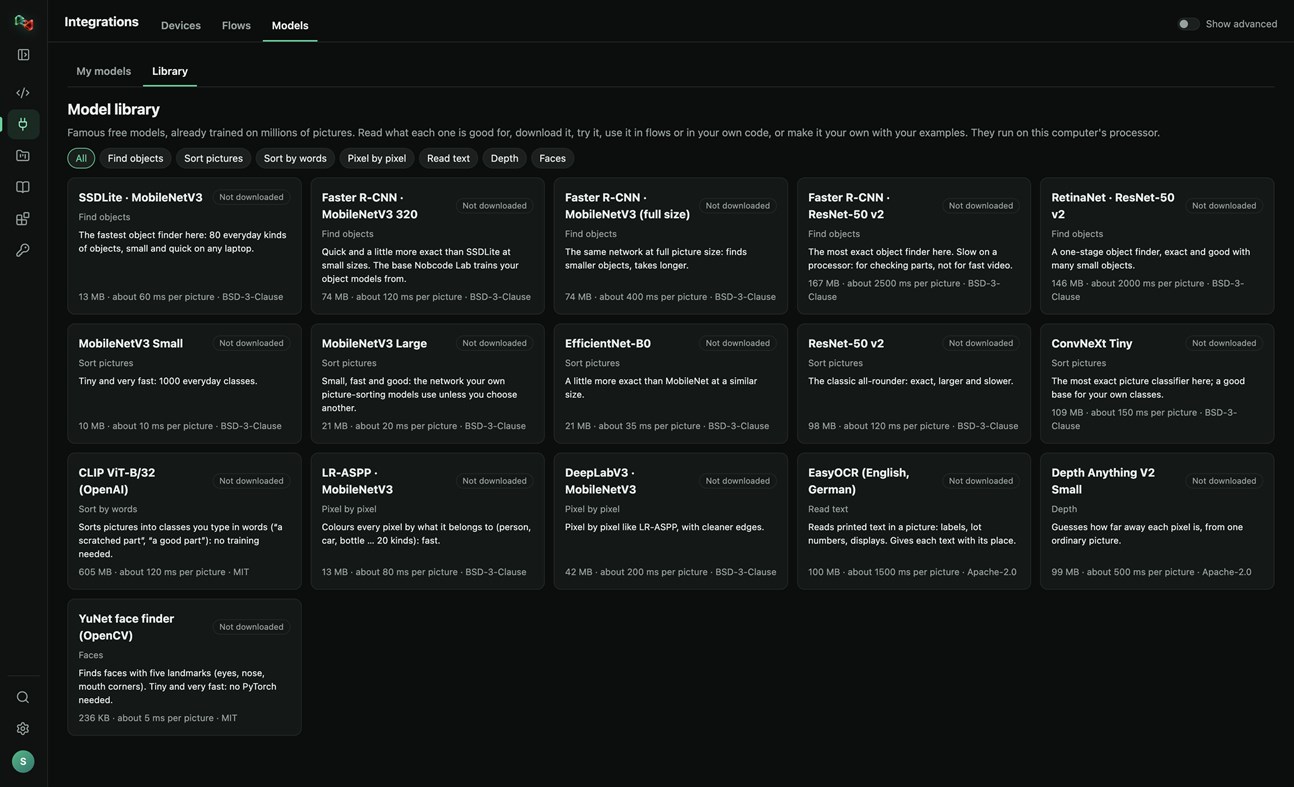
• A library of 16 free pretrained models: find objects, sort pictures, sort by words, pixel-by-pixel segmentation, read text, depth and faces. Read what each one is good for, try it, use it in flows or in your own code, or make it your own with your examples.
RECORDER: SEE WHAT HAPPENED BEFORE A FAULT
• Record the values of your PLCs and robots and the pictures of your cameras. The last 10 minutes to 24 hours stay on this PC.
• Incidents are saved by themselves when an alarm or fault switches on, a flow run is NOK or fails, or a device stops answering. Press Mark incident to save one by hand, with a note.
• Each incident shows what changed first, a replay of the values and pictures, and Where to look first: ranked leads with their evidence, compared with normal operation and with earlier incidents. A lead is not proof of the cause.
• Note what the cause was and what fixed it: the next incident like it shows that as a lead.
• Save an incident as CSV or as a report, or copy it for Code Lab's AI. The Recorder only reads: it never writes to a device or moves anything, and pictures stay on your computer.
Sign in with your browser. The app is made for code and machines: Code Lab with its AI chat, Integrations, Projects and Knowledge. The plain chat, images and 3D are on ai.nobco.de.
Your code runs on your computer, not on our servers, when you choose "This computer". The app keeps only a small local log for troubleshooting and sends no telemetry.
Basic chat works as a guest. Some features need a free Nobcode AI account; Premium plans are available on ai.nobco.de. An internet connection is required.
Geliştiriciden ¡
Geliştirici siz misiniz?
Haberleriniz sayfanın en üstünde, takipçilerinize e-postayla gider
Diğer platformlar 0
| Nob Code LabWindows Store1K AltınWindowsUygulama içi satın almalar | Ücretsiz |
Şu anda yalnızca bu mağazada.
Fiyat Geçmişi 0
- Güncel fiyat: Ücretsiz
- En az: Ücretsiz
- En fazla: Ücretsiz
Fiyatları takip et E-posta veya anlık bildirimle indirim uyarıları almak için bir listeye ekleyin
Listeler 0
-
 Nob Code Lab
Puanlar 0
-

- +1 Puan

Sıralamalar 0
-
- Puanınız
Yorumlar 0 ¡
İlk yorum yapan siz olun
Geliştirici 1
- Saeid Khoorani
- Takipçiler: 0
- Platformlar: Windows Uygulamalar (1)
- İndirimler: 0
- Listeler: 0 + 0
- Puanlar: 0 + 0 ¡
- Sıralamalar: 0
- Yorumlar: 0
- Video: 0
- RSS: Abone ol
Yenilikler
- Sürüm: PC
- Son güncelleme:
- New in 1.1.3: the Recorder (Integrations → Recorder). Record your devices' values and camera pictures; incidents are saved on alarms, NOK runs and lost connections, and each one shows what changed first and where to look first. New Nobcode logo.
Ek Bilgi
- Çıkış tarihi:
- Kategori:
Windows uygulamaları›Geliştirici araçları - İşletim Sistemleri:
PC - Boyut:
169 Mb - Desteklenen diller:
Almanca,İngilizce - İçerik Derecelendirmesi:
EVERYONE - Windows Store Puan: ¡
0 - Web sitesi:
 https://ai.nobco.de/desktop/
AppAgg Skoru
1.450
Tahmini AppAgg skoru:
Nob Code Lab
Geliştirici: Saeid Khoorani
1.450 Altın
Daha yüksek skorlar genellikle AppAgg’deki göstergelerin daha güçlü olduğunu belirtir.
Şunlara göre: popülerlik · kullanıcı puanları · güncellik · fırsatlar · mağaza verileri · topluluk etkinliği
Güncel AppAgg verileriyle her gün yeniden hesaplanır.
Web sitesi için rozet:  Kopyalandı!
Özet
Nob Code Lab Kısa URL: Kopyalandı!- Windows Store
AppAgg üzerinden Saeid Khoorani tarafından geliştirilen “Nob Code Lab” uygulamasını takip edebilirsiniz. Platform: Windows. Kategori: Geliştirici araçları. AppAgg skoru: 1.450 (Altın). Uygulamanın AppAgg puanları — onaylı: 0; dolaylı: 0. Uygulamanın yer aldığı herkese açık liste sayısı: 0. Uygulamayı özel listelerine kaydeden kullanıcı sayısı: 0. AppAgg kullanıcıları uygulamayı henüz değerlendirmedi. Onaylı puanlar, oturum açmış AppAgg kullanıcılarının mağazaya geçişlerini kaydeder. Dolaylı puanlar mağaza verilerine dayanır. İki sayaç, uygulamanın veya oyunun yer aldığı herkese açık listelerin sayısını ve onu özel listelerine kaydeden kullanıcıların sayısını gösterir. Uygulama ilk kez tarihinde yayımlandı. Uygulamanın son güncellemesi: . Uygulama şu anda ücretsizdir. Uygulama şu dilleri destekler: Almanca, İngilizce. Fiyat geçmişini inceleyin, uygulamayı bir listeye ekleyin veya geliştiriciyi takip edin. Uygulamayla ilgili yeni fırsatları ve güncellemeleri RSS akışı üzerinden takip edin. AppAgg bu uygulamayı barındırmaz veya dağıtmaz. Uygulamayla ilgili tüm ticari markalar, logolar ve ekran görüntüleri ilgili sahiplerine aittir.
Şunları da beğenebilirsiniz
Son görüntülenenler
AppAgg kullanıcıları ¡Daha fazla →
Haftanın görevleriHer hafta 3 görev almak ve XP kazanmak için giriş yap.

