
บุ๊กมาร์ก
| ผู้พัฒนา: | Web Mastery (2) | ||
| ราคา: | ฟรี ใหม่ | ||
| คะแนน: | 970 เงิน | ||
| การจัดอันดับ: | 0 | ||
| ความคิดเห็น: | 0 โพสต์ความคิดเห็น | ||
| รายการ: | 0 0 | ||
| แต้ม: | 0 | ||
| +1 แต้ม | |||
สรุป
มาทำความรู้จัก NorthTable แอปในหมวด “เครื่องมือสำหรับนักพัฒนา” จาก Web Mastery
มาใหม่ ออกเมื่อ คุณได้เป็นหนึ่งในคนกลุ่มแรก
ฟรี ไม่มีโฆษณา ไม่มีการซื้อภายในแอป มีแค่คุณกับแอป
Microsoft Store มีมาในตัว Windows อยู่แล้ว ติดตั้งได้ในไม่กี่คลิก
คะแนน AppAgg คือ 970 ระดับ “เงิน” ถือว่าไม่เลวเลย
จัดเรต “EVERYONE” เหมาะกับเด็ก ๆ ด้วย
รองรับแค่ภาษาเดียว และไม่ใช่ภาษาไทย
เคยใช้แล้วเหรอ? รีวิวของคุณจะเป็นรีวิวแรกที่นี่
ผู้พัฒนารายนี้มีแอปอื่นบน AppAgg อีก 1 แอป ลองไปดูกัน
อยากรู้เรื่องอัปเดตและแอปใหม่ก่อนใครไหม? ติดตาม ผู้พัฒนา หรือกดติดตาม ฟีด RSS ได้เลย การแจ้งเตือนแบบพุชส่งผ่านแอป AppAgg Alerts สำหรับ Android และ iOS
แพลตฟอร์มอื่น 0
ประวัติราคา 0
- ราคาปัจจุบัน: ฟรี
- ต่ำสุด: ฟรี
- สูงสุด: ฟรี
ฟีดของคุณเองบนหน้าแรก
ภาพหน้าจอ 6
คำอธิบาย

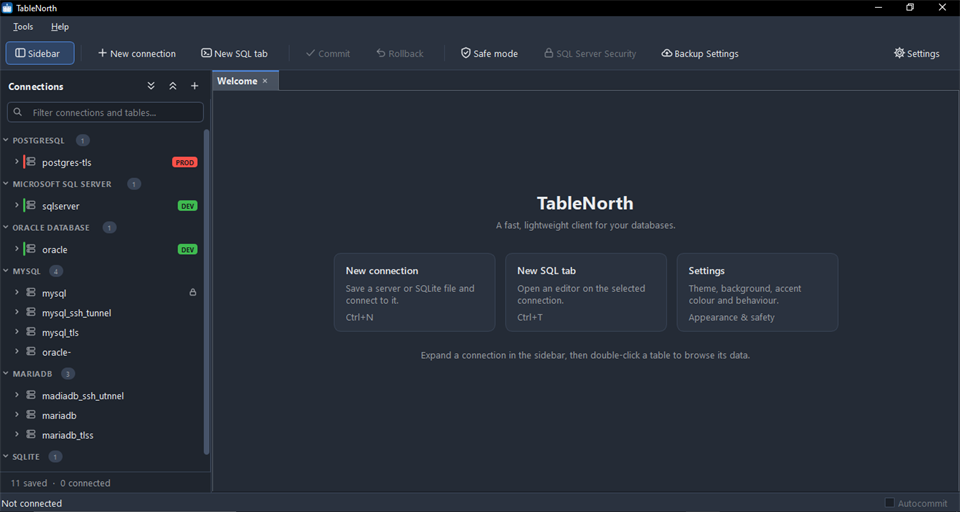
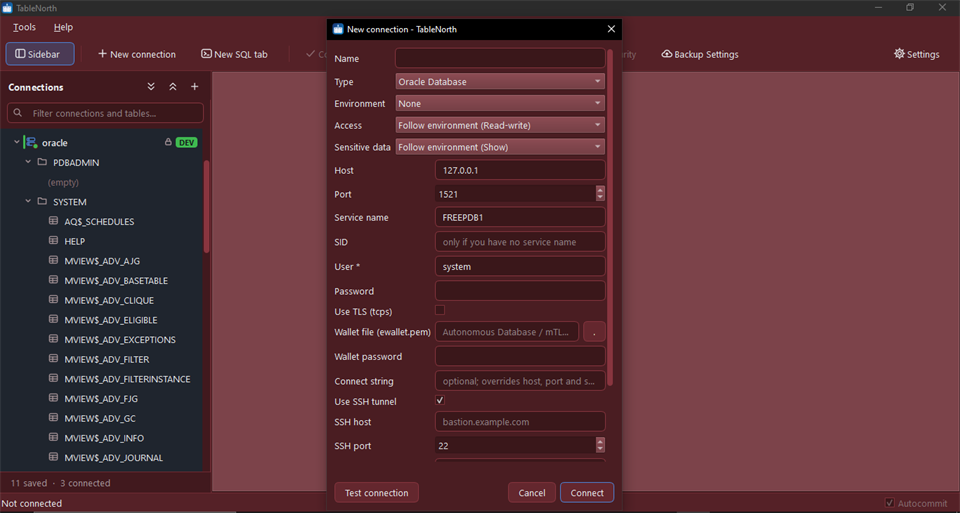
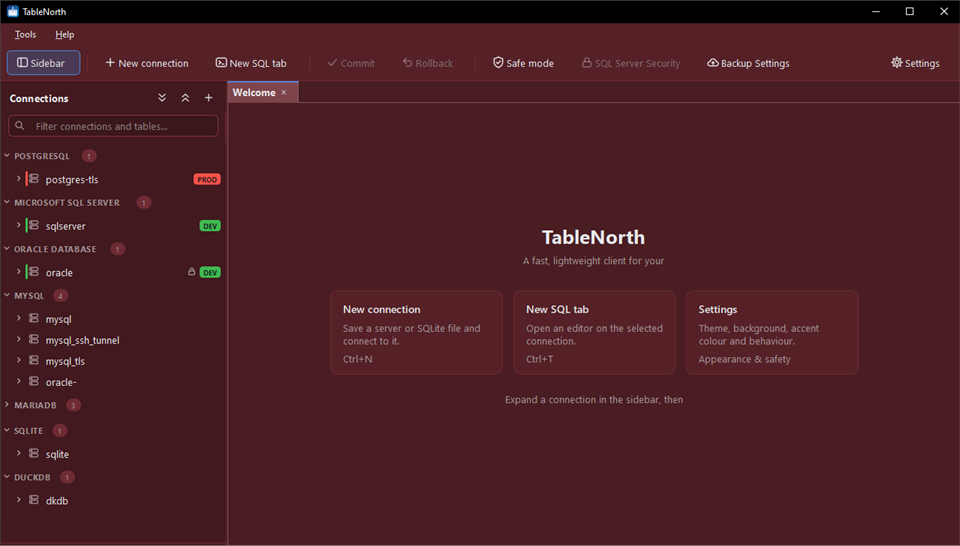
Work with the databases you already use. NorthTable supports SQLite, DuckDB, MySQL, MariaDB, PostgreSQL, Microsoft SQL Server and Oracle Database, and you can keep several connections open at the same time. Saved connections are listed by engine in a sidebar, with schemas, tables and views loading as you expand them, so even large servers stay responsive. Already have a connection string? Paste a URL such as postgresql://user@host/db and the connection form fills itself in.
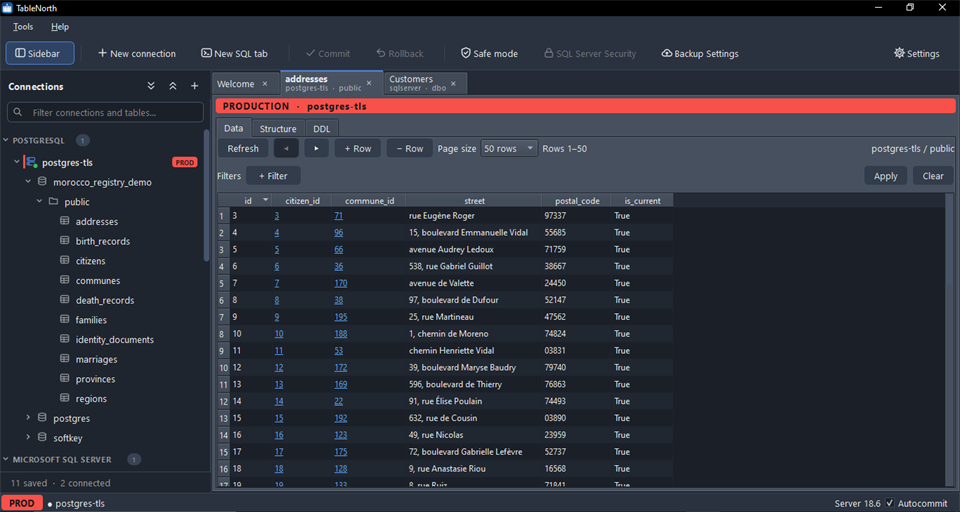
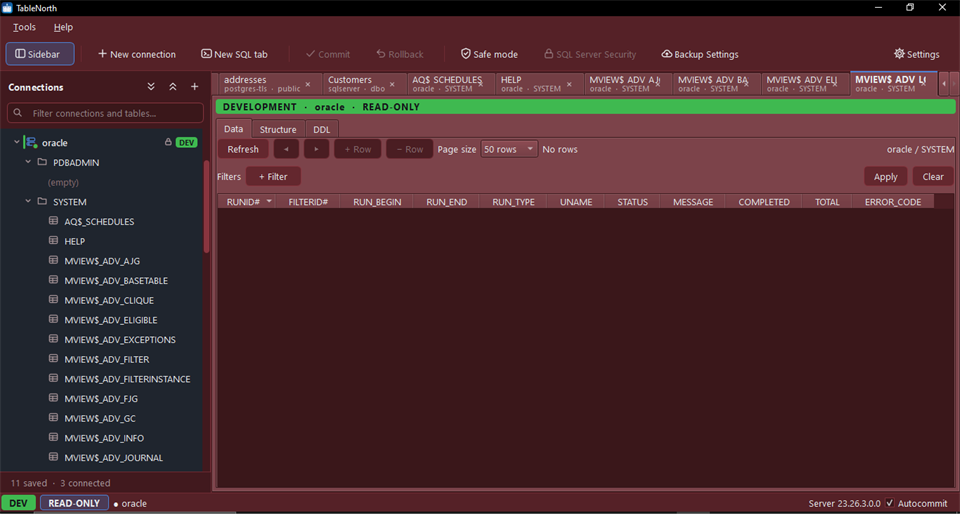
Built for safety. Tag each connection as Production, Staging, Development or another environment and the app reminds you which one you are in. Production connections can be read only by default, sensitive columns such as emails, phone numbers and card numbers can be masked on screen, and destructive actions can require you to type a confirmation first. Production connections also limit how many rows a query loads and how long it may run, so a careless SELECT cannot flood your screen or hold a server for an hour. The limits are yours to adjust in Settings. An optional audit log keeps a local record of the statements that were run, with passwords always hidden and values hidden by default.
A SQL editor that knows your database. Get syntax highlighting and autocompletion that understands your schema: it suggests the tables and columns your query is using, and writes the join condition for you from your foreign keys. Run a selection or a whole script and see every result in its own tab, pin a result to keep it while you run something else, and cancel a long running query with one click. Tidy messy SQL with a single shortcut. Save the queries you reuse as snippets, organised in folders with tags and searchable, and add placeholders such as {{customer_id}} that ask for a value each time you run them.
See how a query will run. Explain plan shows the steps your database will take as a tree, shades the expensive steps and flags common problems such as full table scans. It is available for every engine except Oracle, and for PostgreSQL and DuckDB you can also run the query and measure each step.
Work the way you want. Open any table to page through its rows, sort by clicking a column header, filter, and edit cells directly. Switch between a dark and a light theme and choose your own accent colour.
Move your data. Export tables, whole databases or the results of any query to CSV, JSON, SQL or Excel, and import CSV, JSON, SQL scripts or earlier exports back in. Send a result straight to Amazon S3, or back up a whole database to S3, encrypted, and restore it later in a few clicks. Large exports are streamed so they do not freeze the app.
Your data stays yours. NorthTable talks only to the databases you point it at, and to your own Amazon S3 bucket if you choose to use the backup features. Passwords are kept in Windows Credential Manager, connections can use TLS or an SSH tunnel with password or key authentication, and passwords are kept out of the log files. The app has no telemetry, no analytics and no advertising.
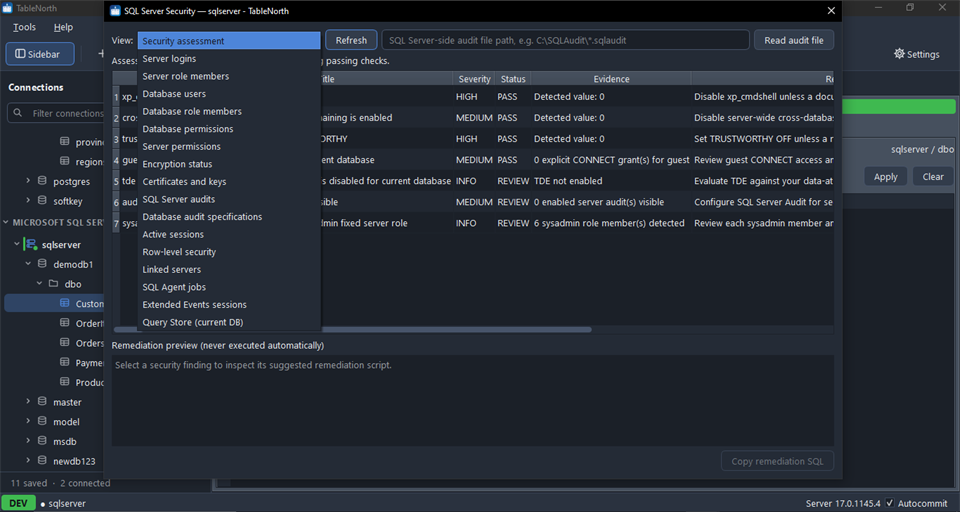
Note for SQL Server users: SQL Server connections require Microsoft ODBC Driver 18 for SQL Server to be installed on your PC. It is a free download from Microsoft. The other engines need nothing extra.
จากนักพัฒนา
รายการ 0
-
 NorthTable
แต้ม 0
-

- +1 แต้ม

การจัดอันดับ 0
-
- คะแนนของคุณ
ผู้พัฒนา 2
- Web Mastery
- ผู้ติดตาม: 0
- แพลตฟอร์ม: Windows แอป (2)
- ลดราคา: 0
- รายการ: 0 0
- แต้ม: 0
- การจัดอันดับ: 0
- ความคิดเห็น: 0
- วิดีโอ: 0
- RSS: ติดตาม
มีอะไรใหม่
- เวอร์ชัน: PC
- อัปเดตล่าสุด:
ข้อมูลเพิ่มเติม
- วันที่วางจำหน่าย:
- หมวดหมู่:
แอปสำหรับ Windows›เครื่องมือสำหรับนักพัฒนา - ระบบปฏิบัติการ:
PC - ขนาด:
97 Mb - ภาษาที่รองรับ:
อังกฤษ - การจัดประเภทเนื้อหา:
EVERYONE - Windows Store คะแนน: ¡
0
คะแนน AppAgg
คะแนน AppAgg โดยประมาณของ
NorthTable
ผู้พัฒนา: Web Mastery
คะแนนที่สูงขึ้นมักสะท้อนตัวชี้วัดที่ดีกว่าบน AppAgg
อิงจาก: ความนิยม · คะแนนจากผู้ใช้ · ความสดใหม่ · ดีล · ข้อมูลร้านค้า · กิจกรรมชุมชน
คำนวณใหม่ทุกวันจากข้อมูล AppAgg ล่าสุด
ความคิดเห็น 0 ¡
แชร์
NorthTable URL แบบสั้น: คัดลอกแล้ว!- Windows Store

