
북마크
이 북마크의 제목을 입력하세요.
북마크가 저장되었습니다
| 개발자: | Golden Eagle Studio (7) | ||
| 가격: | * 무료 신규 | ||
| 종합 점수: | 910 실버 | ||
| 순위: | 0 | ||
| 댓글: | 0 댓글 게시 | ||
| 목록: | 0 + 0 | ||
| 포인트: | 0 + 0 ¡ | ||
| +1 포인트 | |||
홈 화면의 나만의 피드 ¡
“신규 및 업데이트” 피드의 플랫폼을 선택하면 홈 화면에 필요한 앱과 게임만 표시됩니다.
스크린샷 6
광고
설명

✨ **Write Smarter. Code Faster. Stay in Flow!** ✨
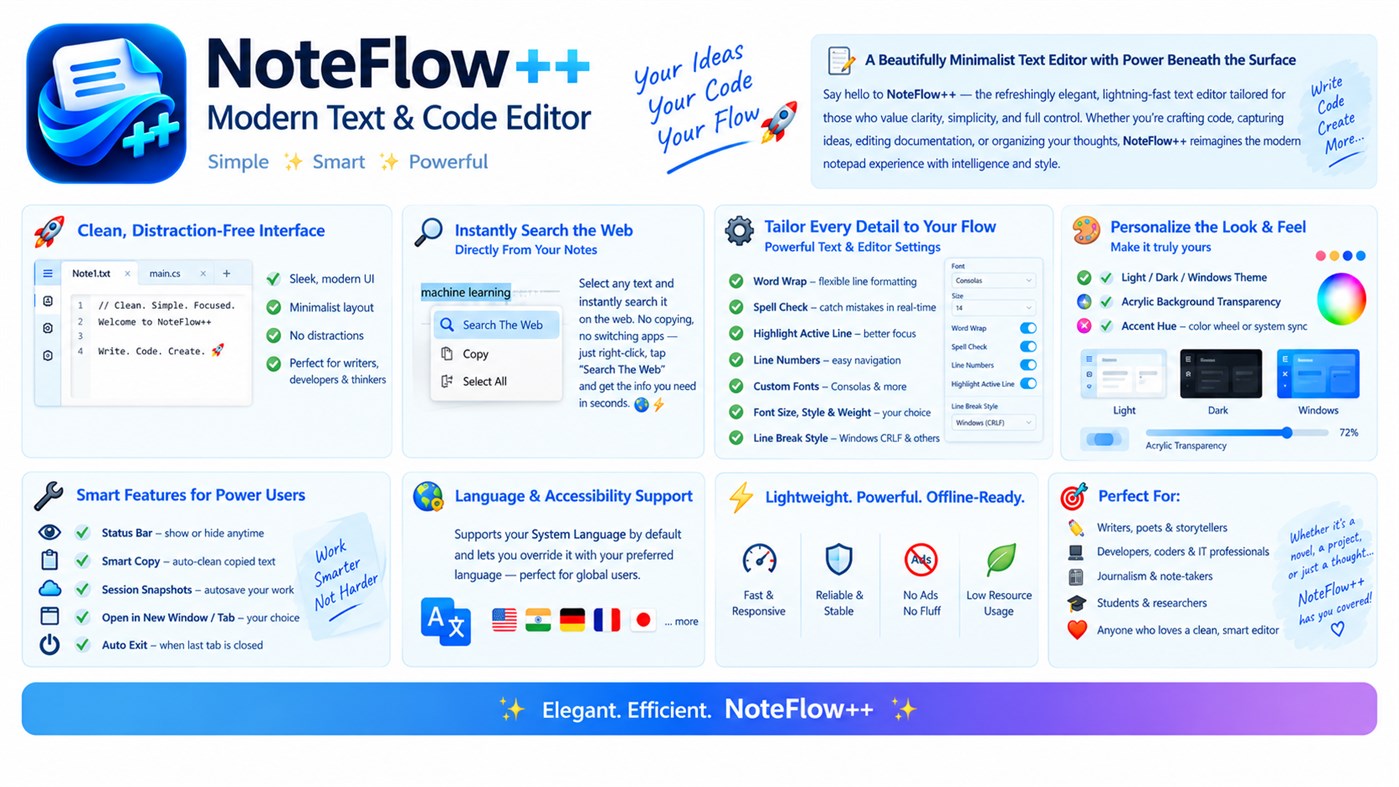
Welcome to **NoteFlow++**, your modern, lightweight, and customizable text editor designed for productivity, creativity, and focus! 💻⚡ Whether you're writing notes, editing code, creating documentation, capturing ideas, or managing text files, NoteFlow++ gives you a clean, comfortable workspace with powerful features beneath the surface. 🎯📝
## 🚀 ✨ Clean, Modern & Distraction-Free Interface
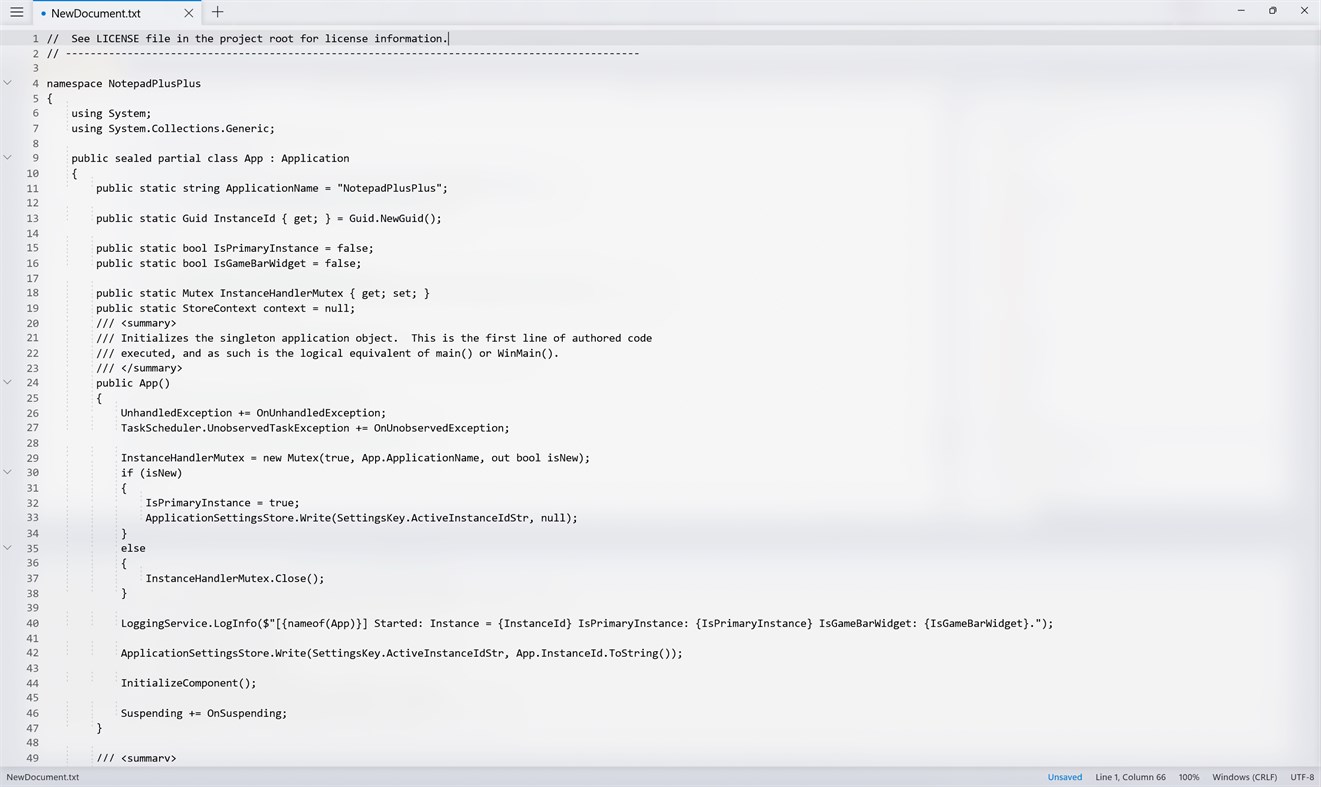
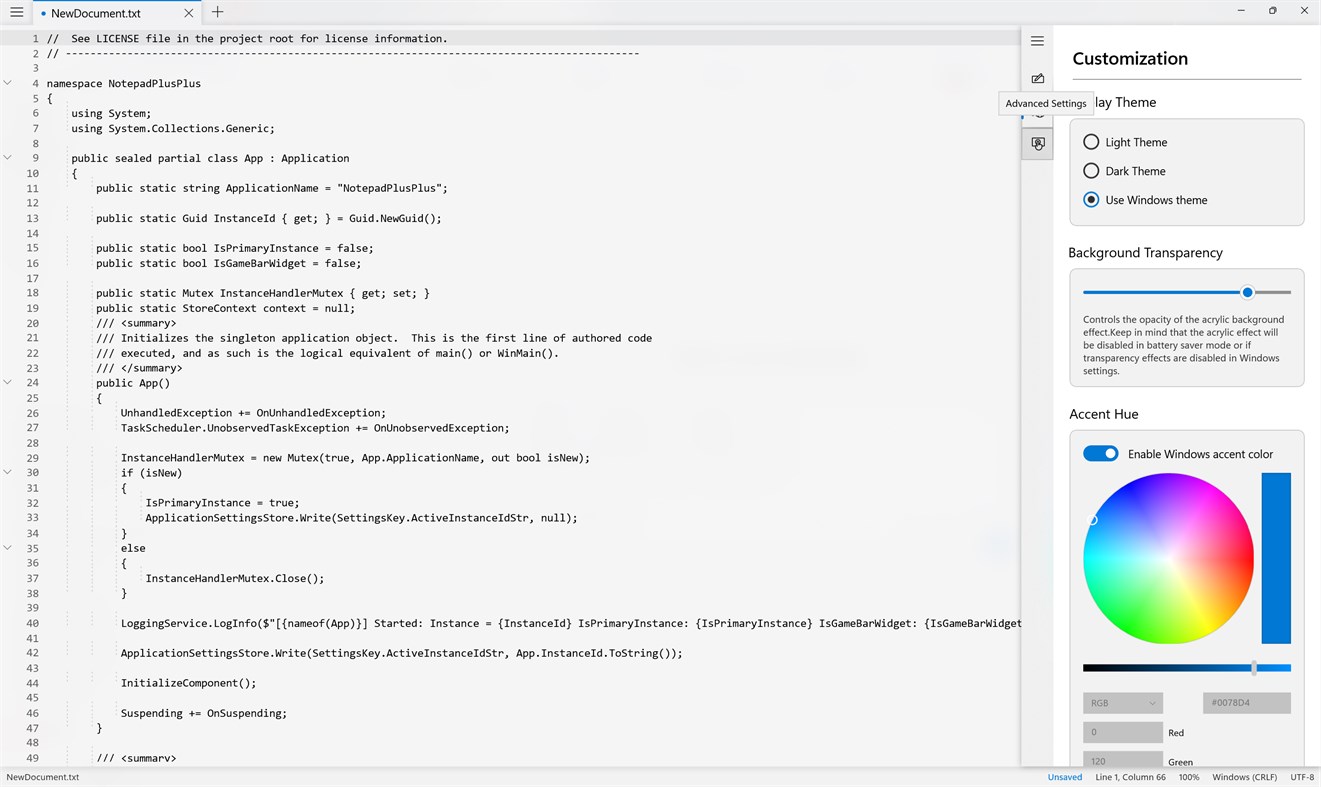
Enjoy a sleek, minimalist interface that keeps your content front and center. 🖥️💙 With a modern layout and convenient tabbed documents, you can focus on what matters most without unnecessary clutter.
✅ Clean and elegant user interface
✅ Work with multiple documents using tabs 📑
✅ Smooth and responsive editing experience ⚡
✅ A comfortable workspace for writing and coding 💻
## 🔍 🌐 Search the Web Directly From Your Text
Need to check a word, explore a topic, or find technical documentation? 🌍 Simply select text and choose **“Search The Web”** from the right-click menu to look it up instantly!
🚀 Search selected text in seconds
📚 Explore information and documentation
⚡ Save time without manually copying and pasting
## ⚙️ 🛠️ Powerful Text & Editor Settings
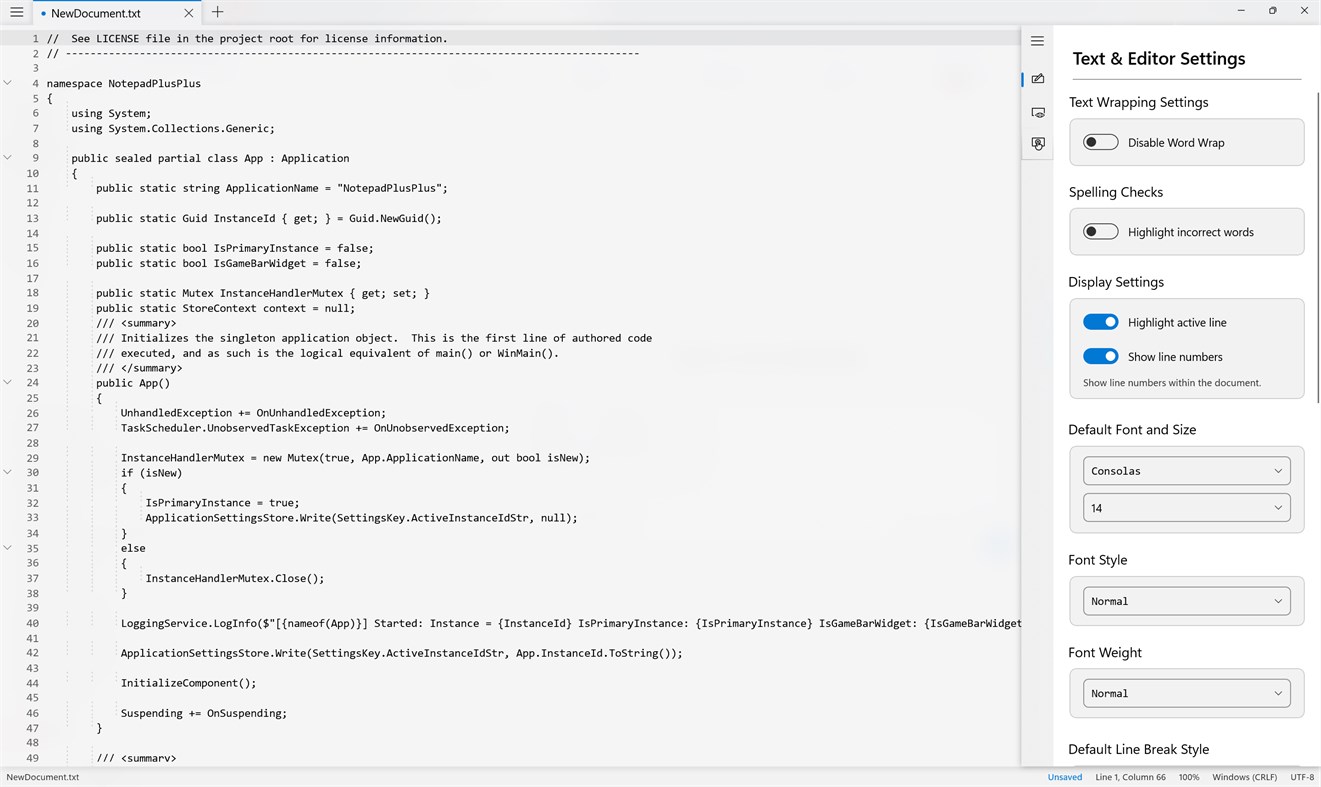
Customize your editing experience to match your workflow! 🎛️ NoteFlow++ gives you control over essential tools and text formatting.
🔹 **Word Wrap** — Keep long lines readable with flexible wrapping.
🔹 **Spell Check** — Highlight spelling mistakes while you write.
🔹 **Active Line Highlighting** — Keep your current editing position in focus.
🔹 **Line Numbers** — Navigate and reference lines easily.
🔹 **Custom Fonts** — Choose Consolas and other available fonts.
🔹 **Font Size, Style & Weight** — Adjust text to your preference.
🔹 **Line Break Settings** — Choose Windows CRLF and other supported line-ending styles.
## 🎨 🌈 Make Your Editor Your Own
Give your workspace a personal touch with flexible appearance settings! 💎
🌞 **Light Theme** — Bright, clean, and comfortable.
🌙 **Dark Theme** — A sleek look for low-light environments.
🪟 **Windows Theme** — Follow your system's appearance.
✨ **Acrylic Transparency** — Adjust the glass-inspired background effect.
🎨 **Accent Colors** — Choose a vibrant color or use your Windows accent color.
Create an editor that feels uniquely yours! 💙💜
## 🔧 🚀 Smart Features for Everyday Productivity
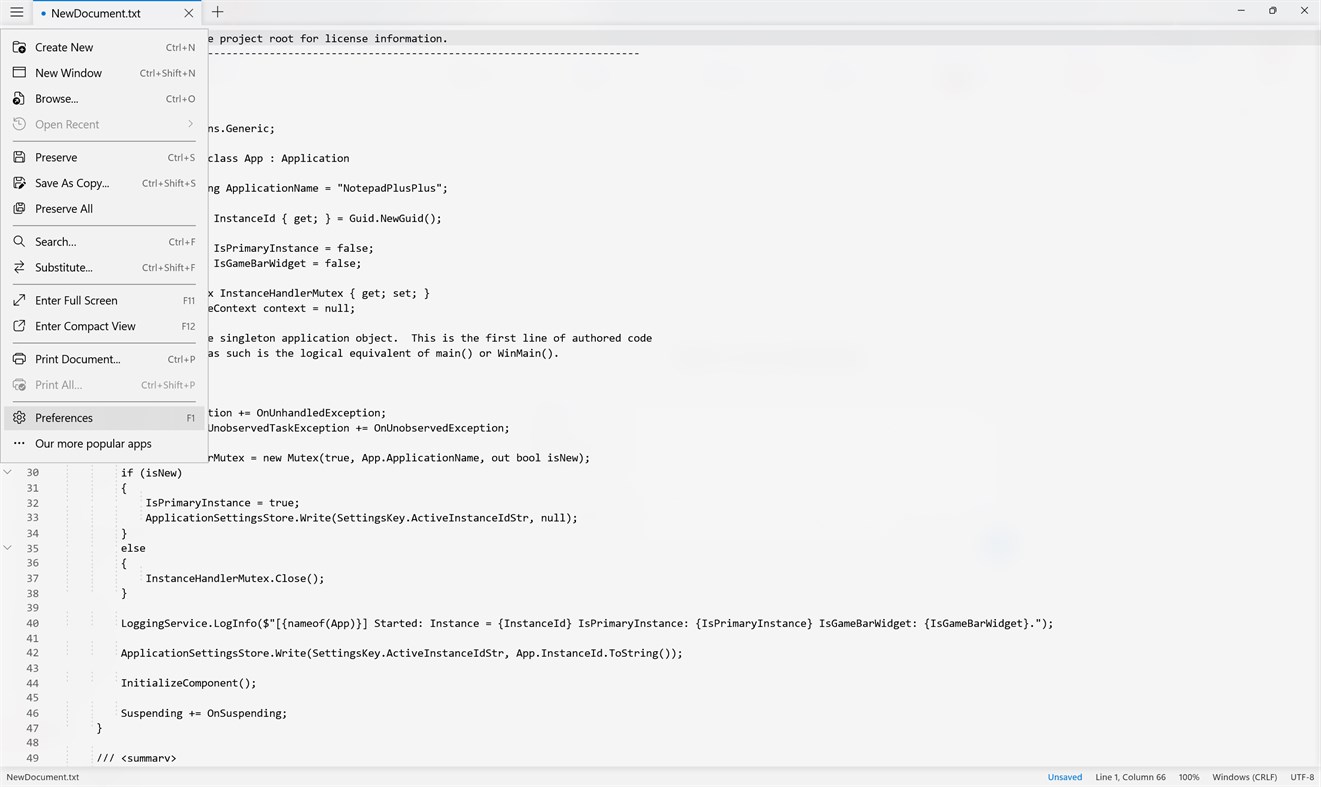
NoteFlow++ includes practical tools that help you work more efficiently and customize your document workflow.
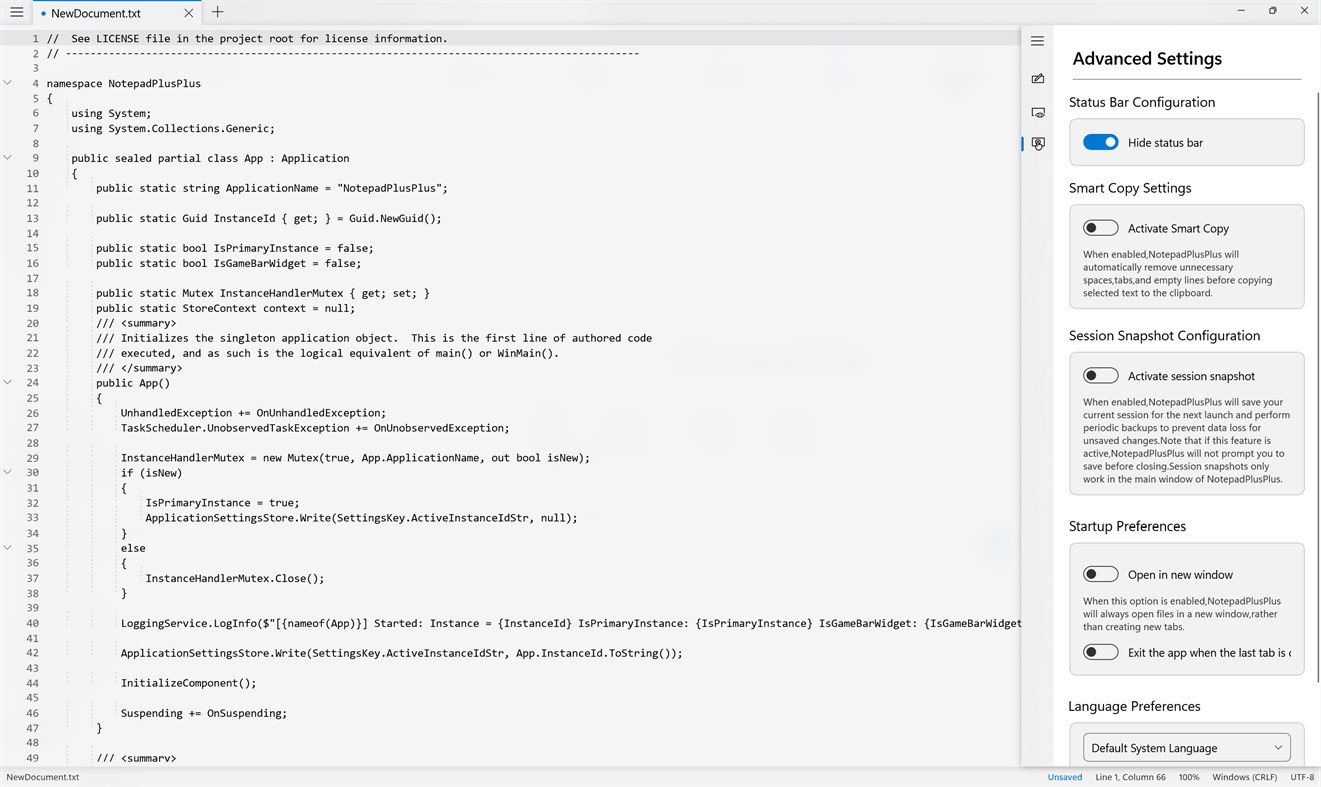
📊 **Customizable Status Bar** — Show or hide the status bar to suit your workspace.
📋 **Smart Copy** — Automatically clean unnecessary spaces, tabs, and empty lines when copying selected text.
💾 **Session Snapshots** — Save session information to help preserve your work between launches.
🗂️ **Flexible Document Opening** — Choose whether files open in new windows or tabs.
🔄 **Startup Preferences** — Customize how the editor behaves when launching and closing.
⚡ **Auto Exit Option** — Choose whether the app closes when the last tab is closed.
## 🌍 🗣️ Language & Accessibility Preferences
Make NoteFlow++ comfortable for your preferred language and workflow. 🌐 The editor can use your system language by default and offers language preferences where supported.
## ⚡ 💙 Lightweight, Responsive & Productivity-Focused
Why settle for a cluttered editor when you can keep things simple? NoteFlow++ focuses on a streamlined editing experience with useful customization options.
🚀 Fast and responsive text editing
🎯 A clean workspace for focused work
🎨 Personalized themes and appearance
🛠️ Practical tools for everyday editing
💻 Designed for Windows productivity
## 🎯 👨💻 Who Is NoteFlow++ For?
📝 **Writers & Bloggers** — Capture ideas, draft content, and edit text.
💻 **Developers & Programmers** — Work with source code and technical text.
🎓 **Students & Researchers** — Organize notes and prepare documentation.
📚 **Professionals** — Edit text files and manage written information.
💡 **Everyday Users** — Enjoy a modern alternative to a basic notepad.
## 🌟 Your Ideas. Your Code. Your Flow.
From quick notes and everyday writing to code snippets and technical documentation, **NoteFlow++ — Advanced Text & Code Editor** gives you a flexible workspace to write, edit, customize, and create. 📝💻✨
🔥 **Simple. Smart. Powerful.**
🚀 **Download NoteFlow++ and make every line count!** 💙
개발자 소식 ¡
개발자이신가요?
페이지 맨 위에 소식을 올리고 팔로워에게 이메일로 보내기
다른 플랫폼 0
| NoteFlow++Windows Store910 실버Windows인앱 구매 | 무료 |
현재 이 스토어에서만 이용할 수 있습니다.
가격 기록 0
- 현재 가격: 무료
- 최소: 무료
- 최대: 무료
목록 0
-
 NoteFlow++
포인트 0
-

- +1 포인트

순위 0
-
- 내 평점
댓글 0 ¡
가장 먼저 댓글을 남겨주세요
개발자 7
- Golden Eagle Studio
- 팔로워: 0
- 플랫폼: Windows 앱 (6) Windows 게임 (1)
- 할인: 0
- 목록: 0 + 0
- 포인트: 0 + 0 ¡
- 순위: 0
- 댓글: 0
- 동영상: 0
- RSS: 구독
새로운 기능
- 버전: PC
- 마지막 업데이트:
추가 정보
- 출시일:
- 카테고리:
Windows 앱›개발자 도구 - 운영체제:
HoloLensMobilePCSurface Hub - 크기:
29 Mb - 지원되는 언어:
한국어,그리스어,네덜란드어,덴마크어,독일어,라트비아어,러시아어,루마니아어,리투아니아어,말레이어,베트남어,불가리아어,스웨덴어,스페인어,슬로바키아어,슬로베니아어,아랍어,영어,우크라이나어,이탈리아어,인도네시아어,일본어,중국어,체코어,카탈로니아어,크로아티아어,태국어,투르크멘어,튀르키예어,페르시아어,포르투갈어,폴란드어,프랑스어,핀란드어,헝가리어,힌디어 - 콘텐츠 등급:
EVERYONE - Windows Store 평점: ¡
0
AppAgg 점수
910
AppAgg 예상 점수:
NoteFlow++
개발자: Golden Eagle Studio
910 실버
점수가 높을수록 대체로 AppAgg의 여러 지표에서 좋은 결과를 보인다는 뜻입니다.
기준: 인기 · 사용자 평점 · 최신성 · 할인 · 스토어 데이터 · 커뮤니티 활동
최신 AppAgg 데이터를 바탕으로 매일 다시 계산됩니다.
웹사이트용 배지:  복사됨!
요약
NoteFlow++ 단축 URL: 복사됨!- Windows Store
AppAgg에서 앱 ‘NoteFlow++’의 정보를 확인할 수 있습니다. 개발자: Golden Eagle Studio. 플랫폼: Windows. 카테고리: 개발자 도구. AppAgg 점수: 910 (실버). 이 앱의 AppAgg 포인트: 확인된 포인트 0, 간접 포인트 0. 이 앱이 포함된 공개 목록: 0개. 비공개 목록에 저장한 사용자: 0명. AppAgg 사용자가 아직 이 앱에 별점을 남기지 않았습니다. 확인된 포인트는 로그인한 AppAgg 사용자가 스토어로 이동한 기록을 반영합니다. 간접 포인트는 스토어 데이터를 바탕으로 합니다. 두 숫자는 공개 목록 수와 비공개 목록에 저장한 사용자 수를 나타냅니다. 이 앱의 최초 출시일은 입니다. 이 앱의 마지막 업데이트 날짜는 입니다. 이 앱은 현재 무료로 이용할 수 있습니다. 이 앱은 다음 언어를 지원합니다: 한국어, 그리스어, 네덜란드어, 덴마크어, 독일어, 라트비아어, 러시아어, 루마니아어, 리투아니아어, 말레이어, 베트남어, 불가리아어, 스웨덴어, 스페인어, 슬로바키아어, 슬로베니아어, 아랍어, 영어, 우크라이나어, 이탈리아어, 인도네시아어, 일본어, 중국어, 체코어, 카탈로니아어, 크로아티아어, 태국어, 투르크멘어, 튀르키예어, 페르시아어, 포르투갈어, 폴란드어, 프랑스어, 핀란드어, 헝가리어, 힌디어. 가격 기록을 확인하거나 앱을 목록에 추가하고 개발자를 팔로우할 수 있습니다. 이 앱의 향후 할인과 업데이트는 RSS 피드에서 확인할 수 있습니다. AppAgg는 이 앱을 호스팅하거나 배포하지 않습니다. 이 앱과 관련된 모든 상표, 로고 및 스크린샷은 각 소유자에게 귀속됩니다.


