
Bladwijzers
| Ontwikkelaar: | edde746 (4) | ||
| Prijs: | $4.99 | ||
| Score: | 1.140 Zilver | ||
| Ranglijsten: | 0 | ||
| Reacties: | 0 Plaats reactie | ||
| Lijsten: | 0 0 | ||
| Punten: | 0 | ||
| +1 Punt | |||
Samenvatting
ompanion is een app van edde746 in de categorie “Ontwikkelhulpprogramma's”.
Pas uitgekomen, dus nog lekker vers.
$4.99. Nog nooit in de aanbieding op AppAgg, geen enkele keer. Stel een prijsalarm in. Wij vergeten het niet, ook als jij het wel vergeet.
De Microsoft Store zit ingebouwd in Windows, dus installeren doe je in een paar klikken.
De AppAgg-score is 1.140. Zilver, en dat is helemaal niet slecht.
Maar 11 megabyte, past zelfs nog op een volle schijf.
Leeftijdsclassificatie “EVERYONE 10+”: voor oudere kinderen en daarboven.
Spreekt maar één taal, en dat is geen Nederlands.
Op AppAgg heeft nog niemand de app beoordeeld. Dit is je kans om de eerste te zijn.
De ontwikkelaar heeft nog 3 andere apps op AppAgg. Neem gerust een kijkje.
Wil je als eerste horen over aanbiedingen, updates en nieuwe apps? Stel een prijsalarm in, volg de ontwikkelaar of abonneer je op de RSS-feed. Pushmeldingen komen binnen via de app AppAgg Alerts voor Android en iOS.
Andere platforms 0
Prijsgeschiedenis 0
- Huidige prijs: $4.99
- Minimum: $4.99
- Maximum: $4.99
Je eigen feed op de startpagina
Screenshots 8
Beschrijving

What you need
- omp 18.3.1 or newer, on this PC or on a machine you can reach over SSH: macOS, Linux or Windows. If omp is missing, ompanion installs it, or shows you the commands to run yourself.
- AI model access from your own provider accounts, configured in omp. ompanion ships no servers, no accounts, no model of its own.
Chat
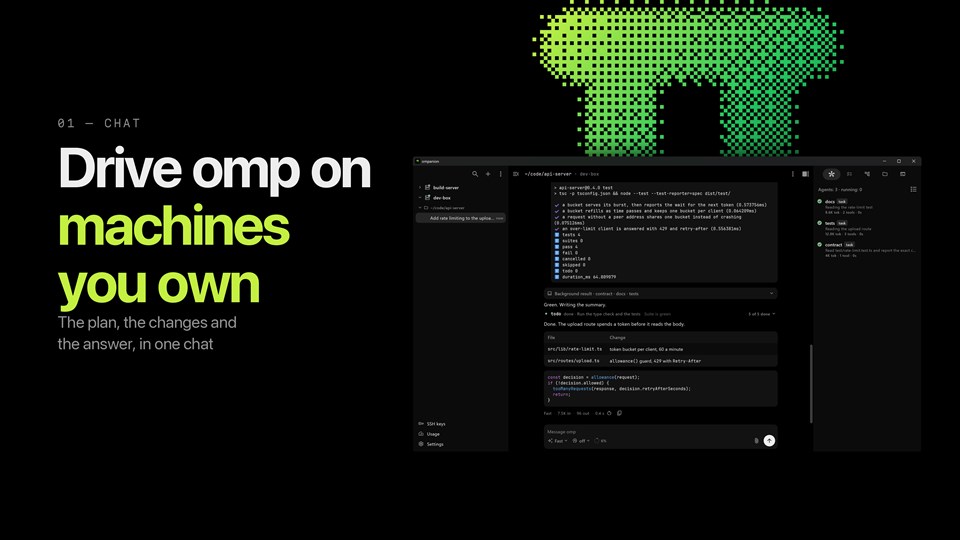
- Streaming transcript with markdown, LaTeX math, highlighted code, collapsible thinking and images
- Finished turns fold their thinking, tool calls and interim messages under a one-line summary
- Steer the running turn or queue a follow-up, and edit or remove queued messages
- Slash commands from the session's own command list, model and thinking-level pickers, and a context and cost meter
- Pause and resume every agent of a session; Stop aborts the run and restores queued messages
- Attach files by picking them, dropping them from File Explorer or pasting them, and paste images; images go to the model, files reach omp as mentions it reads on the machine
- Copy messages and code, and branch from any of your messages
Tools and approvals
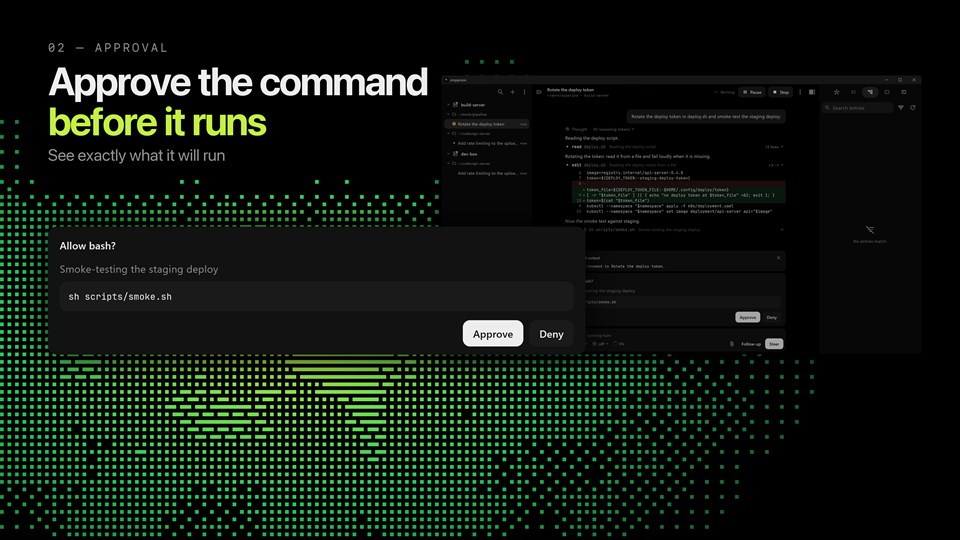
- Tool cards for shell, read, edit and write with word-level diffs, eval, todo, task, web search and fetch
- Tool approvals answered inline; the ask tool as a form with several questions, previews and your own answers
- Extension dialogs, status lines and toasts; files named in tool cards open in the Files panel
Sessions
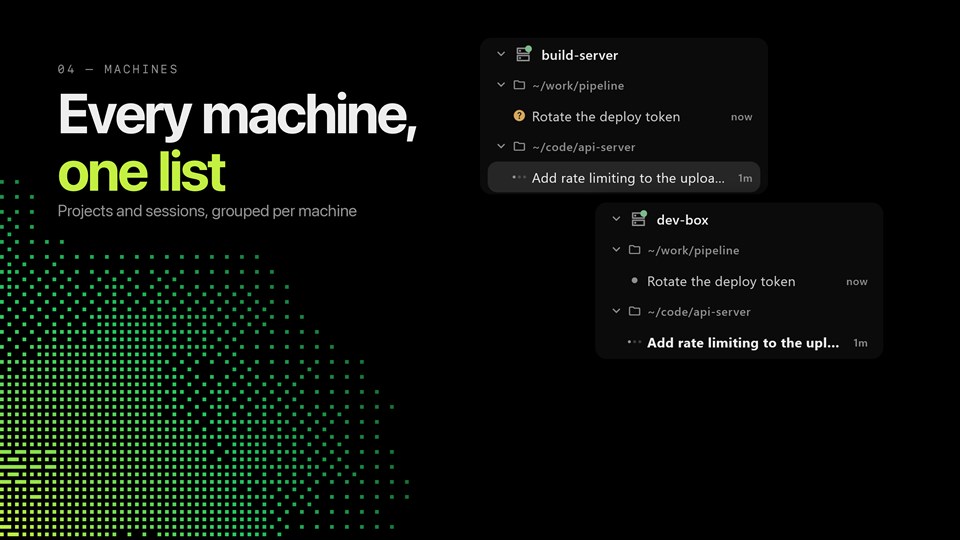
- Every session on a machine, grouped by project and across omp profiles, marked working, waiting for input or unread
- Search sessions across your machines by title or project path
- Resume any session on the machine, including ones from omp's terminal UI (read-only while that omp still has it open)
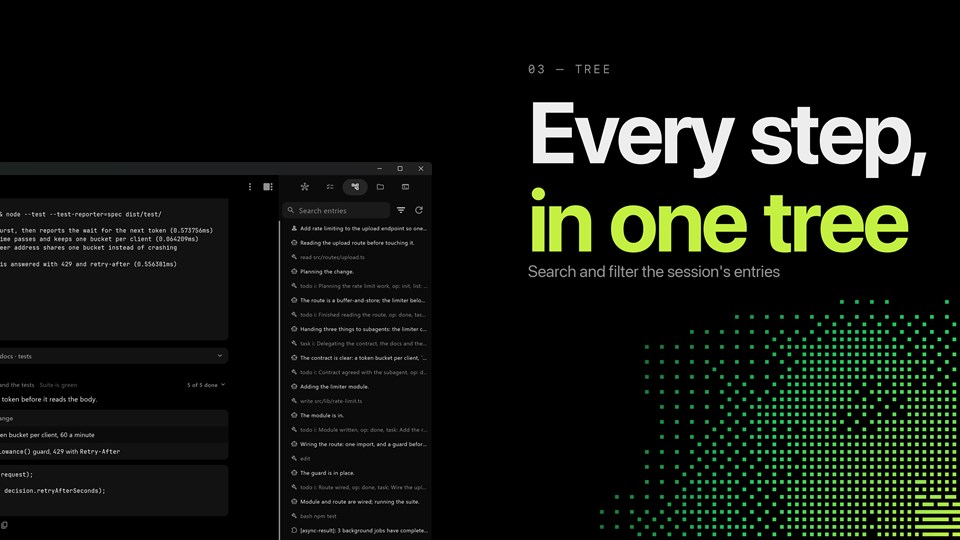
- Session tree with search, filters, labels, branching and an optional model-written summary
- Several of your devices on one live session: each sees what the others send, and the first answer settles the dialog everywhere
- Windows notifications when a session asks a question, finishes or fails, for the sessions the app has open
Machines
- This computer: omp and terminals run directly on this PC
- Any SSH host, including hosts behind a chain of jump hosts; import hosts from ~/.ssh/config and Tailscale peers
- No daemon: it runs stock omp, and adds a small companion extension for what omp's RPC lacks
- Sessions run detached on the machine, so a dropped connection or a closed window does not stop the turn
- Key, password, keyboard-interactive and SSH config authentication, with host-key checks on every hop that honour ~/.ssh/known_hosts
- Each machine is probed, and omp is installed on it with a checksum check
- Generate Ed25519 keys or import your own; private keys stay in the platform's secure storage
Files, terminal and configuration
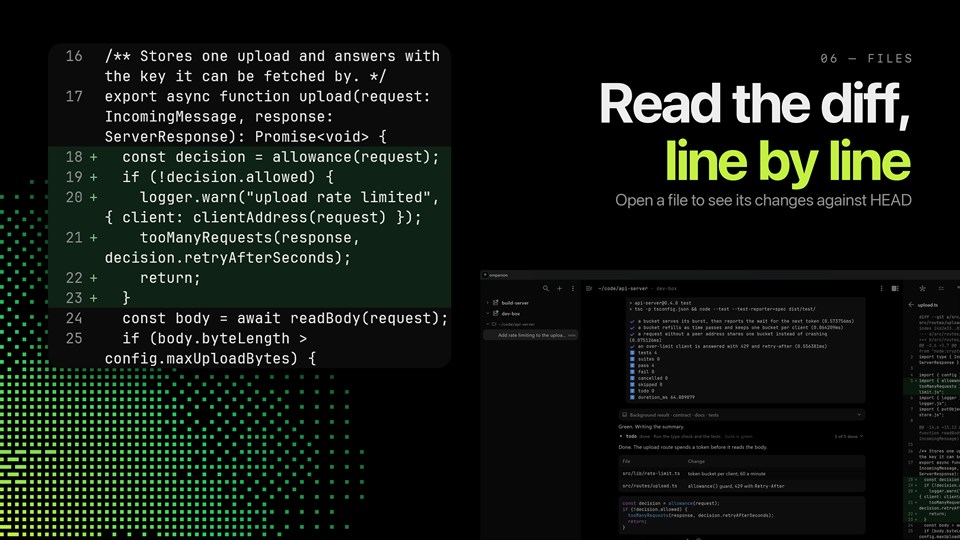
- Files: browse, create, rename and delete; an editor with find and replace; git status and diffs
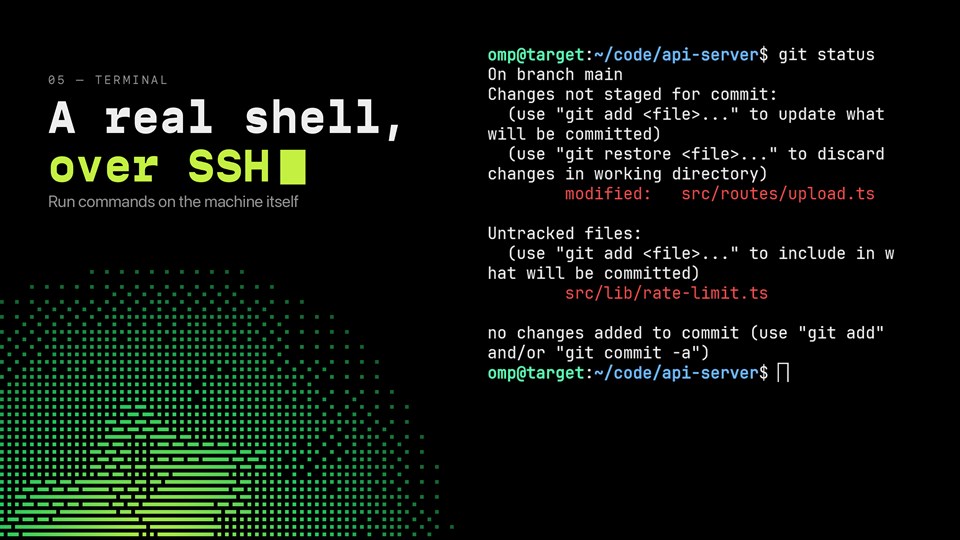
- Terminal tabs on this PC or on the machine over SSH
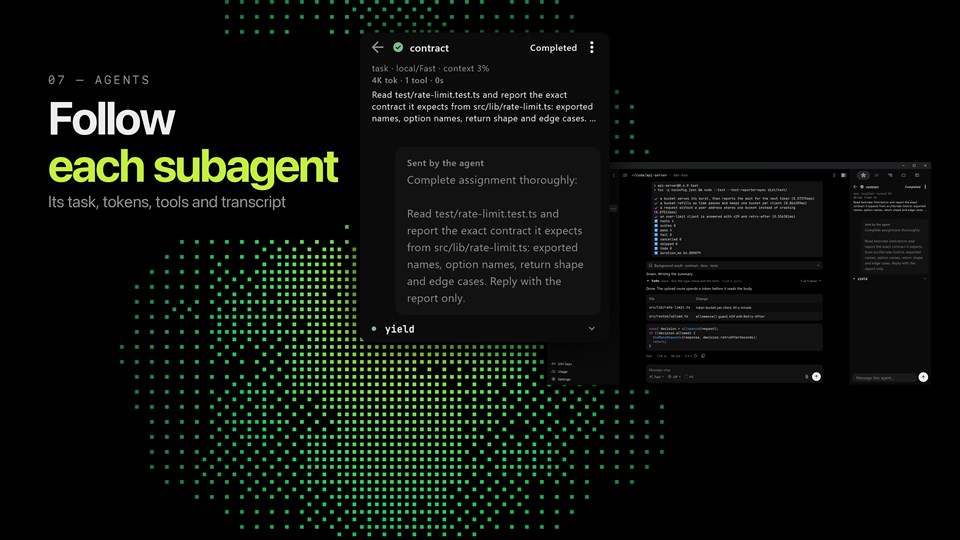
- Agent Hub: subagent roster with progress, tokens and cost, each agent's transcript, steer, kill, revive
- Todos by phase, and compactions shown with their summary and file lists
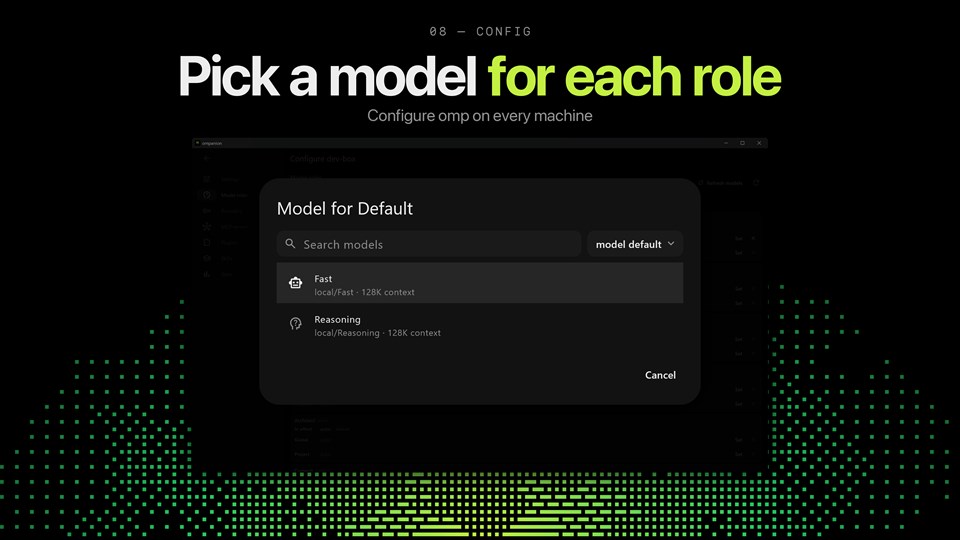
- Settings from omp's own schema, model roles, providers, MCP servers, plugins, skills, and stats
- Usage: subscription limits from every online machine, with reset times and account priority
- Monochrome, flat design with an OLED-black dark theme and a light theme; a wide window shows machines, chat and tools side by side, with keyboard shortcuts for the common actions
Privacy
- No accounts, no analytics, no crash reporting, no ads, no tracking
- Your data stays on your PC or goes over SSH to your own machines; the app reaches GitHub only to download omp, and a web image in a reply only when you click it
- Prompts go to omp, which calls the providers you configured there, under their policies
AI-generated content
- The chat shows live output of generative AI: the replies, plans and code come from the AI models your omp uses, and ompanion adds no filter of its own
- Report inappropriate content to the developer from Settings > About > Report an issue, or at github.com/edde746/ompanion/issues
ompanion is open source (GPLv3): github.com/edde746/ompanion
Van de ontwikkelaar
Lijsten 0
-
 ompanion
Punten 0
-

- +1 Punt

Ranglijsten 0
-
- Jouw beoordeling
Ontwikkelaar 4
- edde746
- Volgers: 0
- Platforms: Android Apps (1) Windows Apps (3)
- Aanbiedingen: 0
- Lijsten: 2 1
- Punten: 1
- Ranglijsten: 0
- Reacties: 0
- Video’s: 0
- RSS: Abonneren
Wat is er nieuw?
- Versie: PC
- Laatst bijgewerkt:
- ompanion 2.2.0 previews Markdown files in the Files tab, shows omp's advisor notes as a card, and can hide projects that sat idle for a while. It works with omp 18.3.1 and later and installs omp 18.16.0 on a machine that lacks it.
New: a Markdown file in the Files tab opens as a preview, rendered as the chat renders replies, with front matter as a YAML block, relative links that open their files and relative images loaded from the machine; the preview button switches to the source and back. The Files toolbar hides or shows dotfiles, and Open folder in the editor's menu browses the open file's folder. omp's advisor notes show as a card instead of raw XML, each note with its severity, opened by itself when a note is a blocker. Settings → Hide idle projects (7, 30 or 90 days) clears projects whose sessions sat untouched that long from the sidebar; a row under each machine and the search still show them.
Changed: the chat no longer stutters while it scrolls during a reply in a session with many subagents.
Fixed: a link to a heading in a file opens the file. The interface could halt with an error when a part of the screen closed while its data changed.
- ompanion 2.0.1 polishes the 2.0 app after a review of every screen, and fixes races in sessions, goals and connections. It works with omp 18.3.1 and later and installs omp 18.16.0 on a machine that lacks it.
Changed: animations play faster, and menus fade in. A run waiting for your answer says "Needs your input" in the chat header and marks the tool call waiting for approval. Approve once is the one filled button, and approval buttons stack into a column when they do not fit in one row. The usage page is tidier and lists only the machines that need attention. Empty places say what to do next: a new session, installing omp, a new terminal. The file browser shows a breadcrumb, the editor indents wrapped lines past their own indent, and a diff starts at its first hunk. Notices sit above the composer and under open dialogs.
Fixed: scrolling up while a reply streams is no longer pulled back to the bottom. The context meter shows the figure omp's own footer shows. Goals continue after a compaction instead of waiting for you. A result that arrives after you moved on no longer lands on the wrong screen, and syntax highlighting that failed to load loads again. An SSH key agent that never answers no longer holds a connection past its timeout. - ompanion 2.0 is the same app rebuilt on WebView2, in place of Flutter. It works with omp 18.3.1 and later, 18.16 included, and installs omp 18.16.0 on a machine that lacks it.
Moving to 2.0: your machines, keys, trusted host keys, passwords, settings, pinned sessions and read markers come with you; the app imports them on its first launch.
New: agent pages, an HTML page the agent shows in the chat (a chart, a table, a small tool), sandboxed, full screen or saved as HTML, its links asking before they open. German, and a language setting. Usage reminders: a notification when a limit resets or an account is usable again, even with the app closed. The model pickers list your recently used models first. Hiding account details on the usage page covers them with a random mosaic. SSH keys moved into Settings.
Fixed: with omp 18.16 the companion loads again, so goals, loops, pause, queue edits, settings and the idle exit of detached runs work. Ubuntu 26.04 machines: two devices sending to a session at once no longer both take its lock. Stopping a command on this computer also stops what it started. - Works with omp 18.12, and installs omp 18.12.6 on a machine that lacks it.
Changed: with omp 18.11.3 and later, a tool approval's notification says "Allow bash?" again, and the "Always approve" choices of omp 18.12.3 look like approvals.
Fixed: omp installed with bun install -g can be attached to; before, opening a session on it failed with "unknown flag: -1". A session whose tools report large progress, such as an eval running many subagents, no longer keeps reconnecting. Linux machines: sending to a session at the same moment as another device no longer fails. - Works with omp 18.10, and installs omp 18.10.3 on a machine that lacks it.
New: a Stats tab on the usage pane sums every machine's omp sessions into totals, a contribution grid with streaks, an activity chart, a week-by-hour grid, and model, project, tool, agent and machine lists, plus prompt stats and a word cloud of the words your prompts use most. The agent hub lists active and inactive agents apart, newest first.
Changed: chat images load once a scroll settles on them, and thumbnails decode at the size they show. An account's policy line on the usage pane says when its quota is exhausted, as omp 18.10 does.
Fixed: after switching back to the window, the next key no longer replaces a field's whole text. With omp 18.8.7 and later, sessions started from a device get a title again. A provider you sign in to while a session runs can be used in that session. A folded turn keeps every reply the model finished with.
Aanvullende informatie
- Releasedatum:
- Categorie:
Windows-apps›Ontwikkelhulpprogramma's - Besturingssysteem:
PC - Grootte:
11 Mb - Ondersteunde talen:
Engels - Inhoudsclassificatie:
EVERYONE 10+ - Windows Store Beoordeling: ¡
0 - Website:
 https://ompanion.app
AppAgg-score
Geschatte AppAgg-score voor
ompanion
Ontwikkelaar: edde746
Een hogere score betekent meestal betere resultaten voor de factoren die AppAgg beoordeelt.
Gebaseerd op: populariteit · gebruikersbeoordelingen · actualiteit · aanbiedingen · winkelgegevens · community-activiteit
Wordt dagelijks opnieuw berekend met actuele AppAgg-gegevens.
Reacties 0 ¡
Delen
ompanion Korte URL: Gekopieerd!- Windows Store

