
الإشارات المرجعية
| المطوّر: | jaidev gilla (12) | ||
| السعر: | مجاني | ||
| الدرجة: | 1,250 ذهب | ||
| الترتيب: | 0 | ||
| تعليقات: | 0 انشر تعليقًا | ||
| قوائم: | 0 0 | ||
| النقاط: | 0 | ||
| +1 نقطة | |||
ملخص
تعرّف على Oracle Linux 9، تطبيق من jaidev gilla ضمن فئة «أدوات المطور».
صدر . لم يعد جديدًا، ولم يصبح قديمًا بعد.
بلا مقابل، لا إعلانات ولا مشتريات داخلية. فقط أنت والتطبيق.
متجر Microsoft مدمج في Windows، فالتثبيت يتم بنقرتين.
تقييمه على Windows Store هو 3.3 من 5 من 7 أشخاص.
درجة AppAgg هي 1,250. هذا ذهب.
التصنيف العمري «EVERYONE»، أي أنه مناسب للأطفال أيضًا.
يتحدث لغة واحدة فقط، وليست العربية.
لم يقيّمه أحد على AppAgg بعد. فرصتك لتكون الأول الآن.
لدى هذا المطوّر 11 تطبيقًا آخر على AppAgg. ألقِ نظرة.
تريد أن تعرف بالتحديثات والتطبيقات الجديدة أولًا؟ تابع المطور أو اشترك في موجز RSS. تصلك الإشعارات عبر تطبيق AppAgg Alerts لنظامي Android وiOS.
منصات أخرى 0
سجل الأسعار 0
- السعر الحالي: مجاني
- الحد الأدنى: مجاني
- الحد الأقصى: مجاني
خلاصتك الخاصة في الصفحة الرئيسية
لقطات الشاشة 2
الوصف

For application developers who want to run Linux software on a Windows environment, and use Windows apps and Linux tools on the same set of files, Oracle Linux is an ideal choice. Oracle Linux is easy to download and completely free to use, distribute, and update.
With Oracle Linux you can standardize on an open, hardware-neutral infrastructure with nonrestrictive contracts and flexible enterprise-class support options. Oracle Linux Support offers access to award-winning Oracle support resources and Linux support specialists, at a low cost.
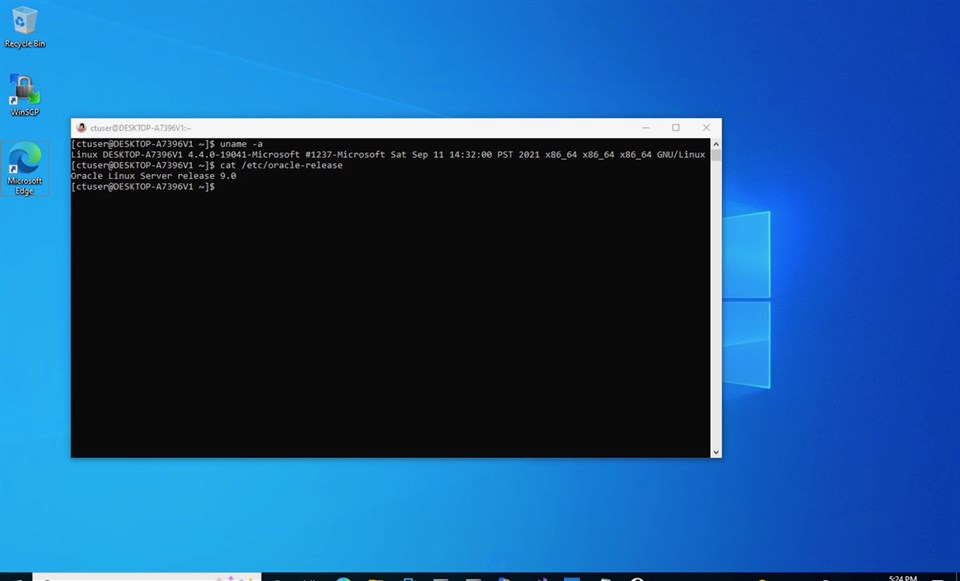
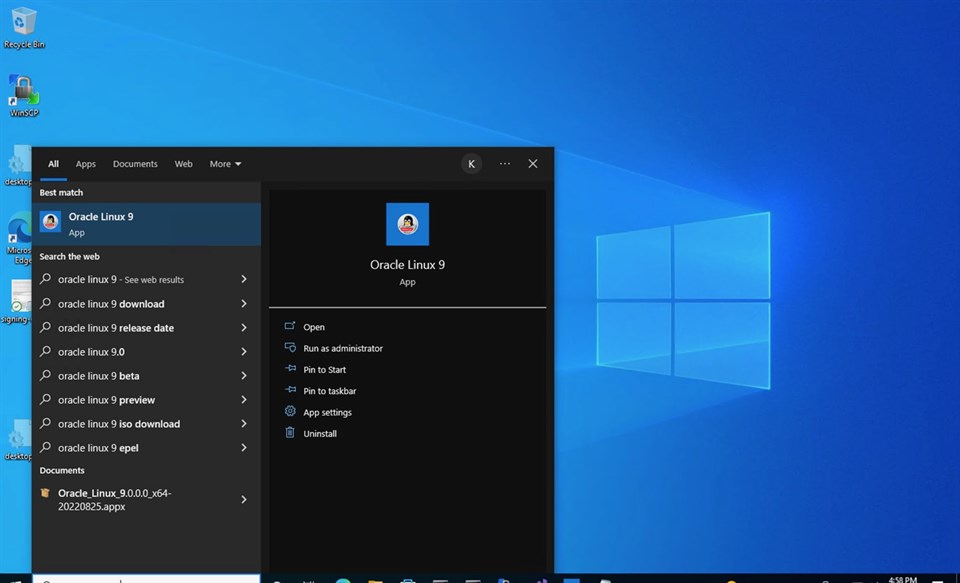
This app installs Oracle Linux 9 for the Windows Subsystem for Linux (WSL) on Windows. Launch this app by typing “oraclelinux9” on the command prompt, or by clicking the Oracle Linux 9 tile in the Windows 10 Start Menu. To install Oracle Linux updates, please run a yum update in the Oracle Linux Terminal.
Windows System Installation Prerequisites
Please note: WSL is not supported by Windows 10 in "S Mode."
Windows 10 - Build 19041.0 or higher
To find the version and build number, right-click Start and select Settings > System > About. Your OS build is under Windows Specification.
WSL must be enabled as a Windows Feature:
1. In the Search box on the Windows 10 task bar, type “Turn Windows features on or off”
2. Select the "Windows Subsystem for Linux" checkbox in the newly opened Windows Features window.
3. Reboot
Alternatively:
1. Run Windows PowerShell as an administrator and enter the following as a single command:
Enable-WindowsOptionalFeature -Online -FeatureName Microsoft-Windows-Subsystem-Linux
2. Reboot
Download Oracle Linux 9 for the Windows Subsystem for Linux (WSL) on Windows from the Windows App Store.
• Follow the directions to set up Oracle Linux.
To run Oracle Linux 9
Launch the app by typing “oraclelinux9” on the command prompt, or by clicking Oracle Linux 9 in the Windows 10 Start Menu.
To Update Oracle Linux 9
To install Oracle Linux updates, run a yum update in the Oracle Linux Terminal.
• sudo yum update
من المطوّر
قوائم 0
-
 Oracle Linux 9
النقاط 0
-

- +1 نقطة

الترتيب 0
-
- تقييمك
المطوّر 12
- jaidev gilla
- المتابعون: 0
- المنصات: Windows تطبيقات (12)
- العروض: 0
- قوائم: 0 0
- النقاط: 0
- الترتيب: 0
- تعليقات: 0
- الفيديوهات: 0
- RSS: اشتراك
ما الجديد
- الإصدار: PC
- آخر تحديث:
معلومات إضافية
- تاريخ الإصدار:
- الفئة:
تطبيقات Windows›أدوات المطور - نظام التشغيل:
PC - الحجم:
109 Mb - اللغات المدعومة:
الإنجليزية - تقييم المحتوى:
EVERYONE - Windows Store تقييم: ¡
3.3(7) - الموقع الإلكتروني:
 https://www.oracle.com/linux/index.html
درجة AppAgg
درجة AppAgg التقديرية لـ
Oracle Linux 9
المطوّر: jaidev gilla
تشير الدرجة الأعلى عادةً إلى أداء أفضل في مؤشرات AppAgg.
استنادًا إلى: الشعبية · تقييمات المستخدمين · الحداثة · العروض · بيانات المتاجر · نشاط المجتمع
يُعاد حسابها يوميًا بناءً على أحدث بيانات AppAgg.
تعليقات 0 ¡
مشاركة
Oracle Linux 9 عنوان URL مختصر: تم النسخ!- Windows Store

