
Bladwijzers
| Ontwikkelaar: | jaidev gilla (12) | ||
| Prijs: | Gratis | ||
| Score: | 1.250 Goud | ||
| Ranglijsten: | 0 | ||
| Reacties: | 0 Plaats reactie | ||
| Lijsten: | 0 0 | ||
| Punten: | 0 | ||
| +1 Punt | |||
Samenvatting
Maak kennis met Oracle Linux 9, een app van jaidev gilla in de categorie “Ontwikkelhulpprogramma's”.
Al uitgekomen. Niet nieuw meer, maar ook nog geen veteraan.
Gratis, geen advertenties, geen in-app-aankopen. Alleen jij en de app.
De Microsoft Store zit ingebouwd in Windows, dus installeren doe je in een paar klikken.
7 gebruikers geven de app op Windows Store een 3,3 uit 5.
De AppAgg-score is 1.250. Dat is Goud.
Leeftijdsclassificatie “EVERYONE”, dus ook prima voor kinderen.
Spreekt maar één taal, en dat is geen Nederlands.
Op AppAgg heeft nog niemand de app beoordeeld. Dit is je kans om de eerste te zijn.
De ontwikkelaar heeft nog 11 andere apps op AppAgg. Neem gerust een kijkje.
Wil je als eerste horen over updates en nieuwe apps? Volg de ontwikkelaar of abonneer je op de RSS-feed. Pushmeldingen komen binnen via de app AppAgg Alerts voor Android en iOS.
Andere platforms 0
Prijsgeschiedenis 0
- Huidige prijs: Gratis
- Minimum: Gratis
- Maximum: Gratis
Je eigen feed op de startpagina
Screenshots 2
Beschrijving

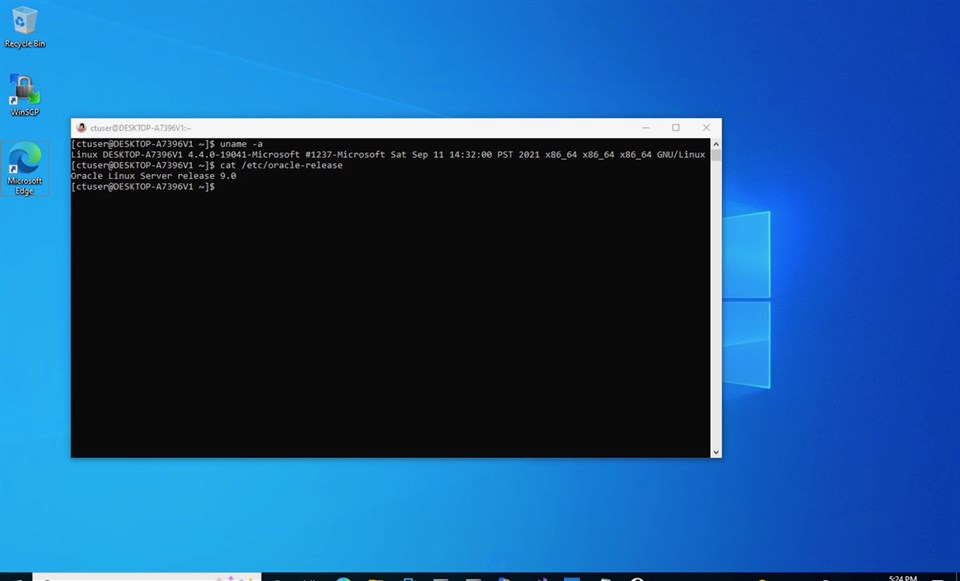
For application developers who want to run Linux software on a Windows environment, and use Windows apps and Linux tools on the same set of files, Oracle Linux is an ideal choice. Oracle Linux is easy to download and completely free to use, distribute, and update.
With Oracle Linux you can standardize on an open, hardware-neutral infrastructure with nonrestrictive contracts and flexible enterprise-class support options. Oracle Linux Support offers access to award-winning Oracle support resources and Linux support specialists, at a low cost.
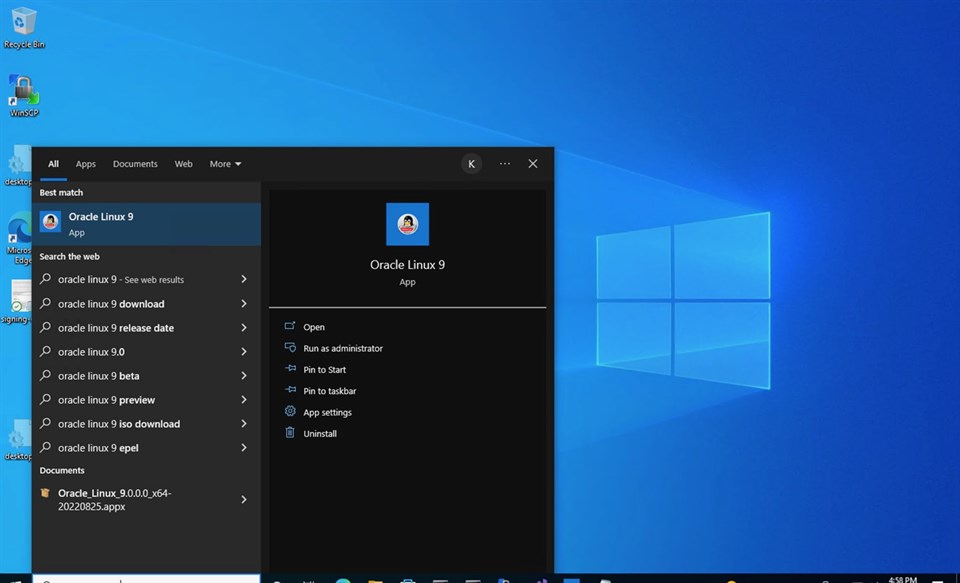
This app installs Oracle Linux 9 for the Windows Subsystem for Linux (WSL) on Windows. Launch this app by typing “oraclelinux9” on the command prompt, or by clicking the Oracle Linux 9 tile in the Windows 10 Start Menu. To install Oracle Linux updates, please run a yum update in the Oracle Linux Terminal.
Windows System Installation Prerequisites
Please note: WSL is not supported by Windows 10 in "S Mode."
Windows 10 - Build 19041.0 or higher
To find the version and build number, right-click Start and select Settings > System > About. Your OS build is under Windows Specification.
WSL must be enabled as a Windows Feature:
1. In the Search box on the Windows 10 task bar, type “Turn Windows features on or off”
2. Select the "Windows Subsystem for Linux" checkbox in the newly opened Windows Features window.
3. Reboot
Alternatively:
1. Run Windows PowerShell as an administrator and enter the following as a single command:
Enable-WindowsOptionalFeature -Online -FeatureName Microsoft-Windows-Subsystem-Linux
2. Reboot
Download Oracle Linux 9 for the Windows Subsystem for Linux (WSL) on Windows from the Windows App Store.
• Follow the directions to set up Oracle Linux.
To run Oracle Linux 9
Launch the app by typing “oraclelinux9” on the command prompt, or by clicking Oracle Linux 9 in the Windows 10 Start Menu.
To Update Oracle Linux 9
To install Oracle Linux updates, run a yum update in the Oracle Linux Terminal.
• sudo yum update
Van de ontwikkelaar
Lijsten 0
-
 Oracle Linux 9
Punten 0
-

- +1 Punt

Ranglijsten 0
-
- Jouw beoordeling
Ontwikkelaar 12
- jaidev gilla
- Volgers: 0
- Platforms: Windows Apps (12)
- Aanbiedingen: 0
- Lijsten: 0 0
- Punten: 0
- Ranglijsten: 0
- Reacties: 0
- Video’s: 0
- RSS: Abonneren
Wat is er nieuw?
- Versie: PC
- Laatst bijgewerkt:
Aanvullende informatie
- Releasedatum:
- Categorie:
Windows-apps›Ontwikkelhulpprogramma's - Besturingssysteem:
PC - Grootte:
109 Mb - Ondersteunde talen:
Engels - Inhoudsclassificatie:
EVERYONE - Windows Store Beoordeling: ¡
3.3(7)
 https://www.oracle.com/linux/index.html
AppAgg-score
Geschatte AppAgg-score voor
Oracle Linux 9
Ontwikkelaar: jaidev gilla
Een hogere score betekent meestal betere resultaten voor de factoren die AppAgg beoordeelt.
Gebaseerd op: populariteit · gebruikersbeoordelingen · actualiteit · aanbiedingen · winkelgegevens · community-activiteit
Wordt dagelijks opnieuw berekend met actuele AppAgg-gegevens.
Reacties 0 ¡
Delen
Oracle Linux 9 Korte URL: Gekopieerd!- Windows Store

