
Marque-pages
| Développeur: | Orbyss (1) | ||
| Prix: | * Gratuit | ||
| Score: | 1 270 Or | ||
| Classements: | 0 | ||
| Commentaires: | 0 Publier un commentaire | ||
| Listes: | 0 0 | ||
| Points: | 0 | ||
| +1 Point | |||
Résumé
Orbyss Admin est une application de Orbyss, dans la catégorie « Outils de développement ».
Elle tourne même sur HoloLens (Windows en réalité mixte).
Il existe même une version Windows Mobile. Un petit coucou du passé.
L’entrée est gratuite, mais la boutique à l’intérieur est bien ouverte.
Sortie , elle est encore toute fraîche.
Compatible même avec Surface Hub, pour les grandes salles de réunion.
Son Score AppAgg est de 1 270. C’est le niveau Or.
Seulement 20 mégaoctets. Ça tiendra même sur un disque plein à craquer.
Classification « EVERYONE » : ça convient aussi aux enfants.
Ne parle qu’une seule langue, et ce n’est pas le français.
Vous l’avez utilisée ? Votre avis serait le premier ici.
C’est la seule application de ce développeur sur AppAgg. Pour l’instant.
Envie de connaître les mises à jour et les nouvelles apps avant tout le monde ? Suivez le développeur ou abonnez-vous au Flux RSS. Les notifications push arrivent via l’app AppAgg Alerts pour Android et iOS.
Autres plateformes 0
 | Orbyss AdminWindows Store1K OrWindowsAchats intégrés | Gratuit |
Pour l’instant, uniquement dans cette boutique.
Historique des prix 0
- Prix actuel : Gratuit
- Minimum: Gratuit
- Maximum: Gratuit
Votre propre fil sur la page d’accueil
Captures d'écran 9
Description
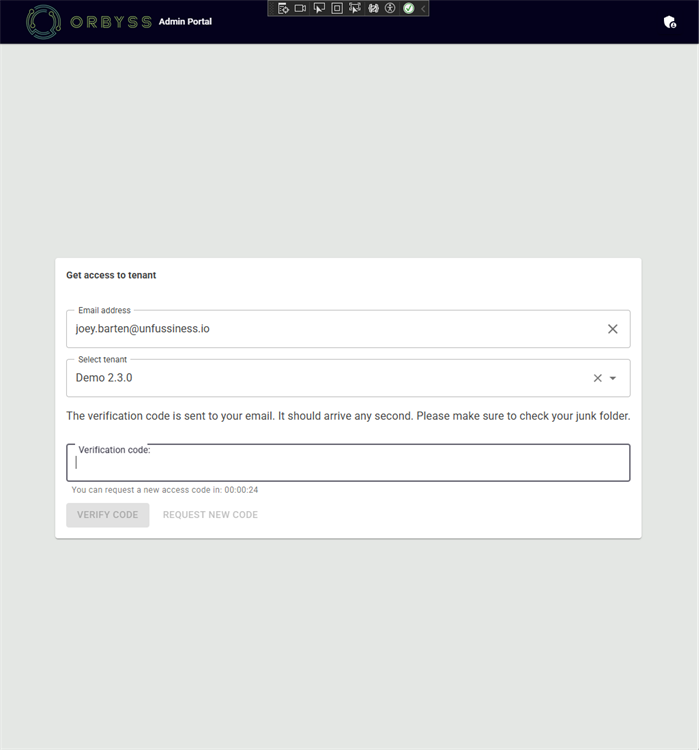
An Orbyss account is required to use this application. Accounts are not created automatically.
Access is granted by a tenant administrator or after a manual access request handled by Orbyss.
User will not be able to sign in without prior account provisioning and tenant authorization.
If you are interested in requesting access, please contact Orbyss by email: joey.barten@unfussiness.io.
Orbyss is a B2B software development company. On request, Orbyss can provision an environment and, within that environment, develop applications using the Orbyss platform for its customers.
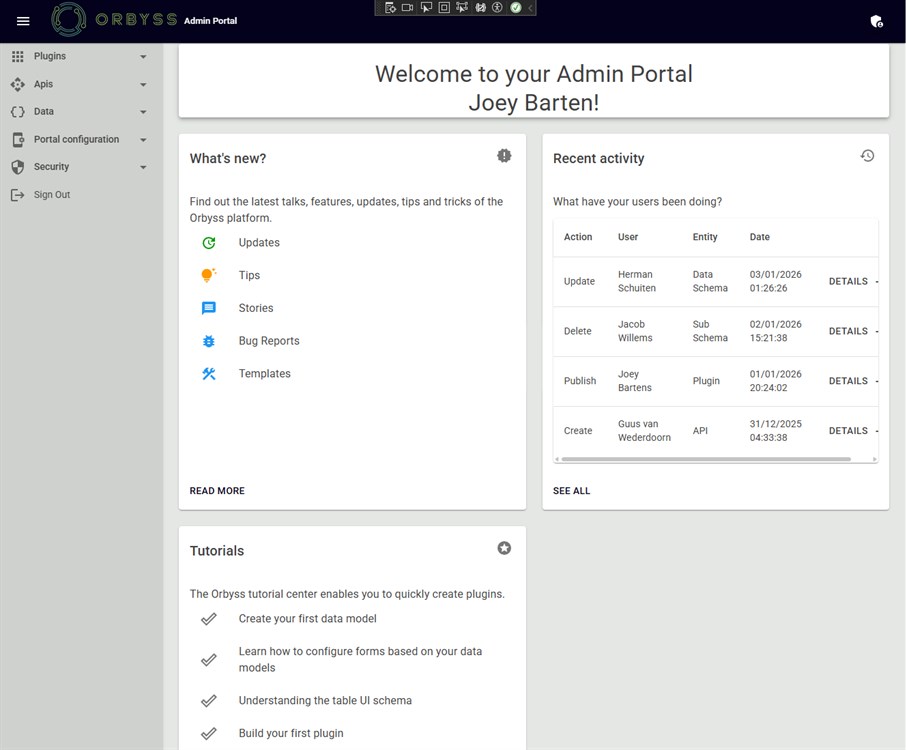
What is the Orbyss Admin Portal?
Orbyss Admin Portal is a multi-tenant developer platform for configuring, deploying, and operating Orbyss-powered applications. It centralizes data modeling, plugin management, access control, and deployment, while the platform handles authentication, APIs, and infrastructure.
Getting started in 4 steps
1. Request access
Request the creation of a tenant and receive an admin account. You then obtain secure access to the Admin Portal and sign into a tenant.
2. Configure branding
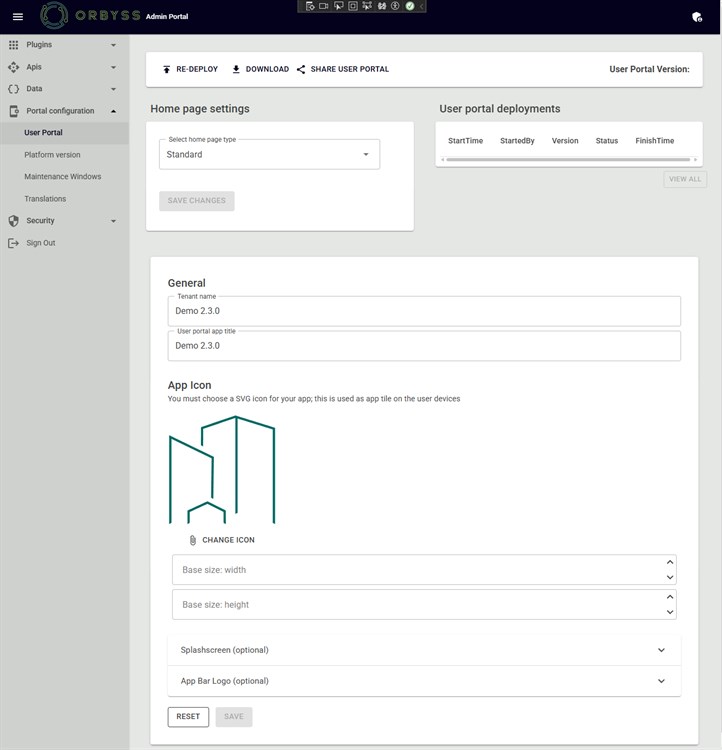
Configure the logo and title of the User Portal (your application).
3. Model data and build plugins
Define data schemas and build Razor-based plugins that consume the platform’s Data API.
4. Configure and deploy
Configure access, settings, and versions, then deploy the User Portal directly from the Admin Portal.
What can you do with the Orbyss Admin Portal?
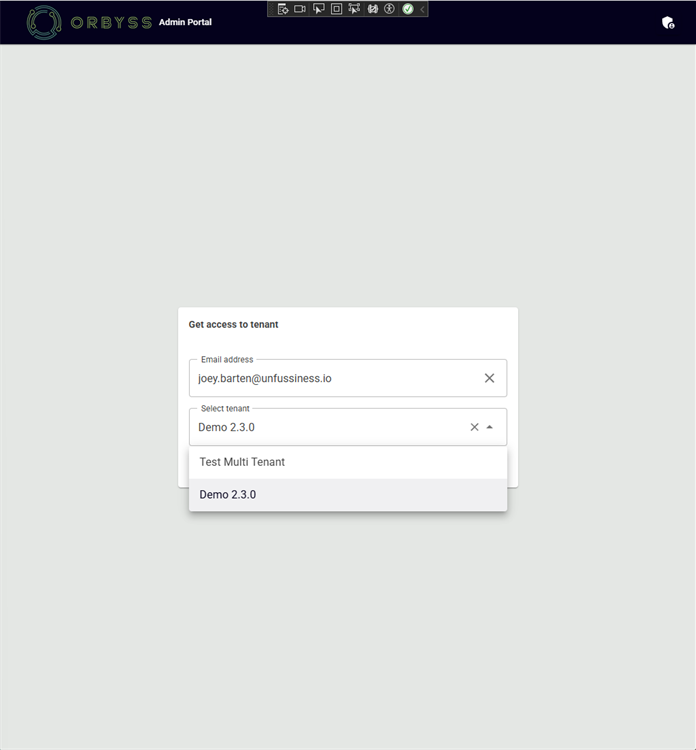
- Manage multi-tenant environments
Securely access and administer multiple tenants, each representing a fully isolated User Portal application.
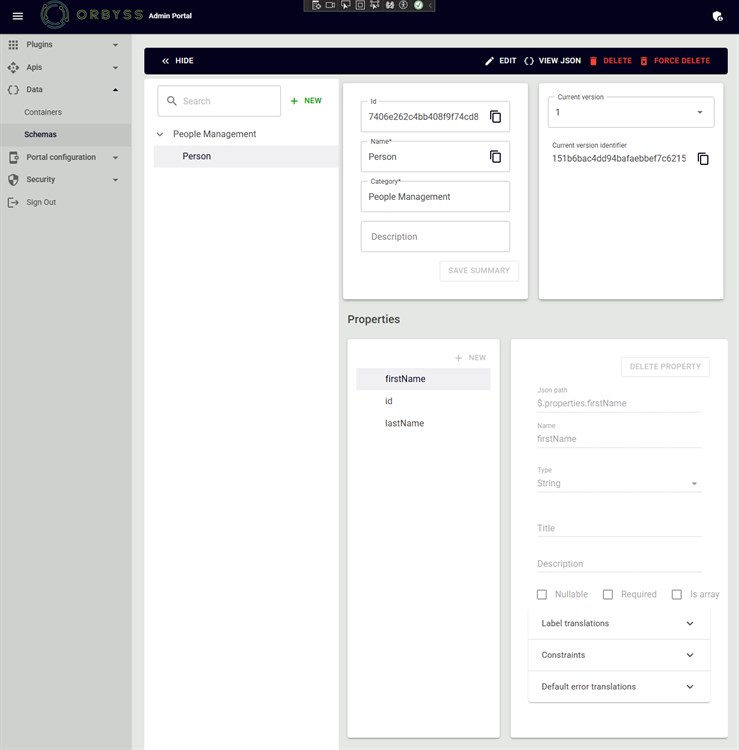
- Model and version data visually
Design data schemas, properties, constraints, translations, and sub-schemas without writing boilerplate API code.
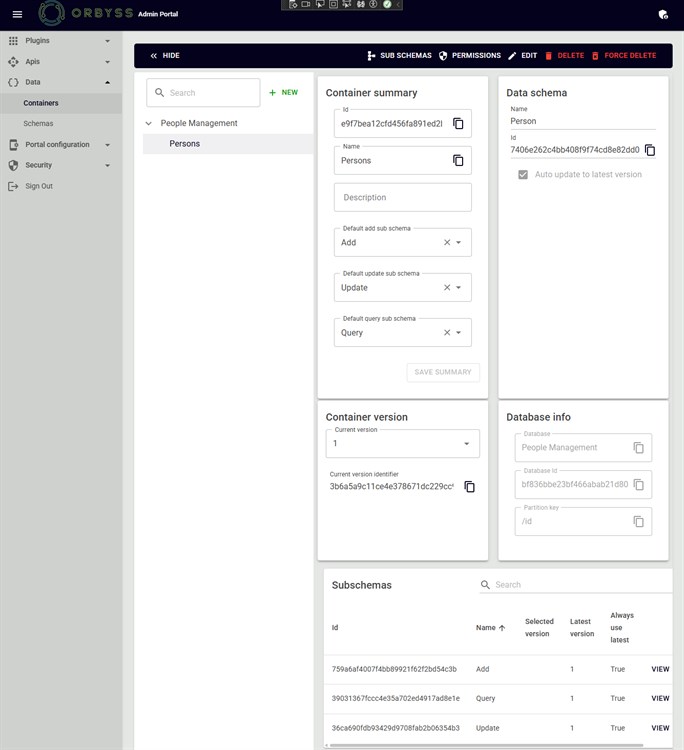
- Configure data storage and containers
Bind schemas to managed data containers with versioning, partitioning, and controlled update behaviour.
- Develop and deploy plugins
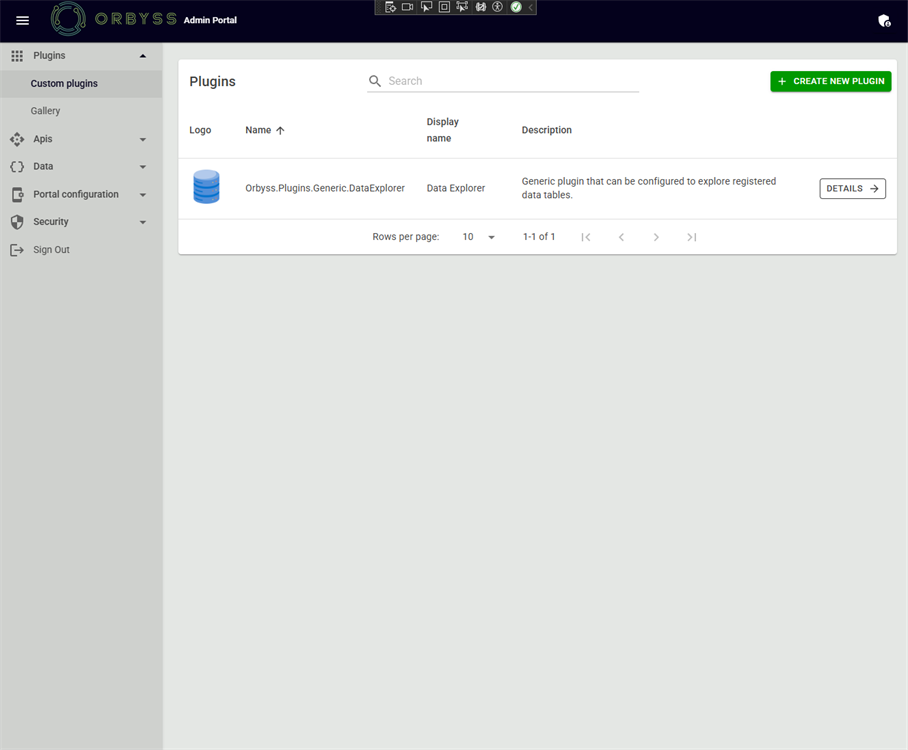
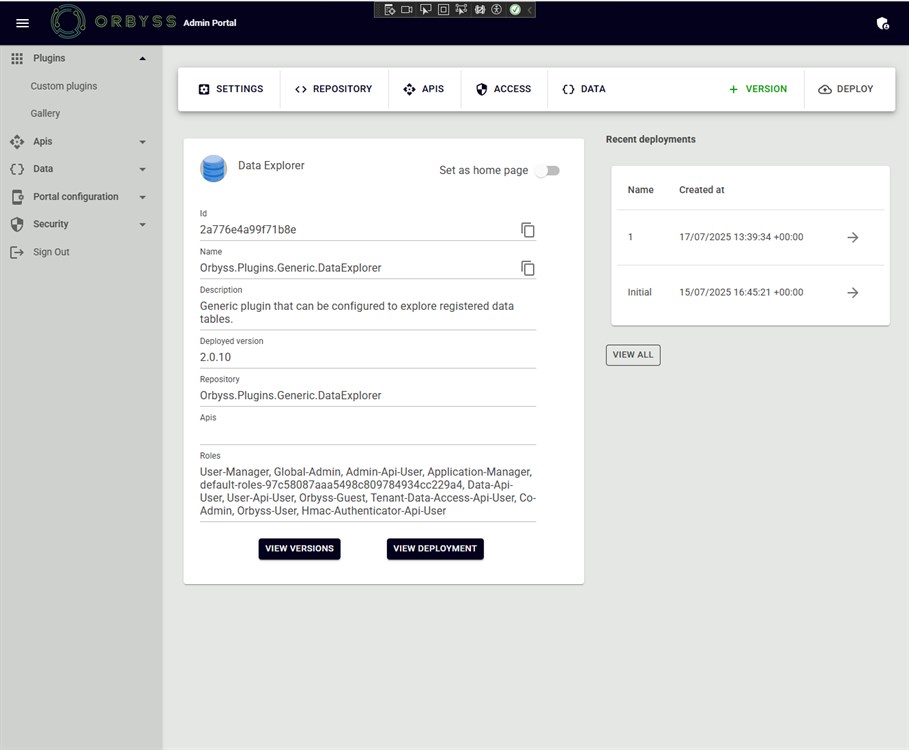
Build application functionality as plugins, manage versions, configure access roles, and deploy them to User Portals with full lifecycle control.
- Control application versions and deployments
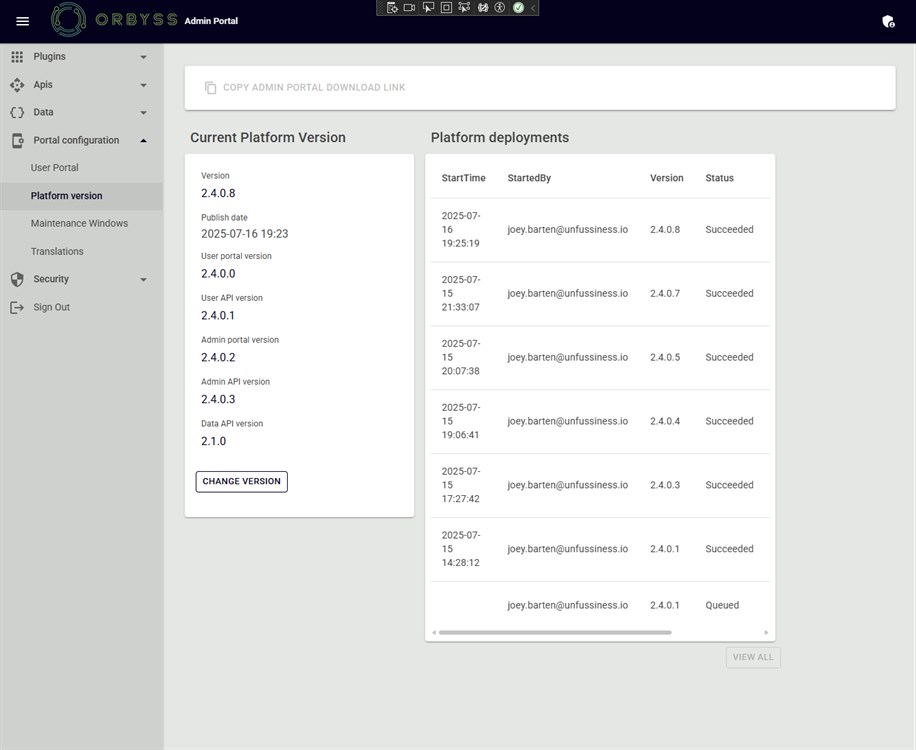
Track platform versions, User Portal versions, deployment history, and deployment status from a single interface.
- Configure User Portal behavior and branding
Manage home page configuration, application metadata, icons, and deployment settings for end-user applications.
Why Orbyss vs traditional application development
Traditional application development requires teams to repeatedly build and maintain the same foundational layers:
- Authentication and authorization
- Tenant isolation and access control
- API design and data CRUD endpoints
- Application bootstrapping and platform setup
- Deployment orchestration and version tracking
The Admin Portal removes operational complexity while keeping developers firmly in control of architecture, UI, and business logic.
Orbyss eliminates these repetitive concerns without becoming low-code. This minimal-code approach dramatically reduces development time and maintenance effort while preserving full developer flexibility and architectural control.
With Orbyss:
- Authentication, authorization, and tenant security are preconfigured
- A single, central Data API replaces custom CRUD APIs
- Data schemas are versioned and managed visually
- Application infrastructure is handled by the platform
- Developers focus on building UI and business logic
What do developers actually build?
Developers create Razor components and pages inside plugins. These plugins are configured, versioned, secured, and deployed through the Admin Portal.
Developers can create APIs without managing infrastructure, authentication, or authorization. Bootstrapping is handled by a utility library, and authentication and authorization settings are injected by the Admin Portal during deployment. The Admin Portal manages Docker images and deploys them to containers, allowing developers to focus solely on application logic and required endpoints.
Due to the Data API provisioned for each environment, developers no longer need to create APIs solely to interact with a database. Data is modeled, access is configured, and plugins interact with it through a uniform Data API interface. Custom APIs are only required for secure operations, expensive processing, or tasks that require software not compatible with each user device.
Du développeur
Listes 0
-
 Orbyss Admin
Points 0
-

- +1 Point

Classements 0
-
- Votre note
Développeur 1
- Orbyss
- Abonnés: 0
- Plateformes: Windows Applications (1)
- Promotions: 0
- Listes: 0 0
- Points: 0
- Classements: 0
- Commentaires: 0
- Vidéos: 0
- RSS: S'abonner
Nouveautés
- Version: PC
- Dernière mise à jour:
Informations supplémentaires
- Date de sortie:
- Catégorie:
Applications pour Windows›Outils de développement - Systèmes d'exploitation:
HoloLensMobilePCSurface Hub - Taille:
20 Mb - Langues prises en charge:
Anglais - Classification du contenu:
EVERYONE - Windows Store Note: ¡
0 - Site Web:
 https://orbyss.io
Score AppAgg
Score AppAgg estimé pour
Orbyss Admin
Développeur: Orbyss
Un score plus élevé reflète généralement de meilleurs résultats selon les indicateurs d’AppAgg.
Basé sur : popularité · notes des utilisateurs · actualité · promos · données des boutiques · activité de la communauté
Recalculé chaque jour à partir des données AppAgg les plus récentes.
Commentaires 0 ¡
Partager
Orbyss Admin URL courte: Copié!- Windows Store

