
บุ๊กมาร์ก
| ผู้พัฒนา: | BOMTOBE (7) | ||
| ราคา: | ฟรี | ||
| คะแนน: | 1,020 เงิน | ||
| การจัดอันดับ: | 0 | ||
| ความคิดเห็น: | 0 โพสต์ความคิดเห็น | ||
| รายการ: | 0 0 | ||
| แต้ม: | 0 | ||
| +1 แต้ม | |||
สรุป
มาทำความรู้จัก orke แอปในหมวด “เครื่องมือสำหรับนักพัฒนา” จาก BOMTOBE
ออกเมื่อ ยังสดใหม่อยู่เลย
มีบน Google Play ด้วย เลือกที่ที่สะดวกได้เลย
ฟรี ไม่มีโฆษณา ไม่มีการซื้อภายในแอป มีแค่คุณกับแอป
Microsoft Store มีมาในตัว Windows อยู่แล้ว ติดตั้งได้ในไม่กี่คลิก
คะแนน AppAgg คือ 1,020 ระดับ “เงิน” ถือว่าไม่เลวเลย
จัดเรต “EVERYONE” เหมาะกับเด็ก ๆ ด้วย
รองรับ 2 ภาษา แต่ยังไม่มีภาษาไทย
ตอนนี้ที่นี่ยังเงียบกริบ ไม่มีคะแนน ไม่มีความคิดเห็น มาทำลายความเงียบกันเถอะ
ผู้พัฒนารายนี้มีแอปอื่นบน AppAgg อีก 6 แอป ลองไปดูกัน
อยากรู้เรื่องอัปเดตและแอปใหม่ก่อนใครไหม? ติดตาม ผู้พัฒนา หรือกดติดตาม ฟีด RSS ได้เลย การแจ้งเตือนแบบพุชส่งผ่านแอป AppAgg Alerts สำหรับ Android และ iOS
แพลตฟอร์มอื่น 1
 | orkeWindows Store1K เงินWindows | ฟรี |
 | orkeGoogle Play640 บรอนซ์Android | ฟรี |
ประวัติราคา 0
- ราคาปัจจุบัน: ฟรี
- ต่ำสุด: ฟรี
- สูงสุด: ฟรี
ฟีดของคุณเองบนหน้าแรก
ภาพหน้าจอ 6
คำอธิบาย
Terminals and AI sessions
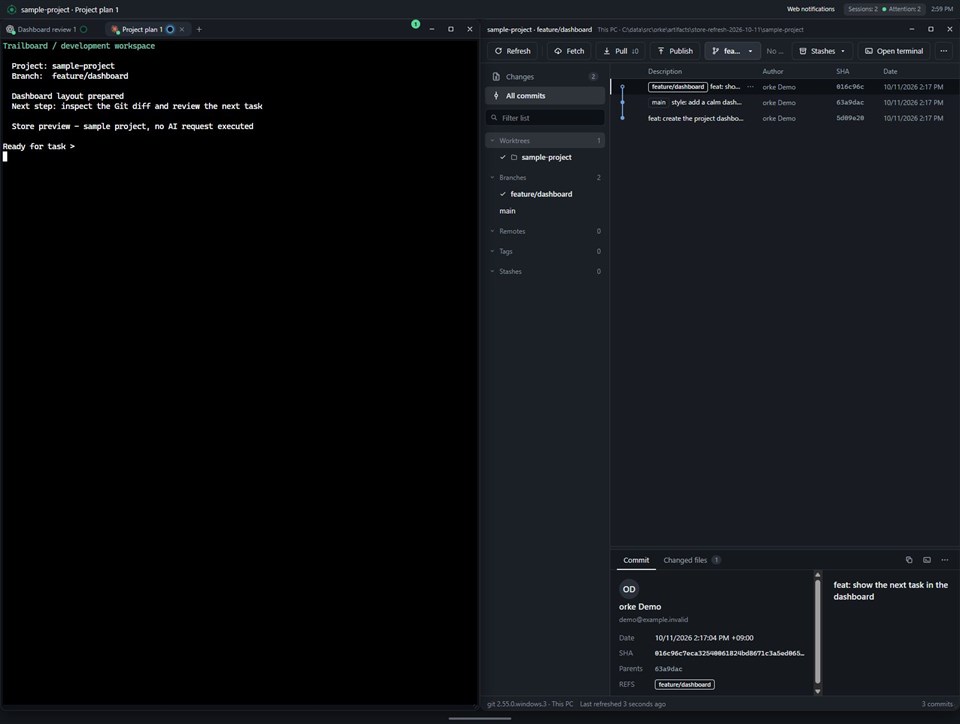
Work with Claude Code, Codex, OpenCode, Hermes and Antigravity CLI (agy) after installing the agents you need. See running sessions and input-waiting states, find conversation history and resume supported agent sessions. Closing a terminal tab keeps its live session running; reopen it from the session list or end it explicitly. Claude and Codex account management follows the current login in each execution environment.
Git and history
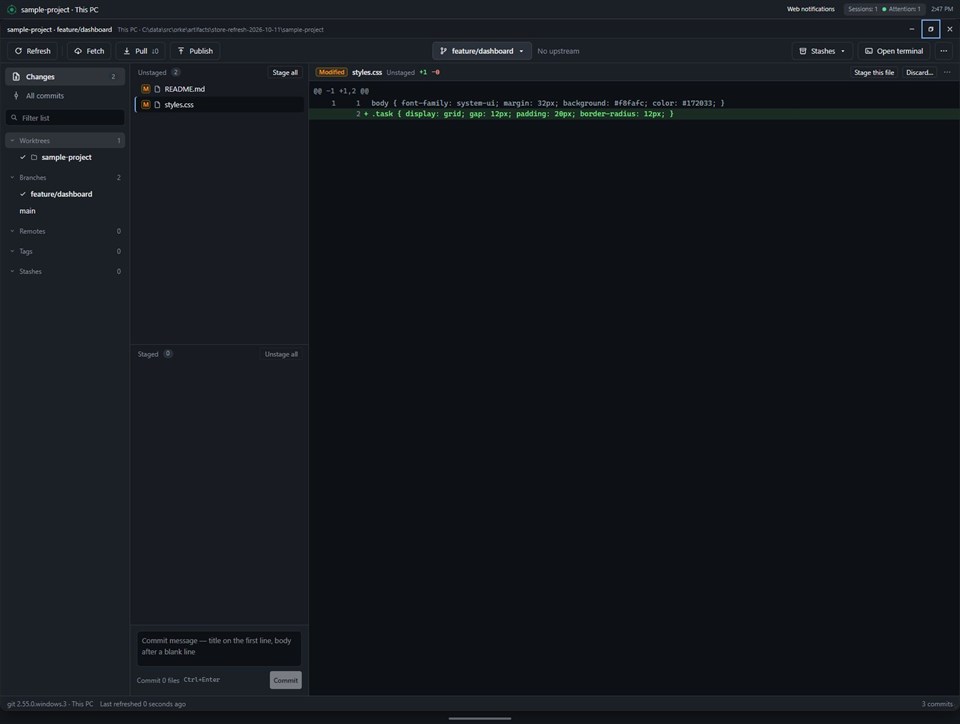
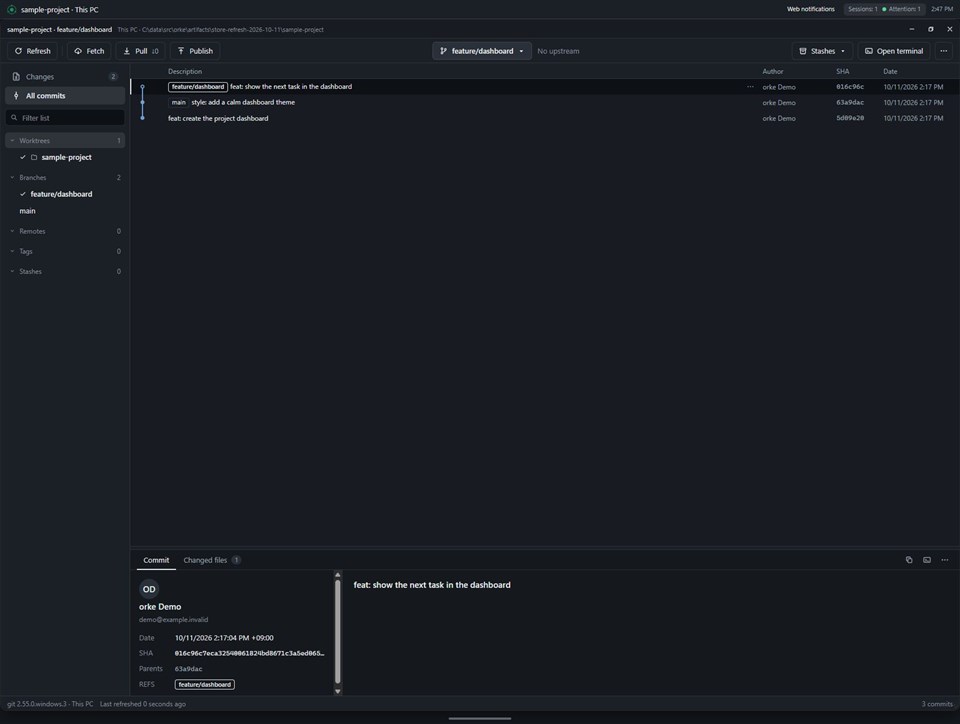
Inspect changed files, diffs, branches and commit history. Stage files, commit, fetch, pull and push from the workspace. Git requires a separate installation, and remote repositories use your existing Git authentication.
Web pages alongside your work
Open documentation, development sites and work pages in built-in browser tabs. Supported agents can use browser tools to read and interact with pages. Select a page element and send it to an agent with your instructions. From a remotely connected device, view and control web pages running on your PC. Some sites and input methods have support limitations.
Multi-step automation
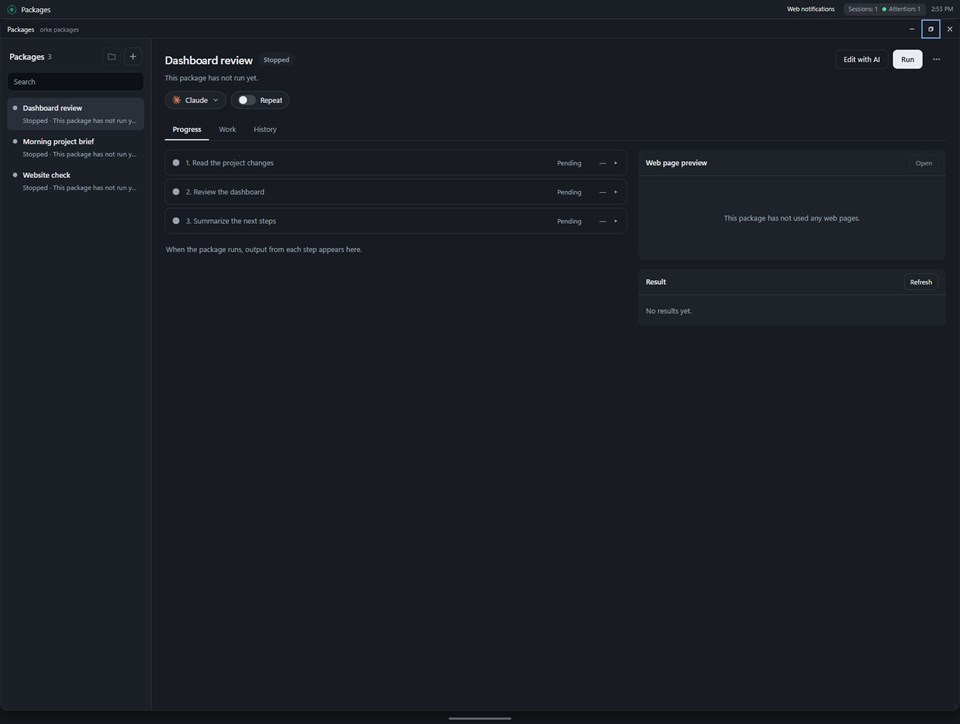
Define steps in a package and run them in sequence with Claude, Codex, NVIDIA or Antigravity. Run once, repeat, use an interval or schedule a daily start time, then inspect step results and run history. If you use Hermes, you can also inspect and manage its scheduled jobs. Scheduled work requires orke to remain running.
orke support
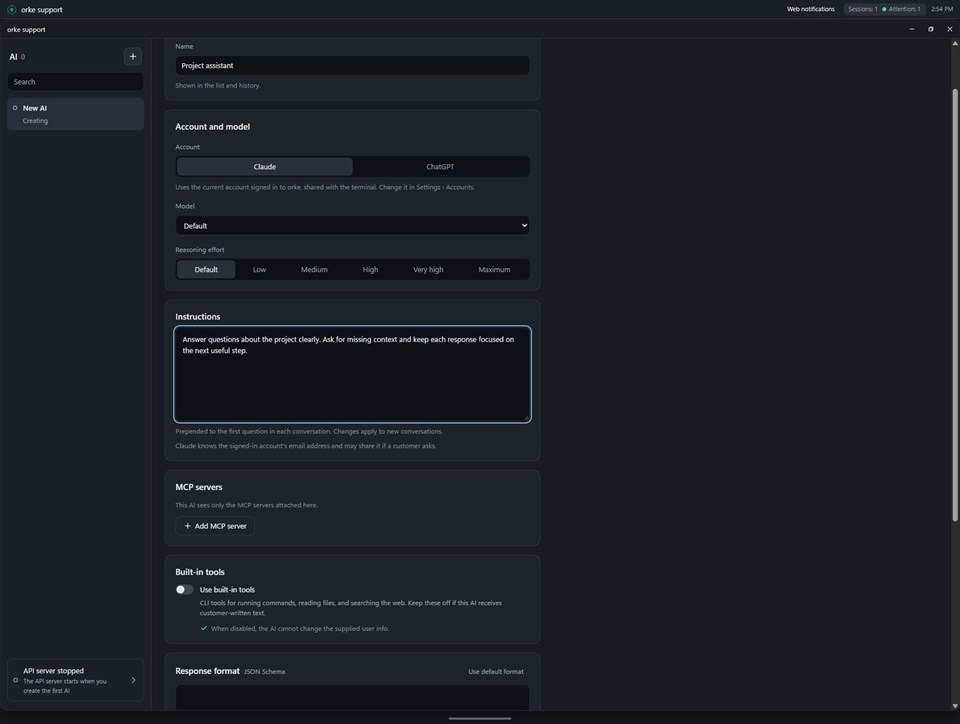
Configure AIs backed by your signed-in Claude or Codex CLI and manage questions and answers by room. Connect your own service through the HTTP interface and a separate access key for each AI. Configure MCP servers and optional built-in tools per AI. Built-in tools are initially disabled. support runs on your PC and does not include a separate AI service subscription.
Continue from another device
Optional ngrok setup lets your permitted Google account access the workspace from another computer or a phone browser. The touch workspace lets you select sessions, enter text and continue work running on the PC. Remote access is off by default and requires an ngrok account, connector and configuration.
Languages and execution environments
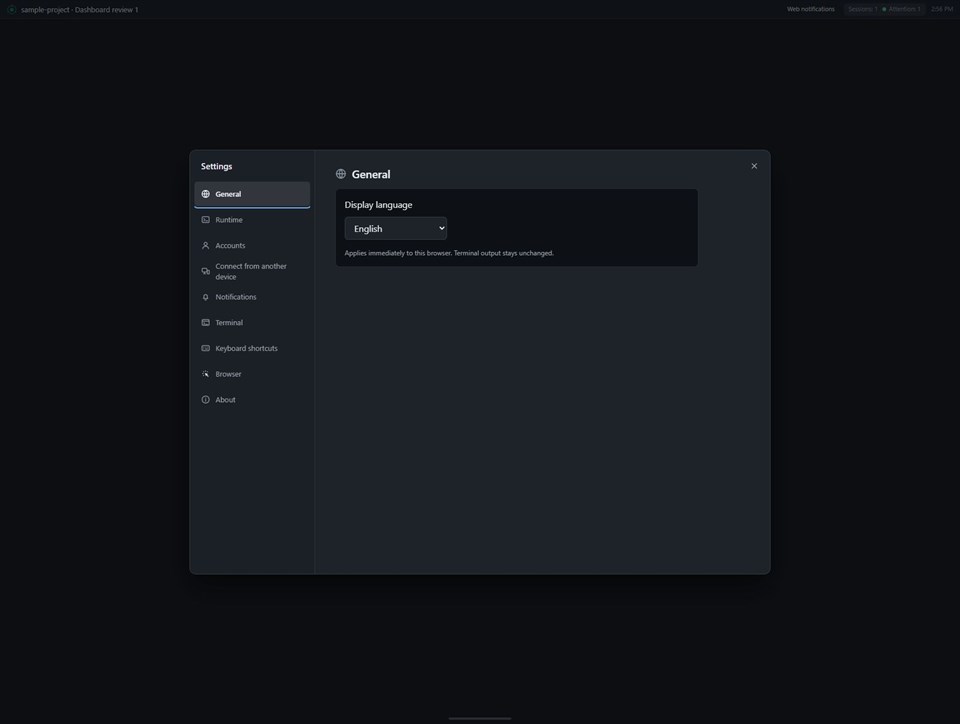
Choose English, Korean, Simplified Chinese, Japanese, Spanish, French or Brazilian Portuguese for the interface. Optional Docker execution uses a separate disk without mounting PC folders. Isolated sessions share a container and volume and retain network access; this is not a security boundary between sessions. Docker and the agents and tools inside it require separate installation.
Before you start
orke includes its NVIDIA agent, which requires an NVIDIA API key and a supported endpoint. Install and sign in to other AI agents separately. AI service pricing, usage limits and availability follow each provider's terms. Local agents run with your PC user's permissions, and supported CLIs are launched with approval prompts skipped. Use them for work you trust.
จากนักพัฒนา
รายการ 0
-
 orke
แต้ม 0
-

- +1 แต้ม

การจัดอันดับ 0
-
- คะแนนของคุณ
ผู้พัฒนา 7
- BomToBe
- ผู้ติดตาม: 0
- แพลตฟอร์ม: Android แอป (5) Windows แอป (2)
- ลดราคา: 0
- รายการ: 0 0
- แต้ม: 0
- การจัดอันดับ: 0
- ความคิดเห็น: 0
- วิดีโอ: 0
- RSS: ติดตาม
มีอะไรใหม่
- เวอร์ชัน: PC
- อัปเดตล่าสุด:
- orke 3.4.3
• Choose from seven UI languages: English, Korean, Simplified Chinese, Japanese, Spanish, French and Brazilian Portuguese.
• Configure Claude/Codex-backed AIs, access keys, question rooms and MCP servers in orke support.
• Use Antigravity CLI (agy) sessions and automation packages.
• Inspect browser elements, wait for page conditions, send element instructions and control PC web pages remotely.
• Run multi-step packages on repeat or a schedule and inspect their run history.
• Clipboard and process-handling reliability improvements.
External AI CLIs, AI service accounts, ngrok and Docker require separate setup for the features that use them.
• Added a visible orke CLI Start menu entry for Store distribution and updated default CLI output to English.
ข้อมูลเพิ่มเติม
- วันที่วางจำหน่าย:
- หมวดหมู่:
แอปสำหรับ Windows›เครื่องมือสำหรับนักพัฒนา - ระบบปฏิบัติการ:
PC - ขนาด:
252 Mb - ภาษาที่รองรับ:
อังกฤษ,เกาหลี - การจัดประเภทเนื้อหา:
EVERYONE - Windows Store คะแนน: ¡
0 - เว็บไซต์:
 https://bom.bomtobe.com
คะแนน AppAgg
คะแนน AppAgg โดยประมาณของ
orke
ผู้พัฒนา: BOMTOBE
คะแนนที่สูงขึ้นมักสะท้อนตัวชี้วัดที่ดีกว่าบน AppAgg
อิงจาก: ความนิยม · คะแนนจากผู้ใช้ · ความสดใหม่ · ดีล · ข้อมูลร้านค้า · กิจกรรมชุมชน
คำนวณใหม่ทุกวันจากข้อมูล AppAgg ล่าสุด
ความคิดเห็น 0 ¡
แชร์
orke URL แบบสั้น: คัดลอกแล้ว!- Windows Store

